Best AI music generator in 2026: 7 tools I'd use for real songs, free and paid

My stack My fav 6 tools for AI music after testing 70+
-
 ElevenMusic · Music generation
-
 Moises · Stem separation
-
 Controlla · Voice swap & cloning
-
 Cryo Mix · Mixing + mastering
-
 Neural Frames · Music videos
-
 ONCE · Distribution
Some links are affiliate links — I earn a commission at no cost to you. Every tool here is one I run myself and truly believe in. This stack is proven.
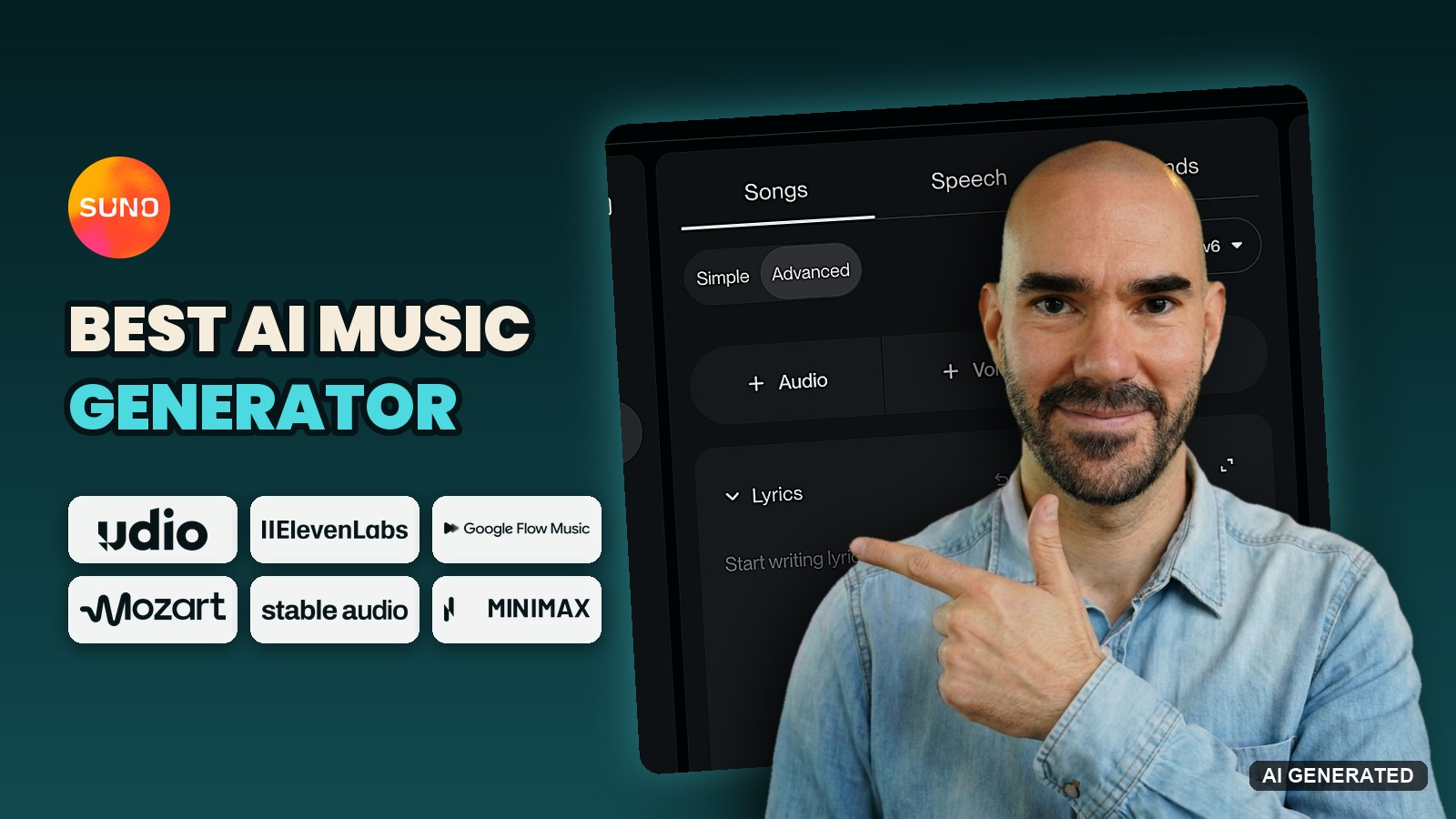
The best AI music generator in 2026 is still Suno if you want a finished song with vocals, and on usage it isn’t close: Suno shows up in 92.8% of the verified AI releases in SIQA’s mid-year 2026 report. But “best” now depends on the job. ElevenMusic gives you 25 free songs a day you can release with a credit, Google Flow Music costs $6 a month, and Udio, the second name everyone types, hasn’t let anyone download a song since October 29, 2025.
So I rebuilt this roundup from scratch. Beatoven, Loudly and Tad AI are out, and Riffusion lives on as Google Flow Music. The 7 tools below are the ones that matter for a real song right now, scored on the same 5 criteria, with the prices I checked on October 30, 2026.
The best AI music generators in 2026, ranked
This list is for anyone who wants to make a song with AI and do something with it: release it, put it under a video, or take the parts into a DAW. Ranked by my weighted score:
- Suno, best AI music generator for finished songs with vocals: v6 wrote a full song in 10 to 20 seconds in my test, and Studio 2.0 lets you edit the parts. Pro from $8 a month. My Suno review has the 27-file test.
- ElevenMusic, best licensed AI song generator and best free plan: 25 songs a day free, commercial use with a credit, and ElevenMusic Pro at $9.99 a month adds release to Spotify.
- Google Flow Music, best for producing by chat and building your own instruments: Lyria 3.5, WAV and stem downloads, from $6 a month.
- Mozart AI, best AI DAW for building a track layer by layer: from $7 a month on its current sale.
- Stable Audio, best for licensed instrumentals and background music: a commercial license on every plan, the free one included.
- MiniMax Music 3, best free AI music generator with no download cap: open weights that run on your own NVIDIA graphics card.
- Udio, great sound you can’t take with you: downloads have been off for a year while its licensed platform waits to launch.
How I tested and scored these AI music generators
Tools considered: 14. The 7 here made the cut, and Beatoven, Loudly, Tad AI, MusicGPT, Mureka, Soundraw and AIVA didn’t (the reasons are at the end of this section).
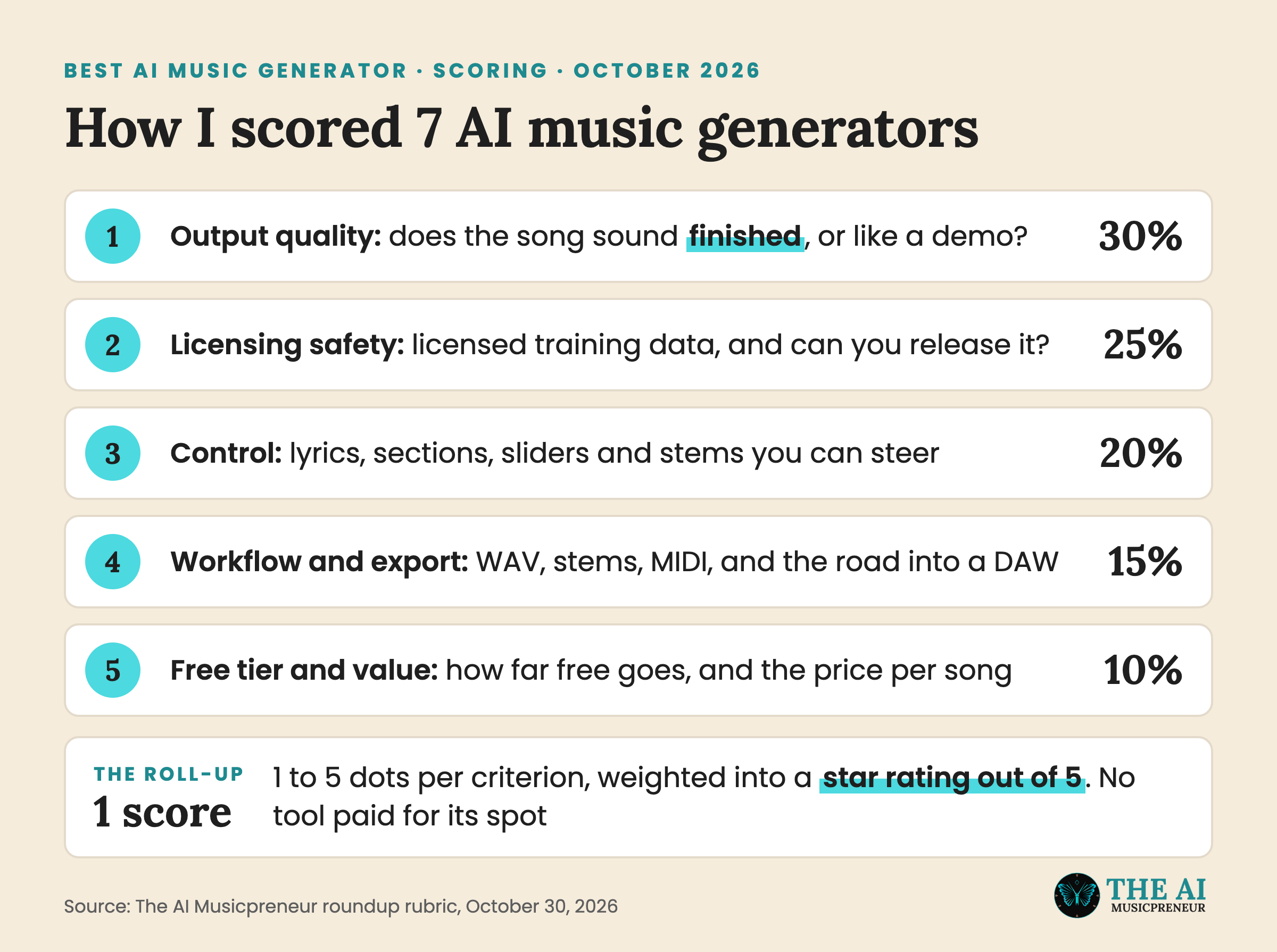
Five criteria, weighted for someone who plans to release the music:
- Output quality (30%): does the song sound finished, or like a demo you still have to fix?
- Licensing safety (25%): was the model trained on licensed music, and can you release what it makes?
- Control (20%): how much can you steer the lyrics, the sections, the sound and the parts?
- Workflow and export (15%): WAV, stems, MIDI, and how cleanly the song gets into a DAW or a distributor.
- Free tier and value (10%): how far the free plan goes, and what a song costs on the paid one.
Each criterion gets 1 to 5 dots. The dots roll up into a star rating out of 5, weighted as above, and every tool is scored against the tools in its own group, so a browser DAW isn’t judged against a one-prompt song machine.
One honest note on depth. Suno is the tool I’ve spent the most hours in: 20 hours and 27 test files on v6 in September, the same lyric and my own voice across 7 genres. I first used Flow Music’s Spaces in early access in May, and I’ve written step-by-step guides for ElevenMusic and Udio. Mozart AI, Stable Audio and MiniMax Music 3 are scored on their current plans, their own documentation and the model cards, and I say so in each section. A same-prompt shootout across all 7 is the next update.
Two links in this article are affiliate links, ElevenMusic and Stable Audio. Neither paid for its spot, nobody else did either, and both are scored on the same rubric as the other 5.
Excluded: Beatoven and Soundraw (instrumental-only, so they belong in my AI instrumental generator roundup), Loudly (a background-music library more than a song generator), Tad AI and MusicGPT (both run other companies’ models, and Tad AI names Suno and Mureka on its own page), Mureka (V10 was announced for Q3 2026 and I couldn’t confirm it shipped), and AIVA (orchestral scoring, a different job).
Changelog for this AI music generator roundup
- October 30, 2026: rewrote the roundup. Added ElevenMusic, Google Flow Music (formerly Riffusion), Mozart AI and MiniMax Music 3. Removed Beatoven, Loudly, Tad AI and Riffusion. Updated Suno to v6 and Udio to its no-download status. Prices checked on the vendor pricing pages on October 30, 2026, in US dollars.
- February 10, 2025: first version, 7 tools.
AI music generator comparison table: prices, free tiers and exports
| Tool | Type | Best for | Exports | Works in | Free tier | Pricing from |
|---|---|---|---|---|---|---|
| Suno | Song generator plus browser DAW (Studio 2.0) | Finished songs with vocals | MP3, WAV on paid plans, up to 12 stems, MIDI in Studio | Browser, iOS, Android | 50 credits a day (about 10 songs) on v6-mini, 7 lifetime downloads, no commercial use | Pro $8/mo, Premier $24/mo |
| ElevenMusic | Song generator plus streaming and payouts | Licensed songs you can release | Audio downloads, stem splits | Browser, iOS | 25 songs a day, 5 downloads a day, commercial use with a credit | Pro $9.99/mo, or $7.99/mo yearly |
| Google Flow Music | Song generator with a chat producer | Producing by chat, building instruments | MP3, WAV, M4A, stems, VST3 and AU plugins on Mac | Browser (18+, verified age) | Daily top-up credits, 2 generations at once | Starter $6/mo (about 600 songs) |
| Mozart AI | AI DAW | Building a track layer by layer | Songs, stems, MIDI via audio-to-MIDI | Browser, iOS, Android | Up to 10 songs on signup, no commercial rights listed | Creator $7/mo yearly (40% sale) |
| Stable Audio | Instrumental generator plus DAW plugin | Licensed instrumentals and background music | Full mix or multi-track, up to 6 minutes | Browser, plugin in Logic, Ableton, Pro Tools | 50 credits a month (about 12 tracks), commercial license | Solo $12/mo |
| MiniMax Music 3 | Open-weights song model | Free songs on your own GPU | 32 kHz stereo audio, up to 5 minutes | Your PC (NVIDIA, CUDA), plus a web app | Free to download, no cap | Free (your hardware) |
| Udio | Song generator | Songs you keep inside Udio | None, downloads off since October 29, 2025 | Browser | 10 credits a day, 3 full songs a day | Standard $10/mo, Pro $30/mo |
How does an AI music generator work?
An AI music generator turns a written description into recorded audio. You write the style, maybe the lyrics, and the model hands back a finished mix with vocals and instruments, usually in under a minute.
It’s closer to your phone guessing the next word than to a sampler. The model learned what genres, voices and instruments sound like from its training music, and it predicts new audio that fits your words. That’s also why the same prompt never gives you the same song twice.
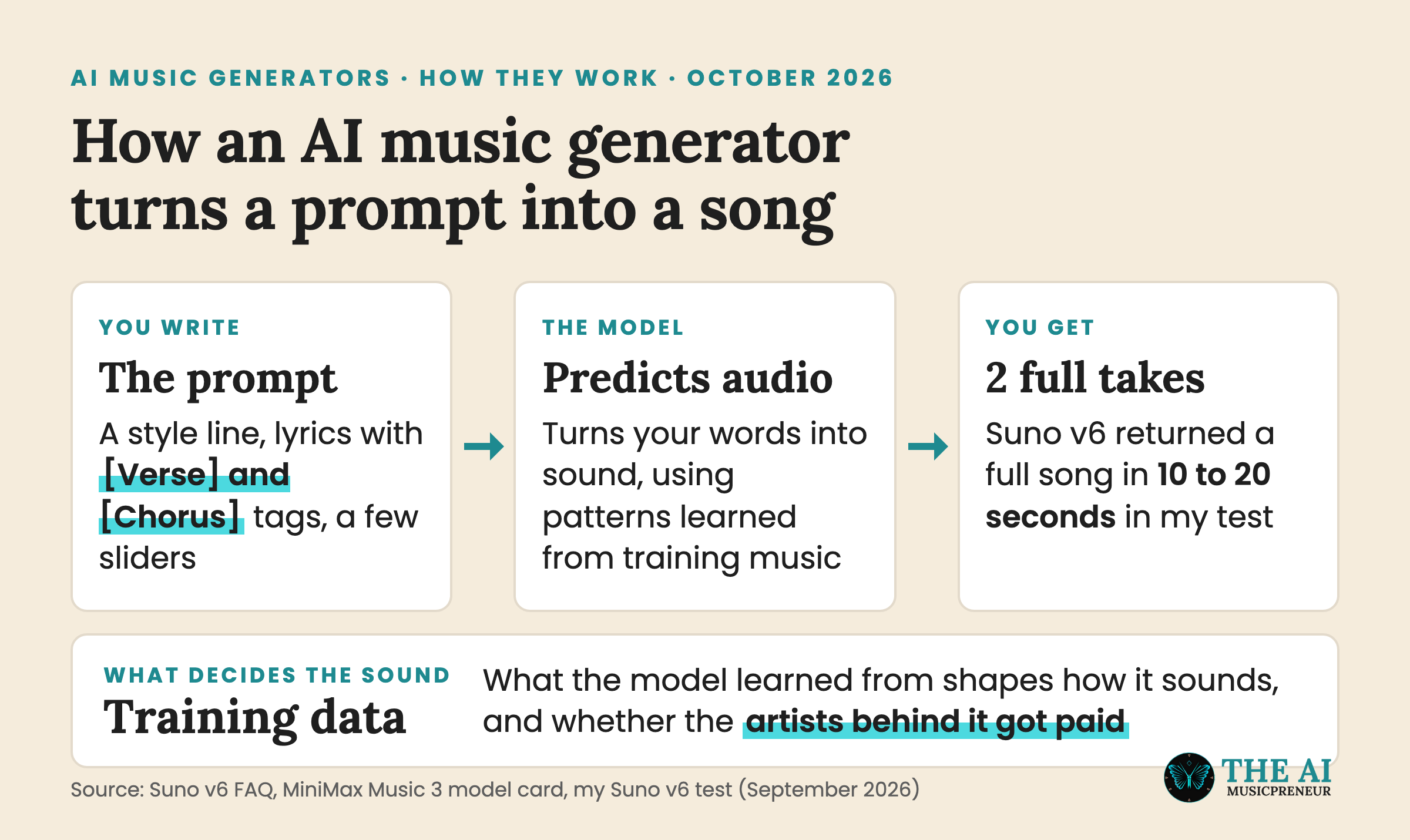
The part that matters most is the training data. A model trained on licensed catalogues, like ElevenMusic, Stable Audio or Suno v6, paid someone for what it learned from. A model that doesn’t say what it learned from moves that question onto you, and that’s the second-heaviest weight in my scoring. Now the 7 tools, group by group.
AI song generators that write full songs with vocals
These 4 do the thing most people mean by “AI music generator”: you type a description, you get a finished song with a singer on it. They differ in how far you can steer the result and, after the last 12 months of lawsuits and settlements, in whether you can take the song anywhere.
1. Suno: best AI music generator for finished songs with vocals

- Works in: Browser, iOS and Android, plus Suno Studio 2.0 in the browser
- Exports: MP3, WAV on paid plans, up to 12 stems with Auto Split, MIDI from Studio
- Free tier: 50 credits a day (about 10 songs) on v6-mini only, 7 lifetime downloads, personal use only
- Pricing: Pro from $8 a month with 20 downloads a month, Premier from $24 a month with 60
Why I picked it: Suno is where AI music actually gets made, and v6 is the best-sounding model it has shipped. It launched on September 9 as 3 models built with licensed catalogues from Warner, BMG and Believe. In my test v6 beat v5.5 in all 7 genres, wrote a full 2:30 to 3:41 song in 10 to 20 seconds, and its drum kit is the first one that sounds like a real kit. Then Studio 2.0 opens the song as a timeline, so the first take is a starting point instead of the final file.
Standout features:
- 3 v6 models split by job: v6-mini free for sketching, v6-wild for edgy genres, v6 for the finished take
- Up to 8 minutes per generation on all 3 models
- Suno Studio 2.0 with MIDI recording, a wavetable synth, automation and plugins built from a text description
- Voices, which sings your lyrics in your own cloned voice after a verification step
- Suno MCP, so Claude, ChatGPT or Gemini can make the song inside your chat
What is missing: Guitar and bass stems from v6 still need re-recording, and only the drum stem held up in my test. Downloads are capped since September 3: 7 for life on Free, 20 a month on Pro, 60 on Premier, and my download caps explainer has the detail. Suno’s terms give it a perpetual license to train on what you make and upload, and there’s no opt-out. And plenty of subscribers call v6 muffled, which my v6 backlash piece picks apart with measurements.
Best for: Songwriters and producers who want a finished song in under a minute, then want to edit the parts.
Verdict: The highest output and control scores in this roundup, held back by the download caps and a free plan you can’t release from.
2. ElevenMusic: best licensed AI song generator with a free plan you can release from
- Works in: Browser and iOS
- Exports: Audio downloads and stem splits, 5 of each a day on Free, unlimited downloads and 500 stem splits a month on Pro
- Free tier: 25 songs a day, commercial use with a “Made with ElevenMusic” credit, 1 custom style or vocal
- Pricing: Pro $9.99 a month, or $7.99 a month billed yearly, for 1,000 songs a month
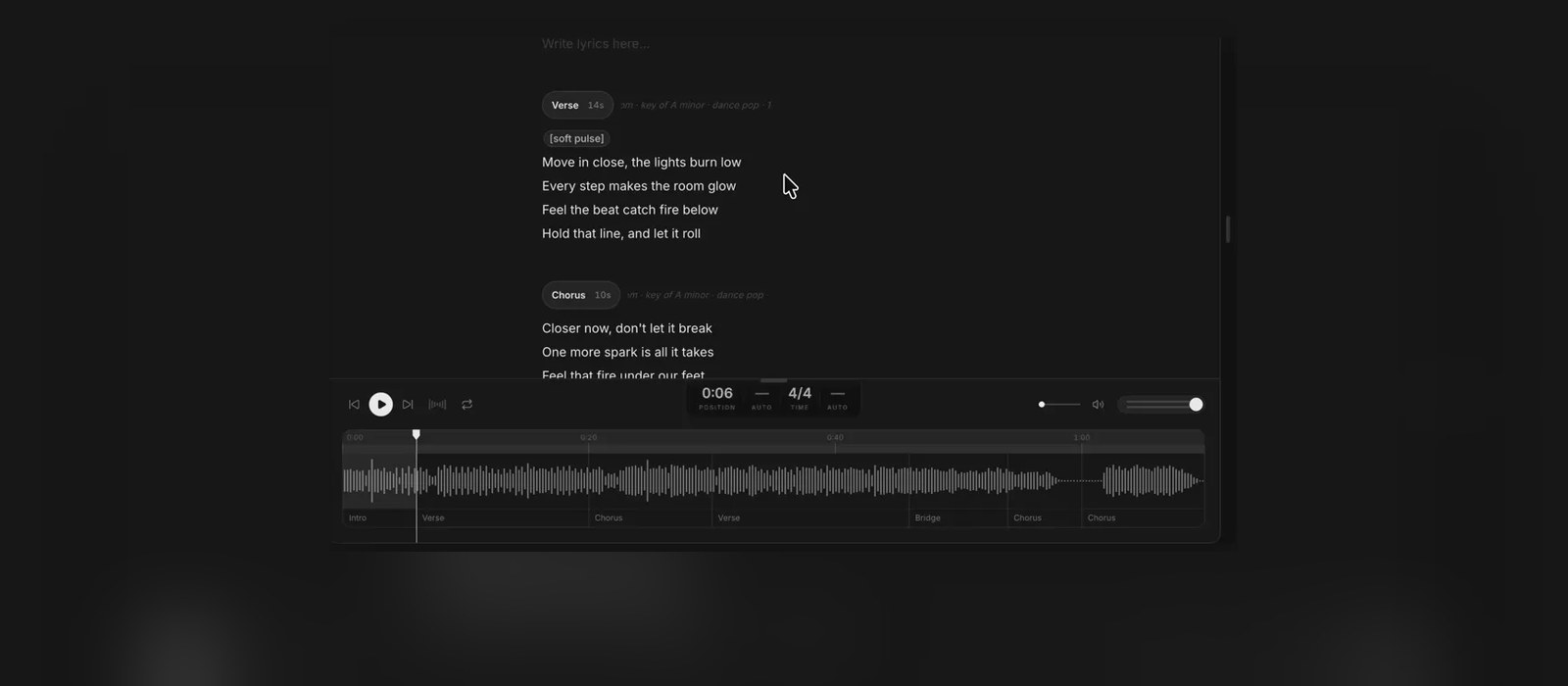
Why I picked it: ElevenMusic runs on Music v2, which ElevenLabs says is trained only on licensed data and cleared for commercial use, so it scores top marks on licensing. The free plan is the most generous in this list, and you can release a free song as long as you credit it. Pro adds release to Spotify and Apple Music and royalties from streams, all from the same app. And since August, Composer lets you regenerate one verse or chorus while the rest of the song stays put.
Standout features:
- Music v2 with mid-track genre transitions and section-by-section long-form composition
- Composer, which regenerates one section at a time and gives you several takes of it to compare
- Paste your own lyrics into one section and hear only that section sung
- Release to Spotify and Apple Music and earn from streams on Pro
- 5 custom styles and vocals on Pro
What is missing: ElevenMusic is tiny next to Suno, below 1% of verified AI releases in the SIQA data, so the community and the tutorials are thin. There’s no DAW session or MIDI export. And when I covered the launch in May, earning from streams needed Pro plus 11,000 lifetime streams and 50 followers, which is a real wall for a new artist.
Best for: Creators who want licensed songs they can release, and anyone who’d rather edit a chorus than reroll the whole song.
Verdict: The safest AI song generator to release from, and the best free plan in 2026.
3. Google Flow Music: best AI music generator for producing by chat
- Works in: Browser, for verified users aged 18 or older in supported regions
- Exports: MP3, WAV, M4A and stems, plus instruments and effects you build as VST3 and AU plugins on a Mac
- Free tier: Daily top-up credits and 2 generations at a time, with all core features
- Pricing: Starter from $6 a month (3,000 credits, about 600 songs), Plus $18, Member $48, and Google AI Plus, Pro and Ultra members get the matching plan
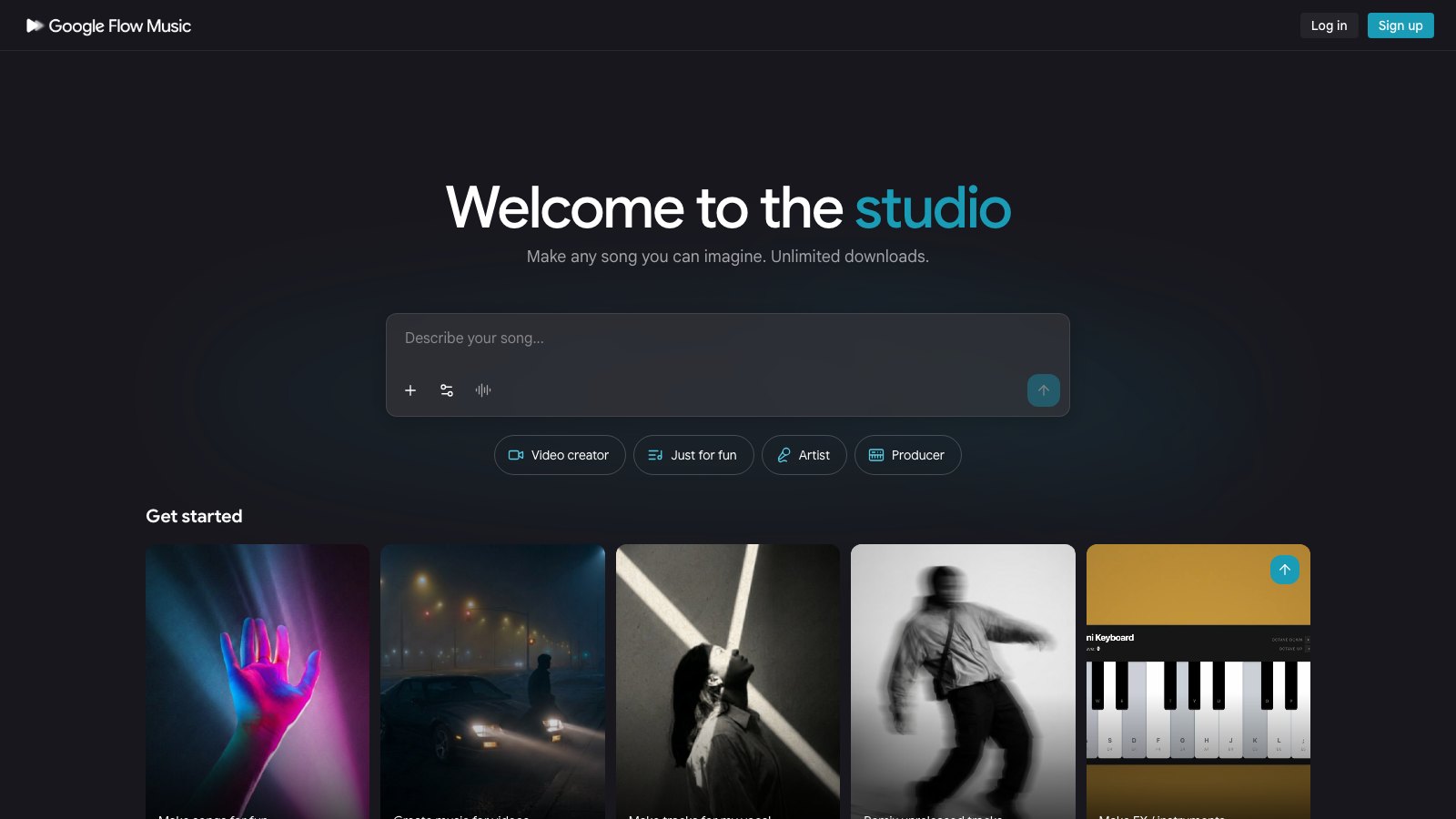
Why I picked it: Google Flow Music started as the open-source Riffusion project in 2022, became ProducerAI in 2025 and turned into a Google product in February 2026. Since July it runs on Lyria 3.5, which adds control over tempo, vocals, drums, bass and track length. You work by chatting with a Gemini-powered producer instead of filling in a form. And Spaces builds tools on request: when I tried it in early access in May, you could describe a MIDI painter, a chord explorer or a 3D visualizer, and it built one you could play.
Standout features:
- A chat producer that edits the song with you in plain language
- Spaces, which builds instruments, effects and small music apps from a description
- Plugin export that loads your Space in a DAW as VST3 or AU
- Music videos through Veo and cover art through Nano Banana in the same app
- The cheapest paid entry in this roundup, per song
What is missing: Plugins are Mac-only and limited to synths and effects with no AI audio. Google’s plan page lists the paid tiers, but commercial use on the free tier isn’t spelled out. Every track carries a SynthID watermark. And Google is still fighting an indie-artist lawsuit over how the Lyria models were trained, so licensing scores a 3.
Best for: Producers who’d rather talk a song into shape than write a prompt, and anyone who wants to build their own instruments.
Verdict: The most interesting workflow in this list, at the lowest price per song, with licensing that still has a lawsuit attached.
4. Udio: strong sound you can’t download
- Works in: Browser
- Exports: None. Audio, video and stem downloads have been off since October 29, 2025
- Free tier: 10 credits a day and 100 a month, up to 3 full-length songs a day
- Pricing: Standard $10 a month ($8 billed yearly) for 2,400 credits, Pro $30 a month ($24 billed yearly) for 6,000
Why I picked it: Udio is still the second name everyone types when they look for an AI music generator, so it has to be in this list, even if only to say what changed. It settled with Universal in October 2025, switched off downloads the same week, and promised a licensed platform for 2026. Its visitors dropped more than 60% once the label deals were done, per the Independent Music 2026 report. Inside the app it’s the same generator I wrote my Udio tutorial on, and it still sells Standard and Pro plans.
Standout features:
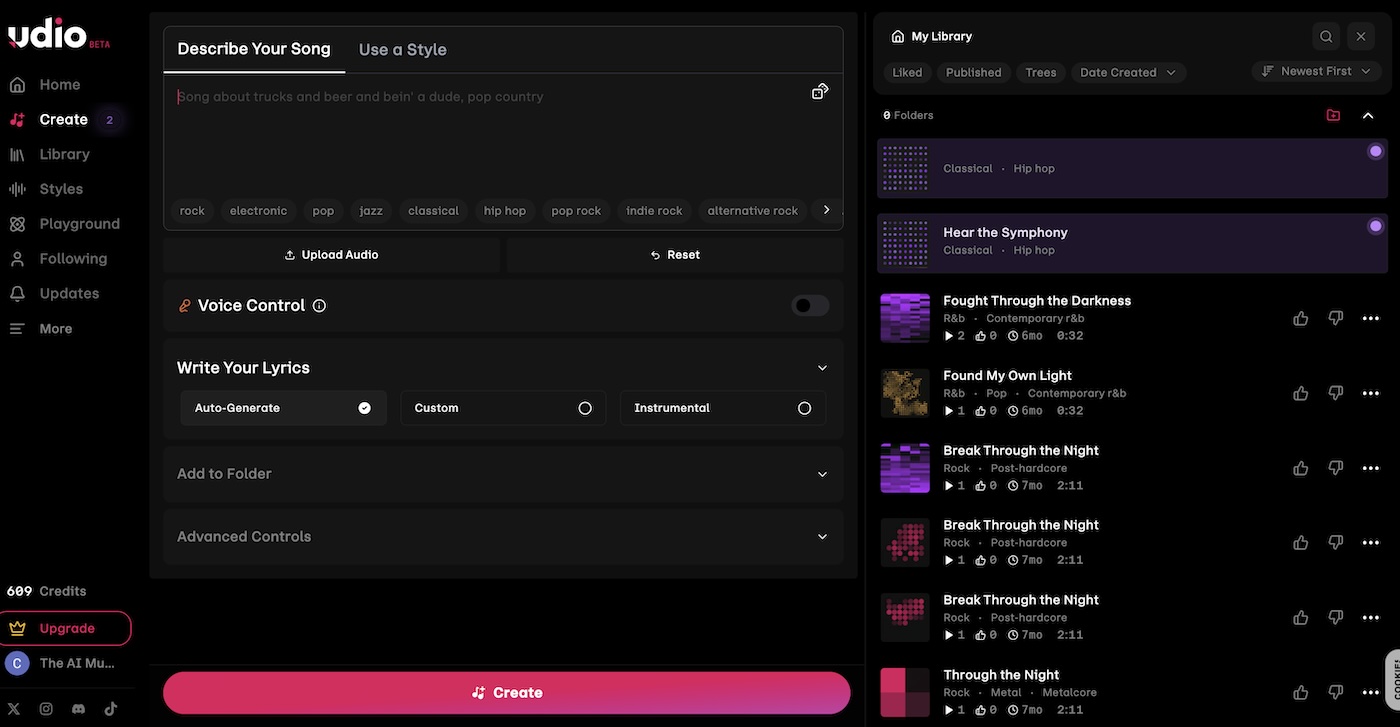
- Voice Control and a library of Voices
- Styles, which uses an existing song as a musical reference
- Extend, remix and edit both the music and the lyrics
- Up to 10 songs generating at once on Pro
What is missing: The one thing you need to release a song. Udio’s licensed platform still hadn’t launched when I checked on October 30, 2026, and in July Udio signed a DRM deal with BuyDRM that includes a tool to revoke playback of songs already downloaded. That points to a walled garden, where your songs play inside Udio and stay there.
Best for: Making music to listen to inside Udio, and nothing you plan to put on Spotify.
Verdict: A good-sounding generator scored down to last place, because paying for songs you can’t take out of the app is a bad deal.
AI music generators for producers: Mozart AI and Stable Audio
These 2 are for people who keep producing after the AI is done. Mozart AI gives you a DAW where AI fills in the parts, and Stable Audio makes licensed instrumentals that drop straight into your own DAW through a plugin.
5. Mozart AI: best AI DAW for building a track layer by layer
- Works in: Browser, plus iOS and Android apps for quick song ideas
- Exports: Songs, stems and MIDI, with an audio-to-MIDI model and stem splitting built in
- Free tier: Up to 10 songs on signup and access to Mozart Studio, with no commercial rights listed
- Pricing: Creator $7 a month billed yearly (450 songs), Pro $15, Premium $25, all on a 40% sale when I checked
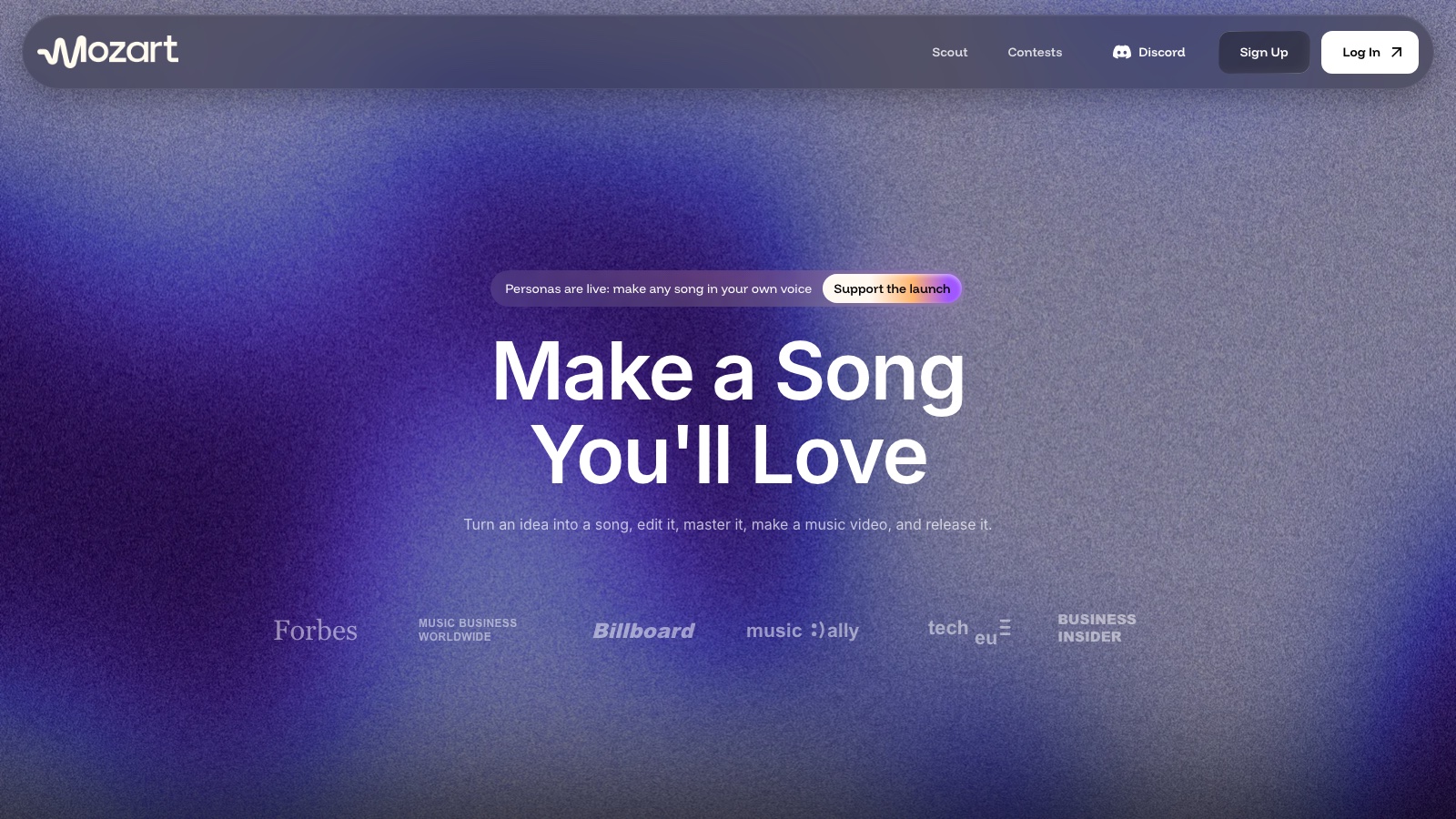
Why I picked it: Mozart AI is the answer for producers who don’t want a finished song from a black box. Projects are layer-based, so the AI writes chord progressions, melodies, samples and drums as separate tracks you can edit, and its Vibe Sessions let you create, remix and master by chat. Mozart says it trains on licensed datasets plus third-party models, and every paid plan lists commercial rights. Output is my lowest-confidence score in this roundup, because I haven’t put Mozart through the same-prompt test yet.
Standout features:
- A full browser studio with VSTs, synths, mixers and unlimited tracks
- Personas, custom models of your style or voice: 5 on Creator, 20 on Pro, unlimited on Premium
- Cover, which makes a new version of any sound you upload
- Stem splitting and stem generation inside the same project
What is missing: A browser DAW still trails Ableton or Logic for deep editing and plugin support. Credits don’t roll over. And the pricing page runs a 40% countdown sale, so check what you’ll pay once it ends.
Best for: Producers who want AI ideas as editable parts, not a finished stereo file.
Verdict: The most control in the producer group, held back by output I haven’t tested head to head.
6. Stable Audio: best licensed AI music generator for instrumentals and background music
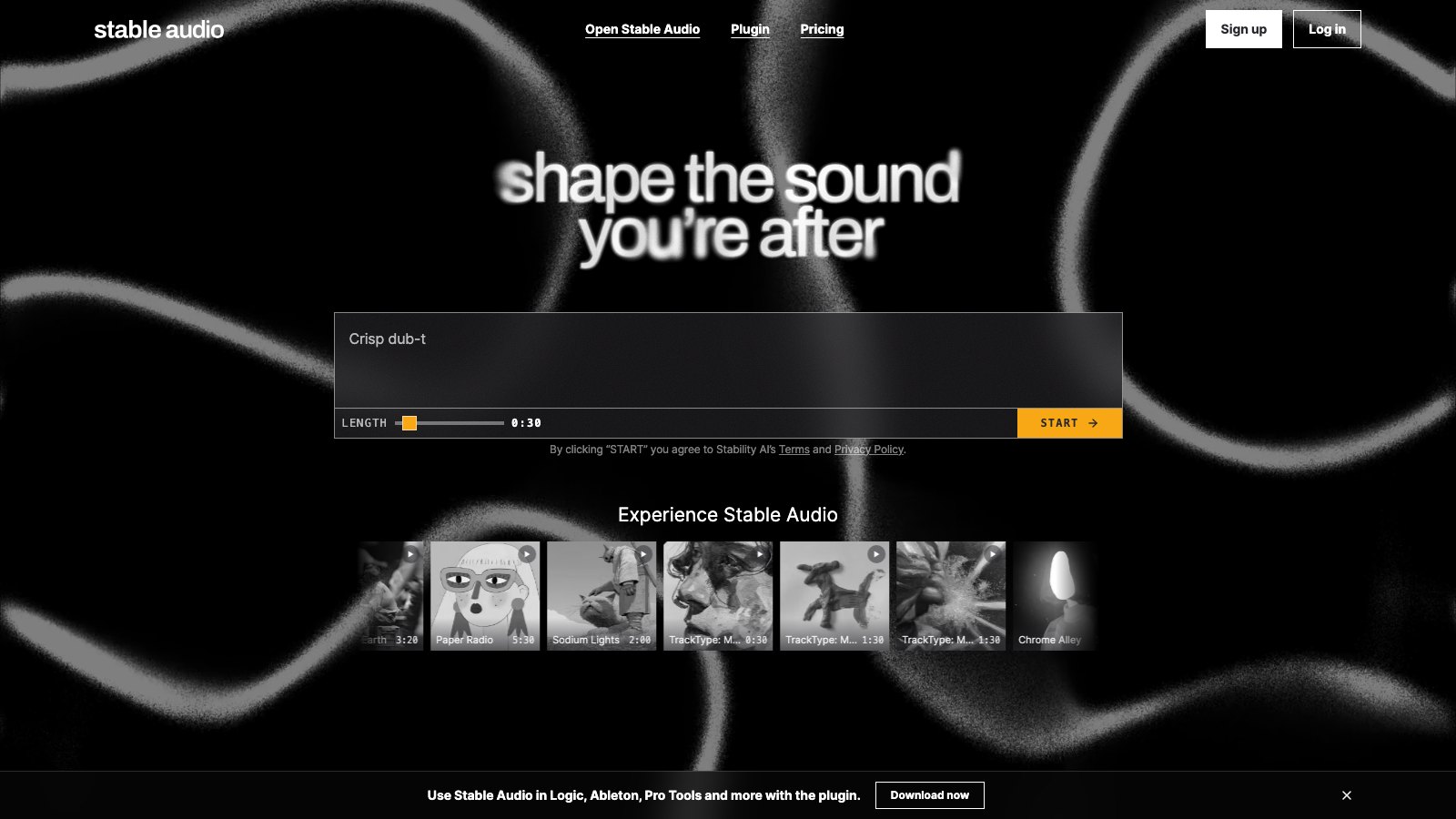
- Works in: Browser, plus a plugin for Logic, Ableton, Pro Tools and other DAWs
- Exports: A full mix or a multi-track generation, up to 6 minutes per track
- Free tier: 50 credits a month (about 12 full-mix tracks), with a commercial license
- Pricing: Solo $12 a month, Session $30, Producer $90, Studio $199
Why I picked it: Stable Audio is the cleanest licensing story in this roundup. Stability says its Stable Audio 3.0 models are trained on licensed data, and in August Universal, Sony and Warner all took equity in the company. Every plan carries a commercial license, the free one included, which makes it the safe pick for music under a YouTube video, an ad or a podcast.
Standout features:
- Multi-track generations you can mix yourself
- A DAW plugin, so generations land in your session instead of a browser tab
- Tracks up to 6 minutes on every paid plan
- An enterprise license for companies earning over $1 million a year
What is missing: Stable Audio makes full instrumentals or short snippets from text, so it isn’t the tool for a song with a singer. The free plan’s 12 tracks a month run out fast. And Sean Parker’s promise that you’ll soon hum or beatbox to steer it hasn’t shipped yet.
Best for: Video creators, podcasters and producers who need instrumentals they’re allowed to use.
Verdict: The safest instrumentals in this list, with a commercial license on the free plan and no credit line attached.
Free AI music generator you run on your own GPU: MiniMax Music 3
Every other tool here runs on someone else’s server, with someone else’s monthly cap. MiniMax Music 3 is the one you download.
7. MiniMax Music 3: best free, open-weights AI song generator

- Works in: Your own PC with an NVIDIA graphics card (CUDA), plus a hosted version in the MiniMax Audio web app
- Exports: Full songs with vocals up to 5 minutes, 32 kHz, 16-bit stereo
- Free tier: The weights are free on Hugging Face, with no account, quota or download cap
- Pricing: Free, apart from your hardware and electricity
Why I picked it: MiniMax put Music 3 on Hugging Face on August 13, 2026, and it’s the first open song model I’d call good enough to compete with the subscriptions. Full precision fits under 24GB of video memory, and layer-by-layer offloading gets it down to an 8GB card. You feed it lyrics with [Verse], [Chorus] and [Bridge] tags plus a description of the sound, the same structure as the Suno prompt section below. My MiniMax Music 3 breakdown covers how it keeps a 5-minute song together.
Standout features:
- No subscription, no queue and no download cap
- Songs up to 5 minutes with vocals and a full arrangement
- A license that allows commercial use, as long as you show the model name in any commercial product you build on it
- A caption-rewriter skill that turns a short idea into the structured prompt the model prefers
What is missing: It needs CUDA, so a MacBook can’t run it. MiniMax documents its architecture in detail but names no music it trained on, and running a model on your own computer moves the copyright risk onto you instead of removing it. Tempo, key and structure requests are guidance, not a guarantee.
Best for: Producers with a gaming PC who make a lot of songs and hate download caps.
Verdict: The best free AI music generator if your hardware can run it, with the weakest licensing answer in the roundup.
How to write a prompt for an AI music generator (Suno v6 walkthrough)
The prompt is the part of an AI song you fully control, and Suno’s Advanced mode puts every lever on one screen. The structure takes 3 steps, and it carries over to ElevenMusic, Flow Music and MiniMax Music 3, which all take a description of the sound plus lyrics split into sections.
Step 1: write the Suno Styles prompt in 5 parts
Switch the create form to Advanced and pick v6 in the model menu. Then fill the Styles box with 5 things in one line: the genre, the mood, the instruments, the vocal and the tempo with the sound you want.
indie folk, bittersweet, fingerpicked acoustic guitar, brushed drums, upright bass, intimate male vocal, 92 BPM, warm tape saturation
A named instrument beats an adjective every time. “Brushed drums” tells v6 what to play, and “chill” tells it nothing it can act on. Once the sound is set, the lyrics tell v6 where everything goes.
Step 2: tag your lyrics with [Verse], [Chorus] and [Bridge]
Write your lyrics in the Lyrics box and put a section tag in square brackets above each part. The tags tell v6 where the chorus lands, and the lines under each tag are what gets sung.
Leave the box empty and Suno makes an instrumental, which is the fastest way to test a Styles prompt before you spend lyrics on it. All 3 v6 models handle up to 8 minutes per generation, and each generation costs 10 credits for 2 songs.
Step 3: set Weirdness, Style Influence and Variety in More Options
Open More Options under the Styles box. This is where you decide how closely v6 sticks to what you wrote.
What each control does:
- Exclude styles: what v6 should leave out, like “autotune, EDM drop”.
- Weirdness: how conventional the musical choices are. Lower is safer, higher gets stranger.
- Style Influence: how closely v6 follows your Styles text. Push it up when the genre keeps drifting.
- Variety: new in v6, and it rewrites your style prompt to add variety. Suno’s own v6 FAQ says to set it to 0 if you want to keep your style tags as written.
- Max Mode: spends more credits on one generation. Suno recommends it for songs over 2 minutes, covers that should stay close to the original, and keeping the vocal consistent across a whole track.
Now you can make a song you like. Whether you can release it is a separate question, and the answer depends on the tool.
Who owns a song you make with an AI music generator?
Two different things decide whether you can put an AI song on Spotify. The plan’s terms decide whether you’re allowed to use the song commercially. Copyright law decides whether anyone can stop other people from using it.
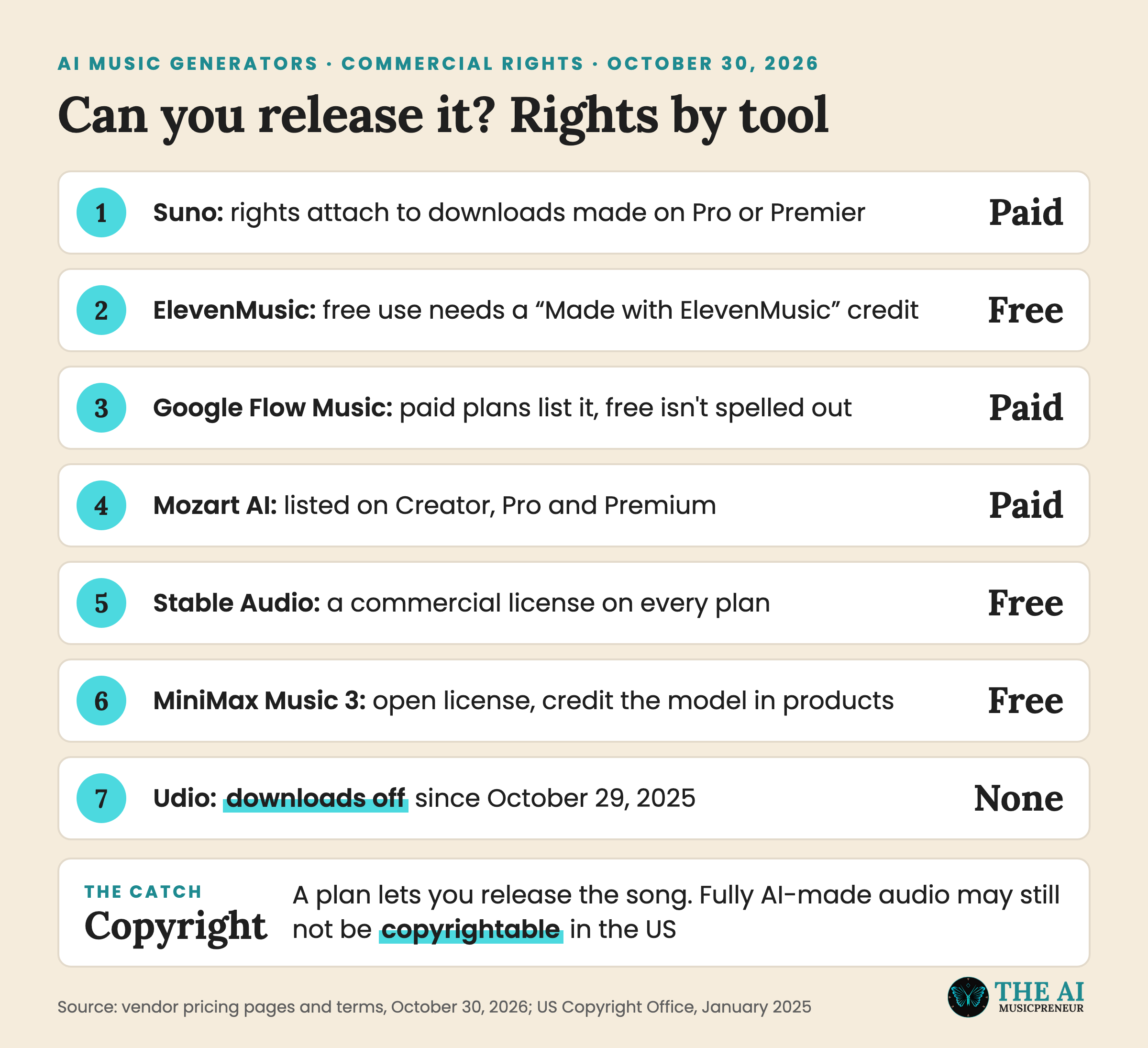
On the plan side, the split is clean. Suno attaches commercial rights to downloads made on Pro or Premier. ElevenMusic and Stable Audio allow commercial use on their free plans, ElevenMusic with a credit line. Mozart lists commercial rights on paid plans only, Flow Music lists them on paid plans and doesn’t spell out the free tier, MiniMax’s license allows it, and Udio gives you nothing to release.
On the copyright side, the US Copyright Office said in January 2025 that purely AI-generated material can’t be copyrighted, while the human parts can. So write your own lyrics, and you own something real. That’s also where registries like SIQA draw the line: a track with human-written lyrics counts as AI-assisted, not fully AI-generated.
Then you need a distributor that accepts AI music, and my AI music distribution roundup covers which ones do.
How to choose the best AI music generator for your songs
Every tool here can make a song. The checklist below sorts out which one fits what you’re about to do with it:
- Vocals or instrumental: for a sung song, go Suno, ElevenMusic or Flow Music. For instrumentals you can license, go Stable Audio.
- Release or keep: if the song is going on Spotify, skip Udio until it has an export, and pick a plan with commercial rights.
- Finished file or parts: if you’ll keep producing in a DAW, Mozart AI gives you separate tracks and Suno Studio gives you stems and MIDI.
- Licensing comfort: ElevenMusic and Stable Audio have the cleanest training-data story. Suno v6 was built with licensed catalogues, though Suno’s older models are still in court.
- Budget: Flow Music is the cheapest paid plan per song at $6, and MiniMax Music 3 is free if you own an NVIDIA card.
- Download caps: Suno gives you 20 or 60 a month, ElevenMusic Pro and Flow Music don’t cap them, so heavy users should do the math.
- How you like to work: typing a prompt suits Suno and ElevenMusic, chatting suits Flow Music and Mozart’s Vibe Sessions.
Best AI music generator recap: which tool for which job
- Suno when you want a finished song with vocals and the tools to edit it.
- ElevenMusic when you want licensed songs, a free plan you can release from, and payouts in the same app.
- Google Flow Music when you’d rather produce by chat and build your own instruments, for $6 a month.
- Mozart AI when you want AI ideas as editable tracks inside a DAW.
- Stable Audio when you need instrumentals or background music with a commercial license, even on free.
- MiniMax Music 3 when you have an NVIDIA card and never want to see a download cap again.
- Udio when the song only ever needs to play inside Udio.
Start with a free AI music generator, then pay for the download
You don’t need to spend money to find your AI music generator. Suno, ElevenMusic, Flow Music, Stable Audio and Udio all have free plans, and MiniMax Music 3 is free outright. Run the same idea through 3 of them on a free afternoon, and you’ll hear which one fits your songs.
I’d start there because the differences are easier to hear than to read about. One tool nails your genre and another one doesn’t, and no comparison table tells you that.
At release time you will pay for something. Three things sit behind a plan almost everywhere: commercial rights to the song, WAV files and stems instead of a preview MP3, and enough downloads to finish a project. Pick the tool whose free songs already sounded right, then pay for that one. If it’s Suno, my Suno mastering roundup covers the step after the download.
Frequently asked questions
What is the best free AI music generator in 2026?
ElevenMusic has the strongest free plan: 25 songs a day, usable commercially if you add a Made with ElevenMusic credit, with 5 downloads a day. Stable Audio's free plan also carries a commercial license, but it only covers about 12 instrumental generations a month. If you own an NVIDIA graphics card, MiniMax Music 3 runs on your own computer with no monthly limit.
Is Suno better than Udio in 2026?
For anything you want to release, yes. Udio has had downloads switched off since October 29, 2025, so songs stay inside the app, while Suno v6 exports WAV files and stems on its Pro and Premier plans, capped at 20 or 60 downloads a month. Until Udio's licensed platform launches with a way to get your music out, Suno is the practical choice.
Which AI music generator is easiest for beginners?
Suno's Simple mode is the easiest start: describe the song in one sentence and it writes the lyrics and the music. ElevenMusic is a close second, with mood, genre and energy chips you can stack instead of writing a prompt. Both have free plans, so you can try them side by side before you pay.
Can ChatGPT compose music like Suno?
Not on its own. OpenAI has been reported to be building a music tool, but it had not released one by October 30, 2026. ChatGPT can write lyrics, and since October 28, 2026 it can call Suno through the Suno MCP connector to turn a chat into a finished song.
Which AI music generator makes the most realistic singing vocals?
Suno v6 and ElevenMusic produce the most convincing sung vocals in this roundup. Suno can also sing in your own voice through its Voices feature after a verification step, though v6 bends the cloned voice toward the genre. ElevenMusic lets you regenerate a single verse or chorus in Composer until the vocal lands.
About the author
Covering AI music tools, industry shifts, and news for music creators and professionals. Twice-weekly newsletter at aimusicpreneur.com.