Udio
Udio turns text prompts into complete songs with vocals in under a minute — custom lyrics, stem separation, and strong editing control. Free tier available.
What is Udio and how does it work?
Udio is an AI music generator that creates complete songs from text descriptions. Built by former Google DeepMind engineers, it produces tracks with vocals, instrumentation, and realistic emotional delivery in under a minute — from pop ballads to hip-hop, across multiple languages and vocal styles.
How it works:
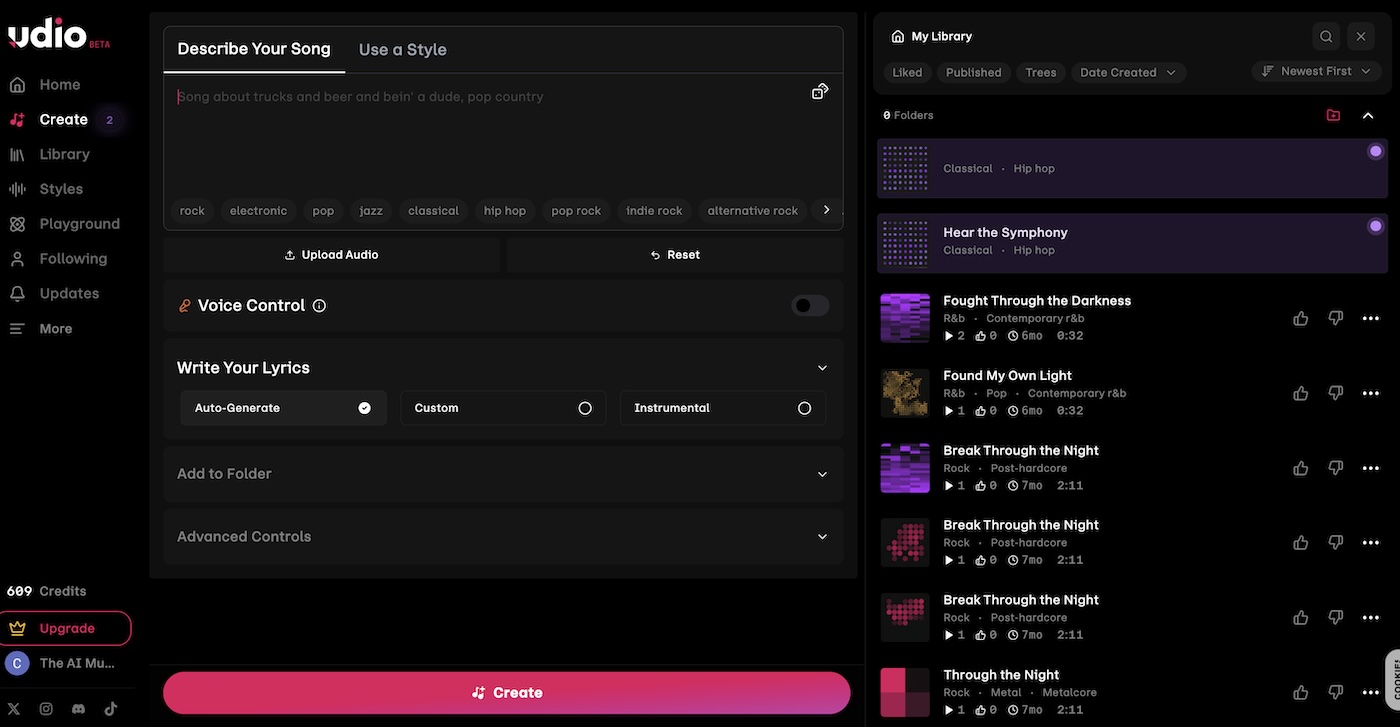
- Write a text prompt describing genre, mood, and theme (“upbeat electronic dance track with synths”)
- Choose auto-generated lyrics, custom lyrics, or an instrumental-only track
- Udio generates a 30-second clip you can extend, remix, or edit using stems
Ideal for: musicians at all skill levels — from Grammy-winning producers to hobbyists creating personalized tracks for special occasions.
How much does Udio cost?
Udio offers three credit-based tiers:
- Free — no credit card required, basic features and monthly credit limit
- Standard — higher monthly credits, paid features unlocked
- Pro — highest credits, all features, parallel generation
Paid plans unlock Voice Control, audio uploads, style references, stem separation, and custom cover art. Standard and Pro users can generate 6–10 songs simultaneously. Verify the current credit limits and pricing on the Udio site before subscribing.
Can Udio create songs with custom lyrics and vocals?
Yes. Udio gives you three options for lyrics:
- Custom lyrics — write your own (200–350 characters recommended for 30-second clips). Use tags like
[Verse],[Chorus], or[Guitar Solo]to structure the song. - Auto-generated — let the AI write lyrics based on your prompt
- Instrumental — generate music without vocals
Vocal synthesis works across male and female voices, harmonies, and genres from soul to metalcore. A built-in lyric editor lets you adjust pronunciation or phrasing mid-creation. The result is full control over your song’s narrative and vocal delivery.
How does Udio compare to Suno and Soundraw?
- Udio delivers polished vocal and instrumental songs with strong editing control — best when vocal realism and refinement matter
- Suno generates quick, accessible songs with simpler editing — ideal for fast drafting and experimentation
- Soundraw creates customizable instrumental tracks for video and podcasts — prioritizes workflow speed over songwriting depth
Choose Udio when you want complete songs with realistic singing and the editing tools to refine them. Choose Suno for speed and volume. Choose Soundraw for instrumental background music.
What are some use cases for Udio?
- Music production — ideation, reference tracks, and stems for commercial releases
- Personal projects — custom songs for birthdays, weddings, dates, or meditation playlists
- Content creation — royalty-free music for YouTube, podcasts, and social intros
- Community sharing — publish tracks on Udio’s platform to build a following
- Songwriting practice — hear lyrical ideas performed to refine phrasing and structure
- Demo production — turn a concept into a full-sounding song before studio time
Udio is most valuable to songwriters, producers, and content creators who want full songs with emotional, realistic vocals — and the extension, remix, and stem tools to shape them into finished tracks.