Suno
Suno review: I tested v6, v6-wild and v6-mini against v5.5 with my own voice. Free on v6-mini, Pro $8/mo, Premier $24/mo, with 20 or 60 downloads a month.
How I tested Suno
- v6, v6-wild, v6-mini and Studio 2.0
- Premier
- 20 hours
- Chrome on macOS, plus the Suno iOS app
- Ran one lyric and my own Voices clone through v5.5, v6, v6-wild and v6-mini on 7 genre prompts, 27 files in total
- Timed every v6-family generation at 10 to 20 seconds for a full 2:30 to 3:41 song
- Split v6-wild tracks into guitar and drum stems in Suno Studio and tried stripping the baked-in effects
- Built a track in Suno Studio 2.0 with MIDI recording, the wavetable synth and automation
- Described an audio effect in the chat bar and saved the plugin it built
- Watched the download counter after the September 3 caps took effect
TL;DR
Suno is the AI song generator that writes a full track, vocals and lyrics included, from a sentence you type. Since September 9, 2026 it runs on v6, a family of 3 models built with Warner Music, BMG and Believe, and every older model is gone.
I ran v6 against v5.5 on 7 genres with a clone of my own voice, and v6 sounds better. Nothing in my best AI music generators roundup gets you from an idea to a finished vocal song this fast. The guitar and bass stems still need a producer, though, and since September 3 you can only download 20 songs a month on Pro.
Licensing scores 3 and sits outside the star rating on purpose. Suno has licensing deals now, with Warner Music, BMG and Believe, and v6 is the first model built with them. The questionable part is your own music: Suno uses what users make and upload by default, and says v6 trained on “creations and preference signals” from its community. Universal Music and Sony Music also have lawsuits outstanding that argue v6 grew out of models trained on their recordings without consent. So it’s not all in clear waters yet. The 4.6 is what the tool does for you, scored on output, control, workflow and price.
What is Suno?
Suno is a text-to-music app built by Suno Inc. in Cambridge, Massachusetts, run by co-founder and CEO Mikey Shulman. You type a description, Suno writes the lyrics, sings them and arranges the instruments around them. It raised over $400 million in June 2026 at a $5.4 billion valuation, and on October 1 Shulman told Bloomberg that Suno is far beyond the 2 million subscribers and $300 million in revenue it last reported.
It is also the default. In SIQA’s Mid-Year 2026 report, Suno appeared in 92.8% of 1,743 verified AI releases, up from 90.4% in the first quarter. When someone says “AI music,” this is usually the thing they mean.
How Suno works
You log in at suno.com, type a prompt, and pick a model. Free accounts generate on v6-mini. Pro and Premier accounts get v6 and v6-wild on top.
Simple mode takes one sentence. Advanced mode splits the prompt in two: your own lyrics in one box, the style in the other. That second box is where the results actually change, because Suno reads genre, tempo, instrumentation and vocal type from it.
Each generation returns 2 versions of the song. From there you extend it, replace a section, add vocals to an instrumental, run a Persona over it to keep one voice across a catalog, or split it into stems. Paid plans can upload 30 minutes of your own audio and build on top of it. Free plans stop at 8.
v6 also takes more than text. Suno says you can feed it audio, images and video next to your words, and edit a finished song in plain language, like changing one lyric or turning the chorus into a gospel choir. Those are Suno’s claims from launch day. I tested how v6 sounds, not every editing feature.
So the question everyone asked on September 9 was simple: did going licensed make Suno worse?
Suno v6 review: what I heard in 27 test files
I ran one lyric of my own, one Voices clone of my own singing and the same 7 style prompts through v5.5, v6, v6-wild and v6-mini, with every slider fixed. That made 27 audio files, all generated before v5.5 retired. The audio pairs and the exact prompts are in my Suno v6 vs v5.5 comparison, and the video above plays every pair.
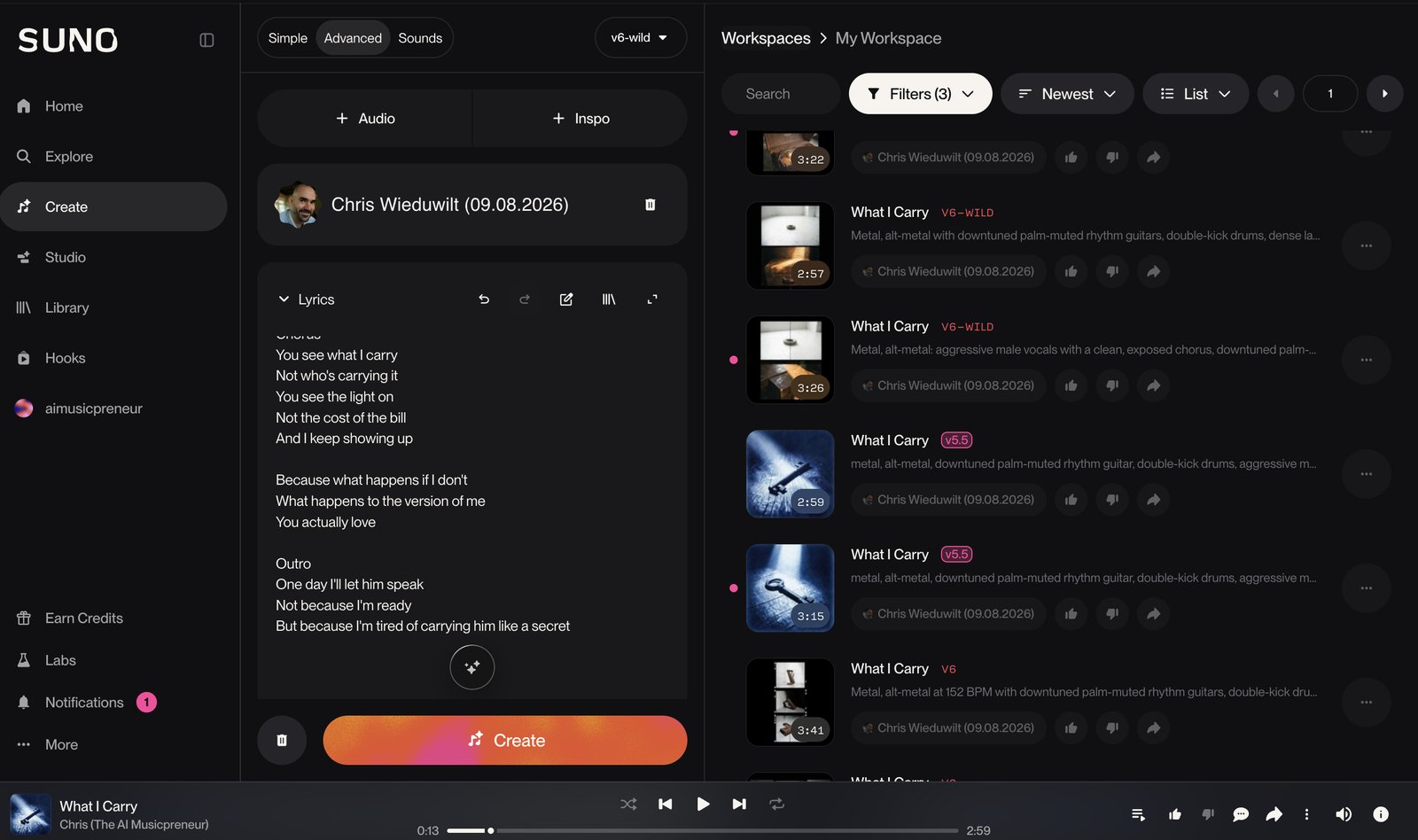
v6 sounds better than v5.5. It won all 7 genres, took 16 of the 21 criteria I scored, and v5.5 won none. Here is what improved:
- Every v6-family run returned a full 2:30 to 3:41 song in 10 to 20 seconds, which v5.5 never came close to.
- The v6 drum kit is the first Suno kit that sounds like a real kit to me, and the isolated drum stem held up.
- v6 wrote instrumental breaks and loud-quiet changes that v5.5 mostly skipped, and it ran longer in 5 of 7 genres.
- The vocal sings with more control and less strain in every genre I tried.
And here is what didn’t:
- Guitar and bass stems are still not usable. The guitar comes out compressed and drowned in effects, removing the FX in Studio changed nothing, and the bass was the weakest stem in the set.
- Your voice bends. v6 pulls an uploaded clone toward whatever the genre needs, so it sounds better and less like you, most of all in a big chorus.
- Metal and blues rock still carry the most artifacts, the same pattern I heard on v4.5 and v5.
Plenty of Suno subscribers disagree with my verdict. Since launch, users have been cancelling over v6, calling the output muffled and soulless, and I can understand the frustration. But for someone who has played guitar for over 20 years, organic is the word I’d use for v6: less polished, less overproduced, and the drums finally sound played.
Which Suno v6 model to use
- v6-mini (free): the sketchpad. It landed close to v5.5 and a shade ahead to my ear, so try 3 directions here before you spend a credit.
- v6-wild (Pro): edgy genres and experiments. It won indie rock, R&B and metal on feel in my test, and it’s my pick (I’m a sucker for arrangements that go where the ear doesn’t expect).
- v6 (Pro): the finished take, once v6-mini has told you which direction is worth building.
Once a take is worth keeping, Studio is where you take it apart.
Suno Studio: the part that makes it a production tool
Studio arrived in 2026 and got its 2.0 release on August 13. It opens any Suno song on a timeline, and it is included with Premier at $24 a month on annual billing. I split the v6-wild tracks from my test in Studio.
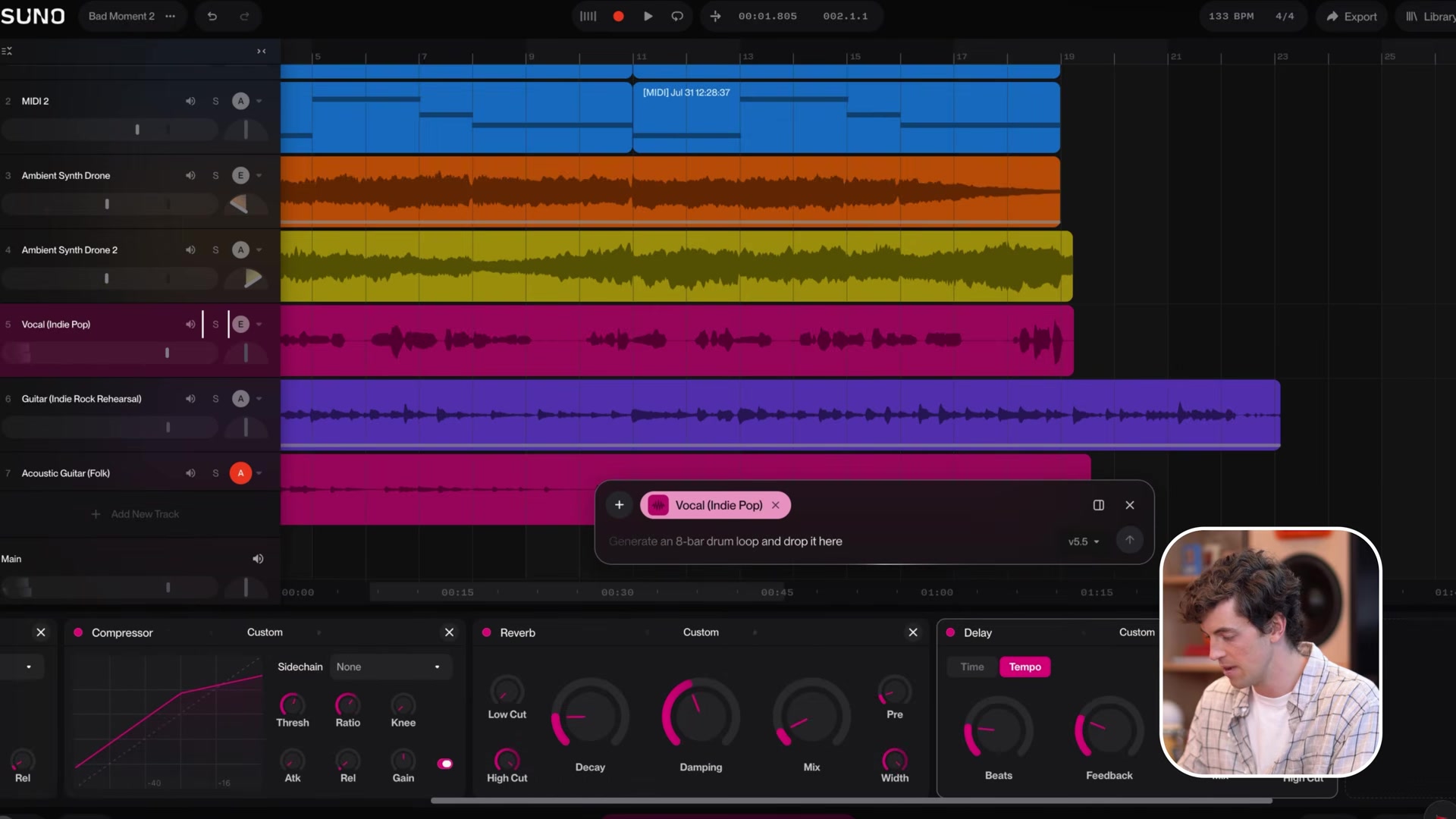
You get MIDI import, MIDI recording and a piano roll with velocity and pitch bend lanes, a wavetable synth, 7 built-in audio effects, automation lanes and take comping for vocal recording. A MIDI clip can be used as the prompt for a fresh generation, so you play a bassline and let Suno perform it. The chat bar reads the session and builds custom effects from a text description, which is a genuinely odd feature that works. My Suno Studio beginner’s guide walks the whole thing.
The limits are real. Studio runs only in Chrome, needs a screen 768px wide or more, takes no VST or Audio Units plugins, and has no pitch correction. Premier subscribers export 32-bit/48kHz multitracks out of Studio with no download limit, which is the loophole around the caps described below.
Suno’s standout features
The feature list is long, so here are the 6 that change what you can make:
- Studio 2.0: MIDI recording, a wavetable synth, automation and plugins you build by typing a description.
- Personas: lock the vocal character and production style of one song and reuse it across a catalog.
- Voices: record a sample of your own singing, prove it’s you with a verification phrase, and generate new songs in that voice on the web, iOS and Android. It carried over to v6.
- Stem separation with 2 modes on Pro and 3 on Premier, including an advanced split that pulls a named instrument out by search.
- Suno Speech (beta): since October 1, 2026, Suno generates a spoken voice and original background music together as one track.
- Albums: since October 5, 2026, you can publish your songs as an EP or LP with cover art and track order, and your followers get a push notification. Publishing makes every song on it public, and Suno says that can’t be undone.
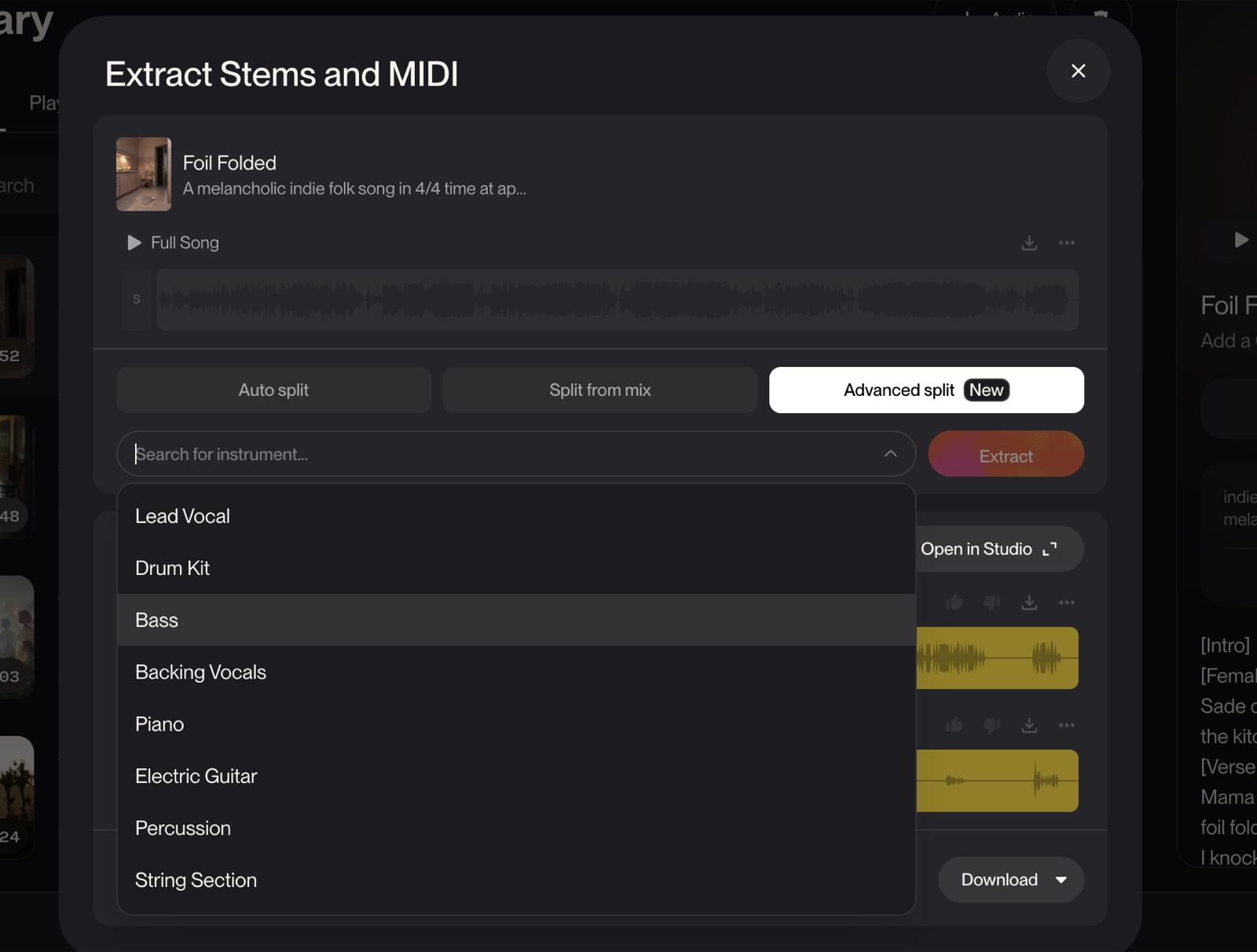
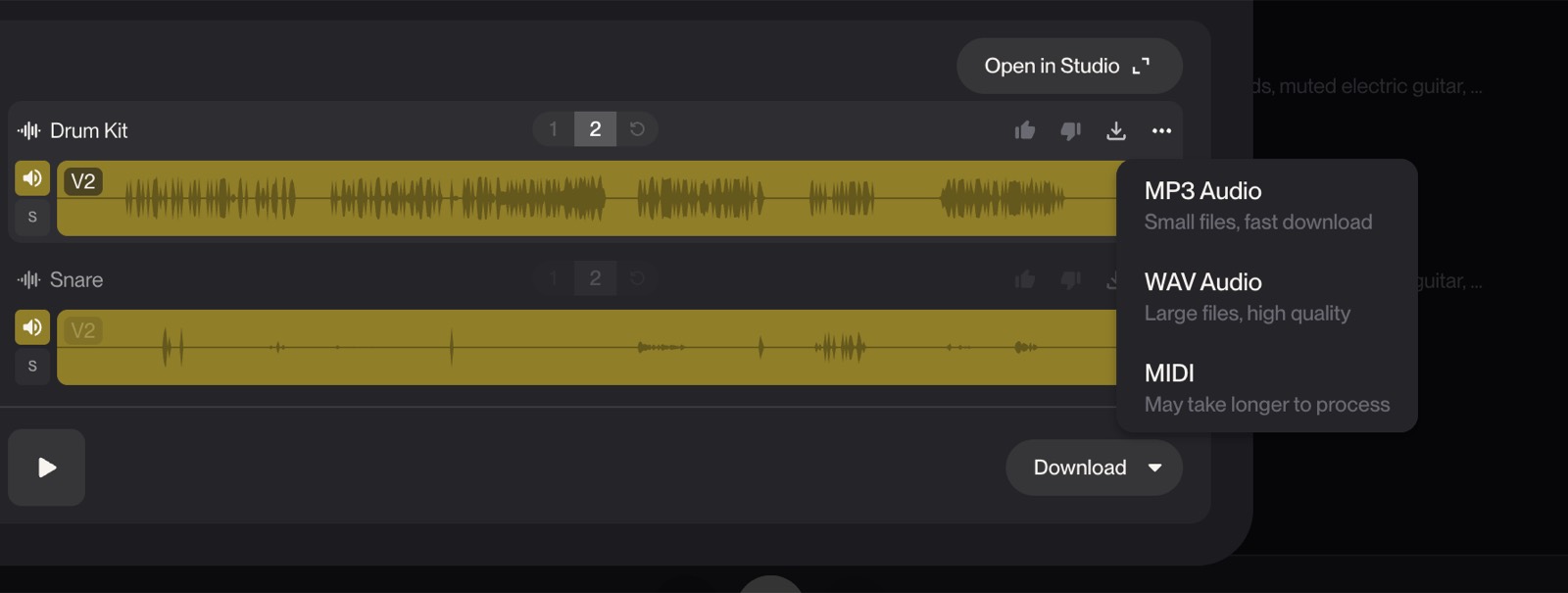
Stem quality is good enough to be useful and not good enough to replace a dedicated splitter. On v6 the drums split cleanly and the guitar didn’t. If you need surgical separation, my guide to Suno’s 3 split modes shows where each one breaks.
Where Suno falls short
The download caps landed on September 3, 2026, and they count your whole library, including every song you made before that date. Pro gets 20 downloads a month. Premier gets 60. The free plan gets 7 lifetime downloads for personal use and then nothing. Pro and Premier can buy extra downloads, so the cap is also a price.
The model retirement already happened. At the v6 launch Suno retired every older model for new generations. Your v5.5 songs still play in your library, but you can’t generate a fresh v5.5 take, and if v6 doesn’t suit your genre there is nothing to roll back to.
The licensing fight moved to v6 as well. Universal Music and Sony Music filed a second lawsuit on September 18, 2026, calling v6 “the fruit of the same poisoned tree” because it was built on outputs of older models trained on their music. Suno answered on September 22 that v6 was trained on licensed partner content, creations and preference signals from its community, and its team’s learnings. Then on October 6, Italy’s competition authority opened an investigation into whether Suno’s terms of service are unfair to consumers.
Then there is the security record. Suno confirmed a November 2025 breach that exposed 55.3 million users’ email addresses, plus names, addresses and partial card data on tens of thousands of Stripe records. It decided breach notifications were not warranted and never told anyone. Have I Been Pwned obtained the dataset in July 2026, and 3 proposed class actions over it have been filed in Massachusetts.
How much does Suno cost in 2026?
Suno has 3 tiers, and the paid ones are cheapest on annual billing. Monthly billing costs $10 for Pro and $30 for Premier.
| Plan | Price | What you get |
|---|---|---|
| Free | $0 | 50 credits daily (10 songs), v6-mini only, 7 lifetime downloads, no commercial rights, 8-minute uploads, shared queue |
| Pro | $8/mo annual, $10 monthly | 2,500 credits (500 songs), 20 downloads a month, commercial rights, v6 and v6-wild, Voices, Custom Models, 2 stem modes, 30-minute uploads |
| Premier | $24/mo annual, $30 monthly | 10,000 credits (2,000 songs), 60 downloads a month, Suno Studio, 3 stem modes, unlimited Studio exports |
Credits do not roll over from one month to the next. Purchased top-up credits never expire but need an active subscription. The download limits, not the credits, are the number that will bite you, so read what the caps actually count before you pick a plan.
Pricing changes often, so check the current plans on Suno’s pricing page. For value, Pro at $8 is the plan most people need, because the free plan can’t release anything. Premier only pays off if you live in Studio.
Who should use Suno?
Choose Suno if you write songs and want to hear an idea as a finished record today. You type the concept, get 2 versions back in under 20 seconds on v6, and know within 5 minutes whether the idea is worth real studio time. That loop is worth the $8 on its own.
Choose Suno if you produce and you want the parts, not the track. Premier gives you Studio, stems, MIDI export and a timeline, so a generation becomes a starting point you cut apart in Chrome and finish in Logic or Ableton. Plan on re-recording the guitar and bass.
Choose Suno if you make content and need original music that nobody else has. Video, podcast intros, ads and social all clear at Pro, which carries commercial rights on songs you download within your plan.
Who should skip Suno
Skip Suno if you plan to flood streaming with AI tracks. The caps, the watermarking and the platform AI labels rolling out at Apple Music are all pointed at exactly that behavior. Skip it too if your release needs uncontested rights on day one, because Universal and Sony are now suing over v6 itself and a Munich court has already ruled that training on GEMA’s songs needed a licence.
Skip it if you’re a professional singer who needs the vocal to sound like you. v6 bends your clone toward the genre, so you’d end up swapping the vocal stem anyway. And if you’d rather play the parts and have AI assist, Riffle is built the other way round.
Suno alternatives: Suno vs Udio and Mureka
Suno’s 2 closest rivals both generate full songs from a prompt, and they split on downloads and price.
| Suno | Udio | |
|---|---|---|
| Starting price | Free, Pro $8/mo | Free, paid tiers |
| Core use case | Full songs from a prompt | Full songs from a prompt |
| Downloads | 20 or 60 a month on paid plans | Switched off after its major-label deals |
| Built-in DAW | Yes, Studio on Premier | No |
| Best for | Songs you want to release | Music you keep inside Udio |
| Suno | Mureka | |
|---|---|---|
| Starting price | Free, Pro $8/mo | Free, Basic $8/mo |
| Core use case | Full songs from a prompt | Full songs from a prompt |
| Voice cloning | Pro, $8/mo | Pro, $24/mo |
| Stems | Pro and Premier | Pro, $24/mo |
| Best for | Vocals and fast iteration | Structured songs on a budget |
Udio still makes believable vocals, but since its label deals you can’t download what you make, so it only fits if you never plan to release it. Mureka is the cheaper challenger with its own model line, and it costs $24 a month before you can clone your voice or download stems. If the song is going anywhere outside the app, Suno is still the one to beat.
My verdict on Suno
I use Suno, and I’ve made hundreds of songs in it. Many Suno users hate v6, and I can understand the frustration. But this is the first licensed model Suno has released, and I think it only goes up from here.
As someone who has played guitar for over 20 years and toured the entire US, I’m pretty excited about what changed. The drums sound much more organic. Some hear the output as flat. I hear it as less polished and less overproduced, and for someone who grew up playing instruments, that hits home. Guitar and bass stems are still not usable. Arrangements are great.
What I don’t do is pretend the training question is settled. v6 was built with Warner, BMG and Believe, which is real progress. But your uploads feed the model by default, Universal and Sony are suing over v6 anyway, and GEMA won in Munich on July 31. That’s why licensing scores 3 above, not 5, and why it stays out of the star rating.
So the honest position is this. Suno is worth $8 a month if you make music with it, and $24 if you live in Studio. Sketch on v6-mini, chase attitude on v6-wild, finish on v6.
Start on the free plan this week and run one of your own lyrics through v6-mini. If the sketch holds up, go straight to Pro, because the free plan has no commercial rights and only 7 downloads, ever.
Frequently asked questions
Is Suno free?
Suno has a free plan with 50 credits a day, which is about 10 songs, and since September 9, 2026 it generates on v6-mini. It gives you 7 lifetime downloads for personal use and no commercial rights, so treat it as a sketchpad. Paid plans start at $8 a month on annual billing.
How much does Suno cost per month?
Pro is $8 a month on annual billing or $10 monthly, with 2,500 credits and 20 downloads a month. Premier is $24 a month annual or $30 monthly, with 10,000 credits, 60 downloads and Suno Studio. Both paid plans can buy extra credits and downloads on top.
What is the difference between Suno Pro and Premier?
Both get v6 and v6-wild, commercial rights and Voices. Premier adds Suno Studio, 4 times the credits, 60 downloads a month instead of 20, the Advanced split stem mode and unlimited exports out of Studio. If you don’t plan to edit on a timeline, Pro covers it.
What is the latest version of Suno?
Suno v6, released September 9, 2026 as 3 models: v6 and v6-wild on Pro and Premier, and v6-mini on the free plan. Every earlier model, v4 through v5.5, retired for new generations at launch. Songs you made on those models still play in your library.
Is Suno worth paying for after the v6 update?
For most creators, yes. In my test v6 beat v5.5 in all 7 genres and returned a full song in 10 to 20 seconds, though the guitar and bass stems still need re-recording. If your workflow depended on how v5.5 sounded, there is no rollback, so test your genre on the free v6-mini before you renew.
Can you release Suno songs on Spotify and keep the royalties?
Yes, if you made the song on Pro or Premier and downloaded it within your plan’s limit, because Suno’s terms grant commercial use for those songs. Spotify doesn’t ban AI music, and its AI rules target impersonation, spam and mismatched content. Commercial rights from Suno are not a copyright guarantee, and some distributors ask you to disclose AI use, so check yours before you upload.