8 best AI singing voice generators in 2026 (free and paid)

My stack My fav 6 tools for AI music after testing 70+
-
 ElevenMusic · Music generation
-
 Moises · Stem separation
-
 Controlla · Voice swap & cloning
-
 Cryo Mix · Mixing + mastering
-
 Neural Frames · Music videos
-
 ONCE · Distribution
Some links are affiliate links — I earn a commission at no cost to you. Every tool here is one I run myself and truly believe in. This stack is proven.
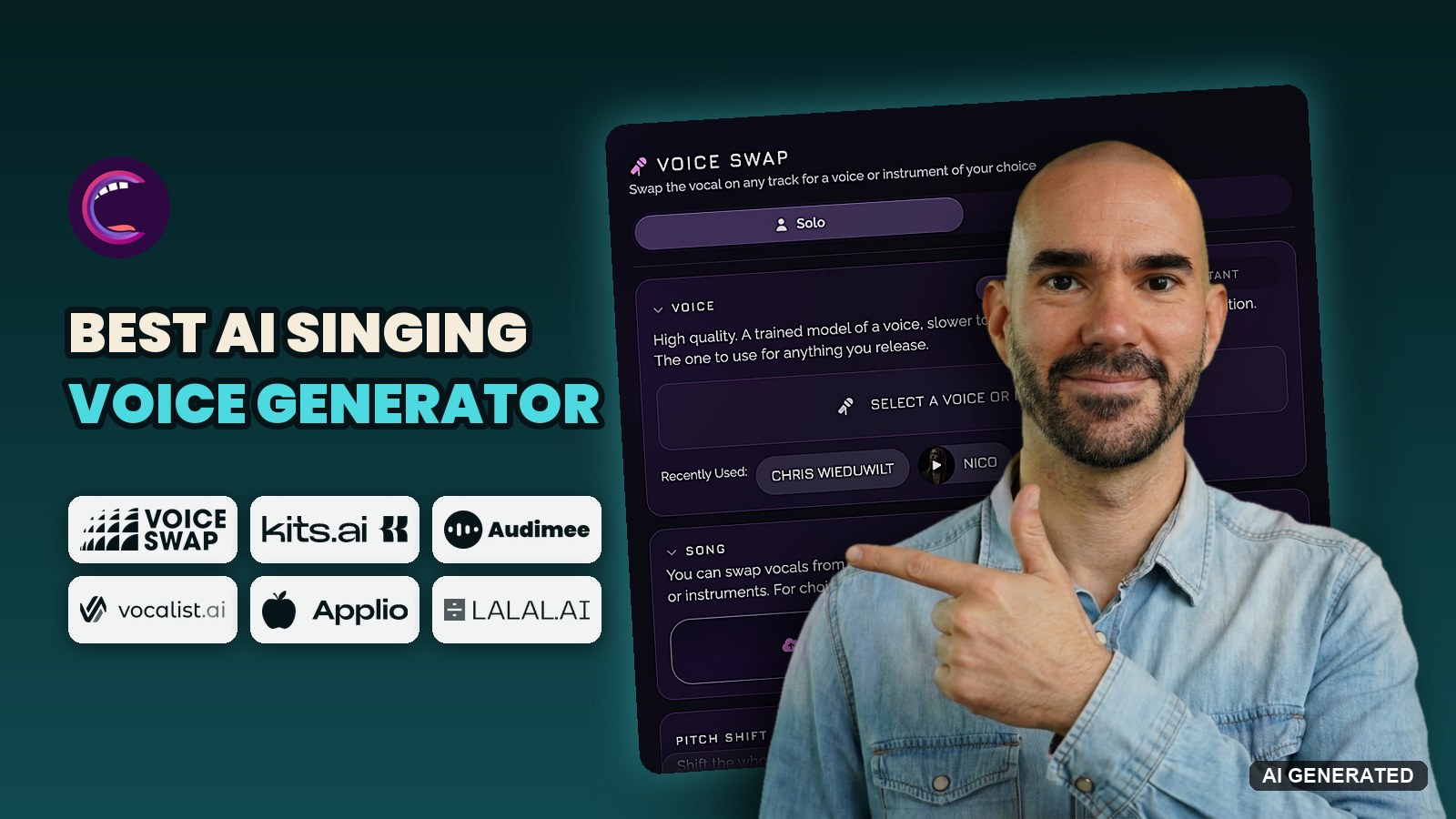
The best AI singing voice generator for most musicians in 2026 is Controlla Voice. It trains a studio model of your own voice on the Plus plan for $8 a month billed yearly, and it’s the tool I use to swap Suno vocals into a real voice.
Voice-Swap sounds just as good and wins if you want licensed artist voices inside your DAW. And Kits AI, owned by Splice since January 21, 2026, is the pick if you need unlimited voice models.
I ranked 8 tools for one job: putting a voice you can release on your song. 6 of them clone your own singing voice, 1 lends you licensed singers, and 1 writes the whole song in your voice.
TL;DR: the 8 best AI singing voice generators in 2026
The short version, ranked:
- Controlla Voice: best overall for cloning your own singing voice, from $4 a month billed yearly.
- Voice-Swap: best for licensed artist voices and voice conversion inside your DAW.
- Kits AI: best for unlimited custom voice models on the $30 Producer plan.
- Audimee: best for building harmonies from one take, with commercial use from $9 a month billed yearly.
- Vocalist AI: best for turning a phone voice note into a finished singer or rapper take.
- Applio: the best free AI singing voice generator, and it trains your voice on your own computer.
- LALAL.AI Voice Cloner: best if you already split stems on LALAL.AI.
- Suno Voices: best for hearing a full song in your voice without producing anything.
Not sure which kind of tool you need? The section right after the comparison tables sorts that out.
How I ranked these AI singing voice generators
I looked at 12 tools and kept 8. Controlla is the one I use myself, mostly to take a Suno vocal and swap it into a real voice. I also cloned my own voice in Suno Voices in September 2026, when I tested Suno v6 against v5.5.
For the other 6, I didn’t run a side-by-side test. I checked every plan, limit and feature on each company’s own pricing page in October 2026, and ranked them on what I know of each one.
Each tool is scored on 5 criteria, weighted by what matters when you plan to release the song:
- Voice quality (30%): does the converted vocal sound like a real singer, or does it warble on long notes?
- Licensing and consent (25%): is the training data licensed, and can you release the result?
- Control (20%): can you train your own model, blend voices and fix pitch?
- Workflow and export (15%): WAV downloads, stems, and a plugin for your DAW.
- Free tier and value (10%): how far the free plan goes, and what one voice model costs you.
Each criterion gets 1 to 5 dots, and the dots roll up into a star rating out of 5 using those weights. Tools are scored against their own group, so a voice cloner is judged against other voice cloners, not against a song generator.
Controlla and LALAL.AI pay me a commission if you sign up through my links. Nobody paid for a spot, and the ranking came before the links.
I left out speech-first voice cloners like ElevenLabs, celebrity cover apps (my AI cover song generators roundup covers those) and MIDI singing synths like Synthesizer V.
Updated October 30, 2026: I rewrote this guide, merged my old AI voice cloning roundup into it, added Audimee, Applio, LALAL.AI Voice Cloner and Suno Voices, and re-checked every price.
AI singing voice generators compared: price, free tier and voice cloning
Read the Free tier and Pricing from columns first:
| Tool | Type | Best for | Exports | Works in | Free tier | Pricing from |
|---|---|---|---|---|---|---|
| Controlla Voice | Voice conversion + cloning | Your own voice | Audio, downloads on paid plans | Browser, iOS, DAW plugin | 600 credits once, 10 min of voice swaps, no downloads | $4/mo billed yearly ($6 monthly) |
| Voice-Swap | Voice conversion + cloning | Licensed artist voices | Audio, 5 credits per download | Browser, VST/AU plugin | None | £6.99/mo for 50 credits |
| Kits AI | Voice conversion + cloning | Unlimited voice models | Audio, 15 download min on Starter | Browser, desktop app | 15 conversion min, 0 downloads | $10/mo |
| Audimee | Voice conversion + cloning | Harmonies from one take | MP3 free, 24-bit WAV paid | Browser | 15 min, 11 voices, personal use | $9/mo billed yearly |
| Vocalist AI | Licensed singer voices | Voice note to finished take | Audio | Browser | 7-day trial | Not public |
| Applio | Open-source RVC | Free local training | Voice model and audio | Windows, macOS, Linux | Everything | Free |
| LALAL.AI Voice Cloner | Voice cloning + changer | Stem split, then clone | Audio | Browser, desktop | 10 min, no voice pack slot | €6.75/mo billed yearly |
| Suno Voices | Song generator | Full songs in your voice | Full songs | Browser, iOS, Android | Limited version since Aug 7, 2026 | $8/mo billed yearly (Suno Pro) |
If you want your own voice, this second table matters more. It shows what each tool needs from you and how many voices you can keep:
| Tool | Own-voice model | Training audio | Voice models per plan | DAW plugin |
|---|---|---|---|---|
| Controlla Voice | Instant clone from Basic, studio model from Plus | Not published | Plus 1 a month, Creator 3 a month | Yes, Voice plugin |
| Voice-Swap | Yes, 40 credits per model | Not published | 1 per 40 credits | Yes, VST/AU |
| Kits AI | Instant and professional cloning | Not published | Free 0, Starter 2, Producer unlimited | No |
| Audimee | Yes | Longer datasets on Enterprise only | Free 0, Starter 1, Pro 3, Ultimate 8 | No |
| LALAL.AI | Yes, as a voice pack | 10 to 50 min recommended, up to 5 files | Lite 1, Pro 3 | Stem plugin only |
| Applio | Yes, trained locally | 10 to 30 min, community guideline | Unlimited | Real-time mode, no plugin |
| Suno Voices | Yes, inside Suno only | 30 seconds to 4 minutes | Not exportable | No |
| Vocalist AI | No, its own singers only | Not needed | Not needed | No |
What an AI singing voice generator does with your voice
An AI singing voice generator does one of two jobs, and the two suit very different musicians.
Either you sing the line and the AI swaps the voice, or the AI sings the line for you. The first kind is voice-to-voice AI: it keeps your melody, timing and phrasing and only changes the sound of the voice. The second kind writes the performance itself.
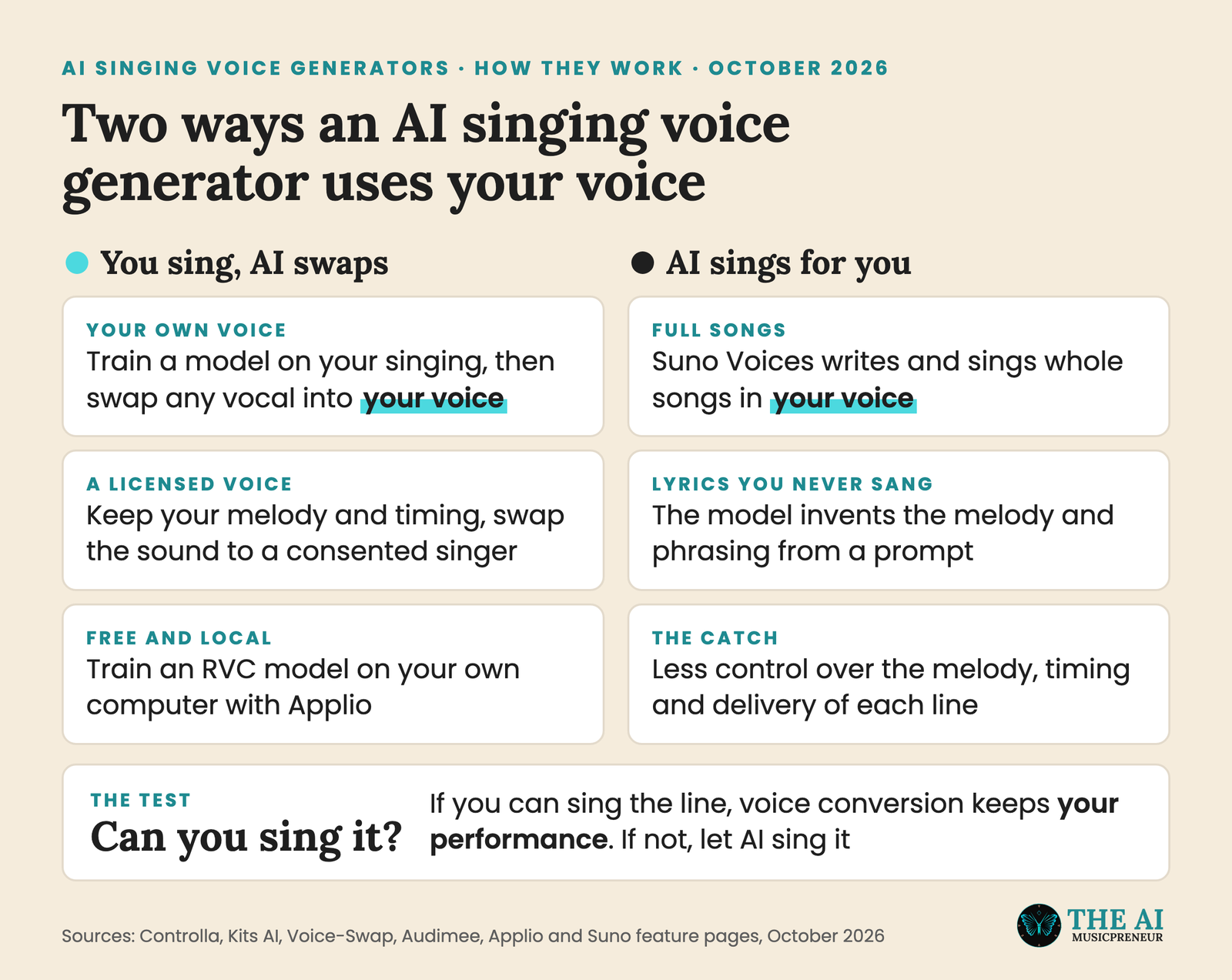
So the quick test is simple. If you can sing the line, even badly, a voice conversion tool keeps your performance and makes it sound like a better version of you. If you can’t, Suno Voices will sing it, but you give up control of every note.
7 of the 8 tools below are the first kind. Here’s how they compare.
Best AI voice cloning for singing: 5 platforms that train your own voice
These are AI voice conversion platforms that run in your browser. They train a model of your own voice, and they let you swap any vocal into a pre-trained or licensed voice. You upload a dry vocal, pick the voice, and download the converted take.
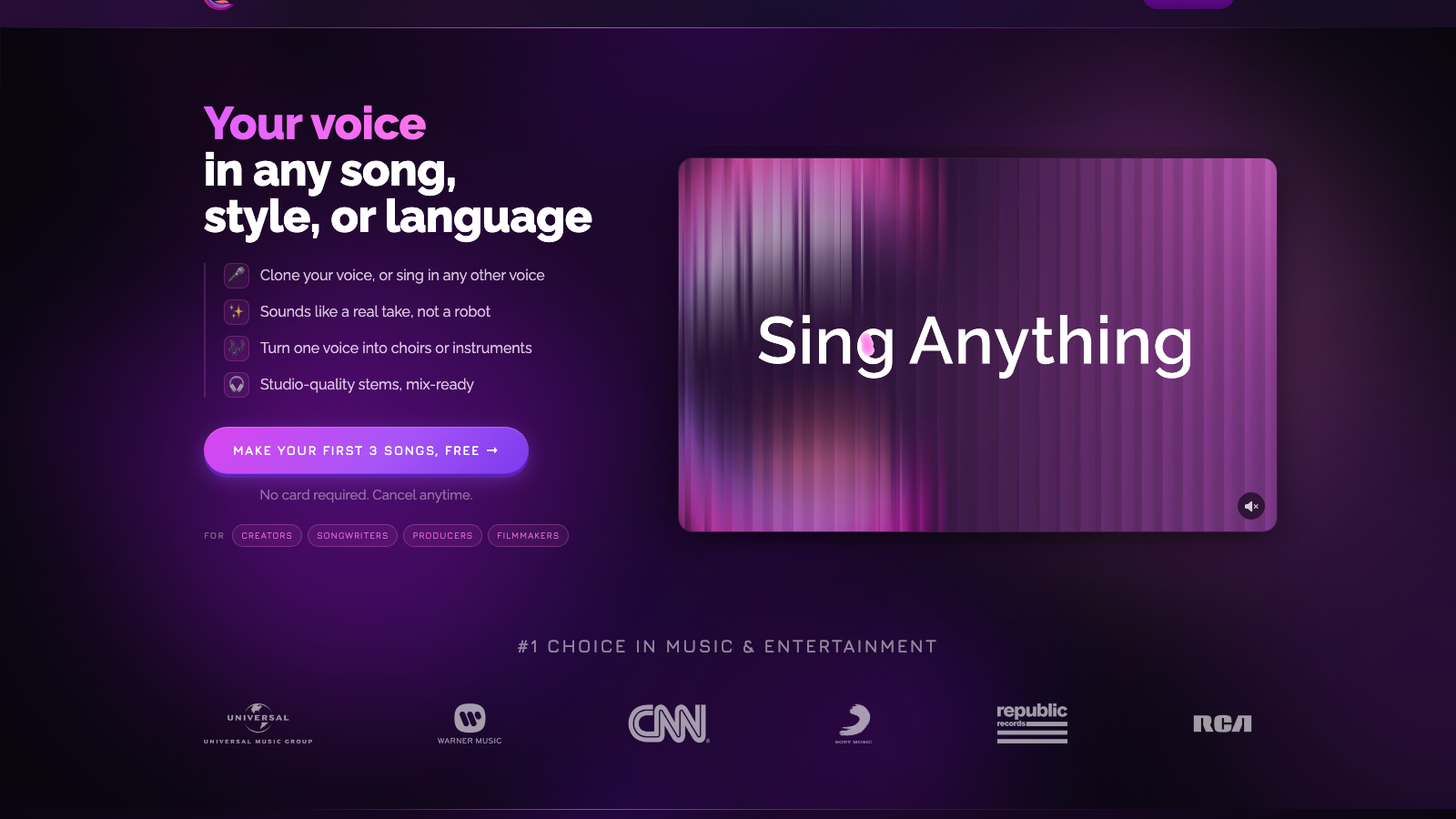
1. Controlla Voice: best overall for cloning your own singing voice
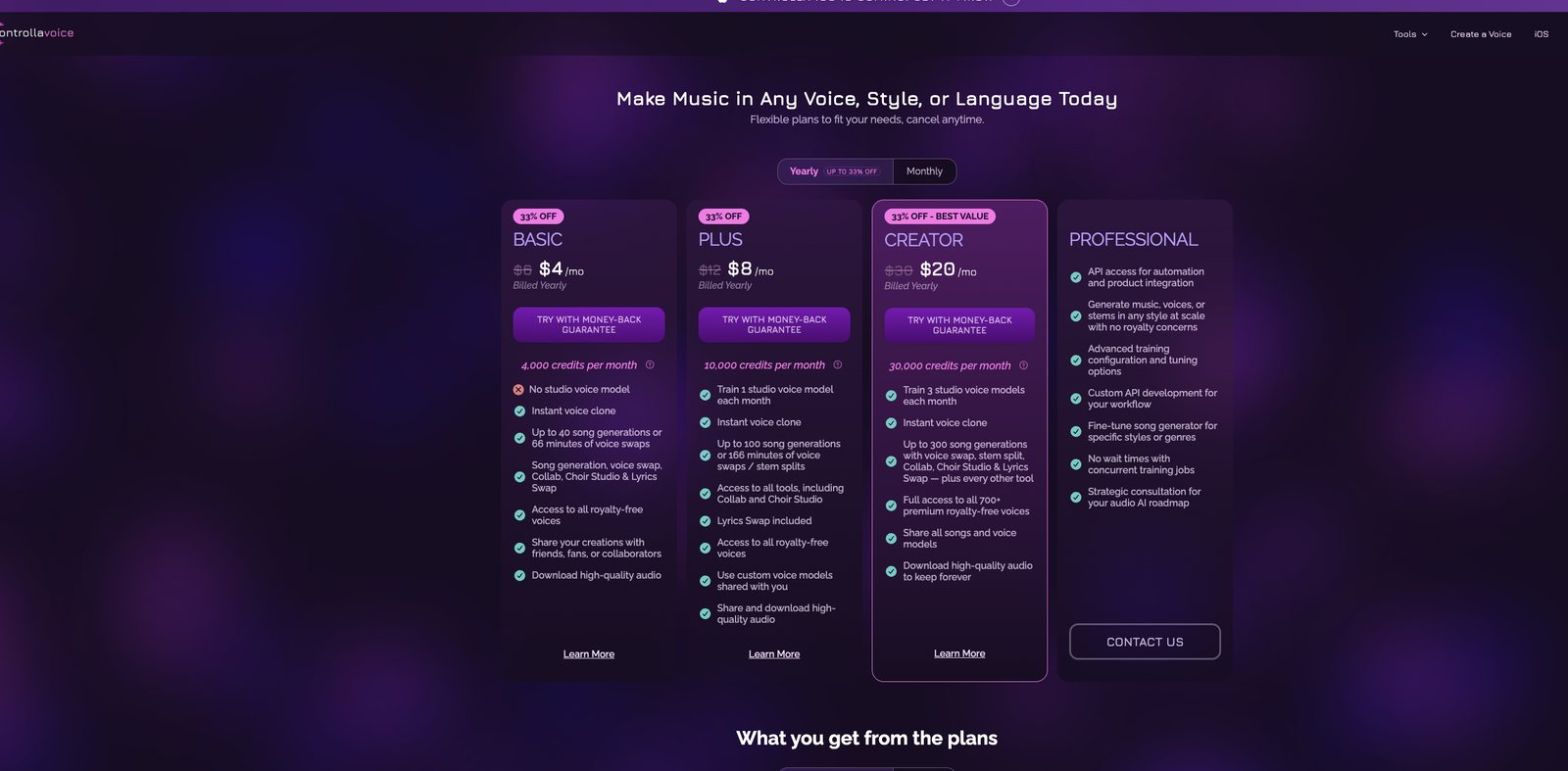
- Works in: Browser, an iOS app and a Voice plugin for your DAW
- Exports: Audio downloads on Basic and up. The free plan can’t download.
- Free tier: 600 credits once, enough for 10 minutes of voice swaps or 6 songs, no voice clone and no downloads
- Pricing: Basic $4/mo, Plus $8/mo, Creator $20/mo, all billed yearly ($6, $12 and $30 monthly)
- Website: voice.controlla.xyz
Why I picked it: Controlla is the tool I actually use, and the job I use it for most is fixing Suno vocals. Suno writes a great song, but the vocal often sounds like Suno. So I split the stems in Controlla, swap the vocal into a real voice, and drop it back over the instrumental.
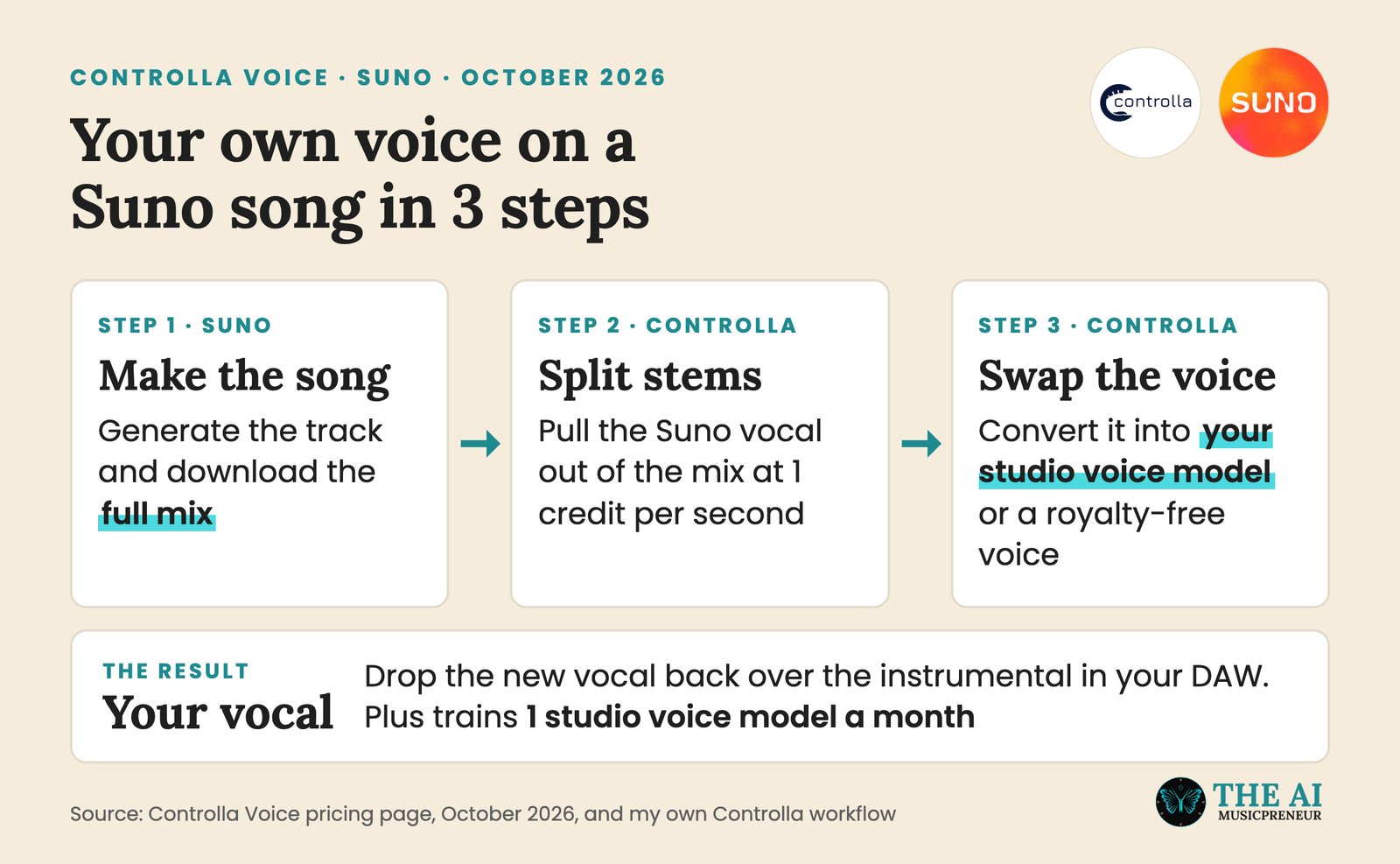
Its voice library is licensed and royalty-free, and Controlla claims no rights to your masters, which is why it scores full marks on licensing.
Controlla’s own Voice Swap screen describes the studio model like this: “A trained model of a voice, slower to make and noticeably higher resolution. The one to use for anything you release.”
The voice can be yours. Plus trains 1 studio voice model of your voice a month and Creator trains 3, and every plan from Basic up adds an instant voice clone. Every tool runs on one credit balance: an AI voice swap, a stem split or a lyric swap costs 1 credit per second of audio.
Looking for a free voice swap AI? Controlla’s free plan gives you 10 minutes of voice swaps to hear the quality, but you need Basic to download the result.
Standout features worth knowing before you pick a plan:
- A studio voice model of your own voice on Plus, plus voice blending and model sharing with collaborators
- 700+ premium royalty-free voices on the Creator plan
- Stem splitting, Lyrics Swap and Choir Studio in the same account, so the Suno workflow above never leaves Controlla
- Free Song to MIDI, Key and BPM Finder and Lyrics Transcriber
What is missing: The free plan is a test drive only, with no voice clone and no downloads. And Controlla doesn’t publish how much audio its studio model needs.
Best for: Songwriters and Suno creators who want their own voice, or a better voice, on a finished track.
Verdict: The best AI singing voice generator for most people, because it clones your voice, swaps any vocal and splits stems for $8 a month.
If the Suno workflow is your main reason to buy, start with Controlla’s Plus plan. If licensed voices matter more to you, keep reading.
2. Voice-Swap: best for licensed artist voices and in-DAW conversion
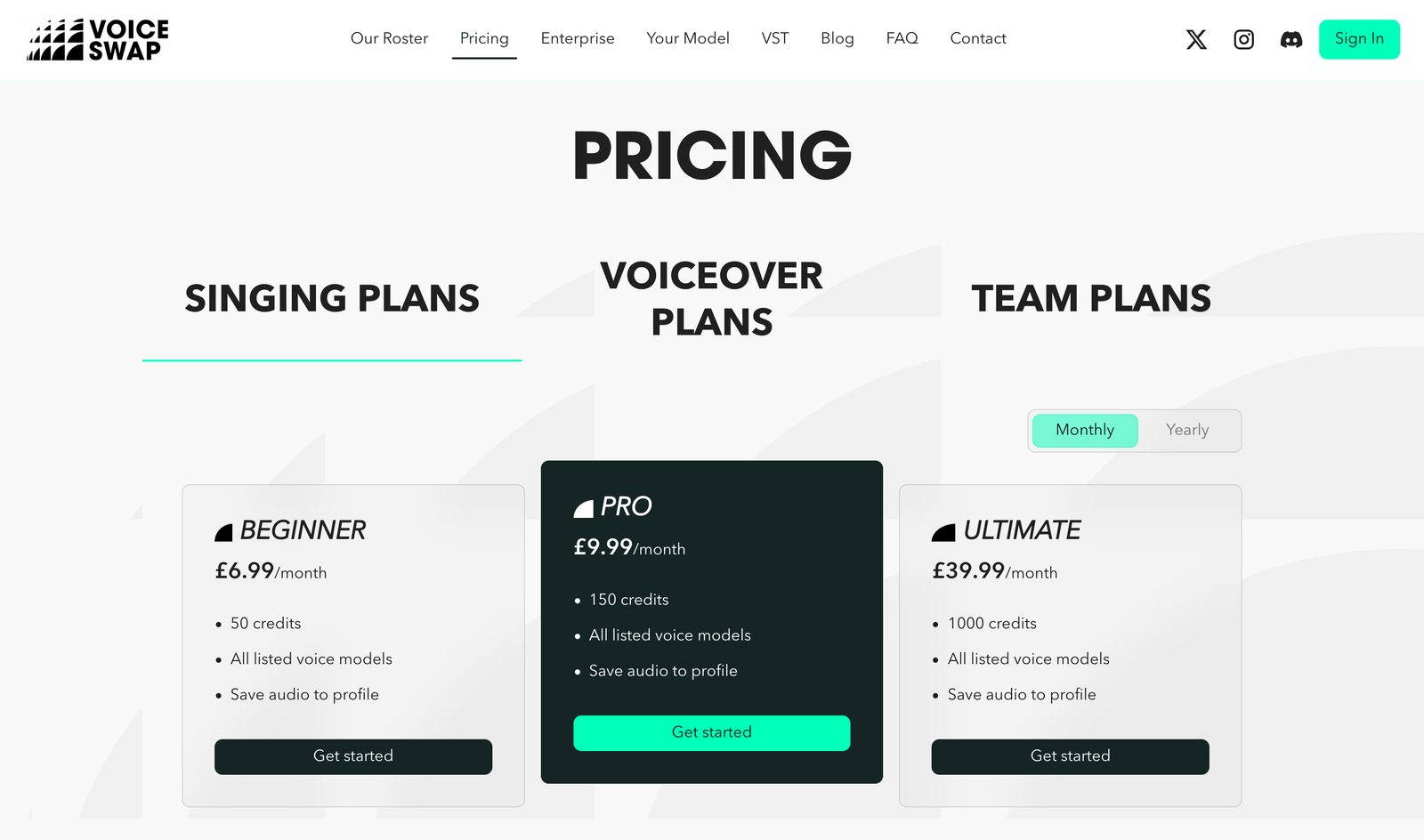
- Works in: Browser, plus a VST/AU plugin for your DAW
- Exports: Audio, 5 credits per download
- Free tier: None. The cheapest way in is a one-off pack of 75 credits for £11.99.
- Pricing: Beginner £6.99/mo (50 credits), Pro £9.99/mo (150 credits), Ultimate £39.99/mo (1,000 credits), VAT extra
- Website: voice-swap.ai
Why I picked it: On sound, Voice-Swap is on par with Controlla. What sets it apart is the rights setup behind the voices.
Voice-Swap says it builds its base models from data licensed directly from artists. Its singers are real, named vocalists who signed up, and they get paid when you use them.
The same FAQ says artists also get 50% of pro-rata gross subscription income. You can release songs with its Session Singer voices after you generate a free licence. Featured artists need a paid licence, and they can say no.
Voice-Swap is also pushing consent into the release data itself. It joined DDEX to work on AI voice consent metadata, the standard labels and DSPs use to pass release information.
Standout features for producers who work in a DAW:
- A VST/AU plugin, so the AI vocal conversion happens inside your session (3 credits per use)
- A custom model of your own voice for 40 credits
- Stem separation for 3 credits, so you can pull a vocal out of a mix first
What is missing: No free tier, and model training is expensive. A conversion plus its download costs 6 credits, so Beginner covers about 8 finished vocals a month, more than Kits AI Starter’s 15 download minutes. But one model training (40 credits) plus 2 downloads (10 credits) uses a whole Beginner month. The FAQ also says its models don’t handle spoken word or very low vocals well.
Best for: Producers who want a licensed, named singer on a demo or a release, and who live in their DAW.
Verdict: The cleanest rights story in the category, with Controlla-level sound, if you can live without a free plan.
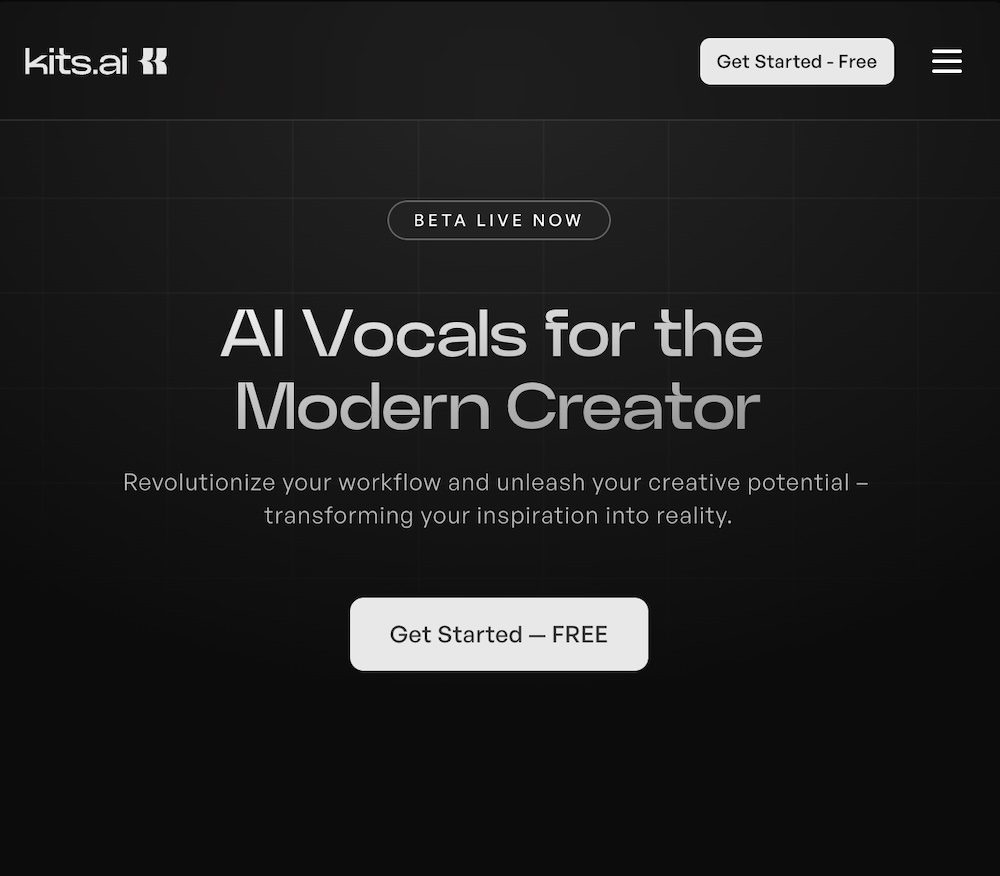
3. Kits AI: best for unlimited custom voice models
- Works in: Browser, plus a desktop app
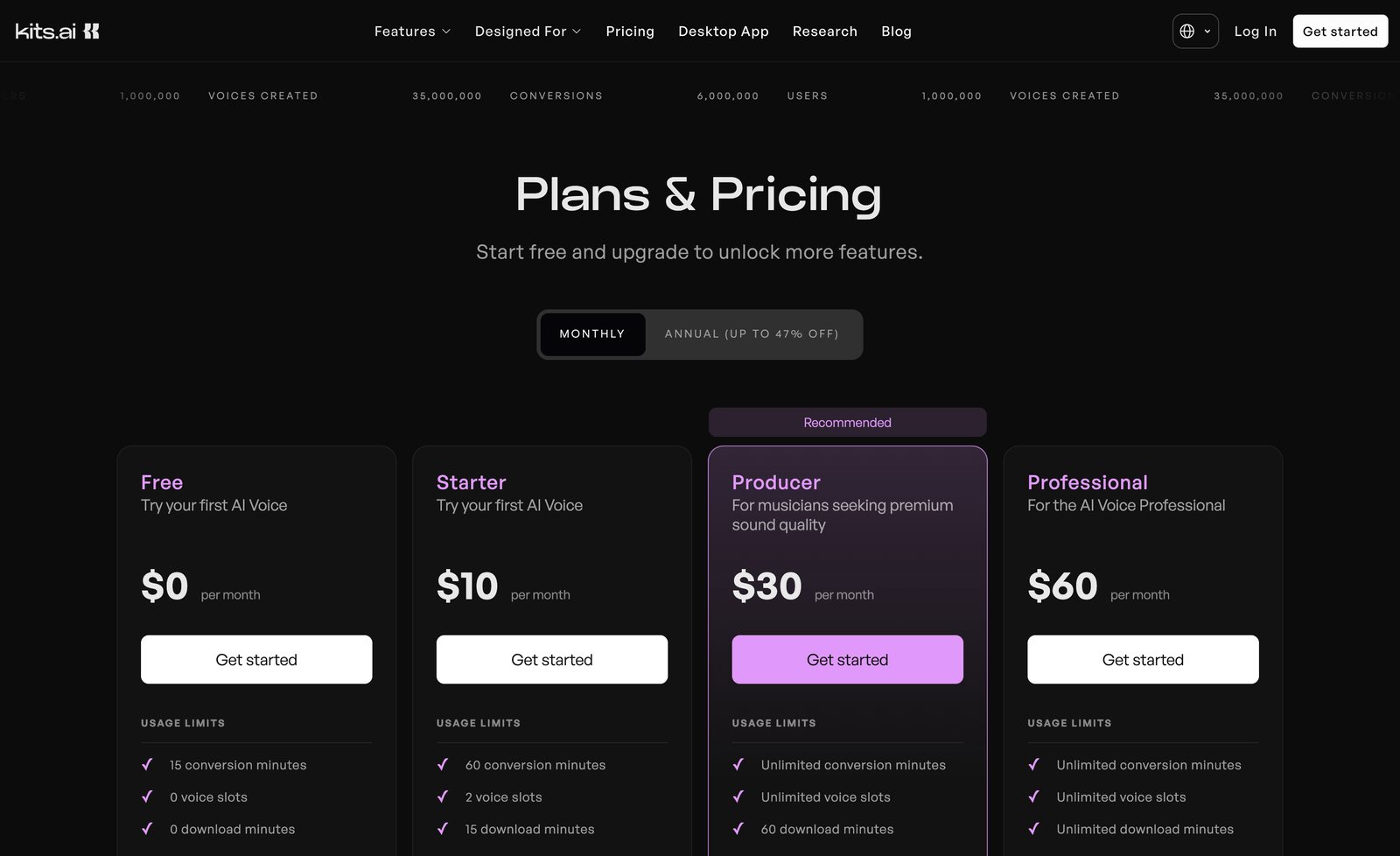
- Exports: Audio, 15 download minutes a month on Starter, 60 on Producer, unlimited on Professional
- Free tier: 15 conversion minutes, 0 voice slots, 0 download minutes
- Pricing: Starter $10/mo, Producer $30/mo, Professional $60/mo, up to 47% off on annual billing
- Website: kits.ai
Why I picked it: Kits AI is the biggest name here. Splice bought Kits AI on January 21, 2026, and at that point it had processed more than 80 million minutes of vocals for over 7 million users. Its voice technology is certified by Fairly Trained, the nonprofit that checks whether AI models were trained on licensed data.
Does Kits AI still work after the Splice acquisition? Yes. It still runs at kits.ai with the same 4 plans, and the pricing page I checked in October 2026 lists the same free, Starter, Producer and Professional tiers.
It ranks third because of how the plans are split. Starter gets you 2 voice slots and a model quality Kits itself labels “Medium”. High-fidelity models and unlimited voice slots start at $30 a month on Producer.
Standout features across the plans:
- Instant and professional voice cloning from the $10 Starter plan
- Voice designer and voice blender, even on the free plan
- A choir tool on Starter and up
- Unlimited voice slots on Producer, the most generous model allowance in this list
What is missing: The free plan can’t save a voice or download anything. 15 download minutes on Starter is about 4 songs a month.
Best for: Producers who want to keep many voices, a custom AI singing voice of their own plus blends, and can pay $30 a month for the quality jump.
Verdict: A safe, Fairly Trained pick with unlimited voice models, held back by a thin free plan and a “Medium” model on its cheapest paid tier.
4. Audimee: best for building harmonies from one take
- Works in: Browser
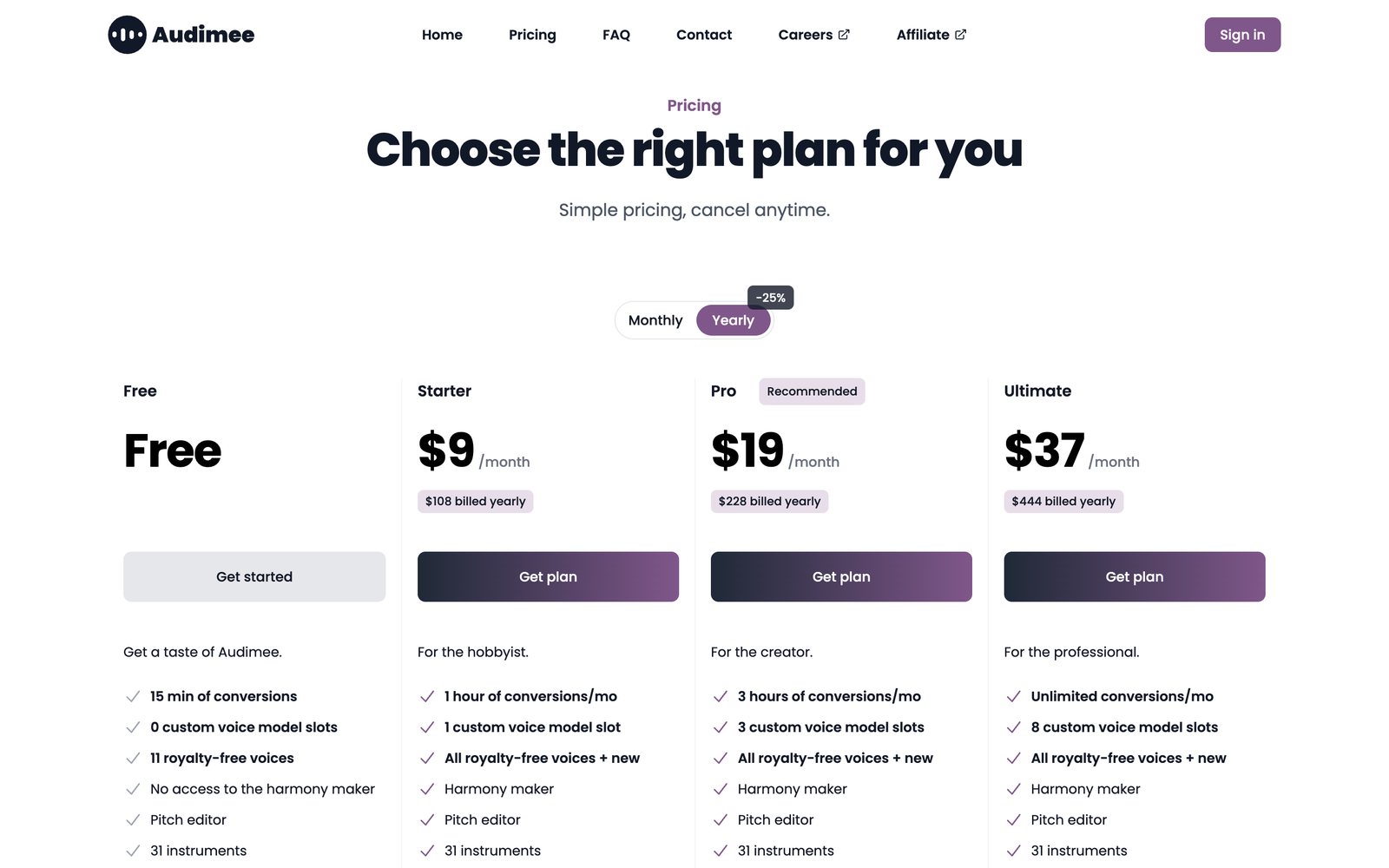
- Exports: MP3 on the free plan, 24-bit WAV on paid plans
- Free tier: 15 minutes of conversions, 11 royalty-free voices, personal use only
- Pricing: Starter $9/mo ($108 a year), Pro $19/mo ($228 a year), Ultimate $37/mo ($444 a year), billed yearly
- Website: audimee.com
Why I picked it: Audimee packs the most vocal tools into one cheap plan. Starter at $9 a month gives you 1 custom voice model, 1 hour of conversions, a harmony maker, a pitch editor, a vocal isolator, a stem splitter and commercial use.
The harmony maker is the reason to pick it. It works as an AI harmony generator: sing one lead, and Audimee builds the backing harmonies, which saves you recording every stack yourself.
Thom Shepherd ran Kits AI and Audimee side by side on his own voice in this video, and it’s the quickest way to hear both:
Standout features on the paid plans:
- Harmony maker and mixed voices on every paid plan
- Up to 8 custom voice models on Ultimate, with unlimited conversions
- 31 instruments, a pitch editor and a vocal isolator on every plan, free included
What is missing: No plugin, and the free plan is personal use only with MP3 downloads. Audimee only offers longer training datasets on its Enterprise plan, so the limit on self-serve plans isn’t published.
Best for: Singer-songwriters who want stacked harmonies and their own voice model for under $10 a month.
Verdict: The best value for vocal production, one step behind Kits AI and Voice-Swap on how openly it explains its licensing.
5. LALAL.AI Voice Cloner: best if you already split stems on LALAL.AI
- Works in: Browser, plus a desktop app
- Exports: Converted audio through LALAL.AI Voice Changer
- Free tier: Starter, 10 minutes in the slow queue, no voice pack slot
- Pricing: Lite €6.75/mo (€81 a year) with 1 voice pack slot, Pro €13.50/mo (€162 a year) with 3 slots
- Website: lalal.ai/voice-cloner
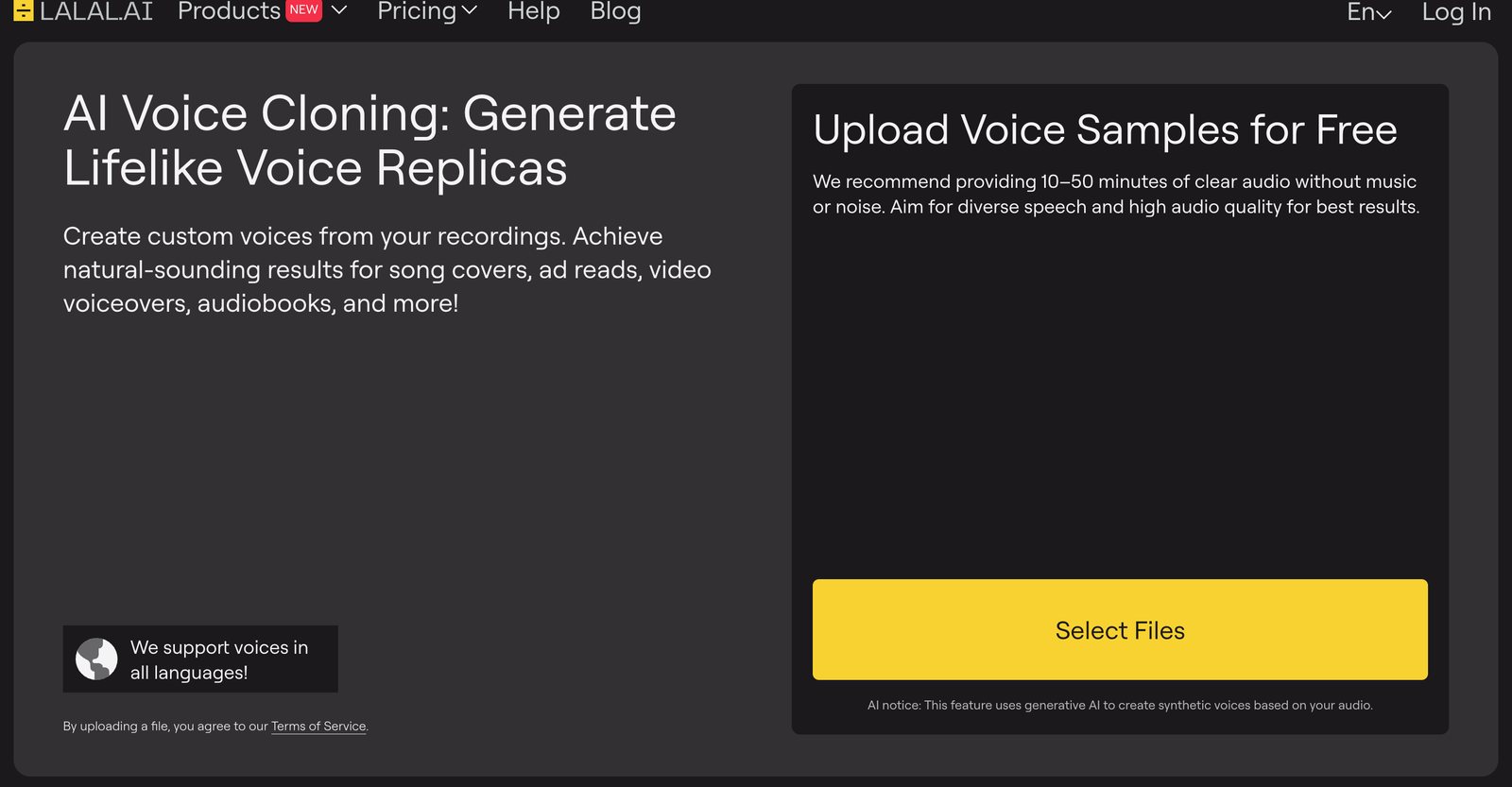
Why I picked it: If you already pay LALAL.AI for stem splitting, the voice cloner is already in your plan. You upload up to 5 recordings, LALAL.AI recommends 10 to 50 minutes of clear audio, and the clone is ready in a few minutes.
So the workflow is simple: pull a vocal out of a mix with LALAL.AI’s splitter, then swap it into your voice pack in Voice Changer, all in one account.
What is missing: The cloner is built for speech first. The upload page asks for “diverse speech”, and the marketing leads with ad reads and audiobooks. For singing, it’s a step behind the 4 tools above.
Best for: LALAL.AI subscribers who want a quick voice clone without a second subscription.
Verdict: A handy extra if you’re already a LALAL.AI user, but not a reason to sign up for singing.
Licensed AI singer voices: Vocalist AI
Vocalist AI is for the times you want AI vocals from a better singer than you, singing your melody.
1. Vocalist AI: best for turning a voice note into a finished take
- Works in: Browser
- Exports: Audio
- Free tier: 7-day free trial
- Pricing: Not on a public page. vocalist.ai/pricing returned an error in October 2026.
- Website: vocalist.ai
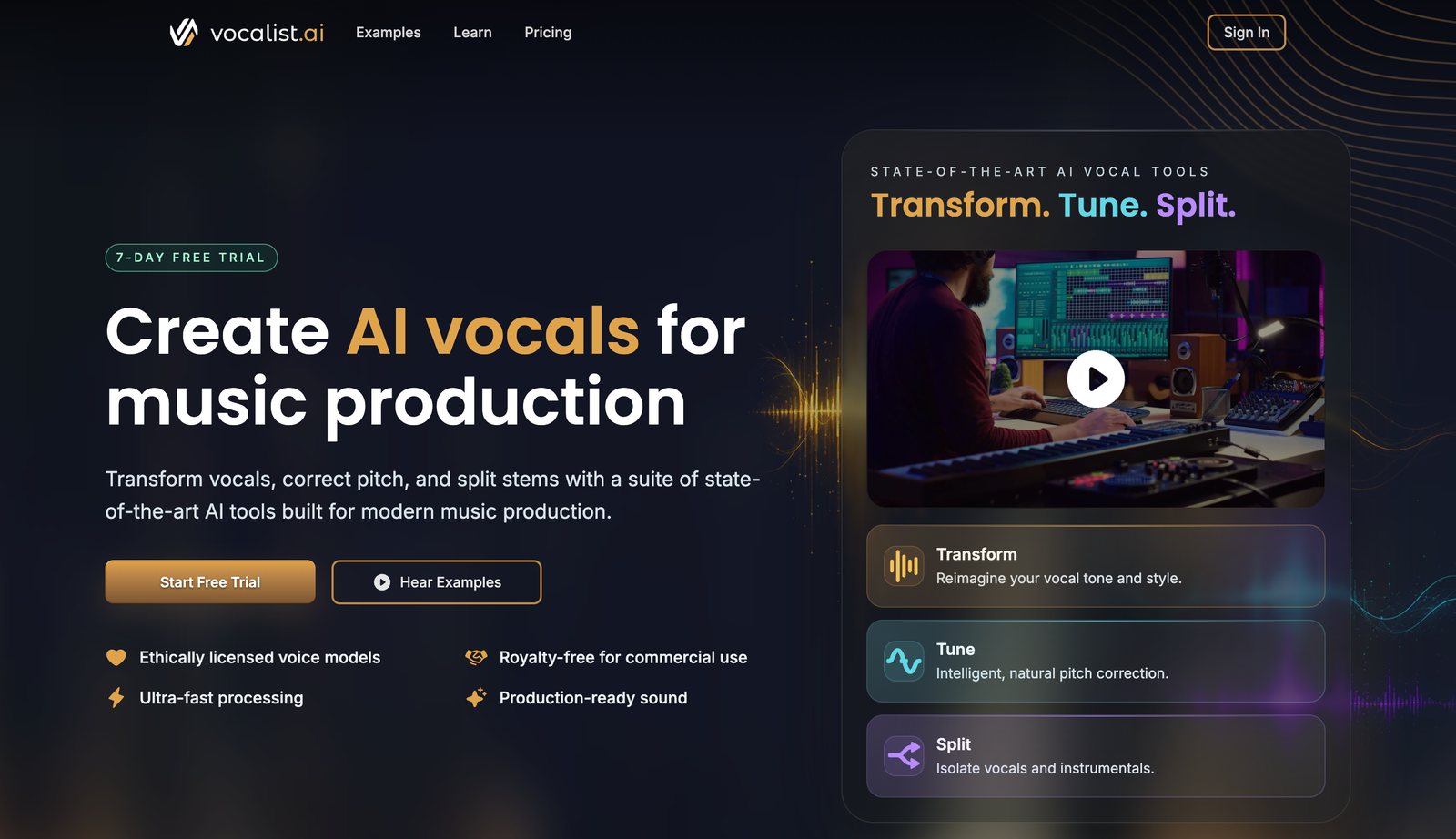
Why I picked it: Vocalist AI takes a dry vocal, “even from a simple iPhone voice note”, and turns it into a singer or rapper performance with artist-trained models. It adds AI pitch correction (Tune) and stem splitting (Split) on the same page.
It says its voice models are ethically licensed and royalty-free for commercial use. So it works as an AI vocal generator: you bring the melody, and Vocalist AI brings the voice.
What is missing: You can’t train your own voice. You only get Vocalist AI’s own singers. Pricing isn’t public, and the “ethically licensed” claim doesn’t name a certification the way Kits AI and Voice-Swap do.
Best for: Songwriters who can’t sing well and want a finished demo vocal from a rough phone recording.
Verdict: The quickest way from a voice memo to a pro-sounding singer, as long as you don’t need your own voice.
Free AI singing voice generator you run yourself: Applio
Every free plan above stops you somewhere, usually at the download button. Applio doesn’t, because it runs on your own computer.
1. Applio: the best free AI singing voice generator
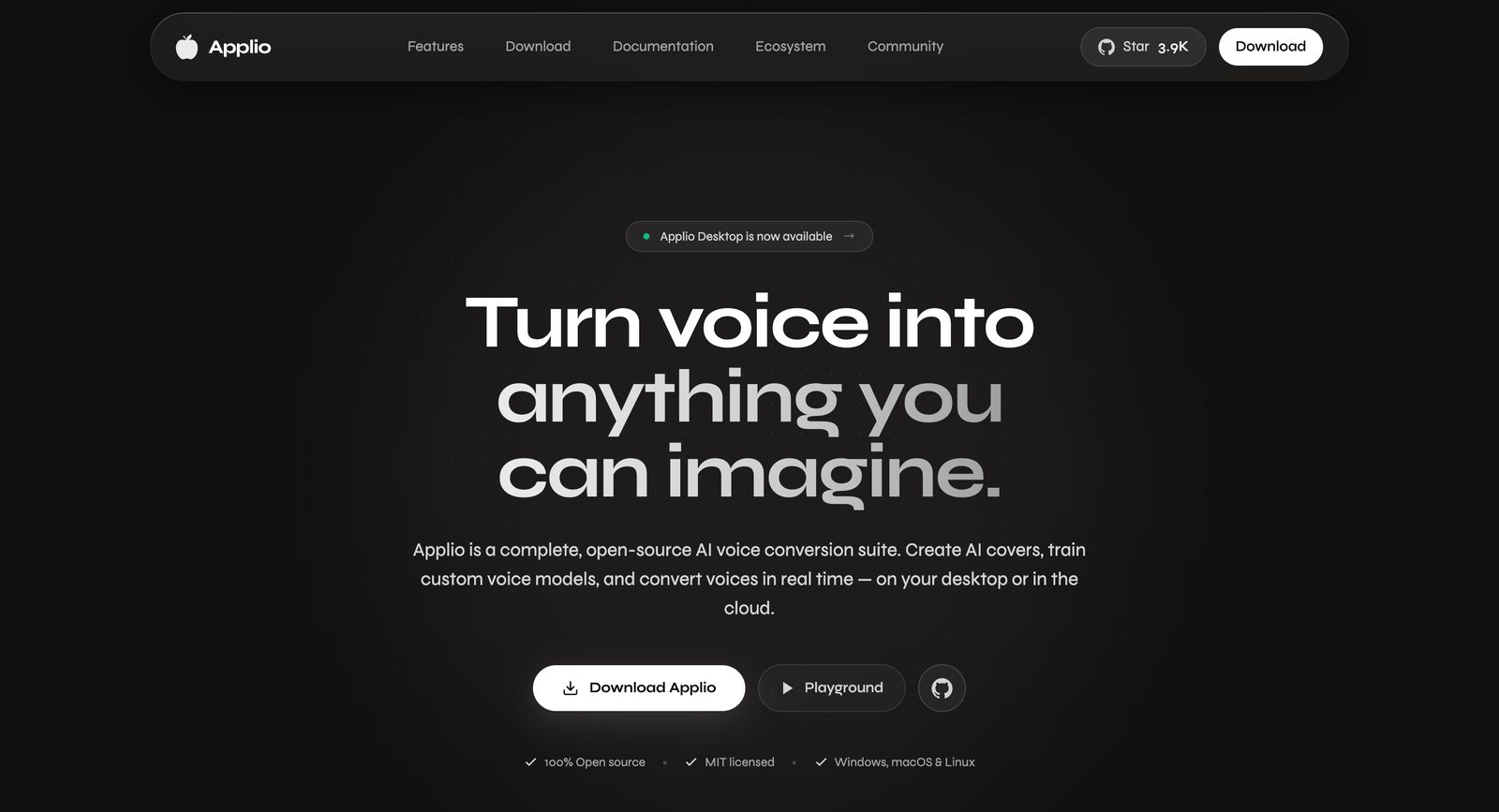
- Works in: Windows, macOS and Linux, as a desktop app or a web interface you run locally
- Exports: Your own RVC voice model and converted audio
- Free tier: Everything. No account, no credits.
- Pricing: Free, MIT licensed
- Website: applio.org
Why I picked it: Applio is an open-source voice conversion suite built on RVC, the model family behind many free AI cover voices. You train an AI voice model on your own recordings, convert songs or live input into that voice, and blend voices, all locally.
That’s also the privacy answer. Your voice never leaves your machine, and it never trains someone else’s model.
The common community guideline for an RVC singing model is 10 to 30 minutes of clean, dry vocals, and 1 to 4 hours of training on a modern graphics card. Applio’s own training docs add 2 rules worth keeping: cover different pitches and delivery, and avoid clipped audio, because lowering the peaks afterwards can’t repair it.
What is missing: You need a decent graphics card and an evening of setup. And the MIT licence covers the software, not the voices: the community models of famous singers you’ll find online aren’t cleared for release.
Best for: Producers who are comfortable with a little setup and want unlimited voice models for free.
Verdict: The only AI singing voice generator that’s truly free, if you’ll trade time for money.
AI that sings full songs in your voice: Suno Voices
The last tool works the other way round: Suno sings the whole song, and you only supply the voice.
1. Suno Voices: best for hearing a full song in your voice

- Works in: Browser, iOS and Android
- Exports: Full songs. The voice itself can’t be exported.
- Free tier: A limited version of Voices since August 7, 2026
- Pricing: Unlimited Voices on Suno Pro ($8/mo billed yearly, $10 monthly) and Premier ($24/mo billed yearly)
- Website: suno.com
Why I picked it: It’s the easiest AI voice generator for songs in your own voice. You record or upload 30 seconds to 4 minutes of singing, and Suno makes you read a phrase aloud to check the voice is really yours. My Suno Voices tutorial walks through every screen.
I cloned my own voice when I tested Suno v6 against v5.5 in September 2026. v6 picked up my voice better, but the timbre was still off, and it stretched my range further than I can sing.
How are Suno Voices different from a custom voice model in Kits AI? Suno’s voice only shapes the singer while it generates a song, and it stays inside Suno. A Kits AI model sits in a voice slot in your account, and it converts any vocal you upload.
What is missing: No exportable voice and no line-by-line control over the melody. And read the consent checkbox before you record: it lets Suno use your voice data to “train, develop, fine-tune or otherwise improve” its models.
Best for: Hearing a song idea in your own voice in under a minute, before you decide whether to produce it properly.
Verdict: Fun and fast for demos, but for a vocal you’ll release, a voice cloner like Controlla gives you far more control.
How to choose the best AI singing voice generator for your music
The right tool depends on whose voice you want and how much control you need. Run through these 6 questions before you pay for anything:
- Do you want your own voice or a better singer? Your own voice means Controlla, Voice-Swap, Kits AI, Audimee or Applio. A better singer means Vocalist AI or a licensed voice on Voice-Swap.
- Can you sing the line? If yes, pick a voice converter. If not, only Suno Voices will sing it for you.
- How many voices do you need to keep? Kits AI Producer has unlimited voice slots, Audimee Ultimate has 8, Controlla Creator trains 3 a month.
- Do you work in a DAW? Controlla and Voice-Swap both have a plugin for voice conversion inside your session.
- Will you release the song? Check that your plan allows commercial use. Audimee’s free plan and Controlla’s free plan don’t let you release anything.
- How much can you spend? Applio is free, Controlla starts at $4 a month billed yearly, and Kits AI’s high-fidelity models start at $30 a month.
How much audio do I need to clone my singing voice?
10 to 30 minutes of clean, dry singing covers most tools. That’s the common guideline for RVC models like Applio, and LALAL.AI recommends 10 to 50 minutes for its cloner.
Suno Voices needs far less: 30 seconds to 4 minutes. Controlla, Voice-Swap and Kits AI don’t publish a minimum, so start with 10 minutes and add more if the model sounds thin on high or soft notes.
How to record vocals for your own AI voice model
The model copies what you give it, the bad parts included. So if you want to make your own AI singing voice that sounds like you, the recording matters more than the tool. These rules come from Voice-Swap’s FAQ and Applio’s training docs:
- Record dry and a cappella. No reverb, no delay, no doubling.
- Keep the level below clipping. Damaged peaks can’t be fixed later.
- Sing in tune. Voice-Swap suggests tuning the vocal before you upload, because the model struggles to track an off-key take.
- Cover your range: low, high, soft and loud, so the model doesn’t guess at the edges.
- One voice only, with no backing vocals or music bleeding in.
Got an old song with your voice on it? Pull the vocal out first with one of the AI stem splitters I tested, then train on the clean vocal.
Is it legal to release songs made with an AI clone of my voice?
With your own voice, yes, within each platform’s terms. Your own voice is the safe case, so the only thing to check is that your plan allows commercial use before you release.
Someone else’s voice is different. You need that singer’s permission, which is what the licensed voices on Voice-Swap and Kits AI give you. Voice-Swap’s FAQ says the audio it generates belongs to the artist whose model you used, and it tracks unauthorised releases with watermarking.
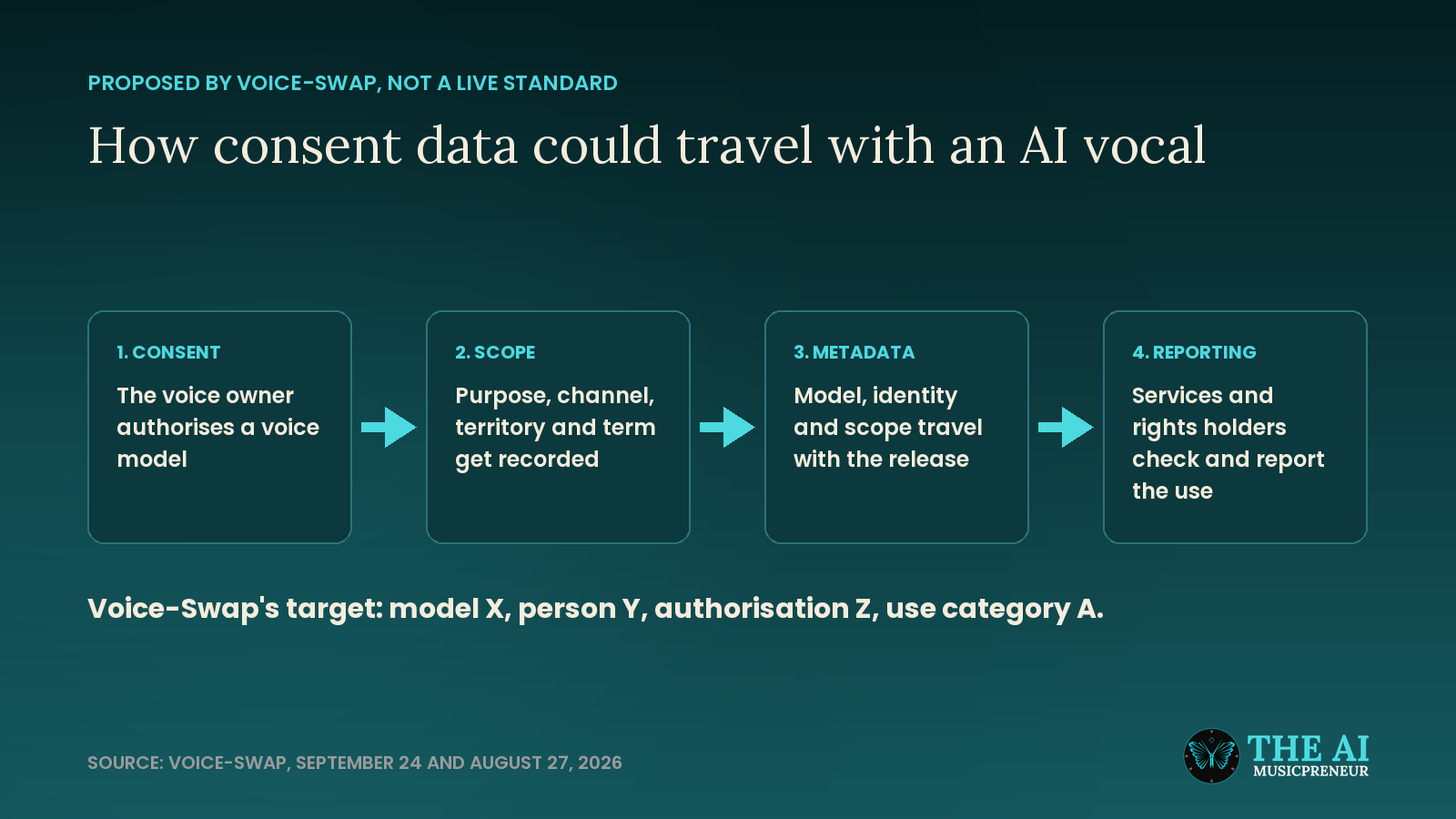
And a famous singer’s voice pulled from a free model site is the riskiest move of all. Voice-Swap’s FAQ puts it plainly: streaming services issue takedowns for those releases, and the artists involved may take legal action.
Recap: the best AI singing voice generator for each job
Here’s the whole ranking in one place:
- Controlla Voice: the best overall, and my pick for putting your own voice on a Suno song.
- Voice-Swap: licensed artist voices and a DAW plugin, with no free tier.
- Kits AI: unlimited voice models on the $30 Producer plan, owned by Splice.
- Audimee: harmonies from one take and commercial use for $9 a month billed yearly.
- Vocalist AI: a finished singer or rapper take from a phone voice note.
- Applio: free, local and unlimited, if you have a graphics card.
- LALAL.AI Voice Cloner: a handy extra for existing LALAL.AI users.
- Suno Voices: a full song in your voice for demos, not for releases.
Start free, then pay for the voice model you need
You don’t need to spend money to hear what an AI singing voice generator can do. Audimee’s free plan gives you 15 minutes of conversions with MP3 downloads, and Applio costs nothing at all.
Start there, and hear what your own voice sounds like through an AI model before you pay for anything.
But free plans stop at the parts that matter for a release. These 3 things need a paid plan almost everywhere:
- A studio-quality model of your own voice (Controlla Plus, Kits AI Producer, Audimee Starter)
- Commercial use and WAV downloads
- More than 1 saved voice model
When you get there, Controlla Basic at $4 a month billed yearly is the cheapest paid entry, and Controlla Plus is where your own studio voice model starts.
My take on AI singing voice generators in 2026
The best AI vocal you can release is still your own voice. You own it, nobody can take it down, and voice conversion keeps the performance that makes a song yours.
That’s why Controlla wins this list for me. I can let Suno write the song, then put a real voice on it, mine or a licensed one. Song generators that sing in your voice are getting better, but for now they’re demo tools. The voice cloners are release tools.
Frequently asked questions
Is there an AI that can sing in my voice?
Yes. Controlla Voice, Voice-Swap, Kits AI, Audimee, LALAL.AI and the free Applio all train a model on recordings of your singing, then convert any vocal into your voice. Suno Voices goes one step further and writes and sings whole songs in your voice, but you can't take that voice out of Suno.
Which AI singing voice generator is free?
Applio is the only one that is free with no limits: it's open source and trains your voice model on your own computer. Audimee's free plan gives you 15 minutes of conversions and MP3 downloads for personal use. Controlla, Kits AI and LALAL.AI have free plans that let you try conversions, but none of them lets you download a voice you cloned for free.
Can AI sing lyrics I never recorded in my own voice?
Yes, with Suno Voices. You record 30 seconds to 4 minutes of your singing, Suno checks that the voice is yours, and then it generates new songs with new lyrics in your voice. Voice conversion tools like Controlla and Kits AI work the other way round: someone has to sing the line first, and the AI swaps the voice.
Can I clone a famous singer's voice with AI?
Not legally, unless the singer agreed to it. Voice-Swap and Kits AI offer licensed artist voices where the singer signed up and gets paid. Voice-Swap's FAQ says you need a paid licence to release a song with one of its featured artists, and that the artist can refuse.
Can I release a song made with a Voice-Swap artist voice?
It depends on the voice. Voice-Swap's FAQ says you can release songs with its Session Singer voices after you generate a free licence, but featured artists need a paid licence, and they can refuse it. The FAQ also says the audio Voice-Swap generates belongs to the artist whose model you used, and unauthorised releases are tracked with watermarking.
Can ElevenLabs clone a singing voice?
Not reliably. ElevenLabs voice clones are trained and tuned for speech, and they don't hold pitch or melody the way a music tool does. For a singing voice, a music-first cloner like Controlla Voice or Kits AI is the better fit.
What is the difference between voice cloning and a singing synthesizer like Synthesizer V?
A singing synthesizer like Dreamtonics' Synthesizer V sings notes and lyrics you type into a piano roll, using a voice library that ships with the software. Voice cloning starts from a real recording and converts it into your trained voice or a licensed singer's voice. One needs you to program the melody, the other needs someone to sing it.
Can ChatGPT clone my voice or sing a song?
No. ChatGPT doesn't offer voice cloning, and its voice mode isn't built to sing songs in your voice. It can help you write the lyrics, which you then sing yourself or run through a singing voice tool.
About the author
Covering AI music tools, industry shifts, and news for music creators and professionals. Twice-weekly newsletter at aimusicpreneur.com.