The 12 Best AI Mastering Tools Worth Testing Before Release
AI mastering tools are now good enough to earn a place in a serious pre-release production workflow. The key is to treat them as fast mastering references and final checks, not as magic buttons that replace judgment.
TL;DR: Summary
- AI mastering tools are worth testing before release when they help you compare multiple masters fast, export at release-ready quality, and reveal problems your mix still has. Strong options in this category include LANDR, BandLab Mastering, RoEx Automix, Cryo Mix, Masterchannel, Waves Online Mastering, eMastered, CloudBounce, iZotope Ozone, and other online mastering services.
- The best choice depends on your workflow, not just sound. Some tools only master a stereo file, while others handle mixing analysis or full stem-based mix-and-master jobs. If your vocal balance or low end is wrong, a full workflow tool can be more useful than a stereo mastering tool.
- Free tiers and pricing models vary a lot. BandLab offers broad access and unlimited mastered WAV/MP3 downloads, RoEx Automix includes 1 free mix download credit and then charges per track or by subscription, LANDR starts at $8.25 per month with unlimited AI mastering, and Cryo Mix lets you preview a full-length mix and master for free before one credit unlocks downloads, roughly €2.40 per track on its €24 Creator plan.
- A “release-ready” AI master still needs technical checks. Apple Digital Masters guidance requires 24-bit delivery in an approved format, accepts sample rates from 44.1 kHz to 192 kHz, and warns that audible clipping can block approval badging.
- The safest method is simple: test 3 tools, level-match them, check true peak and clipping, compare on speakers, headphones, earbuds, and phone playback, then export the cleanest version that still translates everywhere.
That matters because this category is no longer just one-click stereo mastering. Some platforms focus on fast loudness and tone shaping, while others can mix and master from stems, which changes what problem the tool is actually solving.
What makes an AI mastering tool worth testing before release?
The best AI mastering tools, including LANDR and Masterchannel, help you compare software versions quickly, export at usable quality, and catch mix issues before distribution.
A useful pre-release audio mastering tool should do more than make the song louder. It should improve tonal balance, preserve punch, avoid obvious distortion, and give you enough export or preview flexibility to make a professional, real decision. Speed matters too, because the value of AI mastering is often in rapid iteration.
The other filter is context. If you release singles often, subscription economics may matter more than boutique-style previews. If you are still unsure about your mix, a tool that analyzes or even rebuilds the mix can be more valuable than a stereo-only master.
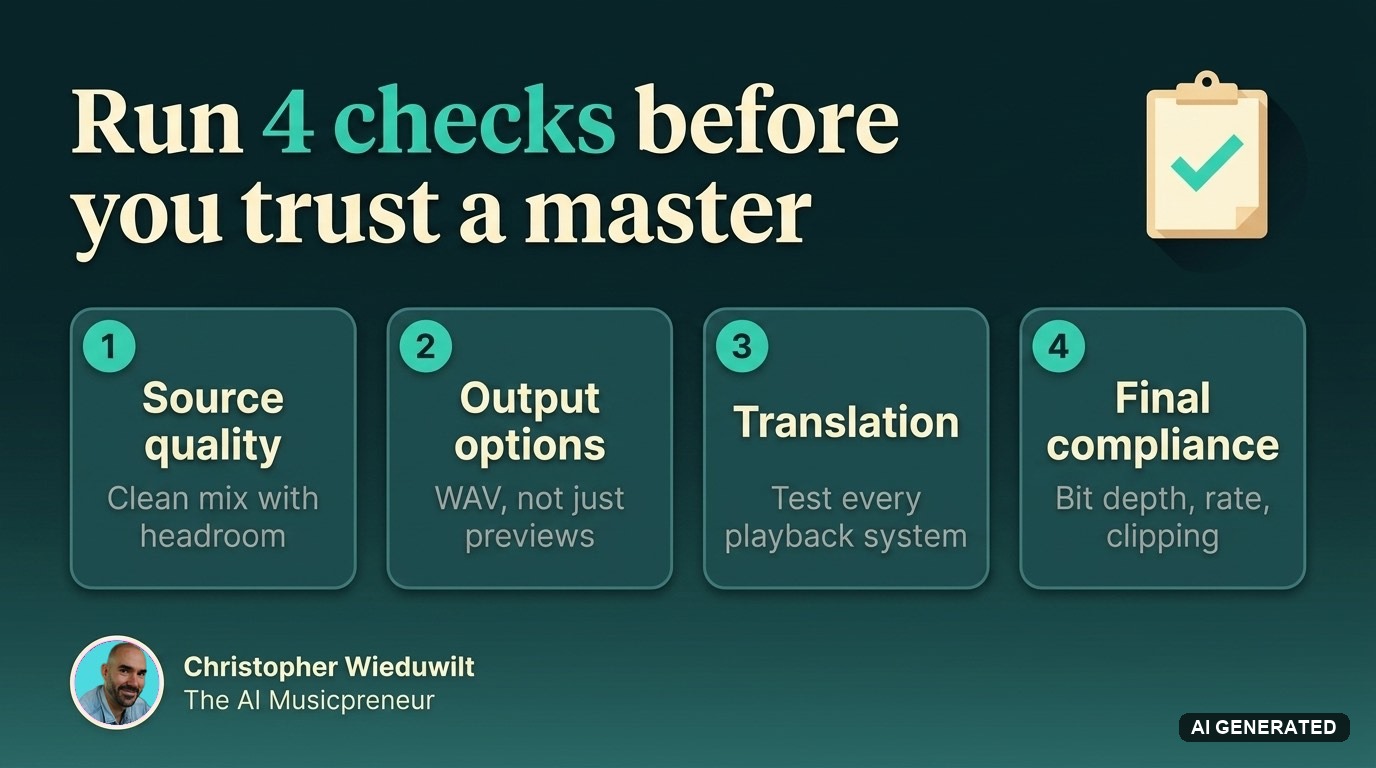
After you hear a promising master, check a few release fundamentals before you trust it:
- Source quality: start from a clean mix with headroom, not a clipped rough export
- Output options: confirm WAV delivery and not only compressed preview playback
- Translation: test speakers, headphones, earbuds, and low-volume playback
- Final compliance: verify bit depth, sample rate, and clipping before distribution
Are AI mastering tools actually good enough for pre-release polishing?
Yes. LANDR and BandLab can produce strong pre-release masters fast, but they still need final QC checks before you distribute.
That distinction matters. “Good enough” for a reference upload, private link, or marketing preview is easier to reach than “safe enough” for a final commercial release. Many AI mastering tools can create streaming-ready sounding versions in minutes, which is why they are so effective as a last-mile check.
A common misconception is that the loudest preview is the best master, especially when the individual tracks hit normalizing platforms. In practice, level-matching and clipping control matter more than apparent loudness, especially when the track hits normalizing platforms.
“Apple Digital Masters requires 24-bit delivery and accepts sample rates from 44.1 kHz to 192 kHz, so final export settings still matter after AI mastering.”
Apple’s own guidance is a useful reality check here. It recommends a source format of at least 24-bit and 44.1 kHz before mastering, and warns that audible clipping can prevent badging. So yes, AI mastering is good enough to use before release, but only if you still finish the technical checks yourself.
What are the 12 Best AI mastering tools worth testing before release?
These 12 tools are worth testing because they represent the main AI mastering workflows: browser mastering, plugin-assisted mastering, premium previewing, and mix-and-master systems.
No single tool wins every time. A smart shortlist includes at least one free or low-friction option, one subscription platform, one premium reference, and one workflow that can address mix problems if the stereo file is not enough.
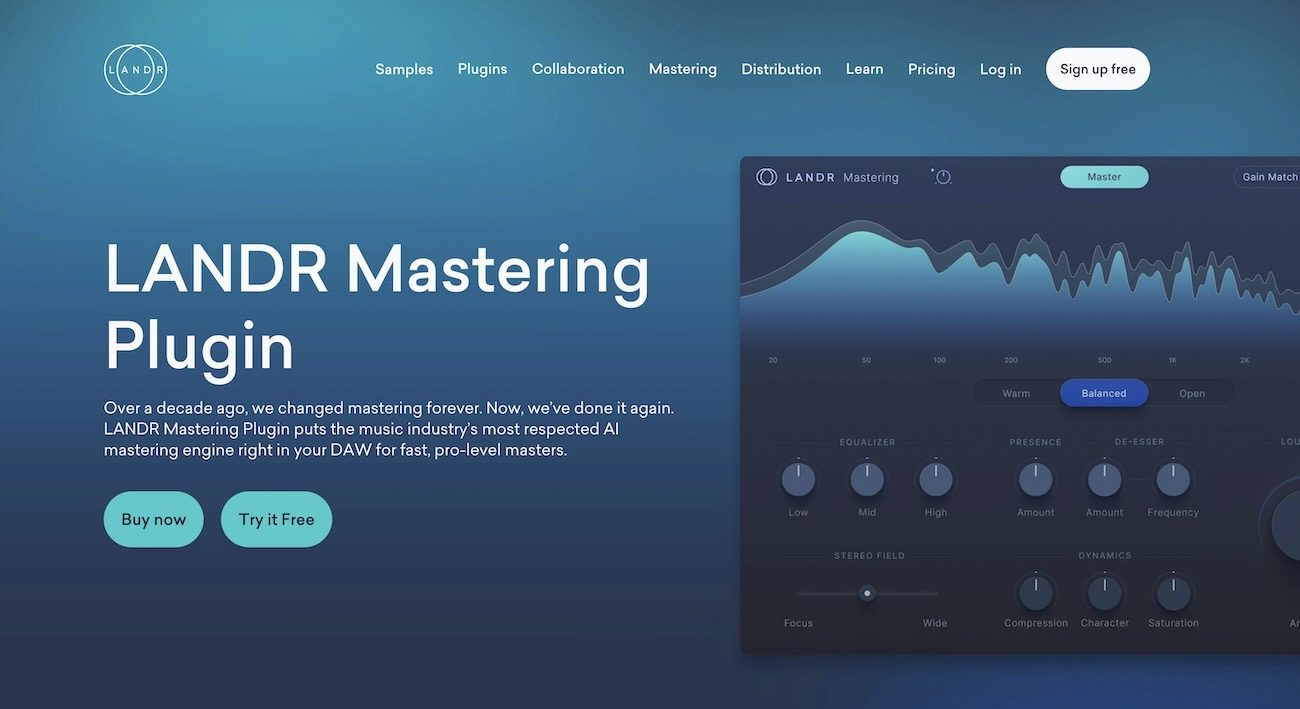
- LANDR: a strong benchmark for unlimited subscription-based AI mastering
- BandLab Mastering: excellent for quick variants and broad access across devices
- RoEx Automix: ideal when you need mix and master help from stems
- Masterchannel: useful as a premium-style AI mastering reference
- Cryo Mix: a conversational, stem-based mix-and-master platform whose Nova agent takes plain-English prompts across up to 32 stems
- Waves Online Mastering: a practical benchmark from a known audio brand
- eMastered: a fast browser-based second opinion
- CloudBounce: a helpful online reference for genre translation checks
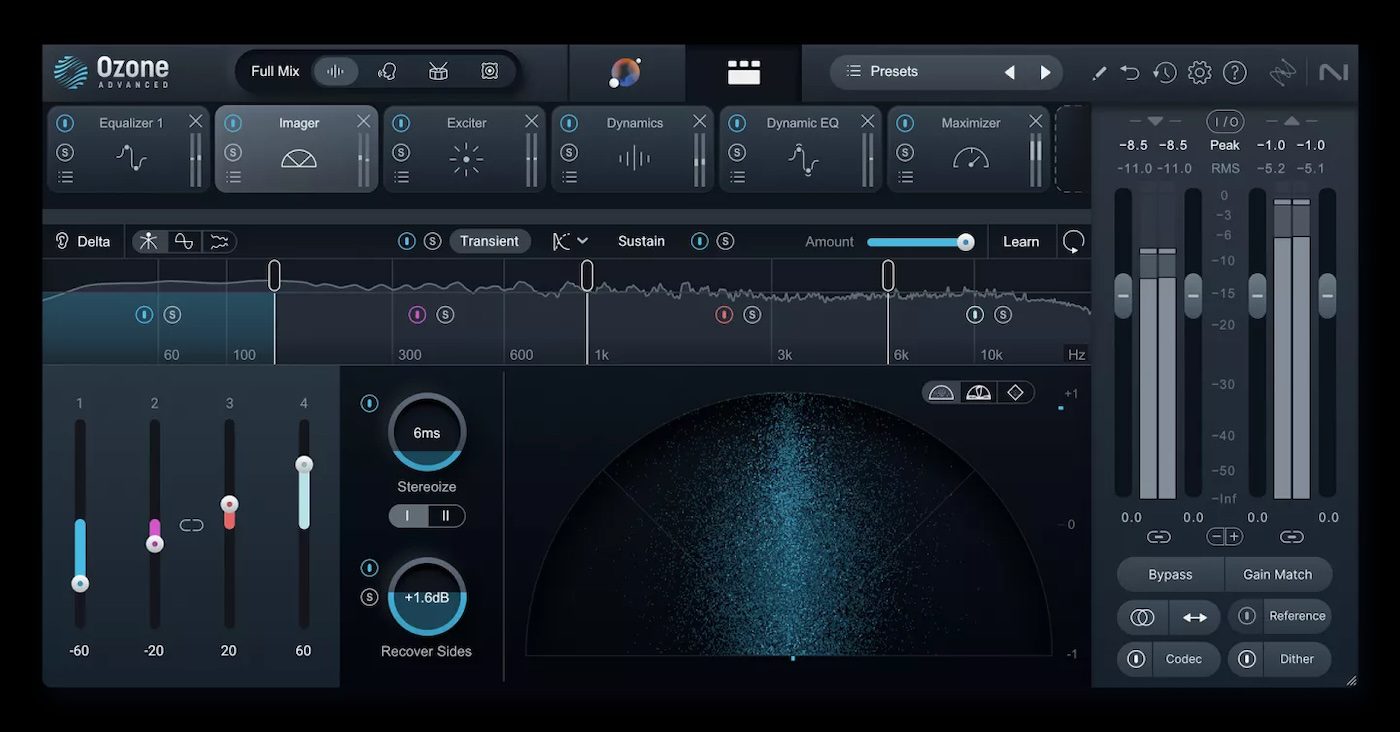
- iZotope Ozone: best tested when you want assistant-style software mastering inside the DAW
- SoundCloud Mastering: convenient if upload workflow is part of your decision
- Songmastr: good for experimental low-cost reference masters
- Aria Mastering: another tonal interpretation worth A/B testing
A shortlist like this stays useful only if you pair it with official platform documentation, independent coverage, and feedback from producers. That is one reason neutral tool tracking from sources like The AI Musicpreneur matters: free tiers, limits, and export rules change often.
How should you A/B test an AI master against your original mix?

Start by level-matching the AI master to your mix, then compare tone, punch, and clarity across multiple playback systems, ensuring the mixing balance is preserved.
Step one is loudness control:
If the mastered version is 1 to 2 dB louder, your brain will usually prefer it even when it is worse. Bring the playback levels closer, then listen for what actually changed: kick-to-bass relationship, vocal forwardness, cymbal harshness, stereo width, and transient snap.
Step two is section-based listening:
Compare the intro, first chorus, drop, and final chorus instead of playing the whole song passively. Weak mastering choices often show up only when the arrangement gets dense.
A step-by-step workflow for pre-release AI mastering: level-match the master, compare key song sections, test on multiple playback systems, then check true peak and clipping before export.
Step three is translation:
Check studio monitors, open-back headphones, earbuds, and a phone speaker. Pro tip: low-volume listening is brutal but revealing. If the vocal vanishes or the groove collapses at low level, the master is not as stable as it seemed.
Which AI mastering tools fit free trials versus paid release schedules?
BandLab, RoEx Automix, and LANDR fit different budgets well because they split the category into free-access, pay-per-track, and subscription models, offering flexible solutions for various tracks.
If you release a track every few months, pay-per-download can make sense. If you are dropping singles regularly, a subscription can become cheaper fast. Free access is great for testing taste and workflow, but you still need to confirm what you can actually download in full quality.
Cryo Mix takes a middle path that is worth knowing about.
You preview a full-length mix and master for free, then spend one credit to unlock downloads, and that single credit covers unlimited re-mixes and re-downloads of the same project until you are satisfied. On the €24 Creator plan with 10 credits, that works out to roughly €2.40 per finished track.
“RoEx Automix includes 1 free mix download credit and can go from raw stems to a release-ready track, which makes it useful when the mix itself is still the problem.”
The trade-off is not only cost. A free or preview-based model is often enough for comparison listening, while a monthly plan suits repeat releases and revision-heavy schedules better.
Here is the cleanest way to frame the current options from the official facts available:
- BandLab Mastering: eight automated mastering settings and unlimited WAV/MP3 downloads
- RoEx Automix: 1 free mix download credit, then $5.99 per track or $14.99 per month for Automix Pro
- LANDR: starts at $8.25 per month and includes unlimited AI mastering
- Masterchannel: offers free previews and positions itself around premium mastering needs
- Cryo Mix: free full-length preview, then a credit system from €19/month (Essential, 5 credits), with €24 Creator and €39 Pro tiers and a yearly option that saves 57%
Do you need single-track mastering or a mix-and-master workflow?
If your stems are the issue, RoEx Automix or Cryo Mix is often the better test; if your mixing is already solid and you are seeking professional results, LANDR or Masterchannel may be enough.
This is one of the biggest category mistakes. Many artists say they need mastering when they actually need mix repair. A stereo master can shape EQ, dynamics, and loudness, but it cannot truly rebalance a buried vocal or a muddy kick-bass relationship.
So use simple if-then logic. If the mix already feels balanced and you mainly want polish, test stereo mastering tools first. If the low end fights the vocal, the chorus collapses, or the stems are inconsistent, test a mix-and-master workflow. That is where a system built to go from raw stems to a release-ready track can save time.
RoEx Automix and Cryo Mix are my two picks when the mix itself still needs work, because both start from your stems rather than a finished stereo file.
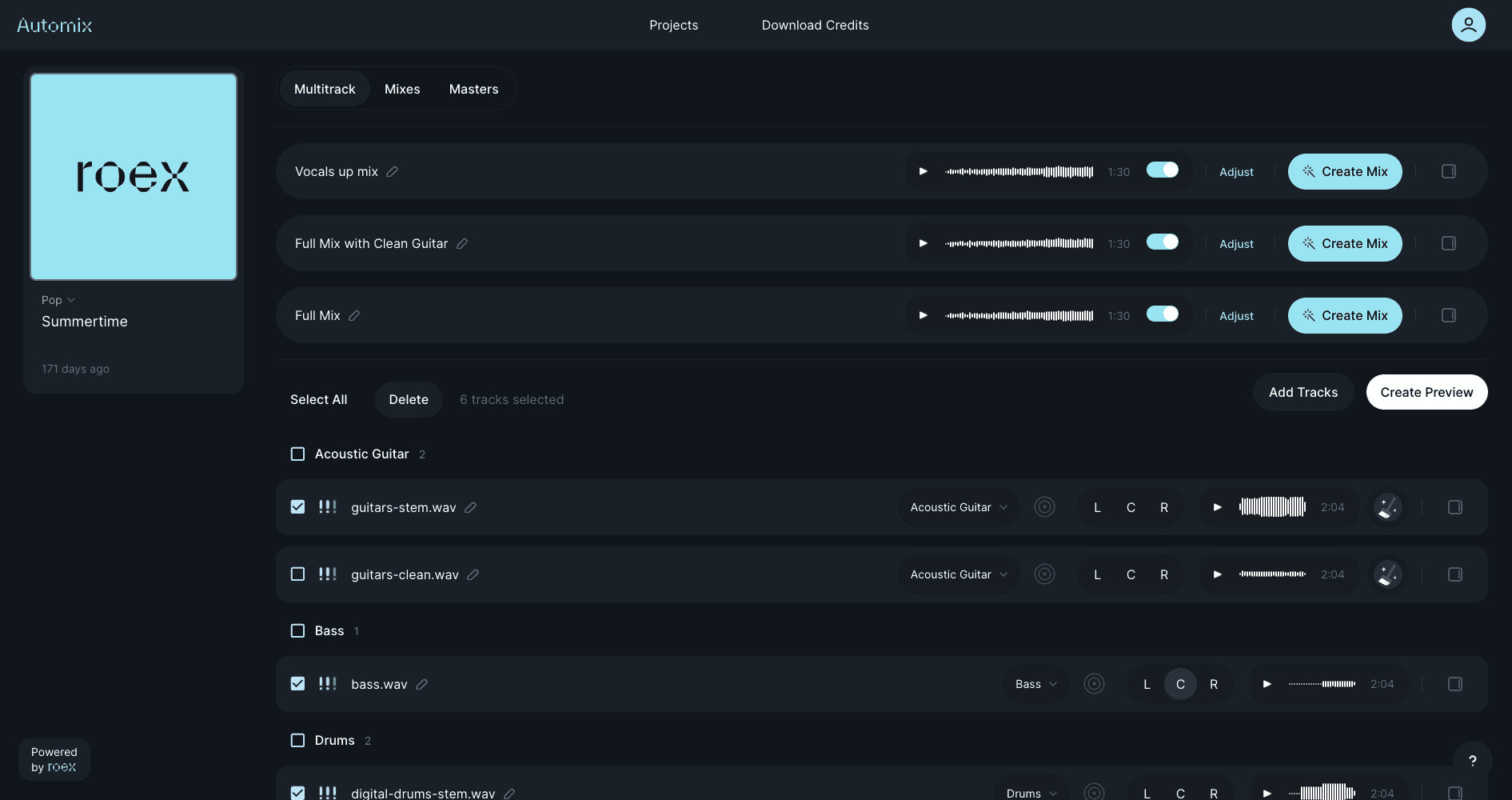
RoEx Automix takes your raw stems and returns a balanced mix and master, which makes it the faster, more hands-off option.
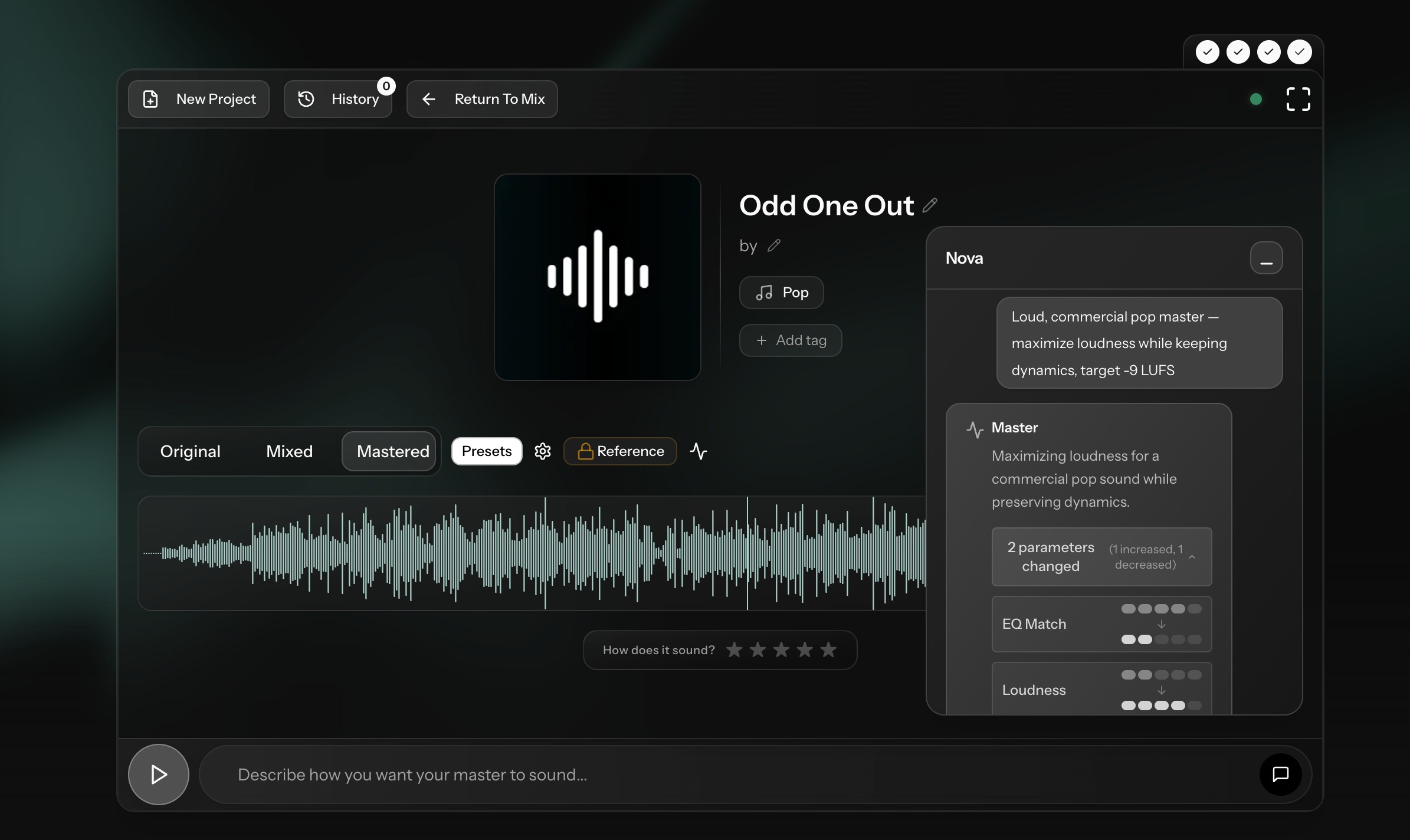
Cryo Mix gives you more control: its Nova agent lets you fix balance, presence, and low end through plain-English prompts before it masters the final stereo file, so you solve the mix and the master in one pass instead of mastering a problem you should have fixed earlier. Cryo Mix also shows the EQ and compression moves it makes on each stem, which makes it useful even when you only meant to A/B a master.
How do export settings affect whether an AI master is release-ready?
Export settings are decisive. Apple Digital Masters guidance makes 24-bit files, accepted sample rates, and clipping control non-negotiable.
Start with the source. A clean 24-bit mix is the safest handoff to any mastering system, especially if you may later target Apple Digital Masters or another high-spec delivery path. Apple lists acceptable sample rates at 44.1, 48, 88.2, 96, 176.4, and 192 kHz.
“LANDR Studio starts at $8.25 per month with unlimited AI mastering, but low monthly cost does not remove the need for correct 24-bit export and clip checks.”
Then export deliberately. Keep the sample rate consistent unless you have a reason to change it, and avoid last-second format conversions that you never audited. A common mistake is exporting a clipped limiter print because the preview sounded exciting. If true peak is unstable, fix that before delivery.
One more practical point: if you must down-convert bit depth later, handle dither intentionally rather than as an afterthought. AI mastering can improve sound quickly, but export hygiene is still plain engineering.
How can you catch clipping, loudness, and translation problems before distribution?
Use a true peak meter, check for inter-sample clipping, and test playback on at least four systems before you upload.
Start with meters, but do not stop there. Look for true peak overs, not just sample peak, because inter-sample clipping can show up after encoding even when the session seems clean. Then listen for the audible signs: crackly cymbals, spitty vocals, brittle sibilance, and kick transients that flatten out.
Next, run the tracks through translation checks. Mono compatibility, low-volume balance, earbuds, car playback, and a phone speaker will catch more release mistakes than a fancy analyzer alone. Pro tip: if the bass disappears on small speakers or the vocal jumps out painfully in the car, the master still needs work.
Finally, compare against one or two commercial references in a similar lane. Do not chase their loudness blindly. Use them to judge density, brightness, and low-end discipline.
When is AI mastering enough, and when should you use a human engineer?

AI mastering is usually enough for singles, demos, and fast-release schedules; a professional human engineer is still the better call for high-stakes releases and nuanced revision work.
If the release is moving fast, the arrangement is straightforward, and you already trust the mix, AI mastering is often the sensible answer. It is also strong for content cadence: singles, previews, beat releases, client references, and social-ready rollouts.
A human engineer earns the fee when the stakes or complexity rise, especially when producers need precise artistic control over the sound. Think acoustic detail, dense low-end music, vinyl preparation, album sequencing, label-deliverable scrutiny, or projects where artistic notes matter as much as technical polish. Another trigger is revision language. If you need to say “make the chorus feel more open without thinning the snare,” a human is far better equipped to interpret that brief.
What mistakes cause AI-mastered tracks to fail quality control?
Most failed AI-mastered releases come down to clipped mixes, poor exports, and trusting one preview too quickly.
The pattern is familiar. Artists master a rough bounce that was already overloaded, choose the loudest version, skip translation checks, and upload without looking at the final file specs. That works until the song hits encoding, normalization, or a store’s delivery checks.
Watch for these release killers:
- Clipped source mix
- Wrong bit depth
- Unsupported sample rate choice
- Inter-sample peaks after limiting
- Harsh top end that only appears on earbuds
- Low end that collapses in mono
- Picking a master without level-matched A/B testing
The fix is simple and repeatable. Test several tools, keep one clean reference mix, compare on real playback devices, and verify the final export against distributor and platform guidance. That process is what turns AI mastering from a shortcut into a dependable release step.
About the author

Covering AI music tools, industry shifts, and news for music creators and professionals. Twice-weekly newsletter at aimusicpreneur.com.