How to Use ElevenMusic: Generate and Publish an AI Song (Step-By-Step)
ElevenMusic is an AI song generator that lets you create, publish, and earn from music in one place. Here's how to make your first track.
My stack My fav 6 tools for AI music after testing 70+
-
 ElevenMusic · Music generation
 -
 Moises · Stem separation
 -
 Controlla · Voice swap & cloning
 -
 Cryo Mix · Mixing + mastering
 -
 Neural Frames · Music videos
 -
 ONCE · Distribution
Some links are affiliate links — I earn a commission at no cost to you. Every tool here is one I run myself and truly believe in. This stack is proven.
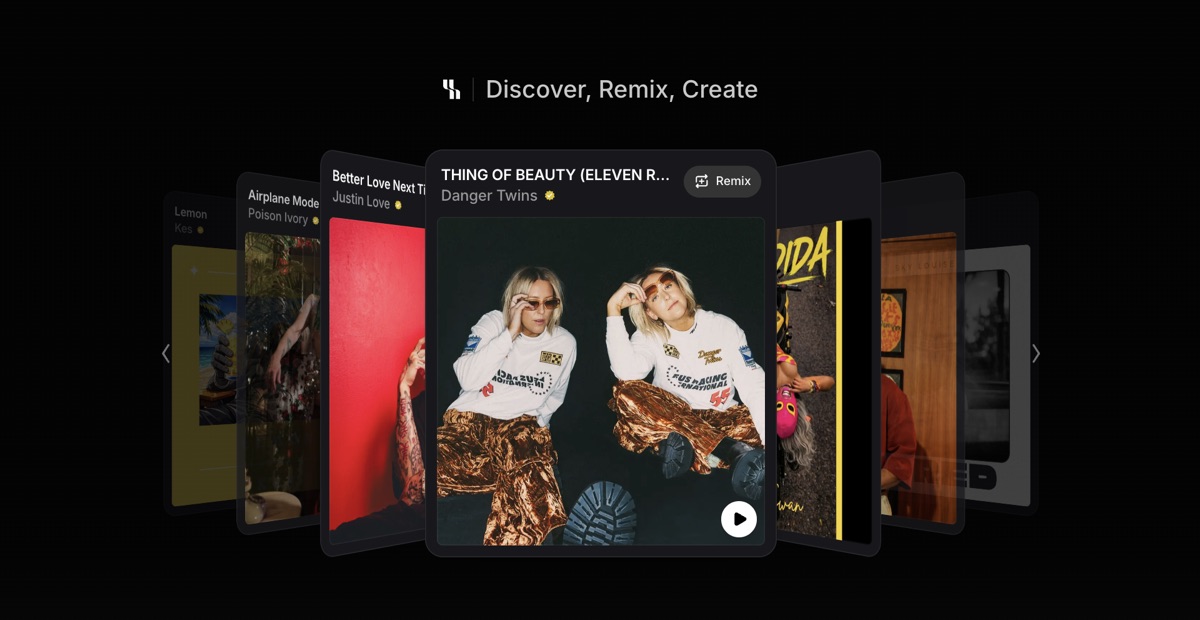
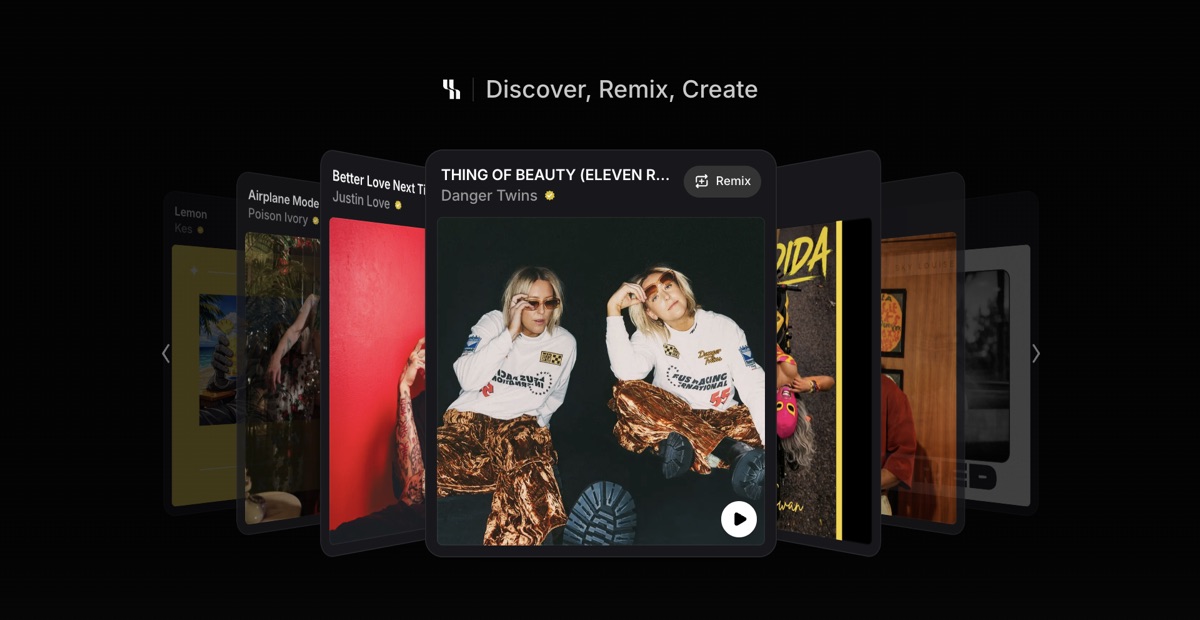
ElevenMusic is an AI song generator from ElevenLabs that bundles creation, publishing, and per-stream payouts on one platform. You describe a song, the model generates a full track with vocals in under a minute, and you publish it to your own artist page.
This guide walks through making your first track, start to finish. It takes about 10 minutes. For the full breakdown of pricing, the payout model, and how ElevenMusic compares to Suno, see the ElevenMusic tool review.
Prerequisites
You need two things before you start:
→ A free ElevenMusic account (sign-up takes under a minute)
→ A rough idea of the song you want: genre, mood, and whether you’ll write your own lyrics or let the model do it
The Free tier gives you 5 track generations per day with vocals. That’s enough to follow this whole guide.
Step 1. Sign Up at elevenmusic.io
Go to elevenmusic.io and create a free account. The platform runs in the browser, and there’s a native iOS app if you’d rather work from your phone.
You can browse the Explore feed without an account, but generating in Studio needs you signed in.
Step 2. Open Studio and Write Your Prompt
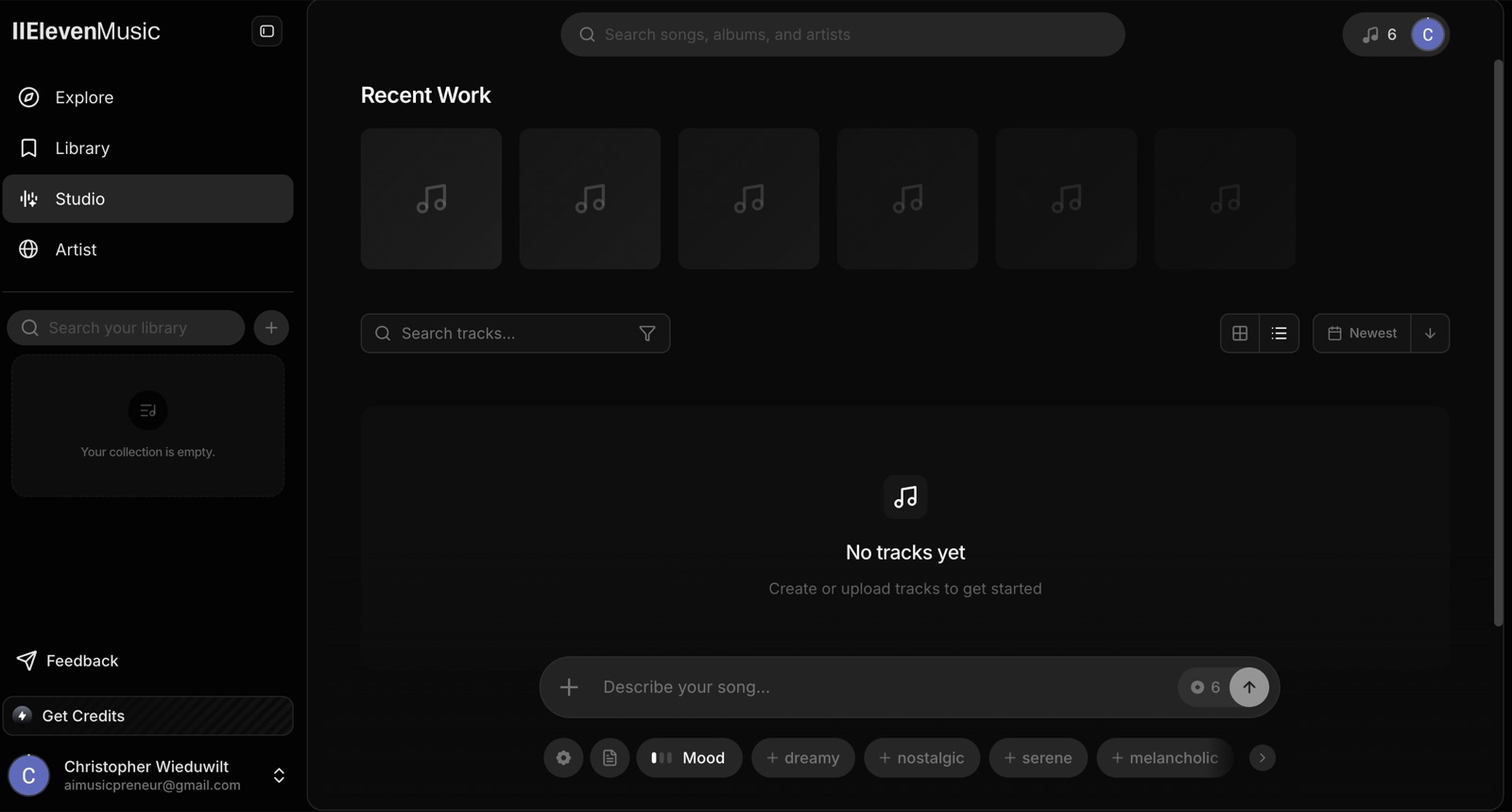
Click Studio in the left navigation. You have two ways to describe your song:
→ Keyword chips — stack tags for genre, mood, and energy (Dreamy, Hip Hop, Driving)
→ Text prompt — write a full description in plain language
Keyword-stacking gives the model clearer direction than a sentence. A prompt that worked well in testing: “pop, soul, folk, female vocals, mellow, laid-back, melancholic, warm, ethereal.”
Step 3. Add Your Own Lyrics (Optional)
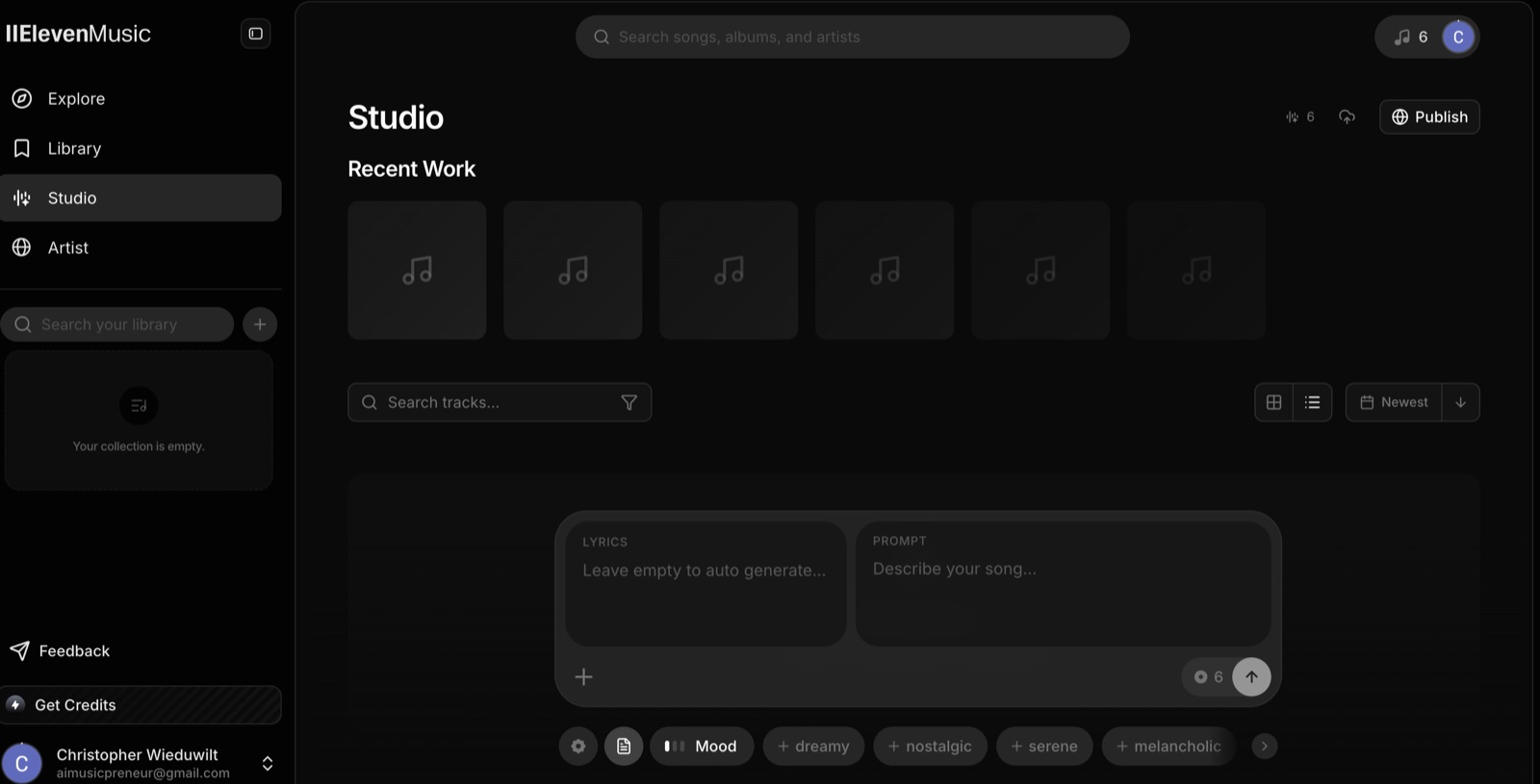
If you’ve already written lyrics, paste them into the Lyrics field. Keep the sonic direction in the separate Prompt field. ElevenMusic treats them as two distinct inputs and generates around your words instead of replacing them.
Leave the Lyrics field blank and the platform writes the words from your prompt alone. That’s the faster path for first-timers or for exploring styles before committing to specific words.
Step 4. Pick Your Settings
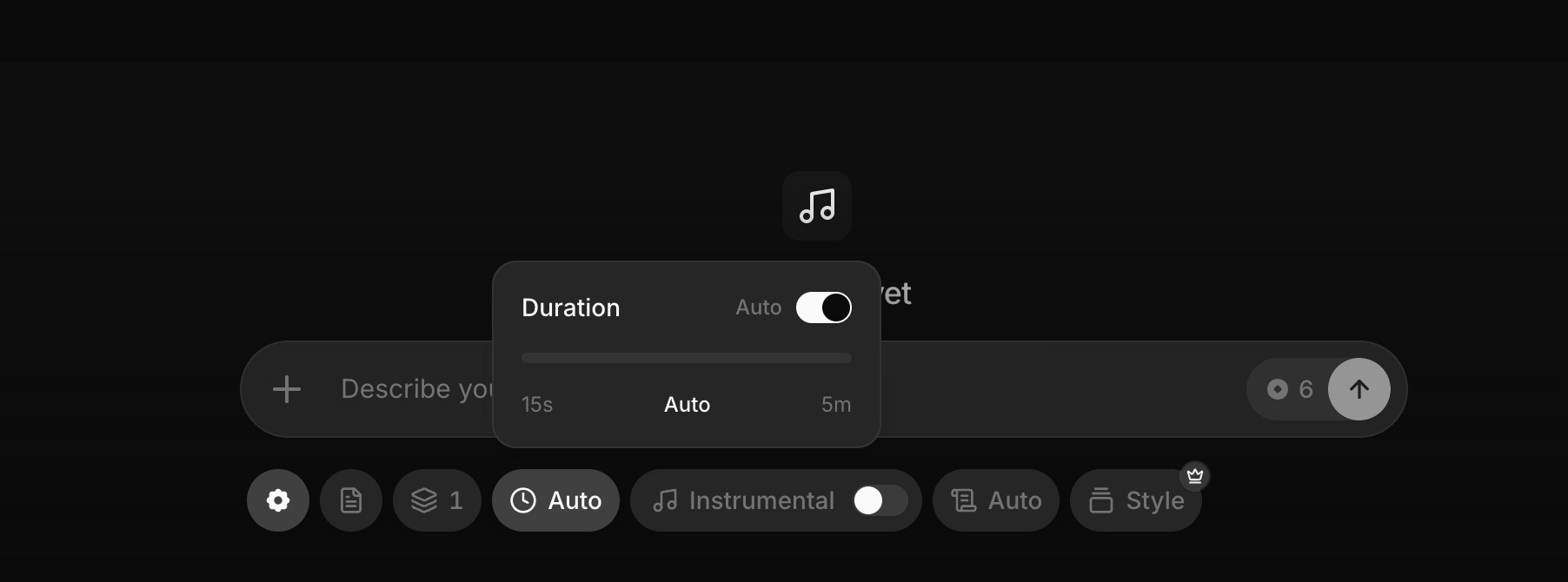
Before you generate, set three things:
→ Duration — anywhere from 15 seconds to 5 minutes
→ Instrumental toggle — switch it on if you want no vocals
→ Writing Engine — Auto picks the best model, Deep (xAI) goes for more nuanced lyrics, Fast (OpenAI) prioritizes speed
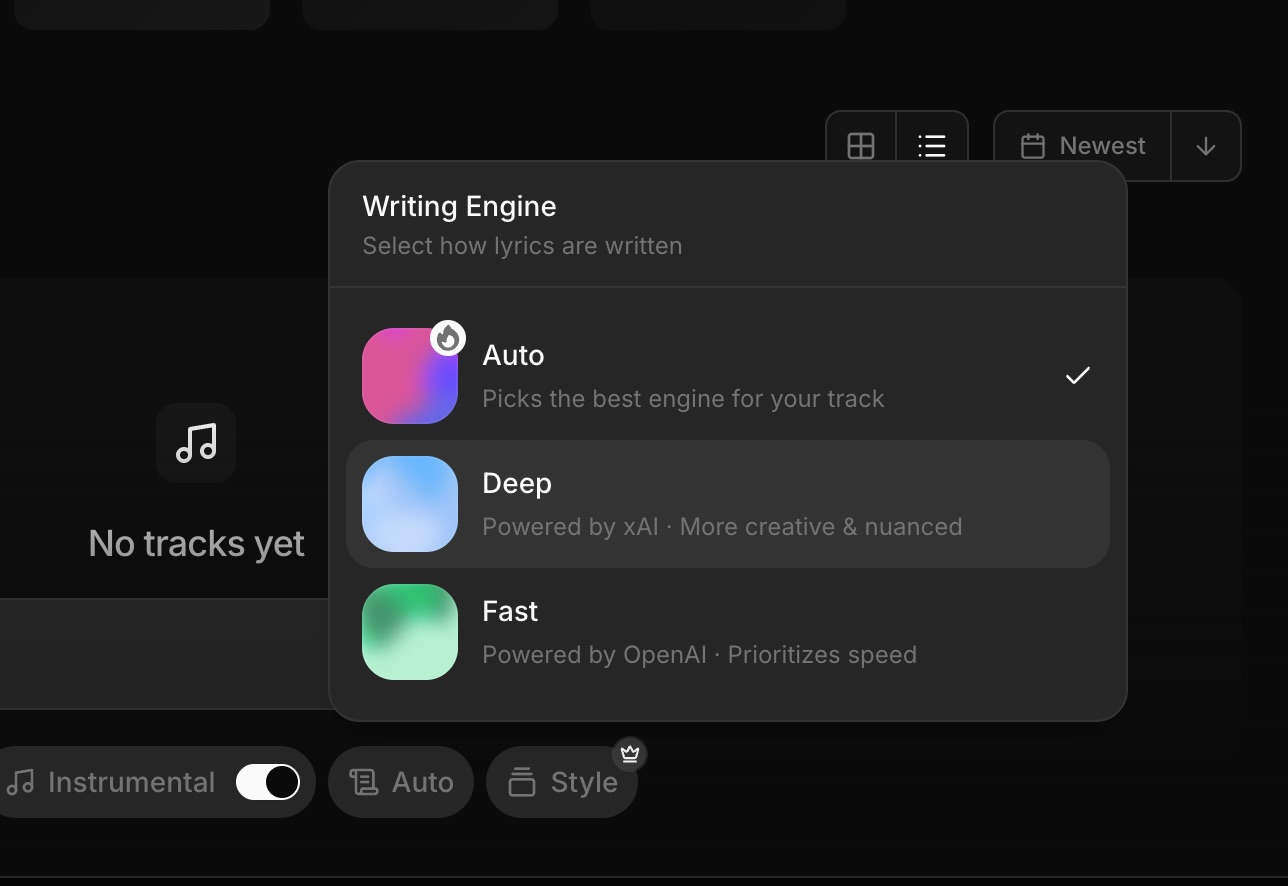
The Writing Engine selector is worth a look. ElevenMusic is the first consumer AI song generator to expose model choice at the generation level.
Step 5. Generate Your Track
Hit Generate and wait 30 to 60 seconds. Free users get 1 variation per generation. Pro users get up to 4, so they can pick the best take before publishing.
If the result isn’t right, adjust the prompt or chips and generate again. You have 5 free generations per day to dial it in.
Step 6. Publish to Your Artist Page
Hit Publish. On your first publish, you fill in your artist name. The track goes live on your public artist page, and that page becomes your profile on the platform.
Every track you publish adds to the same page, so the artist profile builds itself as you go.
How to Set Up Payouts on ElevenMusic
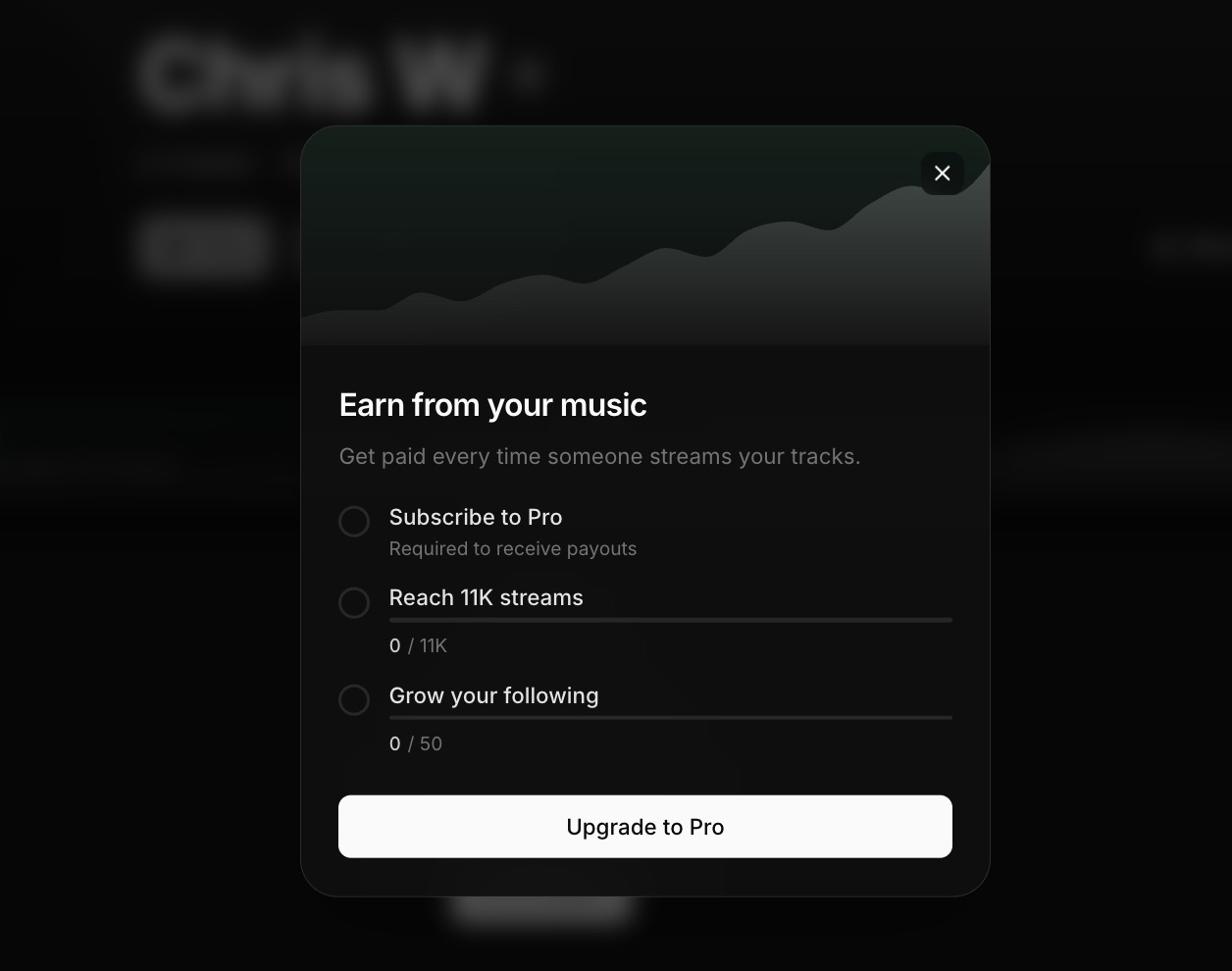
Earning on ElevenMusic isn’t automatic. You need three things in place:
- A Pro subscription ($7.99/month annual or $9.99/month)
- 11,000 lifetime streams on the platform
- 50 followers
Once all three unlock, payouts activate based on your share of total platform streams. The 11K stream gate is real friction, but the sensible path is to build an audience on the Free tier first and upgrade to Pro when streams start arriving.
ElevenLabs already runs the payment rails from its Voice Library, which has paid out over $11M to voice creators, so the tax forms and payout system are not new infrastructure.
Troubleshooting
→ The vocals don’t match the mood you wanted — switch the Writing Engine to Deep, and add more specific mood chips rather than one broad genre tag.
→ You’ve used your 5 daily generations — the counter resets every 24 hours. Pro lifts the limit to 400 per month.
→ You want a clean instrumental — toggle Instrumental on in Step 4 before generating, rather than trying to strip vocals afterward.
Wrapping Up
Making a track on ElevenMusic is six steps: sign up, write a prompt, optionally add lyrics, pick settings, generate, publish. The whole loop runs on the free tier.
The payout side takes longer, 11K streams and 50 followers, but you can start building toward it from your first published song. For the full pricing and comparison breakdown, see the ElevenMusic review.
Frequently asked questions
Does ElevenMusic have a free AI song generator with vocals?
Yes. The Free tier generates up to 5 tracks per day with vocals included. You set the genre, mood, and energy with keyword chips or a text prompt, and the platform produces a full song with vocals in 30 to 60 seconds. No production skill required.
Can I use ElevenMusic without signing up?
You can browse the Explore feed and listen to tracks without an account. Generating music in Studio requires a free ElevenMusic account. Sign-up takes under a minute and gives you 5 free generations per day immediately.
How do I make a song from my own lyrics on ElevenMusic?
In ElevenMusic Studio, paste your lyrics into the Lyrics field and describe the sonic direction in the Prompt field separately. The platform generates audio around your words rather than replacing them. Leave the Lyrics field blank if you want the AI to write the words from the prompt alone.
How does ElevenMusic's AI song generator work?
ElevenMusic uses a text-to-music model trained on licensed recordings from Kobalt and Merlin. You describe the song with a natural language prompt, stack mood and genre chips, and optionally paste your own lyrics. The model generates a full track in 30 to 60 seconds. Pro users can generate up to 4 variations per prompt.
Can I earn money with ElevenMusic?
Yes, once you meet three conditions: a Pro subscription ($7.99/month annual), 11,000 lifetime streams on the platform, and 50 followers. Once all three unlock, payouts activate per stream using the same model ElevenLabs used to distribute over $11M to voice creators.
Does ElevenMusic use licensed music for AI training?
Yes. ElevenMusic's model was trained on recordings licensed from Kobalt and Merlin. For creators worried about publishing on a platform that could face legal shutdown, the licensed training data is a structural difference from other products on the market.
About the author

Covering AI music tools, industry shifts, and news for music creators and professionals. Twice-weekly newsletter at aimusicpreneur.com.