Suno mastering: the 6 best AI mastering tools to make Suno tracks release-ready (2026)
My stack My fav 6 tools for AI music after testing 70+
-
 ElevenMusic · Music generation
 -
 Moises · Stem separation
 -
 Controlla · Voice swap & cloning
 -
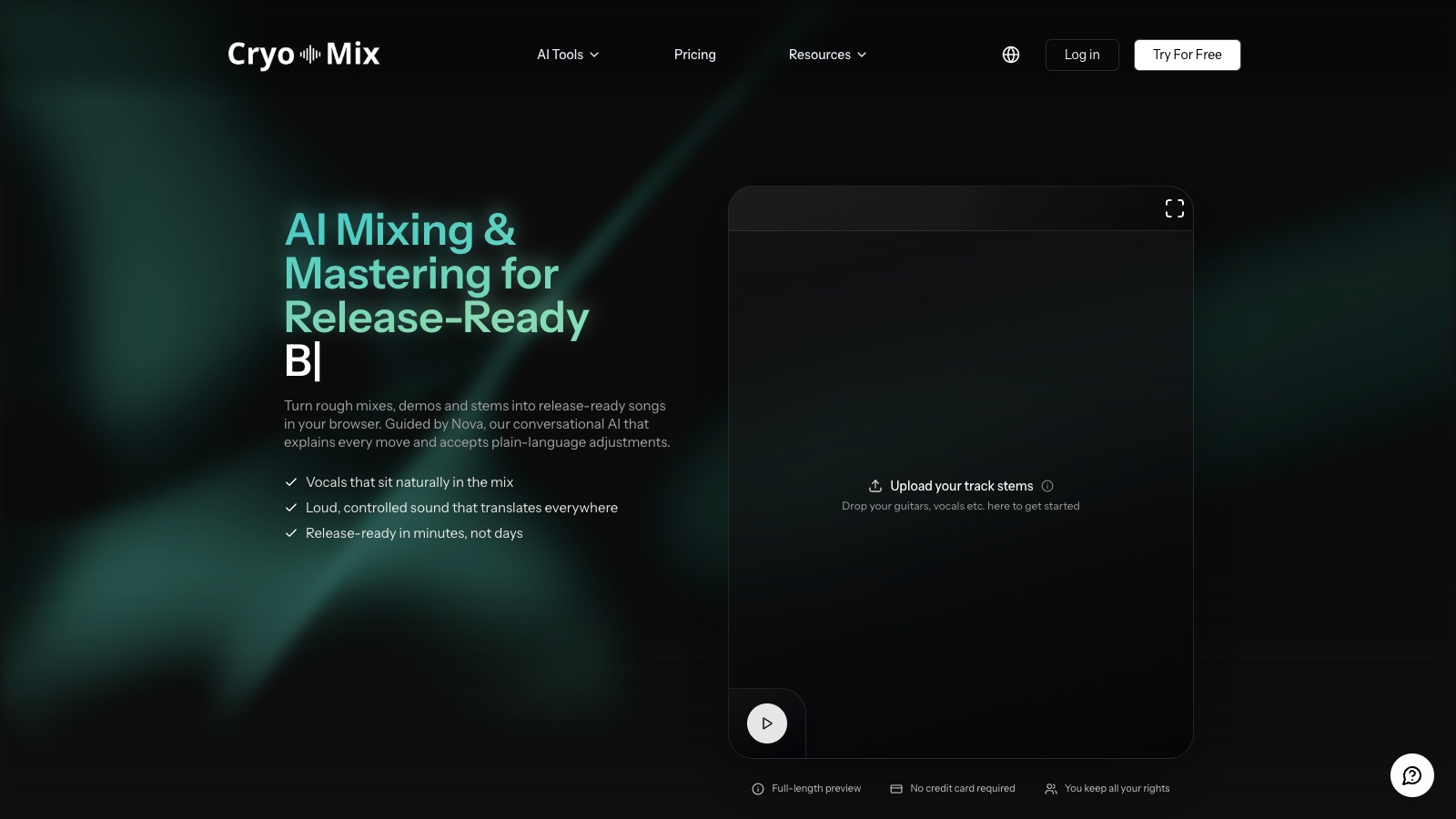
 Cryo Mix · Mixing + mastering
 -
 Neural Frames · Music videos
 -
 ONCE · Distribution
Some links are affiliate links — I earn a commission at no cost to you. Every tool here is one I run myself and truly believe in. This stack is proven.

Suno mastering has a problem before you open a single tool: Suno does not master anything. Studio 2.0 ships 7 effects, no limiter and no loudness meter, and the Remaster button regenerates your song instead of making it louder. So a Suno WAV lands on Spotify quieter than the track before it, with the reverb sheen and the top-end hiss that no limiter ever touched.
I ran my own Suno exports through the 6 AI mastering tools below and scored them on the problems a Suno file brings with it: a quiet export, mud between 200 and 400 Hz, artifacts that get louder under a limiter, and bleed between stems. LANDR scored highest overall, RoEx gives you the cheapest honest starting point, Cryo Mix handles the artifacts, and SoundBoost talks you through it in plain English on a stereo file. My 12-tool AI mastering roundup covers the wider field. This page stays on Suno.
TL;DR: the best AI mastering tools for Suno tracks
This list is for Suno users who release music: a stereo WAV from a Pro or Premier plan, or a set of stems from Auto Split, and no mastering engineer on call. Ranked by my weighted score:
- LANDR, best all-round value for Suno tracks: unlimited masters from €10.83 a month, album mastering, and the deepest track record in the category. One catch on AI-generated audio in its distribution arm, covered below.
- RoEx, best free first check and best per-track price: Mix Check Studio reads your LUFS for free, and Automix cleans up stems from €6.99 a download. My Automix Desktop review covers the app.
- Cryo Mix, best for erasing Suno artifacts before the master: up to 32 stems in, an Eraser Tool for bleed, then a reference master.
- SoundBoost, best for browser-only creators who want to describe the fix: a Spotify reference or a plain-English prompt, about 1 minute per render, $48 a year unlimited. The full walkthrough is in my SoundBoost mastering guide.
- Masterchannel, best for EP consistency: up to 3 reference tracks, album and EP projects, €15 a month on the Artist plan.
- iZotope Ozone 12, best for DAW users who want exact numbers: the only pick that lets you set a LUFS target and dynamic-EQ the 200 to 400 Hz mud yourself. Advanced costs €549 outright.
How I tested these AI mastering tools on Suno exports
Tools considered: 12, the field from my generic roundup. 6 made the cut because they either accept a Suno stereo WAV with a reference or prompt workflow, or they take Suno stems.
The same source went into every tool: my own Suno exports, downloaded as WAV from the desktop site on a paid plan. WAV download needs Pro or Premier, and it only works on desktop. The track I kept going back to is an alt-metal song called What I Carry, which I generated on v5.5 and again on v6 with the same lyrics. For the stem tools I ran it through Auto Split, which costs 50 credits and returns up to 12 stems.

Five criteria, weighted for a Suno release:
- Output quality on a Suno export (30%): does the master sound finished, or like a louder version of the same demo?
- Artifact handling (25%): what happens to hiss, cymbal wash and reverb tails when the file gets louder?
- Suno workflow fit (20%): stereo file or stems, reference track or prompt, and how many clicks between upload and download.
- Export ceiling (15%): what the tool hands back against Suno’s 16-bit, 44.1 kHz source.
- Pricing (10%): what a clean download actually costs against Suno’s download caps, and how far the free preview goes before you pay.
Each criterion gets 1 to 5 dots. The dots roll up into a star rating out of 5, weighted as above, and every tool is scored against the tools in its own group, so a browser service is not judged against a €549 plugin suite.
Two honest notes. I am not a mastering engineer, and on earbuds the top browser tools landed closer to each other on my Suno track than their price lists suggest, so workflow decided more ranks than tone did. The loudness numbers in this article come from published measurements, linked where they appear, and not from my own meter. A measured table of my exports lands in the next update.
SoundBoost is a partner of this site and paid for coverage in September 2026. It is scored with the same rubric as the other 5, and the ranking was not part of the deal. Nobody else paid for placement.
Excluded: BandLab Mastering (no reference or prompt control), eMastered, CloudBounce, Songmastr and SoundCloud Mastering (all covered in the generic roundup), and the Suno-only services that rank for this search today (SunoMaster, Neural Analog, Soundplate), because none of them has an independent review I could check.
Changelog
- September 10, 2026: first version. Prices checked on the vendor pricing pages on September 10, 2026, in euros from a German IP, except SoundBoost and Cryo Mix, which show US dollars.
Quick comparison table
| Tool | Type | Best for | Input | Reference or prompt | Exports | Free tier | Pricing from |
|---|---|---|---|---|---|---|---|
| SoundBoost | Online mastering, prompt-based | Browser-only Suno creators | Stereo, plus stem prompts | Spotify link, typed or spoken prompt | WAV, HD WAV, MP3, up to 32-bit/48 kHz | Preview without sign-up, free download may carry a sound tag | $16/mo or $48/yr |
| Masterchannel | Online mastering | EP consistency, reference tracks | Stereo WAV only (Beta) | Up to 3 reference tracks, genres, moods | WAV | Free previews, paid downloads | €15/mo, billed €180/yr |
| LANDR | Online mastering plus distribution | Mastering value if you distribute elsewhere | Stereo | 3 styles plus intensity, reference only in the plugin | MP3 unlimited plus 36 WAV/yr on Standard, unlimited WAV on Pro | 3-day trial | €10.83/mo billed yearly, €18 monthly |
| Cryo Mix | Online mix and master from stems | Artifact cleanup from Suno stems | Stereo or up to 32 stems | Reference on Creator plan, Nova chat prompts | WAV, MP3, FLAC, AIFF, 24-bit/48 kHz | Unlimited full-length previews, 1 credit per download | $19/mo (5 credits) |
| RoEx | Online mix and master from stems, plus Mix Check Studio | Free LUFS report, stem bleed | Stems (WAV) or stereo | Reference matching on Pro, genre and loudness setting | WAV, MP3, FLAC, 16-bit/44.1 kHz | Free previews, free Automix export is watermarked | €6.99 per download, Pro €11.67/mo billed yearly |
| iZotope Ozone 12 | DAW plugin suite | Exact LUFS targets, mud and artifacts | Stereo inside a DAW | Reference file, genre targets, loudness level | DAW export, 24-bit at any sample rate | Free trial | Advanced €549, lower tiers from €59 |
Can Suno mix and master a song, and what does the Remaster button do?
No. Suno Studio 2.0 has 7 built-in effects: Compressor, Convolution, Delay, Distortion, EQ, Gate and Reverb. There is no limiter, no loudness meter and no mastering module. You can mix inside Studio, and my Suno Studio mixing guide shows how far that goes, but the file you export still has to be mastered somewhere else.
The Remaster button is where people get confused. Remaster sends the song back through the model at a different quality level and hands you a new render. It can sound cleaner. It does not raise the loudness of the file you already have, and it does not fix the tonal balance of the one you liked. Think of it as a re-roll, not a mastering pass.
The rights side is settled. Under the terms that took effect on September 3, 2026, commercial rights attach to a download made on a paid tier, and the terms allow you to edit, process or convert that file. Removing Suno’s audio watermark is not allowed. Mastering the file with an outside tool sits on the allowed side of that line.
Why do Suno songs sound quiet and muddy next to Spotify?
Play a Suno export right after a released song in the same genre. Yours drops in level, the vocal sits inside a wash of reverb, and the low mids feel thick. Those are the 4 complaints I hear most, and 3 of them show up in every Suno mastering guide the vendors have written.

The loudness gap is measurable. Modernist Mixing put a raw Suno export at around -11 LUFS short-term against -7 to -8 for a commercial rock master in his remaster walkthrough. Two Suno-only mastering services publish raw readings between -14 and -22 LUFS integrated. I can’t verify their samples, so treat that range as a claim, but every reading I have seen points the same way: under Spotify’s -14 LUFS, and often well under it.
Then the artifacts. Suno’s vocals carry a reverb sheen that RoEx calls out in its own Suno mixing guide, along with bleed between stems after a split. The top end carries hiss and cymbal wash, and bchillmix shows in its Suno mastering notes what a limiter does to those: it makes them louder along with everything else. Add mud between 200 and 400 Hz and sub rumble under 30 Hz, and you have the checklist every tool below gets scored against.
The prep step got more expensive on September 3. Since then, Suno caps downloads at 7 lifetime on Free, 20 a month on Pro and 60 a month on Premier, and my download caps explainer has the detail. So export the WAV once, keep it, and run your masters from that copy. If the vocal needs to come out of the wash first, Auto Split it for 50 credits or run the file through a free stem splitter, then master from the parts. My Suno stems tutorial covers the split itself.
Browser AI mastering tools for a Suno stereo WAV (no DAW)
Online mastering is the fast lane for a Suno track: upload the WAV, tell the engine what you want, download the master. No plugin, no DAW, and the whole pass takes minutes. These 3 tools differ in how you steer them, and steering is the part that decides whether the hiss gets louder.
1. LANDR: best all-round value for mastering Suno tracks
- Works in: Browser, plus the LANDR Mastering Plugin SE or PRO inside a DAW
- Exports: Unlimited MP3 plus 36 WAV masters a year on Studio Standard, unlimited WAV and HD WAV on Studio Pro
- Free tier: 3-day trial on both plans
- Pricing: Studio Standard €10.83/mo billed yearly or €18 monthly, Studio Pro €14.40/mo billed yearly or €23 monthly, Mastering Plugin PRO €269 once
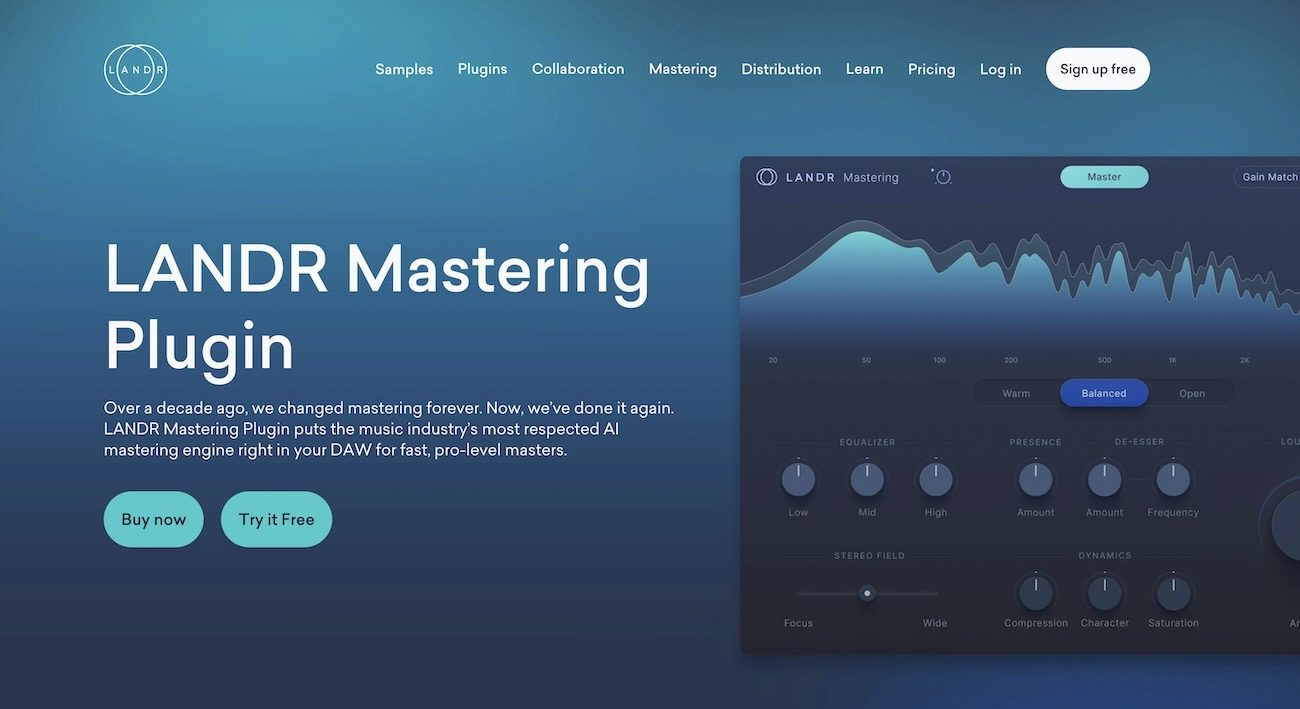
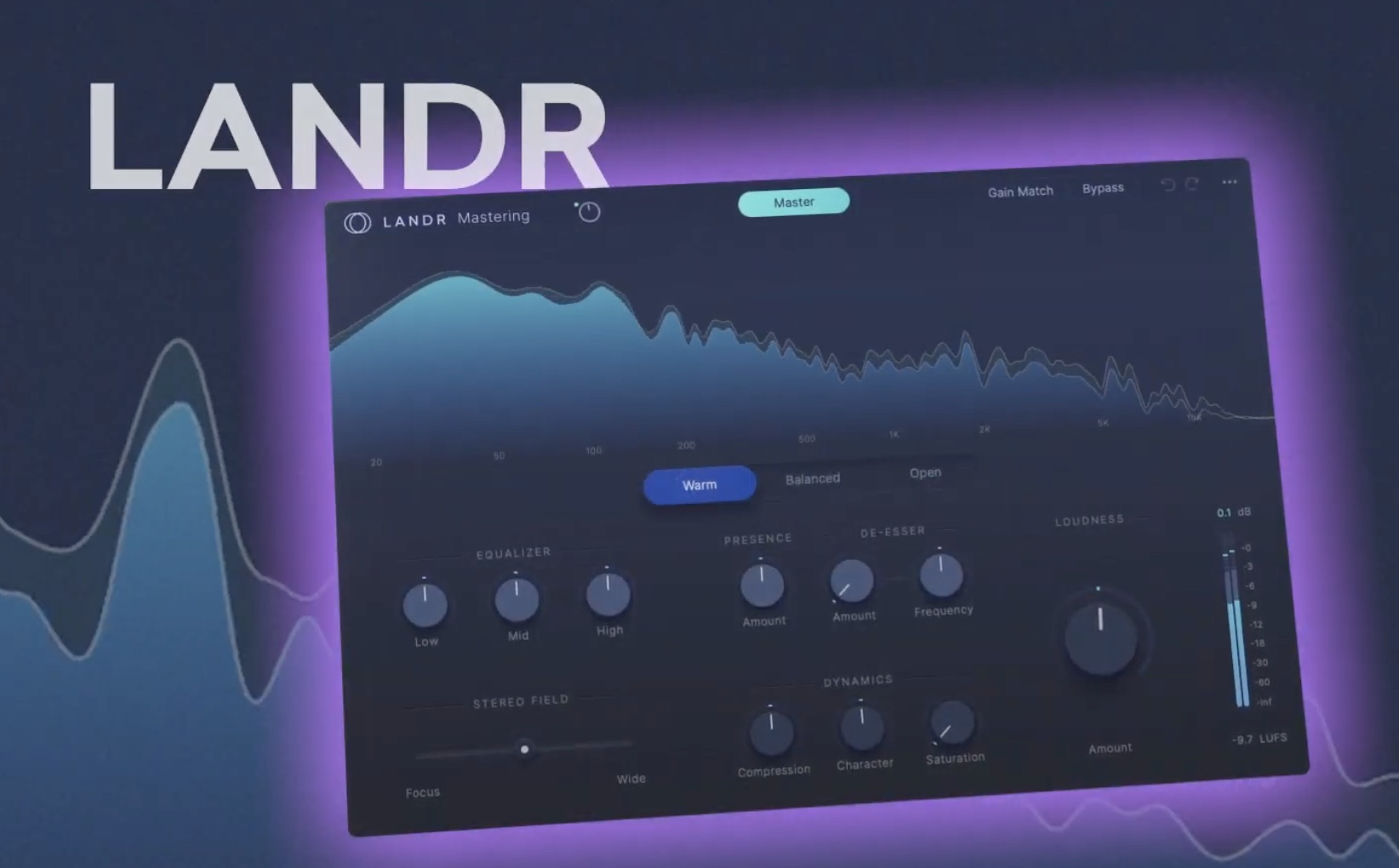
Why I picked it: LANDR has mastered more tracks than anyone else in this list, and the browser flow is 3 clicks: upload, pick Warm, Balanced or Open, set the intensity. Warm is the style to start with on a hissy Suno export, because it pulls the top end down instead of lifting it. The subscription bundles 18 or 20 LANDR plugins and distribution, and my LANDR plugin vs Ozone comparison covers the in-DAW version.
Standout features:
- Unlimited masters on both plans, MP3 on Standard and WAV on Pro
- Album mastering that levels a set of tracks together
- The Mastering Plugin, SE on Standard and PRO on Pro, for the DAW route
- Distribution for 3 or 5 artists inside the same plan
What is missing: Read the footnote on LANDR’s mastering pricing page before you count on the bundled distribution. LANDR states that it may limit, delay or remove submissions with high volumes of AI-generated audio, and that monthly limits apply to AI-generated tracks. For a Suno catalog, the distribution half of the bundle is conditional. The Standard plan also caps WAV masters at 3 a month, and the reference-track feature lives in the plugin, not the browser.
Best for: Suno users who release often and want the lowest price per master, distributing somewhere else.
Verdict: The highest score here, because unlimited masters at €10.83 a month beat every other price in this roundup, as long as you treat the bundled distribution as a maybe.
2. SoundBoost: best for browser-only Suno creators
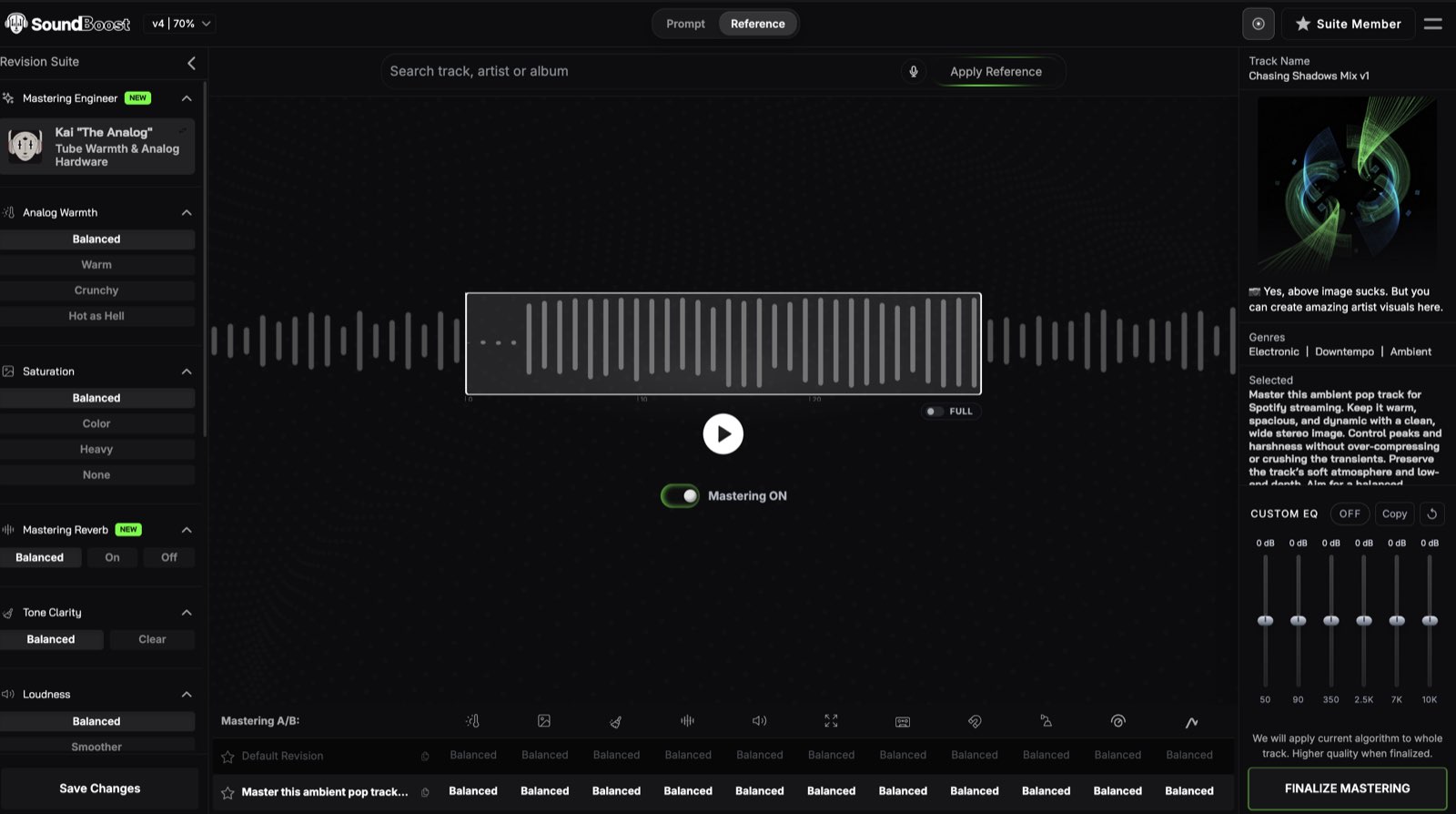
- Works in: Browser, iOS and Android apps
- Exports: WAV, HD WAV and MP3, up to 32-bit/48 kHz
- Free tier: Preview without an account, and a free download that may carry a sound tag in the audio
- Pricing: Unlimited $16/mo or $48/yr, Unlimited Plus $24/mo or $72/yr
Why I picked it: Two tools here take a plain-English instruction, and SoundBoost is the one that does it on a finished stereo file. Type “keep the vocal clear and don’t lift the hiss,” or say it out loud with Voice Mode, and the AI mastering engine renders in about a minute with a reply that lists what it changed. Cryo Mix’s Nova takes prompts too, but it wants your stems first. For the Suno sheen, the Reference tab does the faster job: search a Spotify track in the same genre, apply it, and the master matches that track’s tone and loudness. The step-by-step is in my SoundBoost guide, and SoundBoost AI mastering runs the preview without a sign-up.
Standout features:
- A prompt or a Spotify reference, or both on the same track
- Voice Mode, the only spoken instruction in this roundup, and it shows the transcript before it renders
- 6 mastering engineers with genre leanings, so Luna or Sophia keep a hissy Suno vocal soft
- Stem-level prompts inside the master, so “drop the drums” runs in the same pass
- Bulk mastering from one seed on Unlimited Plus, for an EP of Suno tracks
What is missing: No 96 kHz export, no hands-on ceiling control beyond the True Peak panel, and Unlimited caps you at 15 revisions per track.
Best for: Suno users who never open a DAW and want to describe the fix in words.
Verdict: The fastest route from a quiet Suno WAV to a master that sits next to a reference, at $48 a year.
3. Masterchannel: best for EP consistency and reference tracks

- Works in: Browser, public beta since August 2026
- Exports: WAV
- Free tier: Unlimited uploads and previews, downloads need a plan
- Pricing: Artist €15/mo (billed €180/yr), Professional €19/mo (€228/yr), Partner €79/mo (€948/yr)
Why I picked it: Masterchannel’s beta takes a WAV, up to 3 reference tracks, a genre and a mood, and hands back a master with Lows, Mids, Highs, Gain and Stereo sliders for the last inch. The part that earns its place for Suno is the project type: Album, EP or Bulk, so 6 Suno tracks come out at the same tone and level instead of 6 slightly different masters. Masterchannel’s own Artist tier is pitched at exactly that job.
Standout features:
- Up to 3 reference tracks per master
- Album and EP projects that hold one sound across the release
- A Wez Clarke Clone on the Professional tier, modeled on the Grammy-winning engineer
- Master resolutions per platform on Professional
What is missing: WAV only in the beta, no MP3 or FLAC input. There is no LUFS picker on the Artist tier, and the platform targets sit one tier up at €19. The Wez Clarke Clone is Professional-only as well, so the headline feature costs €228 a year, not €180.
Best for: Suno users releasing an EP who want every track to match.
Verdict: The best reference-track workflow in the browser group, held back by a €15 entry tier that leaves the two best features one tier up.
Stem-based tools that clean up Suno artifacts before mastering
A stereo master can only move the whole song at once. When the problem is one part, a vocal buried in reverb or a cymbal wash that eats the top end, the fix is to split the song, clean the part, and master the rebuilt mix. Both tools here take Suno’s Auto Split stems directly.
4. RoEx: best free first check on a raw Suno export
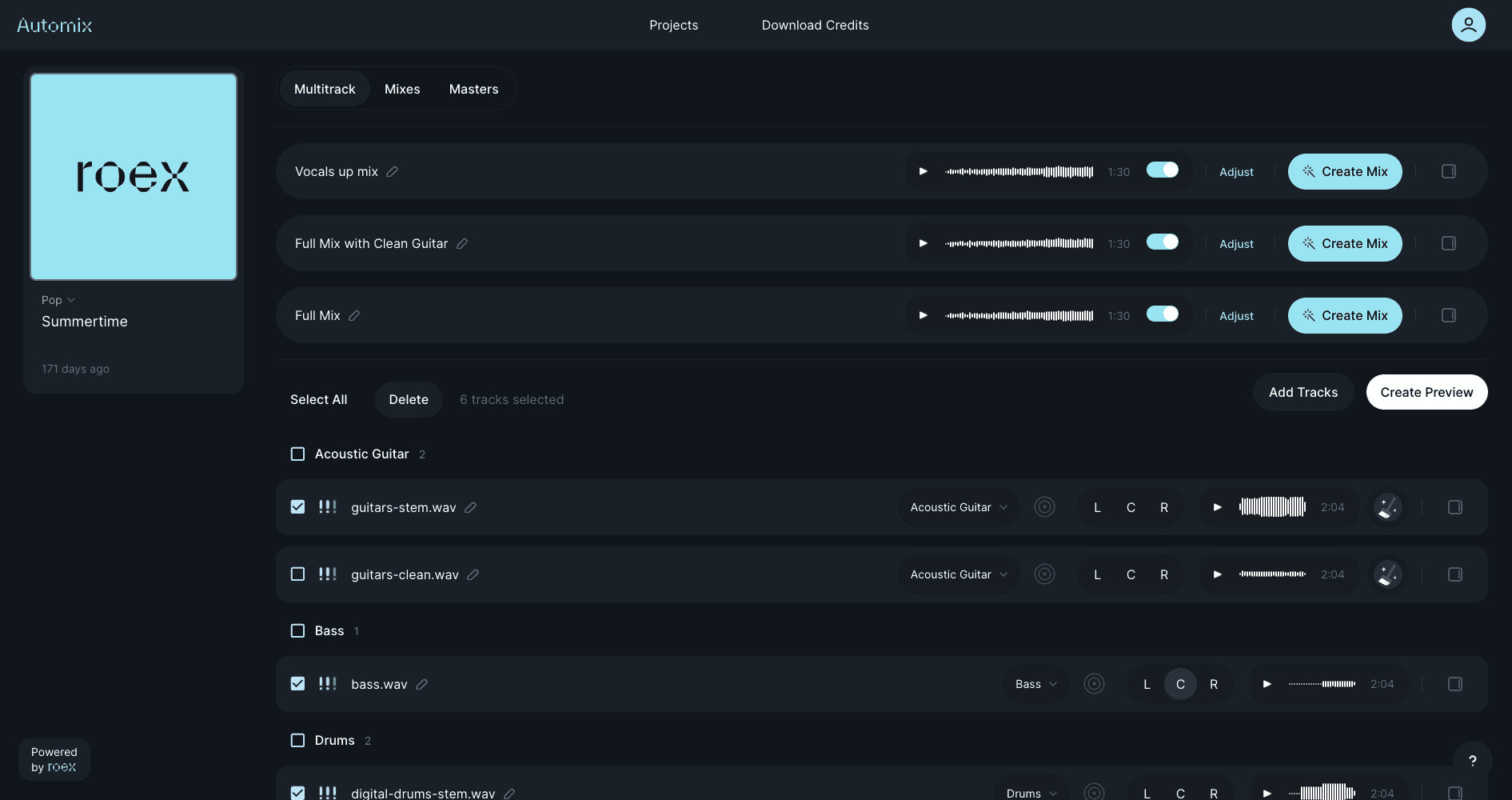
- Works in: Browser, plus the Automix Desktop beta
- Exports: WAV, MP3 and FLAC at 16-bit/44.1 kHz, plus an Ableton Live set or DAWproject on Pro
- Free tier: Unlimited previews and a free first track, but the free Automix export carries an audio watermark, and Mix Check Studio’s first report is free
- Pricing: Starter €6.99 per download, Pro €11.67/mo billed yearly at €139.99
Why I picked it: Two RoEx products earn a place. Mix Check Studio reads a raw Suno WAV and returns a loudness and tonal report for free, no sign-up, which is the cheapest way to see how far under -14 LUFS your export sits. Automix then takes the stems and mixes and masters them, with audio cleanup and reference matching on the Pro plan. Suno’s Auto Split returns 12 stems, so the 16-track Starter tier covers a Suno project without paying for Pro’s 32 tracks. My Automix Desktop review covers the beta app.
Standout features:
- Mix Check Studio’s free LUFS and tonal report
- Audio cleanup and reference-track mastering on Pro
- Ableton Live and DAWproject export, so you keep editing in your DAW
- 16 tracks on Starter, enough for a full Suno split
What is missing: The free Automix export is watermarked, so “free first check” means the report, not a release file. Exports top out at 16-bit/44.1 kHz, the same spec as the Suno source, and reference matching sits on the €11.67 plan.
Best for: Suno users who want to measure the problem before they pay to fix it.
Verdict: The cheapest honest way into Suno mastering: a free report that tells you what is wrong, then €6.99 to fix it.
5. Cryo Mix: best for erasing Suno stem bleed before the master
- Works in: Browser
- Exports: WAV, MP3, FLAC and AIFF at 24-bit/48 kHz
- Free tier: Unlimited full-length previews, no card needed, 1 credit per download
- Pricing: Essential $19/mo for 5 credits, Creator $24/mo with reference mastering, Pro $39/mo
Why I picked it: Cryo Mix is the only tool here built to take 12 Suno stems, clean each one, and master the result in one project. The Eraser Tool removes bleed from a stem, so the reverb tail that Auto Split left on the drum track goes before the limiter ever sees it. Nova, the chat agent, takes plain-English revisions per stem and explains each move, which my Nova review walks through step by step.
Standout features:
- Up to 32 stems per project, 12 covers a full Suno Auto Split
- The Eraser Tool for bleed on any single stem
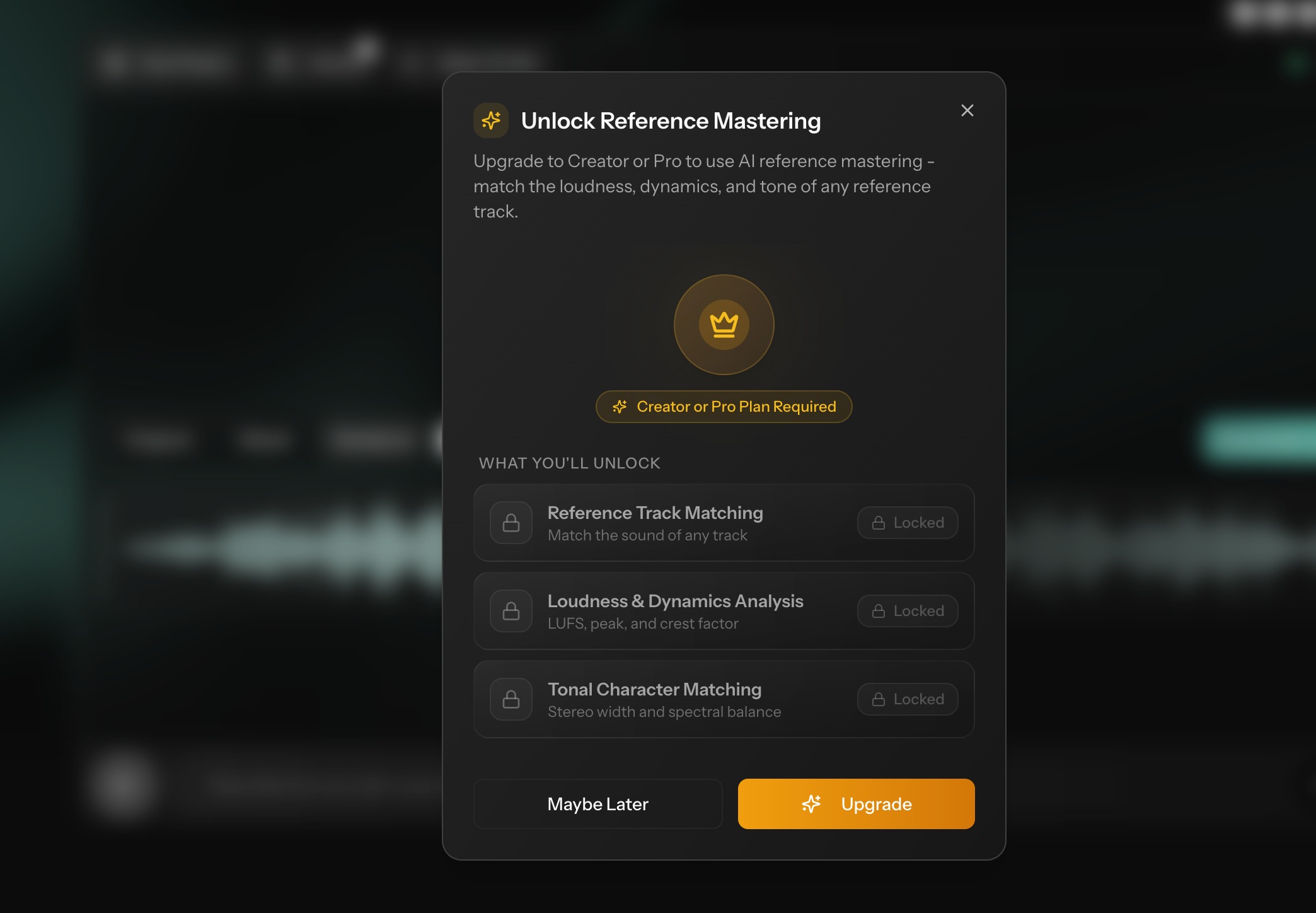
- Reference mastering on the Creator plan
- Full-length preview of the mix and the master before a credit is spent
What is missing: There is no free download at all, so the cheapest clean export is $19 a month, and Essential’s 5 credits cap you at 5 finished tracks a month. Web only, with no DAW session export.
Best for: Suno users whose export has a specific broken part they can name.
Verdict: The best artifact handling in this roundup, because it fixes the part before it masters the whole.
Mastering Suno tracks inside a DAW with iZotope Ozone 12
A plugin gives you the one thing the browser tools hold back: the numbers. You set the loudness target, you pick the frequency, you decide the ceiling. That control is also the trap: the r/SunoAI complaint about Ozone masters sounding “muddy and squashed” usually traces back to a limiter pushed too far, so follow the recipe below instead of the preset.
6. iZotope Ozone 12: best for exact LUFS targets and the 200 to 400 Hz mud
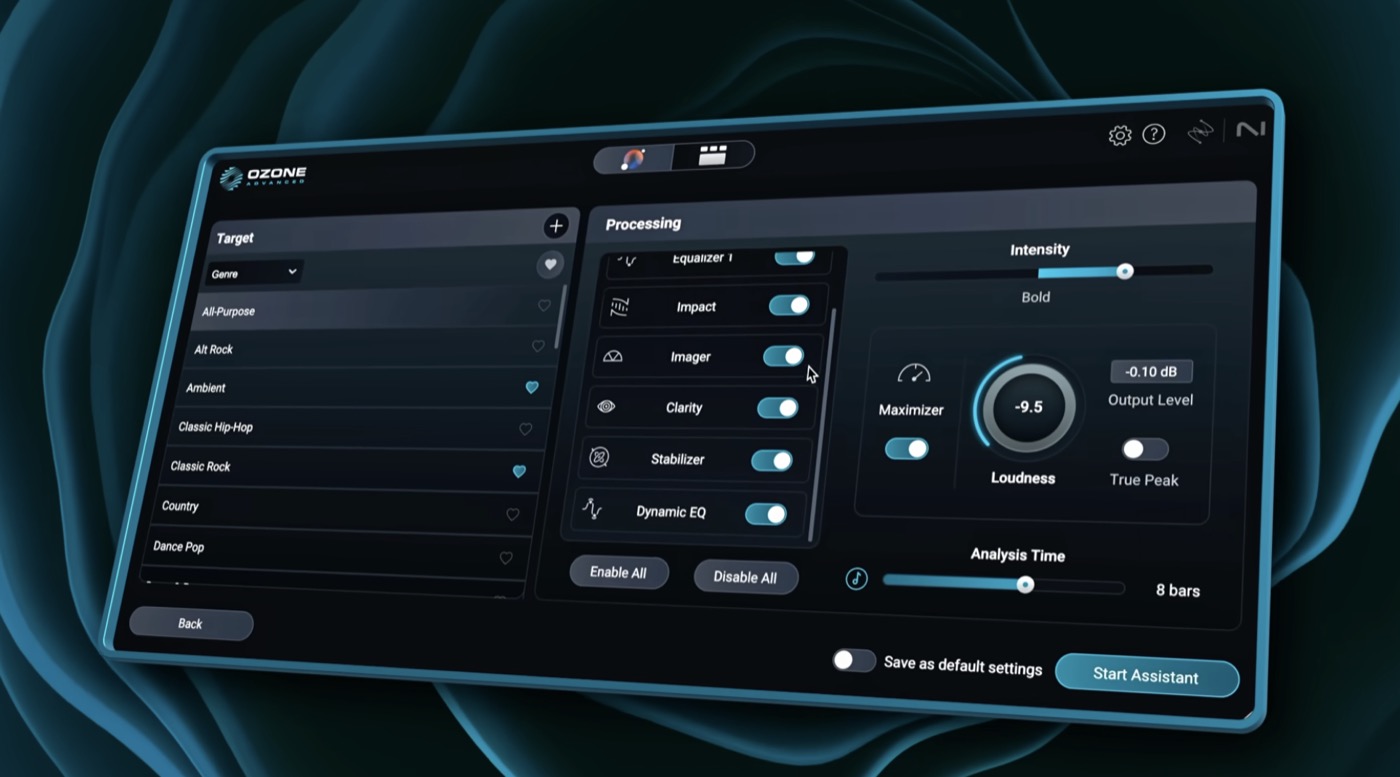
- Works in: Any major DAW as a plugin, plus a standalone app
- Exports: Whatever the DAW exports, 24-bit at any sample rate
- Free tier: Free trial from the product page
- Pricing: Advanced €549 once for 20 plugins. Standard and Elements sat at €239 and €59 when I checked in late August
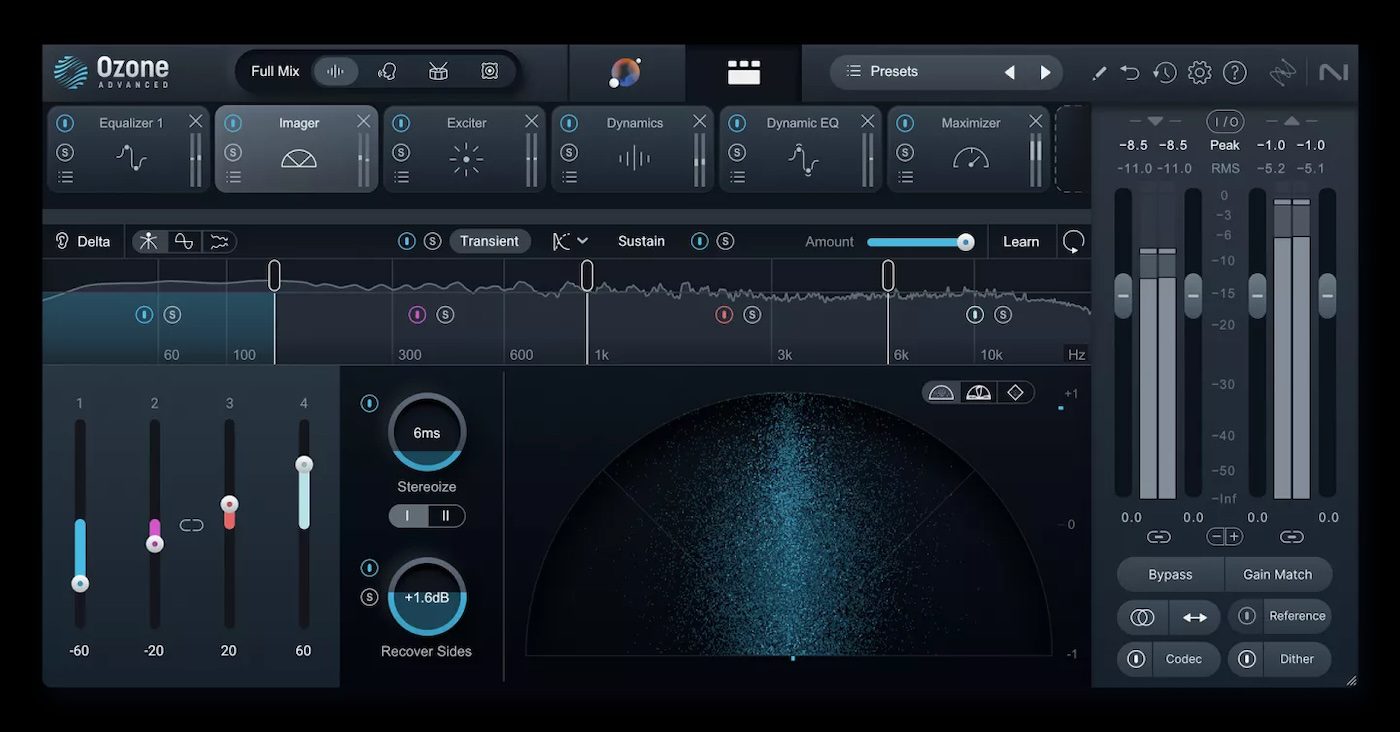
Why I picked it: Master Assistant listens to the Suno track, matches it to a reference file or a genre target, and builds the chain. Then you open the modules and fix what the assistant missed. Ozone is the only tool in this roundup where -12 LUFS means -12 LUFS, because you typed it. The trade-off is the DAW itself: you need one, and you need to know your way around a limiter. My LANDR vs Ozone piece weighs that against the one-click plugin.
A 5-move Suno recipe in Ozone, in this order:
- Run the file through the de-clipper first if the export shows flat tops on the peaks.
- Add a dynamic EQ band between 6 and 10 kHz that only ducks when the hiss and cymbal wash spike.
- Tidy the low end with a shelf under 30 Hz to remove the sub rumble.
- Set the Maximizer to a target between -9 and -12 LUFS, and stop there.
- Set the ceiling at -1 dBTP, or -2 dBTP if the master runs louder than -14 LUFS.
Modernist Mixing’s walkthrough above takes the long route: export every stem as WAV, remove the generation noise and split noise first, then match the short-term LUFS to a commercial reference before judging the result.
Standout features:
- Master Assistant with reference matching and genre targets
- A dynamic EQ that ducks the hiss only when it spikes
- Exact LUFS and true peak targets you set yourself
- 20 plugins in Advanced, including the Unlimiter for clipped sources
What is missing: A DAW and a learning curve. The €549 Advanced price buys tools a Suno user may never open, and the assistant’s default limiter setting is where the “squashed” complaints come from.
Best for: Suno users who already produce in a DAW and want to own the numbers.
Verdict: The most control in the roundup, and the only pick that is a bad idea if you never plan to learn the limiter.
How to choose an AI mastering tool for Suno tracks

Every tool here makes a Suno file louder. The question is what else you need it to do, and the checklist below sorts that in 7 lines:
- Stereo file or stems: if you can name the broken part, go stems (Cryo Mix, RoEx). If the song is balanced, go stereo.
- Reference or prompt: a Spotify reference fixes the sheen fastest (SoundBoost, Masterchannel). A prompt fixes what a reference can’t describe (SoundBoost).
- Exact LUFS target or preset: if you want to type the number, only Ozone lets you.
- Export ceiling: Suno gives you 16-bit/44.1 kHz. RoEx returns the same, SoundBoost goes to 32-bit/48 kHz, Cryo Mix to 24-bit/48 kHz, Ozone to whatever your DAW exports.
- Free preview before paying: all 6 offer one. Only RoEx’s Mix Check Studio hands you a free report you can act on.
- Revision limits against download caps: you get 20 or 60 Suno downloads a month, so export once and revise inside the mastering tool. SoundBoost allows 15 revisions per track, Cryo Mix unlimited re-renders per credit.
- EP consistency: Masterchannel’s album projects and SoundBoost’s bulk seed both hold one sound across a release.
Suno mastering recap: which tool for which Suno creator
- LANDR when you release often and want the lowest price per master.
- RoEx when you want a free LUFS report before you spend anything, then a €6.99 fix.
- Cryo Mix when one part of the export is broken and you can name it.
- SoundBoost when you never open a DAW and want to describe the fix in a sentence or a Spotify link.
- Masterchannel when an EP has to sound like one record.
- iZotope Ozone 12 when you produce in a DAW and want to set the LUFS target yourself.
Start Suno mastering with the free previews, then pay for the download

You don’t need to spend money to find out which tool suits your Suno track. Upload the same WAV to SoundBoost, Masterchannel and Cryo Mix, preview all 3, and run the raw file through RoEx Mix Check Studio for the numbers. That costs nothing and takes an evening.
I started that way because I wanted to hear the difference before I believed it, and on a Suno export the difference between a raw file and a referenced master is not subtle. The loudness gap alone is the whole reason your track feels smaller than the one before it in a playlist.
At release time you will pay for something. Three features live behind a plan on every tool: the clean download without a tag or watermark, reference-track matching, and the stem tools that clean the artifacts instead of amplifying them. Pick the tool whose free preview already sounded right, pay for that one download, and keep your 20 Suno downloads for new songs.
Frequently asked questions
Should I master a Suno stereo WAV or the Suno stems?
Master the stereo WAV when the song already sounds balanced and you only need loudness and tone. Master from stems when the vocal drowns in reverb, the cymbals wash over everything, or Auto Split left bleed between parts, because a stereo master can only move the whole song at once. Cryo Mix and RoEx take the stems, and SoundBoost can mute or rebalance a stem inside the master from a prompt.
What LUFS should a Suno master hit for Spotify?
Aim for -14 LUFS integrated with a true peak at -1 dBTP. Spotify plays every track at -14 LUFS, so a louder master gets turned down and gains nothing. Going a little louder, to around -11 LUFS, is fine if you keep the peak at -2 dBTP, because Spotify's own limiter handles the rest. Check the export in a free meter like Youlean before you upload.
Does AI mastering make Suno artifacts louder?
Yes, if the tool only raises the level. Hiss in the top end, cymbal wash and long reverb tails all get louder with everything else under a limiter. The fix is to clean the source first, either by muting or erasing the problem stem, or by picking a mastering engine that lets you tell it what to leave alone with a prompt or a reference track.
Can I master Suno songs for free?
You can preview a master for free on all 6 tools in this roundup, and RoEx Mix Check Studio gives you a free loudness and tonal report with no sign-up. A clean, release-ready download almost always costs money: SoundBoost's free download may carry a sound tag, RoEx's free Automix export carries a watermark, and Masterchannel and LANDR gate the download behind a plan or a trial.
Which AI mastering tool is best for Suno tracks?
LANDR scored highest across my 5 criteria, on unlimited masters from €10.83 a month and a long track record. Start with RoEx Mix Check Studio for a free read on what is actually wrong, pick Cryo Mix when the export needs cleanup before it gets louder, SoundBoost when you want to describe the fix in plain English, and iZotope Ozone 12 when you work in a DAW and want to set an exact LUFS target yourself.
About the author

Covering AI music tools, industry shifts, and news for music creators and professionals. Twice-weekly newsletter at aimusicpreneur.com.