Cubase 16 splits songs into 6 stems and sings your typed lyrics with Yamaha's Omnivocal Basic

My stack My fav 6 tools for AI music after testing 70+
-
 ElevenMusic · Music generation
-
 Moises · Stem separation
-
 Controlla · Voice swap & cloning
-
 Cryo Mix · Mixing + mastering
-
 Neural Frames · Music videos
-
 ONCE · Distribution
Some links are affiliate links — I earn a commission at no cost to you. Every tool here is one I run myself and truly believe in. This stack is proven.
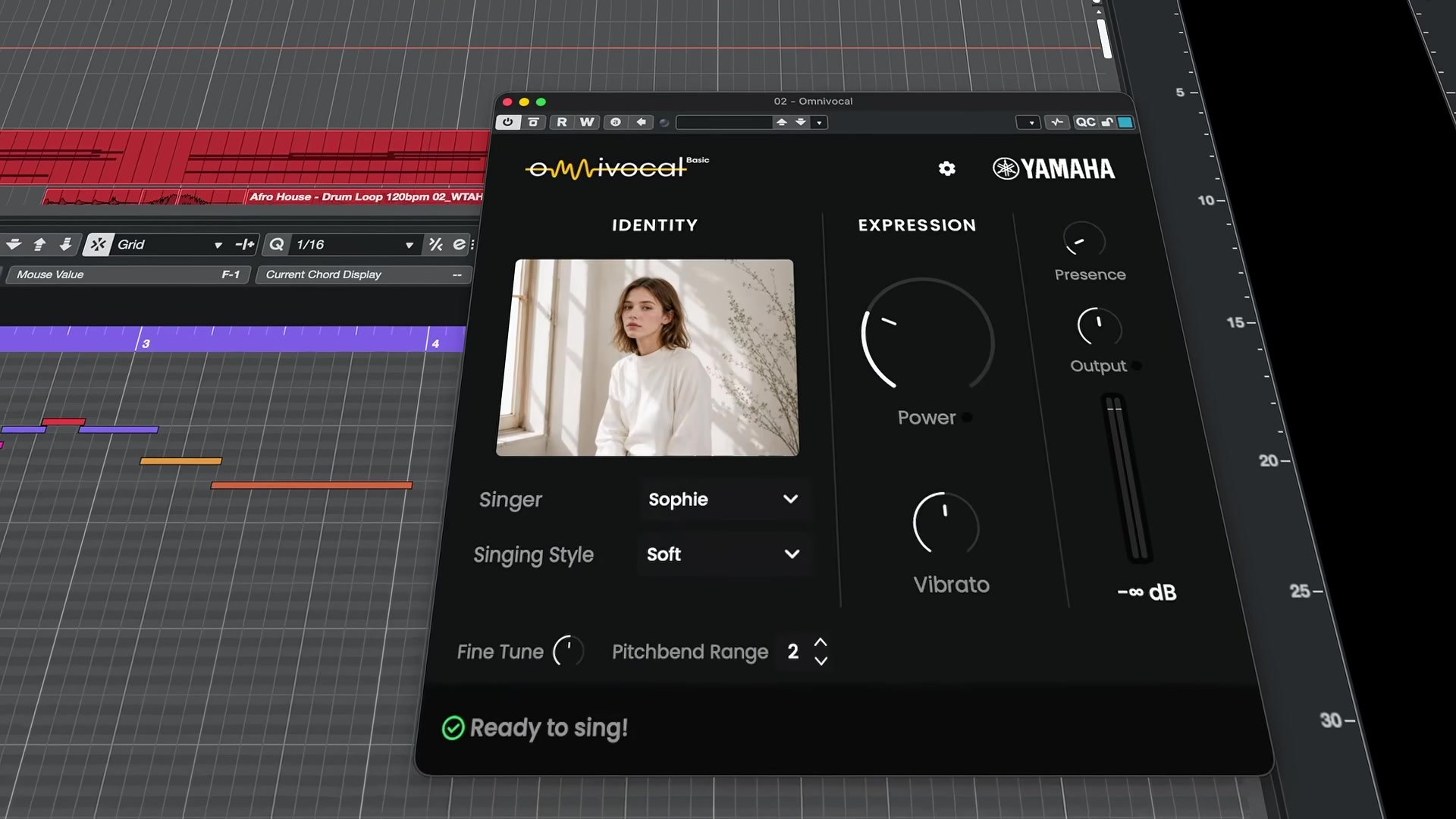
Cubase 16 can sing your lyrics back to you. Steinberg released it on November 4, 2026, with Omnivocal Basic, a singing voice built on Yamaha’s NX vocal synthesis engine: you type words under your MIDI notes, and it sings them.
The same update takes Cubase’s stem separation from 4 stems to 6, adding piano and guitar. Cubase Pro 16 costs $599.99, Artist $299.99 and Elements $99.99, and Omnivocal Basic is in all 3.
MusicTech called it a surprise release, the same way Steinberg dropped Cubase 15 a year earlier.
How Omnivocal Basic sings the lyrics you type in Cubase 16’s Key Editor
The Key Editor is Cubase’s piano roll, the grid where you draw and edit MIDI notes. Cubase 16 adds a Lyrics lane under it. You type a word or syllable under each note, with “fast step entry and dedicated controls for pronunciation and language,” per Steinberg’s Cubase 16 feature page.
Omnivocal Basic is the instrument that sings them. You load it on the MIDI track, pick one of its 2 voicebanks, and the notes come back as a vocal.
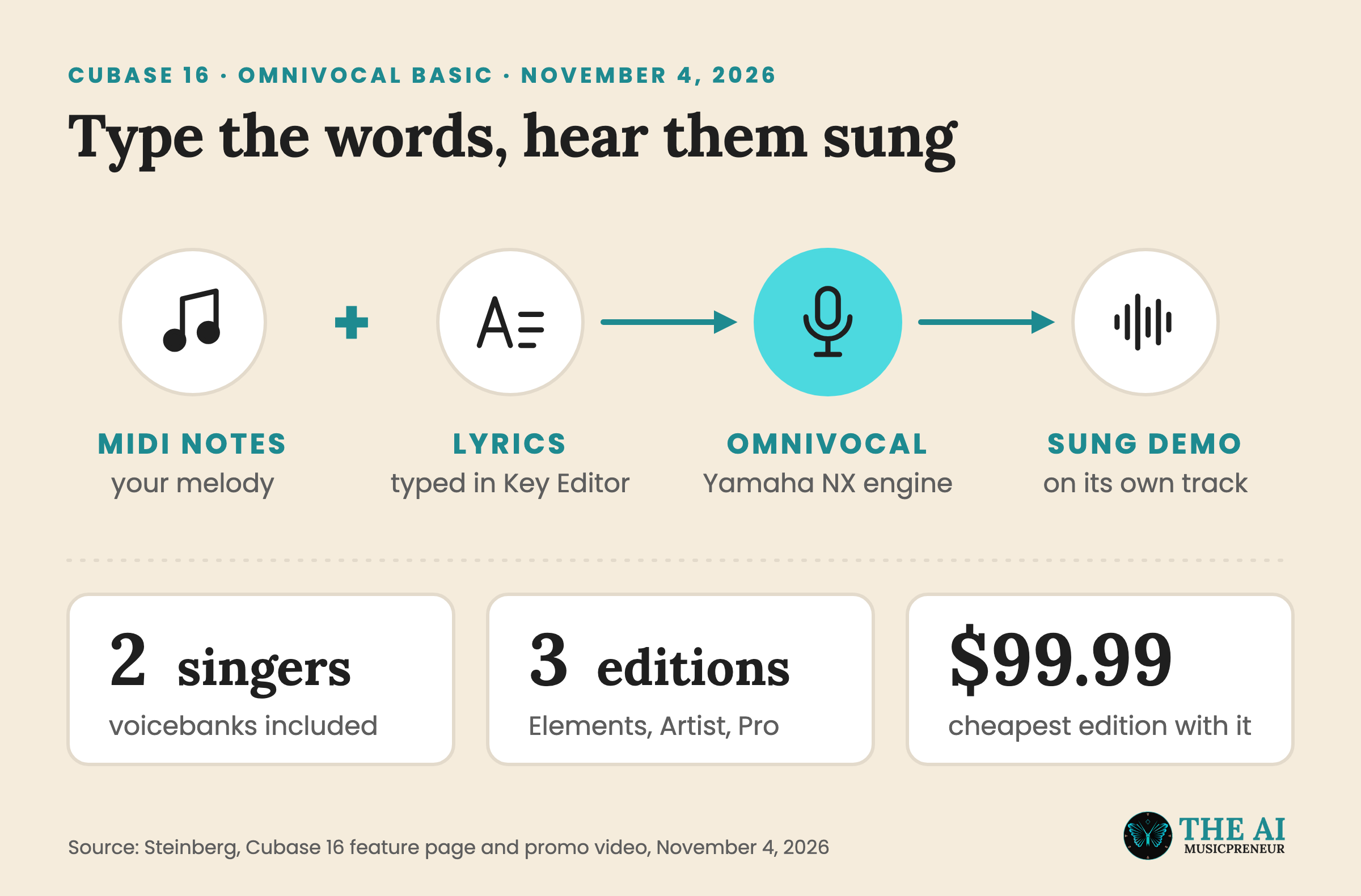
In Steinberg’s promo video, the panel shows a singer called Sophie, a Singing Style menu with Normal, Active, More Active and Soft, and knobs for Power, Vibrato and Presence. Once it’s loaded, the panel reads “Ready to sing!” The Omnivocal part of the video starts around 6:08.
Steinberg pitches it as a sketch tool: “Sketch vocal ideas quickly with a lightweight vocal production tool, built to keep songwriting moving.” MusicTech reads it the same way, as a way to try vocal ideas before you record them yourself. So it’s for the demo vocal on a topline idea, before a singer records the take.
Omnivocal Basic is also the second Yamaha singing tool to arrive this month.
Omnivocal Basic and VOCALOID7: 2 Yamaha singing tools in November 2026
Steinberg is part of Yamaha, and Yamaha’s own singing synthesizer, VOCALOID7, comes out on November 11, 2026, at $129.
They’re separate products. VOCALOID7 is a standalone editor with its own voicebanks, like AI Megpoid, and a second-generation VOCALOID:AI engine. Omnivocal Basic lives inside Cubase and runs on what Steinberg calls Yamaha’s NX engine.
Neither company has said how NX relates to VOCALOID:AI, or whether VOCALOID voicebanks will load in Omnivocal. What Omnivocal Basic does have is the price: it’s in Cubase Elements 16 at $99.99, so you don’t need a separate singing synthesizer to hear a melody with words.
If you need more voices, other languages or finer control over every note, dedicated tools still go further. My AI singing voice generators roundup compares them.
The other AI feature in Cubase 16 works the other way round: it takes a finished song apart.
Cubase 16 stem separation adds piano and guitar, in Cubase Pro 16 only
Cubase Pro 15 split a song into 4 stems: vocals, drums, bass and other. Cubase 16 adds piano and guitar as their own stems, and Steinberg says the quality is better too: “Extract higher-quality stems, now with dedicated piano and guitar separation for even more flexible editing and remixing.”
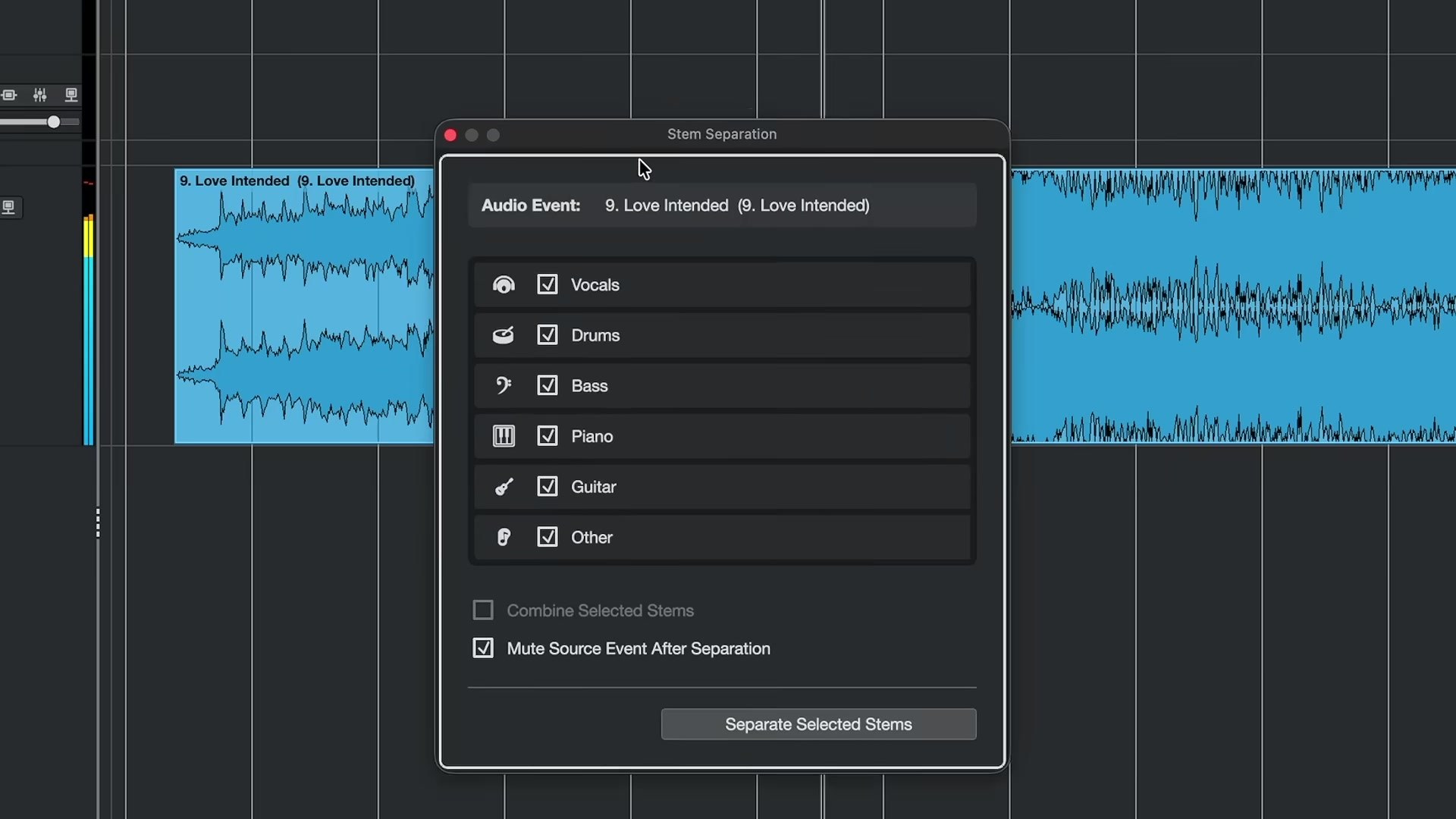
In the promo video, you pick an audio event, tick the stems you want and click Separate Selected Stems, and each stem lands on its own track. Two options sit under the list: Combine Selected Stems, and Mute Source Event After Separation, which silences the original so it doesn’t play on top of the stems.
Artist and Elements users don’t get it. Steinberg’s feature page marks Stem Separation as Cubase Pro only, so the 6 stems cost $599.99, or an upgrade.
It’s the second DAW to reach 6 stems this week. Pro Tools 2026.11 added its own 6-stem splitter on November 3, with keys instead of piano, in all 4 Pro Tools tiers including the free Intro. Logic Pro already splits the same 6, and Logic Pro 13 also splits drums into kit pieces.
iZotope’s Photon, out on November 3, works inside Cubase as an ARA2 plugin, but its music model stops at 4 stems. Steinberg also sells SpectraLayers, its spectral editor, which unmixes songs with AI and lets you edit the split audio as layers.
Waves Illugen, Instrument Stacks and the rest of Cubase 16
Cubase 16 also connects to Illugen, the AI sample generator from Waves, so you can create custom samples and import them without leaving Cubase. Every Cubase 16 user gets a voucher for 2 months of Illugen in their Steinberg account.
The rest of the update is workflow and sound content, per Sound On Sound’s edition breakdown:
- Instrument Stacks layer several VST instruments, Sampler Tracks and Drum Tracks into one playable instrument, in Pro and Artist.
- Strum and Stretch Selection in the Key Editor add natural timing to programmed chords and stretch MIDI passages to a new length, in all 3 editions.
- Spectral AudioWarp handles extreme time-stretching and pitch-shifting, in Pro.
- DrumChain and VocalTouch are new drum and vocal effects, next to a Module FM library with 200+ presets and 5 sample packs, from Afro House to K-Pop.
- Ableton Link, expanded MIDI 2.0 support and 16 audio sends per channel in Pro round it out.
Steinberg’s Matthias Quellmann told MusicTech the goal is speed:
Our goal should always be to help people get from their initial idea to a finished production as quickly and naturally as possible.
Cubase 16 prices, editions and the free Cubase 15 grace update
Cubase 16 is on sale now from the Steinberg Online Shop and from retailers:
- Cubase Pro 16: $599.99 / €599, with the 6-stem separation.
- Cubase Artist 16: $299.99 / €299.
- Cubase Elements 16: $99.99 / €99, the cheapest edition with Omnivocal Basic and Lyrics.
Upgrades, crossgrades and education versions are available too. If you bought or activated Cubase 15 on or after October 7, 2026, you get a free grace-period update to the matching Cubase 16 edition.
Steinberg also offers a free trial on its site, so the quickest test of Omnivocal Basic is to type one chorus under a melody and press play.
Frequently asked questions
How many stems did Cubase Pro 15's stem separation create?
Cubase Pro 15 split a song into 4 stems: vocals, drums, bass and other. Cubase Pro 16 adds piano and guitar as separate stems, for 6 in total, and Steinberg says the separation quality is higher too.
What can you change in Cubase 16's Omnivocal Basic besides the lyrics?
In Steinberg's promo video, Omnivocal Basic has a Singer menu for its 2 voicebanks, a Singing Style menu with Normal, Active, More Active and Soft, and controls for Power, Vibrato, Presence, Fine Tune and Pitchbend Range. Pronunciation and language are set in the Key Editor's Lyrics lane.
Which operating systems does Cubase 16 run on?
Cubase 16 runs on Windows 10 or later and on macOS 15 or later, according to Sound On Sound. It also adds support for the newer Windows MIDI platform in Windows 11.
Can you use iZotope Photon inside Cubase 16?
Yes. iZotope Photon runs as an ARA2 plugin in Cubase, as well as in Pro Tools and REAPER. Its music model splits 4 stems, so Cubase Pro 16's built-in separation gives you more stems, while Photon adds drum-piece splitting and audio cleanup.
About the author
Covering AI music tools, industry shifts, and news for music creators and professionals. Twice-weekly newsletter at aimusicpreneur.com.