Pro Tools 2026.11 adds an AI Stem Separator that splits any mix into 6 stems, free in every tier including Intro

My stack My fav 6 tools for AI music after testing 70+
-
 ElevenMusic · Music generation
-
 Moises · Stem separation
-
 Controlla · Voice swap & cloning
-
 Cryo Mix · Mixing + mastering
-
 Neural Frames · Music videos
-
 ONCE · Distribution
Some links are affiliate links — I earn a commission at no cost to you. Every tool here is one I run myself and truly believe in. This stack is proven.
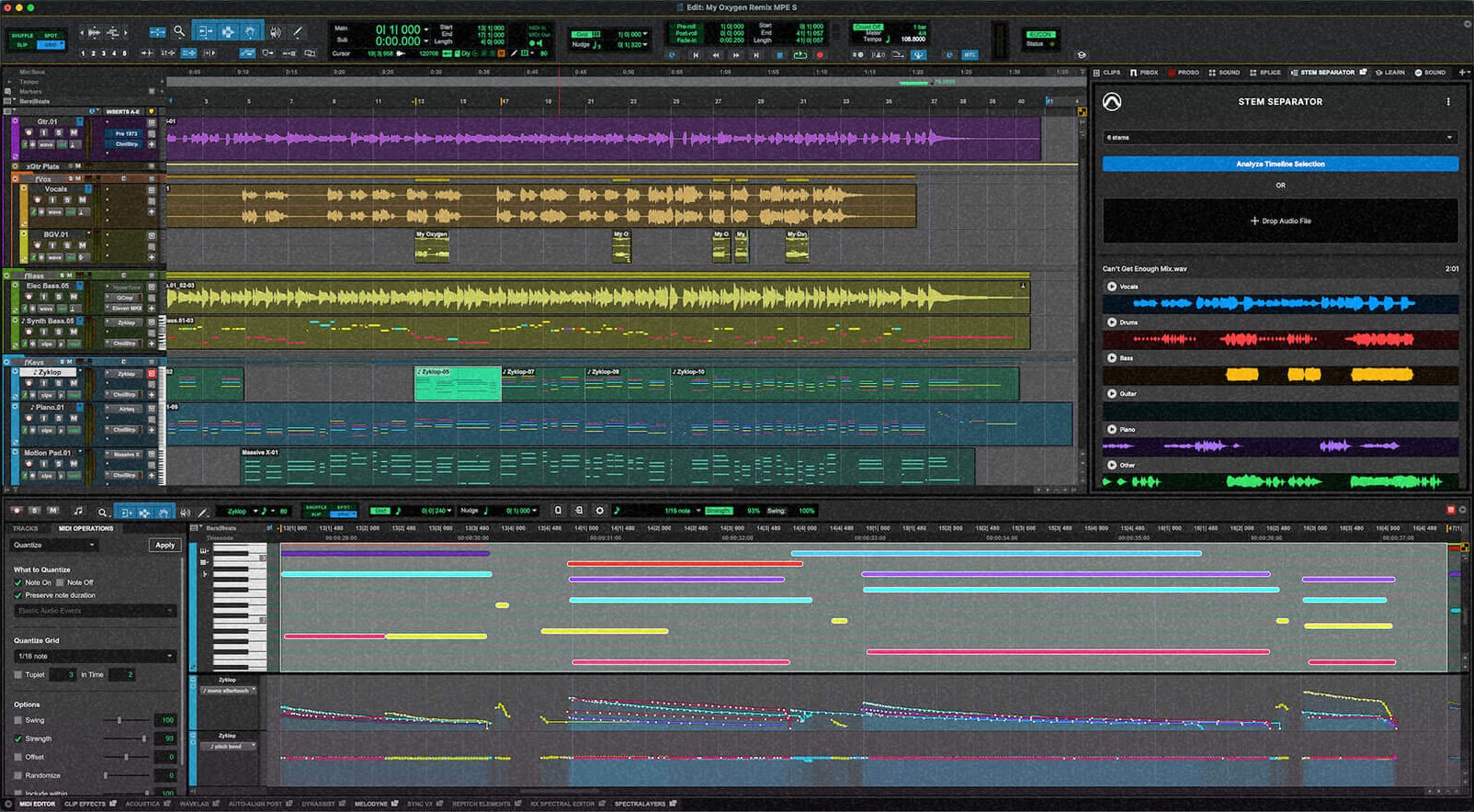
Pro Tools has AI stem separation built in now. Avid’s Pro Tools 2026.11 update, released on November 3, 2026, adds a Stem Separator that splits any recording into up to 6 stems: vocals, drums, bass, guitar, keys and other.
It runs on your own computer, and it’s in all 4 tiers, including the free Pro Tools Intro.
Avid calls it an Extension, and that’s the other big change in this update: a new plugin format that works on the whole session instead of one track. MusicTech reported the feature on November 5, 2 days after Avid published the Pro Tools 2026.11 release notes.
How the Pro Tools Stem Separator splits a mix into 6 stems
You open Stem Separator from the new Extensions menu, and it docks in the side panel. Avid’s screenshot shows 2 ways in: Analyze Timeline Selection, for audio already in your session, or Drop Audio File, for a file from your desktop. A menu at the top sets how many stems you want, up to 6.
Then you preview each stem right in the panel. You drag the ones you want into the session, or let Pro Tools create new tracks for them automatically.
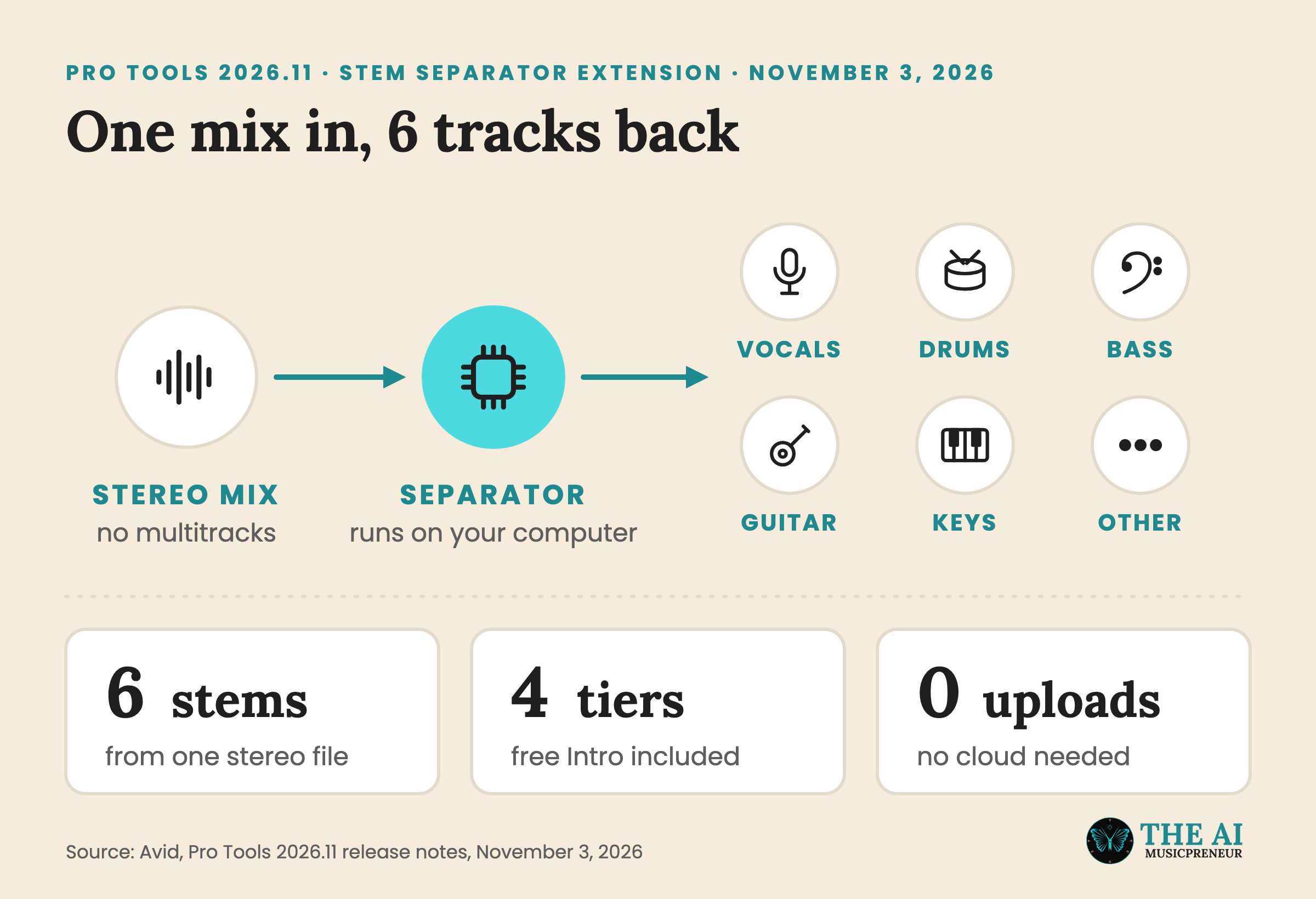
Avid’s release notes list what it’s for: “remixing, vocal extraction, instrument isolation, music production, and working with stereo mixes that do not have original multitrack sources.” That last one is the job most of you will use it for, like an old bounce where the session files are long gone, or a song you made in Suno and want to rework in a real DAW.
The processing stays on your machine. “All AI analysis and processing occurs locally on your computer with no cloud upload required,” the release notes say, and Avid told Production Expert it doesn’t use your audio to train AI models. Production Expert’s Mike Thornton points out that this is what makes it usable for client material under an NDA.
Stem Separator is the first Extension, but it won’t be the only one in your menu.
What Pro Tools Extensions are, and which ones launched with 2026.11
Until now, a Pro Tools plugin sat on a track. An AAX plugin, Avid’s plugin format, processes the audio on that one channel. Extensions are a separate format: they aren’t tied to a track, they can work across several tracks or a whole session, and they stay available even when no session is open.
The first wave, per Avid’s release notes and Production Expert:
- Pro Tools Stem Separator, built by Avid.
- Pro Sound Effects and Soundly, two sound effects library browsers.
- Forte, the AI session prep tool I covered when it brought faster mixing to Pro Tools. My Forte AI page has the pricing.
- Pibox, a review and collaboration platform.
- Splice and SoundFlow, which were already built into Pro Tools and now show up as Extensions. Splice’s AI sample finder arrived back in Pro Tools 2025.6.
A new Extensions menu in the menu bar lists everything you’ve installed. The side panel now has browser-style tabs, so you can keep the Stem Separator open next to a sample browser and switch between them.
Pro Tools isn’t the first DAW with built-in stem separation, and it isn’t the only one that moved this week.
Pro Tools, Cubase 16 and Logic Pro now all split 6 stems
Production Expert says the update brings Pro Tools “in line with what competing DAWs have offered for some time.” Here’s where the 6-stem DAWs stand this week:
- Pro Tools 2026.11: vocals, drums, bass, guitar, keys and other, in all 4 tiers.
- Cubase 16, which Steinberg released on November 4: vocals, drums, bass, piano, guitar and other, in Cubase Pro 16 only. My Cubase 16 breakdown covers it, along with its new Yamaha singing voice.
- Logic Pro: Stem Splitter already splits drums, bass, vocals, guitar, piano and other, and Logic Pro 13 also splits the drum stem into kit pieces.
- Ableton Live Suite: 4 stems, according to Production Expert.
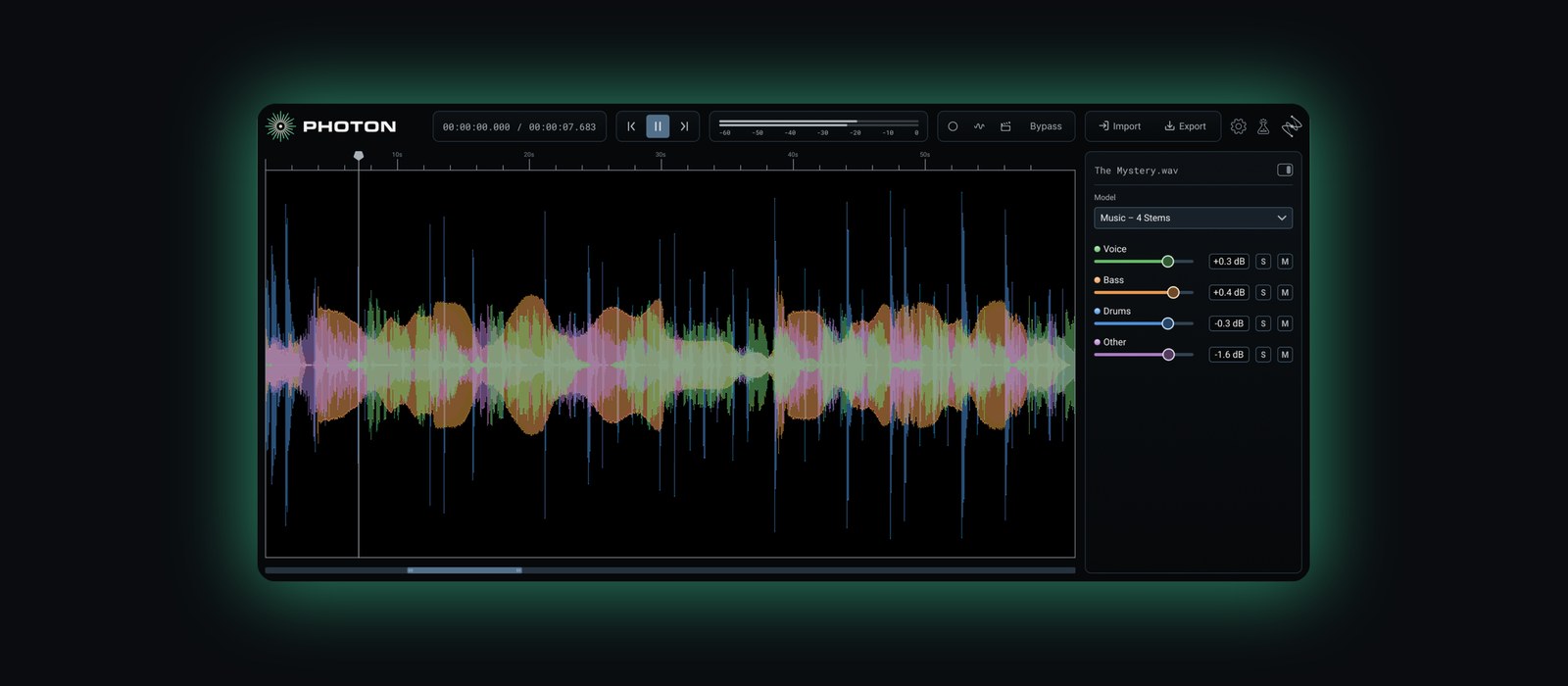
On November 3, the same day as Pro Tools 2026.11, iZotope launched Photon, a $349 app and plugin that also splits stems on your own computer. It runs inside Pro Tools as an ARA2 plugin, but its music model gives you 4 stems, with no guitar and no piano.
So if you already pay for Pro Tools, guitar and keys stems now come with it. Whether you pay anything at all depends on your licence.
Who gets the Pro Tools Stem Separator, and what it costs
Pro Tools 2026.11 is free for 3 groups, per Production Expert: subscribers, perpetual licence owners with an active Upgrade Plan, and Pro Tools Intro users. Intro is Avid’s free version, so the cheapest way to try Stem Separator costs $0.
If you don’t have Pro Tools yet, the subscriptions are:
- Pro Tools Artist: $9.99 a month or $99 a year.
- Pro Tools Studio: $34.99 a month or $299 a year.
- Pro Tools Ultimate: $99 a month or $599 a year.
There’s a 30-day trial. You install the update through Avid Link or your Avid Account, and Production Expert notes it can take a day or so to show up in every account. Avid’s Pro Tools 2026.11 overview has the full feature list.
Before you update in the middle of a project, check that your main plugins support 2026.11. Production Expert’s advice is to keep your previous version installed so you can go back.
What Avid hasn’t said about the Pro Tools Stem Separator
Avid calls Stem Separator “a new Avid-developed Extension” and leaves it there. It hasn’t named the model behind it, said what that model was trained on, or published any quality figures.
It also hasn’t said how long a split takes on a full song. And Avid’s own screenshot labels the fifth stem Piano, while the release notes call it Keys, so it’s worth checking what that stem actually catches on a track with synths and organ.
Production Expert’s test plan is a good one: split a dense mix you know well, solo each stem, and listen for bleed and the watery artefacts separation tends to leave, especially on vocals and cymbals. My stem splitter roundup covers the tools it’s up against, from LALAL.AI to Moises.
If you’re on Pro Tools Intro, the free way to find out is to update and drop in a song you know by heart.
Frequently asked questions
Does Avid train AI models on audio you split with the Pro Tools Stem Separator?
No, according to Avid. Production Expert reports that Avid says it doesn't use your audio to train AI models, and Avid's release notes say all AI analysis and processing happens locally, with no cloud upload.
When did Avid first show the Pro Tools Stem Separator?
Avid showed it as a tech preview at IBC 2026 in Amsterdam in September, together with the Extensions format, according to Production Expert. It shipped in Pro Tools 2026.11 on November 3, 2026.
What else is new in Pro Tools 2026.11 besides the Stem Separator?
Pro Tools 2026.11 adds MIDI Polyphonic Expression (MPE) for per-note pitch, timbre and volume control, native High DPI support on Windows, and automatic color coding of takes across tracks for faster comping. All of it is in every tier, including Intro.
What are the system requirements for Pro Tools 2026.11?
On Mac, Avid lists macOS Sonoma 14.8, Sequoia 15.7 or Tahoe 26.6 on an M1 to M5 or Intel Core i5 machine. On Windows it needs Windows 11 version 24H2 or 25H2. Both need 16GB of RAM, 15GB of free space and an iLok account.
About the author
Covering AI music tools, industry shifts, and news for music creators and professionals. Twice-weekly newsletter at aimusicpreneur.com.