RipX DAW 9 is out with cleaner note extraction from mixed tracks and Rip files 5 to 6 times smaller

My stack My fav 6 tools for AI music after testing 70+
-
 ElevenMusic · Music generation
-
 Moises · Stem separation
-
 Controlla · Voice swap & cloning
-
 Cryo Mix · Mixing + mastering
-
 Neural Frames · Music videos
-
 ONCE · Distribution
Some links are affiliate links — I earn a commission at no cost to you. Every tool here is one I run myself and truly believe in. This stack is proven.
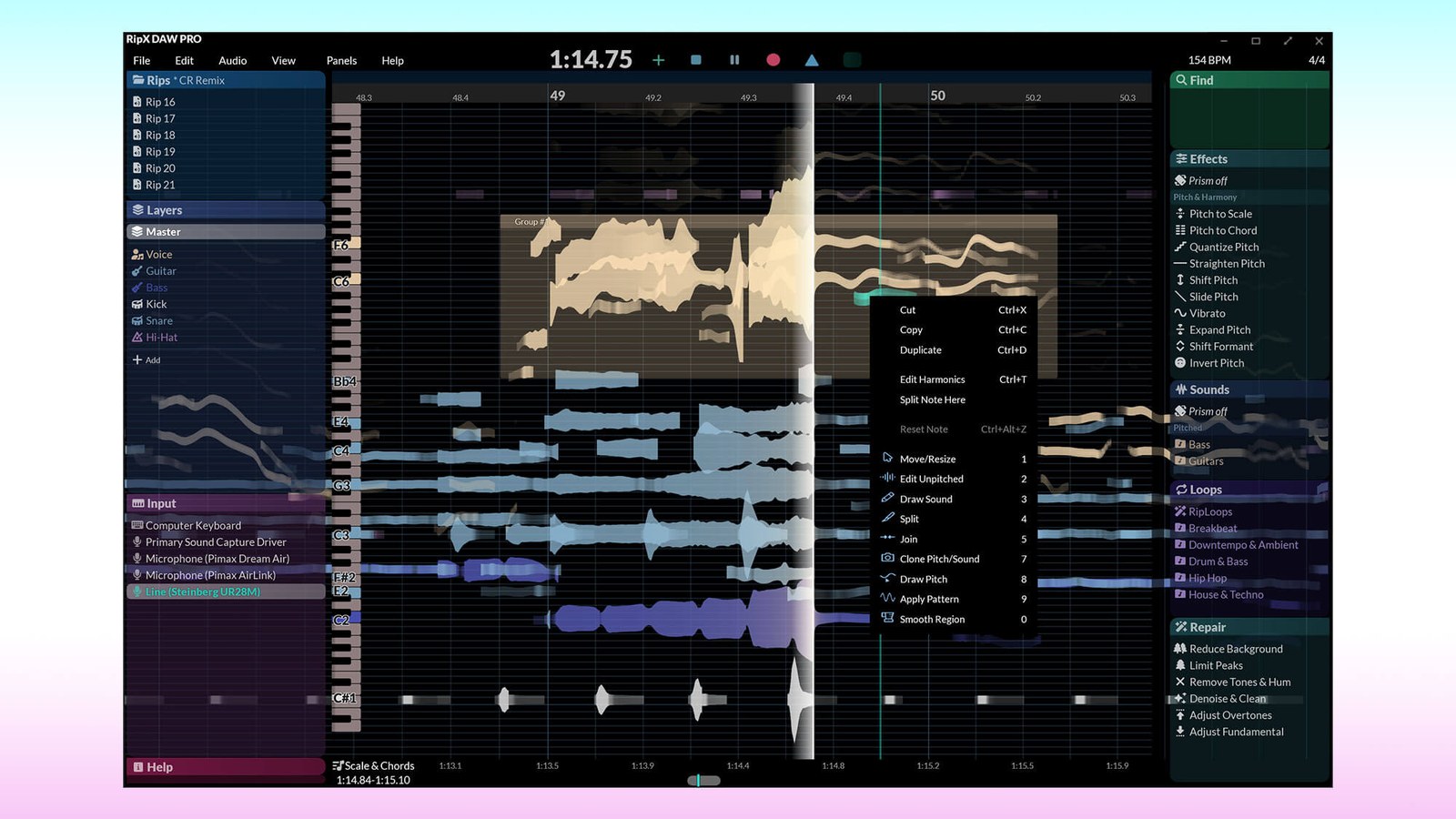
Hit’n’Mix shipped RipX DAW 9 and RipX DAW PRO 9 on November 11, 2026, and the biggest change sits in the step that makes RipX different: pulling single notes out of a finished mix. The v9.0.0 changelog says notes are now “picked out more accurately and extracted more cleanly from the waveform, so edits have far fewer artifacts.”
Version 9 also adds a count-in that follows the actual beat in the bar, 2 new effects and Rip files that are 5 to 6 times smaller. MusicTech covered the release on November 18, with Hit’n’Mix’s Black Friday sale already running: 30% off both editions until December 1.
What’s new in RipX DAW 9: note extraction, key detection and sound replacement
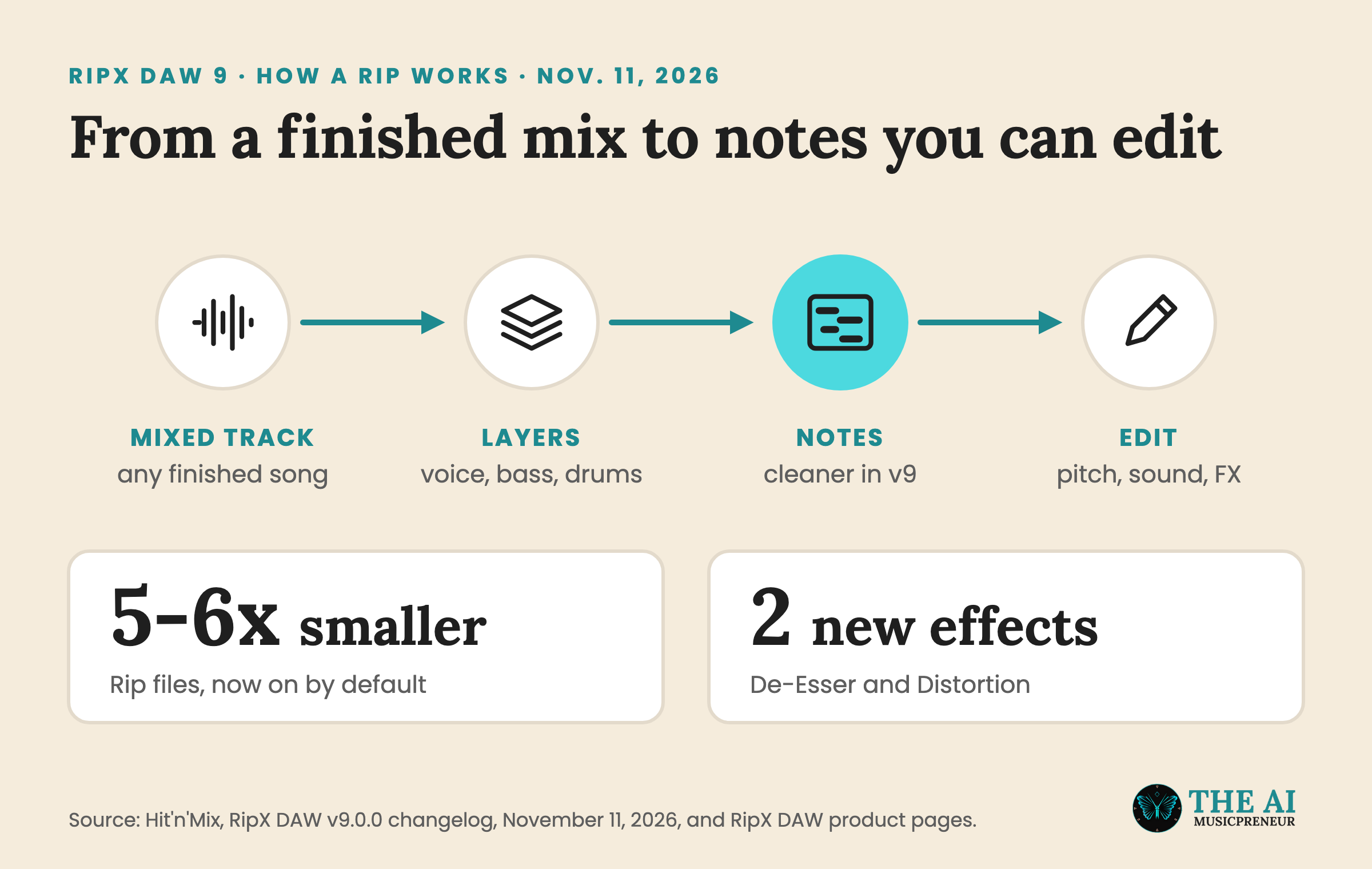
A quick refresher on how RipX works, because it explains why these fixes matter. Most stem splitters stop at stems: you get a vocal file, a bass file and a drum file. RipX goes one step further and breaks each layer into single notes you can drag, retune or delete like MIDI, except it’s still the original audio.
That note step is where most of the version 9 work went:
- Notes are detected more accurately and extracted more cleanly, which Hit’n’Mix says means far fewer artifacts when you edit them.
- Barline detection is better, so the grid lines up with the song’s bars more often.
- Key and scale detection is better, and RipX can now sometimes pick up the scale when it’s obvious.
- Automatic pitch snapping to a scale sounds more natural.
- RipX recognises instrument names and their sounds better, and instrument sound replacement is higher quality.
Sound replacement is where a sloppy note map shows most. Swap a guitar part for a piano and every badly detected note becomes a wrong piano note, so cleaner extraction and better replacement belong together.
The rest of the update is about the daily work around those notes.
RipX DAW 9 recording, effects and file size changes
Recording got 3 fixes. MIDI and audio recordings sync better, the new count-in counts in time with the actual beat in the bar, and the metronome always plays during the count-in, even when you’ve switched it off for the take.
On effects, De-Esser and Distortion are new. Harmony now adds automatic variation, Reverb, Shimmer and Saturation got major updates and run lighter, so playback is less likely to stutter, and dragging Vibrato to the left now reduces vibrato.
Smaller Rips, the setting that shrinks RipX’s own project files, is now on by default, which adds up fast if you rip whole albums.
A few smaller editing changes made the list too. Tapping inside a group sets a cursor and plays from there, automation lines you draw get simplified when you let go of the mouse, and unpitched mode now shows the effect of amplitude FX. One thing to check before you update: version 9 needs Windows 10 or later, because Windows 8 support is gone.
RipX DAW 9 vs RipX DAW PRO 9: what each edition includes and costs
Both editions get the version 9 changes. RipX DAW covers splitting, note editing, instrument replacement and printing audio to MIDI. RipX DAW PRO adds the deeper tools listed on Hit’n’Mix’s site:
- Audioshop tools for detailed edits, such as Draw Pitch, Clone and Edit Unpitched.
- The Harmonic Editor, which lets you change the individual harmonics that make up a note’s sound.
- Clean and repair tools for background noise, tones and hum.
- RipScripts for building your own tools, plus RipLink plug-ins for Pro Tools (AudioSuite) and for VST3/ARA hosts such as Cubase, Studio One and Reaper.
That last point matters if you already work in another DAW. Pro Tools 2026.11 and Cubase 16 now split stems on their own, so RipX PRO’s pitch there is editing inside those stems, note by note. Its closest rival on that front is SpectraLayers, and my stem splitter roundup covers the quicker tools.
In euros, Hit’n’Mix’s store lists RipX DAW at €114 and RipX DAW PRO at €228, and the Black Friday sale brings those to €79 and €158 at checkout until December 1. If you own version 8, open Help, then Upgrade RipX DAW, inside the app, because Hit’n’Mix hasn’t posted version 9 upgrade prices on its site.
You can also try RipX DAW PRO 9 free for 21 days without a credit card. If you gave up on an earlier version because edited notes came back full of artifacts, run the trial on a song you know well and listen to those notes before the sale ends.
Frequently asked questions
When did Hit'n'Mix release RipX DAW 9?
Hit'n'Mix dated its v9.0.0 changelog November 11, 2026, and the update covers both RipX DAW 9 and RipX DAW PRO 9. MusicTech reported the release on November 18, 2026.
Is RipX DAW 9 a free update for RipX DAW 8 owners?
Hit'n'Mix hasn't published version 9 upgrade prices on its website as of November 19, 2026. Its upgrade page tells existing owners to open Help, then Upgrade RipX DAW, inside the app to see what their licence qualifies for.
Can you try RipX DAW PRO 9 for free?
Yes. Hit'n'Mix offers a 21-day trial of RipX DAW PRO with full access and no credit card, sent as a code to your email. After the trial you need to buy an activation code to keep the full feature set.
What are the system requirements for RipX DAW 9?
RipX DAW 9 runs on macOS 10.15 or later and on 64-bit Windows 10 or 11, because version 9 dropped Windows 8. Hit'n'Mix lists 8 GB of RAM and 20 GB of free disk space as the minimum, with 16 GB of RAM recommended.
About the author
Covering AI music tools, industry shifts, and news for music creators and professionals. Twice-weekly newsletter at aimusicpreneur.com.