What's new in DJ.Studio 5.0: phrase detection, Smart Beatgrid and 3x faster exports

SIQA Summit, LA, 12th November 2026 Ozzy Osbourne's former bassist is sharing a stage with Suno. I'm moderating:

Blasko
Bassist (Ozzy Osbourne, Rob Zombie)

Sam Berger
Artist Partnerships at Suno

RoccStar
Grammy Award-winning producer and songwriter

Drake Murphy
A&R at PlayPulse / Create Music Group

Janie Jennings
Founder, Creative's Flow Ecosystem

Chris Wieduwilt
Moderator
Limited capacity only
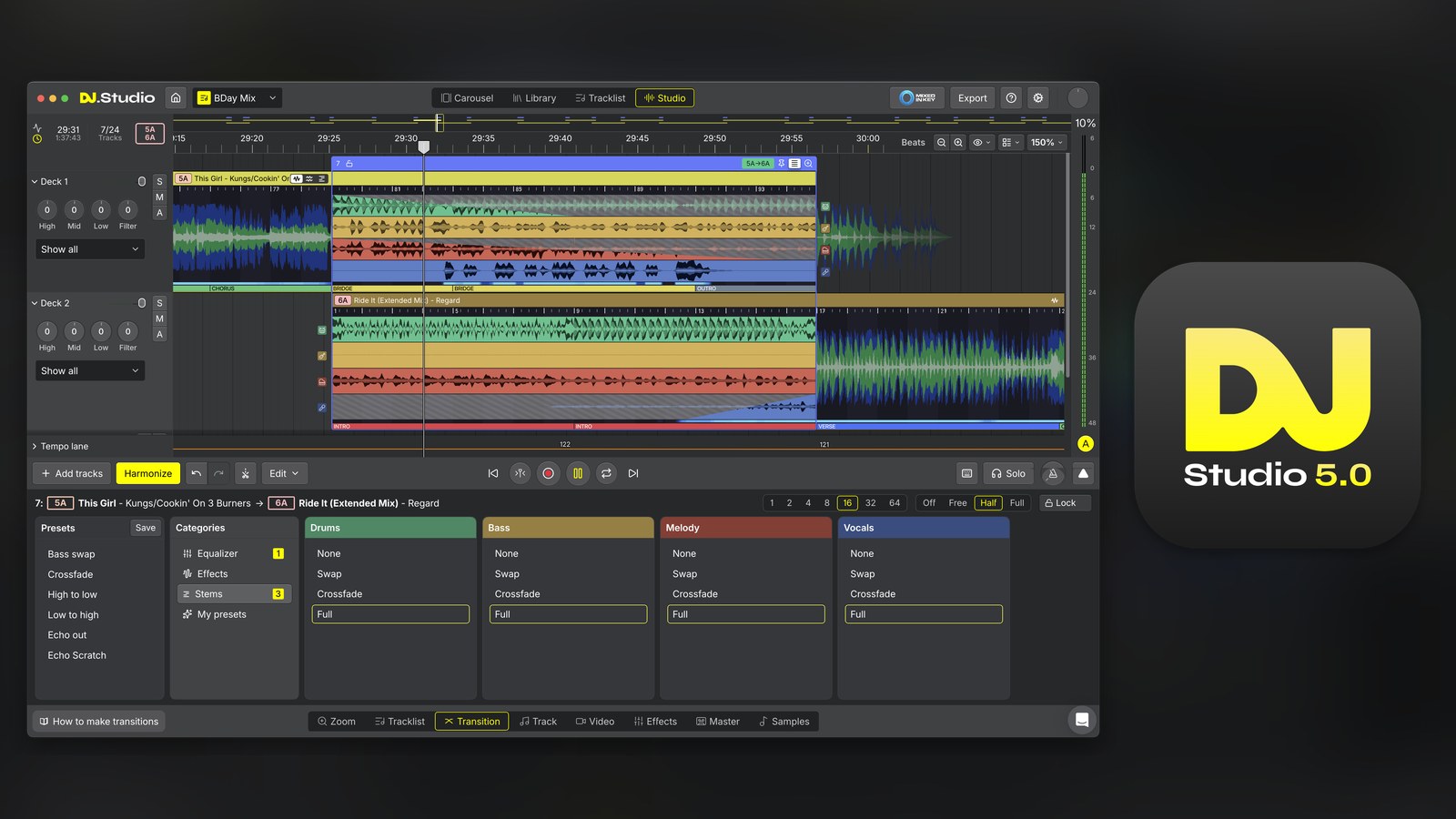
DJ.Studio 5.0 came out on November 11, 2026, for Windows and macOS, and the big change is that it now reads the structure of every song.
It finds the intro, verse, chorus, bridge and outro of each track, shows them on the waveform, and starts every transition on a phrase. Under the hood sits a rebuilt C++ audio engine that exports a 60-minute mix in under 3 minutes.
DJ.Studio says more than 360,000 people use the app, and it won the NAMM TEC Award for DJ Production Technology in 2025. Here’s what’s in 5.0, section by section, if you’ve never opened it.
Where DJ.Studio 5.0 fits next to rekordbox and Serato
DJ.Studio isn’t the app you play a gig on. It’s where you build the mix first, on one timeline, the way a producer builds a song in a DAW.
You pull tracks in from the DJ library you already have, line them up, shape every transition, and then export the result. That can be a finished mix file, a video, a radio show, a mashup, or a prepared set that goes back into rekordbox or Serato for the live gig.
So where’s the AI? DJ.Studio told me it uses AI in 2 places: the built-in stem separation and its own new phrase detection. The DJ still makes every call.
Here’s the whole flow in 4 steps:
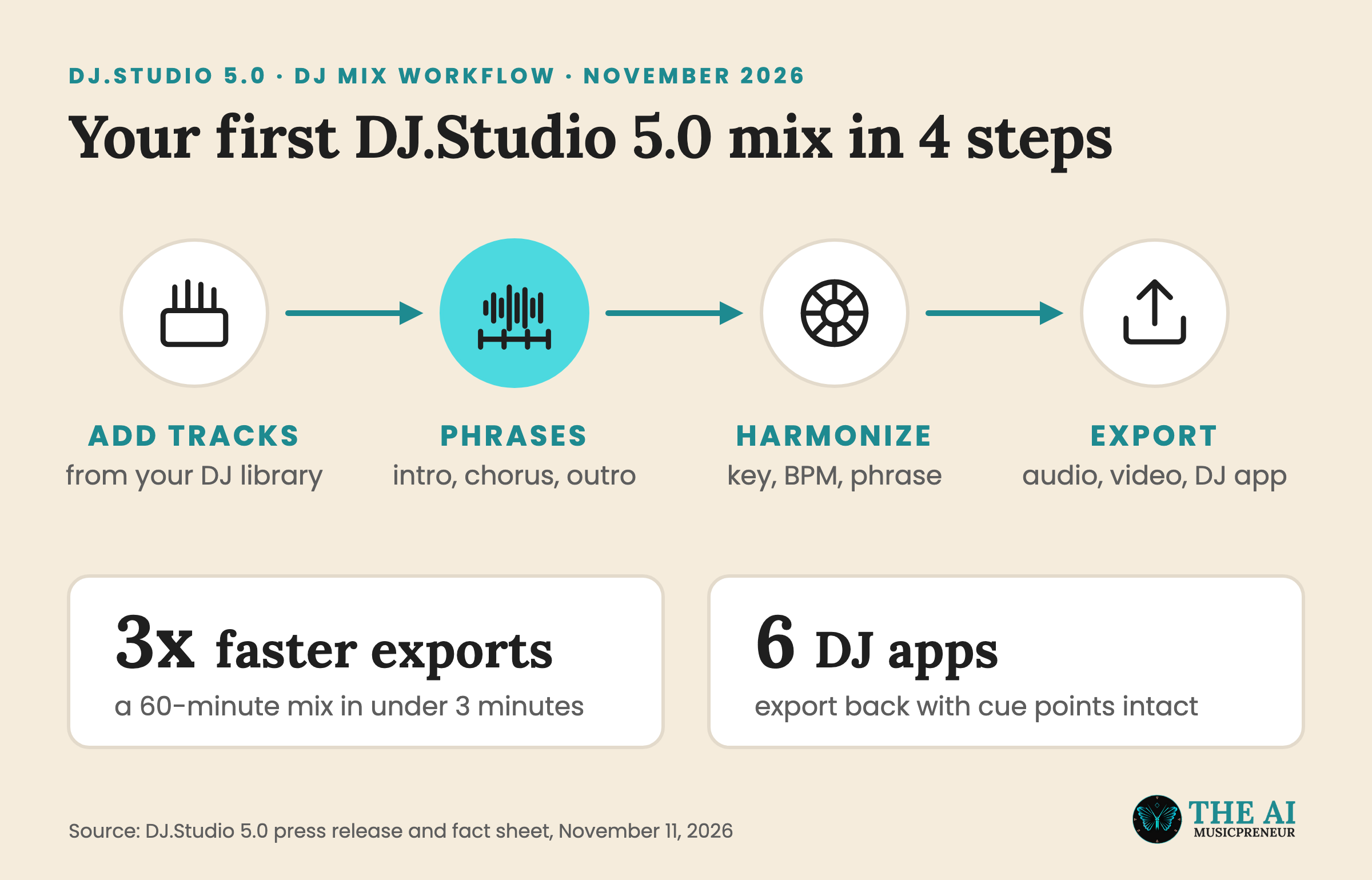
And if you’d rather watch it move, this is DJ.Studio’s own 5.0 walkthrough:
Phrase detection in DJ.Studio 5.0: why your transitions start on the phrase
A phrase works like a sentence in a track. If the next song comes in halfway through that sentence, the mix sounds off, even when the beats line up perfectly. That’s the idea behind phrasing, and it’s what most beginners get wrong first.
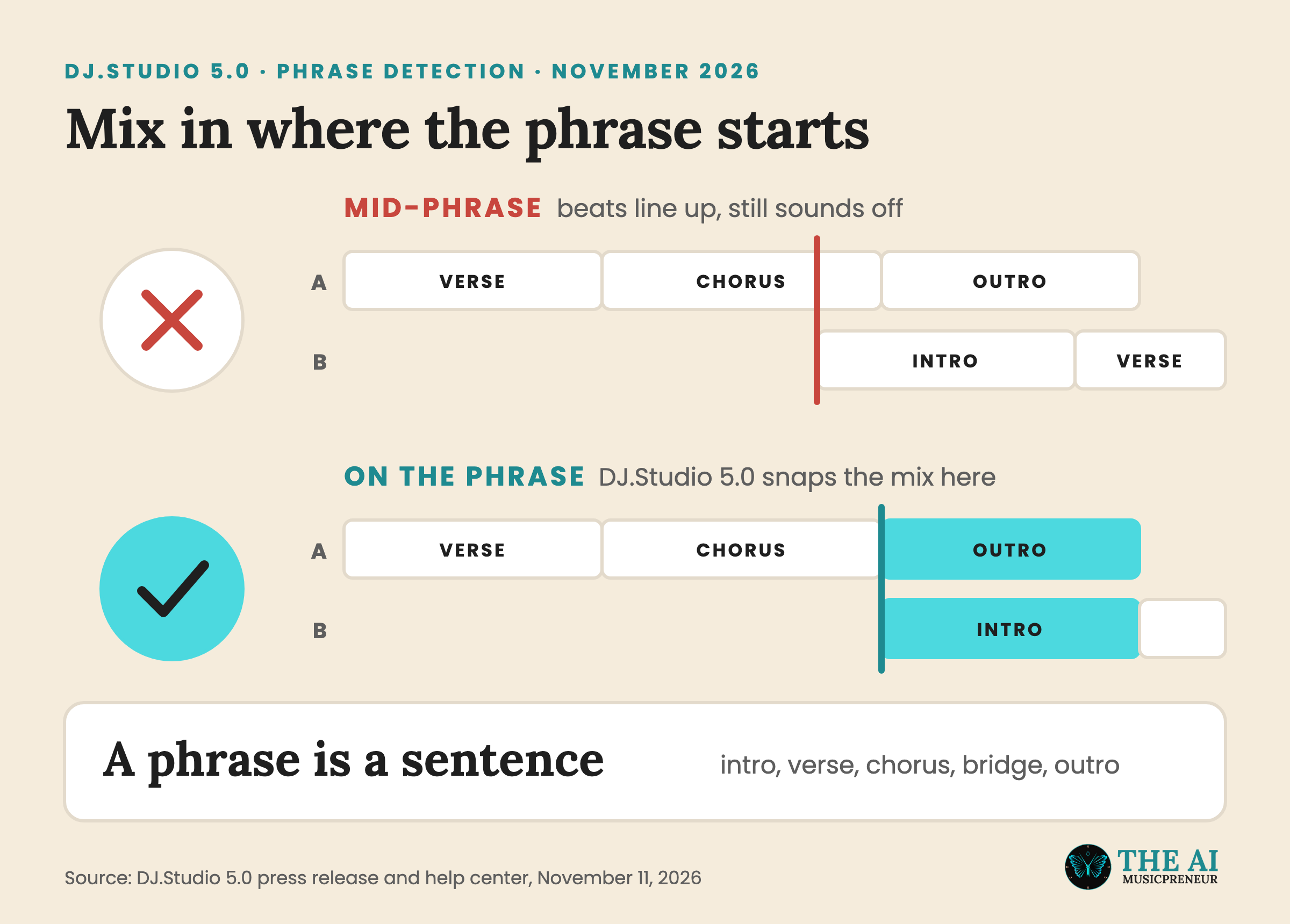
DJ.Studio 5.0 now analyses every track on import and splits it into intros, verses, choruses, bridges, buildups, drops and outros. The phrases show as a coloured bar under the waveform, so you see where to mix in instead of setting cue points by hand.
The editor snaps to those phrases, the way a DAW snaps to bars. And it’s not locked: right-click a phrase to edit, split, delete or relabel it. If you trust your rekordbox phrase analysis more, you can switch DJ.Studio’s own detection off, according to the DJ.Studio help center.
-
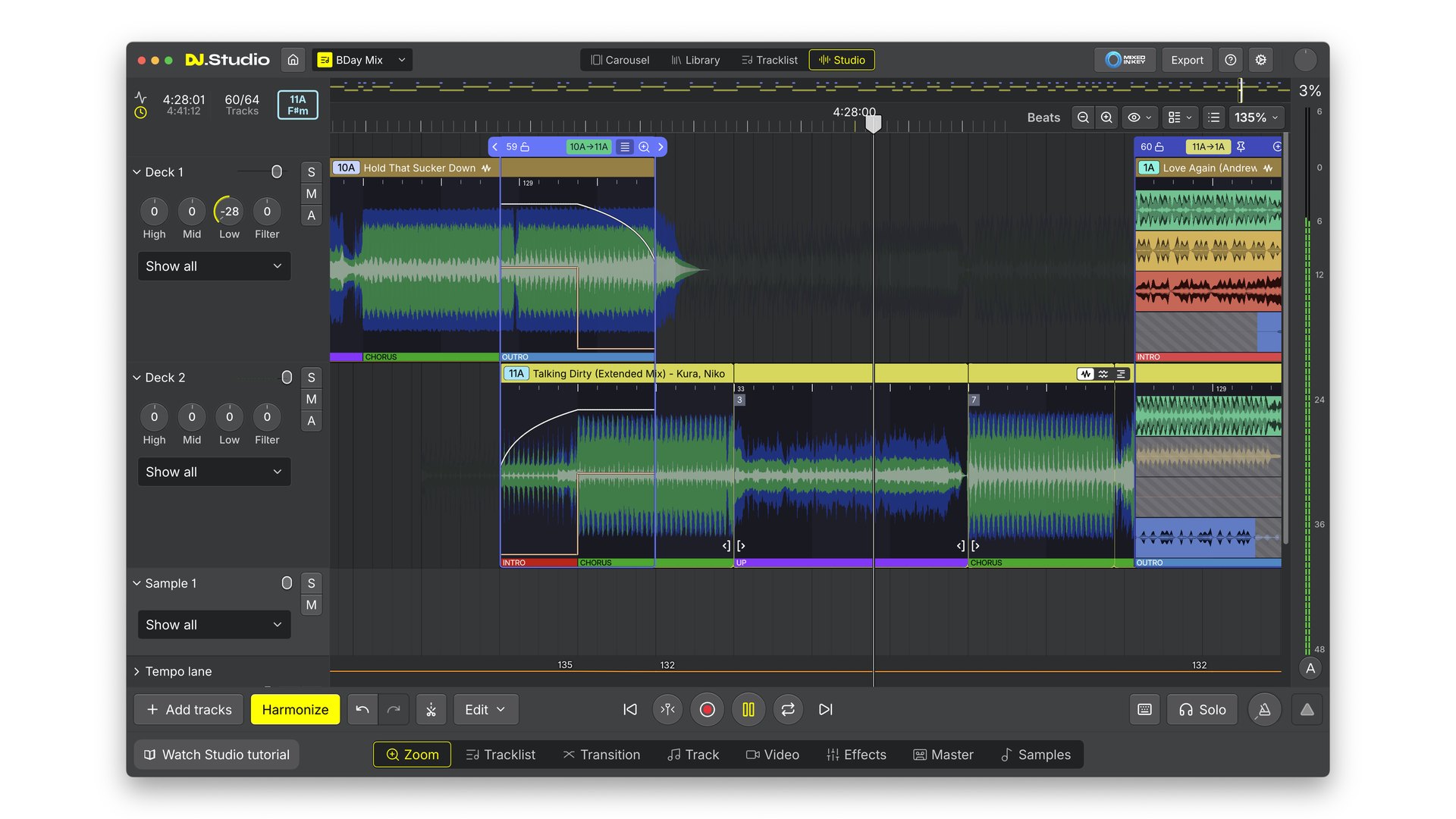
Phrase bar: every section is labelled under the waveform, and the editor snaps to it. Screenshot: DJ.Studio
-
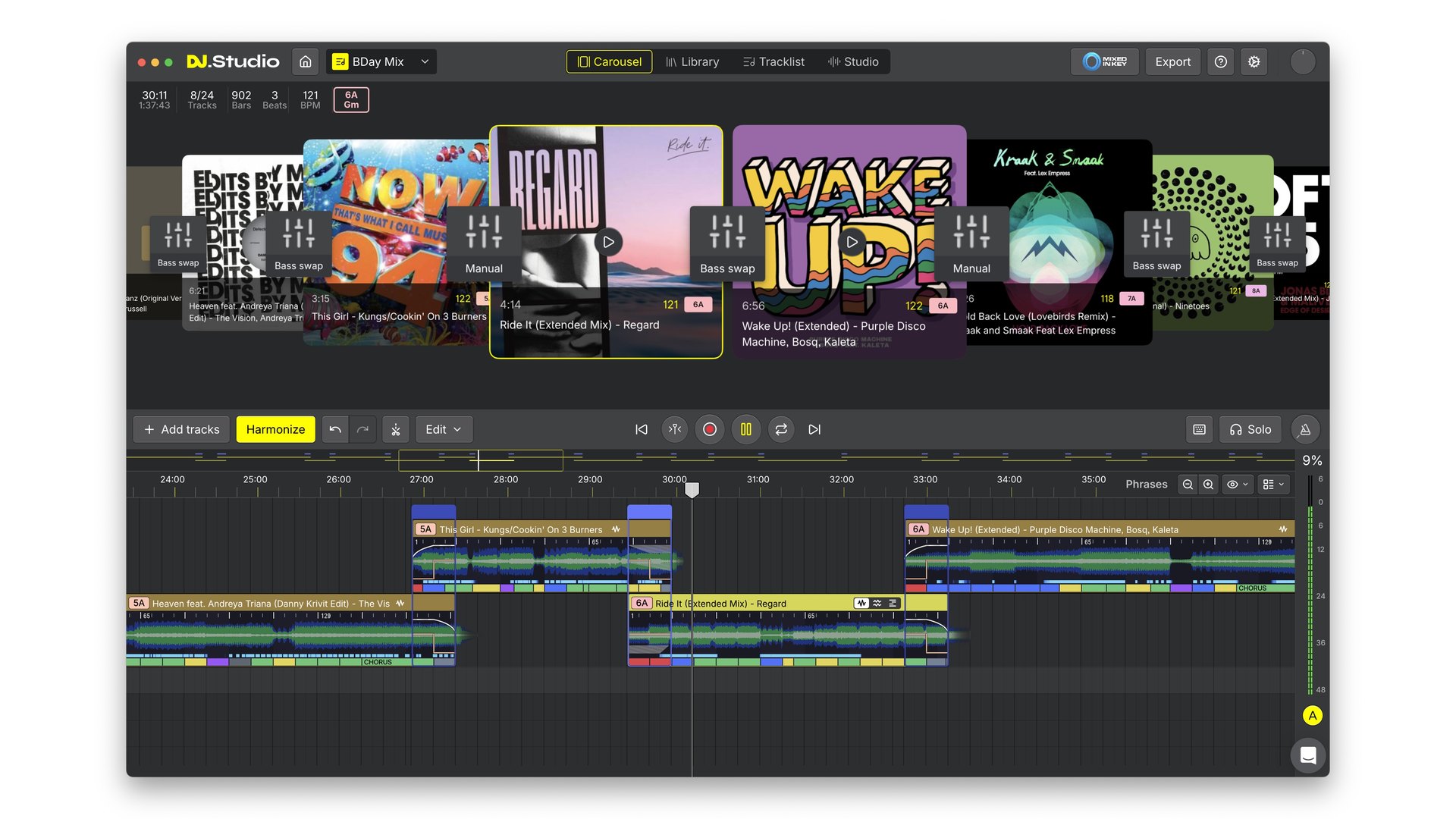
Carousel view: cover art up top, colour-coded phrases on the timeline below. Screenshot: DJ.Studio
-
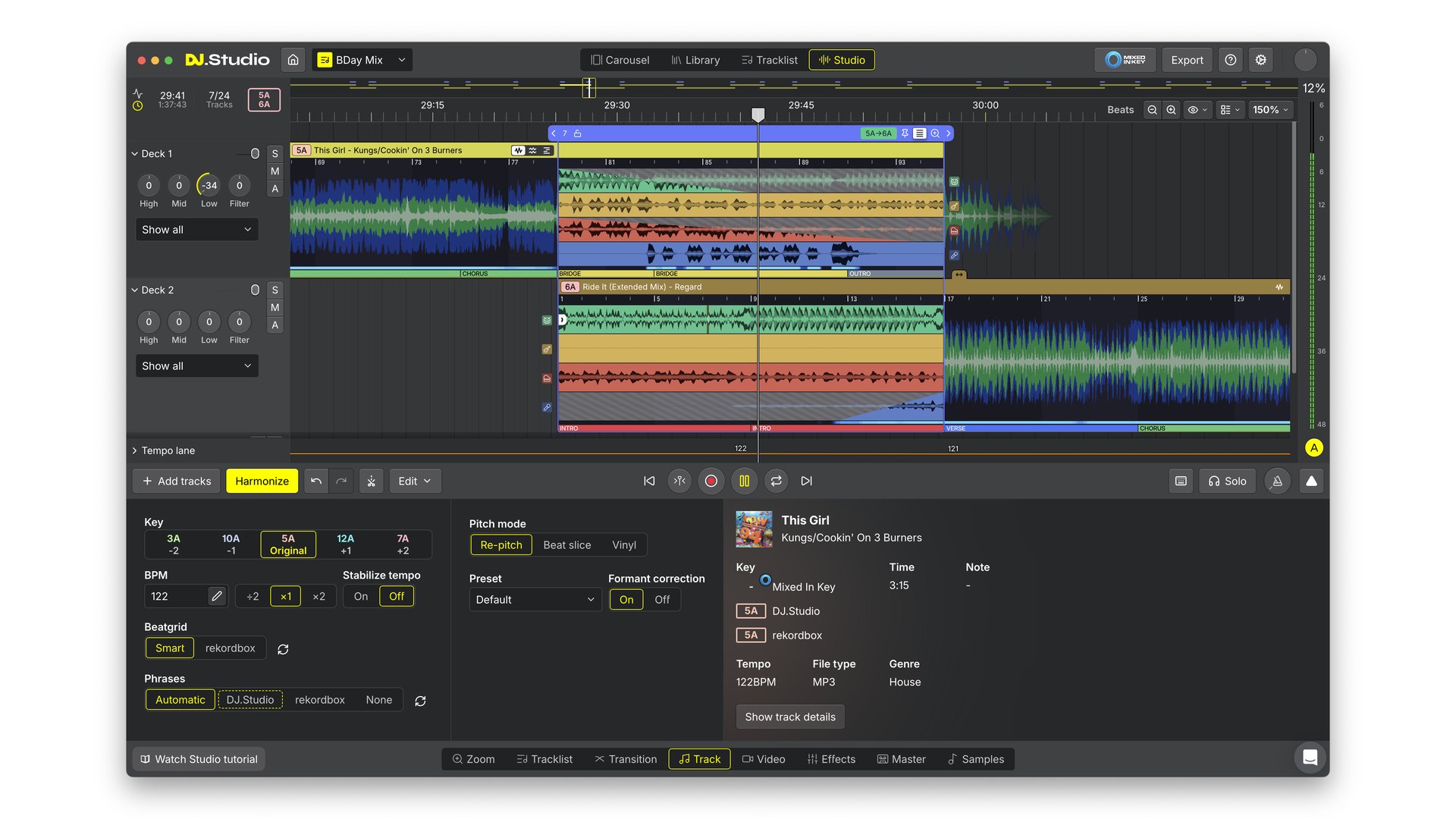
Track tab: pick the phrase source (Automatic, DJ.Studio, rekordbox or None) per track. Screenshot: DJ.Studio
The start of a phrase is where your cue point belongs, and DJ.Studio 5.0 now shows you exactly where that is, at a glance.
Harmonize and Smart Beatgrid: how DJ.Studio 5.0 orders and locks your tracklist
Harmonize is the button that orders your tracklist for you, by key and BPM. Spotify does a light version of this with Smart Reorder, but DJ.Studio builds the actual transitions too.
What’s new in 5.0 is where those transitions sit. Harmonize now mixes on overlapping intros and outros, so every blend starts on a phrase. On Auto, the transition follows the intro and outro of each track, between 2 and 16 bars, and you can still set a fixed length of up to 64 bars.
You also pick how bold the key changes get:
- Mood allows bigger key jumps that lift the energy, which DJ.Studio recommends for a studio mix you fine-tune.
- Fuzzy sticks to closely related keys, which DJ.Studio recommends for preparing a live set.
- Descending tempo is new, for late-night sets where the energy needs to come down.
The Smart Beatgrid keeps all of this on the beat. It finds the first beat more precisely and stays locked when a track’s tempo drifts, which happens a lot in older and live-recorded songs.
-
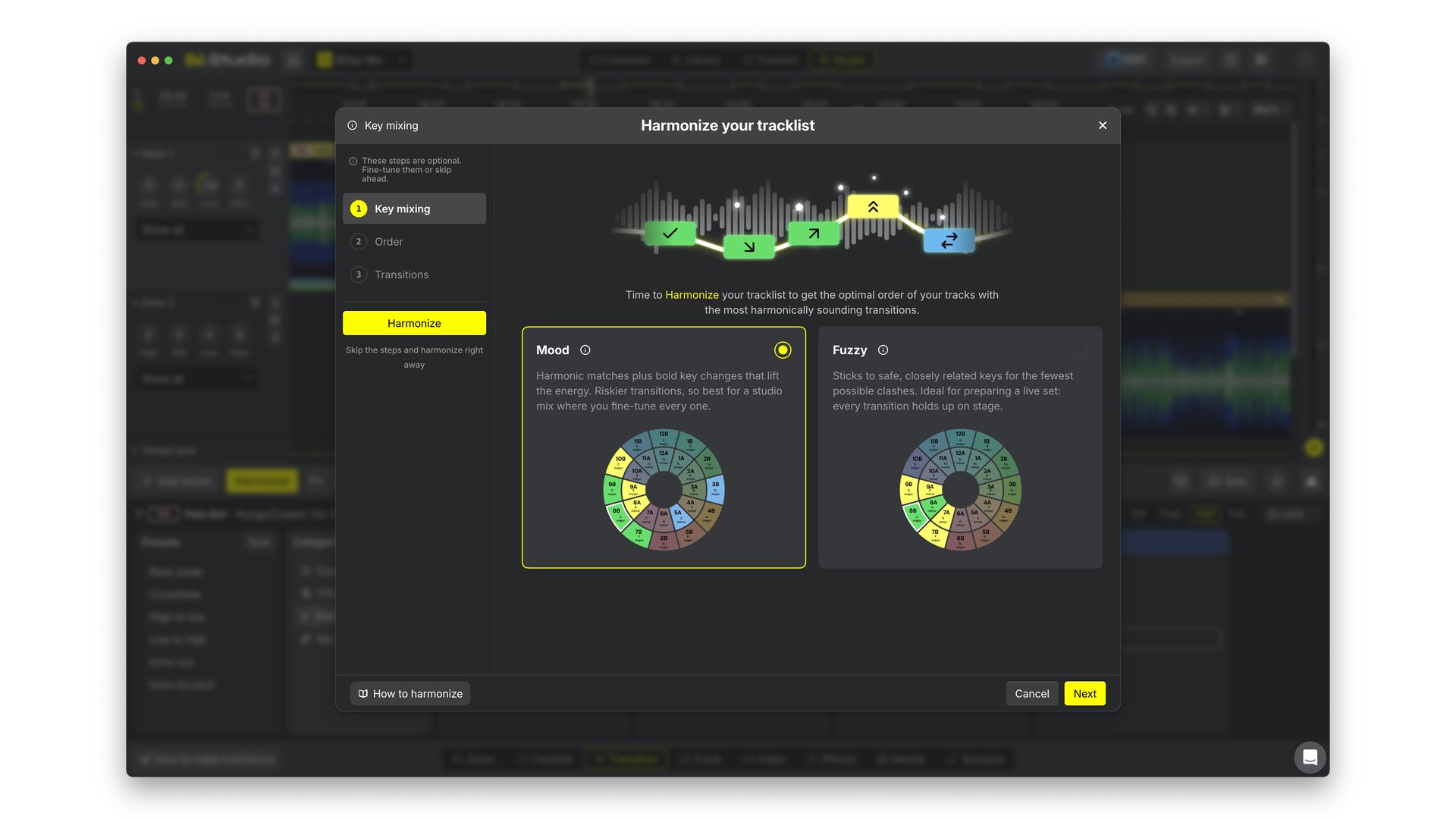
Harmonize: Mood for a studio mix, Fuzzy for a live set. Screenshot: DJ.Studio
-
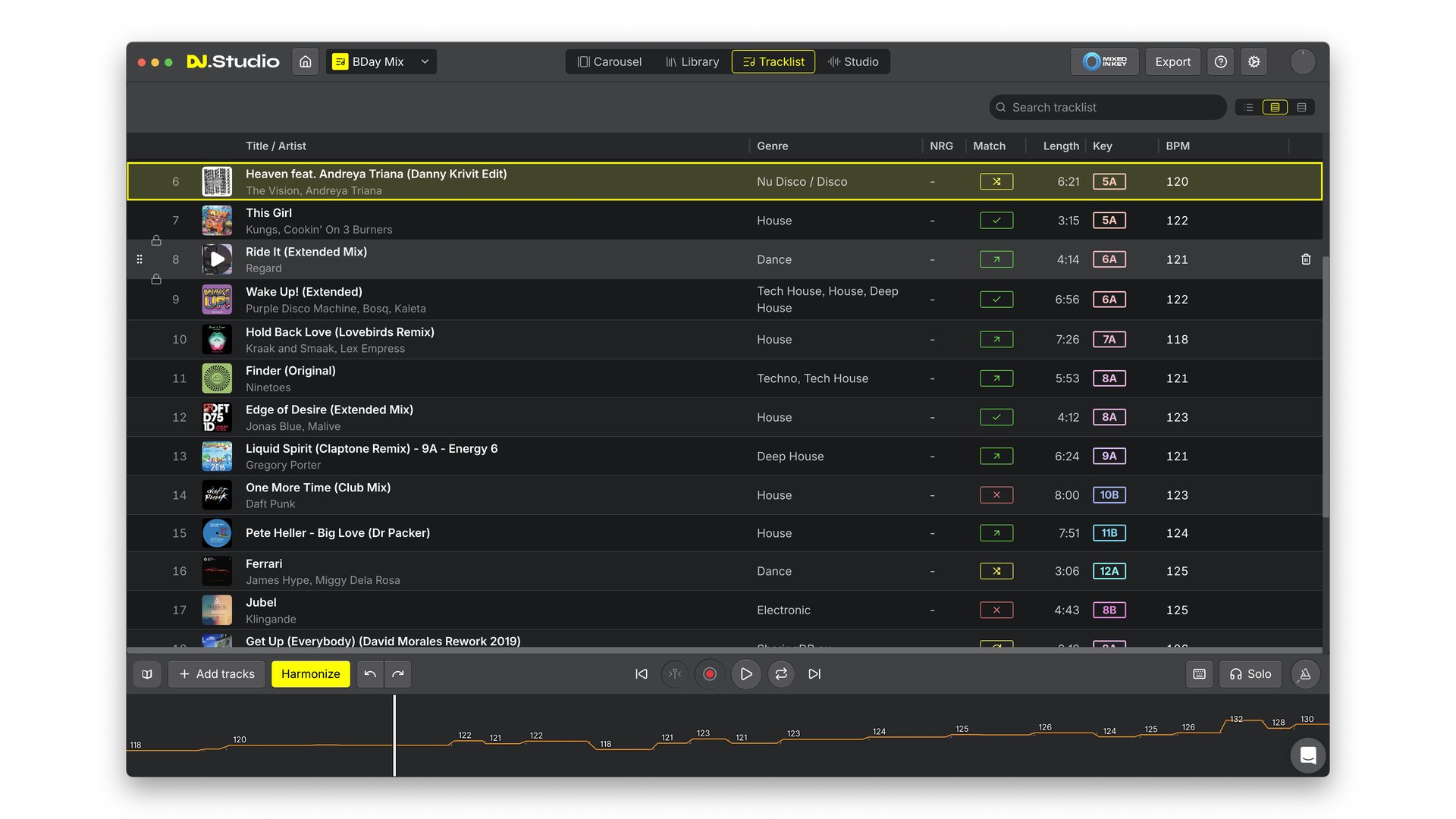
Tracklist: key, BPM and a match check for every transition, with the tempo curve below. Screenshot: DJ.Studio
-
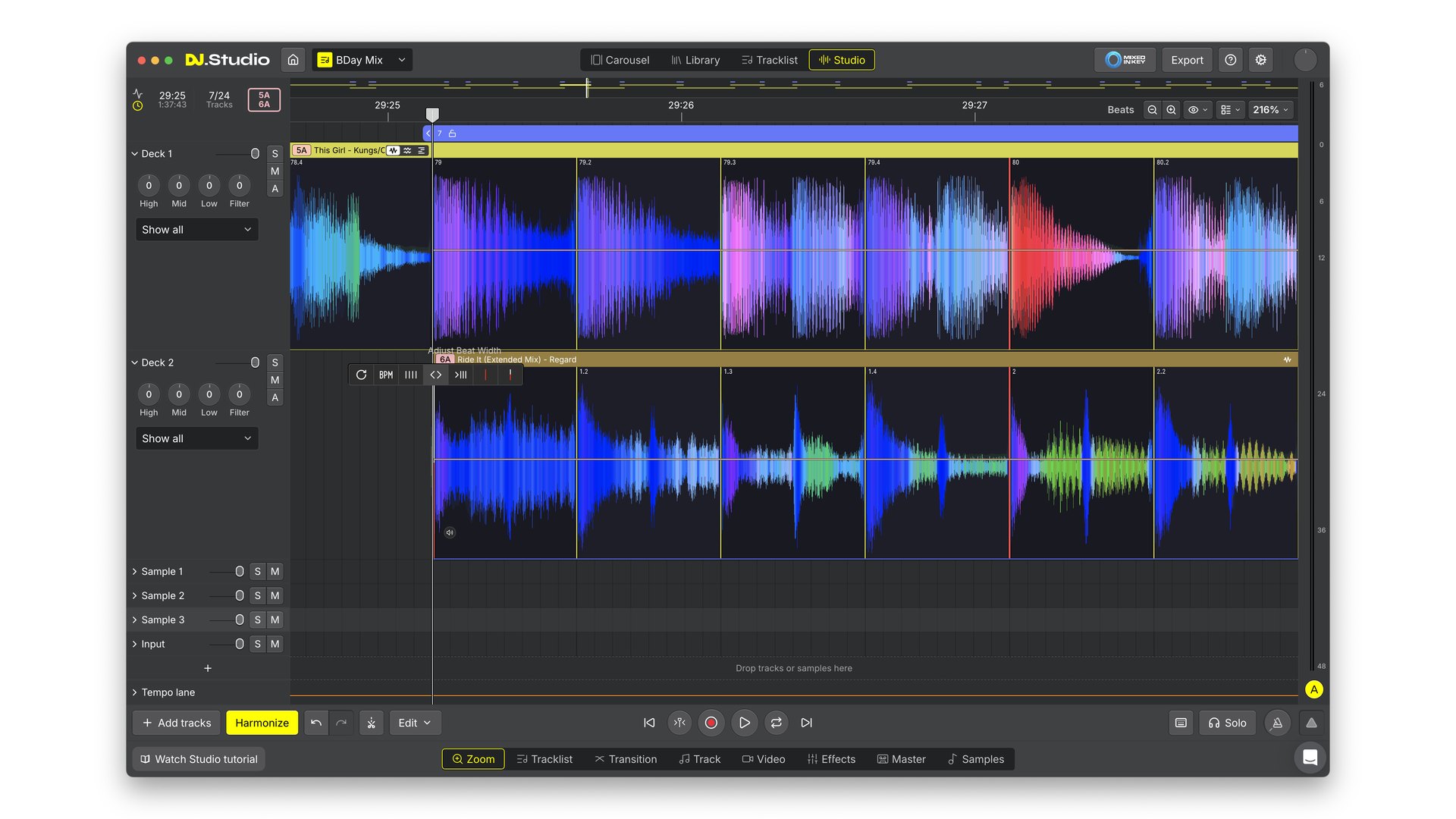
Smart Beatgrid: zoomed in on two tracks, with the grid locked to each beat. Screenshot: DJ.Studio
Stems, samples and mashups in DJ.Studio 5.0
Every new project starts with one choice: a DJ Mix (a tracklist with transitions) or a Mashup (an open canvas).
Stem separation is built in. If you’re new to the term, here’s what stems are. In a transition, you decide per stem what happens to the drums, bass, melody and vocals: none, swap, crossfade or full. That’s how you do a clean bass swap without touching an EQ knob.
Mashups got the biggest upgrade. You now get up to 10 sample lanes instead of 3, a free sample library plus Loopcloud, and the Input Lane, so you can record a voice-over straight into the mashup. If your computer is older, a Preview quality setting makes stems lighter while you edit, and exports stay in high quality.
-
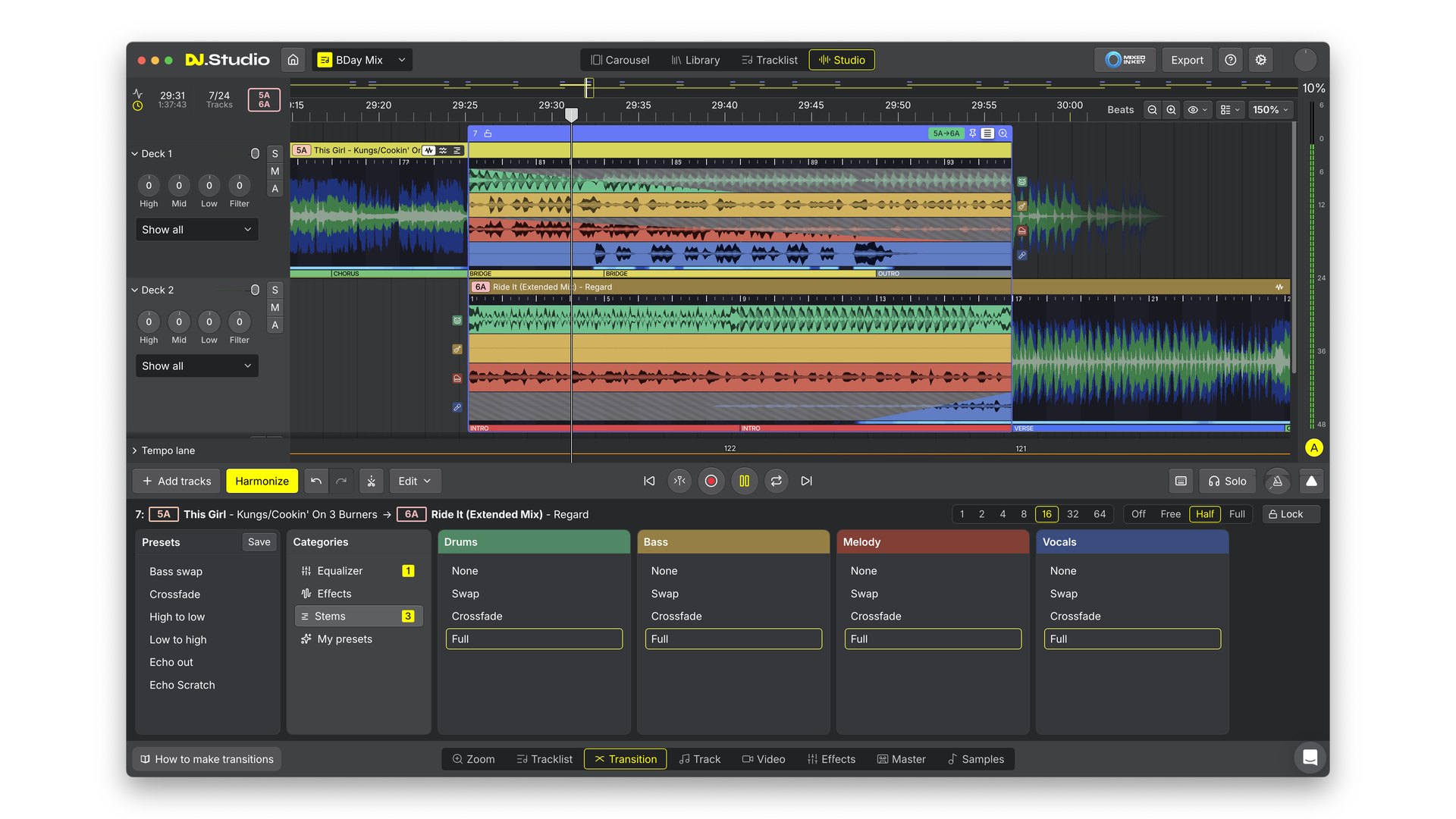
Transition tab: none, swap, crossfade or full for each of the 4 stems. Screenshot: DJ.Studio
-
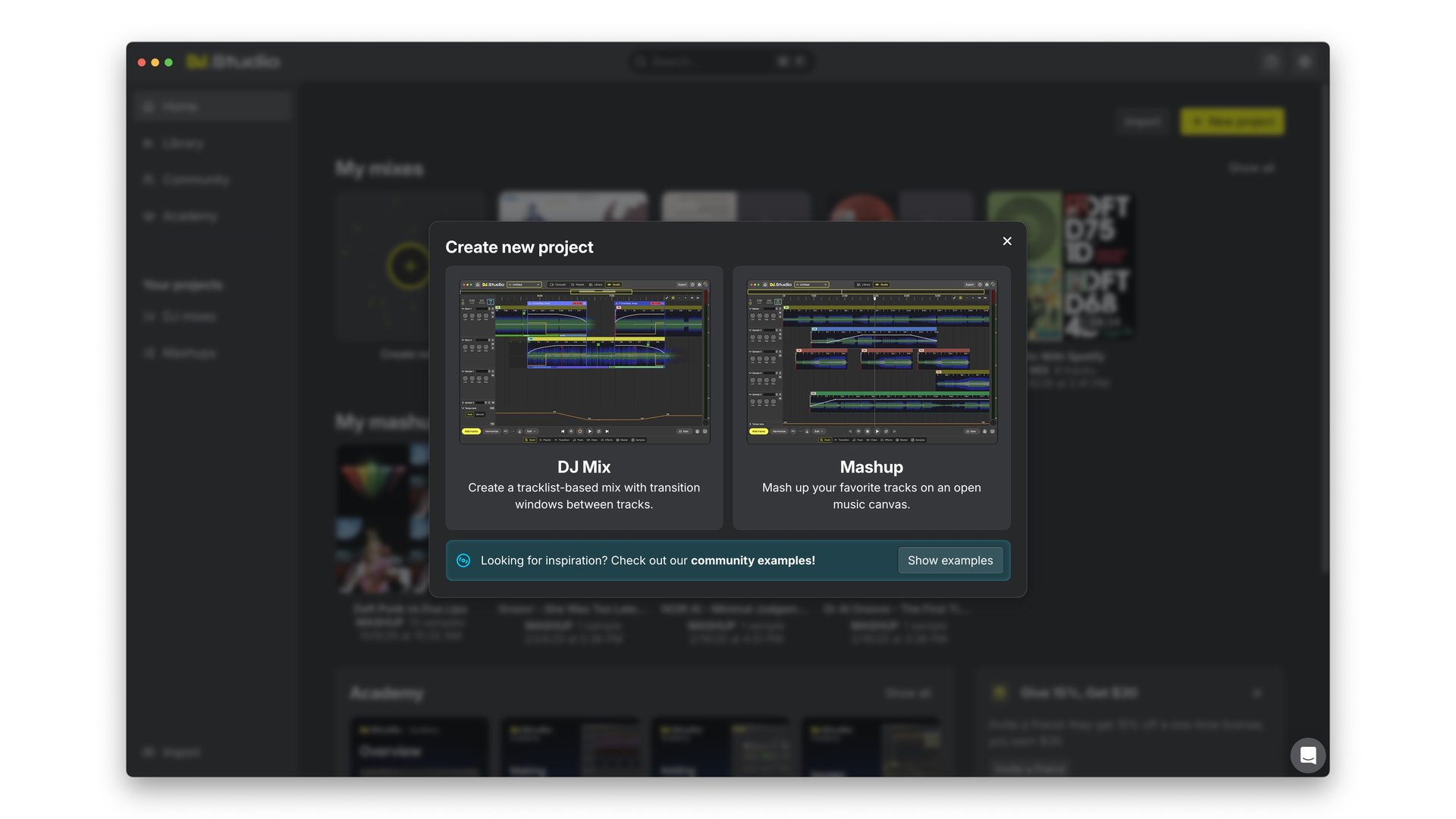
New project: DJ Mix for a tracklist, Mashup for an open canvas. Screenshot: DJ.Studio
-
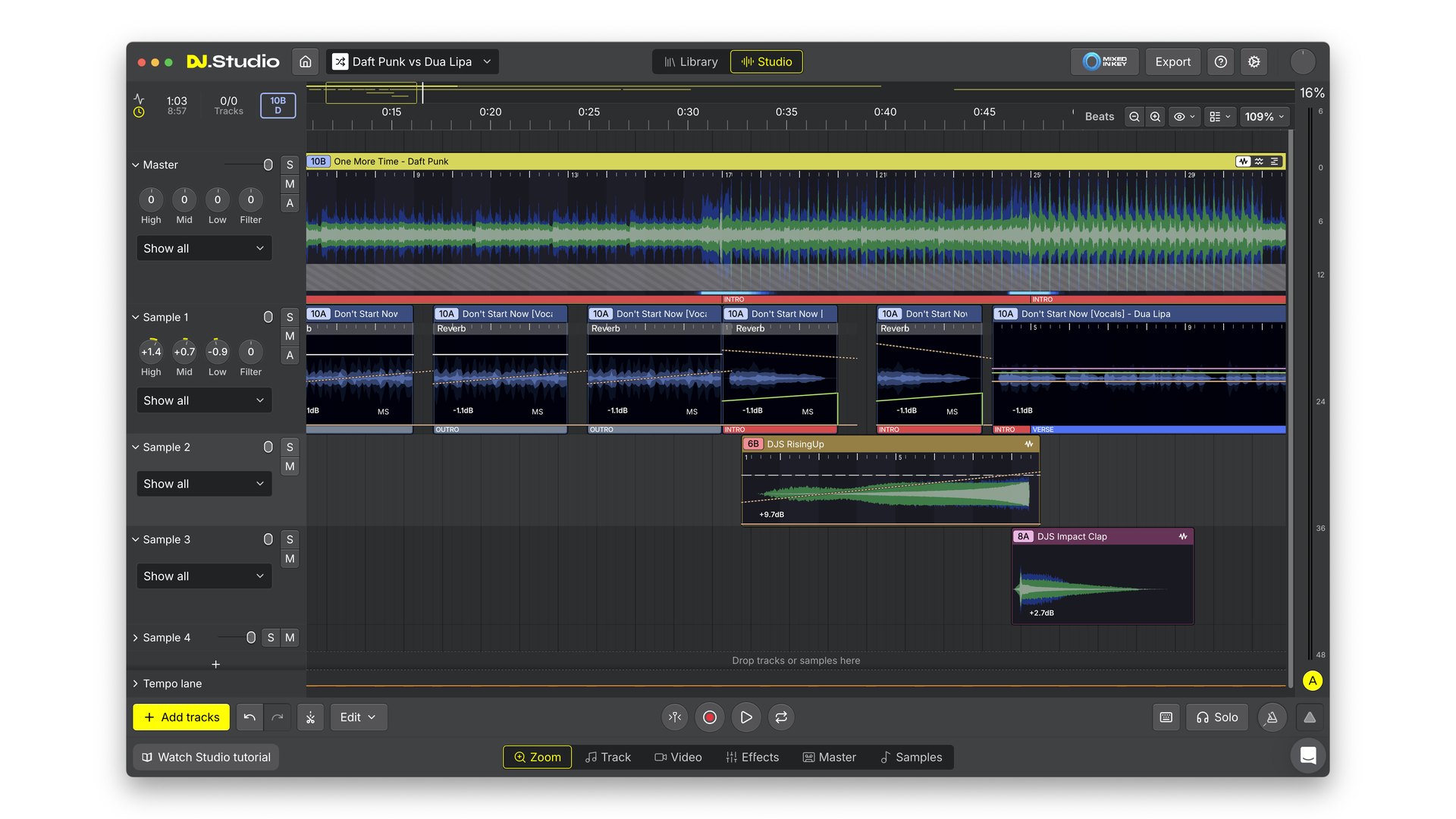
Mashup: one track, chopped vocals and samples stacked on separate lanes. Screenshot: DJ.Studio
-
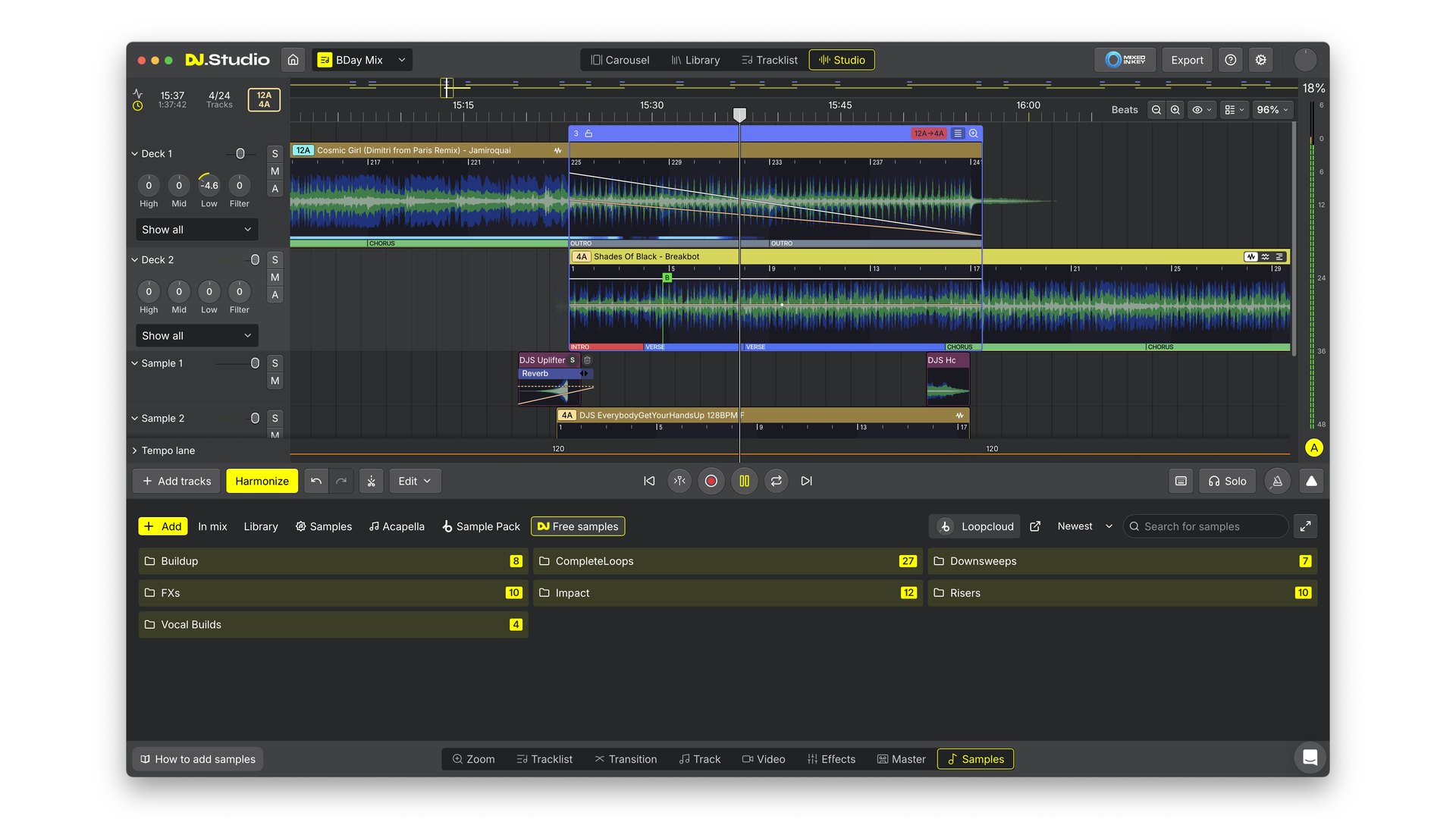
Samples: free risers, impacts and loops, plus Loopcloud. Screenshot: DJ.Studio
-
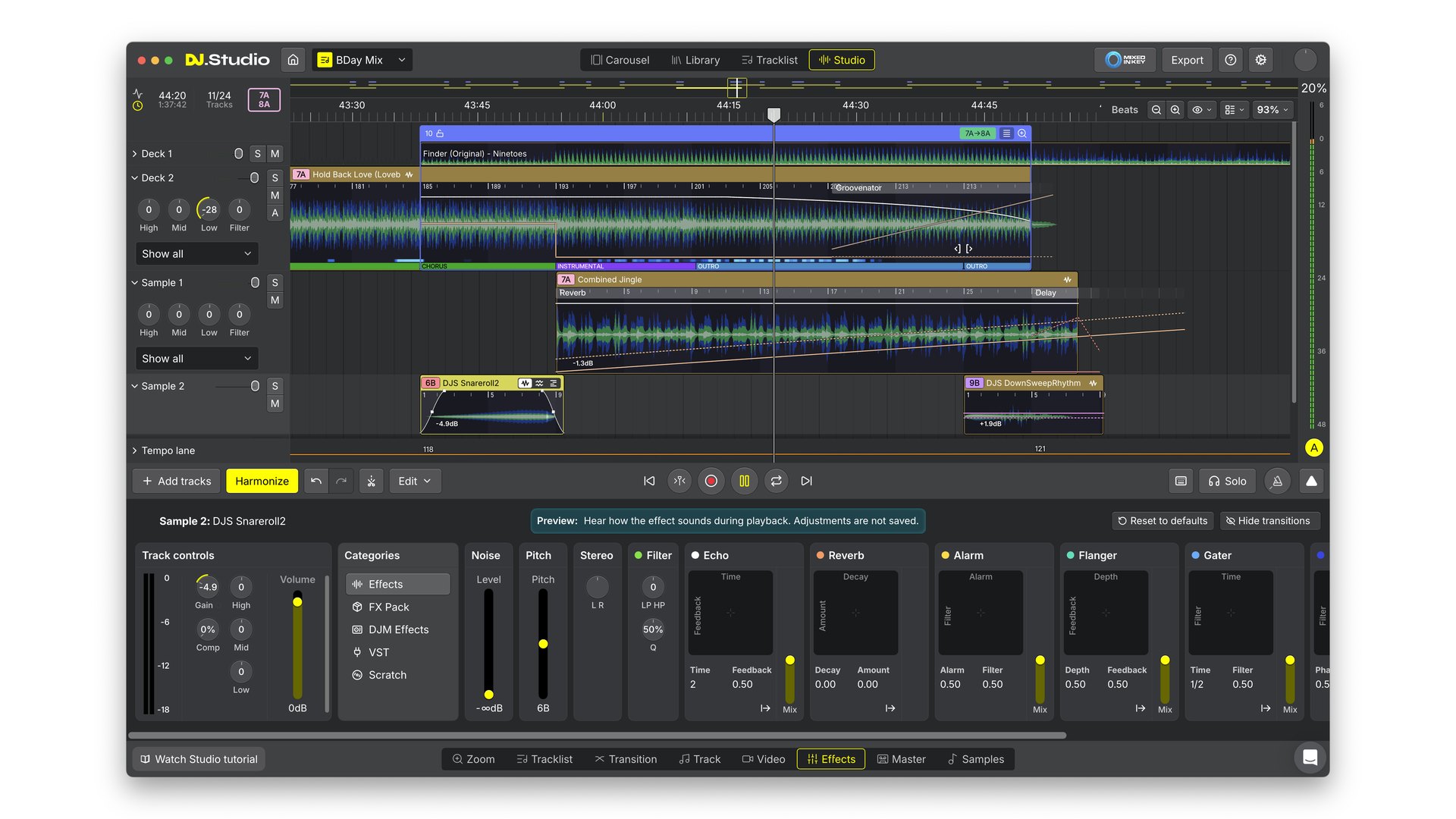
Effects: echo, reverb, flanger and more on any track or sample. Screenshot: DJ.Studio
-
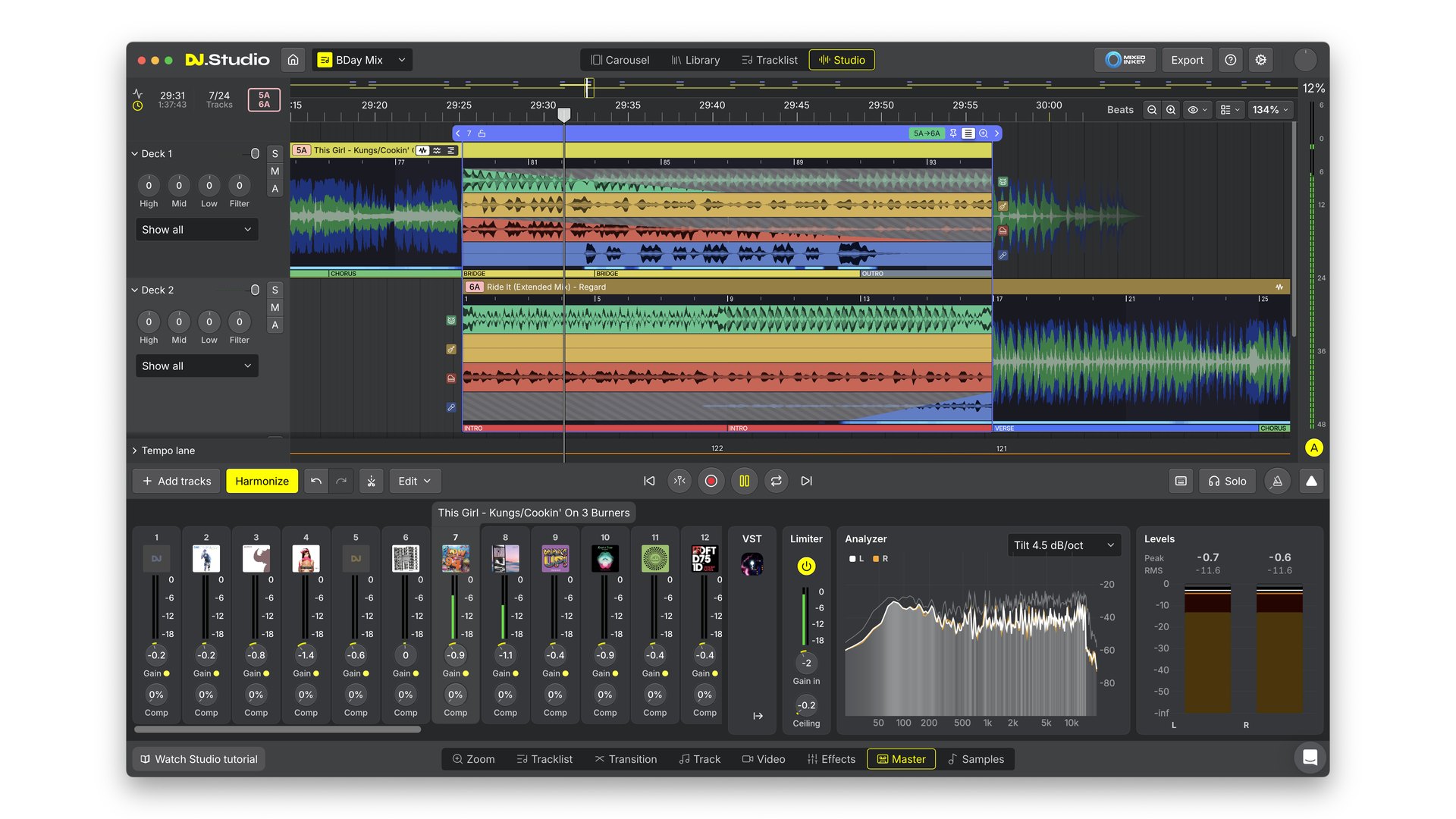
Master: gain per track, a limiter and an analyzer before you export. Screenshot: DJ.Studio
If you want to split stems outside a DJ app as well, my test of the best AI stem splitters covers 7 of them, and these remixing tips for DJs show what to do with the parts.
One library in, 6 DJ apps out: what DJ.Studio 5.0 connects to
DJ.Studio 5.0 pulls your tracks and playlists from rekordbox, Serato DJ Pro, Traktor, Engine DJ, djay Pro, VirtualDJ, Mixed In Key and Apple Music into one library. It also browses the folders on your computer, imports M3U files and streams from Beatport.
The Library home doubles as a crate-digging page, with charts from Apple Music, Billboard, Shazam, Beatport, Beatsource, Crate Hackers and 1001Tracklists. One detail for Spotify users: DJ.Studio doesn’t mix your Spotify playlist directly, it converts it into Beatport tracks.
When the mix is done, you have 4 ways out:
- A DJ set back to all 6 DJ apps, now including Traktor and Engine DJ, with cue points and Smart Beatgrids intact.
- An audio file as MP3, WAV or FLAC, or a video with a YouTube tracklist.
- A direct upload to Mixcloud.
- An Ableton Live project, if you want to finish the mix in a DAW like Ableton Live 13.
And if you still have old MixMeister projects, 5.0 opens them complete, with transitions, tempo and volume curves, cue points and effects.
-
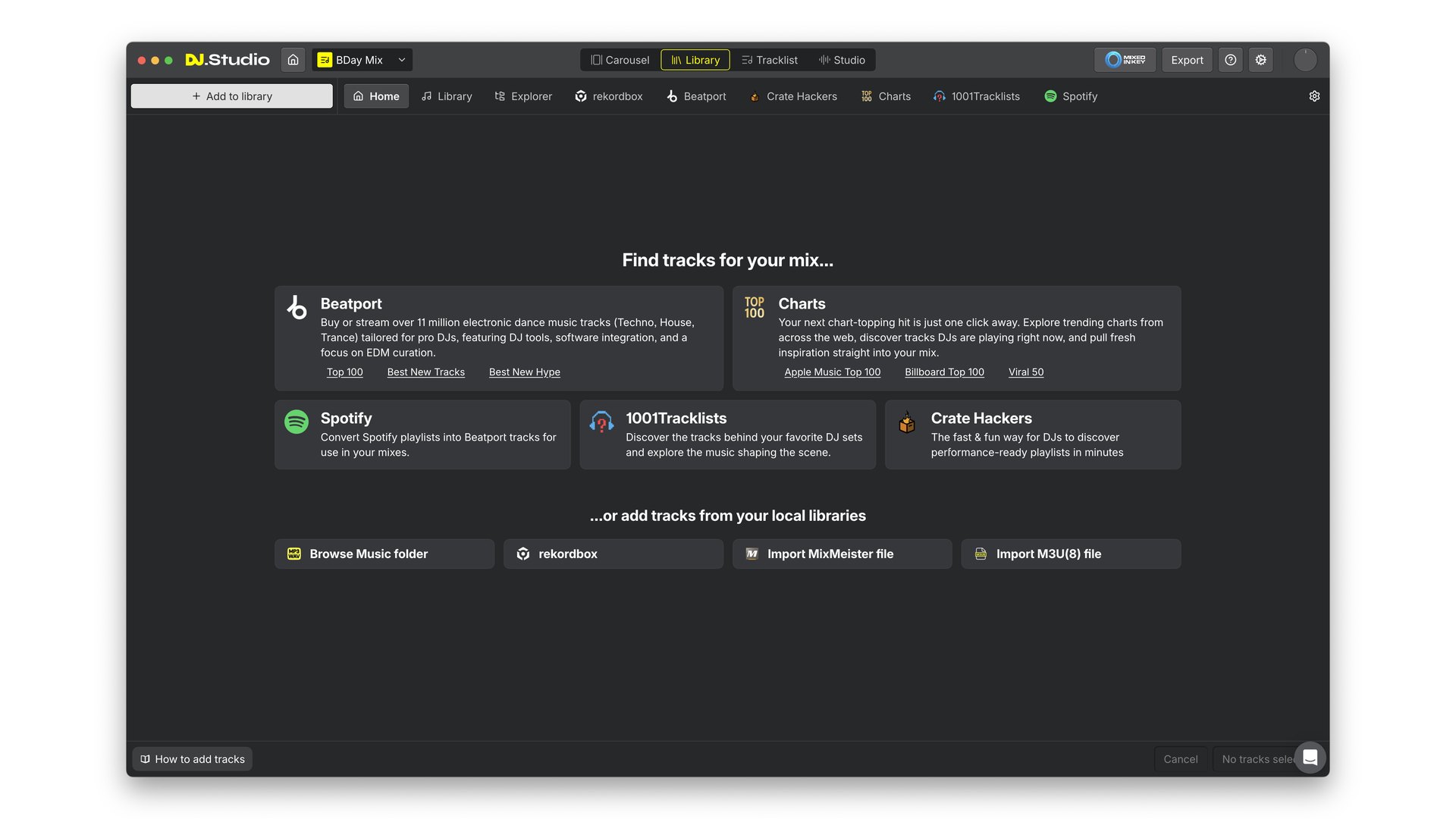
Library: stream from Beatport or add tracks from rekordbox, a folder or a MixMeister file. Screenshot: DJ.Studio
-
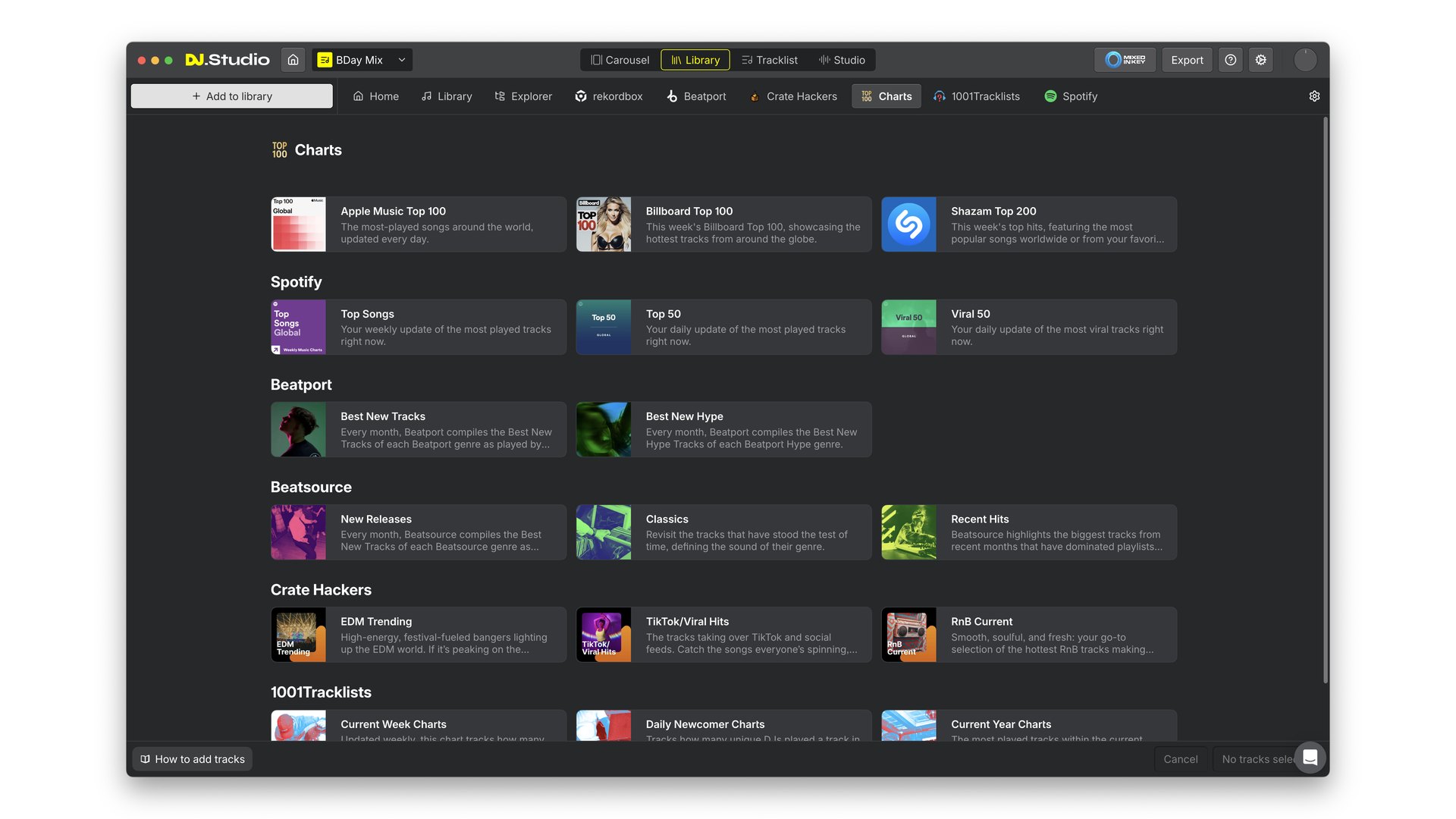
Charts: what's being played right now, one click from your mix. Screenshot: DJ.Studio
-
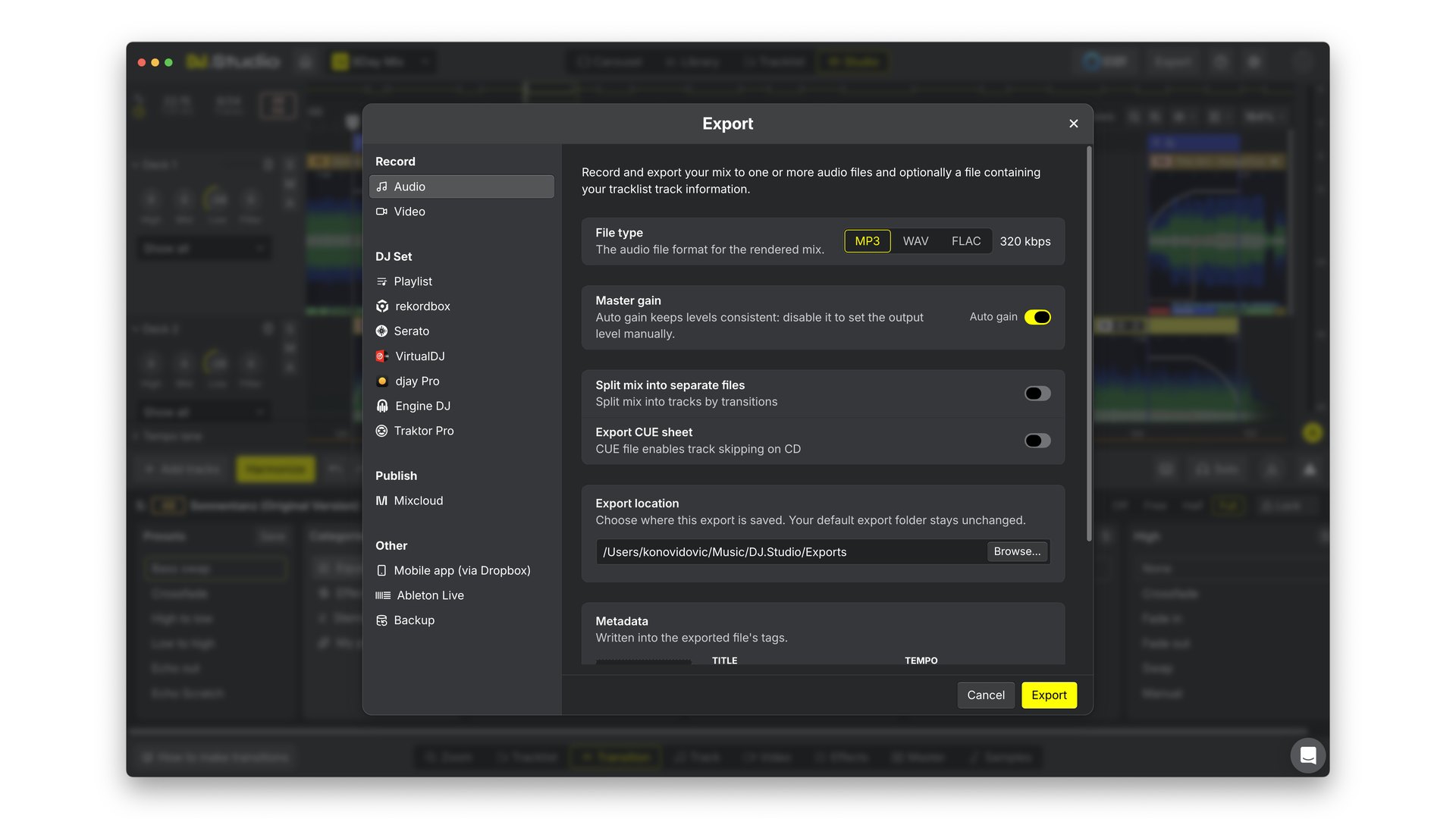
Export: audio, video, 6 DJ apps, Mixcloud or Ableton Live. Screenshot: DJ.Studio
DJ.Studio 5.0’s rebuilt C++ engine and new interface
The whole core of DJ.Studio was rewritten around a new audio engine built natively in C++. DJ.Studio says it uses far less processor power and memory, so the app feels quick even on older laptops.
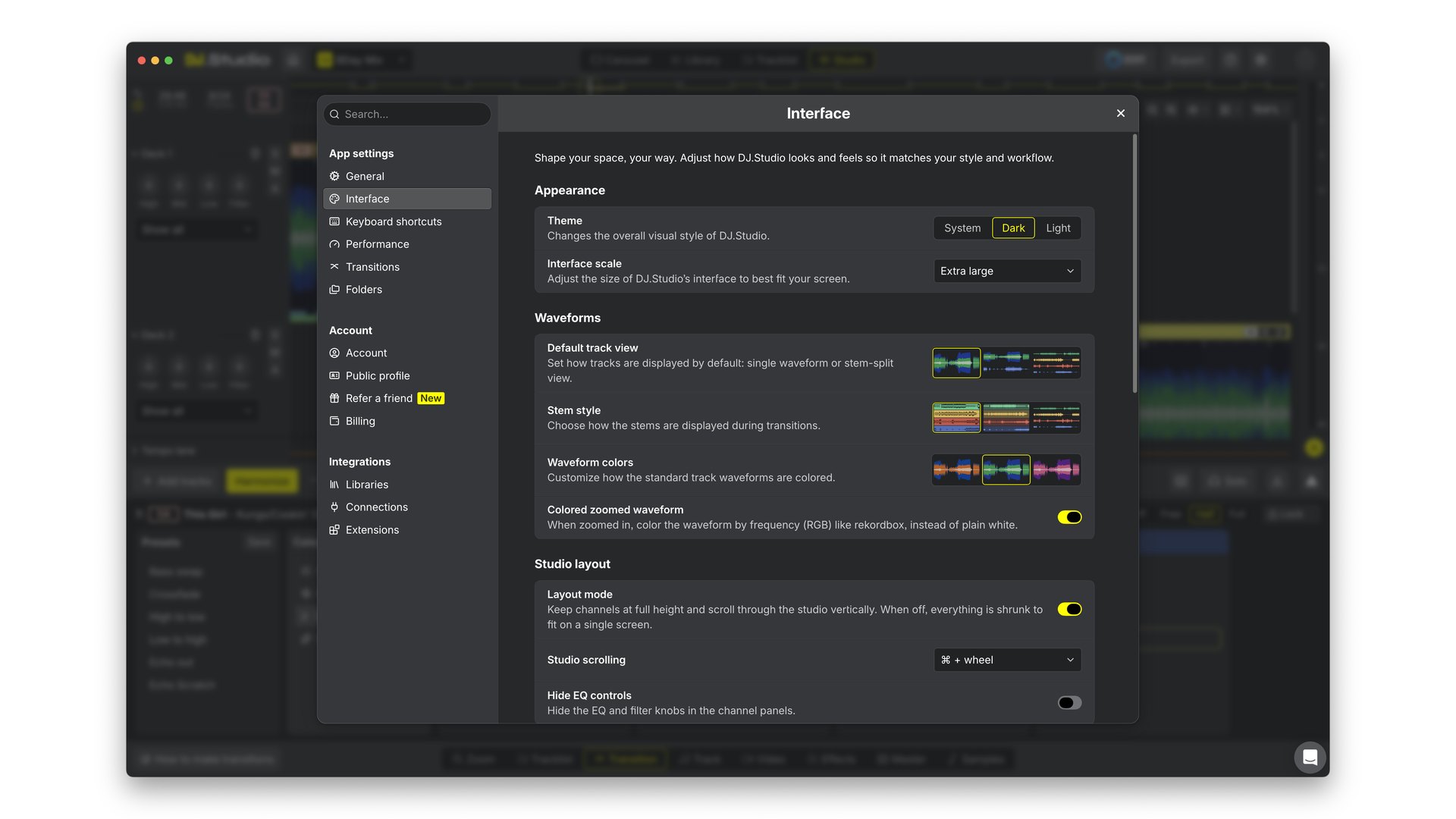
The interface got a refresh at the same time: light and dark modes, interface scaling to fit your screen, and colour-coded RGB waveforms when you zoom in, the way rekordbox shows them. The full list of changes sits in the DJ.Studio 5.0 release notes.
DJ.Studio 5.0 upgrade and free trial: what existing and new users pay
Because the whole app was rebuilt, the 7-day free trial is open to everyone, including people who already tried DJ.Studio before.
If you already own DJ.Studio, here’s what 5.0 costs you:
- Nothing, if your update package is still active.
- $49 for 1 extra year of updates and support, if your update package has run out.
New users pick between one-time licenses, starting at $99, and $29 a month for Pro+Stems. I list every plan and what it adds on my DJ.Studio plans and pricing page.
DJ.Studio 5.0 is out now for Windows and macOS at dj.studio/50. Load a playlist you already know well into the trial, hit Harmonize, and listen to where the transitions land. That’s the fastest way to hear what phrase detection actually changes.
Frequently asked questions
Is DJ.Studio 5.0 a free upgrade for existing users?
Yes, if your update package is still active. Without one, DJ.Studio sells 1 extra year of updates and support for $49, which includes 5.0. Because the app was rebuilt, the 7-day free trial is also open again to people who tried DJ.Studio before.
Is DJ.Studio 5.0 the same as the DJ Studio 5 Android app?
No. DJ.Studio 5.0 is desktop software for Windows and macOS, made by DJ.Studio in Leeuwarden, the Netherlands, and the name is written with a dot. DJ Studio 5 on Android is a separate mobile DJ app from a different developer.
Does DJ.Studio 5.0 use AI for phrase detection?
Yes. DJ.Studio says it uses AI in 2 places: its own new phrase detection, which finds intros, verses, choruses and other sections on import, and the built-in stem separation. The DJ keeps every decision, because every detected phrase can be edited, split, deleted or relabelled.
Can DJ.Studio 5.0 use rekordbox phrase analysis instead of its own?
Yes. DJ.Studio 5.0's own phrase detection is on by default, but you can switch it off under Settings, Interface, Phrases and use rekordbox phrases instead. The Track tab also lets you pick the phrase source per track: Automatic, DJ.Studio, rekordbox or None.
Can DJ.Studio 5.0 open old MixMeister projects?
Yes. DJ.Studio 5.0 imports complete MixMeister projects with transitions, tempo and volume curves, cue points and effects intact, so former MixMeister users can keep working on their old mixes.
About the author
Covering AI music tools, industry shifts, and news for music creators and professionals. Twice-weekly newsletter at aimusicpreneur.com.