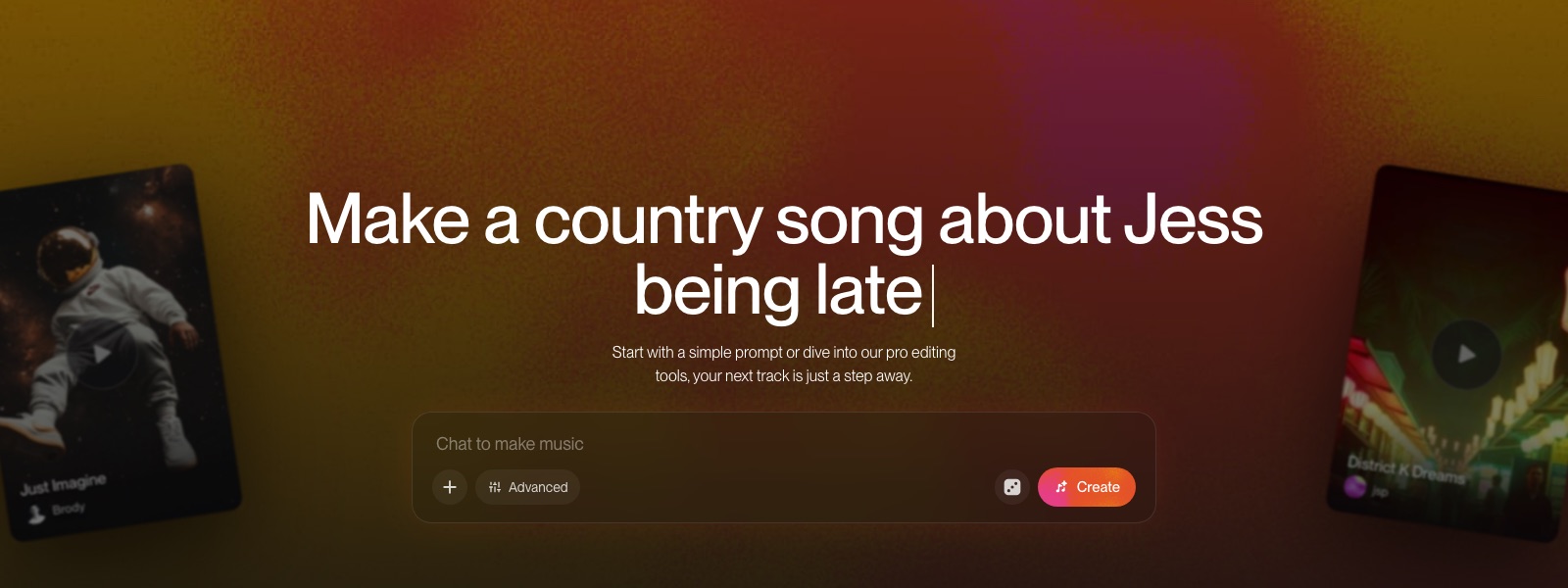
How to use Suno MCP in Claude, ChatGPT, Gemini and VS Code, with prompts for video, ad and podcast music
My stack My fav 6 tools for AI music after testing 70+
-
 ElevenMusic · Music generation
 -
 Moises · Stem separation
 -
 Controlla · Voice swap & cloning
 -
 Cryo Mix · Mixing + mastering
 -
 Neural Frames · Music videos
 -
 ONCE · Distribution
Some links are affiliate links — I earn a commission at no cost to you. Every tool here is one I run myself and truly believe in. This stack is proven.
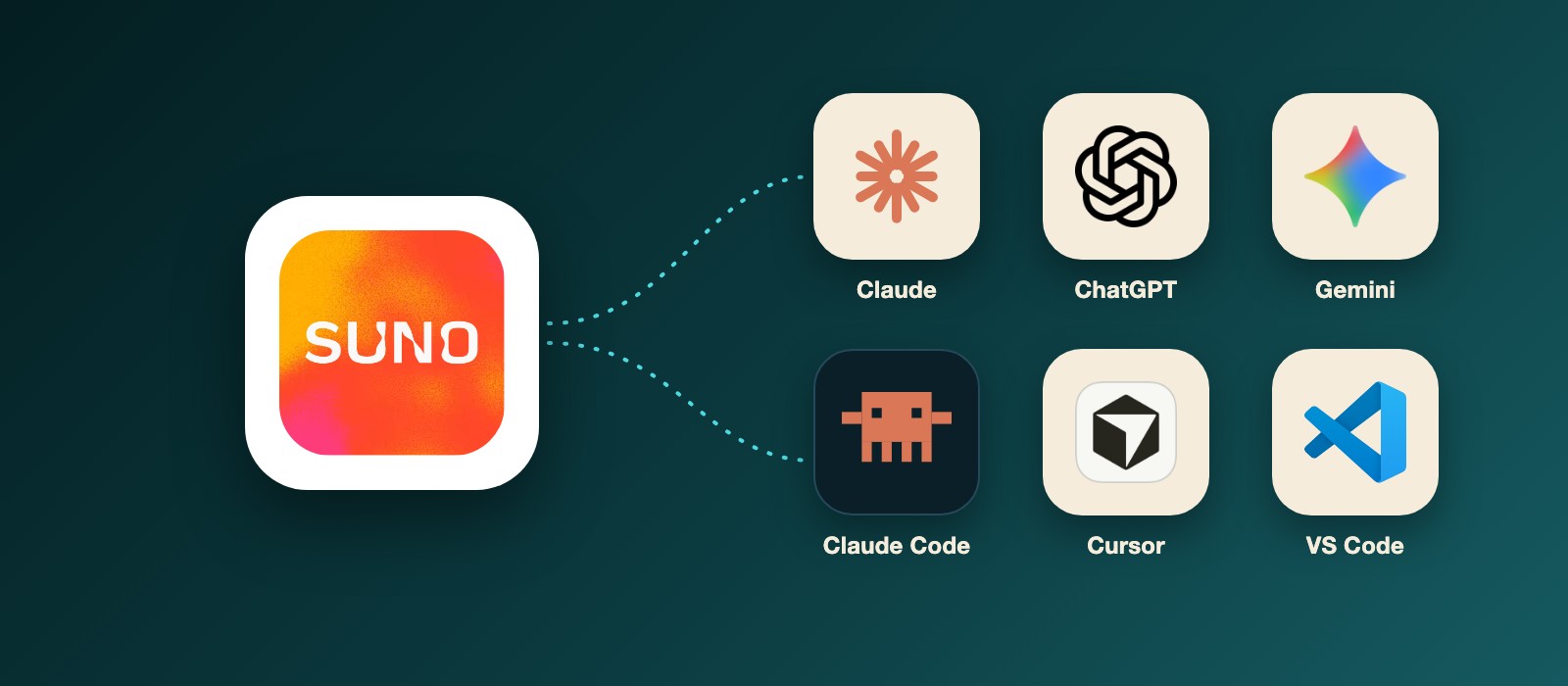
Suno MCP lets you make a song inside the chat where you already work, in Claude, ChatGPT, Gemini, Claude Code, Cursor or VS Code. You add one URL, https://api.suno.com/mcp, sign in to Suno once, and ask for the music in plain words. No API key.
Suno launched it as a beta on October 28, 2026. Songs use the credits on your Suno plan and save to your Suno library, according to Suno’s MCP page.
I set it up in Claude Code inside VS Code on October 30. Adding the server took one prompt. Suno approved my early access within an hour of me sending the form, and then the sign-in was one /mcp command in Claude Code and one click on Suno’s Authorize page. It works.
There’s no song of mine in this guide yet (I’ll add my first ones after a few sessions). What you get is the setup in 7 apps, with my own screenshots where I have them, and the prompts I’d use for video, ad, podcast, stream and game music. The motion graphics are illustrations, recreated from Suno’s setup guide and my own test.
Let’s get into it.
What you need before you use Suno MCP
You need 3 things:
- A Suno account. The Free plan works for making songs, but only Pro and Premier give you commercial rights on what you download.
- Early access. Suno MCP is a beta, and you request access through the form on suno.com/mcp.
- An AI app that takes custom MCP servers. Claude, ChatGPT, Gemini, Claude Code and Cursor are the ones Suno lists. VS Code works through Claude Code, GitHub Copilot or Codex.
One catch on that last point. Suno says some AI apps only let you add connectors on certain paid plans, so check your Claude, ChatGPT or Gemini plan before you start.
Once you have those, the next question is whether you need Suno MCP at all.
Why use Suno MCP in Claude or ChatGPT instead of suno.com?
If you just want a song, suno.com is still the better place. Suno Studio gives you sections, stems and edits that a chat can’t show you.
Suno MCP is for the moment you’re halfway through a project in Claude or ChatGPT and you need music for it. Suno puts it this way in its FAQ: your assistant “can use everything you’ve already discussed (lyrics, a project, a video plan) so you don’t have to re-explain your idea.”
And the chat is where a lot of editing now happens. DaVinci Resolve, Higgsfield and Riverside all have their own MCP servers now, so the video, the ad or the episode can already be in the same conversation. Until October 28, the music was the one part that meant leaving the chat.
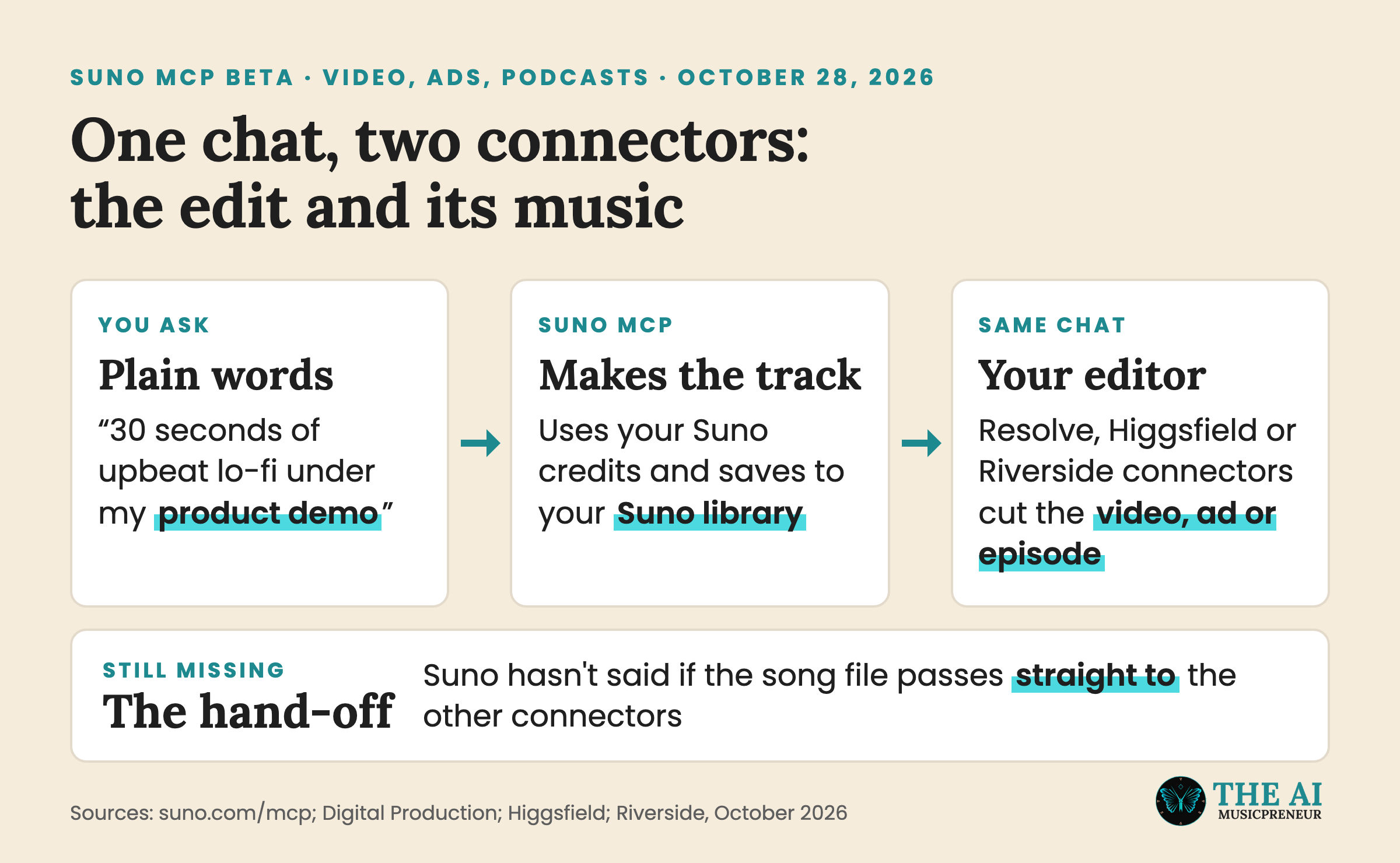
So the case for Suno MCP is context: it’s the same Suno, minus the tab switching.
Step 1: Request Suno MCP early access and check your Suno plan
- Open Suno’s setup guide or suno.com/mcp and click Get early access.
- Fill in and send the form.
- Check your plan in Suno: Free, Pro or Premier.
- Log in to suno.com in your browser. Every app sends you there to approve the connection.
Suno approved mine within an hour. You can do Steps 2 and 3 while you wait, because the server installs fine without approval. It’s only the sign-in that waits for Suno.
Next, get Suno into your AI app.
Step 2: Add Suno MCP to Claude, ChatGPT or Gemini as a custom connector
Every app takes the same URL:
https://api.suno.com/mcpSuno may not show up in these apps’ connector directories, so searching for it can come up empty. You add it as a custom connector.
Add Suno MCP to Claude
- Open Customize, then Connectors, then +, then Add custom connector.
- Name it Suno and paste the URL.
- Click Connect, sign in to Suno and approve the connection.
Add Suno MCP to ChatGPT
- Go to Plugins, then Add, then Add custom MCP server.
- Name it Suno and set Connection (Server URL) to the URL.
- Click Create as a plugin, then Connect Suno on the next screen and authorize it.
Add Suno MCP to Gemini
- Go to Customize, then Connectors, then +, then Add custom MCP server.
- Paste the URL and click Create.
- Start a chat and mention @Suno to use it.
Gemini can already make music on its own with Google’s Lyria 3.5, which is why the @Suno mention matters. It tells Gemini to use Suno instead.
If you work in a code editor instead of a chat app, Step 3 is yours.
Step 3: Add Suno MCP to Claude Code, Cursor or VS Code
Claude Code in VS Code: ask it to set Suno up for you
This is the route I tested, and it’s the easiest one. I opened the Claude Code panel in VS Code and typed one line:
Set up Suno MCP for me - https://api.suno.com/mcpClaude Code added the server as suno, over HTTP, at user scope, so it’s available in every project (it saves that in ~/.claude.json). Then it told me the status: “Needs authentication”.
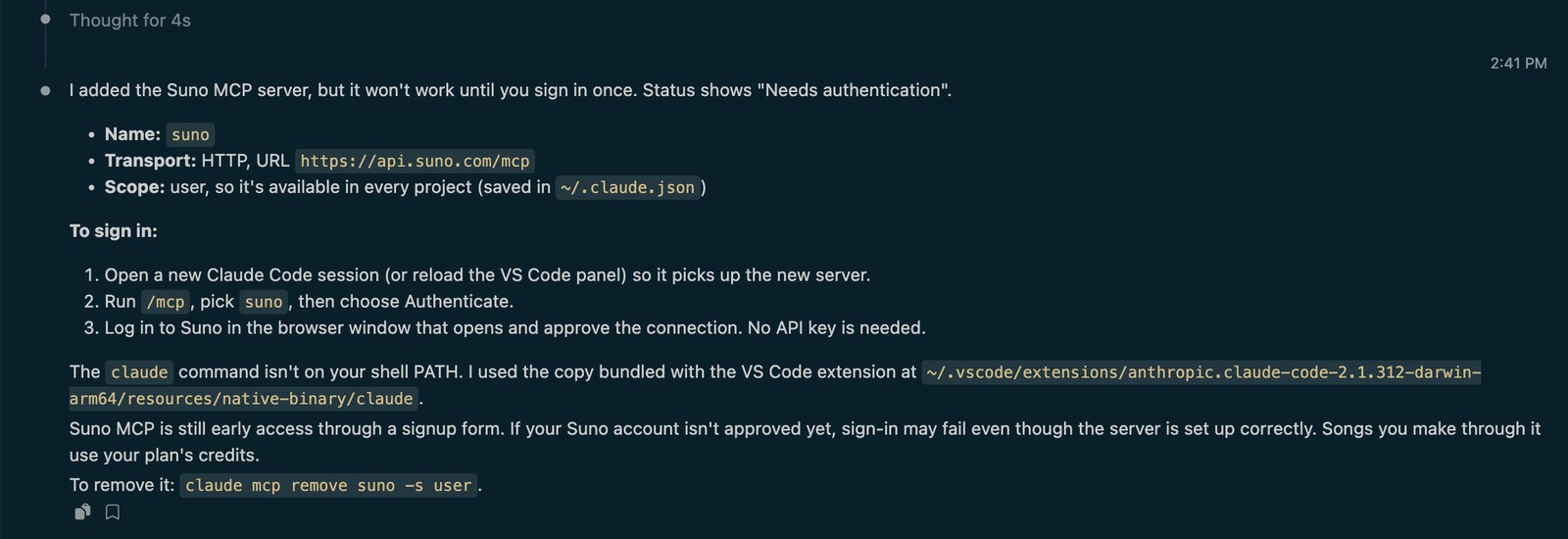
One detail from my test: the claude command wasn’t on my Mac’s shell path, so Claude Code used the copy that ships inside the VS Code extension instead. You don’t need to fix anything there, it just worked.
To sign in, open a new Claude Code session (or reload the panel), run /mcp, pick suno and choose Authenticate. Your browser opens Suno’s Authorize Access page. Log in to Suno there first if you aren’t already, then click Authorize.
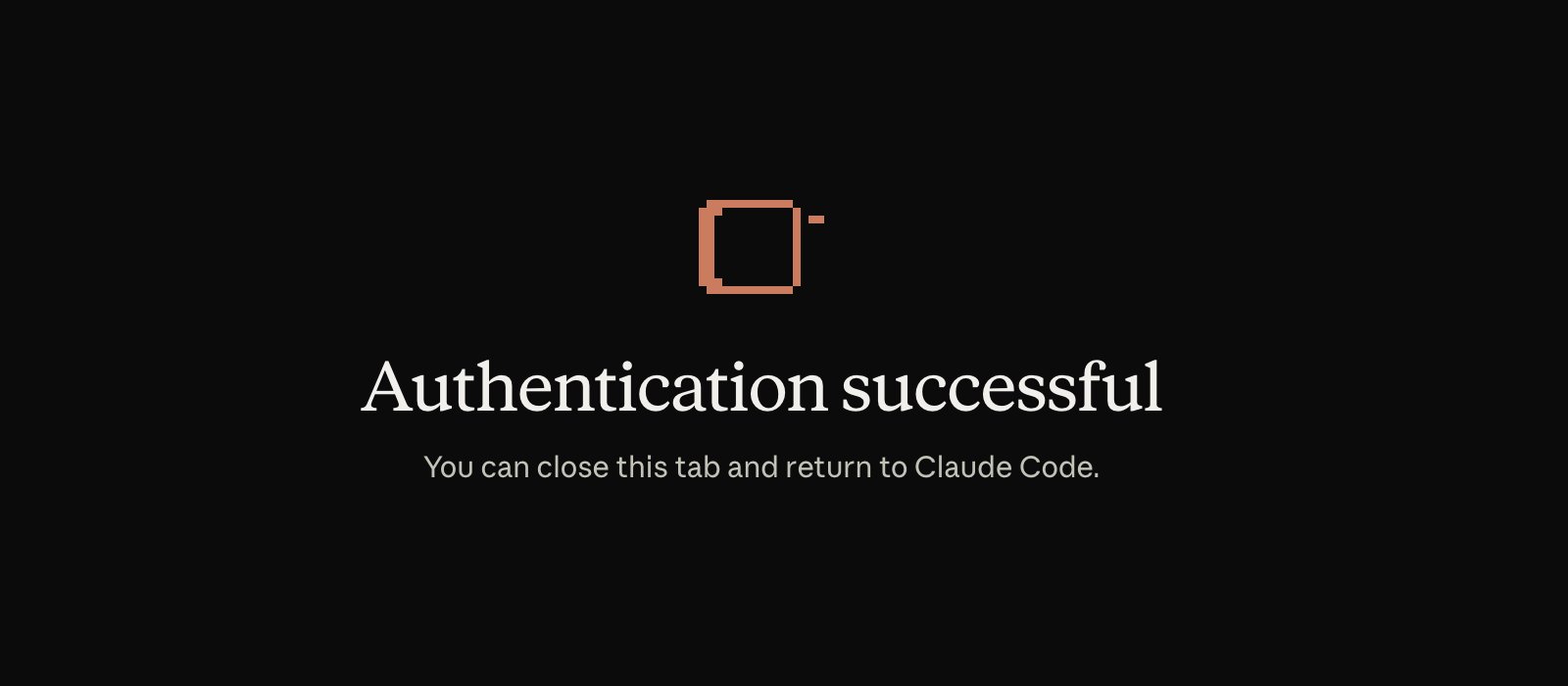
The tab then switches to “Authentication successful”, and you can close it and go back to Claude Code.
Once it’s connected, Claude Code can use Suno’s tools. My session listed 32 of them, covering new songs, covers, extensions, mashups, Voices, playlists and your credit balance.
Claude Code in the terminal
Same server, one command:
claude mcp add --transport http suno https://api.suno.com/mcpThen start a Claude Code session, run /mcp and sign in to Suno.
VS Code with GitHub Copilot
- Open the Command Palette (Shift + Cmd + P on a Mac) and run MCP: Add Server.
- Choose HTTP (HTTP or Server-Sent Events) and paste the URL.
- Enter
sunoas the server ID. - Pick Global, then Copilot Global, so Suno works across all your projects.
VS Code then walks you through Suno’s sign-in. The steps follow Microsoft’s MCP guide for VS Code, which also shows how to check that the agent really called the server.
ChatGPT’s Codex in VS Code
The ChatGPT desktop app, the Codex CLI and the Codex extension for VS Code share one MCP setup, according to OpenAI’s Codex docs. So 2 commands cover all of them:
codex mcp add suno --url https://api.suno.com/mcp
codex mcp login suno
I haven’t run this one myself, so if your Codex version doesn’t know the --url flag, check codex mcp --help.
Cursor
Go to Customize, then MCPs, then New MCP Server (User). A file called mcp.json opens. Paste this and save:
{
  "mcpServers": {
    "suno": {
      "url": "https://api.suno.com/mcp"
    }
  }
}/mcp should show suno with a Connected badge instead of Needs Auth. In Cursor and VS Code, suno appears in the editor’s list of MCP servers. Where you are now: Suno is in your app. Time to make something.
Step 4: Write your first Suno MCP prompt in the chat
Describe the song like you’d describe it to a producer. Your AI writes the lyrics and the styles, Suno makes the song, and it lands in the chat as a track you can play.
These 3 prompts are straight from Suno’s page. They cover the main things Suno MCP does besides new songs: remixing, turning your own audio into a song and making variations.
Take my last song in Suno and make a slowed-down acoustic cover.
Turn this voice memo into a full indie-folk track. Keep my melody.
Make a lo-fi beat for studying, then give me three variations with different moods.
Then iterate the way you would with any draft: “Make it slower”, “Add a bridge” or “Give me three more”. You can also put a Voice you saved in Suno on any track, or ask “How many Suno credits do I have left?” before a big batch.
The song is made, and it’s sitting in your Suno library.
Step 5: Find your Suno MCP songs in your Suno library and download them
Every song you make through Suno MCP saves to your Suno library automatically, the same as a song made on suno.com. You can also add it to a playlist straight from the chat.
The sign-in page tells you what else the connection can do. Suno lists 8 permissions, and I’d read them before you click Authorize:
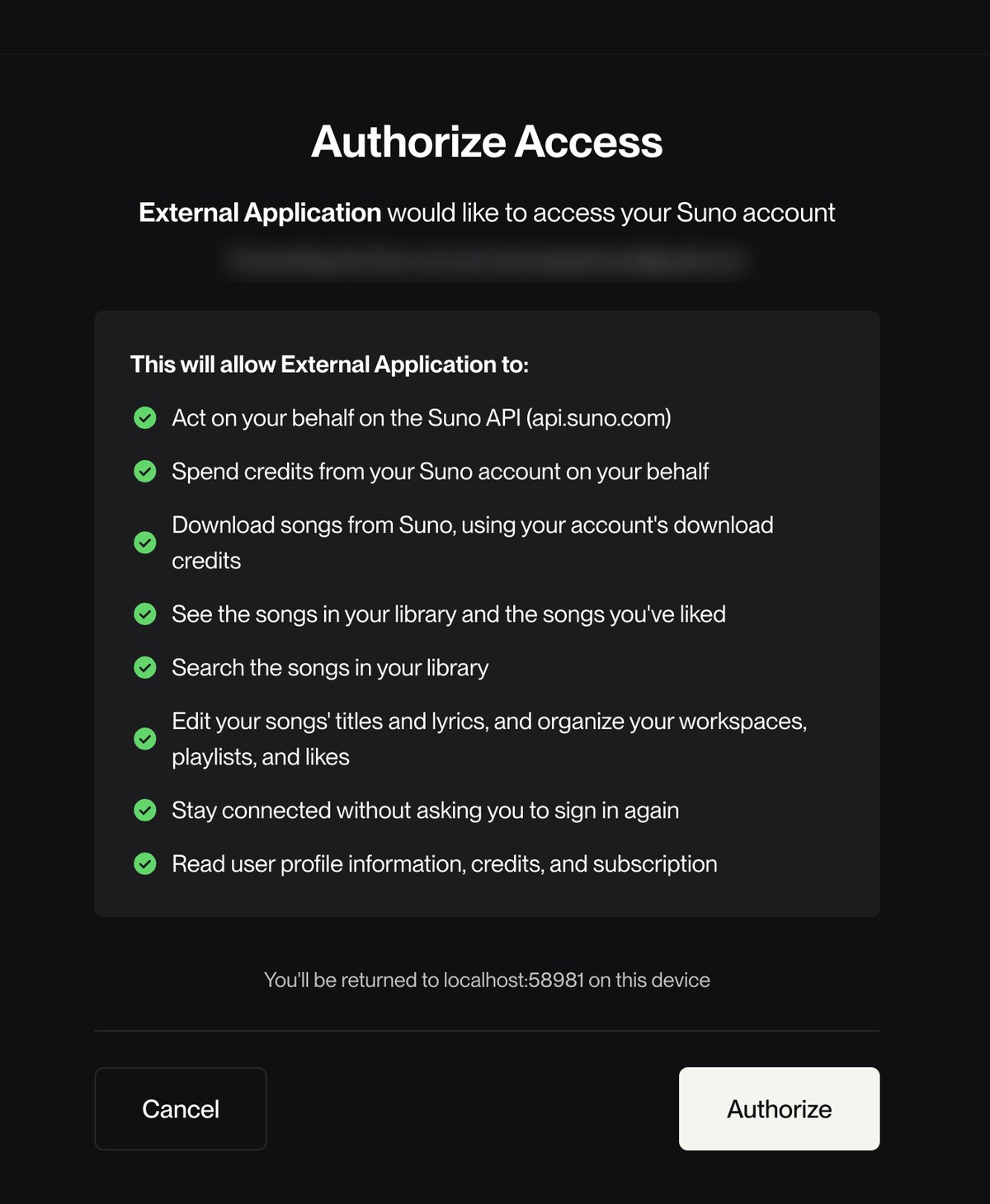
The one to notice is “Download songs from Suno, using your account’s download credits.” Downloads through the chat count against your Suno download cap, the same as downloads on the website.
So make as many versions as you like, but download only the keepers.
Suno hasn’t said yet whether a song can go straight from the chat into DaVinci Resolve or Higgsfield. My account is connected now, so that’s my next test: can Claude Code drop the file into a project folder for me?
How to use Suno MCP for YouTube videos and documentary soundtracks
DaVinci Resolve Studio 21.1 shipped a built-in MCP server on September 8, 2026, so Claude, Claude Code and ChatGPT’s Codex can organize media and edit timelines, Digital Production reported. Add Suno to the same chat and the cut and the music sit in one conversation.
Make a 30-second lo-fi instrumental to sit under the intro of my YouTube highlight reel. No vocals, around 85 BPM.
Write a 2-minute ambient piano and strings score for the opening of a documentary about a coastal town. Slow build, no vocals, no drums.
One honest caveat. Suno usually makes full-length songs, and I haven’t tested yet whether it sticks to a short length like 30 seconds through MCP. If it doesn’t, you trim it in Resolve.
How to use Suno MCP for ad jingles and podcast intro music
For ads, Higgsfield’s MCP turns one product into UGC, product and social ads inside a single Claude chat. Running 4 ad variants? Ask Suno for 4 matching jingles in the same thread.
Make 4 different 15-second jingles for my coffee brand ad, one each in pop, acoustic, funk and synthwave. Sing the line 'Wake up to something good'.
For podcasts, Riverside’s MCP lets Claude or ChatGPT prep an episode, edit the recording and cut clips. Your intro theme can come out of the same thread.
Make a 10-second intro theme for my podcast about AI music. Upbeat electronic, no vocals, end on a clean hit I can talk over.
How to use Suno MCP for stream loops, game music and Reels sounds
Coding tools are the less obvious place for music, but they’re where game and app builders spend the day. A menu theme for your game can come from the same Claude Code session that builds the menu.
Make a looping 8-bit menu theme for my indie game. Chiptune, upbeat, about 60 seconds.
Make a 2-minute chill synthwave loop for my Twitch starting-soon screen. No vocals, no big drops.
Make a 15-second upbeat original sound for my Instagram Reel about my morning routine. Catchy hook in the first 3 seconds, no vocals.
Which Suno plan do you need to use Suno MCP songs commercially?
Your rights depend on your Suno plan, not on the app you made the song in. Since Suno’s September 3, 2026 terms update, songs downloaded on a paid plan are yours for commercial use, and Free downloads are for personal use only.
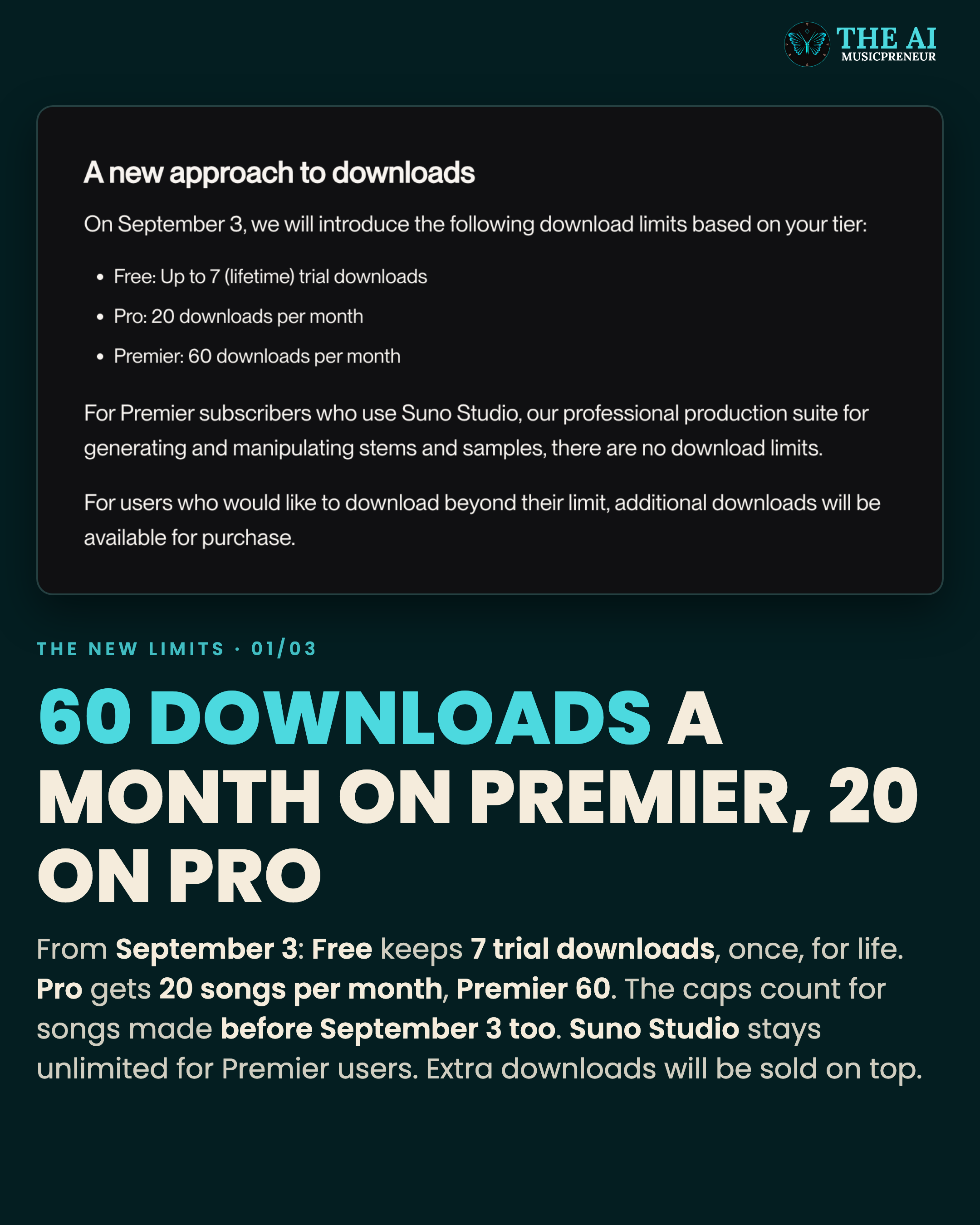
The download caps apply too: 7 lifetime downloads on Free, 20 a month on Pro and 60 a month on Premier. A team scoring a week of Shorts can burn through 20 fast.
Client work has one more check. Round Hill filed copyright suits against both Suno and Anthropic on August 17, 2026, so ask your client’s legal team before the first track ships. My Suno MCP launch article has more on that.
What common Suno MCP setup problems trip people up, and how do you fix them?
These are the snags from my own setup and from Suno’s FAQ:
- Suno doesn’t appear in your app. It may not be listed in your app’s connector directory. Add it as a custom connector with the URL.
- The connection fails. Check the URL is exactly
https://api.suno.com/mcpand that you finished the Suno sign-in. - Claude Code says “Needs authentication”. Open a new session or reload the VS Code panel, then run
/mcp, pick suno and choose Authenticate. - The sign-in doesn’t complete. Your early access probably isn’t approved yet. Mine came through within an hour, so wait and try the sign-in again.
- Gemini answers with its own music. Mention @Suno in the prompt so Gemini uses Suno and not Lyria.
- Your app won’t let you add a connector. Some apps only allow custom connectors on certain paid plans, so check yours.
Most of these are a one-time fix. How you prompt matters every day.
How do you get the best results out of Suno MCP?
Here’s what I’d do from day one:
- Keep the whole project in one chat. The script, the edit notes and the music request in one thread give Suno the context.
- Name the job the music does. “A bed under a voiceover” or “a jingle for a 15-second ad” tells Suno the role of the music.
- Ask for variations before you download. Credits buy versions, but downloads are capped.
- Check your credits before a batch. Ask your AI app, it can read your Suno balance.
- Pick your Voice up front. If you sing on your tracks, tell the chat which saved Suno Voice to use.
If you’re new to connectors in general, my list of Claude connectors for musicians shows the other music apps you can add the same way.
Is Suno MCP worth adding to your AI stack?
For setup, yes. It’s one URL, no API key, and in Claude Code it took me a single sentence, plus under an hour of waiting for Suno’s approval.
Whether the music holds up under a client’s video is the next thing I’ll find out. My account is connected, and I’ll add my first Suno MCP songs to this guide once I’ve made them.
So request your early access today, and connect Suno to the one app you already edit in. Then try the first prompt on your next video!
Frequently asked questions
Is Suno MCP the same as Suno's developer API?
No. Suno MCP connects your own Suno account to an AI assistant after you sign in, and it spends the credits on your plan. The developer API Suno said it was exploring in July 2026 is for outside apps, starting with a curated group of partners.
Do you still need an unofficial Suno MCP server from GitHub or kie.ai?
Not for using your own account. The official server at https://api.suno.com/mcp signs in to your Suno account with no API key. The unofficial servers on GitHub and resellers such as kie.ai came first and run through third-party APIs or browser automation instead of Suno's own sign-in.
Does Gemini need Suno MCP to make music?
No. Google has had its own Lyria 3.5 music model in the Gemini app since September 4, 2026. Suno MCP adds Suno's songs, your Suno Voices and your Suno library to the same Gemini chat.
How many credits does a song made with Suno MCP use?
The same as on suno.com. Suno says songs made through the MCP use the credits on your current plan, just like songs made on its website. You can ask your AI app how many credits you have left.
How do you remove Suno MCP from Claude Code?
Run claude mcp remove suno -s user in your terminal. The -s user part matters when the server was added at user scope, which is what Claude Code did in my test. You can also disable or remove it from the /mcp menu.
About the author

Covering AI music tools, industry shifts, and news for music creators and professionals. Twice-weekly newsletter at aimusicpreneur.com.