
Suno Visuals turns your Suno songs into music videos, 15 seconds at a time

My stack My fav 6 tools for AI music after testing 70+
-
 ElevenMusic · Music generation
-
 Moises · Stem separation
-
 Controlla · Voice swap & cloning
-
 Cryo Mix · Mixing + mastering
-
 Neural Frames · Music videos
-
 ONCE · Distribution
Some links are affiliate links — I earn a commission at no cost to you. Every tool here is one I run myself and truly believe in. This stack is proven.
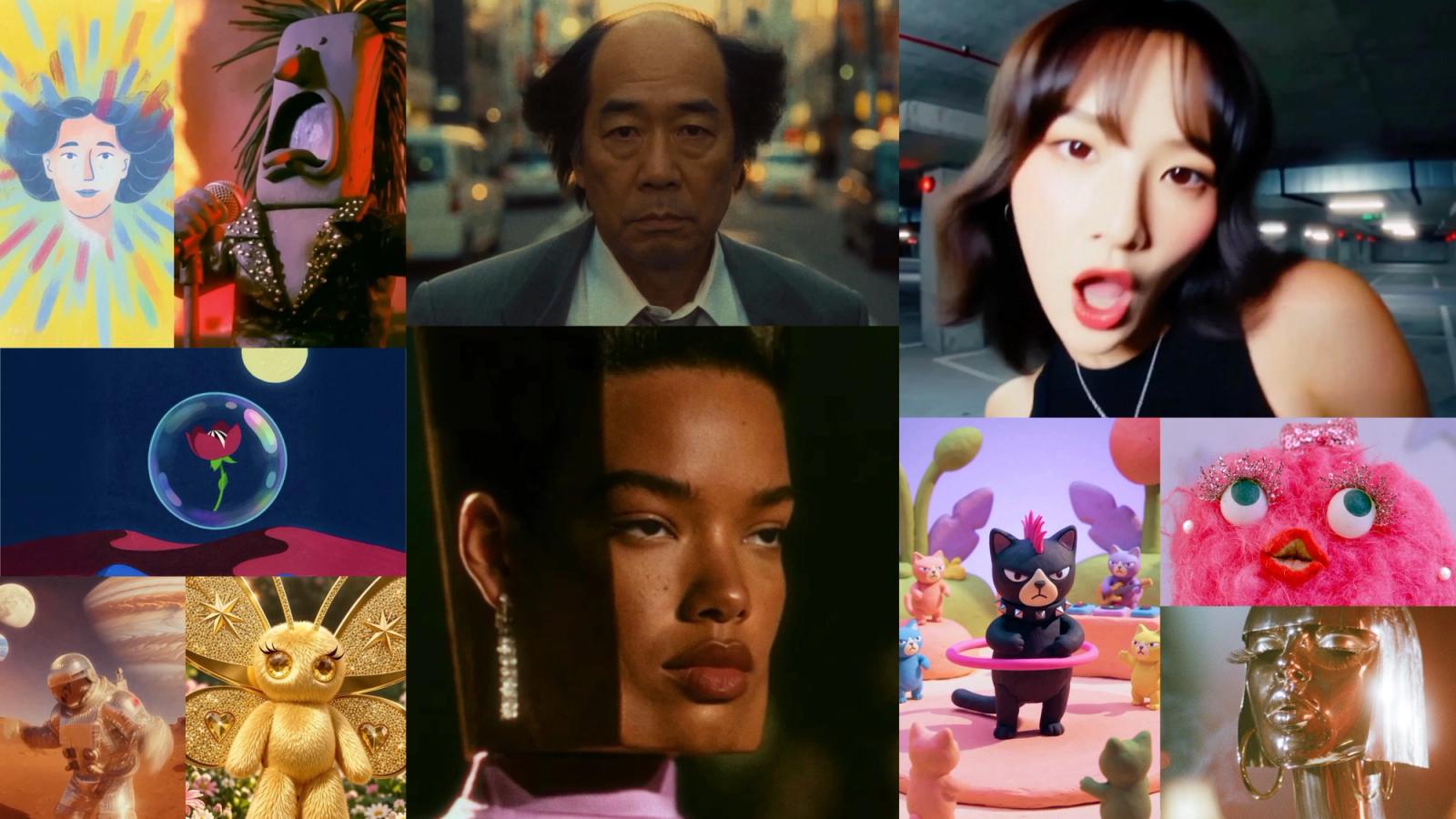
Suno now makes the music video too. On November 17, 2026, Suno launched Visuals, a tool inside Suno’s Create page that turns a section of your song into a clip of up to 15 seconds, lip-synced to the vocal, and lets you extend it shot by shot into a full video.
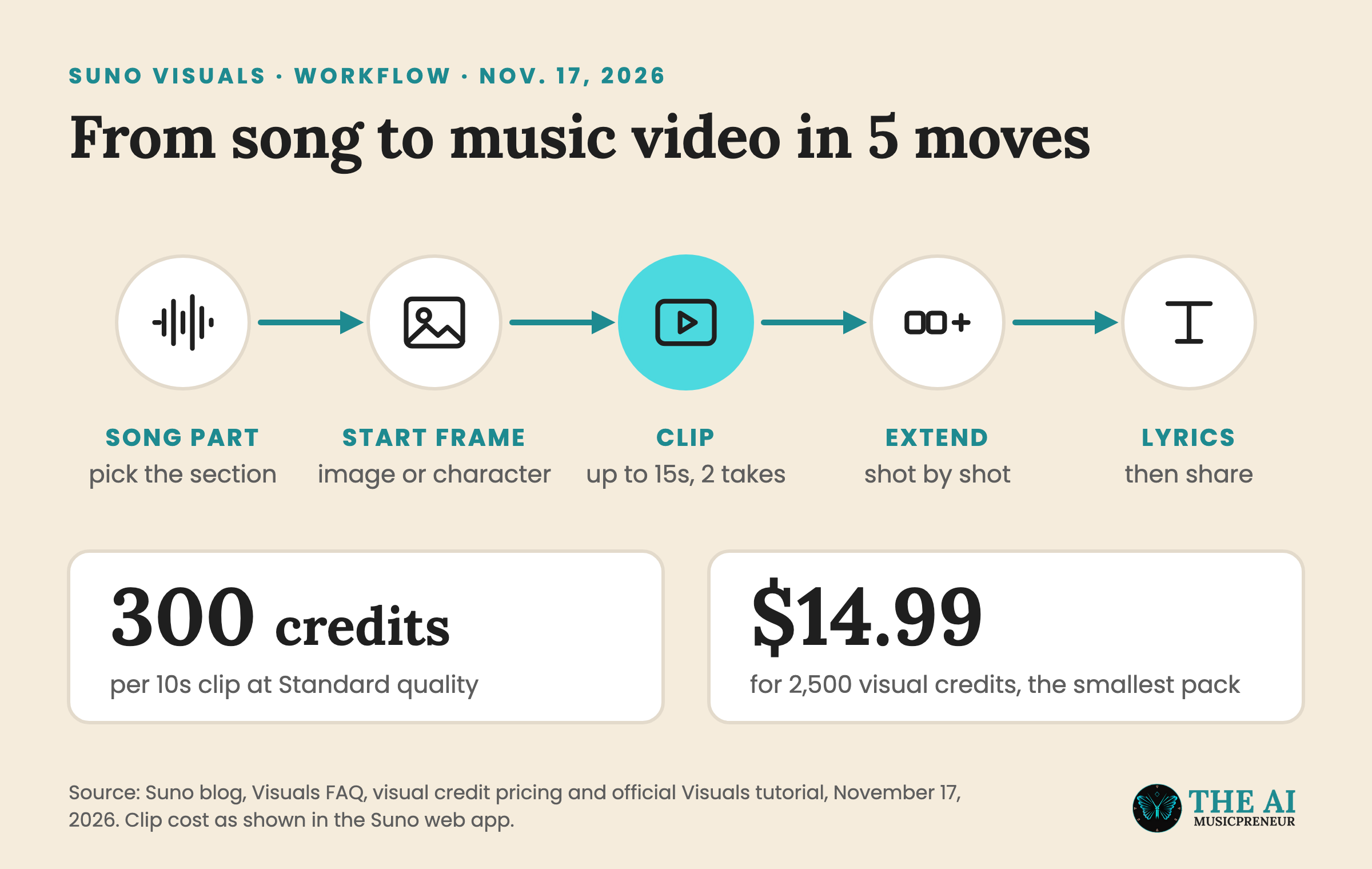
You pay for it separately. Visual credits don’t come out of your song credits, the smallest pack is $14.99 for 2,500, and in my account a 10-second clip at Standard quality costs 300 of them.
Suno’s launch post says the model behind Visuals was tuned to the music: clips “follow your song’s structure, pick up on your lyrics and lip sync right along with them.” Bloomberg reported the launch the same day, together with Suno’s new paid plan.
Video had always been the logical next step in our vision, but until recently video generation was slow and too expensive for anyone to create but enterprises.
What Suno Visuals makes: lip-synced clips, lyric videos and album art
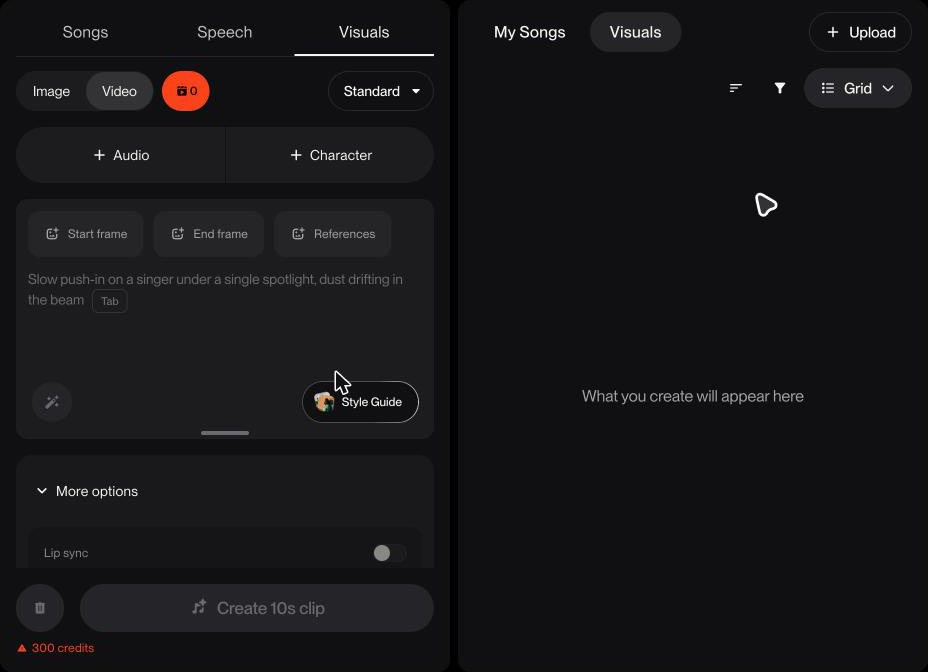
Visuals sits as a third tab next to Songs and Speech, with an Image and Video toggle at the top. I opened it in my own account to check what’s there:
- + Audio loads a song from your library, and you pick the section the clip starts on.
- + Character adds one of Suno’s original characters or your own photo.
- Start frame, End frame and References let you steer the first and last image of a shot.
- More options holds lip sync, clip length (10 seconds by default, up to 15) and aspect ratio (9:16, 1:1 or 16:9).
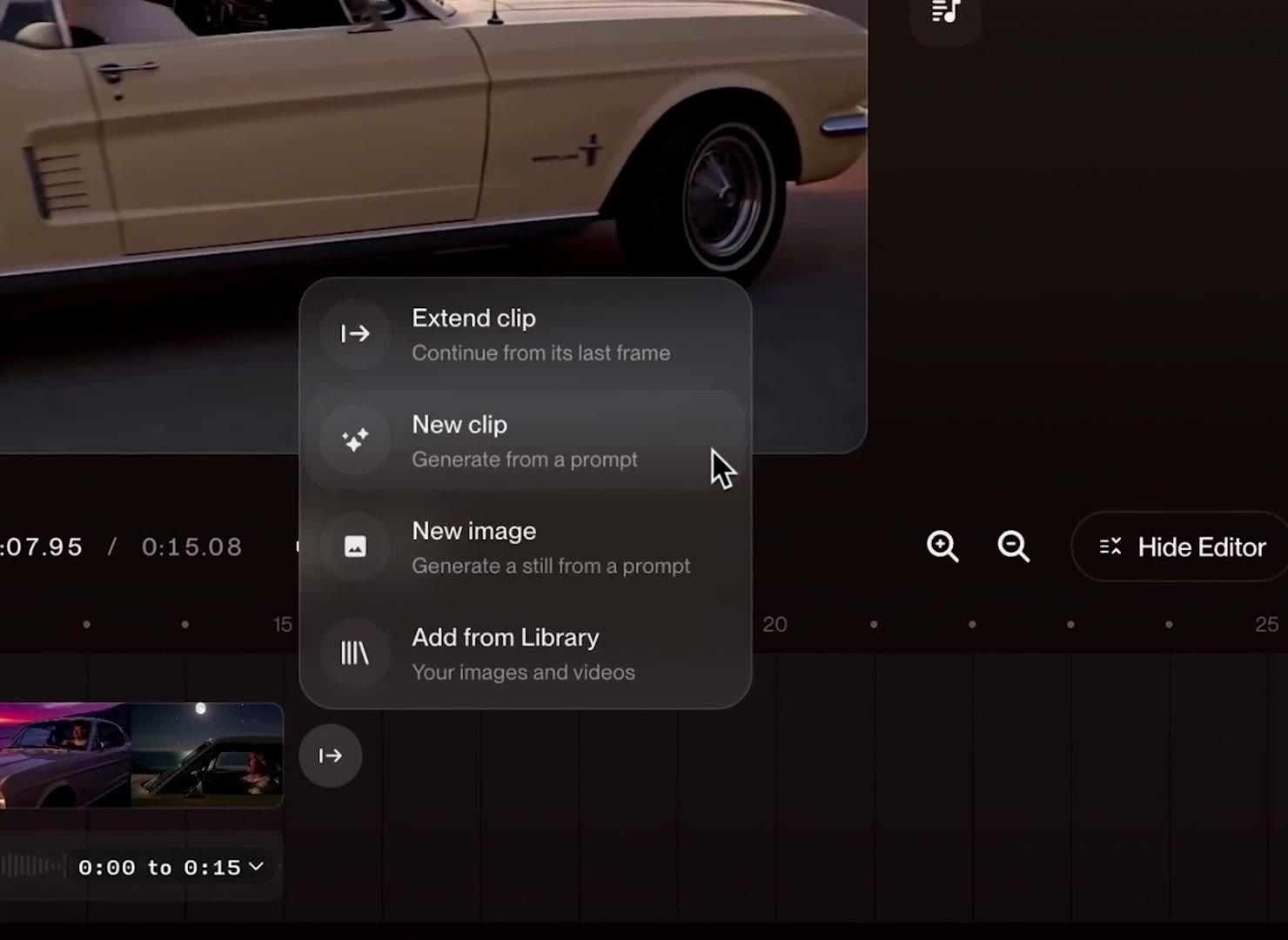
Every generation returns 2 takes, the same way Suno songs do. Suno’s official tutorial then opens the clip in an editor where the song sits under the timeline and you keep adding shots: extend from the last frame, start a new clip, make a new image or pull something from your library.
The finished video can carry lyrics in karaoke, line or word style, with your own font, size and color. From the share menu you can download it, publish the song with it, set it as the song’s cover or post it as a hook.
What Suno Visuals costs: separate credits and a $120 Platinum plan
Visual credits are their own currency. Suno’s Visuals FAQ says the cost depends on clip length and quality, with Fast cheaper than Standard, and that credits you buy never expire. These are the packs on Suno’s visual credits page:
| Visual credits | Price |
|---|---|
| 2,500 | $14.99 |
| 5,500 | $29.99 |
| 20,000 | $99.99 |
| 40,000 | $199.99 |
At 300 credits per 10-second Standard clip, the smallest pack buys 8 clips, about $1.80 each. A 3-minute song cut into 10-second shots needs 18 clips, or 5,400 credits, before you count any take you throw away.
The new Platinum plan costs $120 a month, or $100 a month billed yearly, and includes 20,000 visual credits a month alongside 15,000 song credits and 120 downloads. Pro and Premier subscribers get “a limited number of Visual credits” to try it, for a limited time. My account showed 0.
Which model powers Suno Visuals, and what Suno blocks
Suno names the model in its FAQ: “H3 Move, based on H3 from MiniMax”, which Suno says it optimized and gave extra safeguards. It doesn’t say what H3 Move was trained on, and none of Suno’s Visuals pages cover licensing for the video side.
The safeguards in the launch post are about what goes in and out:
- New text and visual filters block uploads and prompts aimed at specific artists, public figures, copyrighted works and IP, so prompts that work on other video tools may fail on Suno.
- Audible Magic, ACRCloud and Musixmatch keep checking uploads for copyrighted audio.
- Visuals get an embedded watermark before they can be shared off Suno, and your first upload triggers a reminder to confirm you own the rights.
Visuals launched on the web first. The launch post says iOS and Android follow “in the next few weeks”, although the official tutorial already shows a mobile workflow.
If you want to try it on your own song, I put together a step-by-step Suno Visuals guide. And if you’d rather compare it with the dedicated tools first, here’s my roundup of the best AI music video generators.
Frequently asked questions
What is Suno Visuals?
Suno Visuals is a video and image tool inside Suno, launched on November 17, 2026. You pick a section of a song, add a start frame or character and a prompt, and Suno makes clips of up to 15 seconds that follow the music and can lip sync to the vocal.
How much do Suno Visuals credits cost?
Visual credits are sold separately from song credits, in packs of 2,500 for $14.99, 5,500 for $29.99, 20,000 for $99.99 and 40,000 for $199.99. The new Platinum plan at $120 a month includes 20,000 visual credits a month, and purchased credits don't expire.
Which AI video model does Suno Visuals use?
Suno's Visuals FAQ says the model is called H3 Move and is based on H3 from MiniMax, which Suno optimized and added extra safeguards to. Suno hasn't said what data the video model was trained on.
Is Suno Visuals available on iOS and Android?
Suno's launch post says Visuals launched on the web first, with iOS and Android coming in the next few weeks. Suno's official tutorial video already demonstrates a mobile workflow, so availability may depend on your app version.
About the author
Covering AI music tools, industry shifts, and news for music creators and professionals. Twice-weekly newsletter at aimusicpreneur.com.