Antares put AutoTune Go inside FL Studio, free on every tier including FL Cloud
My stack My fav 6 tools for AI music after testing 70+
-
 ElevenMusic · Music generation
 -
 Moises · Stem separation
 -
 Controlla · Voice swap & cloning
 -
 Cryo Mix · Mixing + mastering
 -
 Neural Frames · Music videos
 -
 ONCE · Distribution
Some links are affiliate links — I earn a commission at no cost to you. Every tool here is one I run myself and truly believe in. This stack is proven.
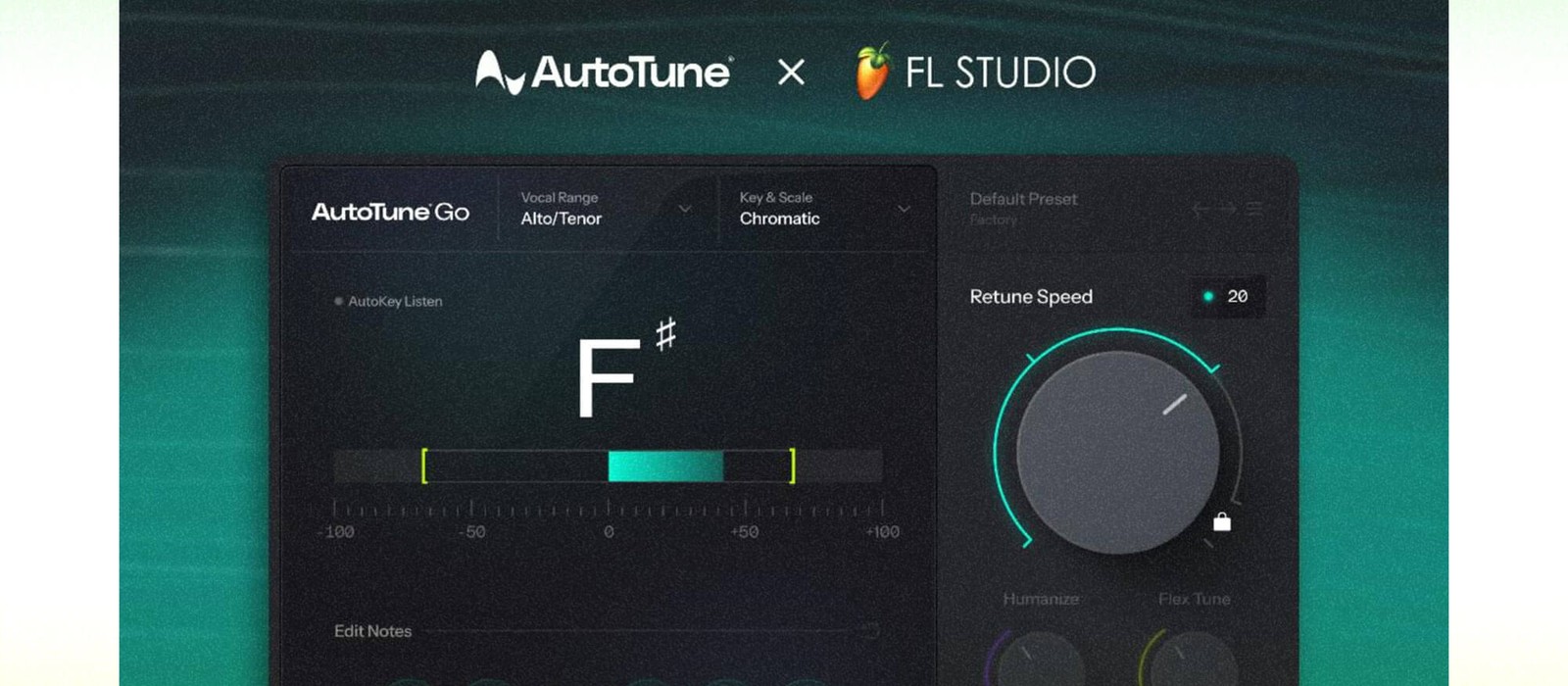
Pitch correction stopped being a purchase for FL Studio users on September 15, 2026. Image-Line and Antares launched AutoTune Go, a plugin built specifically for FL Studio, and it is free for everyone using the DAW, including people on the free tier of FL Cloud. It carries real-time visual pitch display, vocal range auto detection, key and scale selection, and 4 Retune Speed settings.
What AutoTune Go actually gives FL Studio producers
The controls are the ones you reach for on a vocal take, and nothing more. You set the key and scale, or lock to Chromatic. You set the vocal range by hand or let Auto Detect do it. You pick a Retune Speed, and the visual pitch display shows you what the plugin is moving while the take plays.
AutoTune has been a defining tool in modern music production for decades. We are very excited to launch AutoTune Go in FL Cloud.
The trade is depth. Antares sells full versions with graphical note editing, formant control and per-note correction, and those are still the versions a mix engineer reaches for when a take needs surgery. AutoTune Go is the fast pass, and for a producer bouncing an idea, the fast pass is usually the right one.
Why a free AutoTune inside the DAW changes the vocal chain
The interesting part is the distribution. Image-Line has been bundling more inside the DAW all year, from the Gopher AI assistant to the ElevenLabs sample generator, and each addition removes a reason to open something else. A free AutoTune removes the most common one on a vocal session.
Before you rip out your current chain: AutoTune Go is a streamlined build, so if you rely on graphical pitch editing or formant shifting, keep what you have and use Go for quick passes. MusicTech has the full parameter list, and the plugin is delivered through FL Cloud rather than as a separate Antares install.
Frequently asked questions
Is AutoTune Go free in FL Studio?
Yes. Image-Line says AutoTune Go is available to all FL Studio users, including those on the free tier of FL Cloud. It is a plugin built for FL Studio specifically, developed with Antares, the company behind AutoTune.
What does AutoTune Go do inside FL Studio?
AutoTune Go handles pitch correction on vocals. It shows a real-time visual pitch display, detects the singer's vocal range automatically or lets you set it manually, locks the performance to a Major, Minor or Chromatic scale, and offers 4 Retune Speed settings from subtle correction to hard tuning.
How is AutoTune Go different from the full Antares AutoTune plugins?
AutoTune Go is a streamlined version designed around a simple interface and the core controls, built for FL Studio users rather than sold as a standalone Antares product. Antares describes it as the result of 3 decades of vocal processing work, distilled into fewer parameters.
Which Retune Speed settings does AutoTune Go offer?
AutoTune Go ships 4 Retune Speed settings, ranging from subtle natural correction to fast, tight tuning. Slower settings preserve the original performance, and the fastest setting produces the hard-tuned vocal sound associated with AutoTune.
About the author

Covering AI music tools, industry shifts, and news for music creators and professionals. Twice-weekly newsletter at aimusicpreneur.com.