VocAlign 7 vs Sync Vx: which vocal alignment plugin should you buy in 2026?
My stack My fav 6 tools for AI music after testing 70+
-
 ElevenMusic · Music generation
 -
 Moises · Stem separation
 -
 Controlla · Voice swap & cloning
 -
 Cryo Mix · Mixing + mastering
 -
 Neural Frames · Music videos
 -
 ONCE · Distribution
Some links are affiliate links — I earn a commission at no cost to you. Every tool here is one I run myself and truly believe in. This stack is proven.
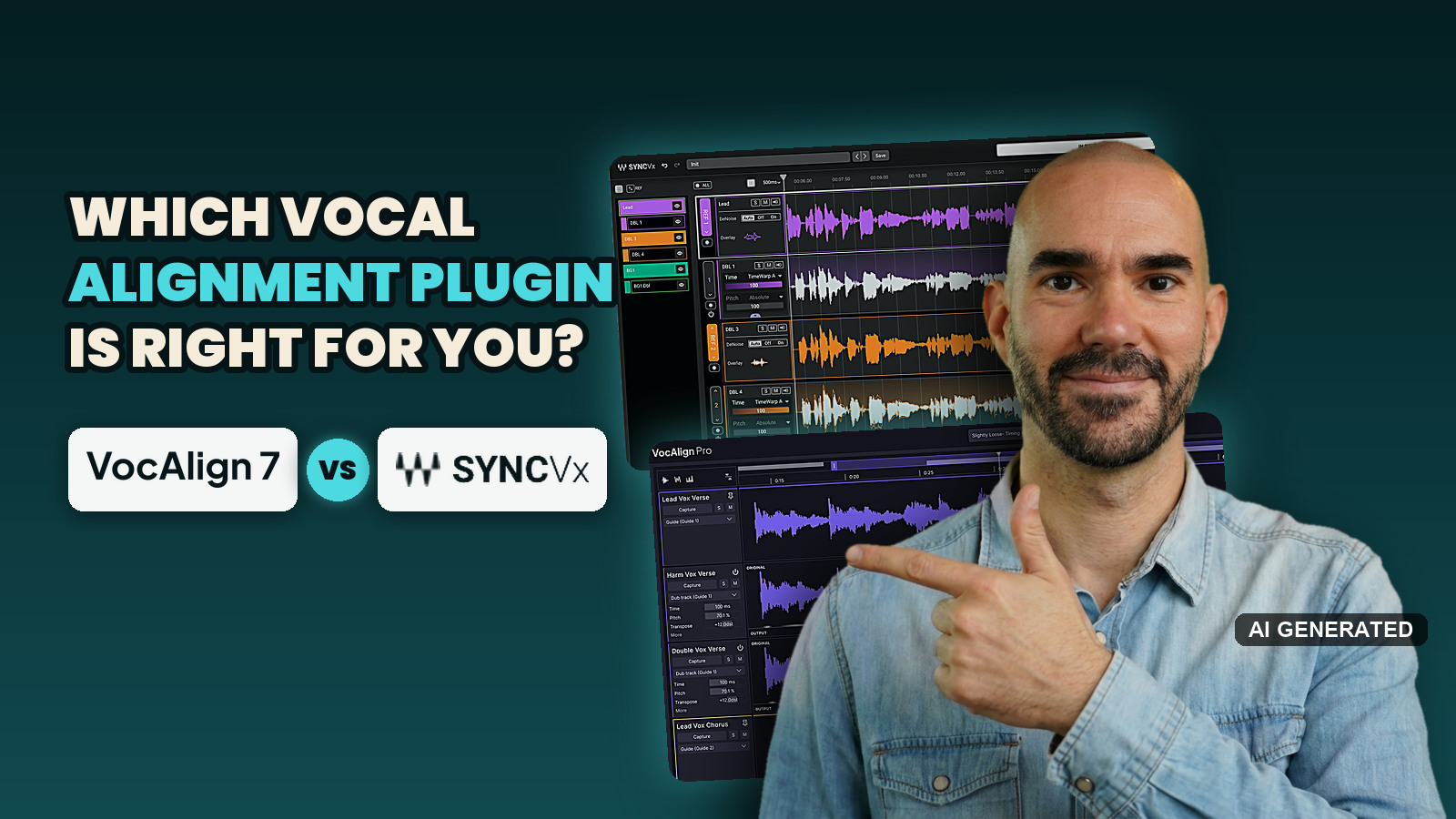
VocAlign 7 vs Sync Vx comes down to one trade. Sync Vx sounds a little cleaner in most published tests and costs $79.99. VocAlign 7 Pro gives you more control, no track limit and a live link to RePitch 2, for $199 or as part of LANDR Studio.
Neither one wins outright. On my scorecard Sync Vx and VocAlign 7 Pro both land at 4.2 out of 5, so which one you should buy depends on how big your vocal stacks get.
Quick verdict:
- Best one-time purchase: Sync Vx wins, because $79.99 buys time and pitch alignment that VocAlign only sells in the $199 Pro edition at Waves.
- Best for big vocal stacks and tuned harmonies: VocAlign 7 Pro wins, because it has no track limit, SmartPitch and a live link to RePitch 2.
- Best if you need more than alignment: VocAlign 7 in LANDR Studio wins, alongside RePitch 2, Layers, ReHance and the rest of the LANDR plugins.
- Sound: I tested VocAlign 7 against Sync Vx myself and couldn’t make the hard call some testers made against VocAlign 6. Sync Vx still has the edge in those published tests, so on paper it leads by a hair.
My honest advice: start a LANDR Studio trial and give VocAlign 7 a go before you buy anything, on Studio Pro if you want pitch matching. That goes double if you know VocAlign 6, because 7 is a big upgrade in workflow and control.
How I compared VocAlign 7 and Sync Vx
I ran both plugins in FL Studio on the same session: Sis Cançons d’Hivern, a song with several vocal tracks and harmonies from Cambridge Music Technology’s free multitrack library.
On that session I couldn’t reproduce the artefacts other testers heard from VocAlign 6, and I didn’t hear many from either plugin. Whether VocAlign 7 sounds cleaner than Sync Vx, I can’t say from my own listening.
Here I’ll be straight with you: vocal alignment isn’t my specialty, and I won’t pretend it is. So on sound I leaned heavily on people who align vocals for a living, and weighed what they found against what I heard. Whenever I use one of their findings, I name them and link the moment in their video.
My sources:
- 2 magazine reviews: Sound On Sound on Sync Vx (May 2025) and Attack Magazine on VocAlign 7 Pro (October 2026).
- 7 YouTube videos: 3 independent comparisons or demos, 2 launch-day VocAlign 7 tutorials with affiliate links, 1 video sponsored by Synchro Arts and 1 made by Synchro Arts itself.
- 111 user reviews of Sync Vx on the Waves site, a KVR forum head-to-head, and about 130 on-topic YouTube comments.
- The VocAlign 7 press release, the Synchro Arts and LANDR product pages, and Waves’ own specs.
I scored 4 criteria from 1 to 5, using the same system as my stem splitter roundup. Licensing doesn’t apply to an alignment plugin, so it’s gone:
- Output (30%): how natural the aligned vocals sound, and how many artefacts you have to fix.
- Workflow (25%): DAW support, getting audio in, track limits, speed and stability.
- Control (25%): pitch options, manual fixes and per-track or per-clip settings. It weighs more here than for stem splitting, because alignment always needs some manual fixing.
- Price (20%): what the features you need cost by the cheapest route, one-off or subscription.
I score VocAlign 7 Pro, because Sync Vx comes in one edition with pitch matching built in. VocAlign 7 Standard, the timing-only edition, gets its own section further down.
On sound, my own session was too close to call, so the published tests set the Output dots. Workflow, control and price lean more on my own time with both plugins and the spec sheets. First, here’s what these plugins actually do.
What does a vocal alignment plugin do?
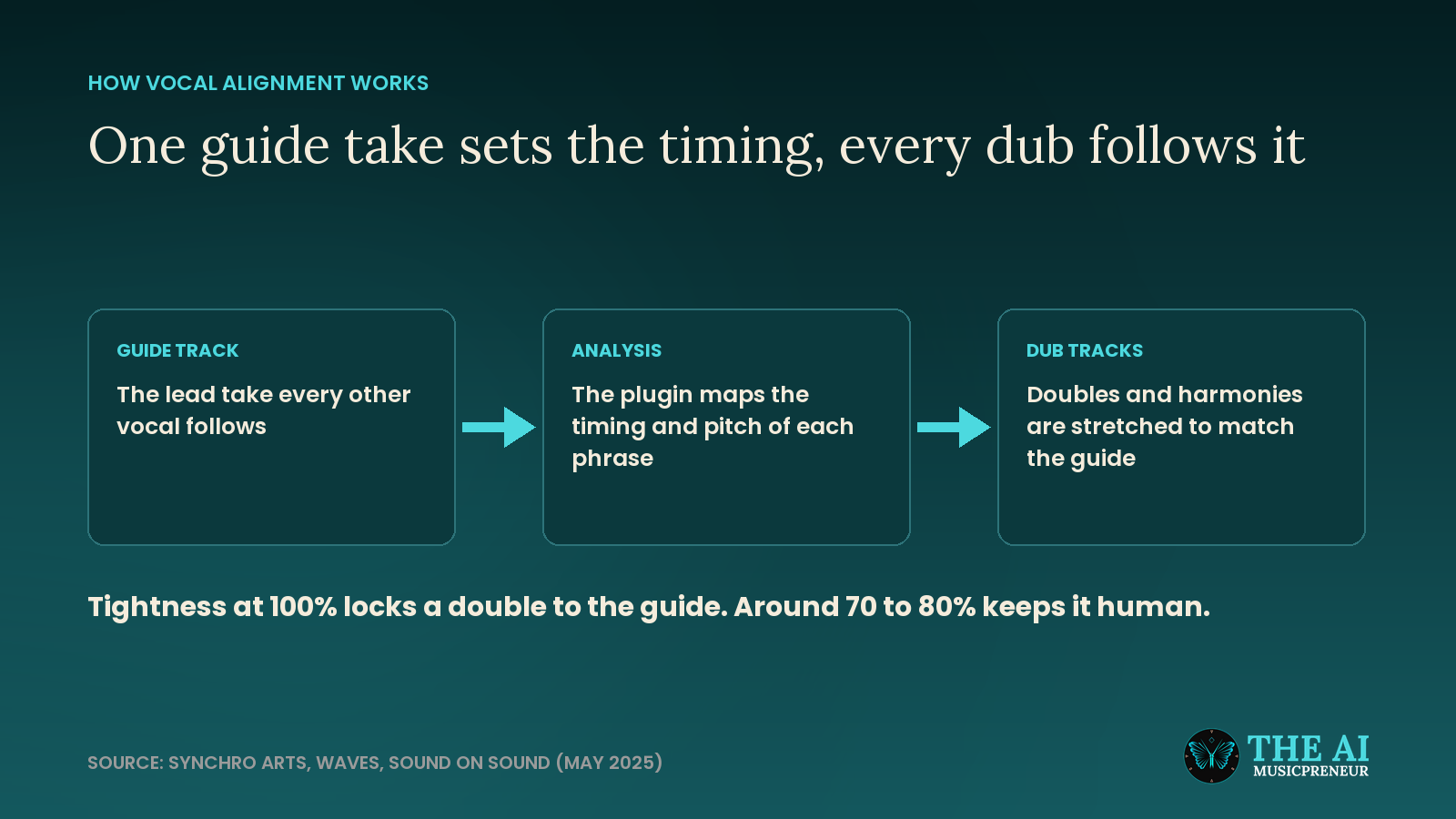
A vocal alignment plugin makes your doubles, harmonies and ad-libs follow the timing of one lead take, so a stack of vocals sounds like one tight performance.
You pick a guide track, usually the lead. The plugin maps where every word and breath starts and ends on that guide, then stretches the other takes, called dubs, to land in the same places. Most plugins can also pull the pitch of a dub toward the guide.
Doing this by hand means nudging every syllable in your DAW. On a 6-part harmony stack, that’s an evening.
The key control is tightness. At 100%, a double can start sounding like one voice, and Sound On Sound’s Luke Wood found around 70 to 80% “tidies things up nicely, while still leaving the parts with a ‘human’ feel”. Cleaning up the vocal sound itself is a different job, covered in my vocal enhancer roundup.
What are VocAlign 7 and Sync Vx?
VocAlign is the oldest name in vocal alignment. Synchro Arts has made it for more than 30 years and has been owned by LANDR since June 2021, part of the same buildout as LANDR’s Reason Studios deal. VocAlign 7 came out on 23 September 2026, rebuilt around one window for your whole vocal stack.
Sync Vx is the challenger. Waves Audio announced it at NAMM in January 2025 as the first real rival to VocAlign, and in April 2026 it added standard plugin formats so it runs in every major DAW.
VocAlign 7 vs Sync Vx at a glance
| Feature | VocAlign 7 Pro | Sync Vx |
|---|---|---|
| Best for | Big stacks, harmonies, tuning and alignment in one workflow | Doubles and small stacks, one-time purchase |
| Tracks | No track limit | 16 mono tracks, up to 4 reference tracks |
| Pitch on harmonies | SmartPitch, decides per note | Pitch Tightness, set per track or region |
| Pitch target modes | Nearest octave, absolute, relative, monotone | Absolute, absolute ignore vibrato |
| Keep a moment untouched | Protected Areas for pitch, timing or both | Ignore regions on the reference, bypass on synced tracks |
| Visual checks | Energy, pitch and waveform views | Overlay view |
| Tuning link | SynchroLink 2.0 with RePitch 2 Standard, both in LANDR Studio Pro | None |
| Without ARA | One real-time capture pass for all tracks | Real-time capture |
| Free trial | 3 days | Waves demo, or 7 days of Waves Ultimate |
| Price | $199, or in LANDR Studio Pro | $79.99, or in Waves Ultimate |
| My rating | 4.2 out of 5 | 4.2 out of 5 |
The table leaves out how each one feels to use, so here’s VocAlign 7 first.
VocAlign 7 review: one window for the whole vocal stack
What VocAlign 7 does
VocAlign 7 aligns the timing and, in the Pro edition, the pitch of every dub in a session to one or more guide tracks, all inside one multi-track window. You can get it from Synchro Arts as a perpetual license or a subscription, or through LANDR Studio.
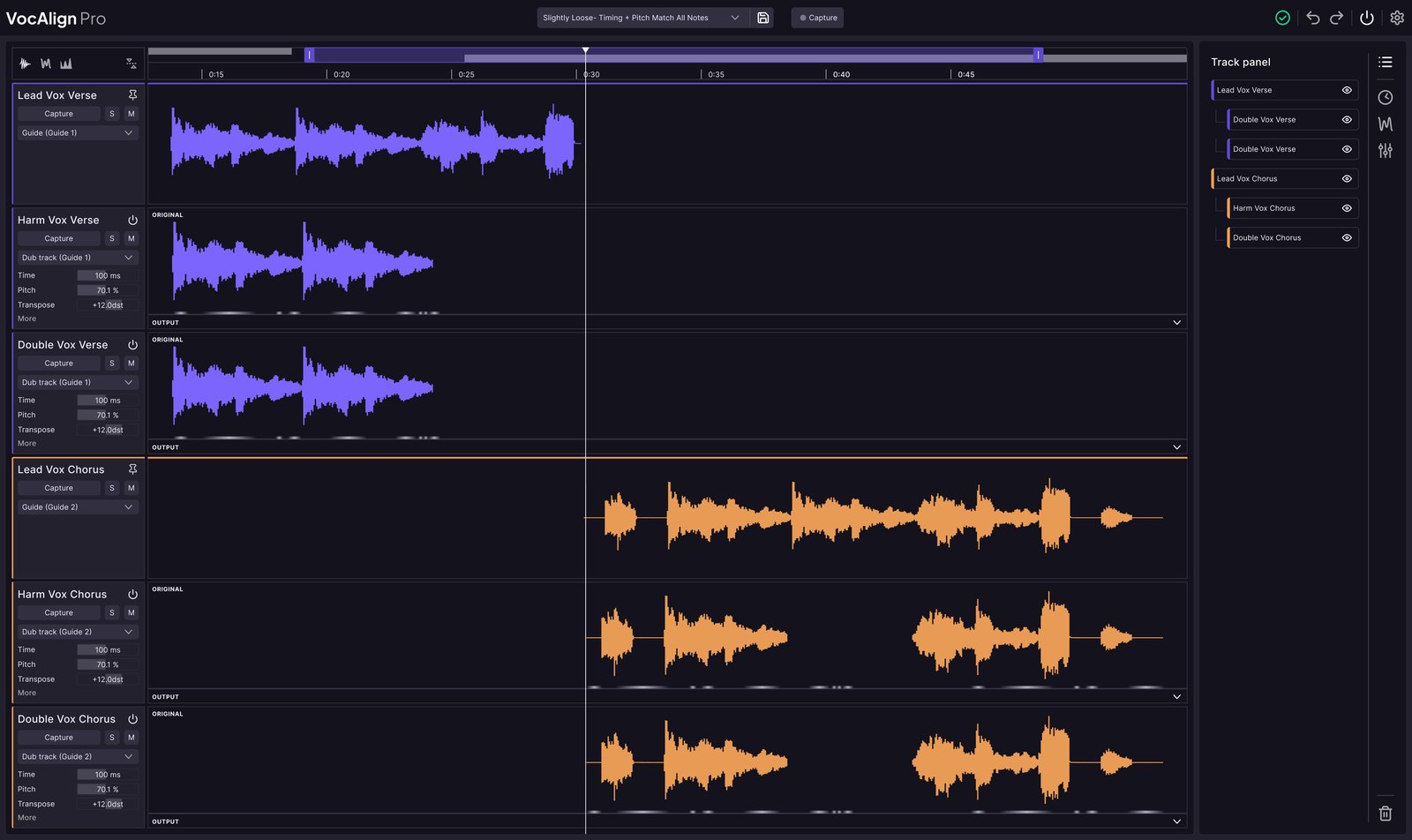
What changed from VocAlign 6 to VocAlign 7
This matters, because every Sync Vx comparison online tested VocAlign 6.
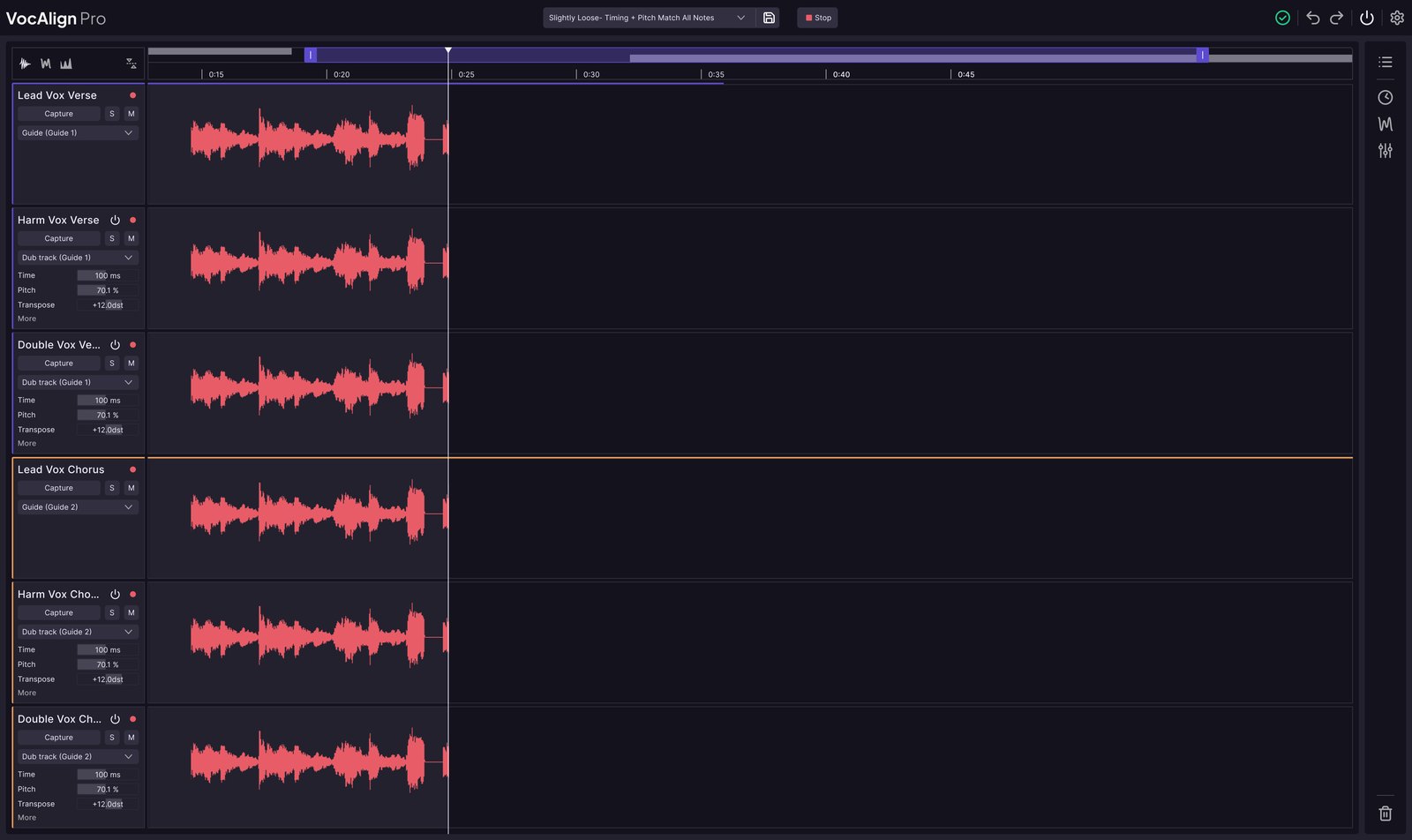
VocAlign 6 Pro was “tied to a three-track workflow”, in the words of Synchro Arts’ own Marcus Huyskens (video, 14:14). VocAlign 7 pulls every vocal into one window, imports your DAW’s track names, and lets you solo, mute and bypass inside the plugin. In the same video, Huyskens runs 14 tracks against 4 guides.
I haven’t used VocAlign 6 myself. Measured against what reviewers wrote about it, control and workflow are where VocAlign 7 levelled up most. Three things stood out to me: one capture pass for every track instead of a sidechain pass per track, Protected Areas, and per-region settings that override the track.
What didn’t visibly change is the engine: Synchro Arts’ comparison table gives VocAlign 6 and 7 the same “Latest alignment algorithm” label. That’s why plenty of VocAlign 6 owners question the $99 upgrade, one saying it “does basically what it already does with a few more small fancy adjustments” (YouTube comment).
VocAlign 7 standout features
These are the features that set VocAlign 7 apart:
- Multi-track view: every dub, double and harmony in one window, with any track as a guide and more than one guide per session.
- Protected Areas: fence off a phrase so VocAlign leaves its pitch, its timing or both untouched.
- SmartPitch: tunes a dub only where it drifts from the guide, so harmonies keep their own notes.
- Per-region settings: give the start of a verse tight timing and the end a looser feel on the same track.
- Energy and pitch views: see where a dub drifts instead of hunting for it by ear.
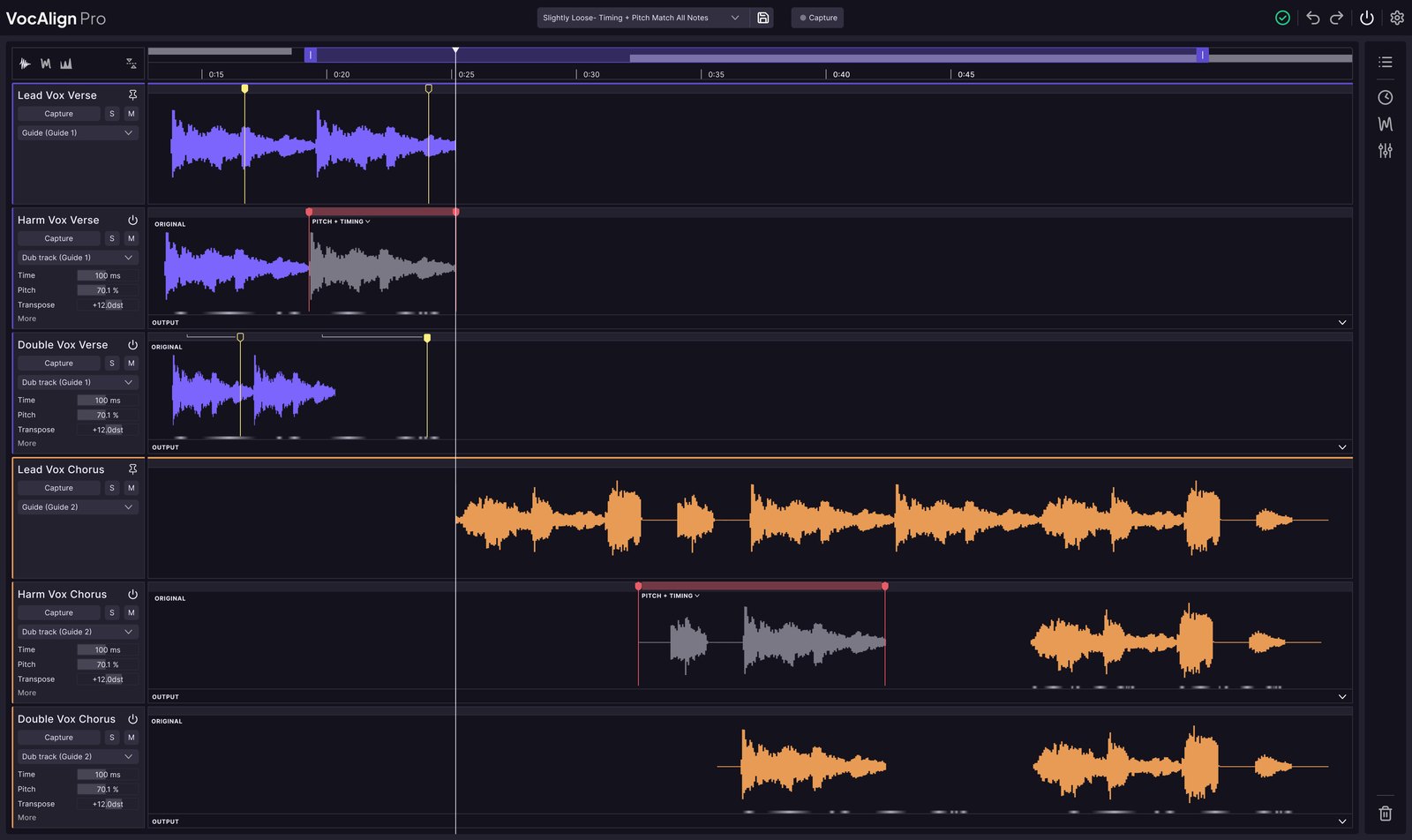
VocAlign 7 Standard vs Pro: what the extra $50 buys
VocAlign 7 Standard gives you the multi-track window, timing alignment, tightness control, presets and the energy view. Pro adds pitch matching, SmartPitch, Sync Points, Protected Areas, SynchroLink 2.0, formant control and transpose.
If you only need timing, Bolo Da Producer found Standard “very good as well. So, you’re not really missing out on too much” (video, 9:23). But Sync Vx matches pitch, so the fair fight is Sync Vx against VocAlign 7 Pro, the same call Sound On Sound made back in the VocAlign 6 days.
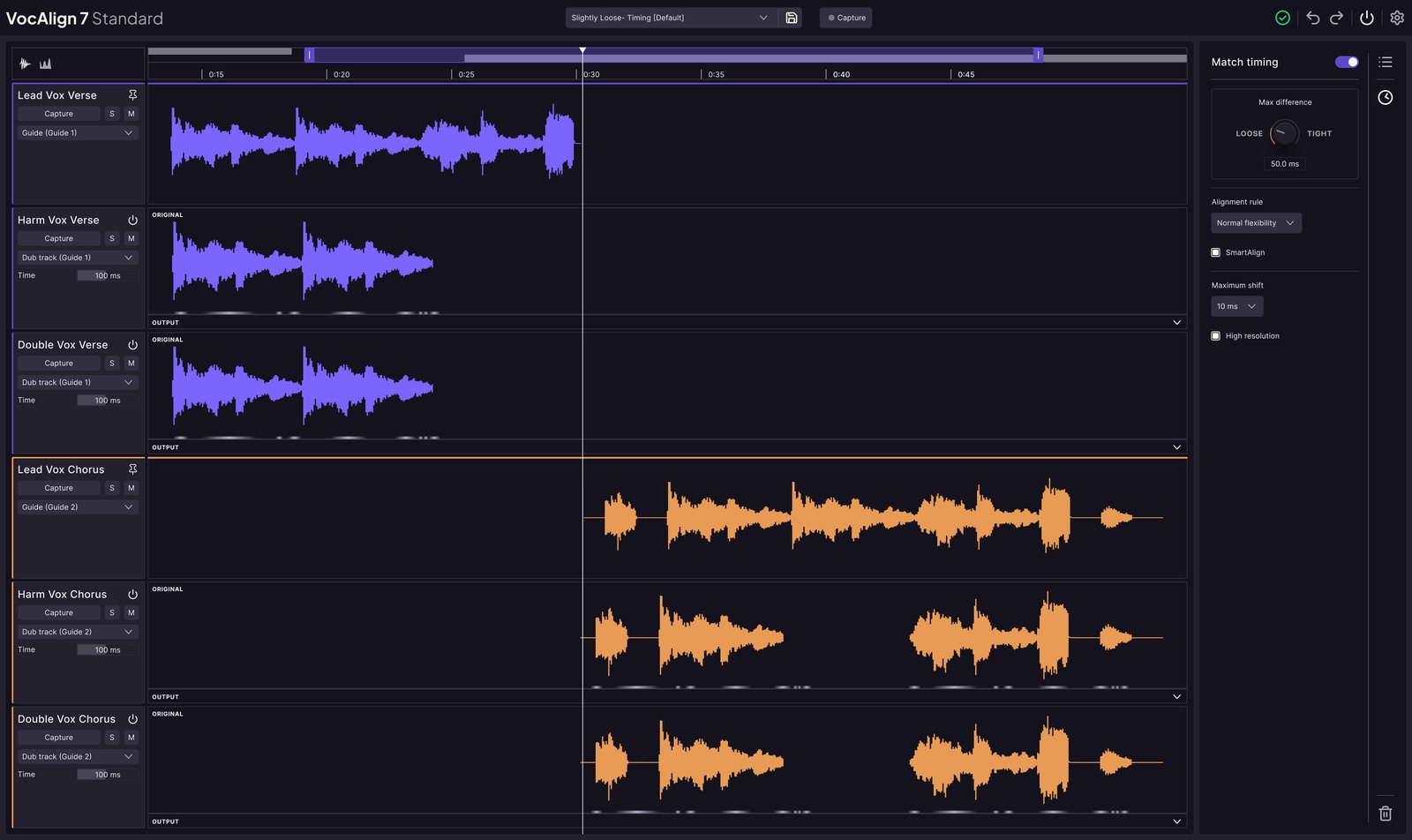
VocAlign 7 pricing, LANDR Studio and the free trial
Here’s what VocAlign 7 costs:
- VocAlign 7 Standard: $149 new, $69 to upgrade, $99 crossgrade.
- VocAlign 7 Pro: $199 new, $99 to upgrade, $133 crossgrade.
- Synchro Arts subscriptions: Artist at $14.99 a month or $119 a year with Standard, Pro at $24.99 a month or $199 a year with Pro.
- LANDR Studio: Standard comes with every plan from Studio Essentials, Pro with Studio Pro. Euro prices are in the pricing breakdown below.
- Free trial: 3 days, fully working, through a Synchro Arts account. It turns into a paid subscription unless you cancel.
- Licence: no iLok needed, and each licence activates on up to 2 machines.
LANDR Studio also includes RePitch 2 (Elements on every plan, Standard from Studio Standard), LANDR Layers, ReHance and the LANDR Mastering Plugin, plus mastering, distribution and sample credits.
VocAlign 7 cons
These are the complaints that come up again and again:
- Pitch-matching artefacts: the most repeated complaint across VocAlign versions. One user asked straight out whether VocAlign 7 still has them (YouTube comment). I didn’t hear them on my session, but I’d want an expert’s ears on it before calling them fixed.
- Early bugs: Attack Magazine found VocAlign 7 “a little buggy” in Ableton Live 11 and in the non-ARA version in Logic Pro 12.
- Upgrade price: VocAlign 6 Pro owners pay $99 for what is mostly a workflow update.
- Long sections: a Pro Tools user says VocAlign 6 lost sync on long passages (YouTube comment), and nobody has shown yet whether VocAlign 7 fixed it.
Who VocAlign 7 is best for
VocAlign 7 Pro fits engineers and producers who handle big vocal stacks: triple-tracked leads, 6-part harmonies, choirs, sessions with 20 or more vocal tracks. It also fits anyone who already tunes in RePitch, or already pays for LANDR Studio.
Pro tip: fix your guide vocal’s timing and pitch before you align anything to it. Every dub inherits the guide’s mistakes, a point Spinlight Studio makes in its VocAlign 7 walkthrough (video, 6:00).
Now to the plugin that made VocAlign change.
Sync Vx review: fast, cheap and capped at 16 tracks
What Sync Vx does
Sync Vx aligns the timing and matches the pitch of up to 16 mono vocal tracks to up to 4 reference tracks, in one window that looks like a small DAW. Each reference gets its own colour, so a verse stack and a chorus stack never get mixed up.
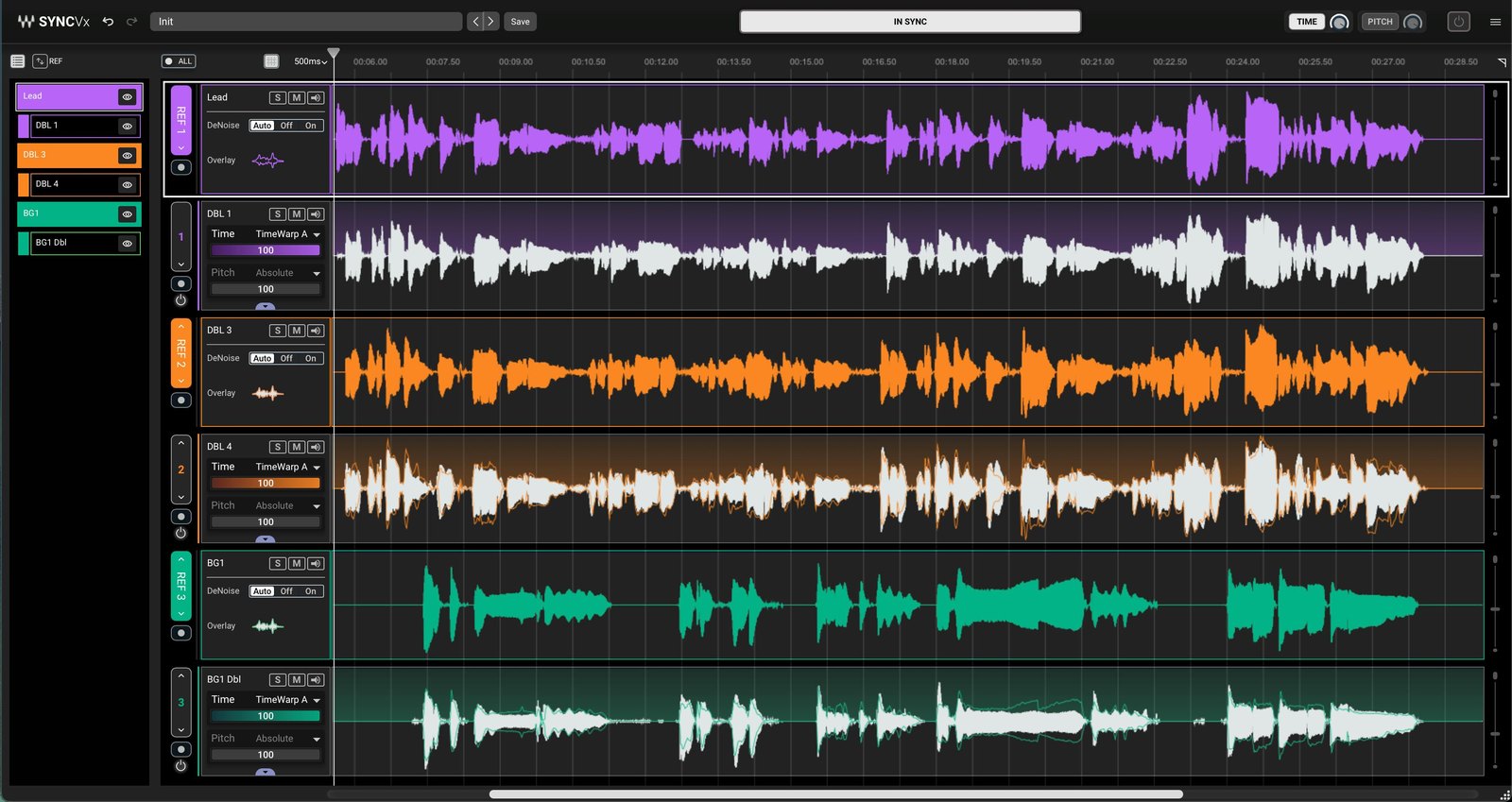
What the April 2026 Sync Vx update changed
Sync Vx launched as an ARA-only plugin, which locked out Ableton Live and FL Studio.
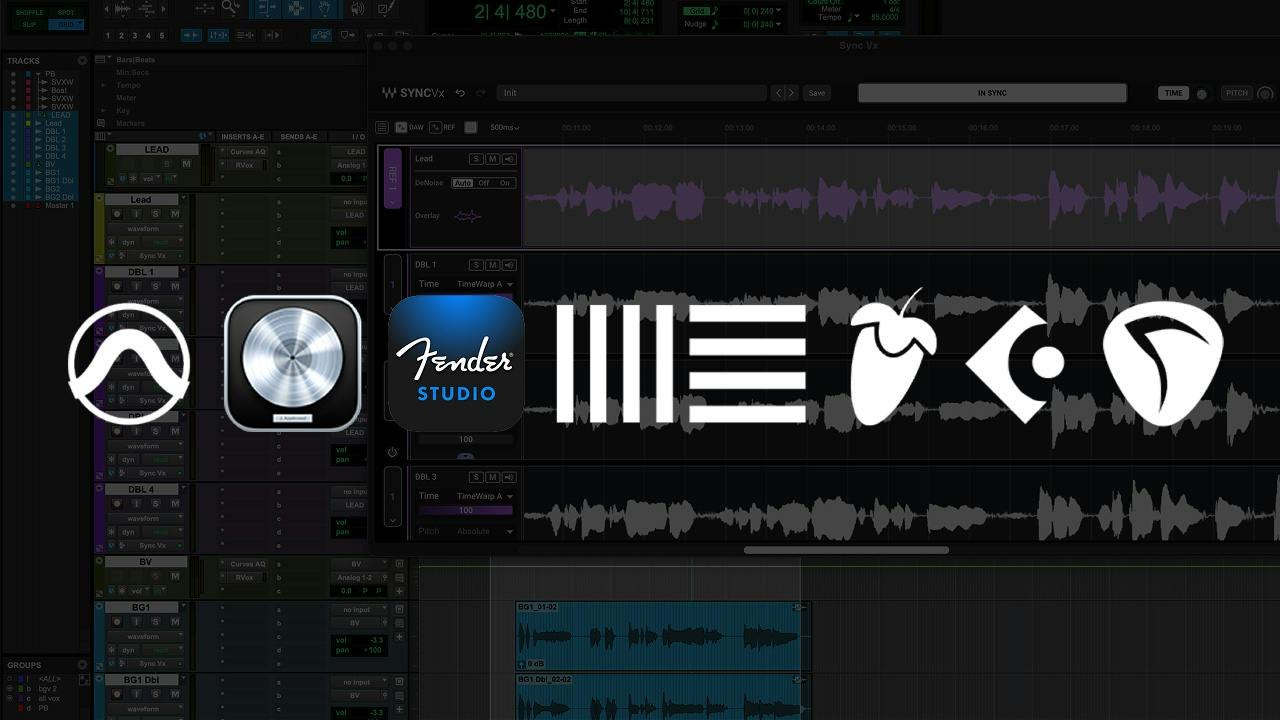
In April 2026, Waves added VST3, AU and AAX versions, so it now runs in every major DAW, as MusicTech reported. Outside ARA it captures your audio in real time before it aligns, and the update was free for existing owners.
Sync Vx standout features
These are the features that set Sync Vx apart:
- 4 reference tracks: align a lead stack, a harmony stack and a backing stack in one pass, each to its own reference.
- Three levels of tightness: set time and pitch strength globally, per track or per region, and the values multiply.
- 2 algorithms each: TimeWarp A and B for timing, Absolute and Absolute Ignore Vibrato for pitch.
- Transpose and formant: shift a synced part up to 12 semitones either way, or change its tone.
- Light on your CPU: Audio Toolshed found it uses almost no CPU outside processing (video, 1:07).
Which VocAlign 7 edition Sync Vx competes with
Sync Vx comes in one edition, and it includes pitch matching and formant shifting. That puts it level with VocAlign 7 Pro on features, at less than half the price.
It doesn’t have anything like SmartPitch, though. On a harmony track you switch pitch matching off yourself, which Czar realised mid-test: “that’s kind of a harmony part, matching the pitch isn’t what we really want” (video, 4:55).
Sync Vx pricing, Waves Ultimate and the free trial
Here’s what Sync Vx costs:
- Perpetual license: $79.99 at the time of writing, against a $199 list price. Waves discounts its plugins often.
- Waves Ultimate: $24.99 a month or $249.99 a year, with Sync Vx and 240-plus other Waves plugins included, and a 7-day free trial.
- Mercury bundle: Sync Vx is included.
Sync Vx holds 4.2 out of 5 from 111 reviews on the Waves site: 72 five-star, 12 four-star, 14 three-star, 7 two-star and 6 one-star.
Sync Vx cons
These are the complaints that come up again and again:
- 16-track cap: Sound On Sound’s test session went over it and had to render out and finish separately. One user with “40-50 vocal tracks” ruled Sync Vx out for that reason (YouTube comment).
- Mono only: two Waves reviewers marked it down for not working on stereo tracks.
- Clashes with tuners: Waves users report that Sync Vx fights scanning tuners like Waves Tune and Melodyne when you freeze and unfreeze tracks.
- Badly misaligned takes: one 2-star reviewer says that on vocals “very noticeably out of sync this doesn’t seem to do much”.
Who Sync Vx is best for
Sync Vx fits artists and producers who tighten a lead and a few doubles, or a harmony stack under 16 tracks, and want to own one plugin outright. It’s also free if you already pay for Waves Ultimate.
Example: Audio Toolshed fed Sync Vx a double sung an octave below the lead. Instead of pulling it up, Sync Vx tuned it in its own octave (video, 6:28).
So far, that’s two good plugins. Here’s where they differ.
VocAlign 7 vs Sync Vx head to head
Which plugin sounds more natural on doubles and harmonies?
On my own session, I couldn’t call it. Neither plugin left artefacts I could pick out, and VocAlign 7 didn’t show the problems testers reported from VocAlign 6.
But I’m not a vocal editor, and the people who are mostly lean toward Sync Vx. So I give Sync Vx a slight edge on sound, not a clear win. Every one of their tests was run against VocAlign 6, and nobody else has published a VocAlign 7 vs Sync Vx test yet.
These are the people who ran both plugins on the same vocals:
| Who | Verdict on sound |
|---|---|
| Audio Toolshed (video, Jan 2025) | Sync Vx: VocAlign had artefacts in the pitch and low end at extreme settings |
| Cyanide Lovesong (KVR forum, Jan 2025) | Sync Vx: “far more natural” and needed no manual markers |
| 3 Waves buyers (Waves reviews) | Sync Vx: fewer artefacts than VocAlign 6 |
| A YouTube commenter | Sync Vx: aligns whole verses where VocAlign 6 lost sync |
| Czar (video, Feb 2025) | Split: timing a tie, VocAlign better at pitch-matching two different takes |
| A user with both (YouTube comment) | VocAlign: “way better in all aspects” |
| A Waves 2-star reviewer | VocAlign: fixed timing that Sync Vx made worse |
Audio Toolshed heard VocAlign artefacts “in the pitch” and “in the low end” at extreme settings and said “Waves Sync VX does a much better job” (video, 7:39). On KVR, Cyanide Lovesong’s head-to-head found Sync Vx “far more natural”, with no manual markers where VocAlign “required several”.
Czar’s test cuts the other way. On two different female takes, Sync Vx with pitch matching “got a little weird at the end” and VocAlign Pro 6 didn’t (video, 14:35), though a commenter spotted that VocAlign’s pitch setting was slightly looser (YouTube comment).
For VocAlign 7 specifically, Attack Magazine’s review heard “clean and natural pitch correction” on 6 deliberately off-grid harmonies, and Bolo Da Producer said “even the breaths … they’re all aligned up perfectly” (video, 14:59). Both are single-plugin demos, not comparisons.
How VocAlign 7 SmartPitch and Sync Vx Pitch Tightness treat a harmony stack
On harmony stacks, SmartPitch matters more than anything in the sound tests.
Sync Vx matches a dub’s pitch to its reference with one strength slider per track or region. On a harmony, you have to remember to turn it off, and SonicScoop’s demo does exactly that, track by track (video, 7:28). Leave it on everywhere and, in the host’s words, you can “force some of these harmonies into being a unison take” (13:45).
VocAlign 7 Pro’s SmartPitch decides per note whether a dub needs tuning, so harmonies keep their own notes. Pitch target modes for nearest octave, relative and monotone add more ways to avoid artefacts.
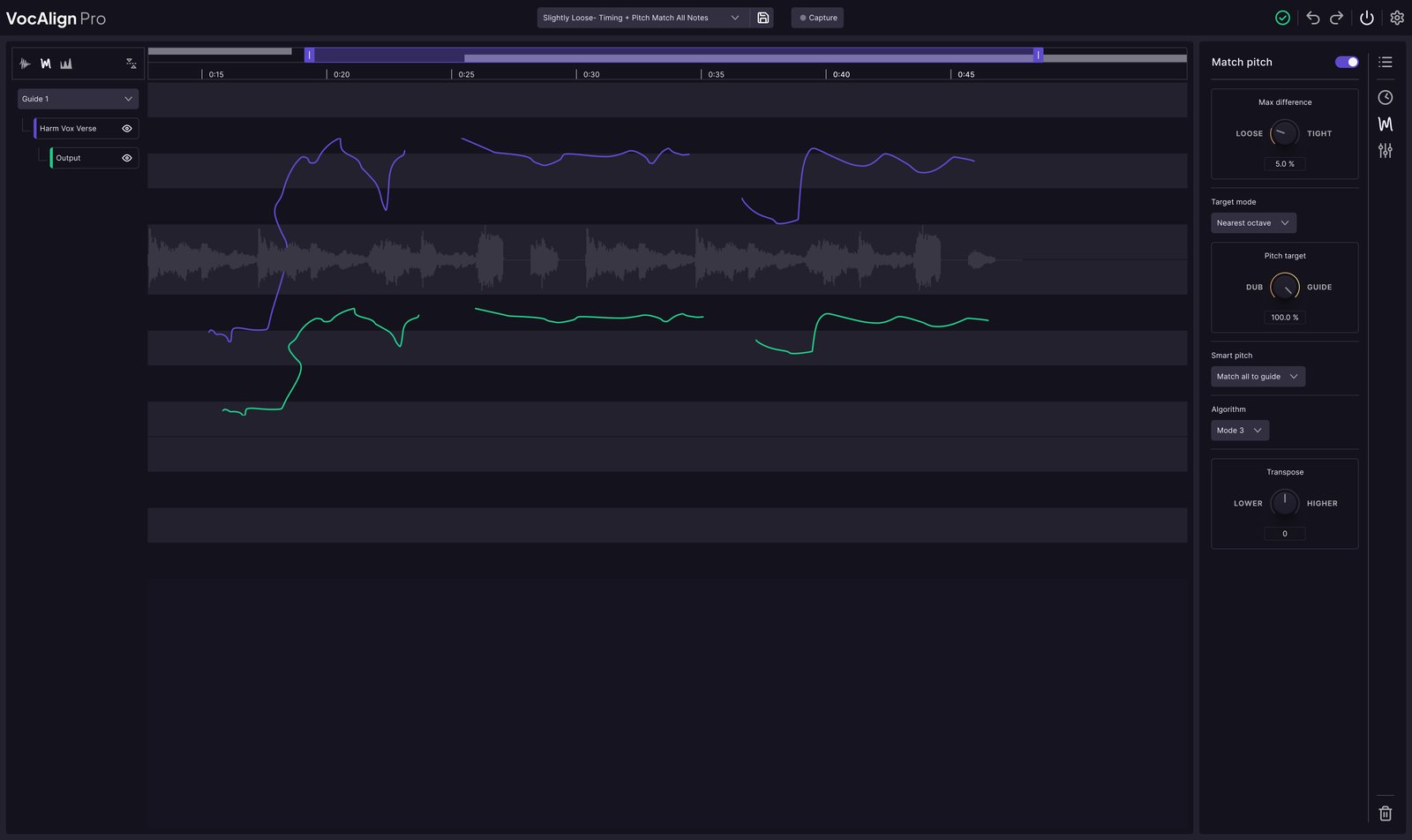
One limit both share: neither can follow one guide for timing and a different guide for pitch. Synchro Arts’ answer in its own comments is to align, bounce, then pitch-match against the second guide (reply from Synchro Arts).
VocAlign 7 has no track limit, Sync Vx stops at 16 mono tracks
VocAlign 7 has no track limit. Attack Magazine, Spinlight Studio and Synchro Arts all say so. The guide count is less clear: Bolo Da Producer says up to 4 guides, Spinlight Studio says as many as you want, so treat it as unconfirmed.
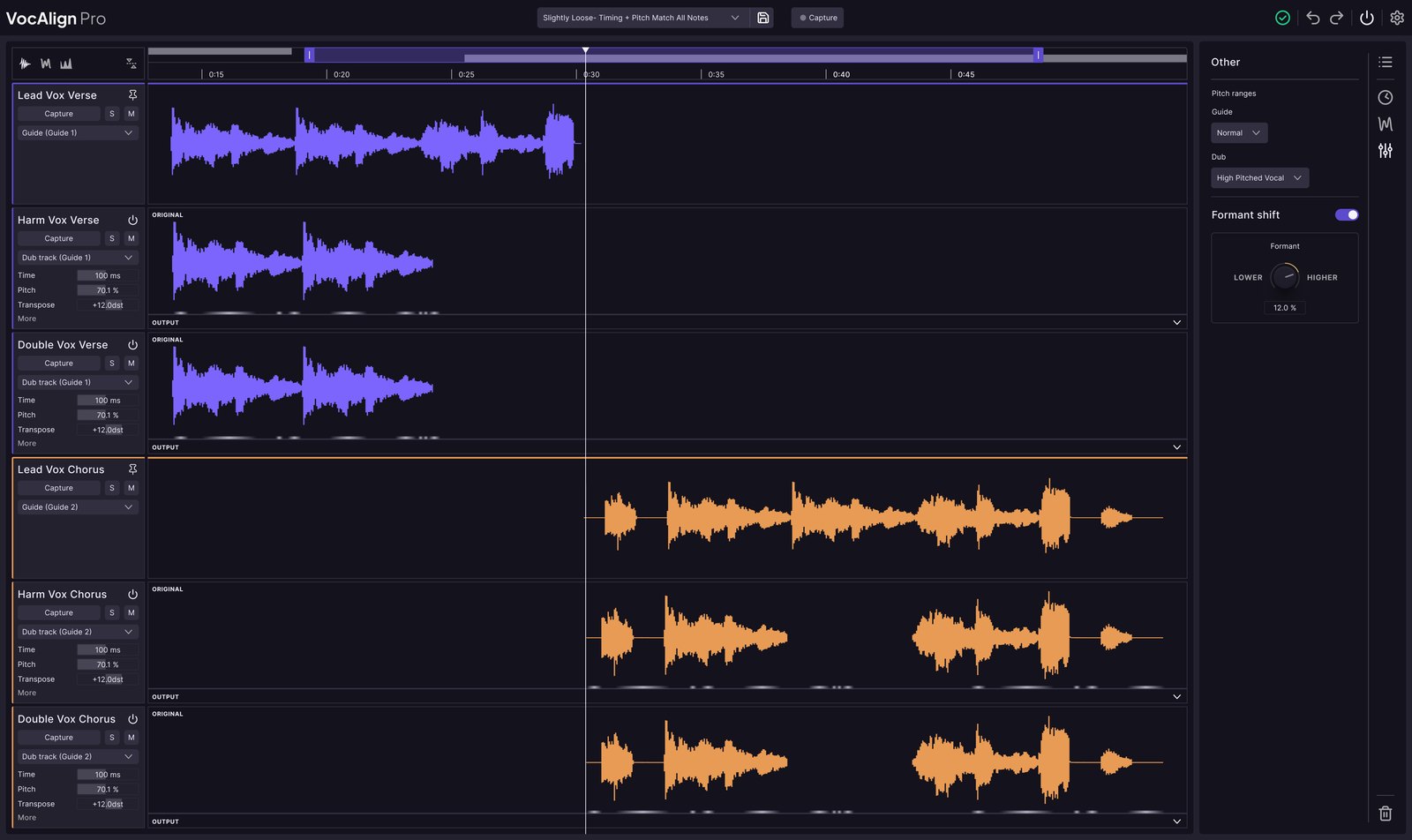
Sync Vx stops at 16 mono tracks and 4 references. For a lead, 3 doubles and a 6-part harmony stack, that’s plenty. For a choir session or a pop chorus with 40 vocal tracks, you’ll be rendering in batches.
Sync Vx also takes mono tracks only. I couldn’t confirm whether VocAlign 7 accepts stereo tracks, so don’t count stereo as a VocAlign win yet.
Ableton Live, FL Studio and Logic Pro: ARA, capture passes and Rosetta
On getting your audio in, the two plugins tie.
In an ARA DAW like Pro Tools, Cubase, Studio One or REAPER, both read your audio instantly. Everywhere else you play the song through once so the plugin can capture it. That’s how it went for me in FL Studio: in VocAlign 7 I hit Arm Capture All and played the song, and Sync Vx captures the same way outside ARA. VocAlign 7’s gain is one pass for every track with no sidechain setup, or as Attack Magazine put it: “No more annoying sidechain input.”
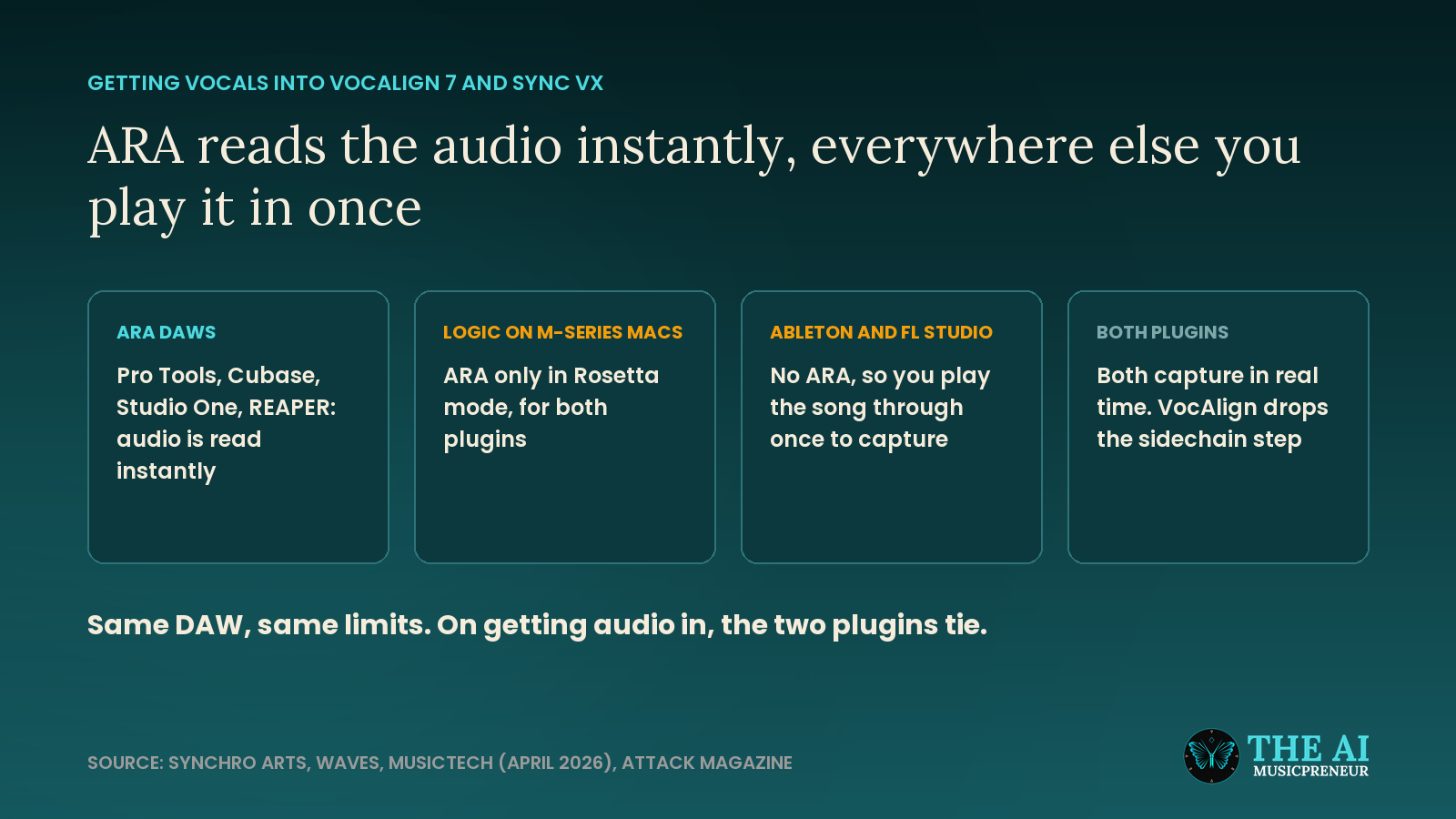
Logic Pro on Apple Silicon is the same story for both: ARA only in Rosetta mode, which 16 of the 111 Sync Vx reviews on the Waves site complain about. Spinlight Studio skips Rosetta and captures in real time instead, because jumping in and out of it is “a little bit tedious” (video, 1:36). Audio Toolshed blames Apple for this one, not the plugin makers: “this is something Apple needs to fix” (1:07).
Tuning and alignment together: SynchroLink 2.0 vs a separate tuner
If you tune your lead before you align the stack, VocAlign 7 Pro has the cleaner workflow.
With SynchroLink 2.0, you tune the lead in RePitch 2 and send it straight to VocAlign as the guide, with no capture pass. Patrick Breen, in a video sponsored by Synchro Arts, shows that later RePitch edits still flow into VocAlign after the hand-off (video, 7:24).
SynchroLink 2.0 needs both VocAlign 7 Pro and RePitch 2 Standard, as Synchro Arts confirms. LANDR Studio Pro includes both, so the whole tune-then-align workflow comes in one subscription. Bought outright, you need both licences or Synchro Arts’ Vocal Production Bundle.
Sync Vx has no tuning partner. Waves users report it clashing with scanning tuners like Waves Tune and Melodyne, so you finish your tuning, commit it, then align.
VocAlign 7 vs Sync Vx round by round
Put the two side by side, feature by feature, and this is how I score each round:
| Round | Winner | Why |
|---|---|---|
| Sound | Sync Vx, slightly | It led most published side-by-side tests, all against VocAlign 6. On my own session I couldn’t hear a clear difference |
| Track limit | VocAlign 7 | No limit, against 16 mono tracks |
| Guide tracks | Unconfirmed | Sync Vx takes 4 references, and VocAlign 7’s limit is “up to four” or “as many as you want”, depending on the tutorial |
| Pitch on harmonies | VocAlign 7 Pro | SmartPitch decides per note. In Sync Vx you switch pitch matching off yourself, per track or region |
| Tuning link | VocAlign 7 Pro | SynchroLink 2.0 with RePitch 2 Standard. Sync Vx has no tuning partner |
| Manual control | VocAlign 7 Pro, slightly | Protected Areas lock pitch, timing or both. Sync Vx has ignore regions and bypass |
| Visual checks | VocAlign 7 | Energy and pitch views, against Sync Vx’s overlay view |
| Clip-level settings | Draw | Both set timing, pitch, transpose and formant per clip or region |
| Formant | Draw | Both shift formants to separate similar voices |
| Tightness | Draw | Both work per track and per region, and Sync Vx adds a global layer |
| DAW support | Draw | Both run with and without ARA, and both need Rosetta for ARA in Logic on Apple Silicon |
| Price | Sync Vx | $79.99 with pitch matching, against $199 for VocAlign 7 Pro |
VocAlign 7 Pro takes 5 rounds, Sync Vx takes 2, and 4 are a draw. So why is my scorecard a tie? Sync Vx’s 2 wins are sound and price, which carry half the weight. VocAlign’s 5 all land in control and workflow, and the LANDR Studio Pro bundle narrows the price gap.
VocAlign’s 30-year track record is real, but it’s history, not a listening test, so it doesn’t move my Output score. If your sessions are big or your harmonies need tuning, though, those 5 rounds matter more than the weights say, and VocAlign 7 Pro is the better buy.
VocAlign 7 vs Sync Vx pricing breakdown
| VocAlign 7 Standard | VocAlign 7 Pro | Sync Vx | |
|---|---|---|---|
| Perpetual | $149 | $199 | $79.99 (list $199) |
| Upgrade | $69 | $99 | Free from V16 |
| LANDR Studio, monthly | From €12 (Essentials) | €23 (Studio Pro) | Not included |
| LANDR Studio, billed yearly | From €7.42 a month | €14.40 a month (promotion, list €22.50) | Not included |
| Waves Ultimate | Not included | Not included | $24.99 a month or $249.99 a year |
| Pitch matching | No | Yes | Yes |
| Free trial | 3 days | 3 days | Waves demo |
LANDR prices as shown on landr.com from Germany on 5 October 2026. LANDR prices by region, so yours may differ.
So VocAlign 7 doesn’t pay for itself on its own. Studio Essentials passes Sync Vx’s one-off price by month 6 or 7, and a yearly Studio Pro plan costs €172.80, more than twice Sync Vx.
It’s worth it if you use more than VocAlign, and with LANDR Studio you get much more. RePitch 2, Layers, ReHance, the mastering plugin, sample credits and distribution come in the same plan, so one subscription covers most of a production workflow, from production to release. The fair subscription match is LANDR Studio Pro against Waves Ultimate at $24.99 a month.
That’s why VocAlign 7 Pro gets 4.5 on price, not 4. Studio Pro is the one plan with VocAlign 7 Pro and RePitch 2 Standard together, so the whole SynchroLink 2.0 workflow comes with the rest of the catalogue for one subscription. If you only need timing, VocAlign 7 Standard is the cheaper way in. Studio Essentials costs €7.42 a month billed yearly and brings RePitch 2 Elements and 10 LANDR plugins with it. Bought outright, $149 for timing only is weaker value.
Sync Vx still wins on price, because $79.99 once is the cheapest way to align a vocal stack.
Which is the best vocal alignment plugin for you: VocAlign 7 or Sync Vx?
The best vocal alignment plugin depends on how big your sessions get and what else you pay for.
Choose VocAlign 7 Pro if you run sessions with 20-plus vocal tracks, stack harmonies that need tuning without turning into unison, or already tune in RePitch. Pro Tools engineers with big pop and choir sessions get the most from it.
Choose Sync Vx if you tighten a lead and a few doubles, or stack vocals from Suno stems, and want to own one plugin for $79.99. It’s also already yours if you’re on Waves Ultimate.
Choose VocAlign 7 in LANDR Studio if you want a whole production toolkit in one subscription: instrument generation, vocal cleanup, tuning, mastering and distribution. VocAlign Standard comes with every plan, Pro with Studio Pro, which also has the RePitch 2 Standard you need for SynchroLink 2.0.
If you know VocAlign 6, try VocAlign 7. It’s a big upgrade in workflow and control, and the one-window workflow saves the most time on big stacks and in Ableton Live and FL Studio. If you mostly align a lead and one double, the $99 upgrade is harder to justify.
Start with the free trials of VocAlign 7 and Sync Vx
You don’t have to buy either one blind. VocAlign 7 runs a 3-day trial through Synchro Arts, every LANDR Studio plan has a 3-day trial too, and Waves has a Sync Vx demo.
Test them on your own vocal stack if you have one. If your projects don’t have enough doubles and harmonies to push either plugin, Cambridge Music Technology’s free multitrack library has hundreds of real recordings split into stems, made for mixing practice.
That was my situation. I had no session with that many vocal tracks ready, and I wanted to hear both plugins on a female and a male vocal. The library is a good fallback whenever you want to try a new plugin and your own sessions can’t show what it does.
Run both plugins at the same settings and listen for these 5 things, because they’re where the two are most likely to differ:
- A tight double at 100% tightness, then at 75%. Listen for phasing, and for two voices collapsing into one. The published tests favour Sync Vx here.
- A harmony stack with pitch matching on. Leave Sync Vx’s pitch matching on for every track once, then let SmartPitch decide. Listen for harmonies pulled toward the lead’s notes. VocAlign 7 Pro should win this one.
- A fast line full of consonants. Solo the esses and t’s. Smeared consonants and a warpy sound are the artefacts users complain about most.
- A long note with vibrato. Try Sync Vx’s Absolute Ignore Vibrato against VocAlign’s pitch target modes, and listen for a warble on the held note. No published test covers this one.
- A take that’s badly off. Nudge a double a 16th note late before you align it. One Waves reviewer found Sync Vx barely moved a badly misaligned take, and VocAlign fixed it.
The last test tells you which plugin you’ll trust on a deadline, and that’s the one to keep.
If you’re weighing up other LANDR plugins against an established rival, my LANDR vs Ozone comparison runs the same kind of head-to-head for mastering.
Frequently asked questions
Is VocAlign 7 worth it when Sync Vx costs $79.99?
Only if you need what Sync Vx lacks. VocAlign 7 Pro has no track limit, SmartPitch for harmony stacks, Protected Areas and a live link to RePitch 2, and LANDR Studio Pro includes it together with RePitch 2 Standard. For a lead vocal and a few doubles, Sync Vx does the same job for $79.99 with pitch matching included.
Does VocAlign 7 Standard include pitch matching like Sync Vx?
No. VocAlign 7 Standard aligns timing only. Pitch matching, SmartPitch, Sync Points, Protected Areas, formant and transpose are VocAlign 7 Pro features, so Sync Vx is the closer match to VocAlign 7 Pro, not Standard.
Do VocAlign 7 and Sync Vx need Rosetta in Logic Pro on Apple Silicon?
For ARA, yes, both of them. Synchro Arts says the Apple Silicon version of Logic does not support ARA plugins, and Waves supports Sync Vx's ARA mode in Logic via Rosetta. Without Rosetta, both run as normal plugins and capture the audio in a real-time playback pass.
Is there a free trial for VocAlign 7 and Sync Vx?
VocAlign 7 has a fully functional 3-day trial through a Synchro Arts account, which turns into a paid subscription unless you cancel, and every LANDR Studio plan has a 3-day trial too. Waves has a Sync Vx demo, and the Waves Ultimate subscription, which includes Sync Vx, comes with a 7-day free trial.
Can VocAlign 7 or Sync Vx use one guide for timing and another for pitch?
Not in a single pass. Synchro Arts' advice for VocAlign 7 is to align the timing to the first guide, bounce the result, then match pitch against the second guide. Sync Vx also links each synced track to one reference for both timing and pitch.
About the author

Covering AI music tools, industry shifts, and news for music creators and professionals. Twice-weekly newsletter at aimusicpreneur.com.