BandLab
BandLab packs three free AI tools (Songstarter, Splitter, Mastering) into one browser studio. Royalty-free output, $1.99 premium tier for extras.
What is BandLab and how does it work?
BandLab is a free, browser-based music platform built around a social DAW (BandLab Studio) and a stack of AI tools that cover the full song workflow: generate an idea, separate stems from a reference, and master the finished mix. All three AI tools sit inside one of the few free, no-credit-card platforms in the AI music generators category.
BandLab runs three distinct AI products under one roof:
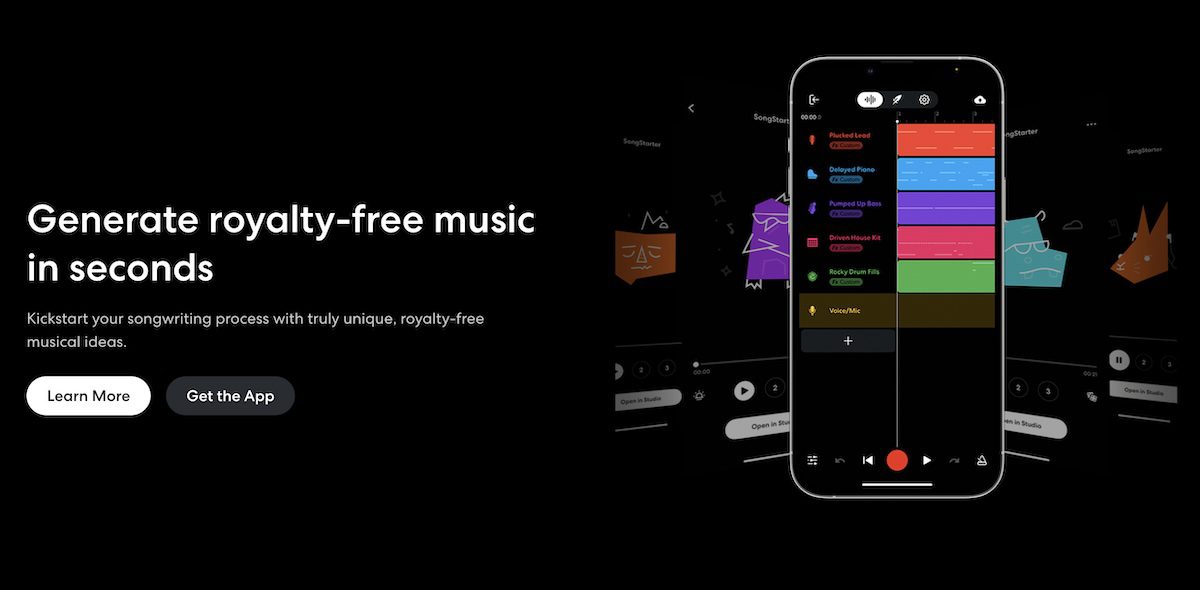
- BandLab Songstarter — generates royalty-free beats, loops, and samples from a genre selection. Built to break the blank-page problem.
- BandLab Splitter — separates any track into vocals, drums, bass, and instruments. Free, no song-count limit, 15-minute song max.
- BandLab Mastering — applies AI mastering using four presets crafted by Grammy-winning engineers, up to 10x faster than competitor processors.
The three tools share two things: outputs are royalty-free for personal and commercial use, and every tool feeds directly back into BandLab Studio, the free browser DAW that ties the workflow together.
How it works:
- Sign up for a free BandLab account (no credit card)
- Pick the tool that matches the step you’re on: starter, stem split, or master
- Adjust the result inside BandLab Studio, or export as MP3 or WAV to your own DAW
- Optional: upgrade to BandLab Membership at $1.99 a month for faster processing and extra features
The model behind BandLab is simple: the AI tools are loss leaders to pull producers into BandLab Studio and the wider social platform.
How much does BandLab cost?
BandLab runs a freemium model where the AI tools are usable at zero cost.
| Plan | Price | What you get |
|---|---|---|
| Free | $0 | Songstarter generations, unlimited Splitter (15 min max per song), unlimited Mastering on shorter tracks, full BandLab Studio DAW |
| BandLab Membership | $1.99/month | Faster Splitter processing, extra guitar stem, full-length Mastering, premium Studio features |
| One-time mastering credits | Per-credit | Buy single masters without subscribing, for occasional release work |
The free tier is more usable than most competitors’ free tiers. Most AI mastering services apply watermarks or limit downloads. Most stem splitters charge per minute. BandLab gives the core feature away to pull users into the ecosystem.
Pricing changes frequently. Verify current plans on the BandLab Membership page.
At $1.99 a month for the premium tier, BandLab is by far the cheapest paid ecosystem in this category. Most competitors charge between $10 and $30 a month for comparable feature sets.
Are BandLab’s AI tools actually free, or is there a catch?
Yes, the AI tools are free. The “catch” is that BandLab wants you using BandLab Studio.
Here’s how the free tier actually works:
- Songstarter is fully free. No credits, no subscription, no per-generation cap. Genre selection only (not free-form text prompts).
- Splitter is fully free for separation. The cap is 15 minutes per song and the guitar stem is locked behind the $1.99 Membership.
- Mastering is free for shorter tracks. Premium plan removes the length cap and adds advanced features.
- BandLab Studio (the underlying DAW) is fully free, no caps.
The trade-off is straightforward: outputs are cleared for commercial use, but the workflow is designed to keep you on BandLab. Export to MP3 or WAV at any time if you want to finish a project in Logic, Ableton, or Pro Tools. The LALAL.AI tool page covers the closest pro-grade splitter alternative if you hit BandLab’s caps regularly.
How does BandLab compare to Soundtrap and Splice?
BandLab competes with two other browser-first music ecosystems: Spotify-owned Soundtrap and sample-platform Splice. Each one bundles AI tools with a DAW or sample library, but the trade-offs are different.
BandLab vs Soundtrap
| BandLab | Soundtrap | |
|---|---|---|
| Starting price | Free | Free (limited) |
| Core use case | Browser DAW plus 3 AI tools (generate, split, master) | Browser DAW with AI mastering and stems add-ons |
| Key differentiator | Songstarter generates royalty-free beats free of charge | Owned by Spotify, tighter integration with podcast workflows |
| Free tier | Full Studio plus 3 AI tools at core | Limited tracks and instruments, AI features mostly paid |
| Best for | Producers wanting free AI generation and stem work | Podcasters and educators inside the Spotify world |
BandLab vs Splice
| BandLab | Splice | |
|---|---|---|
| Starting price | Free | $9.99/month |
| Core use case | Free AI tools plus social DAW | Sample library plus AI-powered sample search (Create) |
| Key differentiator | Free Songstarter, Splitter, and Mastering bundled | Industry-leading royalty-free sample catalog |
| Free tier | Full core feature set | Limited free samples, no full Splice Create access |
| Best for | Beginners and producers on zero budget | Producers who need a deep sample library and prefer paying for curation |
Choose BandLab when budget is zero and you want all three AI workflows under one login. Choose Soundtrap if you live inside the Spotify ecosystem. Choose Splice when sample selection and curation matter more than free AI generation. The LANDR tool page covers the closest paid mastering competitor if mastering quality is your main concern.
What are some use cases for BandLab?
The three tools combined cover a producer’s full workflow, from sketch to master. Common ways producers use the BandLab AI stack:
- Beat hunting for songwriters — Songstarter spits out a genre-matched bed in seconds, so writing lyrics or melodies starts from a vibe instead of silence
- Cover song production — Splitter pulls vocals, drums, bass, and instruments from any reference, ready to remix or rebuild
- Practice and karaoke — strip vocals from any song, drill solos at slower speed without pitch shift, loop tricky passages
- Demo mastering on the fly — Mastering returns a release-ready demo in under a minute, free, repeatable after every mix tweak
- Indie release workflow — write inside Songstarter, finish in Studio, master in Mastering, all free if track lengths stay short
- Music teaching — students can legally remix Songstarter beds, split commercial tracks for analysis, and master their own work without paying
- Content creator soundtracks — generate, edit, and master a TikTok or YouTube hook in one browser tab
- Iterative mix work — re-master after every change without paying or waiting, which most competitors do not allow
BandLab’s value is the combination: each tool individually is matched or beaten by a dedicated paid alternative, but no other free platform bundles all three. The Top AI Tools for the Indie Musician article covers where BandLab fits in a full indie tool stack.
Frequently Asked Questions
Q: Are BandLab’s AI tools actually free? A: Yes. Songstarter, Splitter, and Mastering all work at zero cost with a free BandLab account. Membership at $1.99 a month unlocks faster processing and a few premium features, but the core of each tool is free.
Q: Do I own what I create with BandLab? A: Yes. Outputs from Songstarter, Splitter, and Mastering are royalty-free and cleared for personal and commercial use. You can release tracks made on BandLab to Spotify, Apple Music, and any DSP without paying or attributing anything.
Q: Can I use BandLab without the BandLab Studio DAW? A: Yes. Every tool exports as MP3 or WAV so you can pull the result into Logic, Ableton, FL Studio, or any DAW. BandLab Studio is optional, not required.
Q: What’s the difference between BandLab Membership and the free tier? A: Membership ($1.99/month) adds faster Splitter processing, an extra guitar stem in Splitter, full-length Mastering for longer tracks, and premium Studio features. The core AI tools work on the free tier without it.
Q: How long does BandLab Mastering take? A: BandLab claims up to 10x faster processing than competitor mastering tools. In practice a master returns in under a minute for most short tracks, which makes iterating on a mix and re-mastering dozens of times in one session realistic.
Q: Can BandLab Splitter handle full-length songs? A: Splitter caps each upload at 15 minutes. That covers any standard song but rules out long DJ mixes and live recordings. If you need to split longer files, look at pro-grade splitters in the best AI stem separation tools roundup.
Q: Does BandLab work on mobile? A: Yes. BandLab has iOS and Android apps with the full Studio, plus access to Splitter and Mastering. Songstarter is best on desktop browser for now.