ACE Studio
ACE Studio turns MIDI and lyrics into studio-quality AI vocals with 140+ royalty-free voice models, voice cloning, and a built-in stem splitter. Free tier.
What is ACE Studio and how does it work?
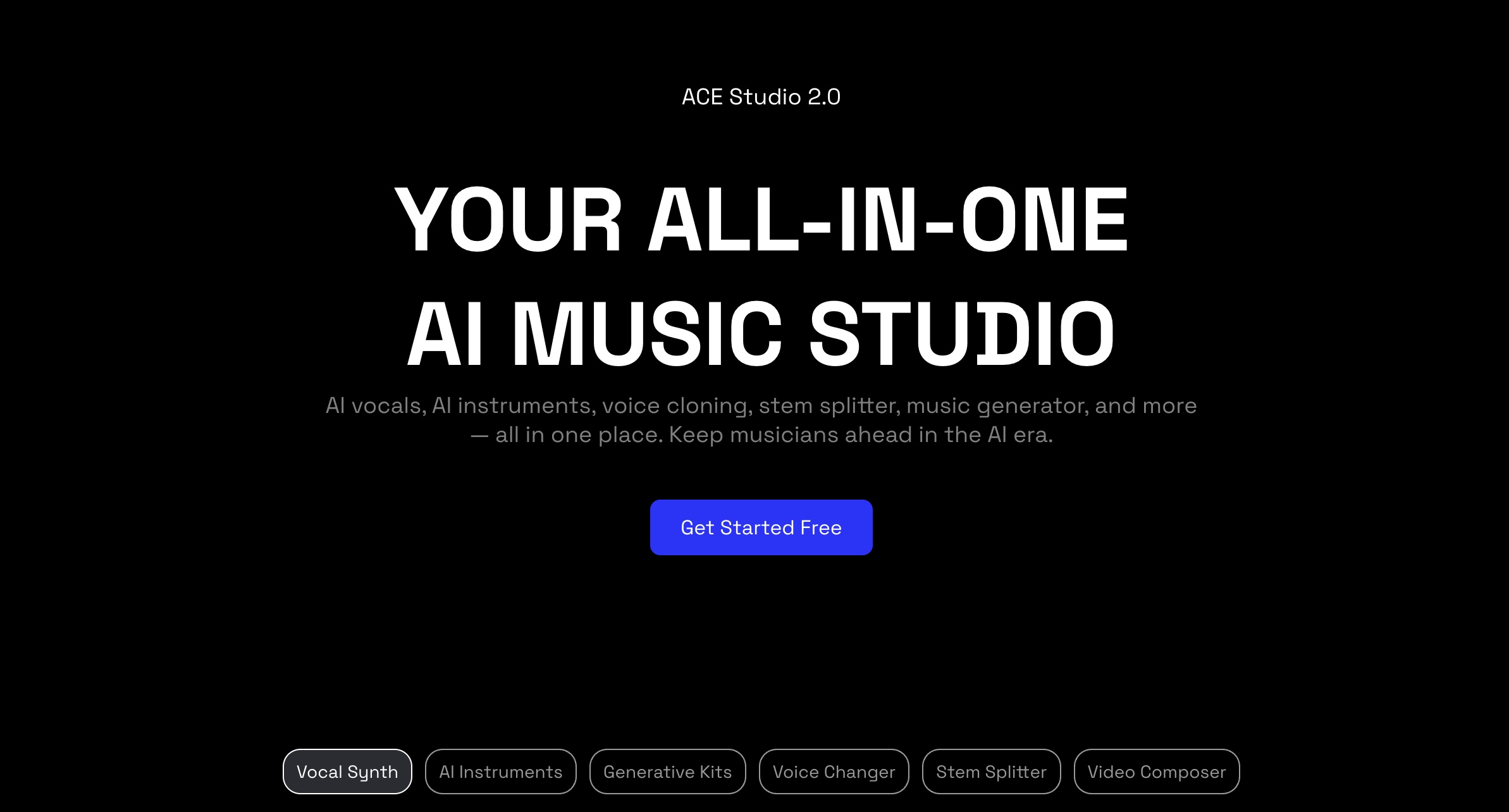
ACE Studio is an AI music workspace built by Timedomain that turns MIDI notes and typed lyrics into expressive, studio-quality singing vocals. Version 2.0, covered in our ACE Studio 2.0 launch breakdown, grew the model library to 140+ royalty-free voices across 8 languages and added AI instruments, a stem splitter, and a video composer alongside the vocal engine.
It sits between a prompt-based song generator and a traditional DAW: you keep note-level control over the melody, but the AI sings it for you.
How it works:
- Open acestudio.ai in the browser or desktop app and start a project
- Draw or import a MIDI melody, then type the lyrics under each note
- Pick one of the 140+ AI voices, or clone your own from a short recording
- Adjust pitch, vibrato, breath, and timing per syllable until the take feels human
- Render the vocal, layer AI instruments or split stems, and export to your DAW
ACE Studio fits producers and songwriters who already think in melodies and want a finished vocal without booking a session singer.
How much does ACE Studio cost?
ACE Studio runs a freemium model with two main paid tiers plus an enterprise option:
| Plan | Price | What you get |
|---|---|---|
| Free | $0 | Basic AI voices, vocal editing, MIDI import, personal-use projects |
| Artist | $16.58/mo | 330 generative-kit minutes/mo, 1 custom voice, 1 voice-changer slot, 3GB storage |
| Artist Pro | $22/mo | 660 minutes/mo, 5 custom voices, 10 voice-changer slots, 10GB storage |
| Enterprise | Custom | Unlimited usage, custom voice training, API access, dedicated manager |
Both paid plans include unlimited AI vocal and instrument generation, unlimited voice retraining, the stem splitter, the vocal-to-MIDI converter, and the ACE Bridge plugin. Pricing changes frequently, so verify current plans at ACE Studio pricing. For a vocal-synthesis tool with cleared commercial rights, the Artist tier is fair value if you ship more than a couple of tracks a month.
Use the coupon code AIMUSICPRENEUR at checkout for 5% off your first payment on any ACE Studio plan.
How realistic are ACE Studio’s AI vocals?
Realistic enough for released tracks, with the caveat that the result depends on your MIDI and tuning work:
- The engine models pitch, vibrato, breathing, and emotional dynamics automatically, then exposes each as an editable parameter
- VoiceMix lets you blend two or more models into a new timbre, so your vocalist does not have to match anyone else’s release
- Custom cloning trains a usable model from a short vocal upload in a few clicks
- Eight languages are supported, so the same melody can be sung in English, Japanese, Spanish, and more
- Output quality climbs sharply once you stop accepting the default take and edit syllable timing by hand
How does ACE Studio’s Choir Mode work?
Choir Mode assembles a full choir by dragging AI voices onto an arrangement, in pop, gospel, kids, or opera styles. Each voice performs the line on its own rather than duplicating one take, so the result layers like an ensemble instead of a chorus effect.
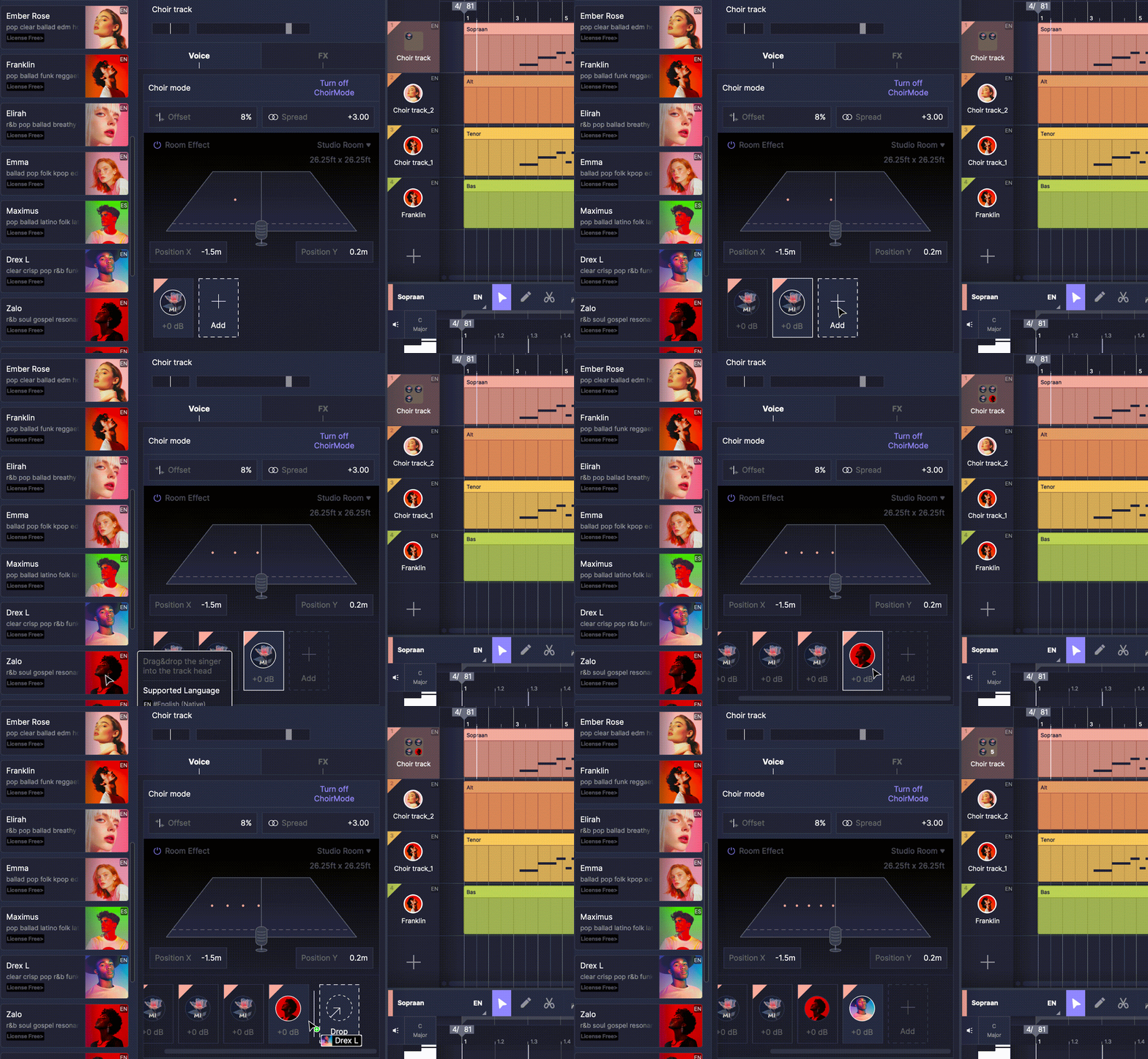
What makes it the default recommendation in the AI choir generator category is what it does not ask for:
- No singing ability needed. The choir is built from MIDI notes and typed lyrics, so a producer who cannot hold a tune gets the same result as one who can.
- It runs on Mac and Windows, while I AM CHOIR is macOS only at launch.
- The free tier covers it, making this the lowest-friction way to hear an AI choir on your own track.
- VoiceMix blends several singers into a new timbre, so the ensemble is not limited to the models shipped in the library.
- 8 languages are supported, against the 1 language your own pronunciation allows on a voice-conversion plugin.
The honest limit: a MIDI-driven choir is only as musical as the part you program. It cannot supply phrasing you did not write. If you can sing the part yourself, a converter keeps something Choir Mode structurally cannot.
How does ACE Studio compare to Suno and Kits AI?
Each tool solves a different part of the vocal problem.
| ACE Studio | Suno | |
|---|---|---|
| Starting price | Free, then $16.58/mo | Free, then $10/mo |
| Core use case | Sung vocals from MIDI plus lyrics | Full songs from a text prompt |
| Key differentiator | Note-level control over the vocal | Speed and zero music theory needed |
| Free tier | Yes | Yes |
| Best for | Producers who program melodies | Creators who want a finished song fast |
| ACE Studio | Kits AI | |
|---|---|---|
| Starting price | Free, then $16.58/mo | Free, then paid tiers |
| Core use case | Generate sung vocals from scratch | Convert your recorded vocal to another voice |
| Key differentiator | Builds a performance from MIDI | Voice-to-voice conversion of real takes |
| Free tier | Yes | Yes |
| Best for | Writing new vocal parts | Reskinning a vocal you already sang |
Choose Suno when you want a whole song in a minute with no melody work. Choose Kits AI when you have already recorded a take and want to swap the voice. Choose ACE Studio when you want to compose the vocal note by note and keep full control of the performance.
What are some use cases for ACE Studio?
- Vocal demos without a singer: hear your topline sung in a finished voice before booking session time
- Reference vocals for clients: deliver a sung guide track so collaborators know the melody
- Backing vocals and choirs: build a gospel, kids, pop, or opera choir in Choir Mode from a single MIDI arrangement
- Multilingual releases: sing the same hook across 8 languages for different markets
- Voice cloning for a personal artist project: train one model and reuse it across a catalog
- Stem prep and remixing: pull vocals or instruments apart with the built-in stem splitter
- Songwriting practice: test whether a melody scans against real lyrics
ACE Studio earns its place for producers and songwriters who want studio vocals on demand and care that the output is cleared for commercial release.
Frequently Asked Questions
Is ACE Studio free?
ACE Studio has a free tier with basic AI voices, vocal editing, and MIDI import for personal projects. Paid plans start at $16.58/mo for the Artist tier, which unlocks custom voice cloning, more storage, and the full voice library.
Can you use ACE Studio vocals commercially?
Yes. Vocals and instrumentals made with ACE Studio’s pre-made models are royalty-free for commercial use, including streaming, YouTube, advertising, and client work. Timedomain shares royalties with the real vocalists behind its models, so the licensing is cleared rather than scraped.
What does ACE Studio export?
You can render finished vocal and instrument audio for use in any DAW, and the ACE Bridge plugin keeps ACE Studio in sync with your session through ARA. The vocal-to-MIDI converter also exports MIDI from existing audio.
Does ACE Studio work offline?
No. ACE Studio renders vocals in the cloud, so you need an internet connection to generate. The desktop app for Mac and Windows still relies on online processing.
Can ACE Studio make an AI choir?
Yes. Choir Mode assembles pop, gospel, kids, and opera choirs by assigning AI voices to an arrangement, with each voice performing independently rather than duplicating one take. It builds the choir from MIDI and lyrics, so it works without any singing ability, on Mac and Windows, and on the free tier.
How is ACE Studio different from Suno?
Suno writes a complete song from a text prompt. ACE Studio sings a melody you supply through MIDI and lyrics, which gives you control over the exact notes, phrasing, and timing of the vocal.