
How to use Riffle: make a song in your browser, step by step
My stack My fav 6 tools for AI music after testing 70+
-
 ElevenMusic · Music generation
 -
 Moises · Stem separation
 -
 Controlla · Voice swap & cloning
 -
 Cryo Mix · Mixing + mastering
 -
 Neural Frames · Music videos
 -
 ONCE · Distribution
Some links are affiliate links — I earn a commission at no cost to you. Every tool here is one I run myself and truly believe in. This stack is proven.
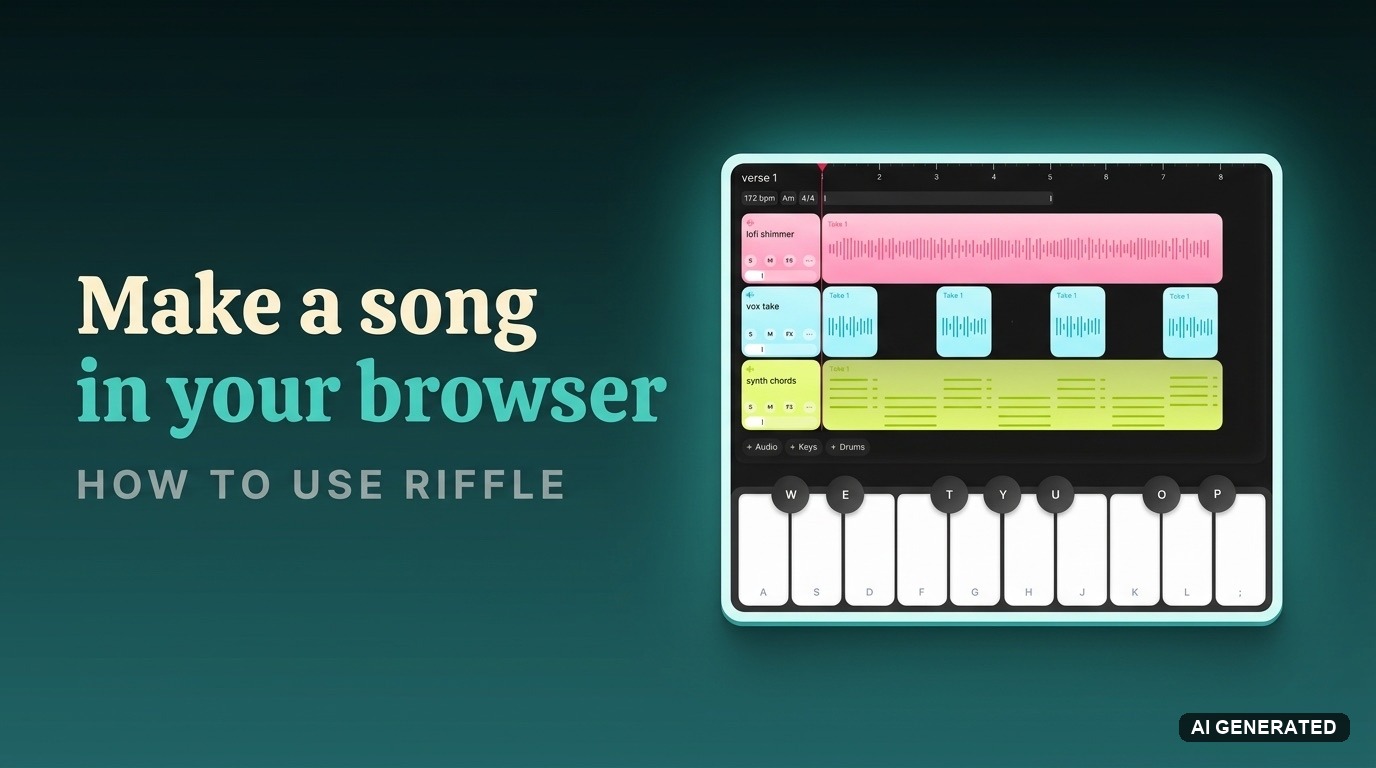
To make a song in Riffle, open a board in your browser, drag in a sample or play an instrument to start a stack, layer your parts, ask the sous chef for chords or feedback, then export your stems. It is free during the beta.
An idea hits, and by the time your DAW loads, it is gone. Or it sits in a voice note you never open again. Most music tools are built for engineers, not for catching a spark fast.
This guide shows you how to use Riffle to make a song, from a blank board to exported stems. It is an online music studio where you build a track on one canvas, play the parts yourself, and bring in a co-producer for the bits you get stuck on.
What you need to use Riffle
Here is what to have ready before you start:
- A free Riffle account. Sign up here, free during the beta.
- A modern browser, Chrome works best, no install
- Headphones or monitors, and a mic if you want to record audio or vocals
- Optional: a MIDI keyboard, or play with your computer keyboard (the A to L row)
- A rough idea, a tempo, a key, or a vibe, is enough to begin
Why make a song in Riffle instead of a DAW?
A DAW like Logic or FL gives you deep mixing and automation, but it takes hours to learn, and only one person can work on a file at a time. Riffle trades that depth for speed and people. You catch the idea fast, build it with someone across the world, then export into your DAW to finish.
Pick Riffle when you want to start an idea, jam, or get unstuck. Pick a full DAW for the final mix and master. Riffle is not a song generator like Suno; you play and arrange the music yourself. If you want a more established browser studio, BandLab is the bigger name, and Riffle’s edge is the canvas and the sous chef.
Step 1: Create a board in Riffle
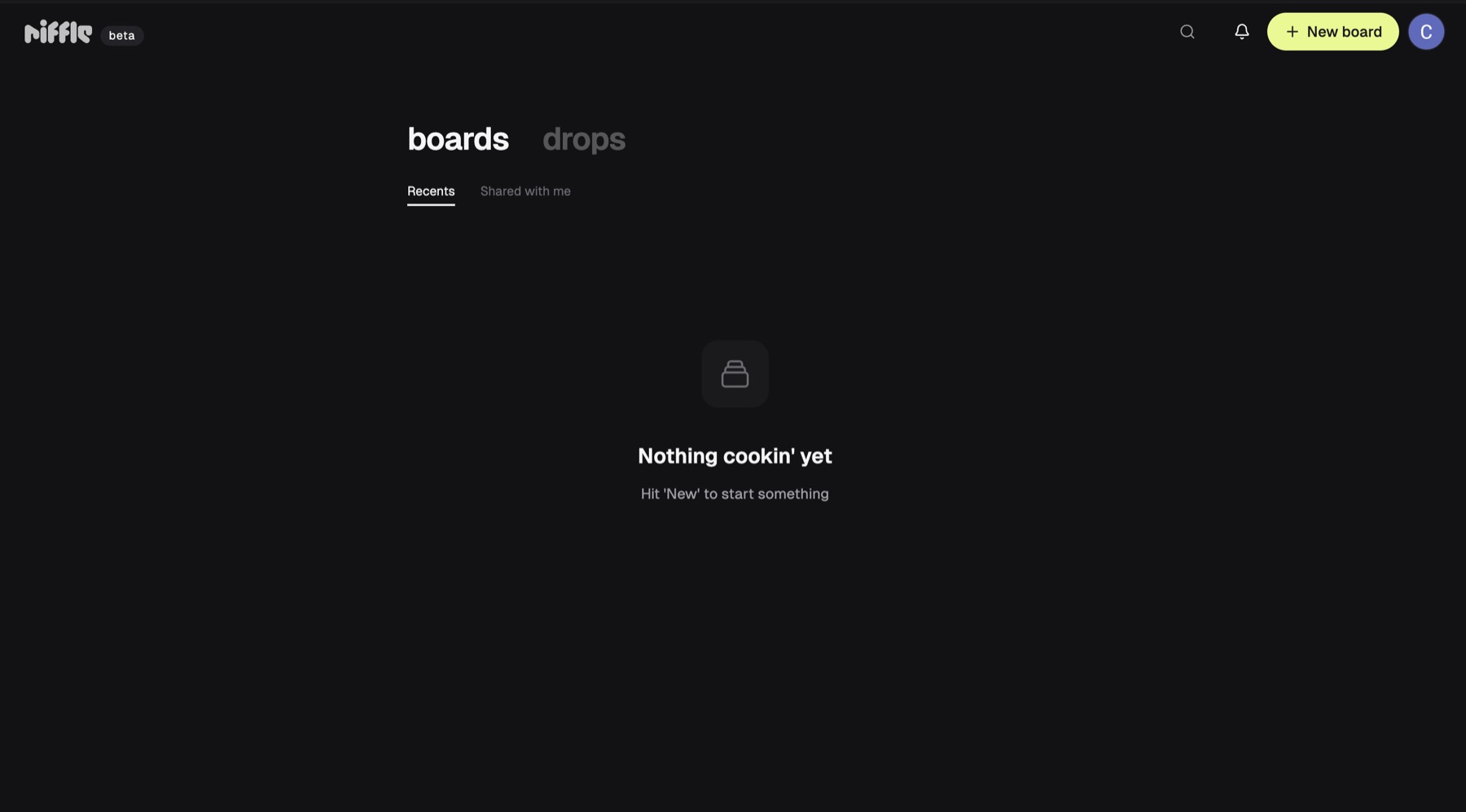
A board is one project in Riffle. It holds your whole song, and the boards dashboard keeps your music project management in one place.
- Go to riffle.studio and sign in, free during the beta.
- On the boards dashboard, click New board, top right.
- Give the board a name so you can find it later.
You should see an empty board open on the canvas.
Step 2: Start anywhere on the Riffle canvas
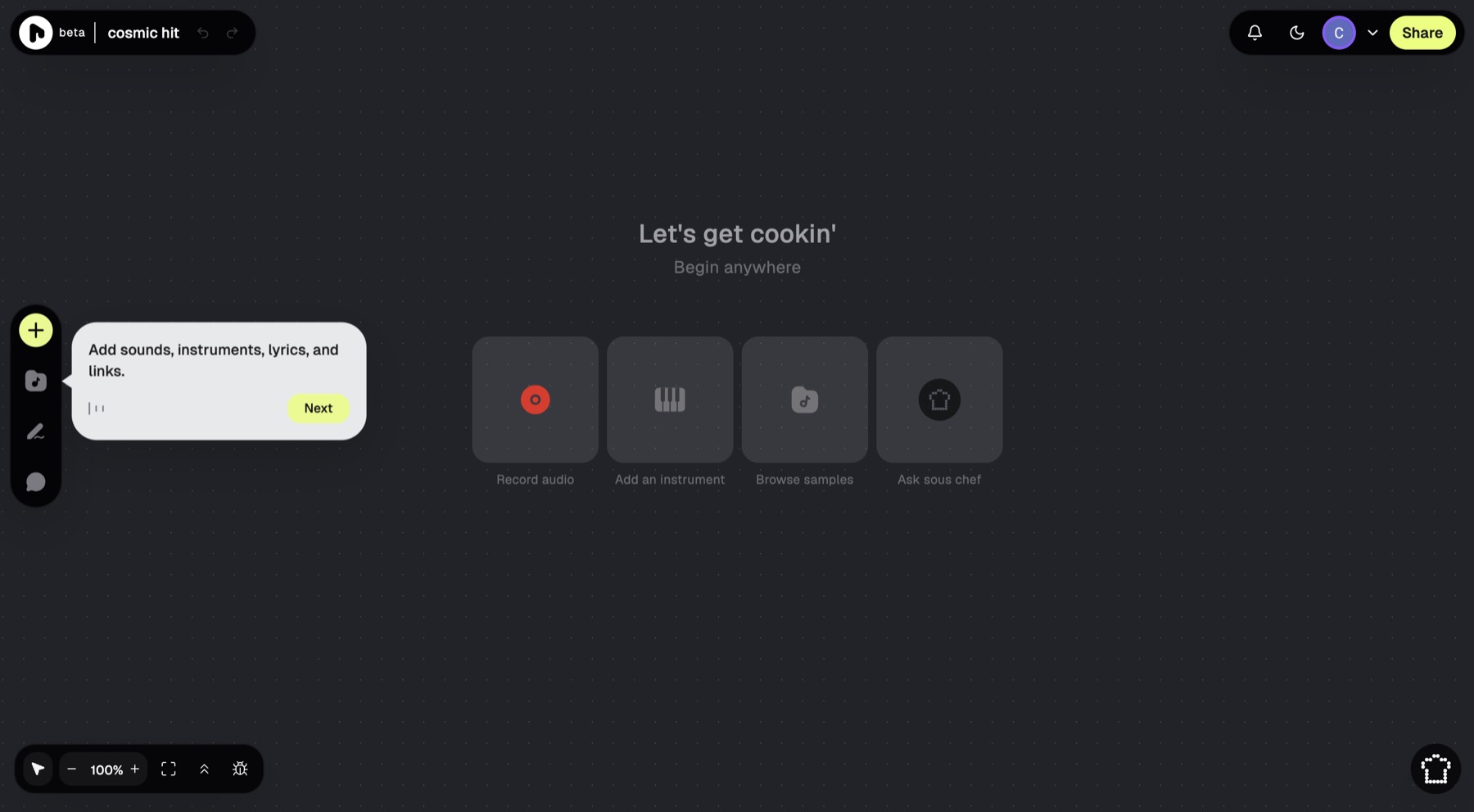
The canvas is your blank page. Riffle gives you four ways in, so begin with whatever feels natural.
- Record audio: sing or play into your mic.
- Add an instrument: play keys, bass, or strings.
- Browse samples: drag in a loop to set the vibe.
- Ask sous chef: get a starting part or some chords.
Start human first. Browse a sample or play something yourself before you reach for the sous chef.
You should see your first sound land in a stack.
Step 3: Build your arrangement with stacks
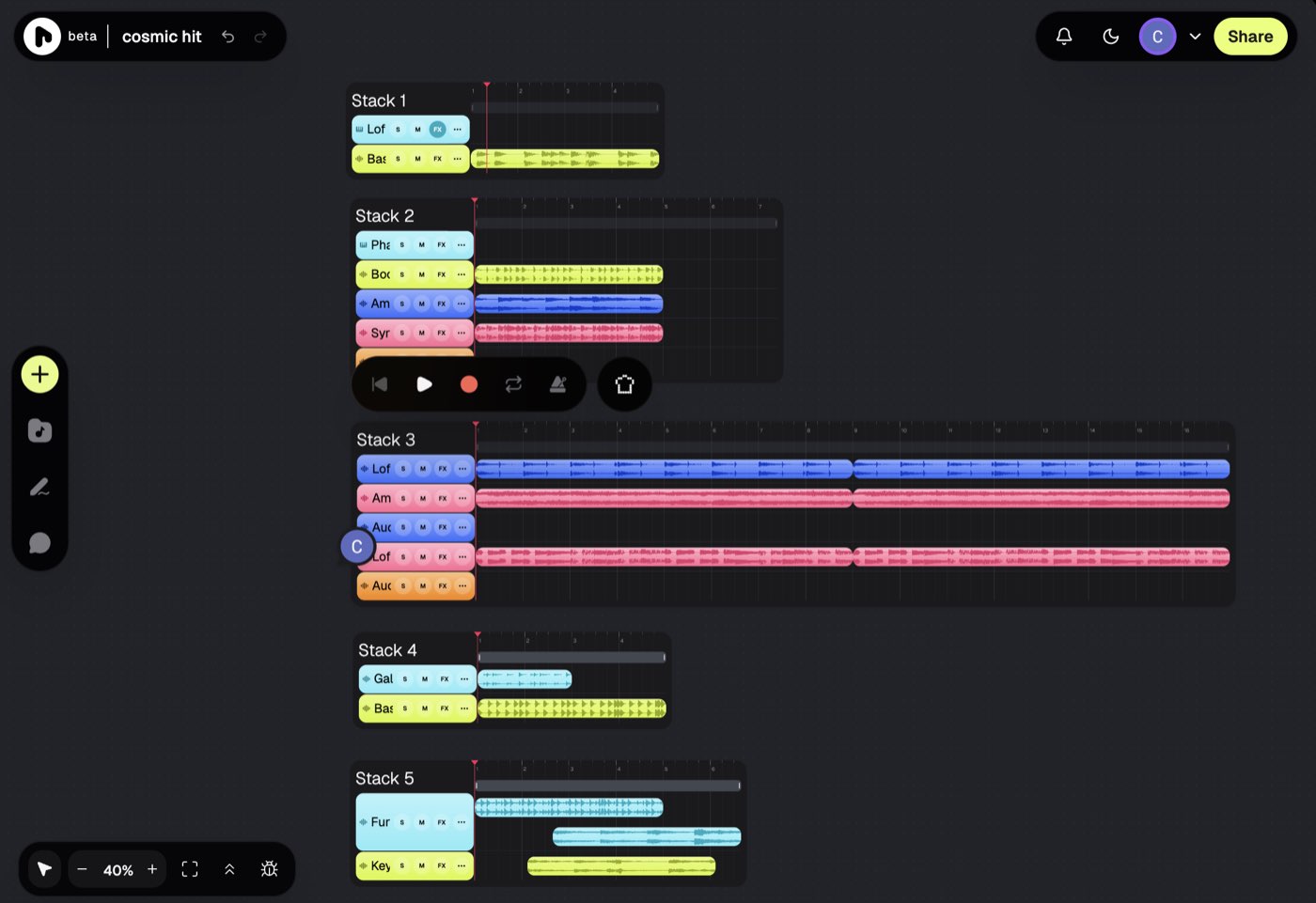
A stack is a lane that holds your tracks: audio, MIDI, and drums. Stacks are how you shape a music arrangement, and each one has its own tempo and time signature.
- Set your BPM and time signature first, so every part lines up.
- Add tracks with +Audio, +MIDI, or +Drums.
- Start a second stack to try another direction without losing the first.
Stacks side by side are the point of Riffle. Use them to A/B two ideas on one screen.
You should see two arrangements living next to each other.
Step 4: Add samples and play instruments
This is where the song takes shape, with your hands on it.
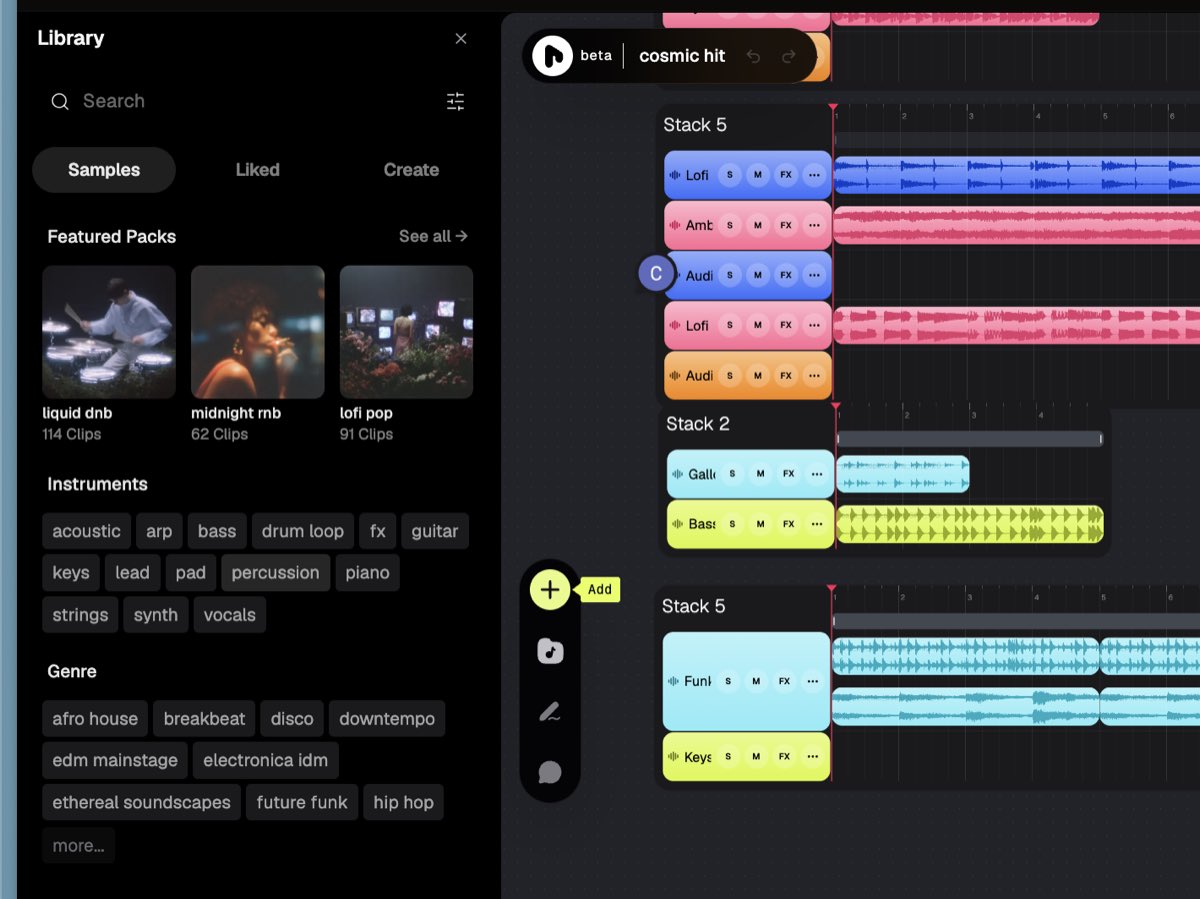
- Open the sample library under Browse samples, pick a pack (liquid dnb, lofi pop, future funk), and drag a clip onto a stack.
- Click + then Add an instrument, choose one (Electric Finger Bass, Lofi Bell Piano), and play it with the A to L keys.
- Use Input to play live, and the piano roll for midi sequencing and fixing notes.
Riffle reads your tempo and key, so parts you add stay in time and in tune. Trim and nudge clips on the stack for quick audio editing, with no separate app.
You should see your played notes show up as a new track.
Step 5: Use the sous chef for chords, parts, and feedback
The sous chef is your co-producer, bringing real co-production to a solo session. It preps, you cook. Keep your stack playing and ask it for help.
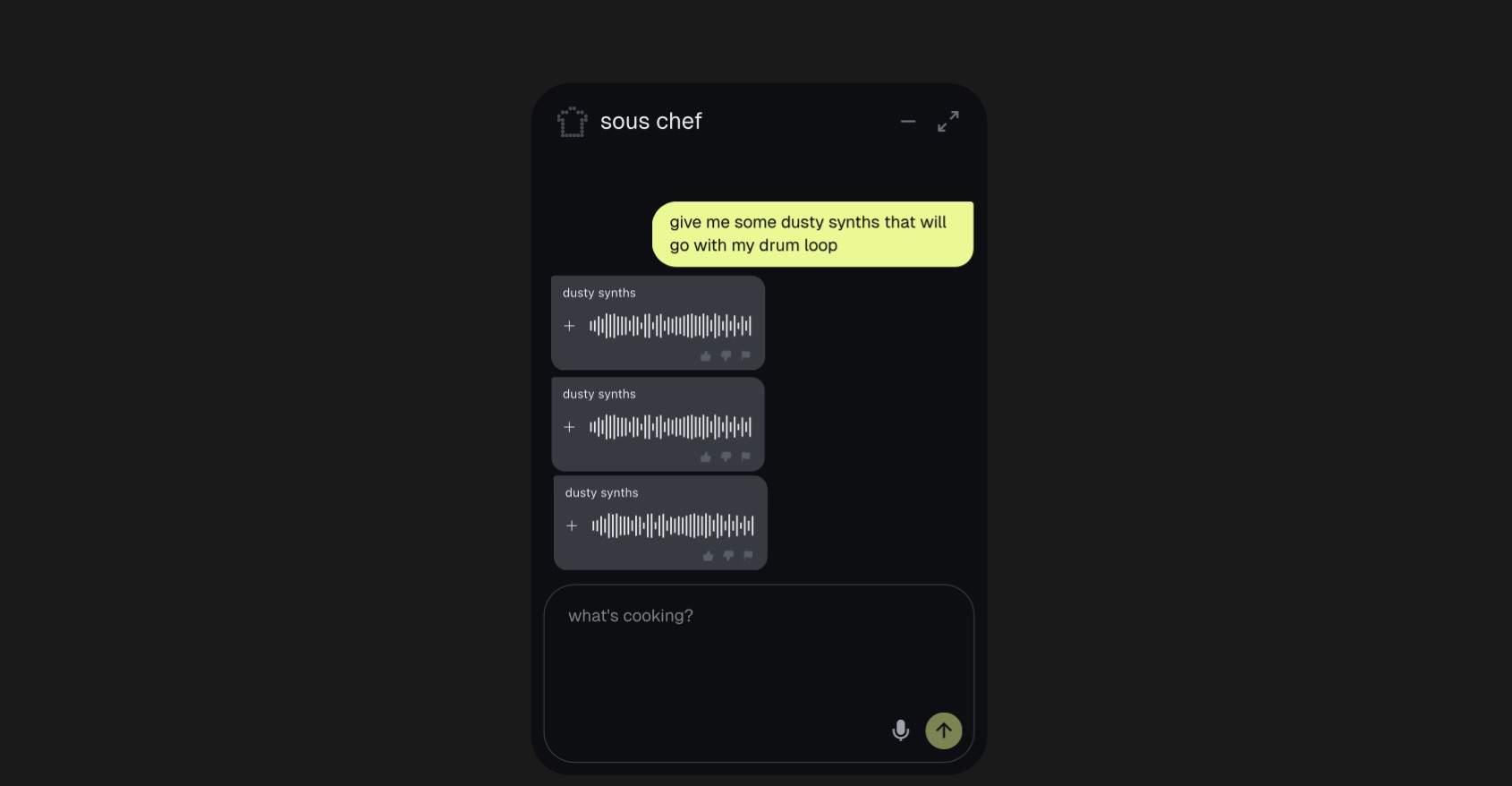
- Ask for parts: “give me some dusty synths that go with my drum loop.”
- Ask for theory: “give me a chord progression that fits these drums.”
For chords and scales, it works like music theory tools you can talk to.
It also listens to what you have made. Ask “what’s missing here?” and it points out problems, like a muddy low mid, and suggests a fix.
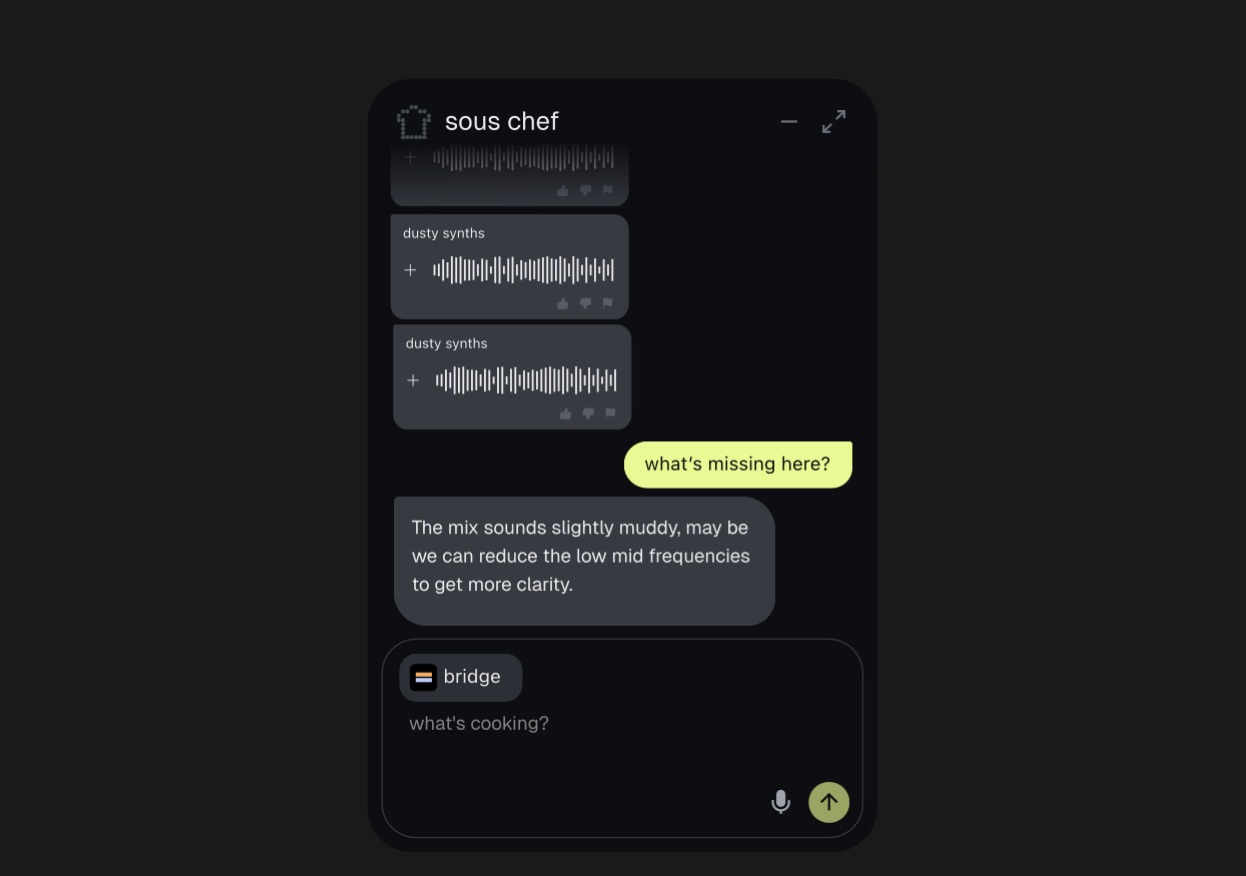
The sous chef returns short parts and notes, never a finished song. You decide what stays.
You should see suggestions you can add to a stack with one click.
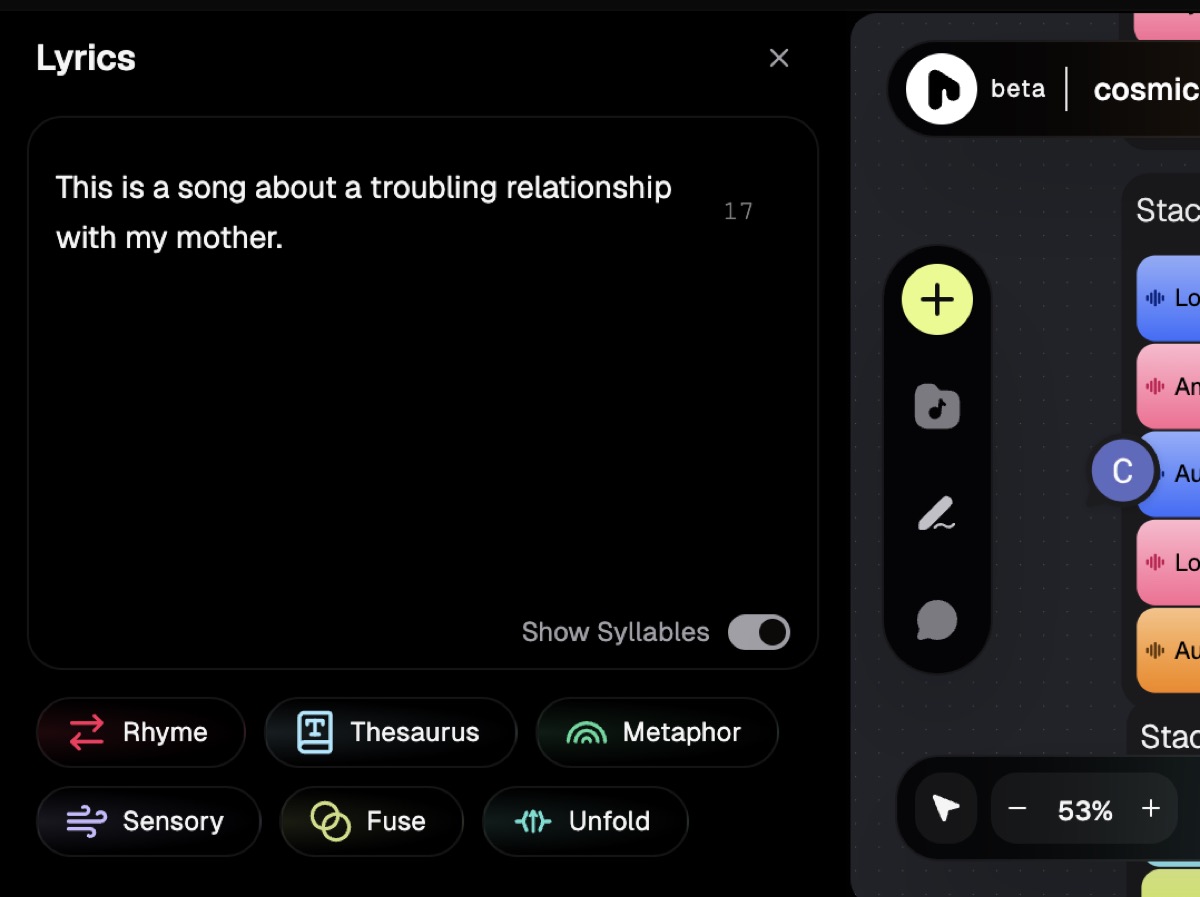
Step 6: Write lyrics with the lyrics tools
Riffle has lyric writing tools that help you write, without writing the song for you.
- Open Lyrics and type your lines.
- Use Rhyme, Thesaurus, Metaphor, Sensory, Fuse, and Unfold to get unstuck.
- Toggle Show Syllables to keep your lines in rhythm.
You should see syllable counts next to your lyric block.
Step 7: Collaborate with others in real time
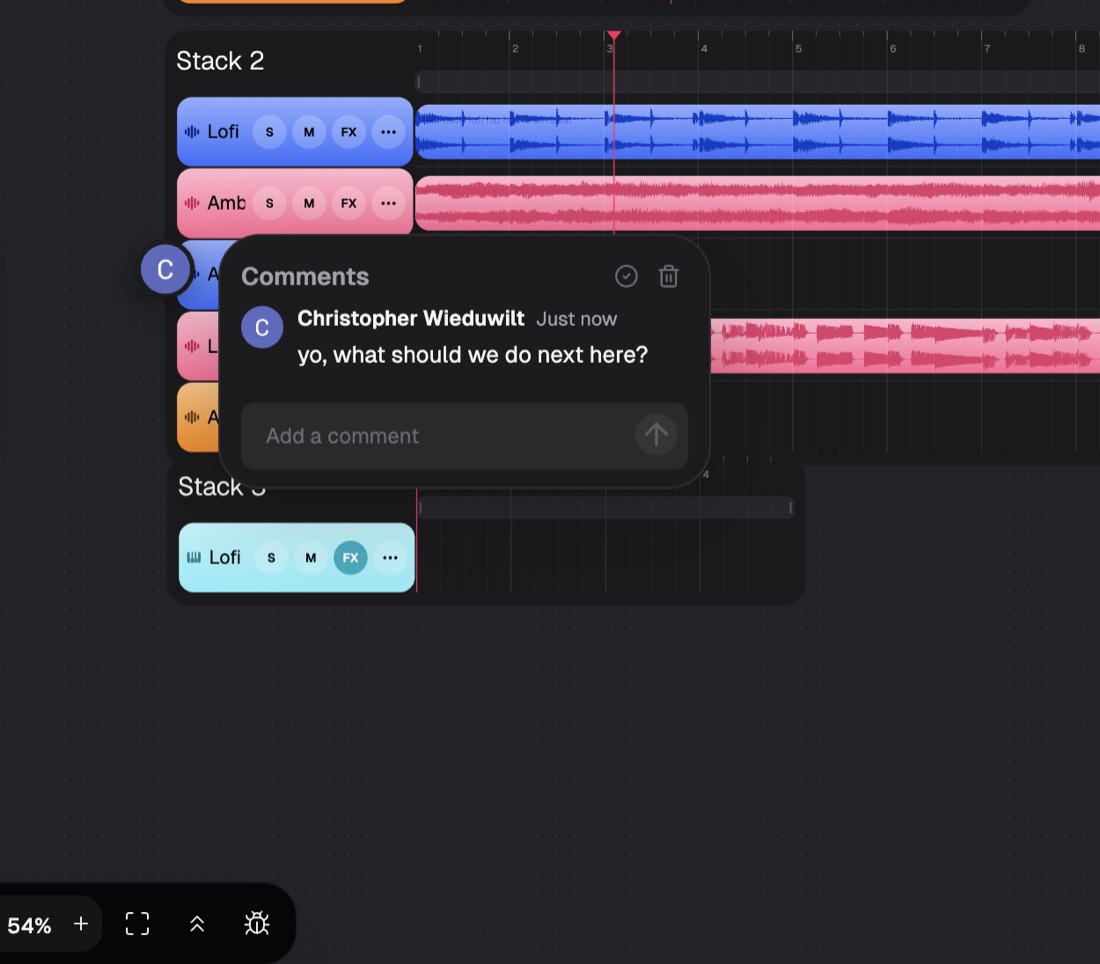
This is the part no DAW does: real-time collaboration on one song. Two people work on the same song at once.
- Click Share, then Collaborate.
- Invite a friend by handle, or copy the link and send it.
- They open the board and edit live, and you both leave comments on any part.
Drop a comment on a single bar (“help me here”) so feedback lands exactly where it belongs. It makes remote music collaboration feel local, even with a bandmate across the world.
You should see your collaborator’s cursor and comments on the canvas.
Step 8: Publish a playable link
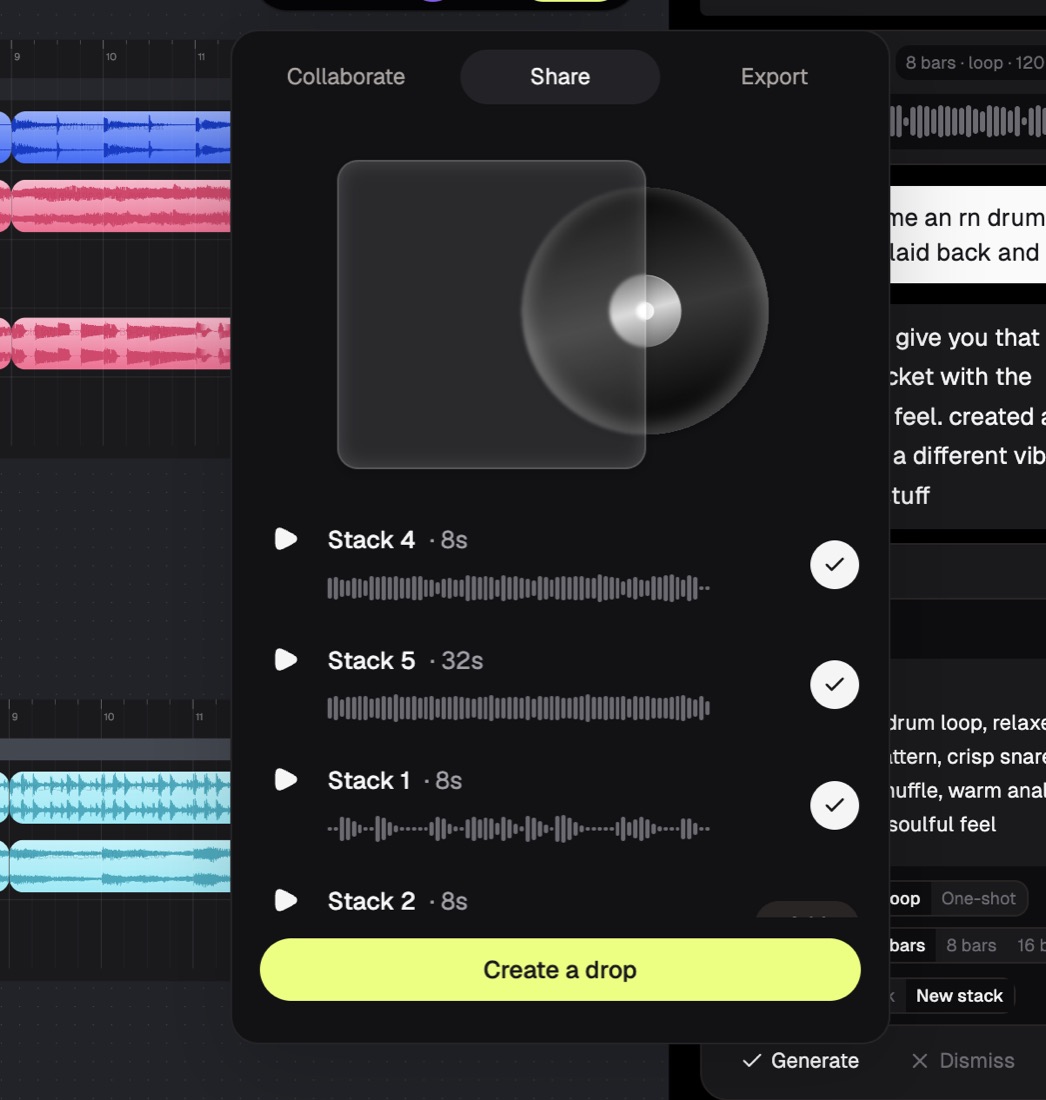
When the idea is ready to share, turn it into a drop, a playable page anyone can open.
- Click Share, then “Create a drop”.
- Choose the stacks you want to appear.
- Pick album art, and add a note or photos.
- Click Continue, then publish and copy the link.
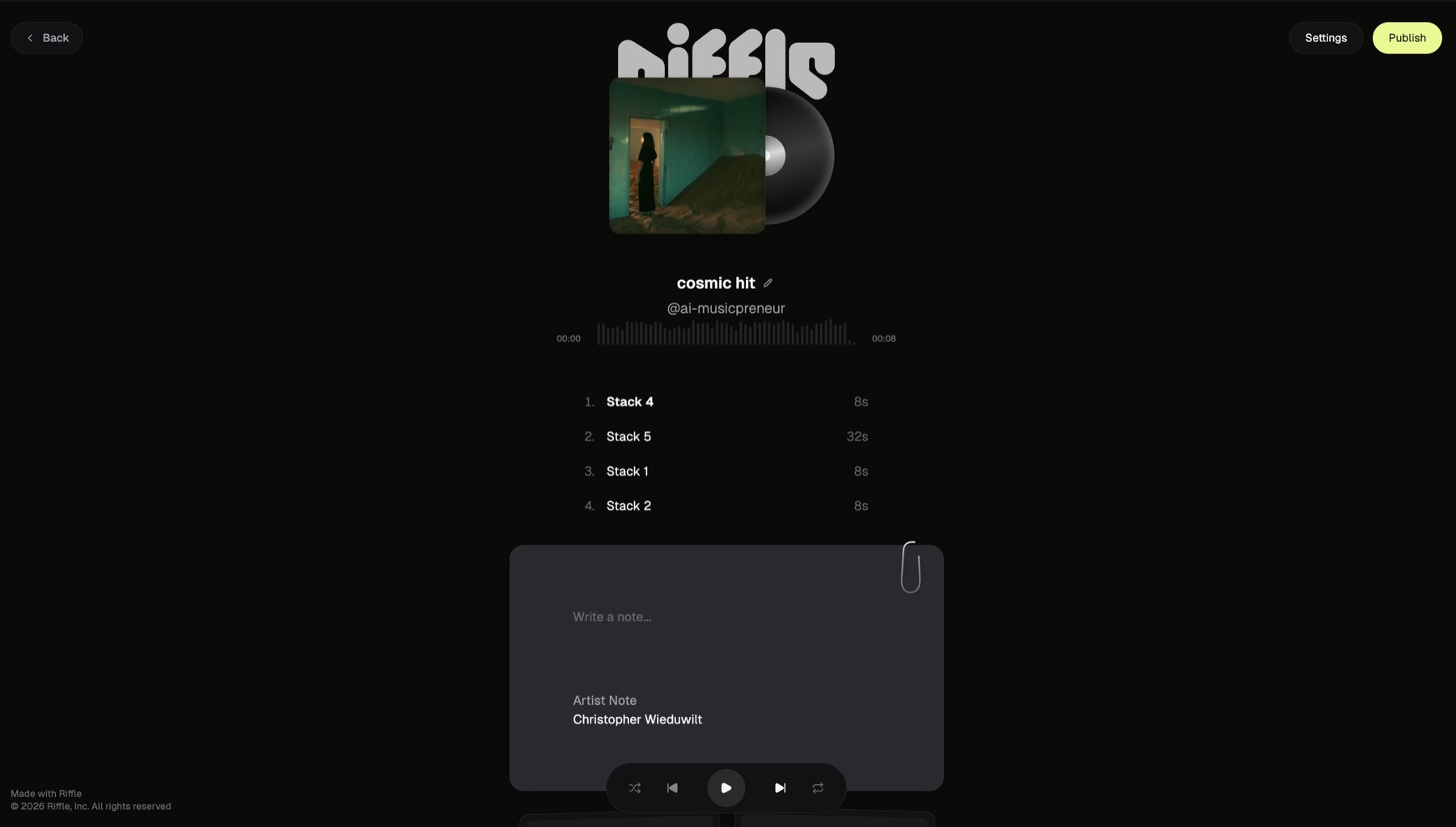
A singer-songwriter can send a producer ten variations from one link, fast music prototyping before a studio session.
You should see a public page that plays your track.
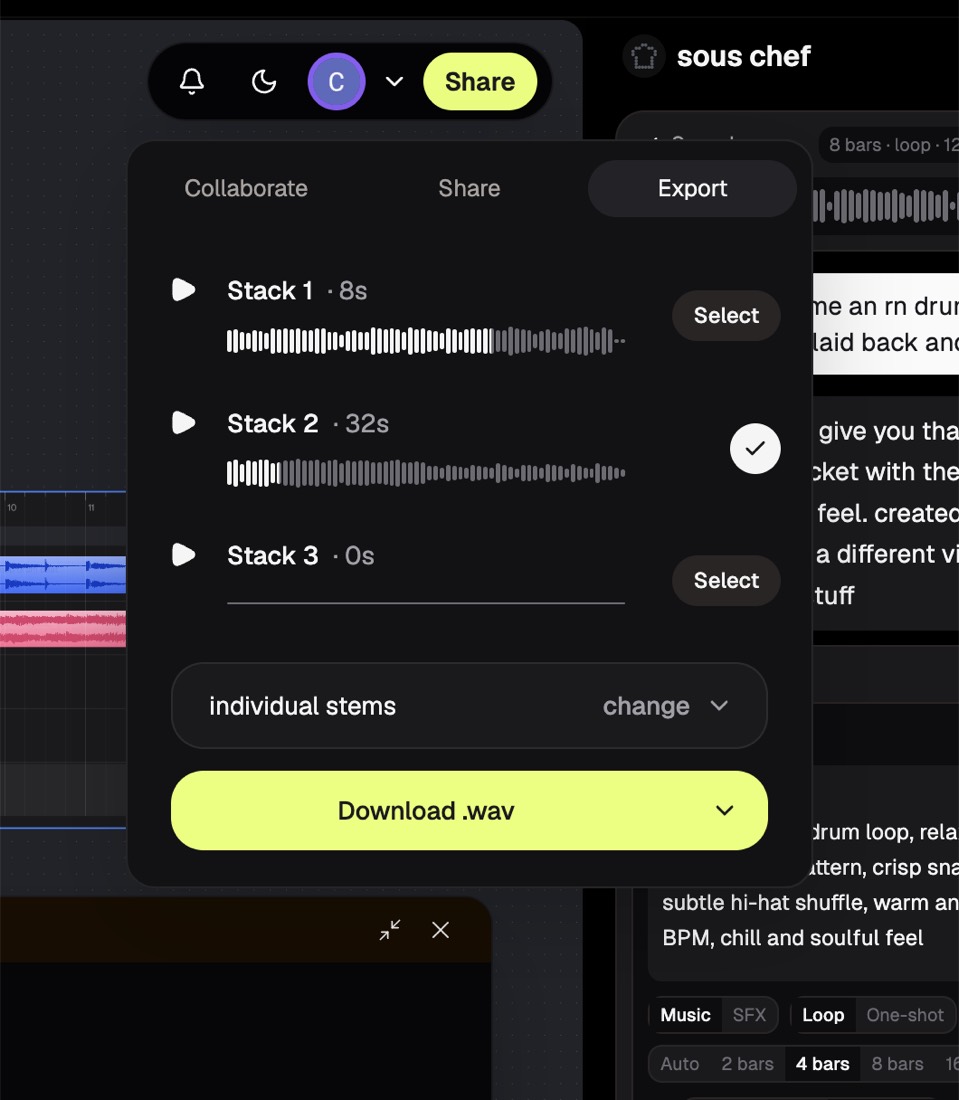
Step 9: Export stems or a mixdown to your DAW
When you want to mix and master, take the parts into your DAW. You are never locked in.
- Click Share, then Export.
- Pick the stacks you want.
- Choose individual stems or a mixdown, then download as .wav.
Export individual stems for full control. Export a mixdown for a quick reference bounce. From there you finish with an AI mixing and mastering tool or your own DAW, so Riffle slots into your existing music production workflow.
You should see .wav files land in your downloads, ready for Logic, Ableton, or FL.
What common Riffle mistakes trip up beginners, and how do you fix them?
A few things trip people up early. Here is how to fix each:
- No sound when you record: your browser blocked the mic. Allow input, then reload the board.
- A part sounds out of key: you set the key or tempo after asking. Set BPM and key first, then ask again.
- You cannot find the sous chef: it sits in the toolbar and is easy to miss. Open Ask sous chef from the canvas or the + menu.
- You overwrite a good idea: build a second stack instead of changing the first, so both survive.
How do you get the best results out of Riffle?
Small habits make a big difference:
- Start human. Browse a sample or play a part before you reach for the sous chef.
- Set tempo and key first, so every part matches.
- Use stacks to A/B two directions instead of editing over your best take.
- Pair the sous chef with your own work for theory and feedback, not as the whole track.
- Export stems, not just a mixdown, so you keep mixing control in your DAW.
Is Riffle good for real music production?
Yes, for the part it is built for: catching ideas, building them fast, and working with people. You play, sample, and arrange, and you own what you make. It is not where you do your final mix and master; that still happens in a full DAW after you export.
If you want the full verdict, pricing, and the questions buyers ask before signing up, read my Riffle review. To start now, open a board and build your first idea, free during the beta.
About the author

Covering AI music tools, industry shifts, and news for music creators and professionals. Twice-weekly newsletter at aimusicpreneur.com.
