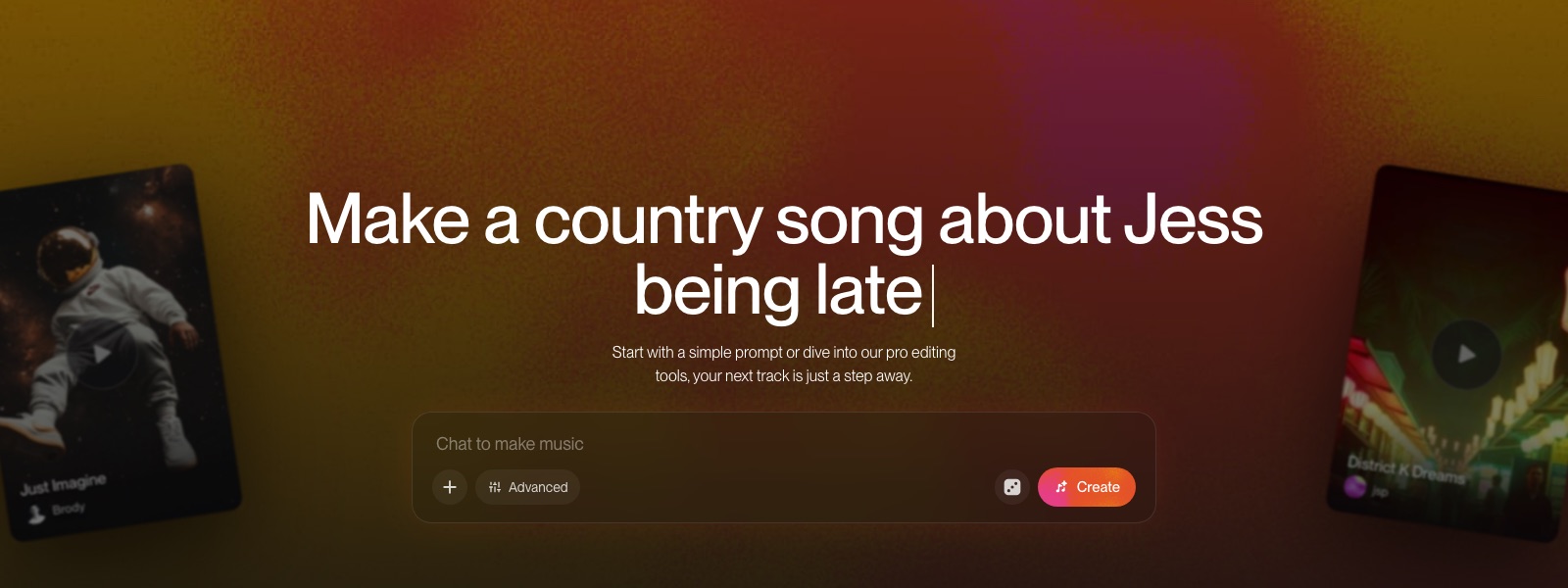
How to build your own audio plugin in Suno Studio by describing it
My stack My fav 6 tools for AI music after testing 70+
-
 ElevenMusic · Music generation
 -
 Moises · Stem separation
 -
 Controlla · Voice swap & cloning
 -
 Cryo Mix · Mixing + mastering
 -
 Neural Frames · Music videos
 -
 ONCE · Distribution
Some links are affiliate links — I earn a commission at no cost to you. Every tool here is one I run myself and truly believe in. This stack is proven.
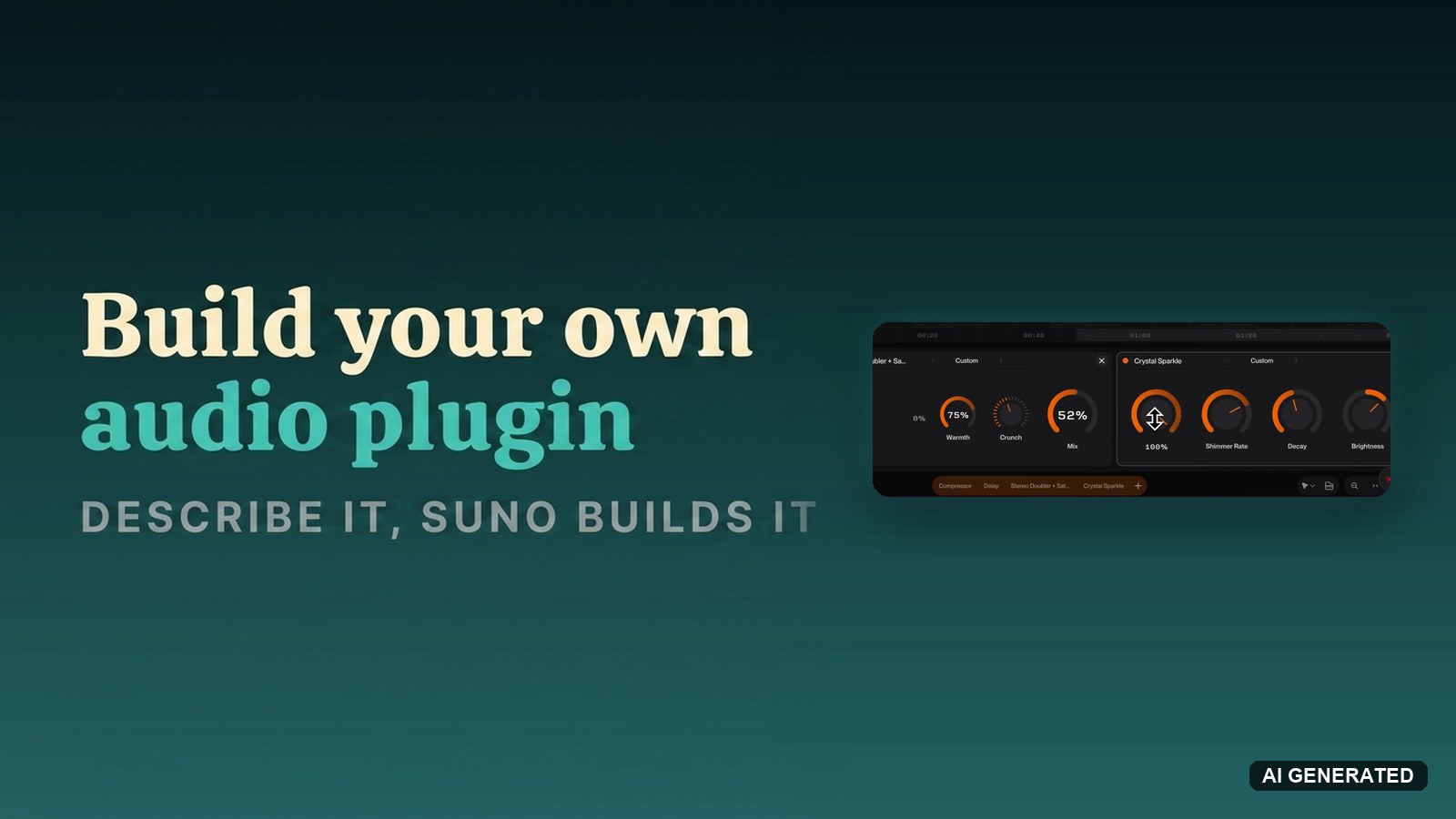
Every producer carries a wishlist of effects that do not quite exist. The tremolo from a specific old organ cabinet. A doubler with exactly the right dirt. Until now the options were: find a VST close enough, or learn DSP programming.
Suno Studio 2.0 added a third option: describe the effect in a sentence, and Studio builds it as a working plugin with knobs. This guide covers the prompt structure that works, what to check before you approve a build, and where the technology still wobbles.
What you need before you build plugins in Suno Studio
Two things:
- A Suno Premier subscription ($24 a month, annual). Studio is Premier-only. My Suno Studio beginner’s guide covers the tier.
- A track to test on. Any clip works. You will want to hear the plugin against real material while you turn its knobs.
The credit question, answered from Suno’s launch announcement as written: creating new plugins does not require credits at launch, and Suno states a credit structure may be introduced later. Build your wishlist while it is free.
Why build plugins in Suno Studio instead of buying VSTs?
Sometimes you should not. A mixed, mastered release deserves proven tools, and Studio loads no third-party plugins anyway (my roundup of the best AI VST plugins covers what runs in a real DAW). Chat-built plugins answer a different question: what if the effect in your head could exist in 60 seconds, tuned to your track, with only the knobs you asked for?
Nobody else ships this. The demo that sold me sits in Suno’s 6-minute walkthrough, where a described tremolo comes back as a finished plugin Studio names on its own:
How to create a plugin in Suno Studio, step by step
Seven steps from idea to reusable effect.
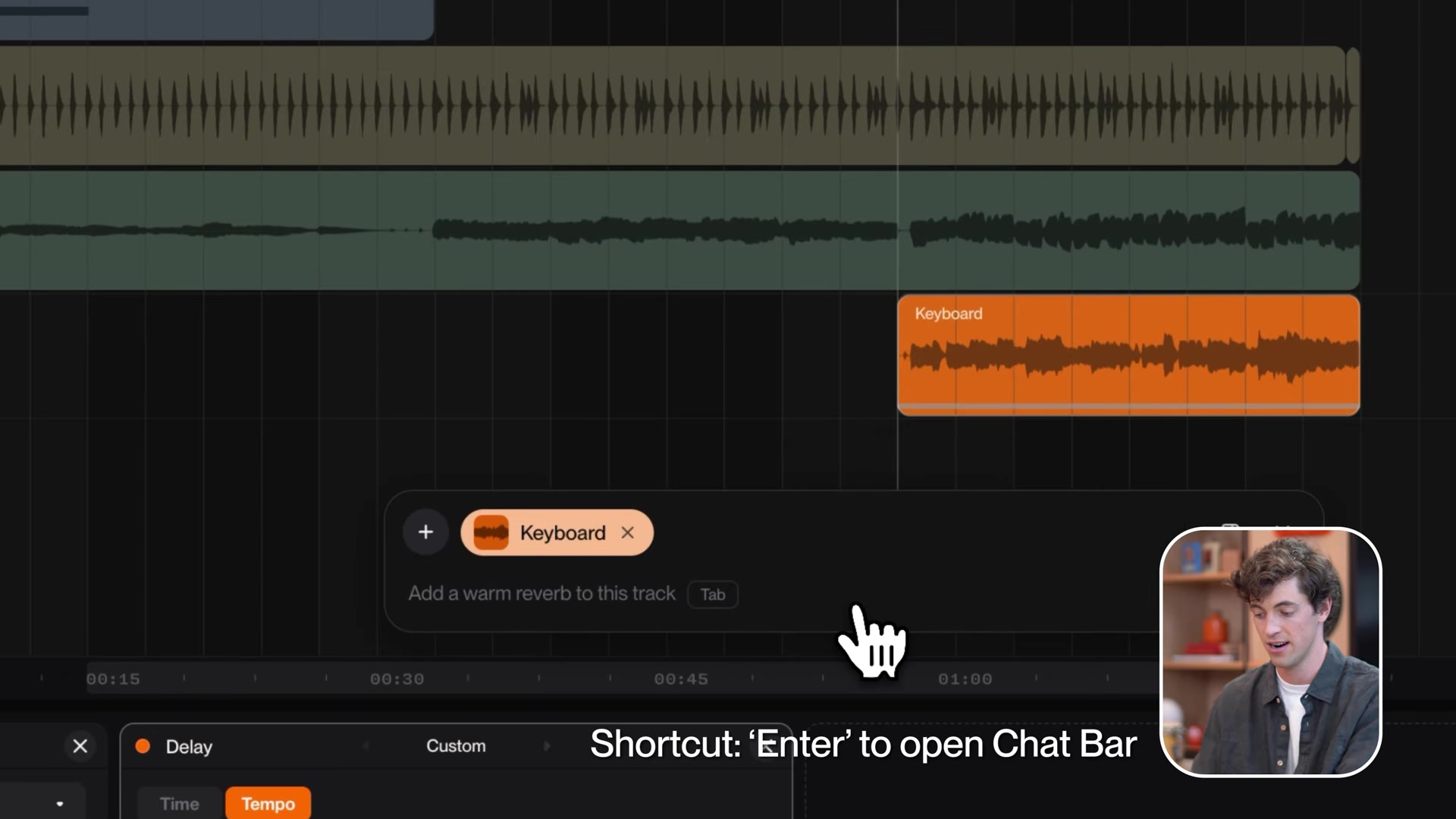
Step 1: Open the chat bar
- Press Enter, or hover the sparkles icon.
- Press 1 to pin the chat bar to the left side. Plugin building is a conversation, and the pinned view keeps the history readable.
Step 2: Write the plugin prompt
The working pattern from Suno’s two on-camera builds: name the effect, name the reference or sonic goal, name the controls.
- Henry’s tremolo prompt: a tremolo like old organ rotary cabinets, with controls for speed and depth.
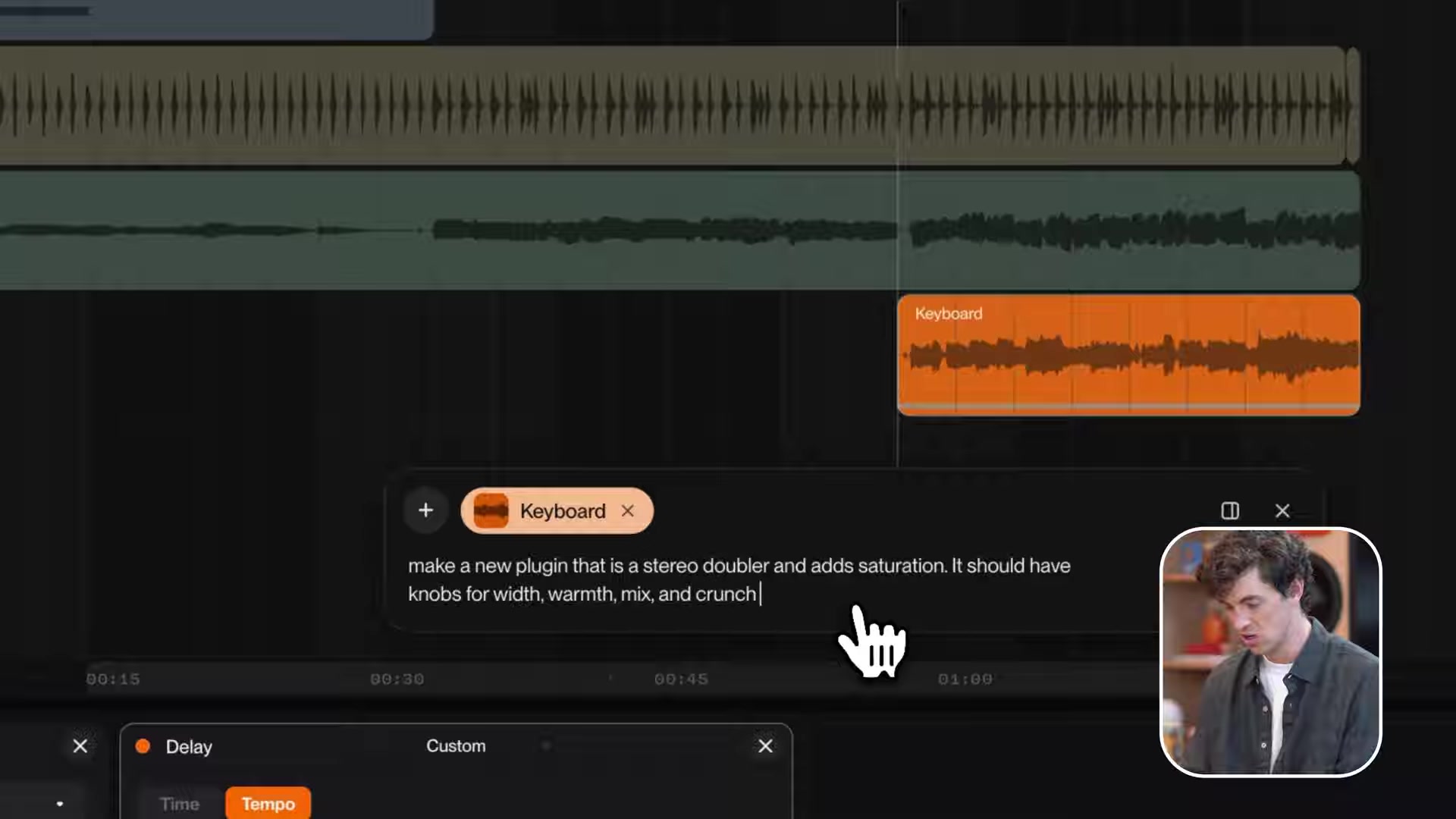
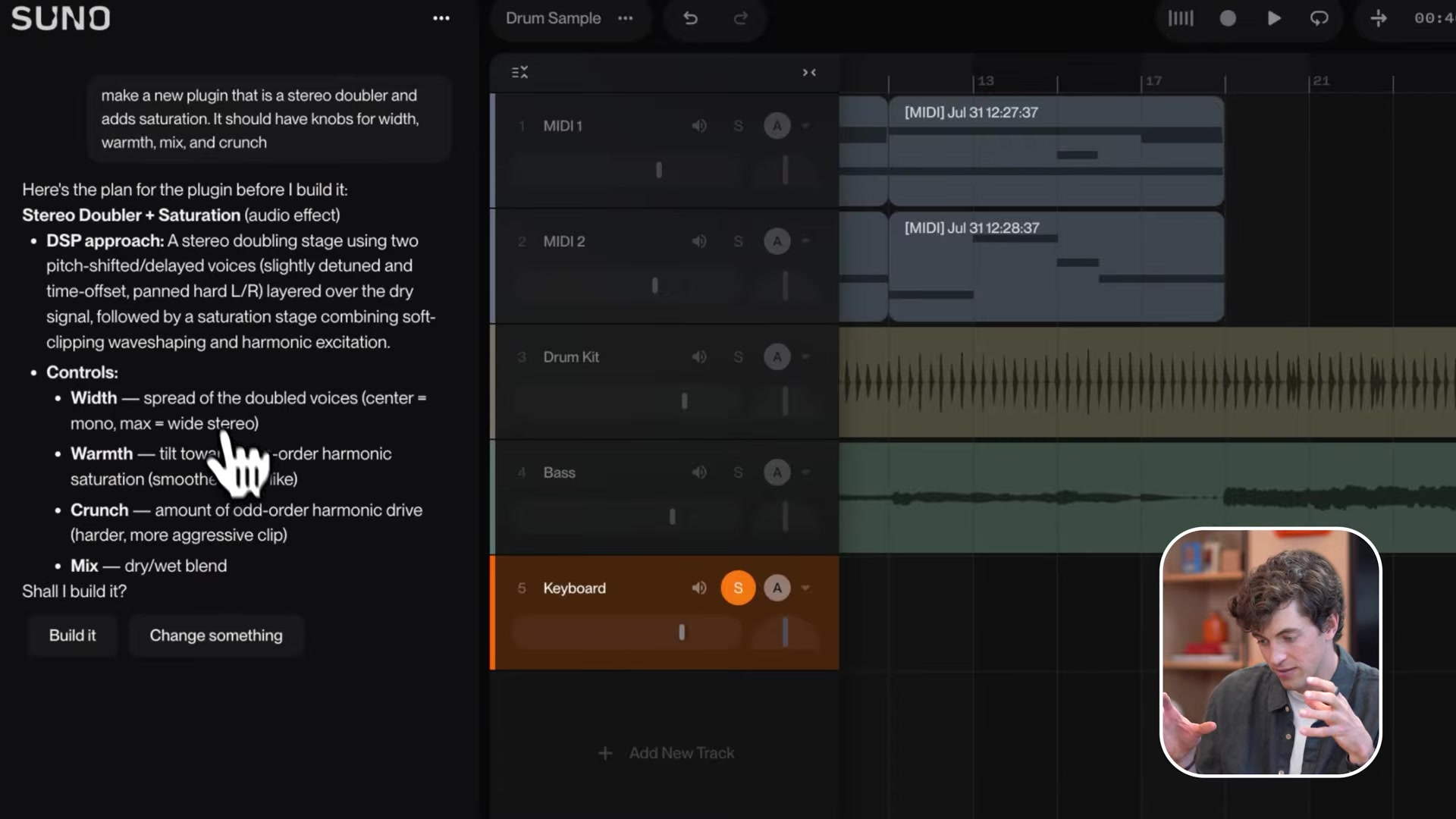
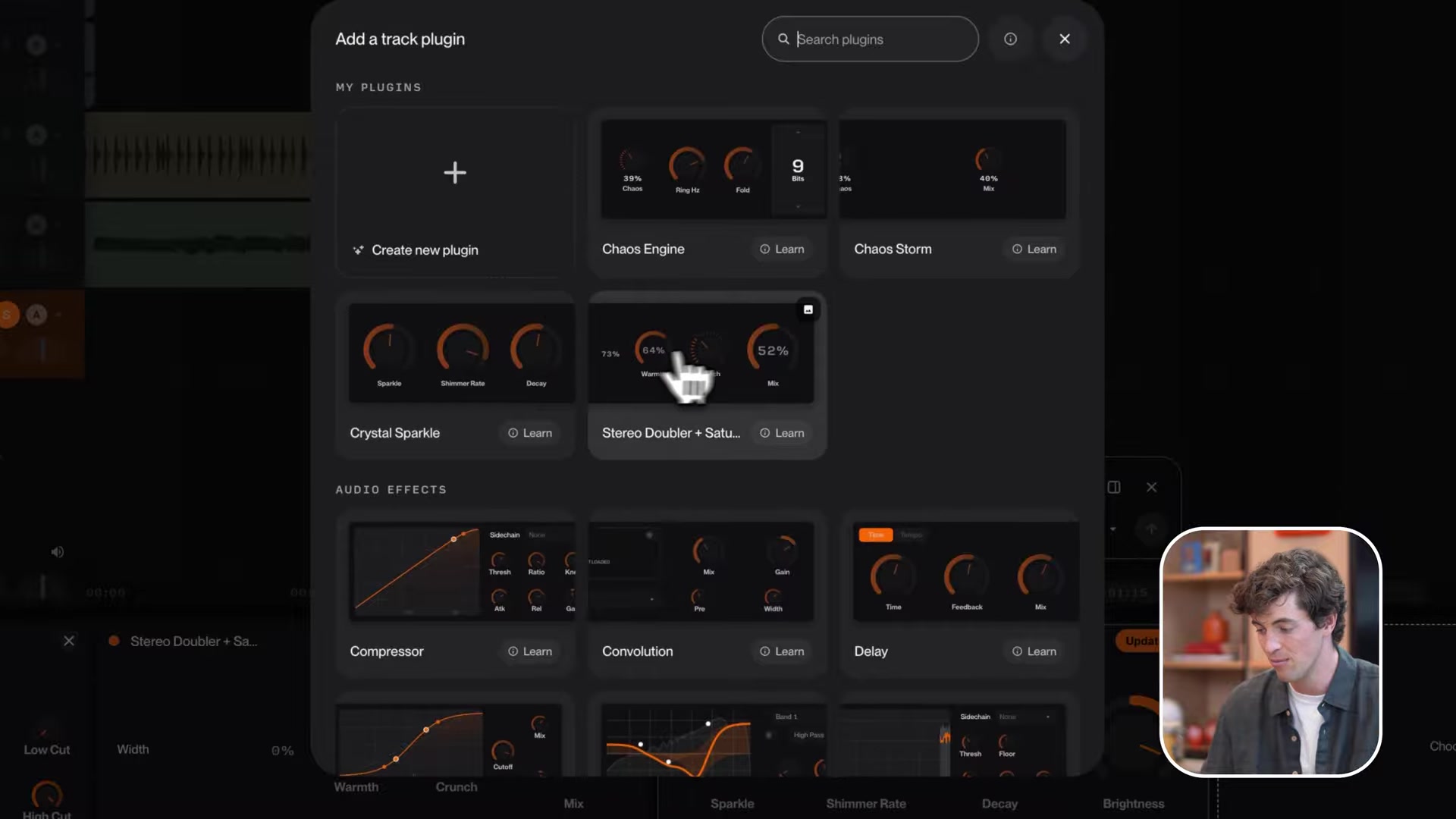
- The second demo: “make a new plugin that is a stereo doubler and adds saturation. It should have knobs for width, warmth, mix, and crunch.”
Step 3: Read the build plan before you approve it
Studio answers with a plan, not a plugin. For the stereo doubler it proposed the DSP chain (two pitch-shifted, delayed voices panned hard left and right over the dry signal, into a saturation stage) and defined every knob: width as the spread of the doubled voices, warmth as a tilt toward even harmonics, crunch as odd-harmonic drive, mix as the dry/wet blend.
For the tremolo, Studio proposed a dual LFO with separate bass and treble rotors plus a slow/fast switch, mirroring how a real rotary cabinet behaves. Read the plan. If a control means the wrong thing, this is the moment to say so.
Step 4: Tell Studio to build it
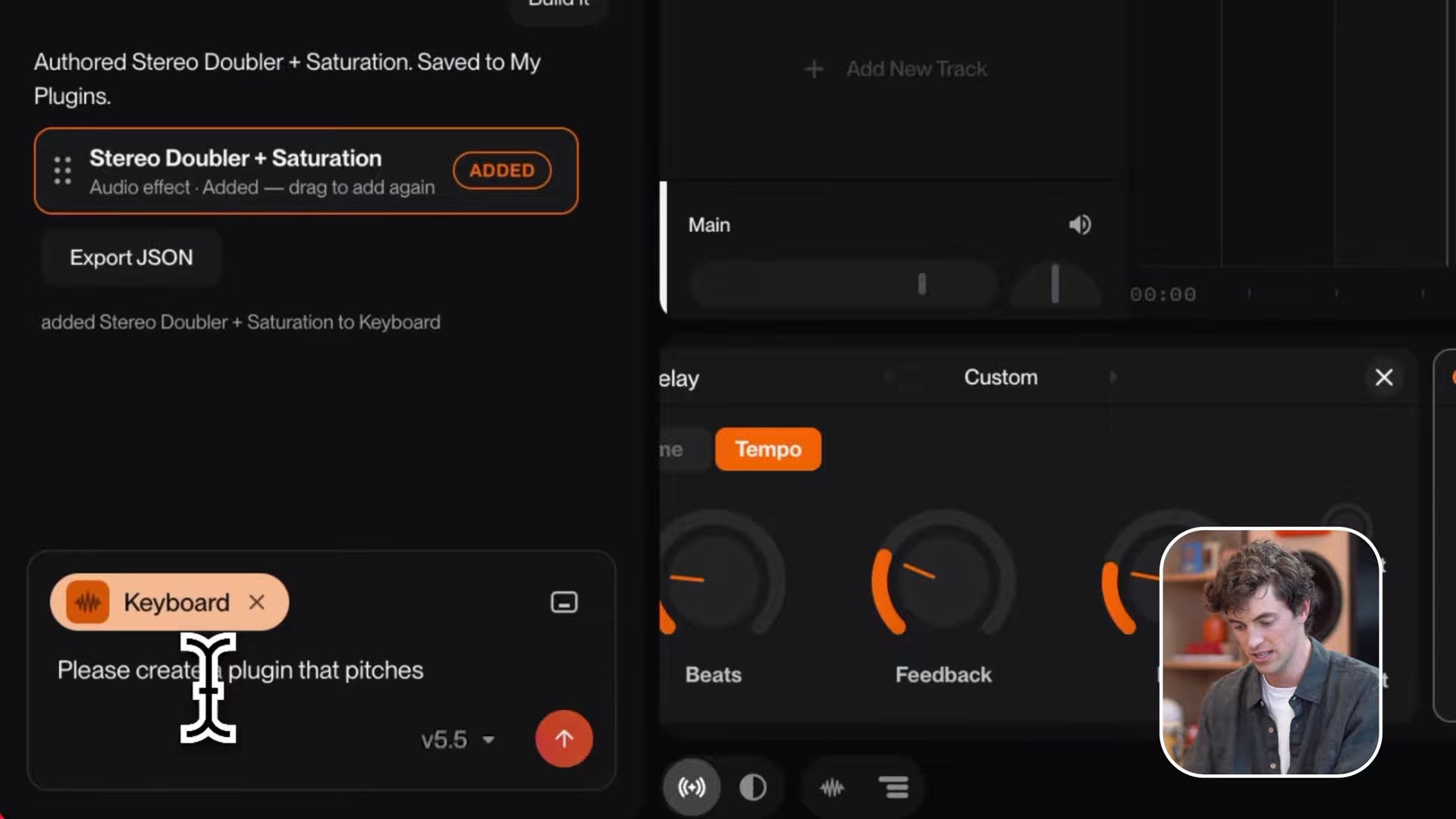
Click Build it. Studio constructs the plugin and names it. The tremolo came back as Rotor Glow, shipped with speed, depth, warmth, mix and the slow/fast switch.
Step 5: Drag the plugin onto a track and play
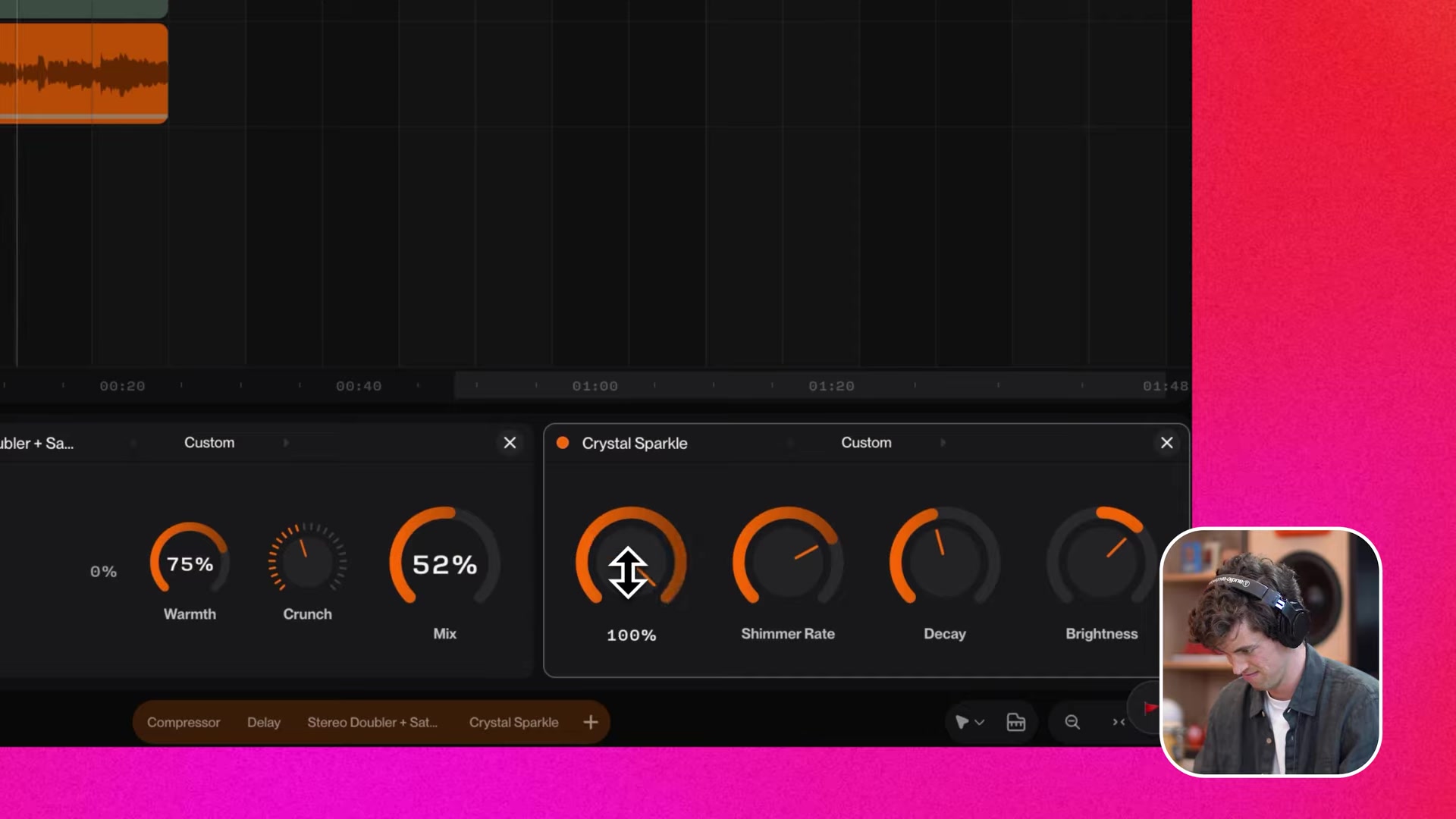
Drag the plugin from My Plugins onto a track and turn the knobs during playback. Option-click any knob to type an exact value instead of dragging.
Step 6: Iterate in conversation
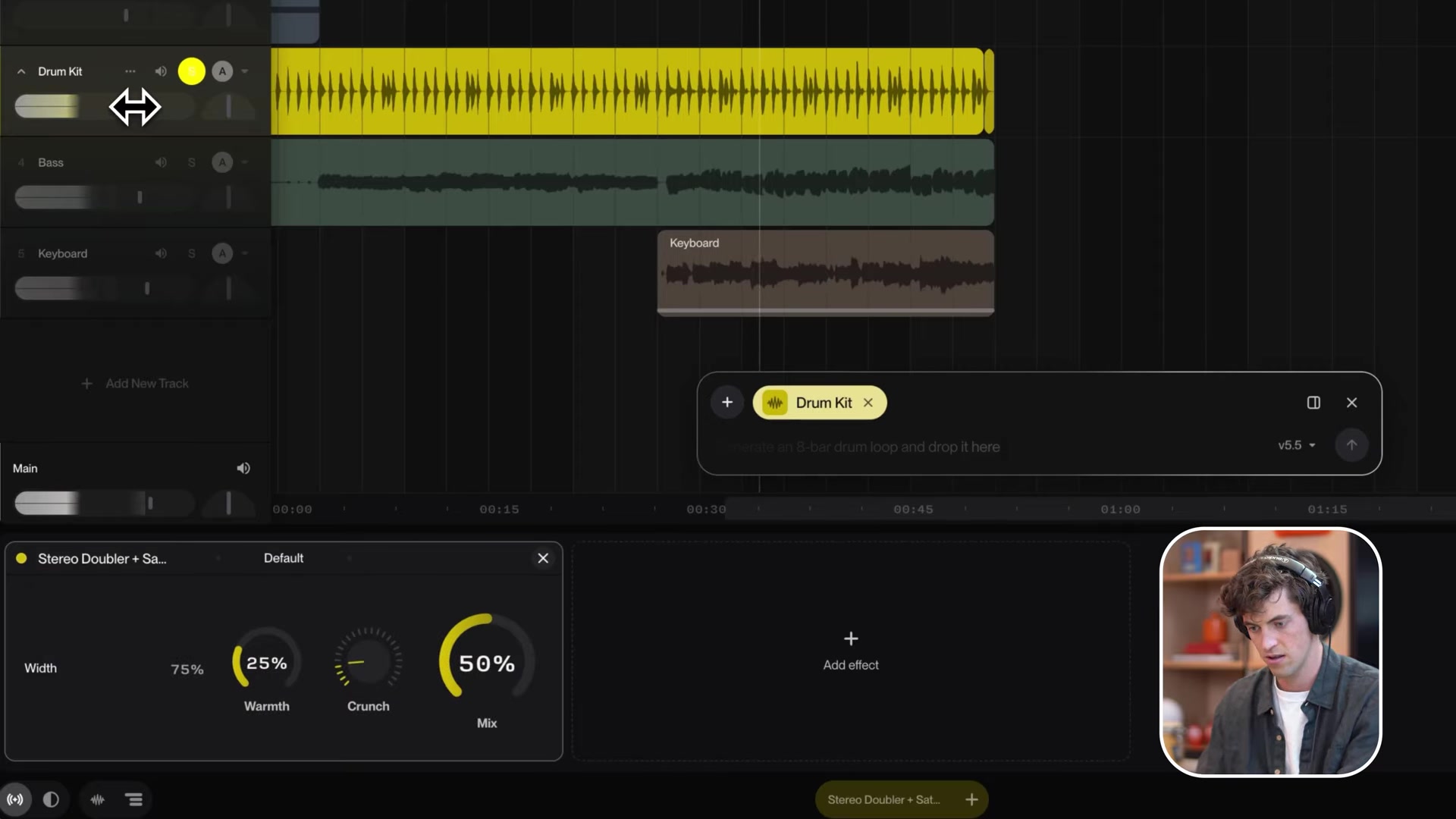
Revisions are plain requests: make the wobble slower, soften the saturation, add a high-cut. Studio updates the plugin instead of starting over. This matters because first builds do miss. In Suno’s own video the doubler’s width knob shipped inverted, 0 percent wide and 100 percent mono. Henry’s on-camera verdict:
This is technology that's still in development.
Step 7: Reuse it like a factory effect
Plugins live in My Plugins permanently. They hold presets, automate like any built-in effect (right-click a knob, Automate), and map to hardware via MIDI Learn. Chain them with the stock effects covered in my Suno Studio mixing guide.
What goes wrong when you build plugins in Suno Studio, and how do you fix it?
Three known wobbles:
- A control wires up backwards, like the inverted width knob in Suno’s own demo. Fix: tell the chat bar, and it rewires. Verify each knob at its extremes before trusting it in a mix.
- Dragging knobs overshoots. Fix: Option-click the knob and type the exact value.
- Your collaborator cannot load your plugin. Plugins are account-bound. They reach other people only embedded inside a shared project. Suno’s stated ambition is plugin sharing, and Henry floats users trading plugins “someday”, but today that is intent, not a feature.
How do you write a plugin prompt that Suno Studio builds correctly?
Four rules, drawn from the builds that worked on camera:
- Name a physical reference. “Like old organ rotary cabinets” gave Studio the dual-rotor design for free.
- List every control you want, in the prompt. Unnamed controls are Studio’s guess.
- One effect per plugin. A doubler-plus-saturator worked as one unit because the two stages serve one sound. A reverb-EQ-compressor mash is 3 plugins.
- Say what the knobs should mean when it matters. Studio defined warmth as even harmonics and crunch as odd on its own, but you can dictate the mapping.
Are chat-built plugins in Suno Studio actually usable in a real mix?
For creative color, yes, today. Rotor Glow and the stereo doubler are the kind of character effects producers buy $50 VSTs for, and here they cost a sentence. For surgical work, use the stock EQ and compressor, and check every custom control before a final bounce, because this is a beta-grade builder with a documented inverted-knob incident. The bigger point sits past the individual plugin: Suno’s effects and plugin design guide now documents an instrument that builds instruments. Describe the effect you always wanted. The 60 seconds it takes to find out is the cheapest gear experiment in music.
Frequently asked questions
Can you build your own plugin in Suno Studio?
Yes. Describe the effect in the Suno Studio chat bar and Studio designs and builds a working plugin with interactive knobs. Suno's launch demo builds Rotor Glow, a tremolo modeled on organ rotary cabinets, from a one-sentence prompt. Plugins save to your library and work like factory effects.
How do you prompt Suno Studio to create an audio plugin?
Use the pattern from Suno's own demos, name 3 things. The effect type, the reference hardware or sonic goal, and the controls you want. Example from the walkthrough, a stereo doubler that adds saturation with knobs for width, warmth, mix and crunch. Studio fills in the DSP design and shows you the plan.
Can you share a Suno Studio plugin with another producer?
Not directly. Custom plugins are tied to your account, and other people only get them embedded inside a shared project. Suno says it wants users to share plugins, and Henry Phipps raises possible trading of plugins someday, but both are stated intent, not shipped features.
Can Suno Studio plugins be exported as VST?
No. Chat-built plugins exist only inside Suno Studio and cannot be exported as VST or Audio Units for use in another DAW. The reverse is also true, Studio loads no third-party plugins. The exchange format between Studio and your DAW stays audio and MIDI files.
Where do custom plugins save in Suno Studio?
In My Plugins, your personal plugin library inside Studio. Saves are permanent, so a plugin you build once stays available in every future project, alongside presets you save for it.
About the author

Covering AI music tools, industry shifts, and news for music creators and professionals. Twice-weekly newsletter at aimusicpreneur.com.