
FL Studio 2025 just launched with AI features that will change how you make music — Here’s what’s new:
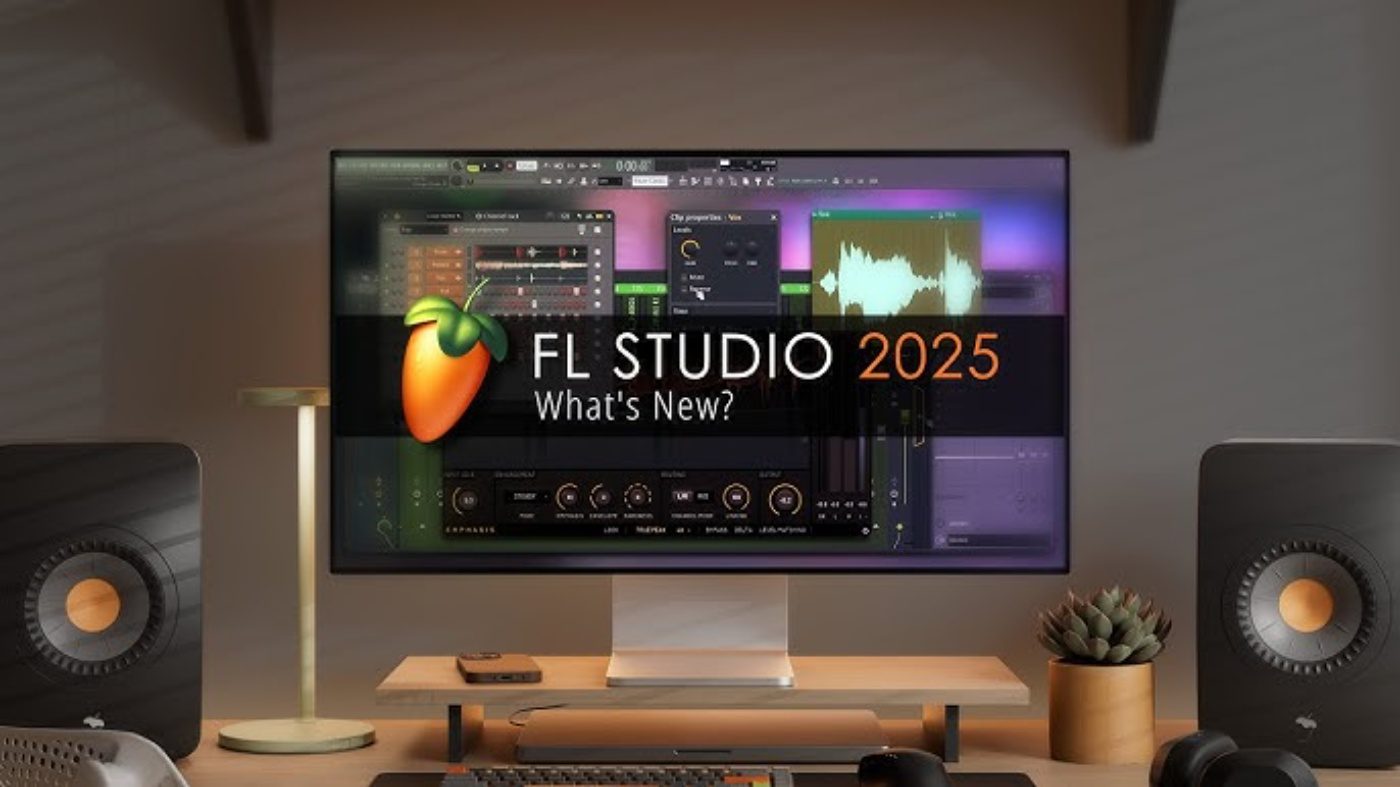
FL Studio 2025 has officially launched, bringing exciting new features that make music creation faster and smarter than ever before. This latest version introduces game-changing tools like Loop Starter and the upgraded Gopher AI assistant, designed to help both beginners and pros create amazing music with less effort.
If you’re wondering whether FL Studio 2025 is worth the upgrade or how to get started, this guide covers everything you need to know about the new features, download process, and what makes this version special.
What Makes FL Studio 2025 Special
FL Studio 2025 represents a major leap forward in music production software. The biggest improvements focus on two key areas that solve common problems for music makers.
First, the new Loop Starter feature eliminates the dreaded “blank project syndrome” that many producers face. Instead of staring at an empty screen, you can now instantly generate loops and one-shots based on your chosen genre1. This tool grabs sounds directly from FL Cloud and lets you experiment with different combinations until you find the perfect starting point.
Second, the upgraded Gopher AI assistant acts like having a music production expert right inside your software. This smart chatbot can answer questions about FL Studio features, help with technical issues, and even suggest creative ideas when you’re stuck.
Step-by-Step Guide and Features of FL Studio 2025
Step 1: Choose Your Download Option
The fl studio 2025 download process depends on whether you want the stable release or beta version. The official FL Studio 2025 was released on July 9, 2025, making it the most current stable version available.
For those wanting to try new features early, the fl studio 2025 beta program has been running since March 2025. Beta versions expire after about 6 months and install separately from your main FL Studio version.
Pro tip: Always download from the official Image-Line website to avoid security risks and ensure you get legitimate software.
Step 2: Install and Set Up
Once downloaded, the installation process is straightforward. The software requires Windows 7 or later with at least 4GB of RAM and 4GB of free disk space. The installer will guide you through the setup process.
Common pitfall to avoid: Don’t use beta versions for important projects, as they may contain bugs that could affect your work.
Step 3: Explore the New FL Studio 2025 AI Features
Loop Starter:
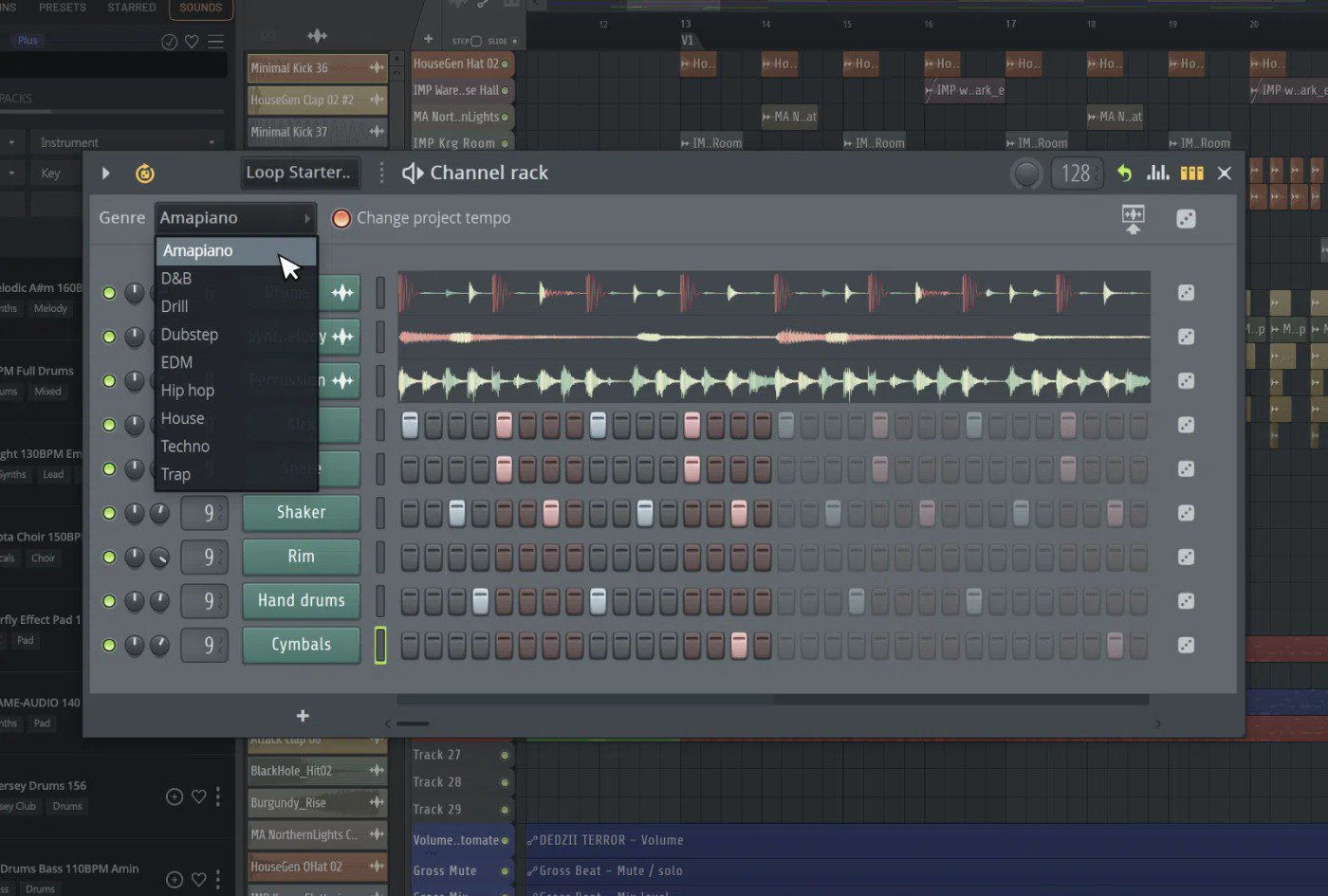
Start by accessing Loop Starter through the channel rack or welcome window. Choose your preferred genre and click the dice icon to generate different sound combinations. You can then drag your favorites directly into the playlist to begin building your track.
Gopher AI Assistant:
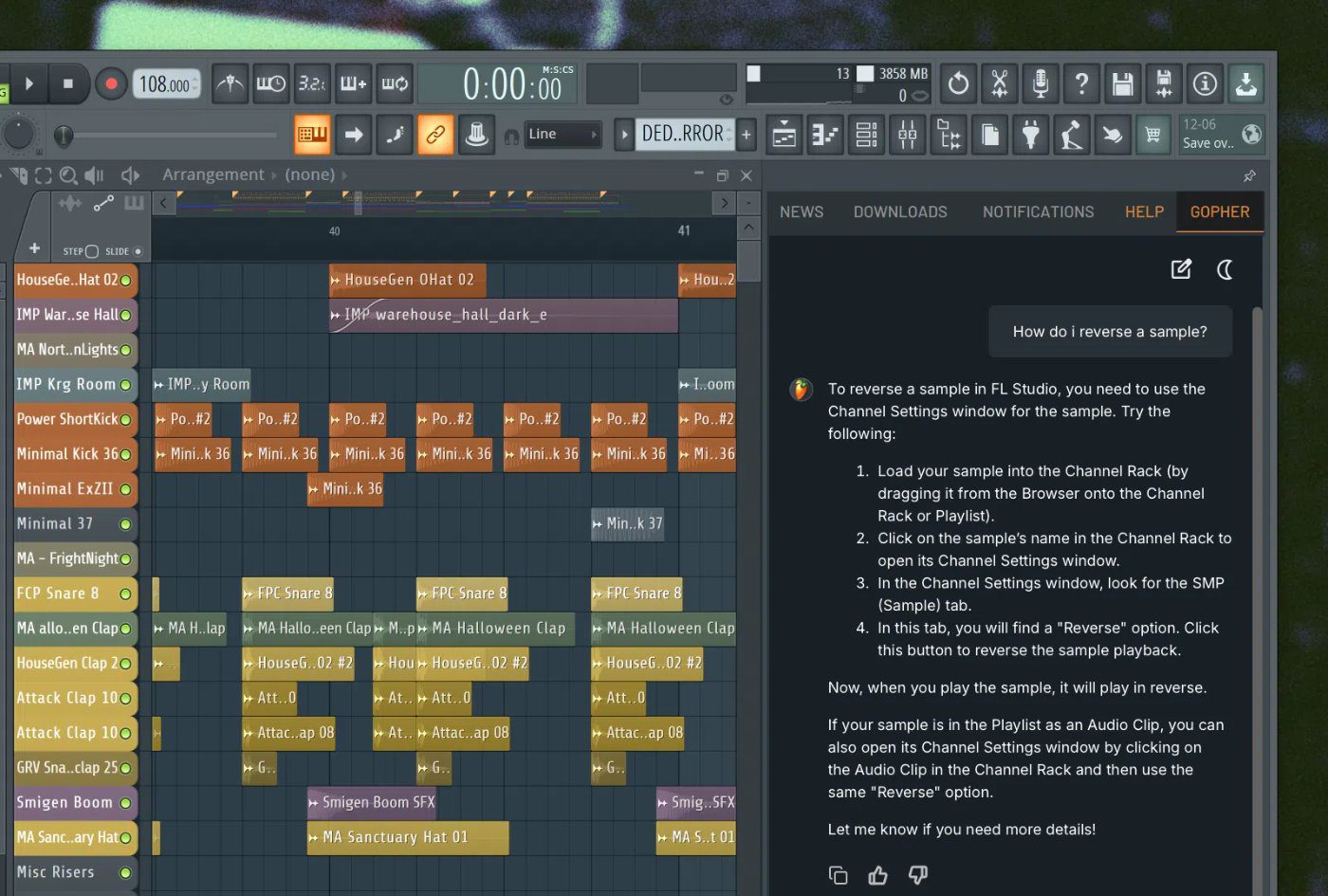
The Gopher AI assistant is available through the communications panel. Try asking it questions like “How do I reverse a sample?” or “Give me a popular lofi chord progression” to see how it can help your workflow.
Here’s what’s also included in FL Studio 2025:
- Dynamic Mixer Tracks: Seamlessly add or remove mixer tracks with capacity for up to 500 channels
- Enhanced Audio Clips: Directly stretch, adjust pitch and reverse audio from within Clip Properties
- Emphasis: A cutting-edge multi-stage limiter plugin delivering loud yet transparent output — available exclusively in All Plugins Edition
- Mobile Rack: Brings 7 instruments and 29 effects from FL Studio Mobile to desktop — usable individually or in combination
- VFX Script plugin transforms Patcher configurations into sophisticated audio applications
- FL Studio Remote Support: Enhanced remote control integration that seamlessly fits your workflow
- FLEX Improvements: Features a complimentary 150-preset FLEX Pack focused on Melodic Techno
- Bassline Generator: The updated bassline mode in Chord Progression Tool delivers instant basslines that complement any chord progression
- Vectorial UI Refresh: Modern, scalable vector-based interfaces for BassDrum, Sakura, Drumaxx, and additional plugins
Troubleshooting Common Issues in FL Studio 2025
Issue 1: Beta version won’t install
Make sure you’re installing the beta separately from your regular FL Studio version. On Windows, it installs as a separate program, while on macOS it appears as “FL Studio BETA.app”.
Issue 2: Loop Starter not working
Ensure you have an active internet connection, as Loop Starter pulls content from FL Cloud. If problems persist, try refreshing the connection or restarting FL Studio.
Issue 3: Gopher AI responses seem limited
The AI assistant is trained on FL Studio’s manual and knowledge base. For best results, ask specific questions about FL Studio features rather than general music theory.
Best Practices for FL Studio 2025
Here are the top tips for getting the most out of your FL Studio 2025 experience:
- Start with Loop Starter when beginning new projects to overcome creative blocks
- Use Gopher AI for quick answers instead of searching through manuals
- Take advantage of the expanded mixer which now supports up to 500 tracks instead of the previous 125 limit
- Experiment with per-clip editing to pitch shift and time stretch audio without creating duplicate files
- Keep your projects organized using the improved automation clip naming system
Advanced Workflow Integration
FL Studio 2025’s new features work seamlessly with existing tools to create a more efficient production environment. The enhanced Gopher AI can now provide guidance on using FL Studio’s AI mastering capabilities, helping you achieve professional-sounding results without extensive audio engineering knowledge.
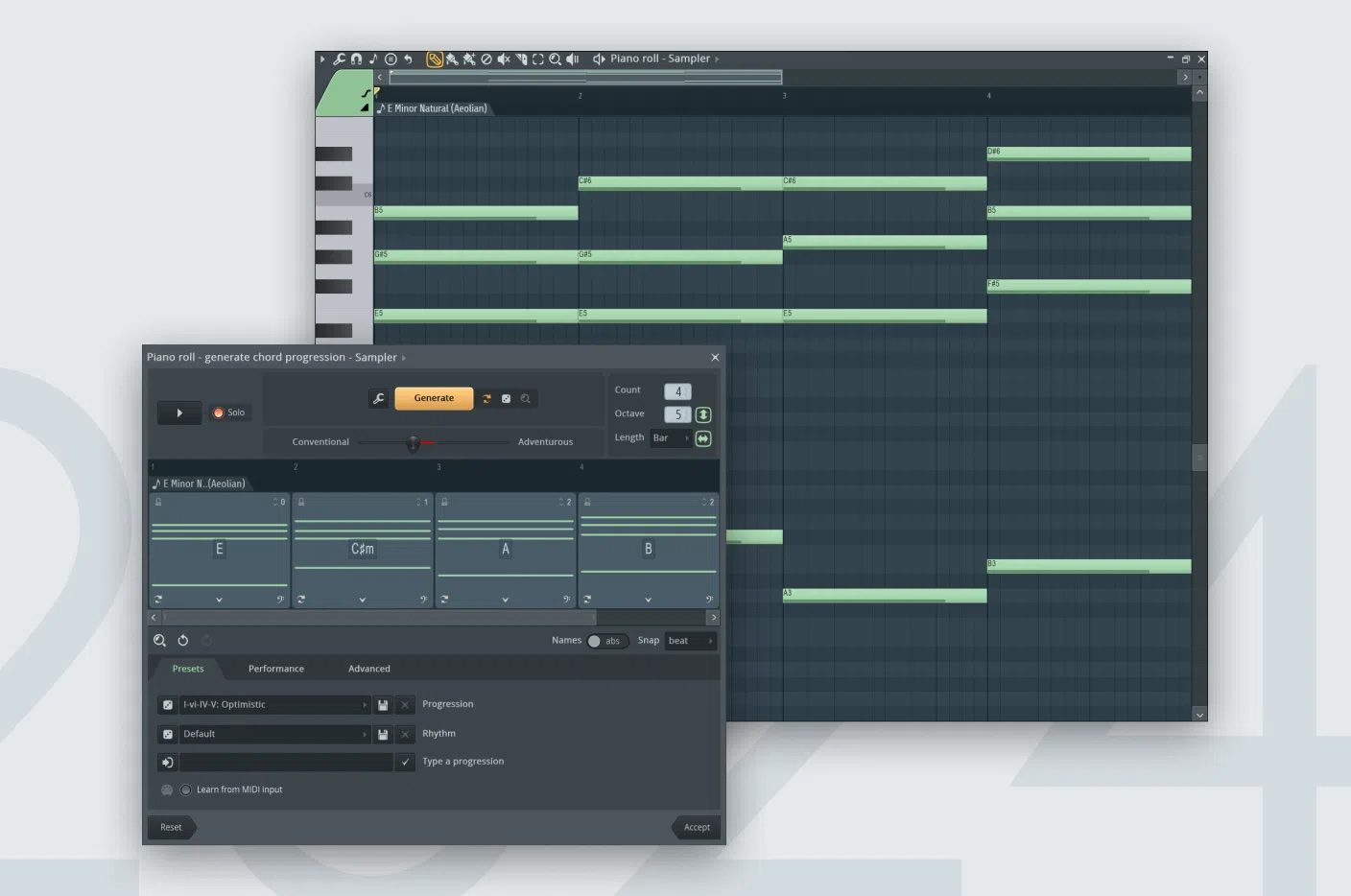
When combined with the FL studio chord progression tool, producers can now move from initial idea to polished track faster than ever before. The integration between Loop Starter’s genre-based suggestions and the chord progression generator creates a powerful creative foundation for any musical style.
Frequently Asked Questions about FL Studio 2025
Frequently asked questions
Does FL Studio Cost Money?
Yes, FL Studio is paid software with different pricing tiers. The Producer Edition typically costs around $199, while the All Plugins Edition costs approximately $499. However, FL Studio offers lifetime free updates, meaning once you purchase a version, you get all future updates at no additional cost. The fl studio 2025 beta was available for free during the testing period, but it expired after about 6 months. This allowed users to try new features before the official release.
Is FL Studio Good for Beginners?
FL Studio 2025 is excellent for beginners thanks to its user-friendly interface and new helpful features. The Loop Starter tool makes it easy to get started without feeling overwhelmed by a blank project 1 . The Gopher AI assistant can answer questions instantly, eliminating the need to search through complex manuals. The software includes over 80 built-in plugins and a vast array of instruments, letting beginners create professional-sounding tracks without buying additional tools. The intuitive design makes it accessible while still offering advanced features for growth.
Does FL Studio Update Automatically?
FL Studio includes an automatic update notification system. The software checks for updates once per day and shows an animation on the news toolbar button when new notifications appear 1 . However, you still need to manually download and install updates. FL Studio 2025 improved this process by adding a refresh option to the news panel, making it easier to check for the latest updates and features. Users with valid licenses receive all updates for free as part of the lifetime free updates policy.
Best Laptop for FL Studio 2025?
For FL Studio 2025, you’ll want a laptop with at least 8GB of RAM (16GB recommended), a modern multi-core processor (Intel i5 or AMD Ryzen 5 minimum), and plenty of storage space. The software requires 4GB for installation but you’ll need much more for sample libraries and projects. Look for laptops with good audio interfaces and low-latency capabilities. Windows 10 or 11 is recommended for the best compatibility with FL Studio 2025’s new features like the expanded mixer and improved plugin support.
Ableton vs FL Studio 2025?
FL Studio 2025 offers several advantages over Ableton Live, particularly for beat-making and electronic music production. The new Loop Starter feature gives FL Studio an edge in creative workflow, while the Gopher AI assistant provides instant help that Ableton lacks. FL Studio’s lifetime free updates policy also makes it more cost-effective long-term compared to Ableton’s paid upgrade model. However, Ableton excels in live performance scenarios and has a different workflow that some producers prefer. The choice often comes down to personal preference and specific production needs.
About the author

Covering AI music tools, industry shifts, and news for music creators and professionals. Twice-weekly newsletter at aimusicpreneur.com.


