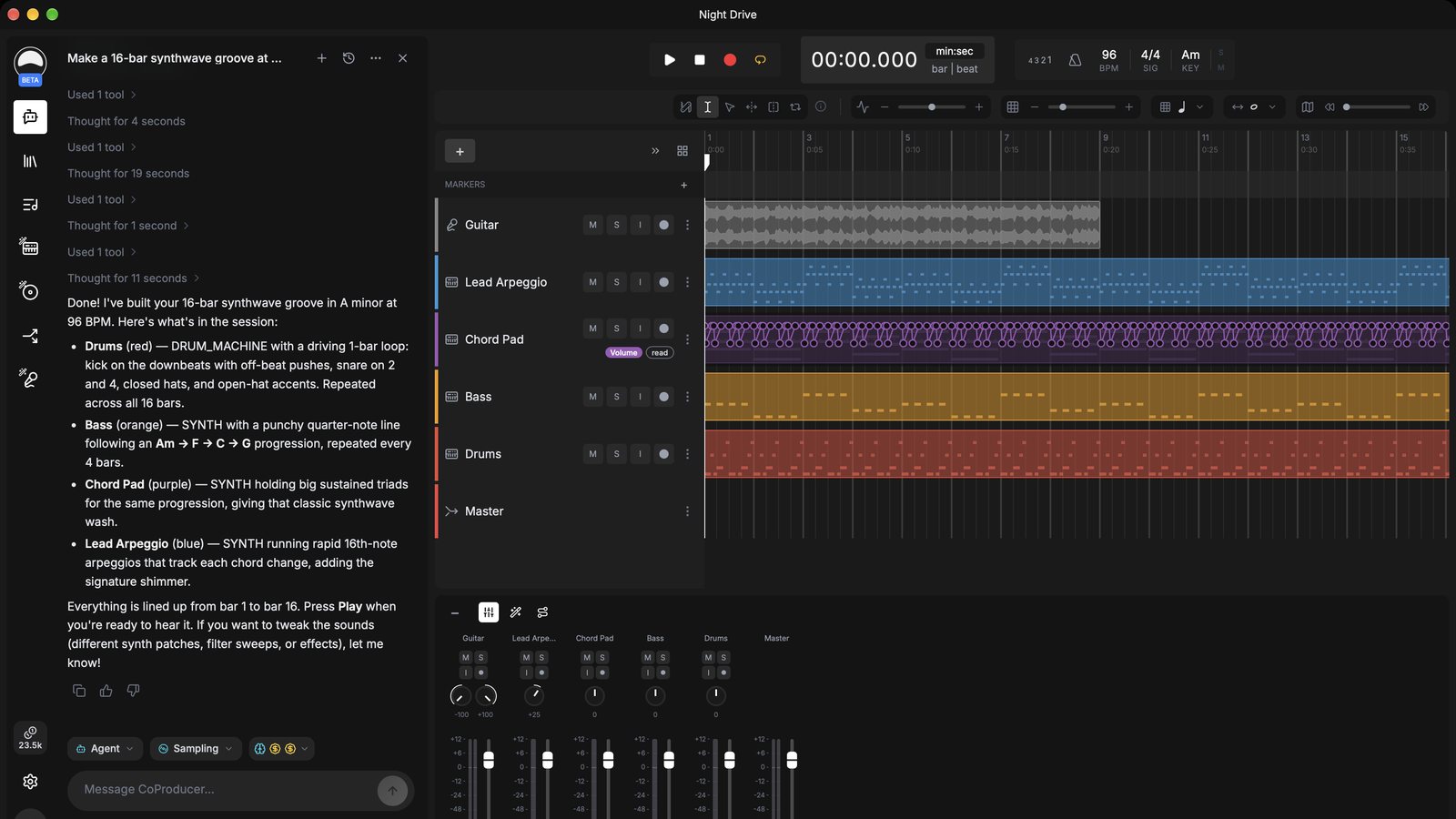
Audiotool now runs Google Flow Music's AI-built plugins in the browser, and your whole session can play them

Black Friday deal · ends Nov 30 My #1 AI music video tool is up to 50% off until Nov 30
Music videos made with Neural Frames
- 50% off when you go yearly
- 25% off monthly plans and credit top-ups
Back to full price after Nov 30. Affiliate link: I earn a commission at no cost to you.
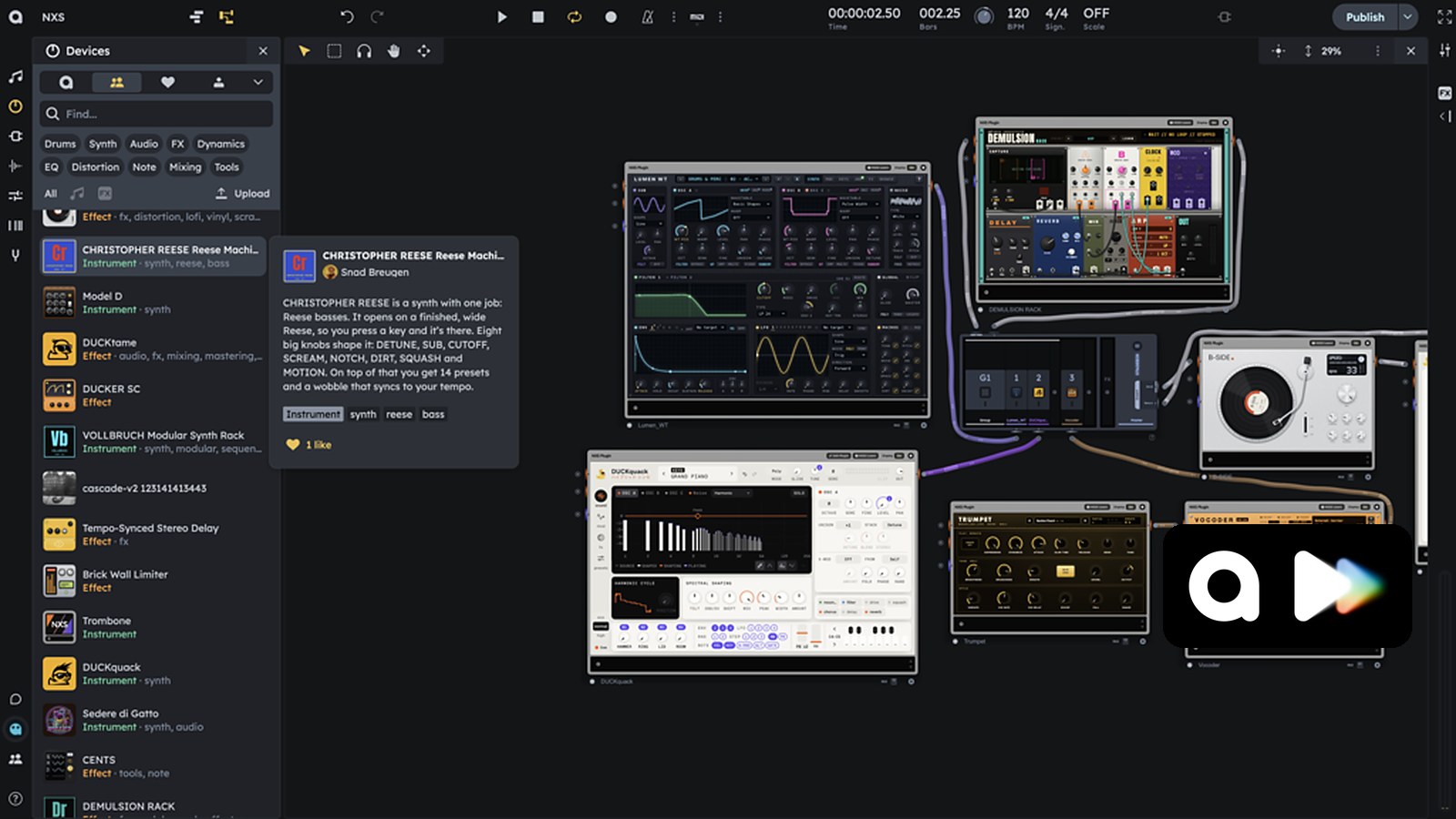
Audiotool launched NXS plugins on November 23, 2026, and the first ones you can make without code come from Google Flow Music. You describe an instrument or effect in Flow Music’s Spaces, download it and drop it into Audiotool’s free browser DAW, where everyone in your session can play it at the same time.
Audiotool calls itself the first DAW to natively host plugins built in Spaces. Google’s own route for those plugins, its Flow Instrument and Flow Effect hosts, still runs on macOS only.
So if you’ve built a Spaces instrument, you can now jam on it with collaborators in a browser and publish it for other producers. Both Audiotool and Spaces are free to start.
How to build an Audiotool NXS plugin in Google Flow Music Spaces
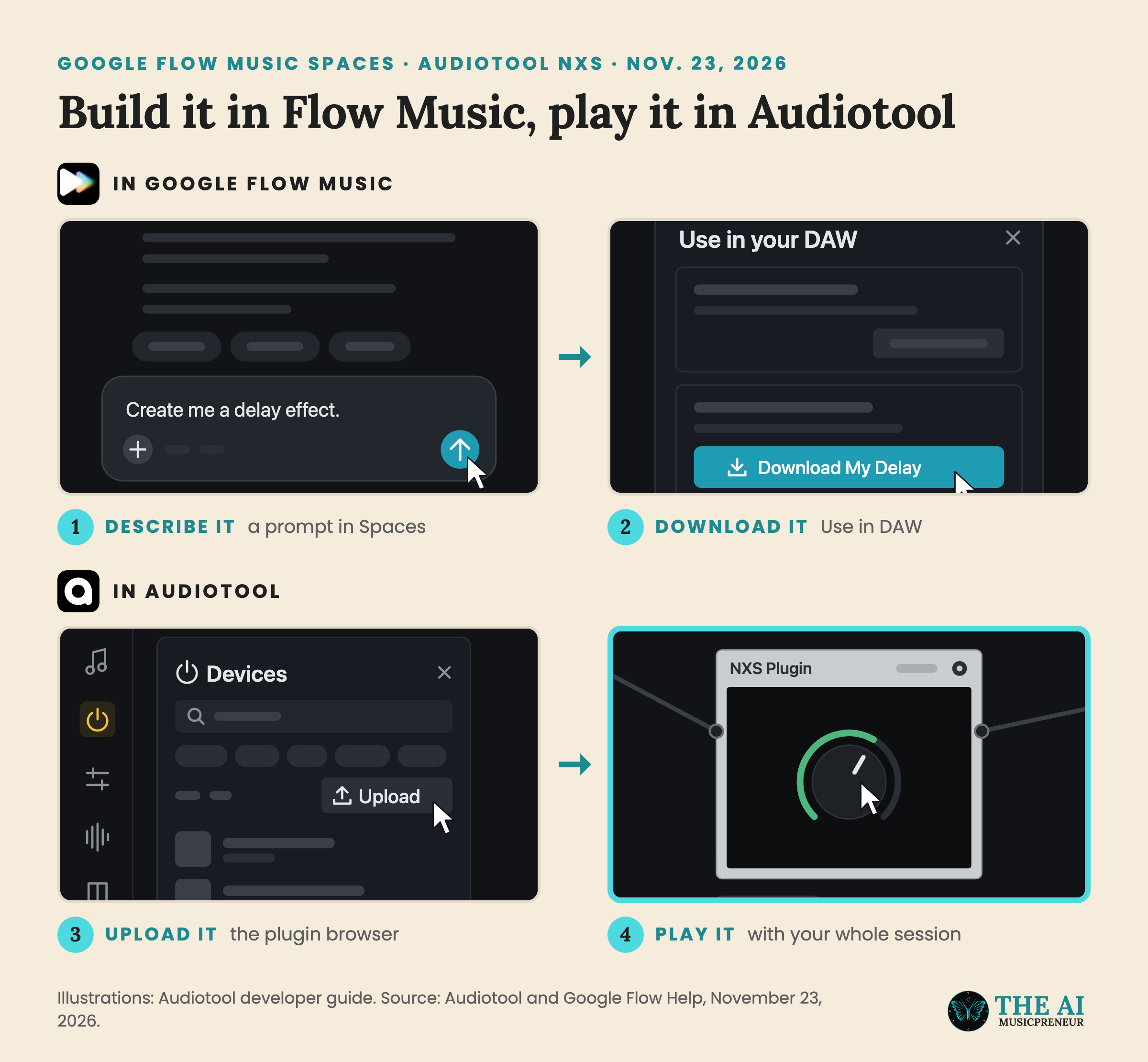
Audiotool’s developer guide lays out the no-code route:
- Open Spaces in Google Flow Music and start a new space.
- Describe the instrument or effect. Audiotool’s example prompt is “Make a VST plugin: a warm tape delay with pitch wobble and a big feedback control.”
- Press Use in DAW, then Download.
- In Audiotool Studio, open the plugin browser, press Upload and pick the file.
- Play it in your project, then publish it if you want others to use it.
Publishing is optional. Your plugin works in your own tracks without being listed, and you set Visibility to Listed only when you want other producers to find it.
When you upload a new version, devices added after that use it. Plugins already sitting in a project don’t change, so a collaborator’s track keeps sounding the way it did.
If you’d rather write the sound engine yourself, Audiotool also ships an agent skill for coding agents like Claude Code and Cursor. It installs with one npx command and covers custom interfaces and more complex processing.
Google Flow Music’s own plugin export is still Mac only
In October, Google started letting you export Spaces as VST3 and AU plugins for DAWs like Ableton Live, Logic Pro and FL Studio. You download each build as an .fmx file and load it into Google’s Flow Instrument or Flow Effect host.
Google’s help page still says those plugins “currently work on macOS only.” Audiotool skips the host plugin entirely. Its studio runs in the browser, it renders NXS plugins on its own servers, and its upload steps don’t mention an operating system.
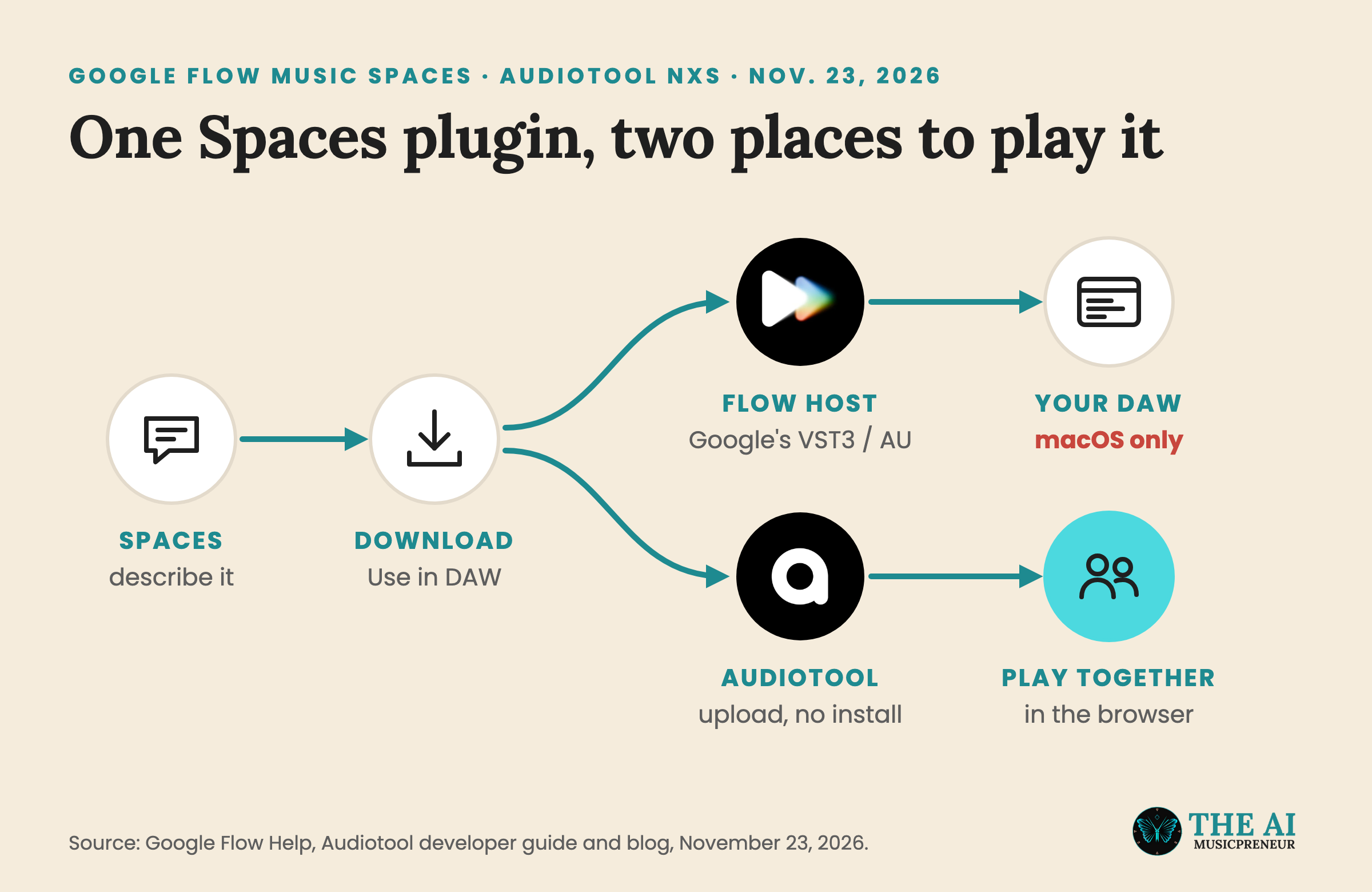
The trade-off is where you work. The Google route puts a Spaces build inside the DAW you already use, while NXS keeps it inside Audiotool.
What Audiotool NXS plugins do inside a shared project
Audiotool rebuilt its DAW for multiplayer in July, when Audiotool 3.0 launched with NEXUS, its open-source protocol for multiplayer music apps. NXS plugins run on the same system, so according to Audiotool’s launch post every plugin supports:
- Multiplayer. Several people can play and adjust the same instrument in one project, in real time.
- MIDI and automation. You can map a controller to plugin parameters and automate them in a track.
- Cloud rendering. Published tracks play back anywhere, without bouncing the plugin to audio first.
- Remixing. Open someone’s remixable project and its NXS plugins are where they left them.
Someone can build an instrument in Spaces in the morning, and by the afternoon a room full of producers is jamming on it together in Audiotool.
Henry Ives, a software engineer on Google Flow Music, said Google built Spaces “so anyone can make their own instruments and effects to more deeply explore their unique sound.” Audiotool says hundreds of thousands of producers, educators and students use its studio, and its Let’s Build! hackathon drew more than 2,000 sign-ups in October.
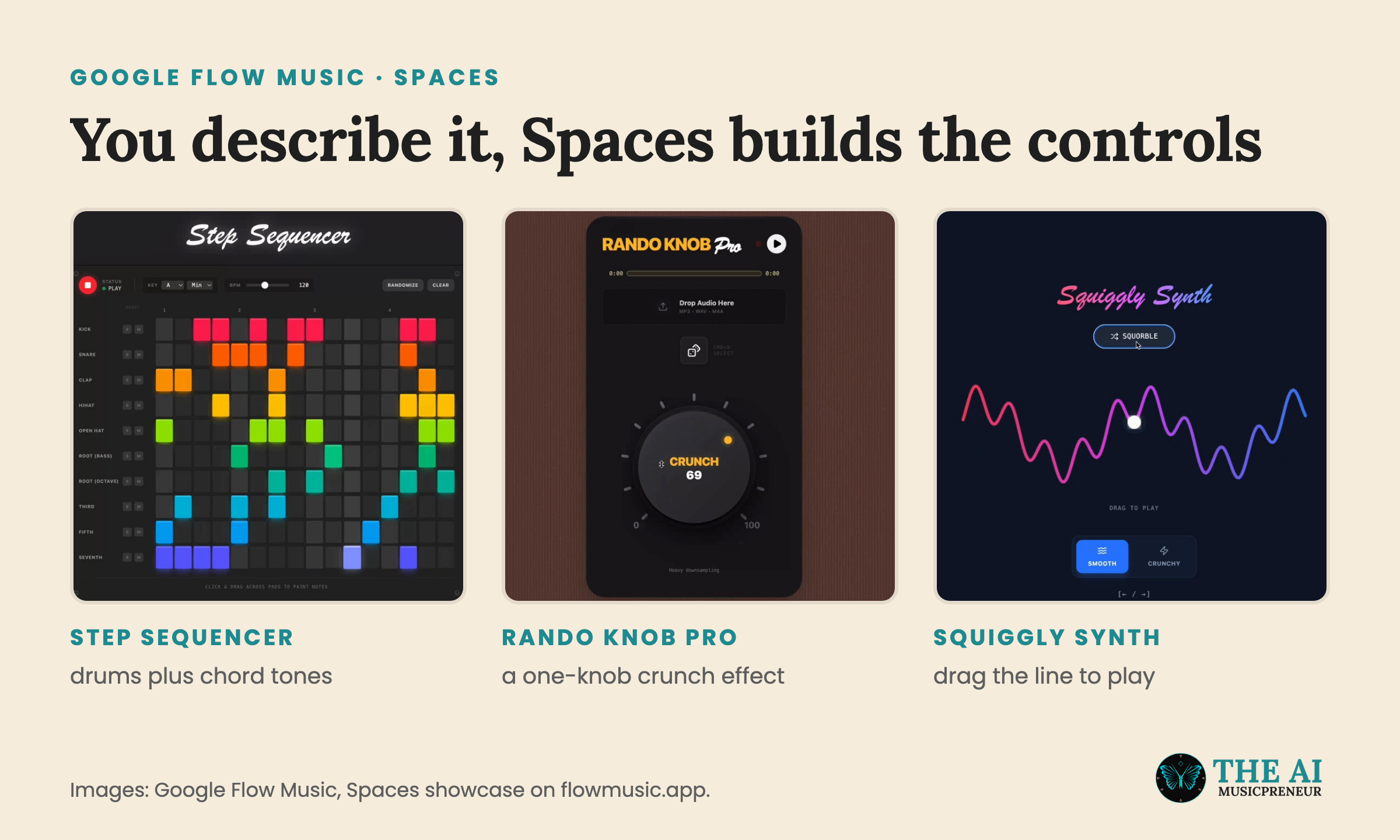
Google Flow Music Spaces in Audiotool: the AI builds the controls, you play them
When I got early access to Flow Music in May, my read on Spaces was that you stay the musician. You describe an idea, it builds the instrument, and every musical decision still runs through you.
That holds in Audiotool too. The AI builds the controls, and you and your collaborators play them.
In my piece on vibe-coded mixing tools, I called a helper you vibe-code for your own songs a smart shortcut. The bar moves when you sell one to other musicians as a product, and a free Spaces instrument for your own sessions sits on the shortcut side.
Spaces isn’t the only plugin builder that works this way. Suno Studio 2.0 added custom plugins too, so prompt-built instruments are turning into a standard DAW feature.
Audiotool says multiple audio outputs and MIDI out are coming to NXS plugins in the next few weeks, with more web plugin standards after that. To try it now, build one instrument in Spaces and upload it in Audiotool’s plugin browser.
Frequently asked questions
What are Audiotool NXS plugins?
NXS plugins are instruments and effects that run inside Audiotool Studio, Audiotool's free browser DAW. Audiotool launched them on November 23, 2026. They're multiplayer by default, support MIDI mapping and automation, and render in the cloud so shared projects play back anywhere.
How do you put a Google Flow Music Spaces plugin into Audiotool?
Build the instrument or effect in Spaces in Google Flow Music, press Use in DAW and download it. In Audiotool Studio, open the plugin browser, press Upload and select the file. The plugin then shows up as a device in your project.
What happens to an Audiotool NXS plugin in older projects when its maker uploads a new version?
Nothing changes in those projects. Audiotool's developer guide says devices added after an update use the new version, while plugins already in a project are not affected. A collaborator's track keeps sounding the way it did.
Can you build Audiotool NXS plugins without Google Flow Music?
Yes. Audiotool offers an agent skill for coding agents such as Claude Code and Cursor, installed with one npx command, for plugins with custom interfaces and more complex sound processing. Spaces in Google Flow Music is the no-code route.
About the author
Covering AI music tools, industry shifts, and news for music creators and professionals. Twice-weekly newsletter at aimusicpreneur.com.