Audacity 4 is out, and it ships with no AI features at all
My stack My fav 6 tools for AI music after testing 70+
-
 ElevenMusic · Music generation
 -
 Moises · Stem separation
 -
 Controlla · Voice swap & cloning
 -
 Cryo Mix · Mixing + mastering
 -
 Neural Frames · Music videos
 -
 ONCE · Distribution
Some links are affiliate links — I earn a commission at no cost to you. Every tool here is one I run myself and truly believe in. This stack is proven.
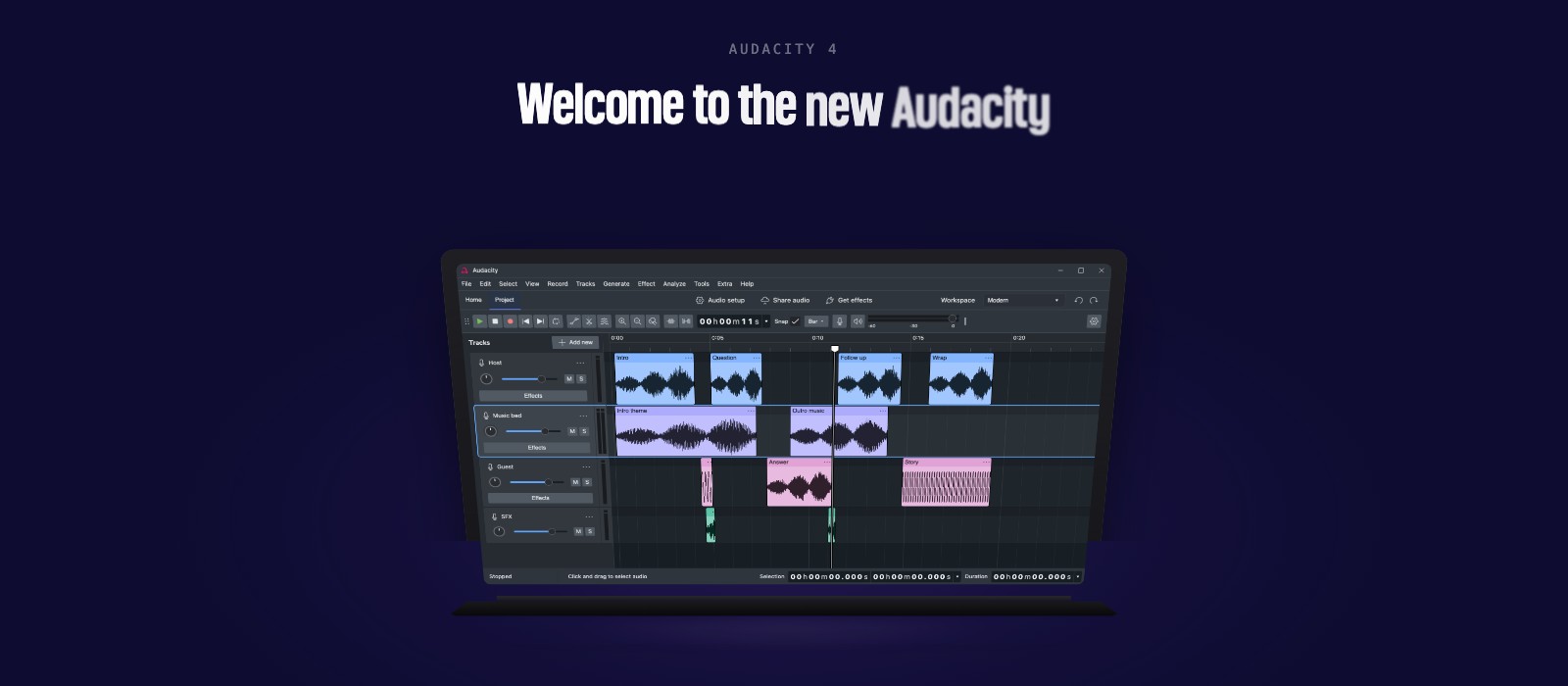
Audacity 4 landed on September 3, and it is the biggest change to the free audio editor in its 25 years. The interface has been rebuilt on Qt, clips can finally overlap each other, every built-in effect has been redesigned, and it is still free under GPL v3.
Read the whole launch page and you will not find the word AI once.
What actually changed in Audacity 4
The clip model is the headline. Audacity 3 restricted how you could paste and move clips. Audacity 4 lets them overlap, and adds clip grouping, ripple editing and non-destructive editing.
The rest of the list:
- Trim and stretch handles on every clip, one at the top edge and one at the bottom
- Direct sample editing by zooming in and dragging, with no switch to Draw or Multi-tool
- A split tool that can cut multiple clips at once
- Per-track meters that double as input monitors while recording
- Markers and regions on the timeline, with export driven by your labels
- A loop range with its own row in the ruler and a single on/off toggle
- Export of a selected section, so a loop no longer means exporting the full project
- Real-time effects across a wider set of VST3, Audio Unit and LV2 plugins, with LV2 loading without a wrapper
Most of the important changes made in this version are under-the-hood foundations, which will allow us to move much faster than ever before. And as always, Audacity remains free and open source. Forever.
Your old work survives. Audacity says every .aup3 project from Audacity 3 opens natively in Audacity 4.
Where Audacity’s AI tools actually live
Audacity does have AI. It is not in the app you download.
The stem separation, the text-to-music generation and the Whisper-based transcription all arrive through the OpenVINO AI plugin pack, installed separately through Muse Hub. Those models run locally on your machine, so nothing gets uploaded anywhere.
If you came to Audacity for free stem splitting, install the plugin pack yourself after you update. Audacity 4 on its own gets you a much better editor and no AI at all.
What Workspaces change for a music workflow
Workspaces are saved tool and interface layouts you can flip between. Audacity ships Classic, Music and Modern presets, plus custom slots, and you can set an accent colour per workspace.
For anyone who has used Audacity for two unrelated jobs, this is the fix for the obvious problem. Podcast editing and music editing want different tools on screen. Until now you rearranged the window every time, or you gave up and left it on one layout.
What Audacity 4 costs and what it runs on
Nothing, and everything. Audacity 4 is free, open source under GPL v3, and runs natively on macOS, Windows and Linux from the Audacity site.
A free multitrack editor with real-time VST3 support, local AI stem separation one plugin install away, and no subscription is a genuinely strong starting point for anyone who has not committed to a paid DAW yet.
Frequently asked questions
Does Audacity 4 have AI features built in?
No. Nothing on the Audacity 4 launch page mentions AI. Audacity's AI tools for stem separation, music generation and transcription ship in the separate OpenVINO AI plugin pack, installed through Muse Hub.
Will my Audacity 3 projects open in Audacity 4?
Yes. Audacity says every .aup3 file from Audacity 3 opens natively in Audacity 4 exactly as you saved it.
What are Workspaces in Audacity 4?
Workspaces are saved layouts of tools and interface settings you can switch between. Audacity ships Classic, Music and Modern presets, and you can build custom ones for a specific task.
Is Audacity 4 still free?
Yes. Audacity 4 is free and open source under GPL v3, on macOS, Windows and Linux. Product designer Alex Dawson says in the launch video that it remains free and open source forever.
About the author

Covering AI music tools, industry shifts, and news for music creators and professionals. Twice-weekly newsletter at aimusicpreneur.com.