Sesh
Sesh splits any song into vocals, drums, bass, and instruments — three free AI stem splitter tools in one browser-based platform.
What is Sesh and how does it work?
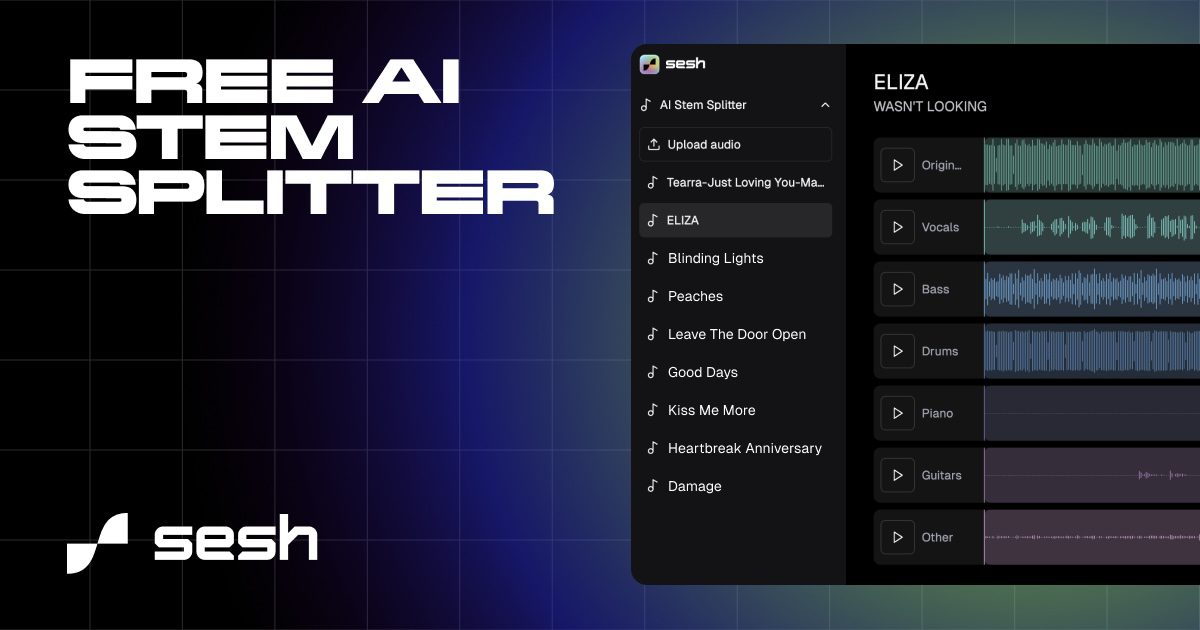
Sesh is a free AI stem splitter that breaks any song into its basic parts — vocals, drums, bass, and instruments — directly from your browser, with no downloads or installs.
It bundles three dedicated AI tools in one platform:
- Sesh Acapella Extractor — pulls clean lead vocals, background vocals, or the instrumental track out of any song
- Sesh Drum Remover — isolates kick and snare, hi-hats and cymbals, or full drum tracks
- Sesh AI Stem Splitter — extracts bass, guitar, piano, and other instruments as separate stems
Upload an audio file, pick the tool, and Sesh runs the separation in your browser. The output stems are downloadable and can be dropped straight into your DAW or used inside Sesh’s own collaborative editor.
How much does Sesh cost?
Sesh has two plans — a permanent free tier and a Pro upgrade.
| Plan | Price | What you get |
|---|---|---|
| Free | $0 | Up to 75MB files · full stem separation · real-time collaboration · ideal for hobbyists |
| Pro | $19/mo | Unlimited file size · high-definition stems · advanced mixing tools · full Sesh DAW access |
The free tier is unusually generous for an AI stem splitter — most competitors put the full separation feature behind a paywall. The 75MB cap is the main friction point on free, which translates to roughly 10–12 minutes of standard-quality audio.
How does Sesh’s AI stem splitter compare to other tools?
All major AI stem splitters deliver high-quality separation — the right choice depends on workflow, budget, and whether you need a DAW-integrated tool or a quick browser pass.
Sesh stands out with:
- Three dedicated AI tools bundled in one place
- Browser-based — no downloads required
- Real-time collaboration for remote sessions
- A free tier that includes full separation, not a watermarked demo
It’s a lighter, faster alternative to LALAL.AI (which charges per minute) and Moises (which is mobile-first and subscription-only). For producers already living inside Logic Pro or Ableton, dedicated DAW splitters like Logic Pro Stem Splitter or Gaudio Studio keep the workflow inside the project — Sesh is the better fit for one-off jobs, remixes, and remote collaboration where browser access matters more than DAW integration.
Who should use Sesh?
- Producers making remixes — pull a clean acapella to build a new track around
- DJs and editors — strip drums or vocals for live edits and mashups
- Musicians practicing parts — isolate the bass, guitar, or piano line to play along
- Remote bands and collaborators — work on the same stems in real time without sharing project files
- Music teachers — break down recordings to teach specific instruments or arrangements
- Anyone short on time — get usable stems in minutes without setting up a DAW
The free plan is enough to try all three tools end-to-end. Upgrade to Pro when 75MB stops being enough, when you need HD stem quality, or when you want to mix inside Sesh’s DAW rather than bouncing stems out.