Best autotune plugins in 2026: free, budget and AI pitch correction compared

Black Friday deal · ends Nov 30 My #1 AI music video tool is up to 50% off until Nov 30
Music videos made with Neural Frames
- 50% off when you go yearly
- 25% off monthly plans and credit top-ups
Back to full price after Nov 30. Affiliate link: I earn a commission at no cost to you.
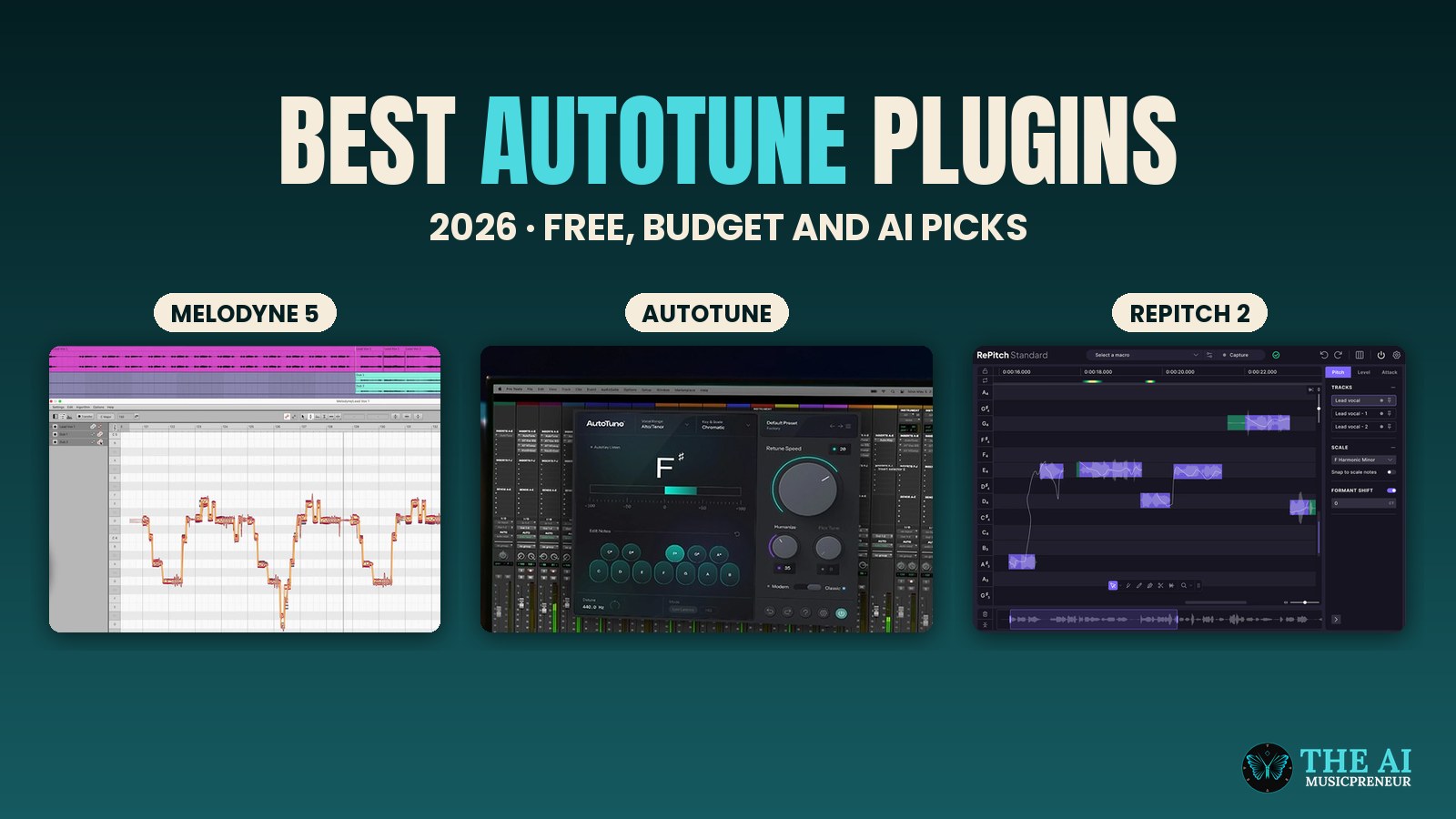
The best autotune plugin depends on when you tune. If you want to hear the correction while you sing, AutoTune from Antares is still the one to beat, and AutoTune Advanced’s Live mode runs under 1 ms.
If you tune after you record, Melodyne 5 is the reference for edits nobody hears.
RePitch 2 from Synchro Arts is the one most lists skip. It edits a lead, its doubles and its harmonies side by side for $149, a view Melodyne keeps in its $849 studio edition. On my scorecard, the two tie at 4.3.
And you might not need to buy anything. Graillon 3 Free Edition, MAutoPitch and AutoTune Go cost nothing, and your DAW probably ships a tuner already.
The best autotune plugins in 2026, ranked
The short version, ranked by the job each one does best:
- AutoTune (Antares): best for tuning while you sing and the classic hard-tune sound, from $250.
- Melodyne 5 (Celemony): best for invisible, note-by-note editing, from $99.
- RePitch 2 (Synchro Arts): best value for tuning a lead with its doubles and harmonies, from $69.
- Waves Tune Real-Time: best budget tuner for tracking and live vocals, $199 list and often far less on sale.
- Graillon 3 Free Edition: best free autotune plugin, on Windows, Mac and Linux.
- MAutoPitch: best free automatic tuner with formant shift.
- AutoTune Go: best free autotune if you make music in FL Studio.
I checked every price on November 21, 2026.
Not sure whether you need an automatic tuner or a graphical editor? The explainer right after the comparison table sorts that out.
How I ranked these autotune plugins
I looked at about 25 pitch correction tools and kept 7, plus 2 Synchro Arts plugins for vocal stacks in their own section.
I scored all of them from the same evidence: 3 magazine reviews, 9 YouTube shootouts and demos, the 143 posts and comments in the 6 Reddit threads that rank for this search, and each company’s own spec and pricing pages. When I use someone else’s finding, I name them and link the moment.
Each tool is scored on 5 criteria, weighted by what matters when you tune a vocal you plan to release:
- Sound (30%): how natural the tuning sounds, and how many artifacts you have to fix.
- Ease of use (20%): how fast someone new gets a good result.
- Control (20%): note-level pitch, drift, vibrato, formant and timing control.
- Workflow (15%): DAW and ARA integration, tuning while you record, and editing a whole vocal stack.
- Value (15%): what the features you need cost, counting free, bundled and subscription routes.
Each criterion gets 1 to 5 dots, and the dots roll up into a star rating out of 5 using those weights. Tools are scored against their own group, so an automatic tuner is judged against other automatic tuners, not against Melodyne.
Synchro Arts, the company behind RePitch, VocAlign and Revoice Pro, sent me product information for this guide. It didn’t see my scores before publishing, and nobody paid for a spot. LANDR, which owns Synchro Arts, pays me a commission if you sign up for LANDR Studio through my link.
I left out vocal suites where tuning is one module among many, like iZotope Nectar 4 and UA’s Topline Vocal Suite, and tuners with too few independent tests to score fairly yet, like Slate Digital’s MetaTune.
Autotune plugins compared: price, real-time tuning and free options
Read the Tunes while you sing and Pricing from columns first:
| Tool | Type | Best for | Tunes while you sing | Works in | Free option | Pricing from |
|---|---|---|---|---|---|---|
| AutoTune (Antares) | Automatic, Graph Mode in Pro 11 | Tracking, live, the hard-tune sound | Yes, Live mode under 1 ms in Advanced | VST3, AU, AAX; ARA 2 in Logic, Studio One, Cubase, Nuendo (Pro 11) | 3-day trial of AutoTune Unlimited | $250, or $35/mo for Unlimited |
| Waves Tune Real-Time | Automatic | Budget tracking and live vocals | Yes, zero or near-zero latency | Mac and Windows DAWs | None | $199 list |
| Melodyne 5 (Celemony) | Graphical | Invisible edits, chords | No | Standalone, VST3, AU, AAX; ARA in Pro Tools, Cubase, Logic and more | 30-day trial; essential with Pro Tools subscriptions | $99 (essential) |
| RePitch 2 (Synchro Arts) | Graphical | A lead with its doubles and harmonies | No | VST3, AU, AAX; ARA 2 including Pro Tools | Elements with Pro Tools subscriptions | $69 (Elements), $149 (Standard) |
| Graillon 3 Free Edition | Automatic | Free on any computer | Yes, no added latency | VST, AU, AAX, LV2 on Windows, Mac, Linux | Free | Free |
| MAutoPitch | Automatic | Free with formant shift | Yes | Windows and Mac DAWs | Free | Free |
| AutoTune Go | Automatic | FL Studio users | Yes | FL Studio only | Free, including FL Cloud Free | Free |
Is AutoTune AI? Automatic, graphical and AI-assisted tuning explained
No. Classic autotune is signal processing, not AI. Andy Hildebrand built Auto-Tune from math he’d used on seismic data (PBS NOVA interview), and Antares’ patent, granted in 1999, is filed under autocorrelation, a way of measuring how a sound wave repeats (US patent 5,973,252).
Antares launched AutoTune in 1997, and its pitch-correction pages make no AI claim today. The AI in Antares’ lineup is a set of 5 vocal mixing tools inside its Unlimited subscription.
Funny enough, Auto-Tune was called cheating in 1998, long before anyone said AI. What matters for your vocal is when the tuning happens:
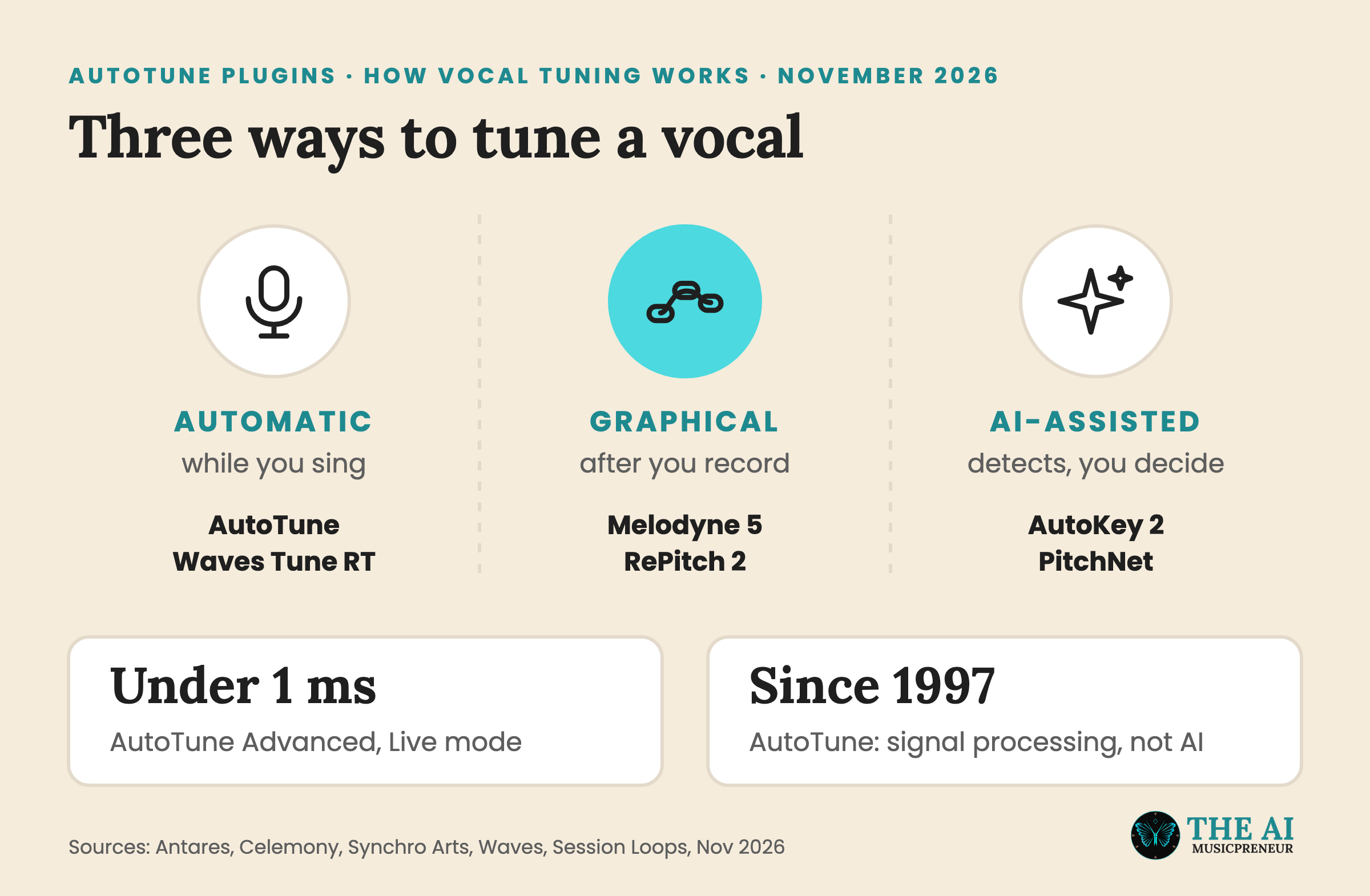
Automatic tuners like AutoTune and Waves Tune Real-Time listen while you sing. You set the key, the scale and the retune speed, and the plugin pulls each note to the nearest one in the scale.
Graphical editors like Melodyne 5 and RePitch 2 work after you record. Every note shows up as a block you can drag, stretch and reshape, including the drift and vibrato inside it.
AI-assisted tools let the software detect and leave the decisions to you. AutoKey 2 ($60) detects the key, scale and tempo and sends them to the tuner, and Session Loops’ free PitchNet uses “AI resynthesis” to rebuild a tuned note instead of bending the old one.
Smart detection sits in between. RePitch 2’s SmartAttack finds the start of each sung phrase and snaps it to your grid, and Synchro Arts calls it intelligent, not AI. None of the 7 tuners I ranked calls its tuning engine AI.
And if the vocal is stuck inside a finished mix, RipX DAW separates it with AI first and lets you edit the notes after. Now, the automatic tuners.
Automatic autotune plugins for tracking and the hard-tune sound
An automatic autotune VST sits on the vocal track and corrects every note as it plays. It’s the tool for hearing the tuning in your headphones while you record, and for the stepped, robotic sound of trap and hyperpop.
1. AutoTune (Antares): best for tuning while you sing and the classic hard-tune sound
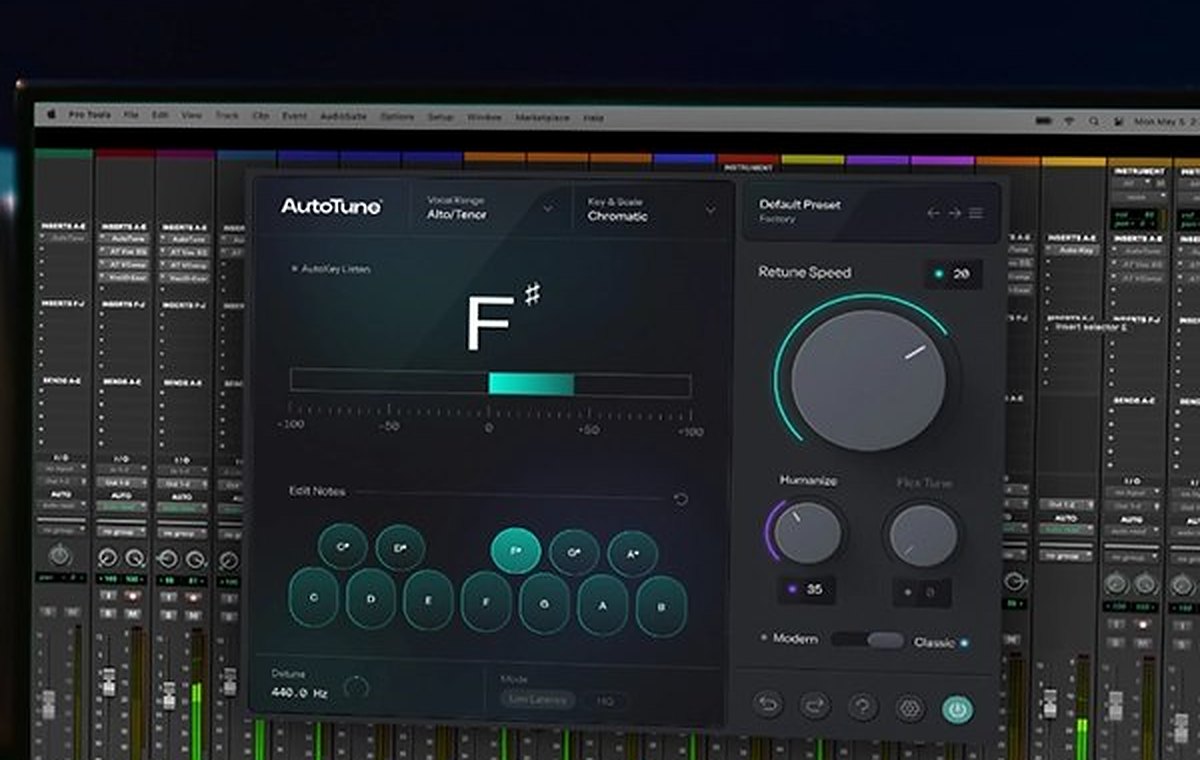
- Works in: VST3, AU and AAX on macOS 14 or later and Windows 10 or 11. AutoTune Pro 11 also runs as ARA 2 in Logic, Studio One, Cubase and Nuendo.
- Tunes while you sing: Yes. Antares says AutoTune Advanced’s Live mode stays under 1 ms at every sample rate from 44.1 to 192 kHz.
- Free tier: A 3-day trial of AutoTune Unlimited, which includes all 3 AutoTune editions.
- Pricing: AutoTune $250, AutoTune Advanced $450, AutoTune Pro 11 $450, or Unlimited at $35 a month or $210 a year.
Why I picked it: AutoTune has been the industry standard since Antares launched it in 1997, and its auto mode is still the fastest way to a tuned vocal. Reid Stefan and Nash Overstreet, who sell courses on both AutoTune and Melodyne, put it plainly in their shootout: there’s “no learning curve or setup time to use autotune in the auto mode” (video, 1:04).
And when they had to name one tuner to buy first, they picked AutoTune (video, 17:12).
The lineup changed this year. AutoTune Advanced arrived on September 24, 2026 as the flagship, and the plain AutoTune edition replaced Artist and Access in October 2025. AutoTune Pro 11 is the one with Graph Mode, the manual editor.
Standout features:
- Live mode under 1 ms in AutoTune Advanced, for tracking and the stage
- A vibrato engine in Advanced that detects vibrato and keeps it while you tune hard
- Graph Mode in Pro 11 for note-by-note edits
- Humanize and Flex Tune to keep held notes natural
- AutoKey 2 detects the key, scale and tempo and sends them to the tuner
What is missing: Graph Mode is only in Pro 11, so the Advanced flagship is automatic only. And Pro 11’s ARA support skips Pro Tools.
Best for: Rap, pop and R&B vocalists who record through tuning, and anyone who wants the hard-tune sound in one click.
Verdict: The standard for automatic tuning, and the tuner to buy first if you only buy one.
2. Waves Tune Real-Time: best budget autotune for tracking and live vocals
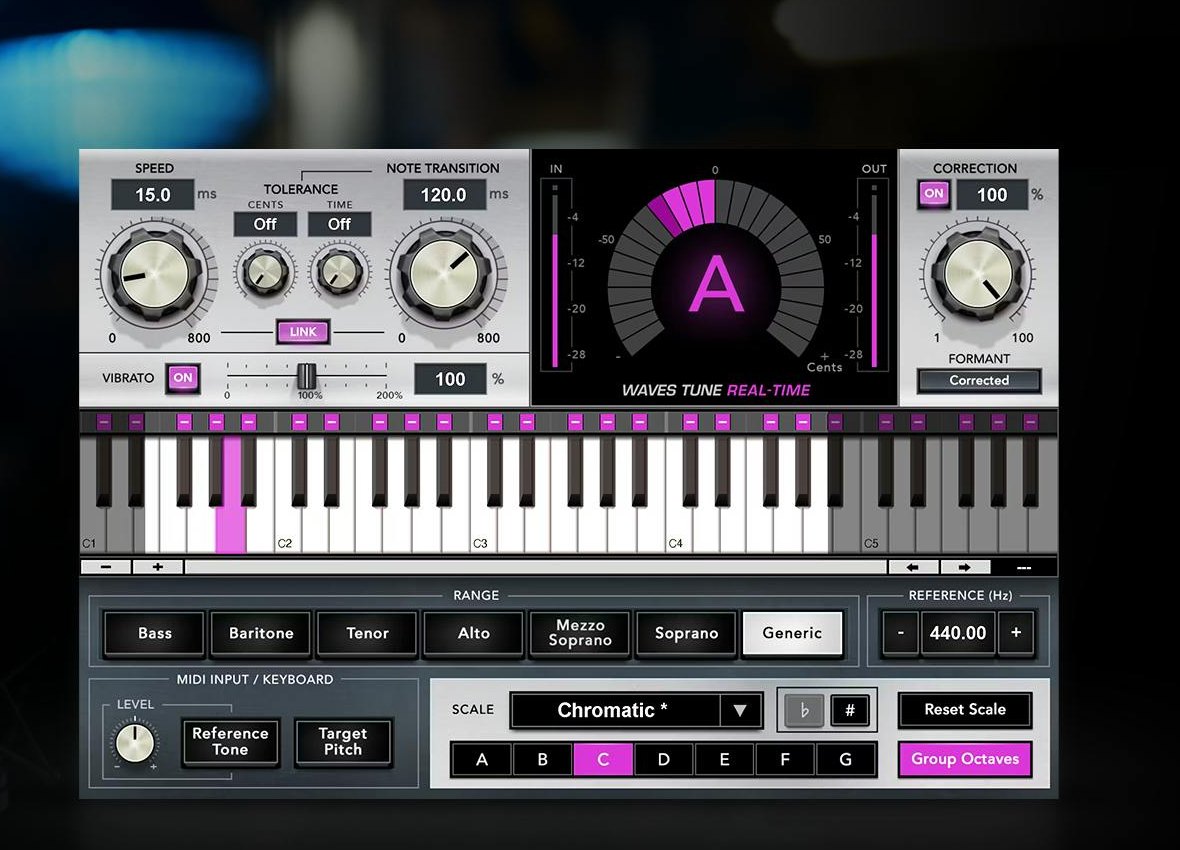
- Works in: Every major DAW on Mac and Windows
- Tunes while you sing: Yes, with “zero or near-zero latency (depending on pitch)”, per Waves
- Free tier: None
- Pricing: $199 list, and Waves often sells it for far less. Waves Tune, the graphical version, is $149 list.
Why I picked it: Tune Real-Time is the budget pick from Waves for hearing tuning while you record. Music By Mattie ran every major pitch correction plugin on his own voice and calls this one “The Live Performance Champion” for its zero-latency monitoring (Music By Mattie).
One commenter in r/musicproduction’s “Best free autotune?” thread summed up the value: “$29-$35 and it is on point” (comment).
Standout features:
- Zero or near-zero latency for tracking and live vocals
- Formant correction
- Target pitch played or programmed via MIDI
- Range presets from bass to soprano
What is missing: Natural-sounding correction. Mattie found it “struggles” with natural correction and formant control, so it’s a tracking and effect tool more than an invisible one.
Best for: Home studios on a budget that want to hear tuning while they record, and live vocalists.
Verdict: The budget pick for real-time tuning, as long as you want the tuned sound rather than tuning nobody hears.
Graphical pitch correction software for invisible vocal edits
Graphical pitch correction software works on a recorded vocal. Every note shows up as a block on a piano-roll grid, and you fix the ones that need it, from a sour note to the drift at the end of a long hold.
This is where tuning nobody hears happens, and it’s also the part that takes the most practice.
Melodyne 5 and RePitch 2 land on the same 4.3. Melodyne leads on sound and control, RePitch on ease and price, so the better pick depends on what you tune.
1. Melodyne 5 (Celemony): best for invisible, note-by-note editing
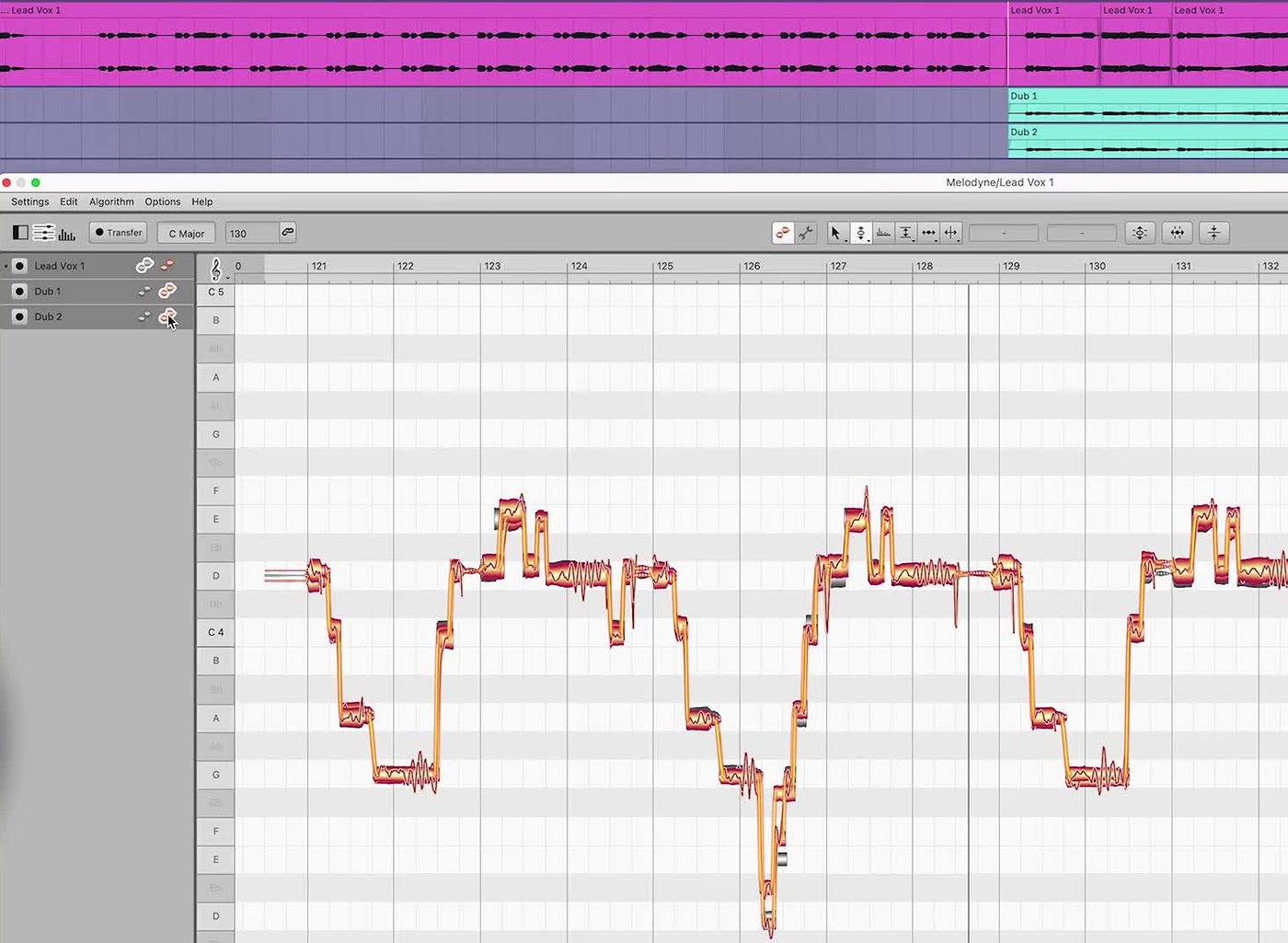
- Works in: Standalone, or as VST3, AU and AAX. ARA in Pro Tools, Cubase, Fender Studio Pro, Logic, Reaper and more, per Celemony.
- Edits: One voice at a time in essential and assistant. Notes inside chords in editor and studio, and several tracks in one window in studio.
- Free tier: A 30-day trial of the full studio edition. Melodyne essential also comes with Pro Tools subscriptions, and it’ll ship with Ableton Live 13 Suite in early 2027.
- Pricing: essential $99, assistant $299, editor $499, studio $849.
Why I picked it: Melodyne is the reference for natural tuning. In Reid Stefan and Nash Overstreet’s shootout, Melodyne “didn’t sound as much like a pitch correction plugin as autotune did”, with “less artifacts” (video, 12:04).
It’s also the only tuner here that edits chords. Its DNA technology pulls single notes out of a guitar or piano part, and it exports them as MIDI (video, 5:49). And there’s no subscription: you buy it once (video, 8:14).
The edition decides what you can do:
| Melodyne 5 edition | List price | What you get |
|---|---|---|
| essential | $99 | Pitch and timing for one voice |
| assistant | $299 | Adds pitch drift, vibrato and formant editing |
| editor | $499 | Adds DNA: single notes inside chords |
| studio | $849 | Adds multitrack note editing in one window |
Standout features:
- DNA Direct Note Access for chords and polyphonic audio
- Separate Pitch Drift and Pitch Modulation tools, so you fix a flat hold and keep the vibrato
- Sibilant detection and an amplitude tool for breaths
- Audio to MIDI export
- ARA in most major DAWs
What is missing: An easy start. The top reply in r/audioengineering’s “Best auto tune plug in?” thread, with 122 upvotes, loves Melodyne’s “transparent sound” but calls the interface “janky and slippery” (comment). And the multitrack view costs $849 list.
Best for: Mixing engineers and producers who tune for a living, and anyone editing chords, samples or instruments.
Verdict: Still the benchmark for edits nobody hears, if you’ll put in the hours to learn it.
2. RePitch 2 (Synchro Arts): best value for tuning a lead with its doubles and harmonies
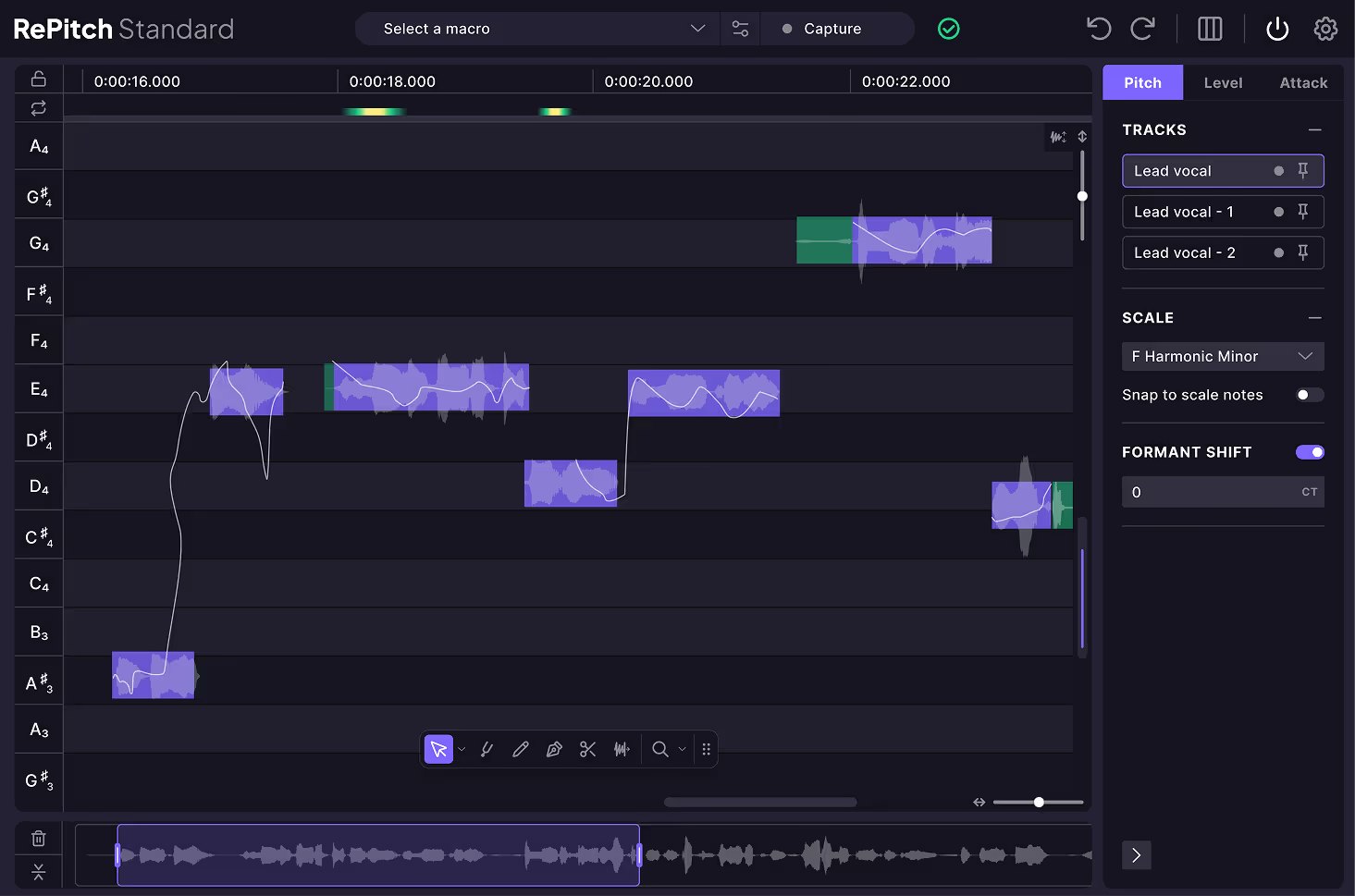
- Works in: VST3, AU and AAX on macOS 12 or later and Windows 10 or later. ARA 2 in both editions, including Pro Tools.
- Edits: One voice at a time. Standard shows a lead, its doubles and its harmonies side by side and edits them together.
- Free tier: Elements comes with Pro Tools subscriptions, and LANDR Studio includes RePitch from $8.25 a month.
- Pricing: Elements $69, Standard $149.
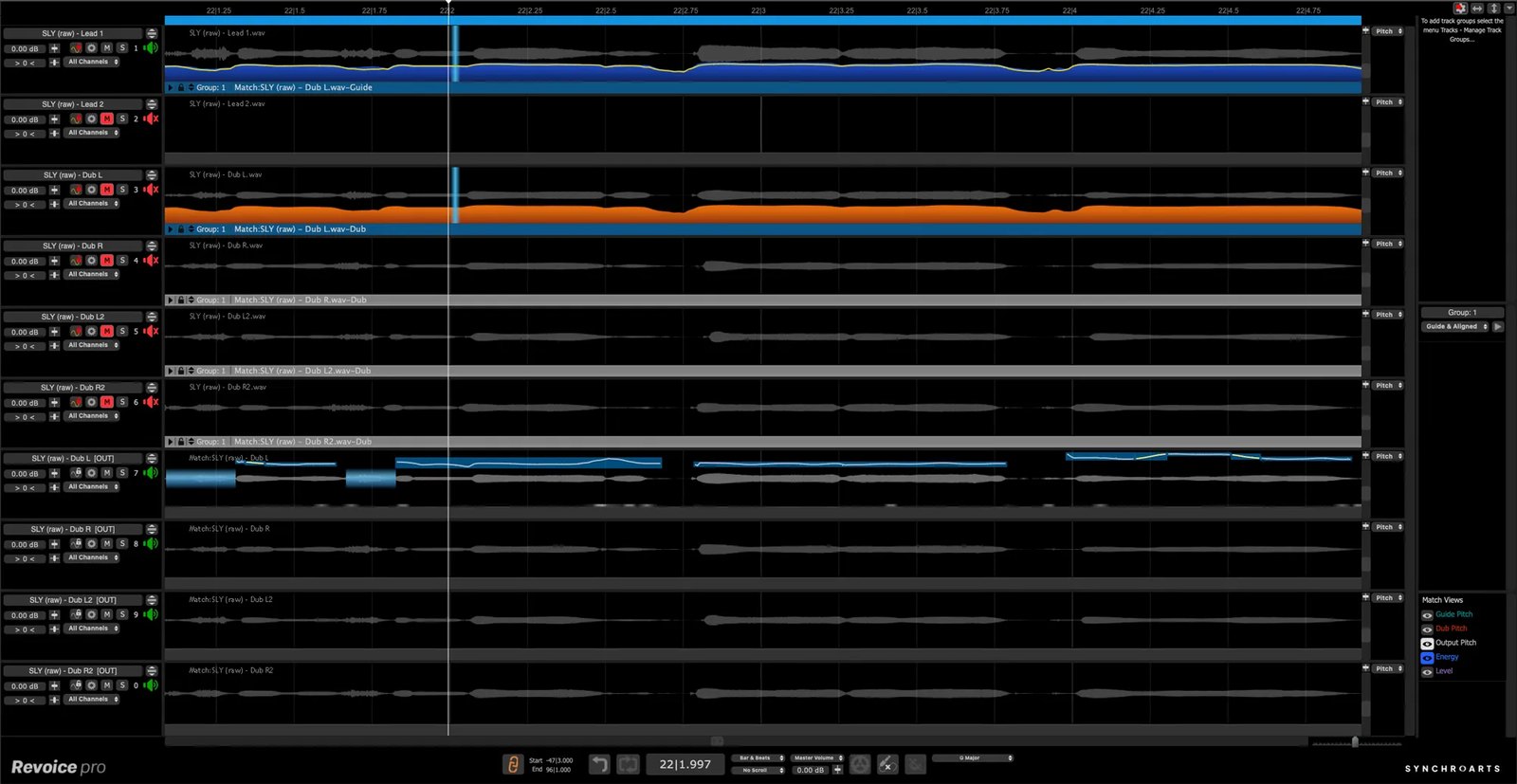
Why I picked it: RePitch 2 is the graphical editor built around a whole vocal stack. In Standard you tune the lead, its doubles and its harmonies side by side for $149, a view Melodyne only sells in its $849 studio edition.
The reviews back the sound. MusicRadar found RePitch “impressively free of dodgy digital artefacts” and said that for regular pitch correction “it sounds very natural” (MusicRadar review). Sound On Sound’s Sam Inglis called it “slick, intuitive and effective” (Sound On Sound review).
Those reviews are of RePitch 1, and version 2, out since November 2025, adds SmartAttack and multi-track editing on top.
Producers who made the switch say it too. “As a longtime user of Melodyne, RePitch is Next Gen, next level”, one engineer wrote on r/AdvancedProduction (comment). And Diverse KCox prefers RePitch Elements to Melodyne in Pro Tools because it’s “a little bit quicker” and easier to work with (video, 6:02).
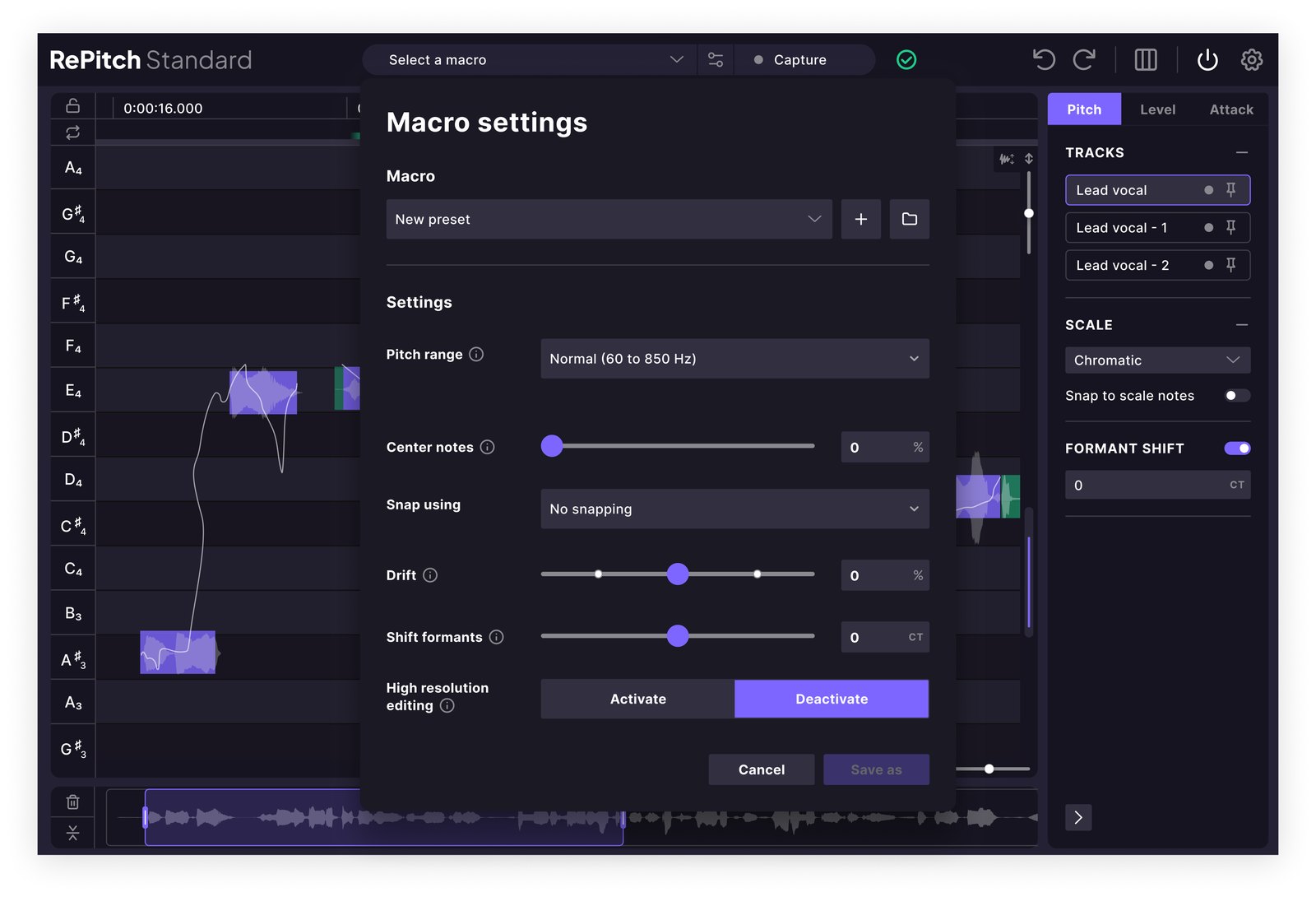
The fastest start is a tuning macro, and both editions have them. You choose how far RePitch pulls each note toward its center and how much drift it removes, then fix what’s left by hand.
Standout features:
- Tuning macros that center notes and correct drift in one pass
- SmartAttack: finds phrase starts and snaps them to your DAW’s grid or to another track
- Multi-track editing: a lead, its doubles and harmonies in one view
- Draw, Shaper and Warp Points tools for drift, vibrato and timing
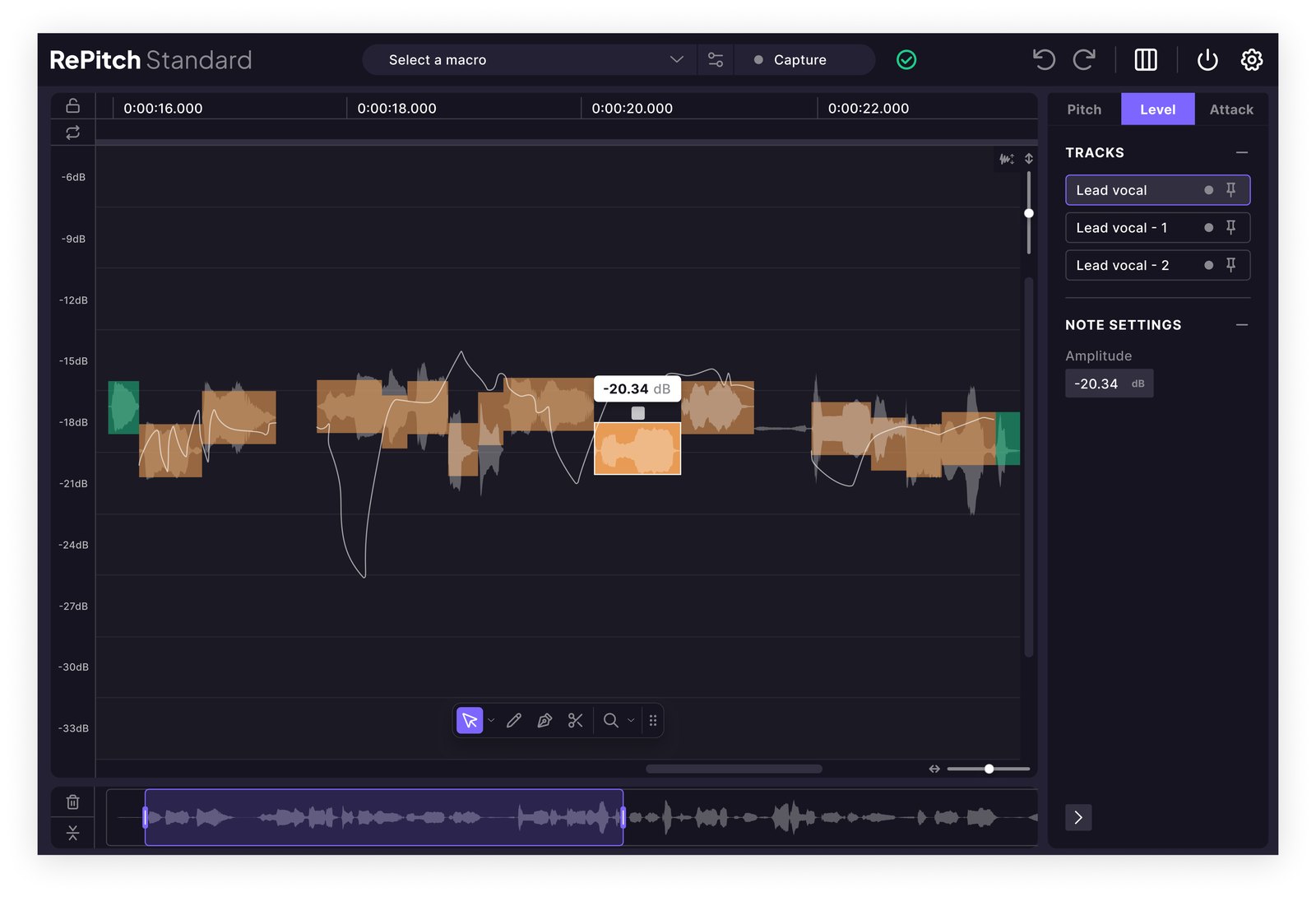
- Formant shifting, plus a level view for sibilants, plosives and clip gain
- SynchroLink 2.0: lead edits carry over to VocAlign 7 Pro
What is missing: Chord editing, by design. RePitch works on single voices, so piano parts, guitar chords and full mixes are a job for Melodyne editor or studio.
Best for: Producers and engineers who tune stacked vocals every week, and Pro Tools users who already own Elements.
Verdict: The best value in graphical tuning, and the only editor here built around the whole vocal stack.
Best free autotune plugins in 2026
Free autotune got a lot better this year. These 3 cover automatic tuning on any computer, and the table below them shows the tuner your DAW already has.
1. Graillon 3 Free Edition: best free autotune plugin on any computer
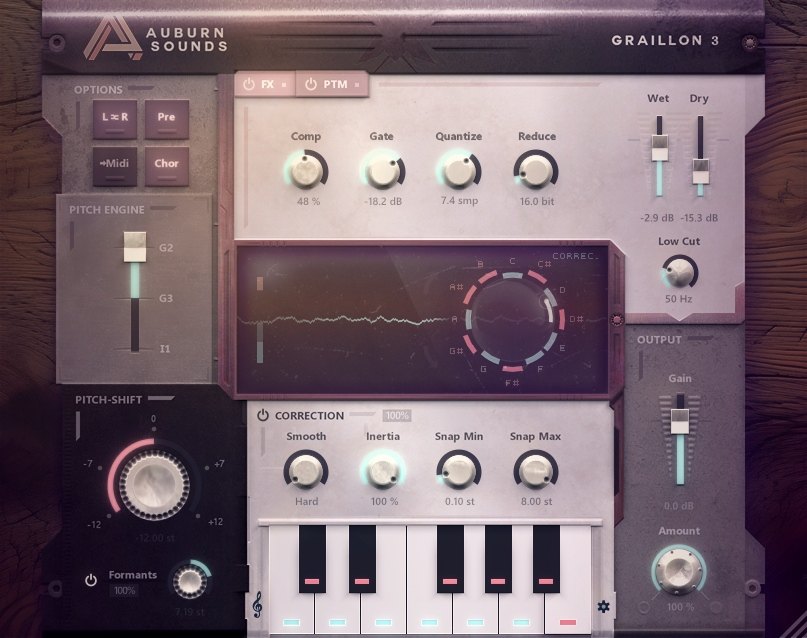
- Works in: VST, AU, AAX and LV2 on Windows, Mac and Linux
- Tunes while you sing: Yes, with no added latency, per Auburn Sounds
- Free tier: Hard or natural pitch correction, pitch shift and formant shift
- Pricing: Free. The paid full edition adds pitch-tracking modulation, keyboard tuning and a doubler.
Why I picked it: Bedroom Producers Blog ran 9 free autotune plugins side by side and named Graillon 3 the winner (Bedroom Producers Blog). It does the 2 jobs most people want from a free tuner, a hard tune for the effect and a softer correction for natural vocals, and it runs on Linux too.
Standout features:
- Hard or natural correction
- 3 pitch engines
- Pitch shift and formant shift
- No added latency
What is missing: Note-by-note editing. Like every free automatic tuner here, it corrects in real time and can’t move one note by hand.
Best for: Anyone who wants a free tuner that works in any DAW on any computer.
Verdict: The free autotune to install first.
2. MAutoPitch: best free automatic tuner with formant shift
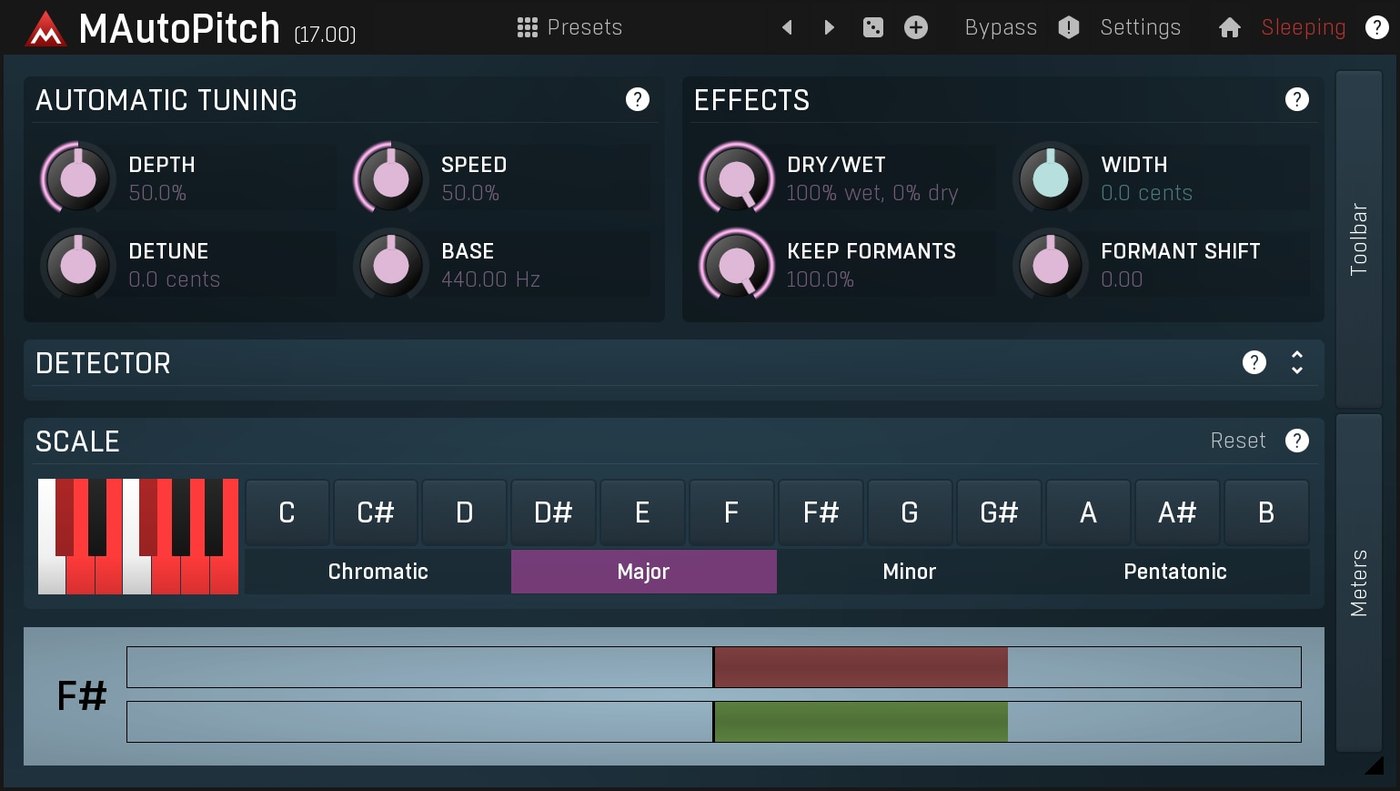
- Works in: Windows and Mac DAWs, installed with MeldaProduction’s free effects bundle
- Tunes while you sing: Yes
- Free tier: Free for good, with formant shift and stereo width
- Pricing: Free in MeldaProduction’s MFreeFXBundle
Why I picked it: MAutoPitch is the free tuner producers recommend most in the threads I read. The top reply in r/musicproduction’s “Best free autotune?” thread, with 66 upvotes, says it “works great for pitch correction” (comment).
Standout features:
- Depth, speed and detune controls
- Formant shift, with an option to keep the formants as they are
- Stereo width
- Chromatic, major, minor and pentatonic scales
What is missing: Any graphical editing, and you install MeldaProduction’s whole free bundle to get it.
Best for: Producers who want a clean free tuner with formant control.
Verdict: The free tuner most of those threads already recommend, and a safe second install next to Graillon.
3. AutoTune Go: best free autotune for FL Studio users
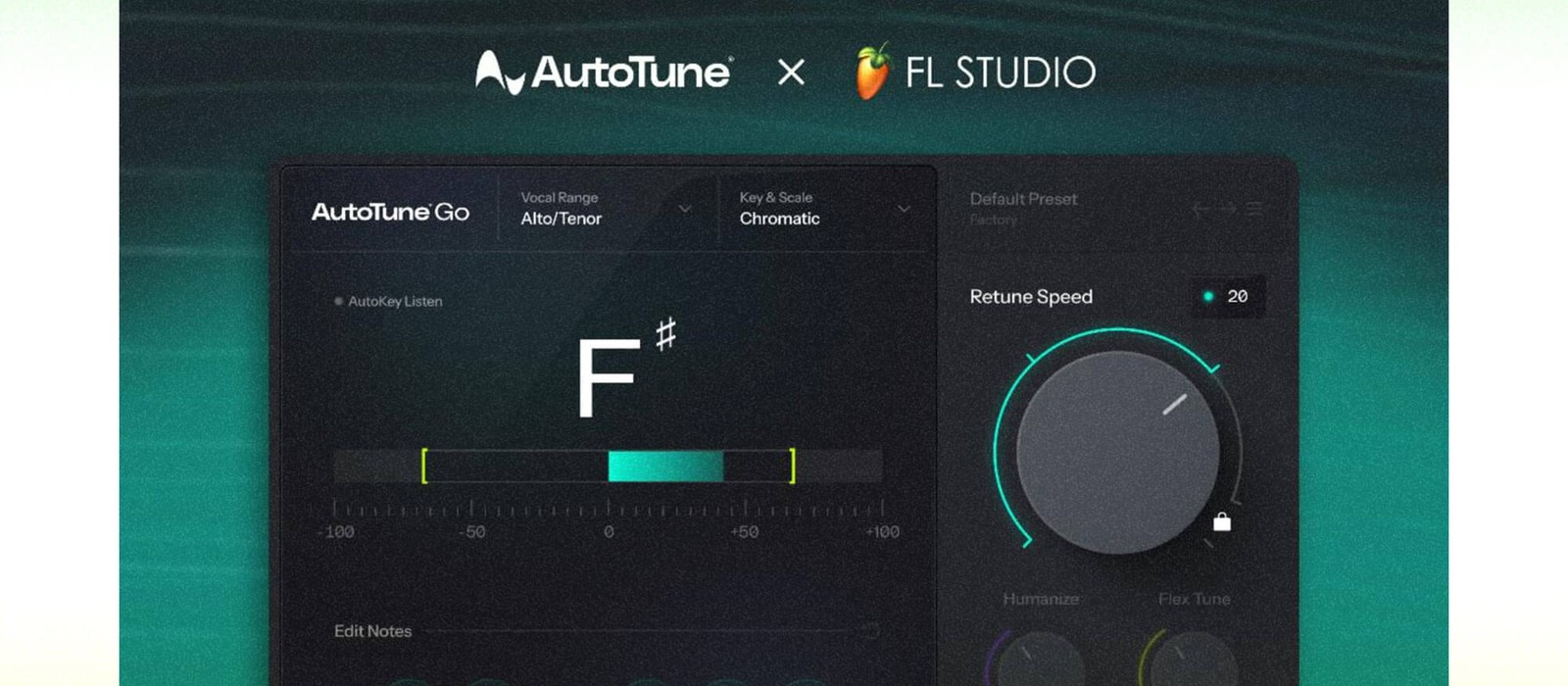
- Works in: FL Studio only
- Tunes while you sing: Yes, with a real-time pitch display and 4 Retune Speed settings
- Free tier: Free for every FL Studio user, including the free tier of FL Cloud
- Pricing: Free
Why I picked it: Antares built AutoTune Go with Image-Line, so FL Studio users get real AutoTune processing for nothing. I covered the launch when AutoTune Go came to FL Studio in September.
Standout features:
- Vocal range detection
- Key and scale lock
- 4 retune speeds
- A real-time pitch display
What is missing: It only runs in FL Studio, and 4 retune speeds is all the control you get.
Best for: FL Studio users who want the AutoTune sound without paying.
Verdict: If you’re on FL Studio, start here before you buy anything.
Pitch correction already built into your DAW
Before you download anything, check what your DAW already has:
| DAW | Built-in pitch correction | Which editions |
|---|---|---|
| Logic Pro | Pitch Correction plugin and Flex Pitch | All |
| Ableton Live | Auto Shift, real-time tuning since Live 12.1 | Intro, Standard and Suite |
| FL Studio | AutoTune Go, Newtone and Pitcher | AutoTune Go in all, Newtone and Pitcher from Signature Bundle |
| Cubase 16 | VariAudio | Pro and Artist |
| Pro Tools | Melodyne essential and RePitch Elements | Subscriptions and upgrade plans |
| GarageBand | Pitch Correction slider with Limit to Key | Mac, whole track only |
| BandLab | AutoPitch | 6 effects free, 18 more with Membership |
Music By Mattie’s tip for Logic is worth stealing: run Flex Pitch and the Pitch Correction plugin together, and the result is “noticeably smoother” than either one alone. On a phone or in the browser, BandLab’s free AutoPitch covers the basics.
Two more free tuners landed this week, both with their developer’s own benchmark against AutoTune. Phil Speiser released THE_PITCH 2 MINI on November 17, with one dial from hard tune to invisible correction and a key detector “trained to detect what the singer wanted to sing” (video, 2:15).
Mercurial Tones followed with Siren on November 20 (video). Nobody has tested either one independently yet, so I haven’t ranked them.
Best Melodyne alternatives in 2026
Most people looking for a Melodyne alternative want the same graphical editing with less to learn or less to pay. Here’s what comes closest:
| Alternative | Closest to Melodyne for | Price |
|---|---|---|
| RePitch 2 Standard | Graphical vocal editing, several tracks in one view | $149 |
| Revoice Pro 5 | Tuning plus alignment and doubling | $299 |
| AutoTune Pro 11 | Graph Mode plus real-time tuning | $450 |
| Logic Flex Pitch, Cubase VariAudio | Note editing inside your DAW | Included |
| Bubblegum | Free note editing, including chords | Free |
| PitchNet | Free AI resynthesis with note regions | Free |
RePitch 2 Standard is the closest match for vocals. Sound On Sound’s review found that if you know Melodyne, “a lot of things work the same way here”, while RePitch’s Draw tool “has no direct equivalent in Melodyne”.
For chords, Melodyne editor is still the tool. The only free alternative here that edits notes inside chords is Bubblegum, a Melodyne-inspired plugin MusicTech covered in October 2026 (MusicTech).
Don’t tune every double: tune the lead, then align the stack
Tuning 6 doubles and 3 harmonies by hand is how a vocal edit takes a whole afternoon. The faster way is to tune the lead once and let an alignment plugin match the rest of the stack to it.
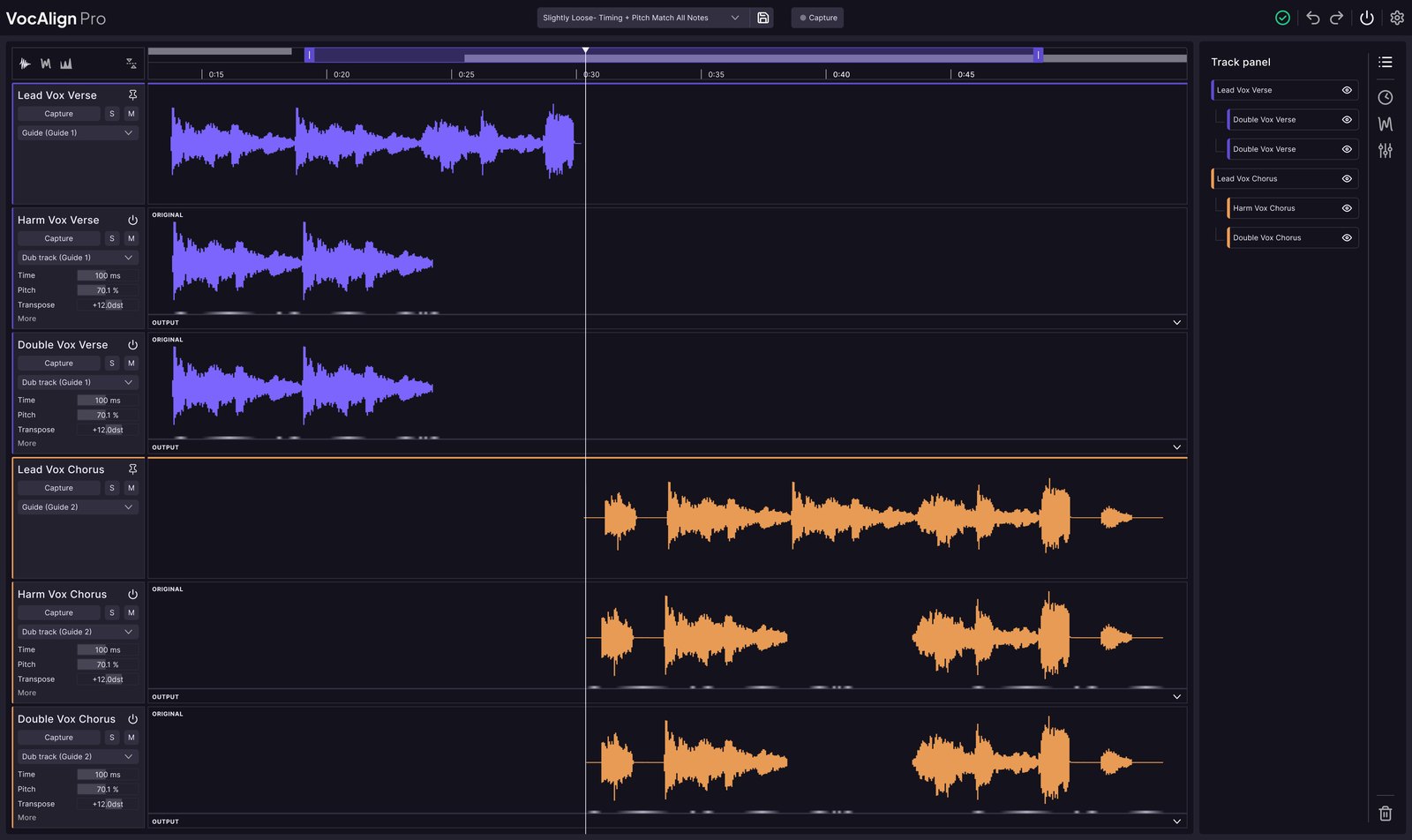
That’s how Synchro Arts builds its tools. You tune the lead in RePitch 2 Standard, and SynchroLink 2.0 passes the edits to VocAlign 7 Pro, which matches the timing and pitch of every double and harmony to the tuned lead.
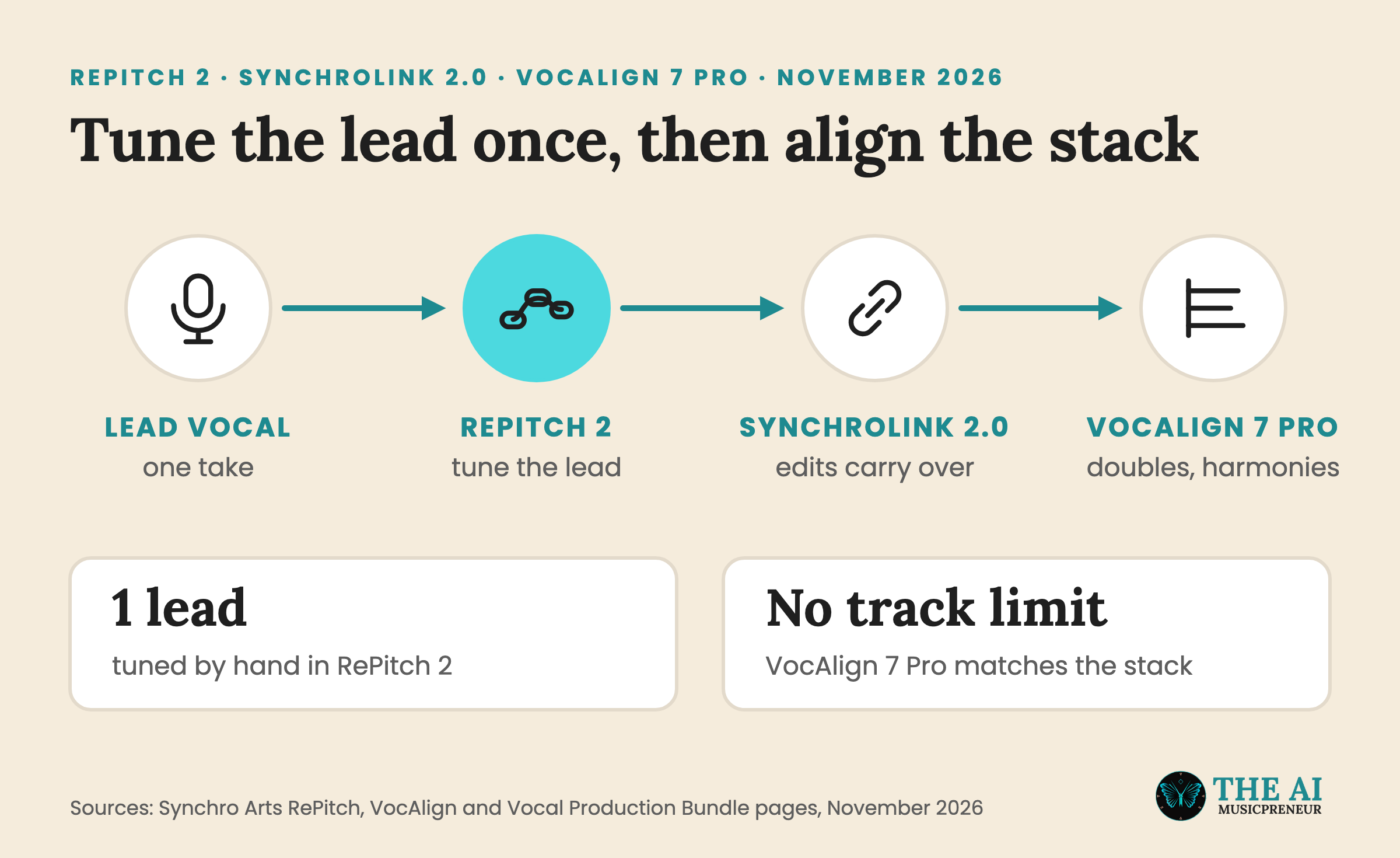
VocAlign 7 Pro has no track limit and decides per note whether a harmony needs pitch matching. I put it up against Waves’ Sync Vx in my VocAlign 7 vs Sync Vx comparison, and it’s my pick for big stacks and tuned harmonies.
The two come together in the Vocal Production Bundle: RePitch 2 Standard and VocAlign 7 Pro for $249, or $149 in Synchro Arts’ Black Friday sale. That’s $100 off, and no code needed.
If you’d rather do it all in one place, Revoice Pro 5 aligns, tunes and doubles vocals as a standalone app or as plugins. It’s $299, or part of the Synchro Arts Pro subscription at $24.99 a month.
How to choose the best pitch correction plugin for your vocals
Pick the tuner for the job you need done. Check these 6 things before you pay:
- When you tune: while you sing (automatic) or after you record (graphical). Many engineers do both.
- What you tune: a single lead, a stack of doubles and harmonies, or chords and instruments.
- Your DAW: ARA puts the editor right on your timeline. One catch for Logic Pro on Apple Silicon: third-party ARA plugins, Melodyne and RePitch included, need Logic opened under Rosetta, per Celemony.
- The sound you want: tuning nobody hears, or the stepped hard-tune effect.
- Learning time: an automatic tuner works in minutes, while a graphical editor takes practice.
- Total cost: a one-off price, a subscription, or what you already own.
The tuner is one link in the vocal chain. My best vocal enhancer plugins roundup covers the EQ, de-essing and cleanup around it.
Easiest autotune plugin for beginners
The easiest tuner is usually the one already in your DAW:
- FL Studio: AutoTune Go, free.
- Pro Tools: RePitch Elements, already in your subscription. Sound On Sound’s advice fits here: if you haven’t yet put “thousands of hours” into another tuner, RePitch is a good one to learn.
- Logic Pro: the Pitch Correction plugin plus Flex Pitch.
- Ableton Live: Auto Shift.
- Anything else: Graillon 3 Free Edition.
If you want the sound rather than invisible tuning, AutoTune’s auto mode is the fastest start. Pick the key, the scale and a retune speed, and sing.
Best autotune plugins under $400
Here’s the best pick at each price, at list prices:
| Budget | Pick | What it gets you |
|---|---|---|
| Free | Graillon 3 Free Edition, MAutoPitch, your DAW’s tuner | Real-time correction for $0 |
| Under $100 | RePitch 2 Elements ($69), Melodyne essential ($99) | A first graphical editor |
| Under $200 | RePitch 2 Standard ($149), Waves Tune Real-Time ($199) | Graphical editing for a whole vocal stack, or a tuner for tracking |
| Under $400 | AutoTune ($250), Melodyne assistant ($299) | The classic sound, or drift and vibrato editing |
| Over $400 | AutoTune Advanced and Pro 11 ($450 each), Melodyne editor ($499) and studio ($849) | Live mode, Graph Mode, chords |
Subscriptions change the math. AutoTune Unlimited is $35 a month, the Synchro Arts Artist plan with RePitch Standard and VocAlign Standard is $99 a year, and LANDR Studio includes RePitch from $8.25 a month.
Recap: the best autotune plugin for each job
The best pick for each job, in one list:
- Tuning while you sing and the hard-tune sound: AutoTune
- Invisible note-by-note edits and chords: Melodyne 5
- A lead with its doubles and harmonies: RePitch 2 Standard
- Budget tracking and live vocals: Waves Tune Real-Time
- Free on any computer: Graillon 3 Free Edition
- Free with formant shift: MAutoPitch
- Free in FL Studio: AutoTune Go
- Whole vocal stacks: RePitch 2 with VocAlign 7 Pro, or Revoice Pro 5
Start with the tuner you already have, then pay for the job it can’t do
You don’t need to spend money to tune a vocal. Logic Pro, Ableton Live, FL Studio and Pro Tools all ship a tuner, and Graillon 3 and MAutoPitch cover everyone else.
Starting free shows you what you need. Most people find out within a few sessions whether they want the tuned sound or tuning nobody hears, and that answer picks your paid tool for you.
At some point you’ll need something a free tuner can’t do. Usually it’s one of these 3:
- Stacks: tuning doubles and harmonies together needs multi-track editing, in RePitch 2 Standard or Melodyne studio.
- Chords: editing notes inside a guitar or piano part needs Melodyne’s DNA, in editor or studio.
- Live tracking: hearing hard tuning with no delay needs a low-latency tuner like AutoTune Advanced.
So tune your next vocal with the free tuner in your DAW, and buy only when you hit one of those 3.
My take on autotune plugins in 2026
Autotune is a brand, and pitch correction is the job. Most people searching for the best autotune plugin need a tuner that fits how they record.
AutoTune and Melodyne earned their place, and I’d still point most people to one of them first. But the gap that matters in 2026 is the vocal stack, and that’s where RePitch 2 and VocAlign do something the big two don’t: they pass the lead’s edits straight to the doubles.
AI will get better at finding the key and the phrase starts, and at rebuilding notes. Your ear still decides what sounds right, so learn one tuner well before you collect three.
Frequently asked questions
Is Melodyne better than AutoTune for natural-sounding vocals?
For a recorded vocal, usually yes. In Reid Stefan and Nash Overstreet's shootout, Melodyne sounded more natural with fewer artifacts, while AutoTune was faster and remains the standard for tuning while you sing. Many engineers use both: Melodyne for the notes, then AutoTune for the sound.
Is there a free version of Melodyne?
There's no free edition you can download on its own. Celemony has a 30-day trial of Melodyne 5 studio, and Melodyne essential comes with Pro Tools subscriptions. Bought on its own, essential costs $99.
What autotune do professional vocal engineers use?
Most use both of the big two. The best-upvoted answers in the Reddit threads I read split the job as Antares for the effect and Melodyne for precision, often in the order Melodyne first, AutoTune second. For stacked vocals, Synchro Arts' VocAlign and Revoice Pro come up too.
Does Pro Tools come with RePitch Elements?
Yes. Avid includes RePitch Elements with active Pro Tools subscriptions and perpetual upgrade plans, and it runs inside Pro Tools through ARA 2 from version 2024.6. Melodyne essential is included the same way.
Which autotune plugin works best for live vocal tuning?
AutoTune Advanced, whose Live mode Antares rates at under 1 ms from 44.1 to 192 kHz. On a budget, Waves Tune Real-Time does the same job with zero or near-zero latency. Graphical editors like Melodyne and RePitch only work on recorded audio.
About the author
Covering AI music tools, industry shifts, and news for music creators and professionals. Twice-weekly newsletter at aimusicpreneur.com.