OneMoreShot AI
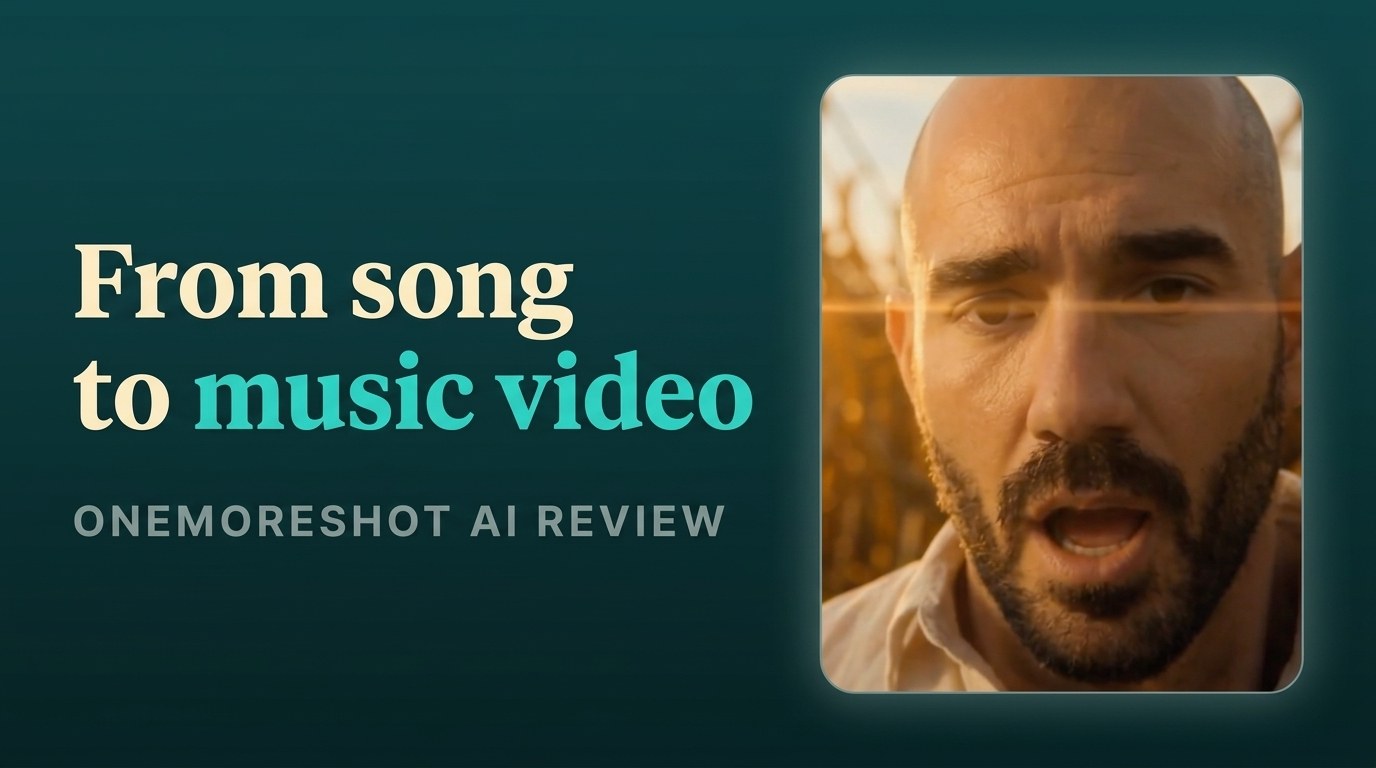
OneMoreShot AI turns any song into a beat-synced, lip-synced music video. One of the easiest song-to-video tools, if you let the AI drive.
How I tested OneMoreShot AI
- Current web build
- Token packs (pay-as-you-go)
- 3 hours
- Web app, Chrome on macOS, June 2026
- Ran the Auto Videomaker end to end on a 4-minute song to a finished video
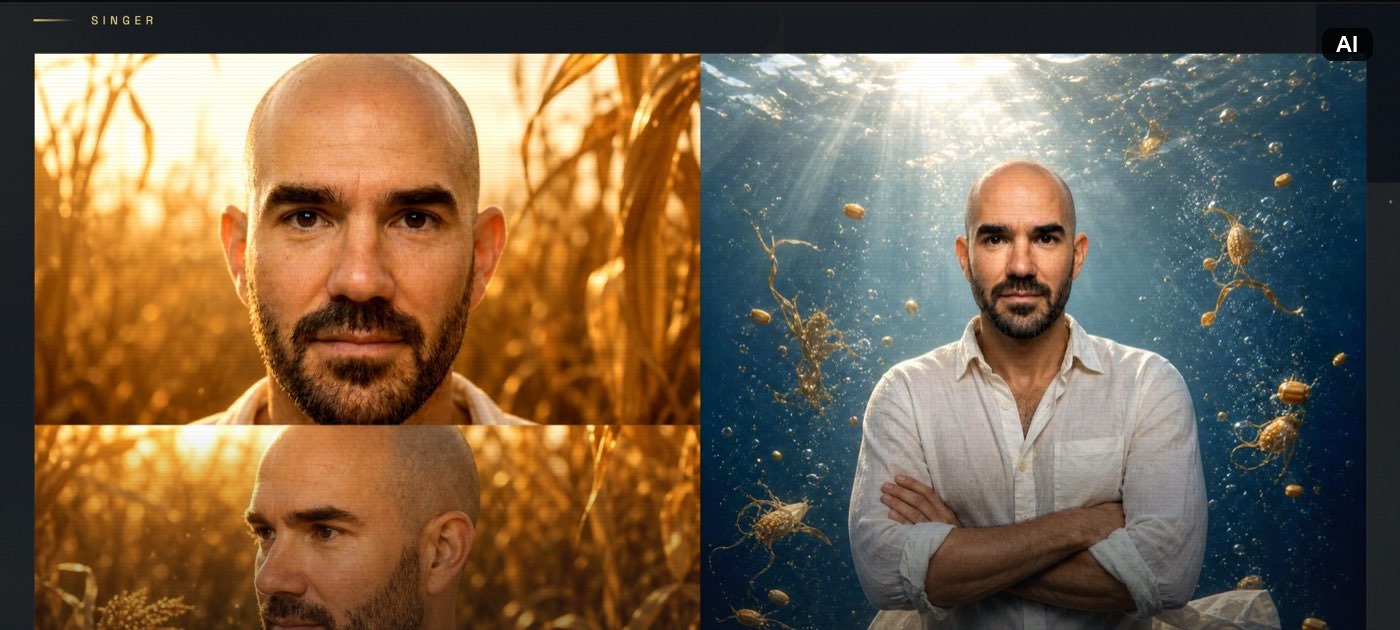
- Created an AI artist from 2 photos and reviewed the character sheet
- Reviewed and edited the AI moodboard before generating
- Edited the result after generation, toggling lip-sync and regenerating clips
- Priced a full video against the token packs and monthly plans
TL;DR
OneMoreShot AI turns a finished song into a full music video. You upload a track, pick or create an AI artist, describe the video, and review an editable moodboard before it renders. It is built for independent musicians who want a post-ready video without filming or editing. Its moodboard preview, with a color palette, an artistic vision, and stills from the video, is one of the best in the category. Its one-click flow gives you less scene-by-scene control than Neural Frames, though both let you direct every shot by hand in their Advanced Editor. Free to try, then token-based, and it scored a 4.4 out of 5 for me.
What is OneMoreShot AI?
OneMoreShot AI is a music video generator that runs in your browser, used by more than 500,000 artists. You feed it a song and it produces a beat-synced, lip-synced video, with an AI artist singing the lyrics. It positions itself as the first app made specifically for AI music videos.
It sits in our AI music video generators category, the audio-reactive tools that turn a track into visuals. The pitch is speed: a video that would cost thousands and take weeks lands in minutes, with you as the only person on the crew. For the full field, see my best AI music video generators roundup.
How OneMoreShot AI works
You start in the Auto Videomaker, the guided flow. The path is short:
- Upload your song: Drop an MP3, WAV, FLAC, AAC, or OGG, or paste a link from Suno, Udio, or YouTube, then trim the section you want.
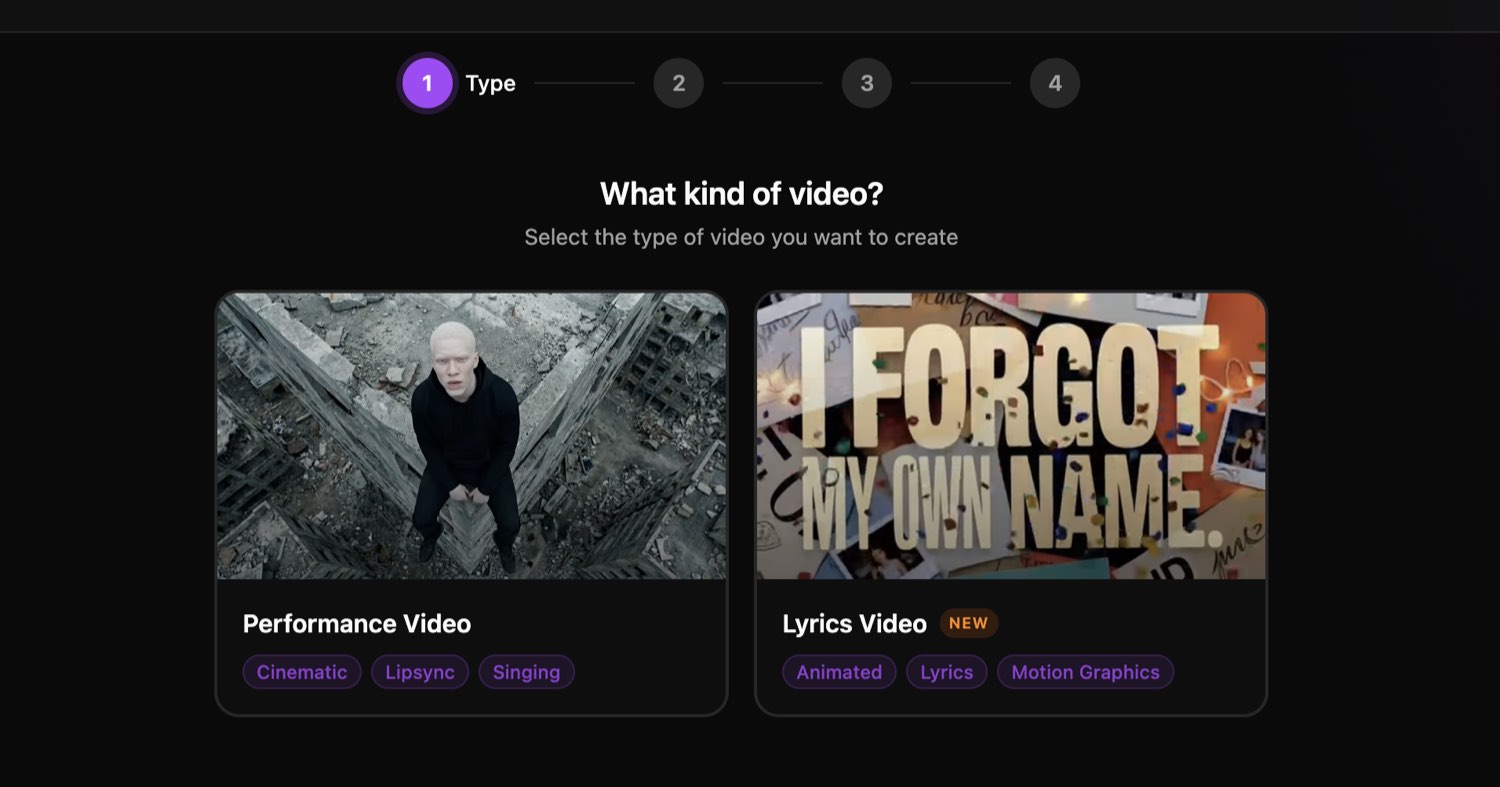
- Pick your video type and singer: Choose a music video or a lyric video, then select an AI artist or create one from a photo.
- Customize: Describe the video, pick a visual style, and set horizontal or vertical.
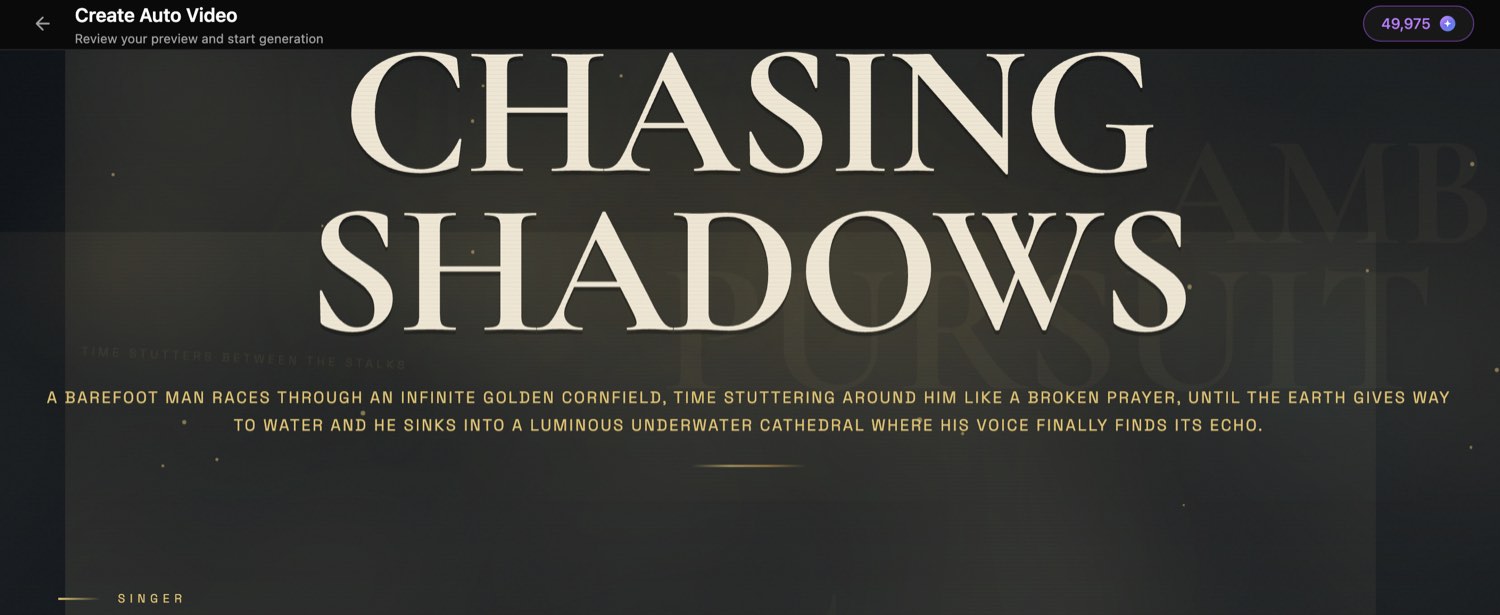
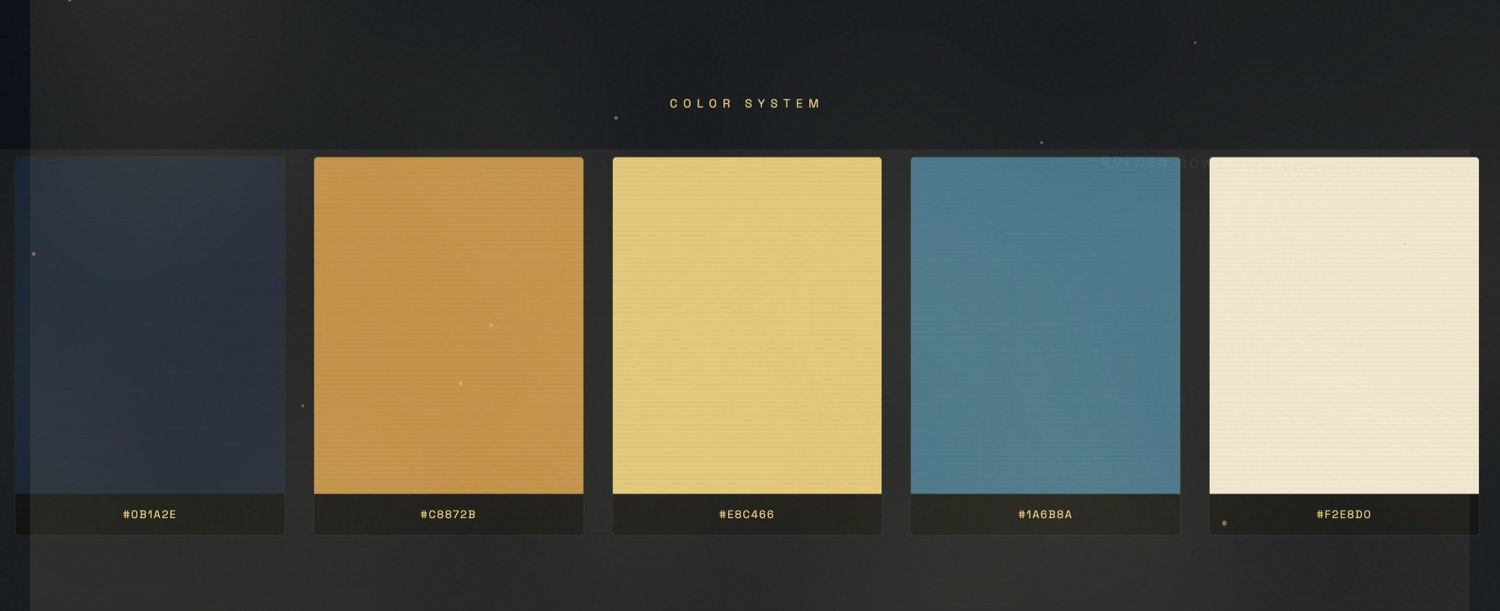
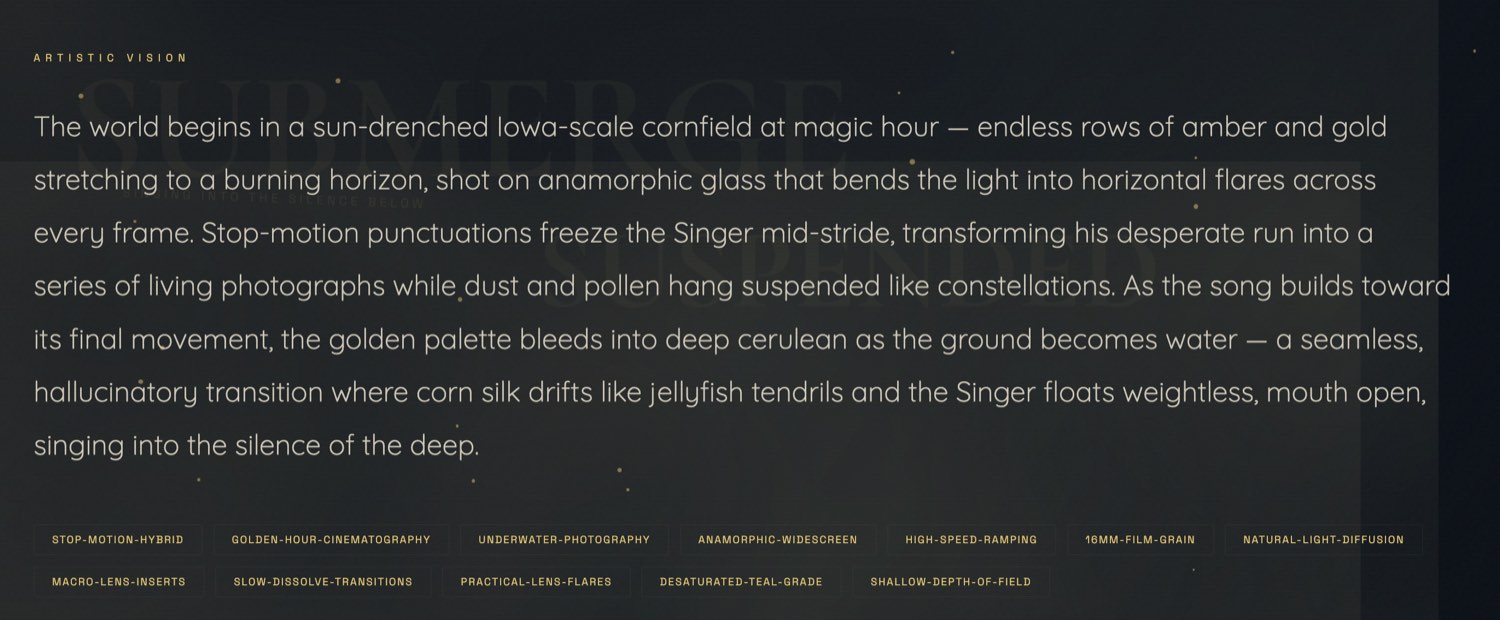
- Review the moodboard: OneMoreShot turns your rough brief into a full concept, with a story arc, a color palette, and character stills, all editable before you spend render tokens.
- Generate, then edit: A 4-minute video arrives in about 20 to 30 minutes, then opens in a project where you refine clips and export up to 4K.
The on-screen countdown read about 60 minutes during my test, but the finished video showed up in 20 to 30. The marketing claim of 2 to 5 minutes only holds for short single clips.
Standout features
Five things stood out across my session:
- The moodboard preview: Before you pay to render, OneMoreShot shows the full concept, the color system, the cinematography direction, and character stills, and lets you edit any of it for 5 tokens. It is one of the clearest previews you get before spending a token.
- One-pass Auto Videomaker: You upload a song and get a finished, beat-synced, lip-synced video in a single pass, no scene-by-scene assembly required.
- Edit after generation: The output opens in a real project where you step through every clip, toggle lip-sync per clip, and reuse any clip or frame as a reference to regenerate it.
- Multi-format export: One render gives you a 16:9 cut for YouTube, a 9:16 cut for TikTok and Reels, a 1:1 square, and a Spotify Canvas loop, up to 4K.
- Reusable AI artist plus Content Studio: Train a singer avatar once, then reuse it across videos, album covers, Spotify Canvas, and Suno Hooks.
Where OneMoreShot AI falls short
Four things to know before you pay:
- The Auto Videomaker hides the video model: You don’t pick Kling, Veo, or Seedance in the guided flow. Model choice only appears if you drop into the Advanced Editor, so you trade control for ease.
- No per-scene storyboard in the Auto Videomaker: In the one-click flow you edit the moodboard’s overall look, not the individual scenes, so you commit to the full render first. You can direct every shot, but you do it in the Advanced Editor by hand. Neural Frames bakes per-scene control into its automated flow.
- The cost runs backwards: You pay to render the full video, then edit, with no low-quality preview. A failed generation isn’t refunded, and editing afterward costs more tokens. A preview-before-generate step would save a lot of them.
- Likeness needs several photos: My AI artist, trained on 2 photos, came out about 70% like me. More photos from different angles improve it, and 2 alone won’t fully nail your face.
Pricing breakdown
OneMoreShot runs on tokens. You can buy one-off packs or subscribe to a monthly plan, and you can plan the whole video free before you pay:
| Plan | Price | What you get | Best for |
|---|---|---|---|
| Free to try | $0 | Sign up and build the full concept and moodboard. Rendering the video needs tokens. | Testing the flow before you commit |
| Token packs | $6.99 to $399.99 | 500 to 50,000 tokens, bonus tokens scale with size, roughly $0.014 per token small and $0.008 per token at 50,000 | Pay-as-you-go, occasional videos |
| Super | About $8.25/mo billed yearly | Entry plan, around 6,000 tokens a year, roughly 25 minutes of video | Light, steady use |
| Hyper | $83.50/mo billed yearly | Higher monthly token allotment, about 7 videos a month on the estimator | Regular creators |
| Ultra | Higher | The most token headroom | Heavy users and small labels |
Pricing changes frequently, so verify current plans on the OneMoreShot site before you rely on a number.
Here’s the honest cost. My 4-minute video burned about 8,000 tokens, which works out to roughly $80 at the most popular 10,000-token pack, and somewhere between $64 and $112 depending on which pack you buy. Simpler concepts and shorter songs cost less. It is not the cheapest way to make an AI music video, but it is one of the fastest.
Who should use OneMoreShot AI?
Choose OneMoreShot if you are an independent musician with a finished song and no video budget. You upload the track, describe a rough idea, and get a post-ready video the same day, no crew and no editing skills needed.
Choose OneMoreShot if you value the plan-before-you-pay step. The moodboard lays out the concept, the palette, and the character before any render tokens leave your account, so you fix the direction up front instead of regenerating blind. If your track was finished in Suno or polished with an AI mixing and mastering tool, this is the next step to a release video.
Choose OneMoreShot if you want one tool for the whole rollout. Content Studio turns the same AI artist into album covers, Spotify Canvas loops, and Suno Hooks, so the visual identity stays consistent across the release.
Who should skip it
Skip OneMoreShot if you need the lowest possible cost per video, since tokens add up on longer, complex concepts. You can direct every scene and pick the video model, but you do it by hand in the Advanced Editor, generating frames and animating them. If you want that scene-by-scene control built into the one-click automated flow instead, Neural Frames’ Autopilot hands you a storyboard before the render. And for a polished lyric video with precise on-screen typography, a dedicated AI lyric video generator still gives you more control.
OneMoreShot AI vs Neural Frames
These two are the closest rivals, and they work the same two ways. Each has an easy automated mode and a hands-on Advanced Editor.
| OneMoreShot AI | Neural Frames | |
|---|---|---|
| Starting price | Free to try, packs from $6.99, plans from ~$8.25/mo | From $39/mo, credit-based |
| Easy auto mode | Auto Videomaker, with a moodboard preview | Autopilot, with a per-scene storyboard |
| Per-scene control | Advanced Editor, generate and animate frames | Advanced Editor, plus storyboard in Autopilot |
| Video model choice | Pick in the Advanced Editor, decided for you in Auto | Pick up front |
| Render time, 4-min song | About 20-30 minutes | About 10 minutes |
| Best for | A fast, moodboard-driven auto video | Per-scene direction inside the auto flow |
Both have an automated mode and an Advanced Editor for scene-by-scene work, so the difference shows up in the easy mode. Neural Frames Autopilot hands you a per-scene storyboard, lets you pick the model up front, and analyzes your beat and lyrics to suggest the concept. OneMoreShot’s Auto Videomaker gives you a concept moodboard to edit but decides the model for you, so for per-scene control you switch to its Advanced Editor and build frames yourself. Neural Frames also renders a bit faster. Pick OneMoreShot when you want a fast, moodboard-driven auto video. Pick Neural Frames when you want per-scene control inside the automated flow.
My Verdict
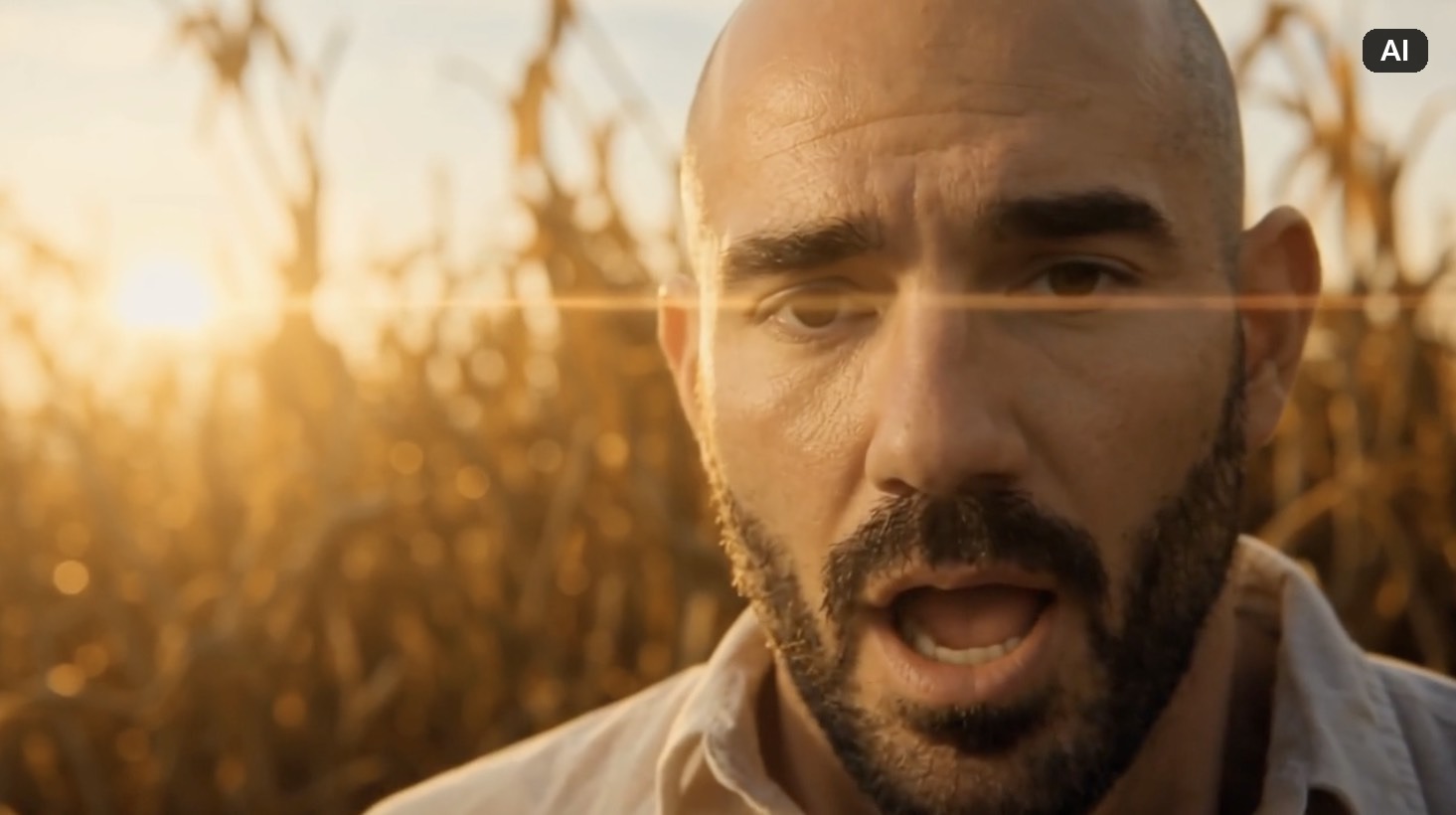
OneMoreShot does the thing it promises: you give it a song and a rough idea, and it hands back a real music video. My “Chasing Shadows” video nailed the concept, a run through a cornfield dissolving into an underwater scene, with mostly accurate lip-sync and only minor inconsistencies. For a tool I drove with one paragraph and 2 photos, that is a strong result.
The moodboard is the part I keep coming back to. Seeing the concept, the palette, and the character stills before spending render tokens is one of the clearest previews in this category.
What holds it back in the one-click flow is the hidden model choice and the missing per-scene storyboard, so you commit to a full render before adjusting scenes. You can get that control in the Advanced Editor by building frames by hand, and the edit-after-generation loop helps too, but both spend more tokens.
AI handles the camera, the crew, and the render here. You still own the song, the concept, and the final edit calls. That balance, plus one of the easiest song-to-video flows I have used, is why I rate it 4.4 out of 5.
Try OneMoreShot AI. It is free to plan a video, and you can see the full moodboard before you spend a token. For how it stacks up against the rest, see my best AI music video generators roundup.
Frequently Asked Questions
Is OneMoreShot AI free?
OneMoreShot is free up to the point of generation. You can sign up and build the entire concept and moodboard for free, but rendering the video needs tokens. Plans start around $8.25 a month billed yearly, and one-off token packs start at $6.99.
How much does a OneMoreShot AI music video cost?
My 4-minute video burned about 8,000 tokens, which is roughly $80 at the most popular 10,000-token pack, or between $64 and $112 depending on the pack you buy. Simpler concepts and shorter songs use fewer tokens, and editing after generation costs extra.
Can you use OneMoreShot AI videos on YouTube and Spotify?
Yes. The visuals are royalty-free and you keep distribution rights, so you can publish to YouTube, Spotify Canvas, TikTok, and Instagram. The same caveat that applies across AI music still applies to the rights in your underlying song.
Does OneMoreShot AI lip sync to your vocals?
Yes, and it was mostly accurate in my test. Lip-sync is strongest on clear vocal lines and weaker on rapid lyric delivery, and you can toggle it per clip in the editor, where it is applied on export.
What audio formats does OneMoreShot AI support?
OneMoreShot accepts MP3, WAV, FLAC, AAC, and OGG. You can also paste a link from Suno, Udio, YouTube, or SoundCloud, and it imports the audio automatically.
Can you pick the AI video model in OneMoreShot AI?
Not in the Auto Videomaker, which decides the model for you. To choose between Kling, Google Veo, and Seedance, you have to switch into the Advanced Editor, where the image and video model pickers live.