Pika
Pika is an idea-to-video AI platform — text and image to video, lip sync, motion effects, and scene editing. For music videos, social clips, ads, and more.
What is Pika and how does it work?
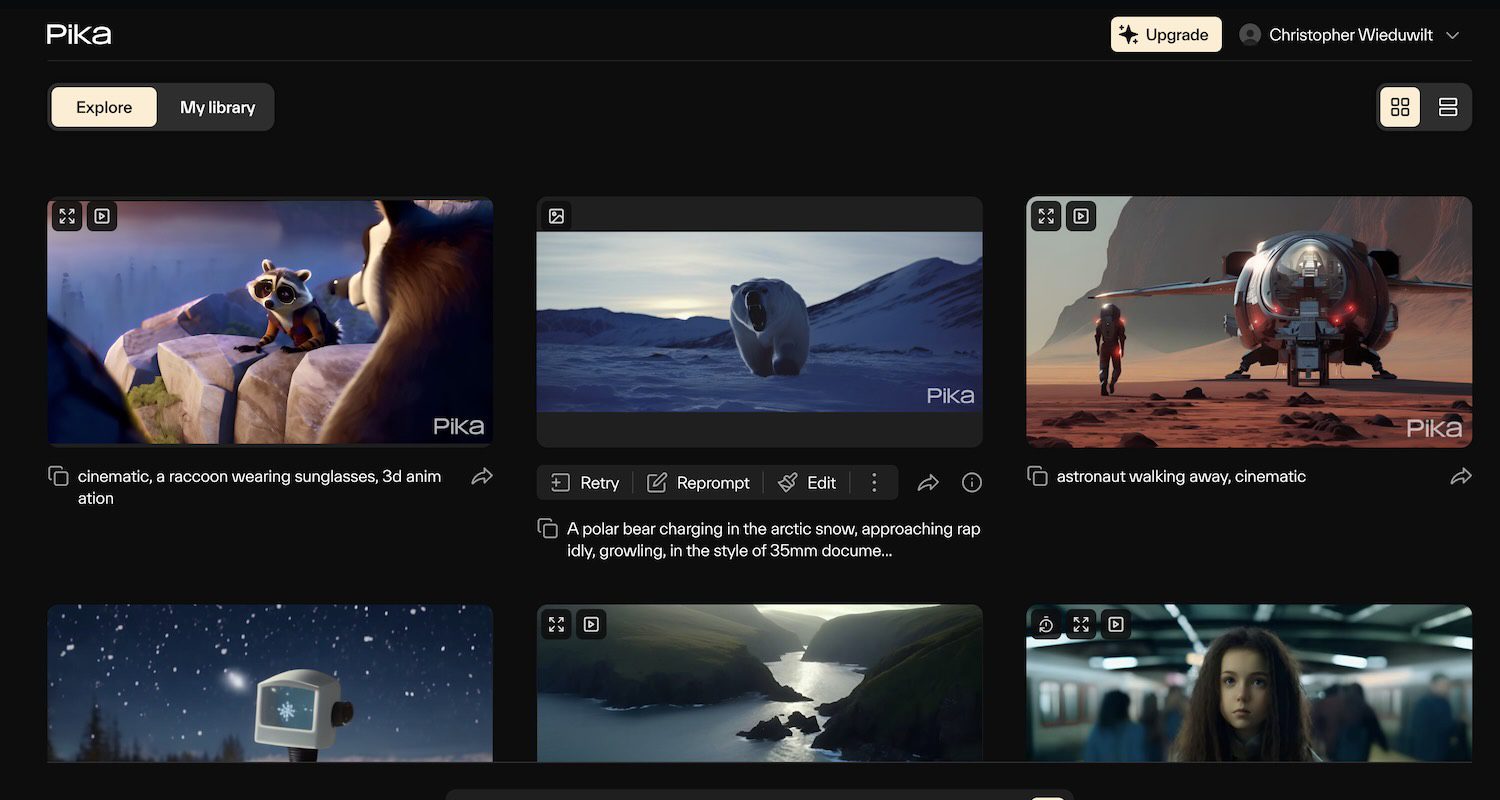
Pika is an idea-to-video AI platform — it turns text descriptions and images into short video clips. It’s a general-purpose creative video tool: useful for music videos, but equally for social content, ads, animations, and visual experiments. Pika’s tagline says it plainly — “the idea-to-video platform that sets your creativity in motion.”
What sets Pika apart from most generators is its editing layer. Beyond generating a clip, you can transform it after the fact with a set of signature tools.
How it works:
- Type a prompt (“dog running in a park”) or upload a photo
- Choose a model — Turbo (fast), balanced, or high-quality
- Pika generates a short clip
- Use PikaSwaps to replace objects (turn a dog into a cat) by brushing over them
- Use PikaAdditions to insert new objects, effects, lighting, or textures into existing video
- Use lip sync to make a character sing or talk to your audio
Best for content creators, musicians, small businesses, and anyone who needs quick video without cameras or a production budget.
How much does Pika cost?
Pika uses credit-based monthly plans:
| Plan | Price | Credits | Best for |
|---|---|---|---|
| Free | $0 | 150 | Trying swaps, lip sync, and additions |
| Standard | $8/mo | 700 | Weekly social posts |
| Pro | $28/mo | 2,300 | Daily content creators |
| Fancy | $76/mo | 6,000 | Teams needing high volume |
Credit cost per video depends on the model and whether you use editing features. Free users also get 15 PikaAdditions per month. Plan your tier around which model you’ll use most — verify the current credit costs on the Pika site.
Is Pika a music video tool or a general video tool?
Both — and that’s the key thing to understand. Pika is a general-purpose AI video generator. It produces video for ads, short films, animation, and social content across the full spectrum, not just music videos.
For musicians specifically, Pika’s strength is short-form lip sync clips — 5 to 10 second clips with a singing or talking character, motion effects, and realistic animation. It’s not designed for full-length music videos the way a dedicated tool like Neural Frames is, but it excels at shareable moments for TikTok and Instagram Reels.
If you want a complete, audio-reactive music video from a single track, a dedicated music-video tool is the better fit. If you want fast, flexible video for a mix of music and non-music projects, Pika is a strong all-rounder.
How does Pika compare to other AI video tools?
| Pika | RunwayML | Neural Frames | Kaiber | |
|---|---|---|---|---|
| Type | General video + editing | General / cinematic video | Dedicated music video | Image + video studio |
| Starting price | $8/mo | Limited free tier | $39/mo | $15/mo |
| Standout | Lip sync + swaps/additions | Director-level camera control | Per-stem audio reactivity | All-in-one creative studio |
| Clip length | Short (5–10s) | Short clips, assembled | Full-length 4K videos | Short to medium |
Choose Pika for fast short-form video and lip sync at the lowest entry cost. Choose RunwayML for cinematic, director-level control. Choose Neural Frames when you need a finished music video from audio.
What are some use cases for Pika?
- Short-form music clips — lip sync a singing character for TikTok and Reels
- Social media content — quick branded clips across platforms
- Ad creative — fast video concepts for marketing tests
- Animations — stylized motion pieces with playful effects
- Object swaps for variations — multiple takes by swapping elements
- Spotify Canvas loops — short looping visuals for streaming
- Album and single artwork animation — animate static concepts
- Visual experiments — explore ideas without a camera or shoot
Pika is most valuable to content creators and musicians who want fast, affordable AI video — for music projects and everything else — with genuine post-generation editing built in.