Playhead turns a text prompt into an effects chain inside your DAW, for $16 a month on macOS
My stack My fav 6 tools for AI music after testing 70+
-
 ElevenMusic · Music generation
 -
 Moises · Stem separation
 -
 Controlla · Voice swap & cloning
 -
 Cryo Mix · Mixing + mastering
 -
 Neural Frames · Music videos
 -
 ONCE · Distribution
Some links are affiliate links — I earn a commission at no cost to you. Every tool here is one I run myself and truly believe in. This stack is proven.
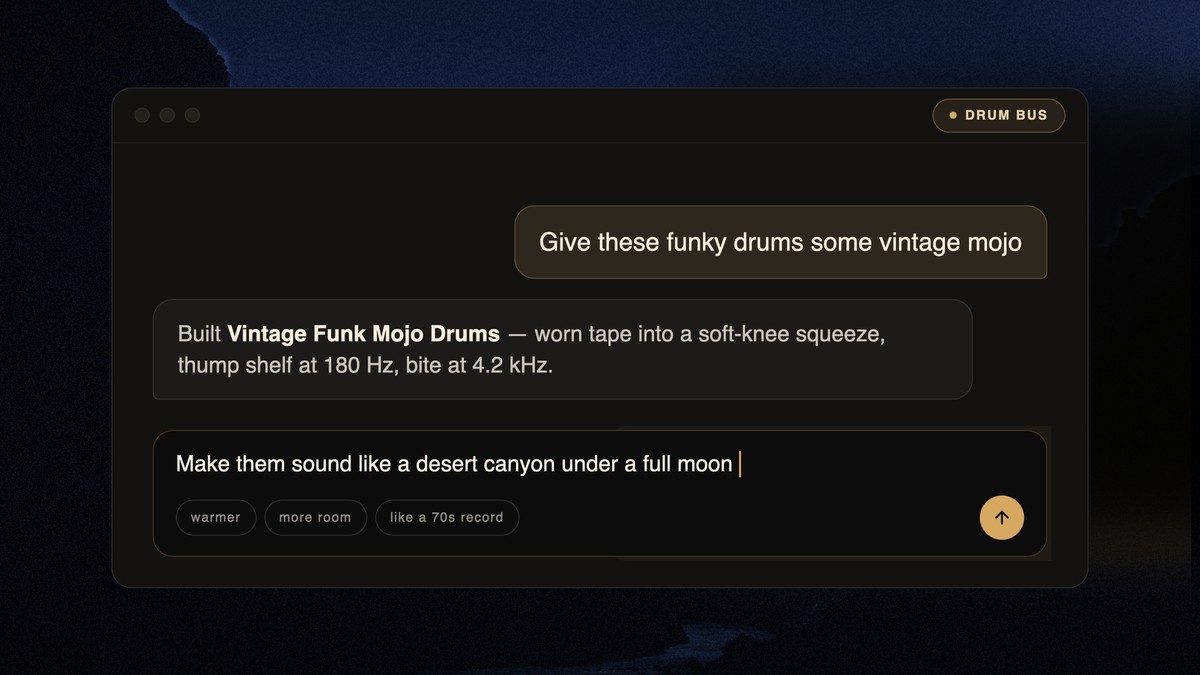
“Give these funky drums some vintage mojo.” That’s the prompt in Playhead’s own demo, and what comes back is a Treatment called Vintage Funk Mojo Drums: worn tape into a soft-knee squeeze, a thump shelf at 180 Hz and bite at 4.2 kHz.
Playhead is music production software that builds effects chains from words. It’s in public beta on macOS for $16 a month after a 2-week free trial, and Music Ally picked it up on October 13 as an AI tool for artists that doesn’t generate music.
How Playhead turns a text prompt into a Treatment
You describe the sound you want in plain words, the way you’d say it to an engineer. Playhead’s examples run from “give this vocal some warmth and body without losing clarity” to a guitar that sounds like “a choir of angels shattering a crystal chandelier”.
Playhead then analyses your stem or track and builds a Treatment for it. A Treatment is a signal chain, which is just effects plugged in one after another, like pedals on a guitarist’s pedalboard.
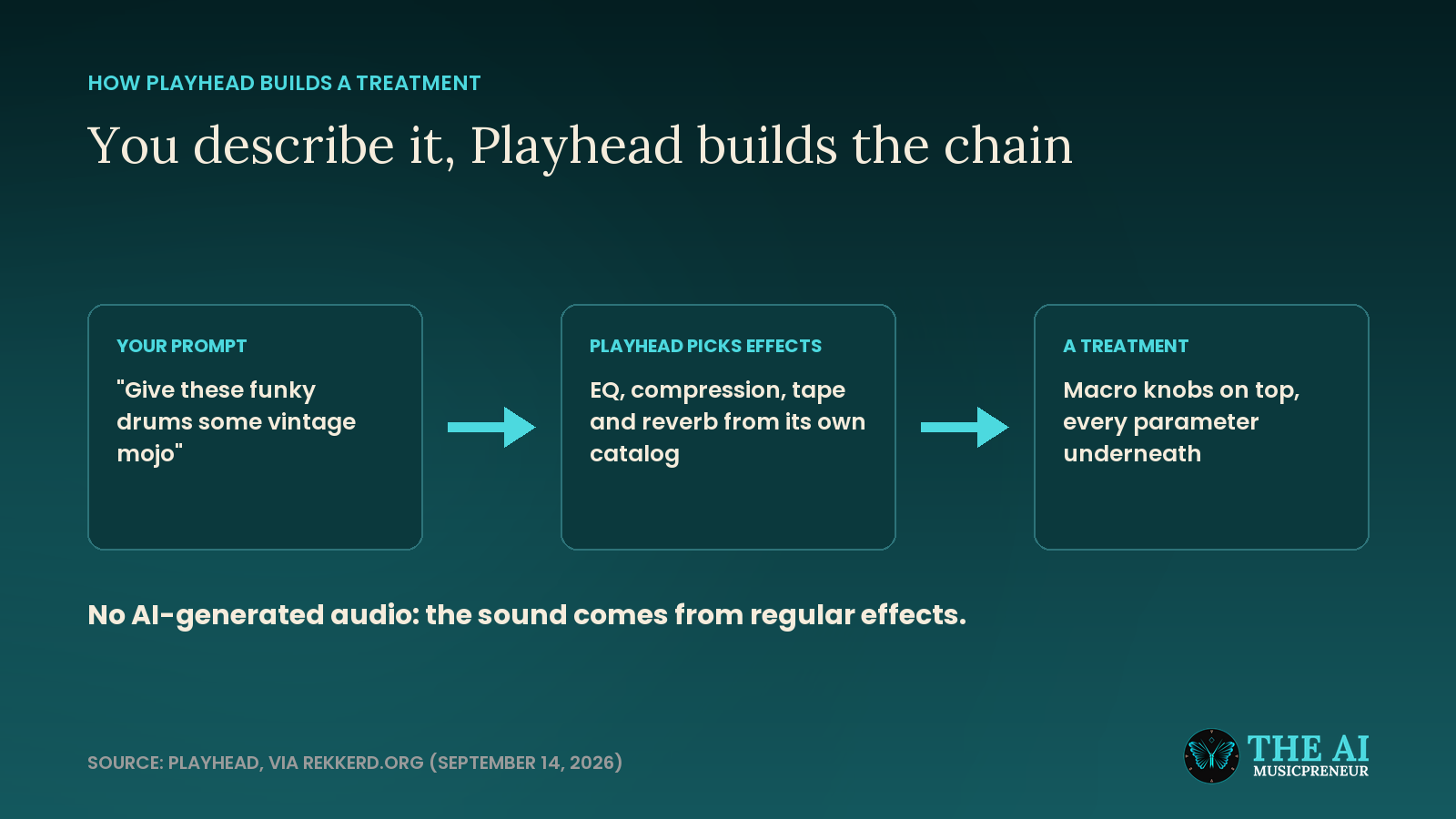
You’re not stuck with what it builds. Rekkerd.org’s launch coverage describes 3 levels of control: macro knobs on top, every DSP parameter underneath, and the chain itself if you want to swap effects in or out.
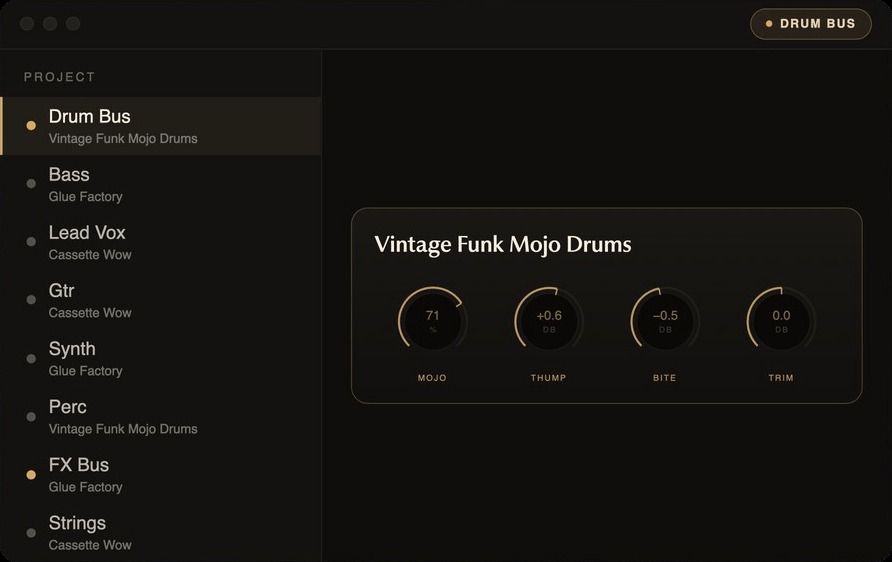
You can save a Treatment to your own library and use it again in any project. Here is the founder walking through it:
Does Playhead use AI-generated audio?
No. Playhead says it doesn’t train AI models on audio, create AI-generated sound or process audio with AI.
The AI reads your words and picks the effects. The sound itself comes from Playhead’s own DSP catalog of compressors, reverbs, chorus, saturation and EQ, which Playhead says runs in very large projects without latency.
There are ways to apply new technology to music that equip professionals instead of replacing them, ways that enhance the music production process instead of eliminating it.
Stephens is a songwriter from Austin who built Playhead after years of producing his own music, according to Playhead’s team page. His co-founder and CTO, Jason Seats, played in a band with him.
Plain-language control is showing up in other DAW tools too. The Gopher assistant in FL Studio 2026 takes multi-step instructions in plain words, but only inside FL Studio.
One caveat: I haven’t run Playhead on my own stems yet. Everything above comes from Playhead, its demo and the launch coverage, not from a test of mine. If you want plugins I have tested, my roundup of 11 AI VST plugins is the place to start. And if you’d rather hand over the whole mix, I also ran Nova, an AI mixing and mastering agent.
Windows support is planned, with no date yet. On a Mac, the 2-week trial on Playhead’s site needs no credit card.
Frequently asked questions
Does Playhead work on Windows?
Not yet. Playhead is in public beta on macOS only. Playhead says Windows support is planned but has not given a date.
Who founded Playhead?
Playhead was co-founded by CEO Shelby Stephens, a songwriter from Austin, and CTO Jason Seats, who played in a band with him. Stephens built it after years of producing his own music.
Can you save and reuse a Playhead Treatment?
Yes. Playhead lets you save a Treatment to your own library and use it again in any project.
How much does Playhead cost?
Playhead costs $16 a month after a 2-week free trial, and the trial needs no credit card. You can cancel any time. It is in public beta on macOS, with Windows support planned.
About the author

Covering AI music tools, industry shifts, and news for music creators and professionals. Twice-weekly newsletter at aimusicpreneur.com.