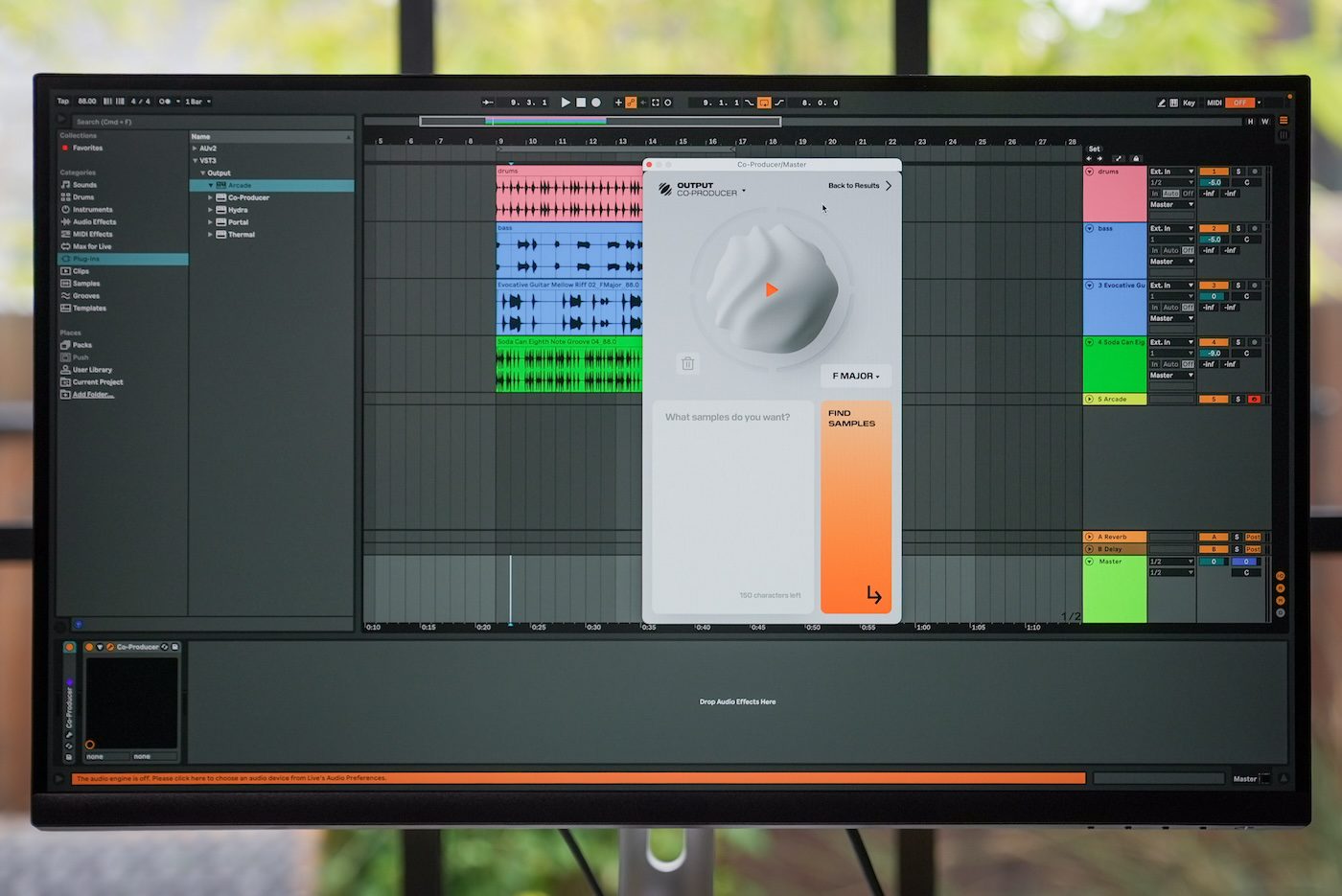
How to create infinite sample variations with Output’s AI sample generator Co-Producer
My stack My fav 6 tools for AI music after testing 70+
-
 ElevenMusic · Music generation
 -
 Moises · Stem separation
 -
 Controlla · Voice swap & cloning
 -
 Cryo Mix · Mixing + mastering
 -
 Neural Frames · Music videos
 -
 ONCE · Distribution
Some links are affiliate links — I earn a commission at no cost to you. Every tool here is one I run myself and truly believe in. This stack is proven.

Ever find a sample you love, but it’s not quite right for your track? Maybe it’s been used a thousand times before, or YouTube keeps flagging it. This is one of the biggest headaches music producers face today. You want that perfect sound, but you need it to be unique.
Output’s new Re-imagine feature in Co-Producer solves this problem with an AI sample generator that creates endless variations of any sample. This tool gives you original, royalty-free sounds that fit your track perfectly. You’ll learn how to turn any sample into something completely your own.
Prerequisites
Required Tools:
- Co-Producer subscription ($9.99/month)
- Any major DAW (Digital Audio Workstation)
- Basic knowledge of music production
Time Commitment: 2-3 minutes per sample variation
Skill Level: Beginner to advanced
Why This AI Sample Generator Works
Re-imagine uses ethically trained AI that analyzes your chosen sample and creates new variations while keeping the original’s soul. Unlike other tools that scrape content from the internet, this system only works with Output’s musician-made samples.
As Gregg Lehrman, CEO of Output, explains: “So often we find a sample we love, but it’s not quite right. Maybe it doesn’t fit the track, maybe it’s been used a thousand times, maybe it gets flagged by YouTube, or maybe it just feels too repetitive when you copy and paste.“
Step-by-Step Instructions using Output’s AI Sample Generator
Step 1: Find Your Base Sample
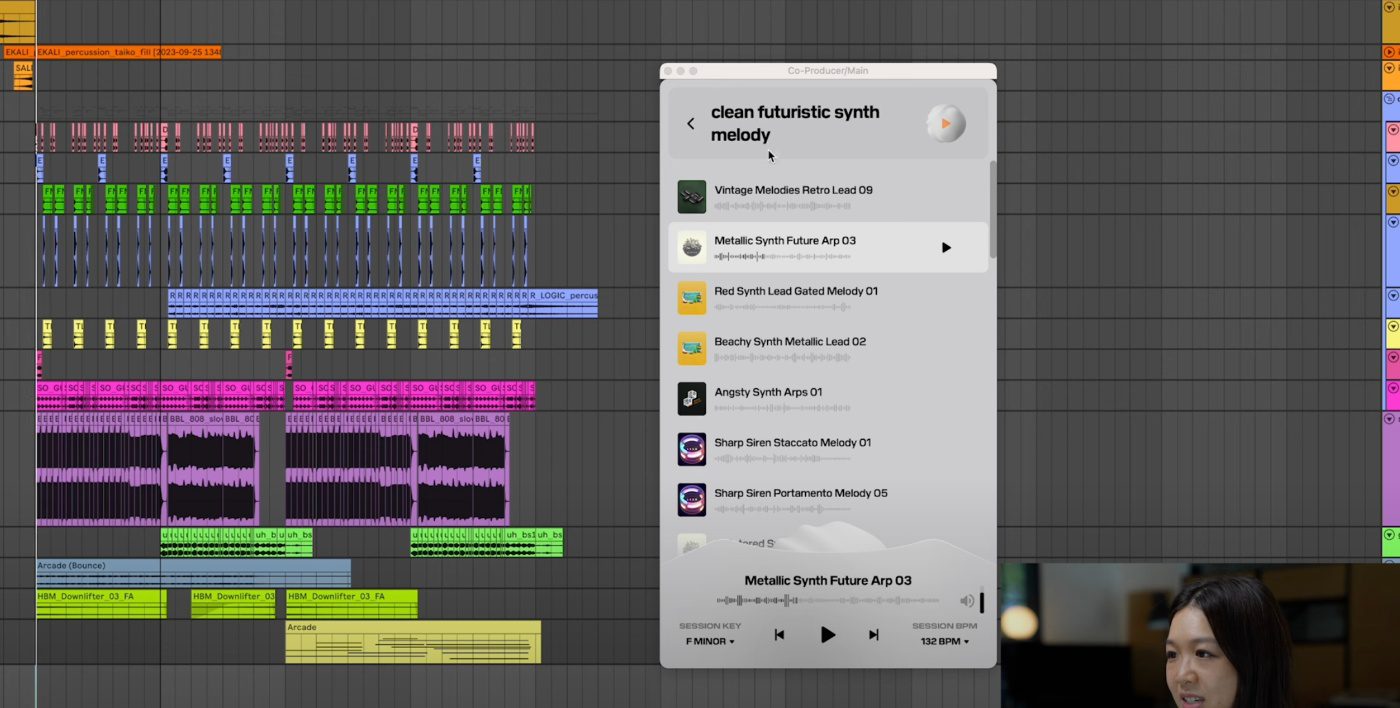
Search for samples in Co-Producer using keywords like “clean futuristic synth melody.” Preview results with your track to find the right starting point.
Step 2: Use the AI Sample Generator
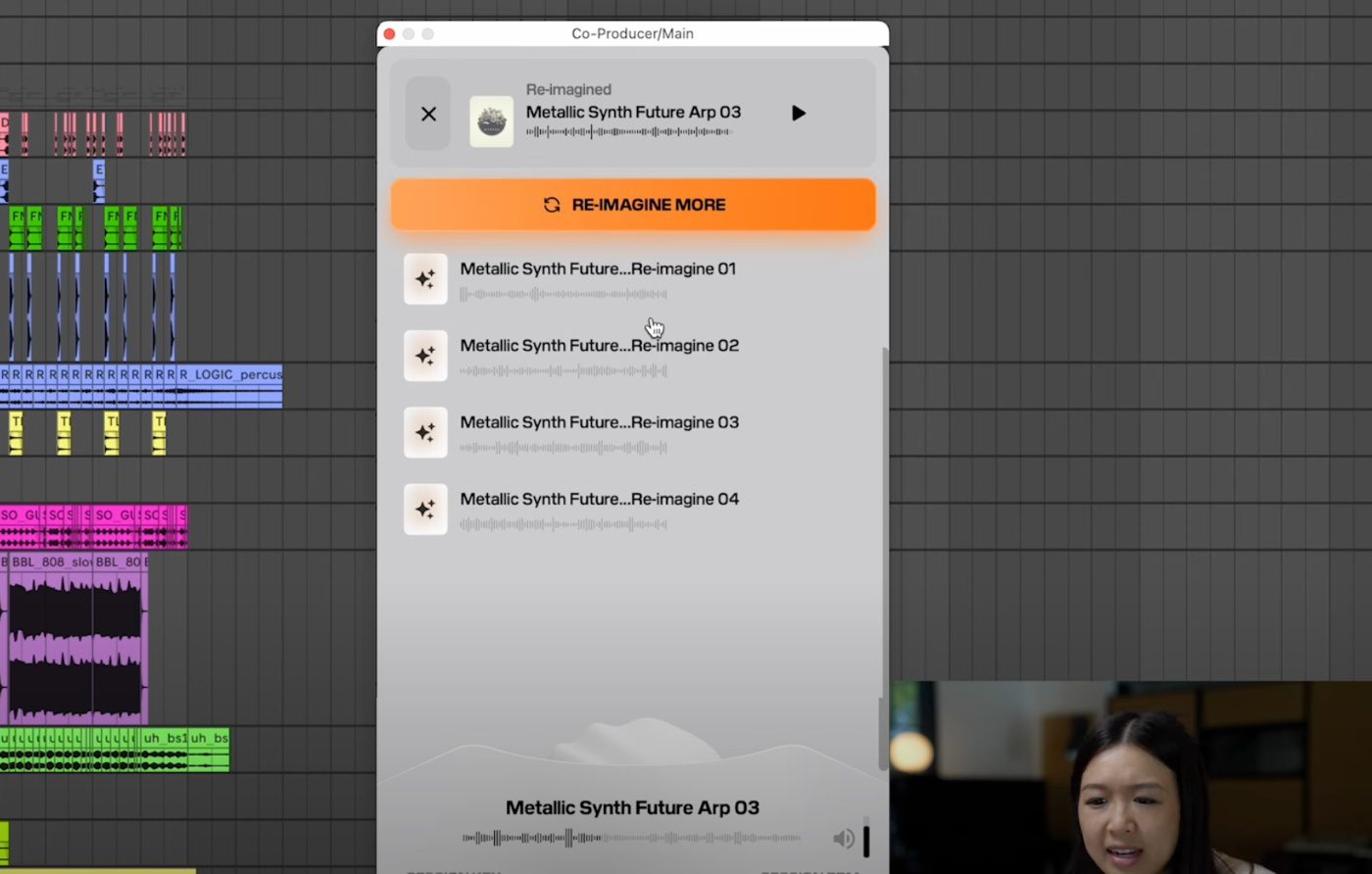
Click “Reimagine” on your chosen sample. The AI analyzes the original and creates four new variations instantly.
Step 3: Generate More Variations
Don’t like the first batch? Generate as many variations as you want. There are basically infinite options available.
Best Practices using Re-Imagine in Co-Producer
- Test samples in your project’s key and tempo first
- Generate multiple batches to find the perfect fit
- Drag and drop directly into your DAW for seamless workflow
Output’s Re-imagine feature transforms how producers work with samples. You get original, cleared sounds without copyright worries. Try the free trial of Co-Producer and start creating unique variations today.
About the author

Covering AI music tools, industry shifts, and news for music creators and professionals. Twice-weekly newsletter at aimusicpreneur.com.