Creating music used to require years of training and expensive equipment. Now you need just a computer and the right AI song generator. Producer.ai, the newly rebranded platform from Riffusion, promises to put a virtual producer in your pocket. But does this free AI song generator live up to the hype?
This guide shows you exactly how to use Producer.ai to create songs from start to finish. You’ll learn the step-by-step process, discover what works best, and understand where this platform fits compared to competitors like Suno and Udio.
Prerequisites
- Computer with internet connection
- Basic understanding of music genres
- 1 – 2 minutes per song creation
- Beginner-friendly (no musical experience required)
- It’s currently invite-only. But I had an old Riffusion account and was able to login to my old account
Why Producer.ai AI song generator works differently
Producer.ai takes a conversation approach to music creation. Instead of filling out forms, you chat with an AI producer that understands your creative vision. This AI song generator with vocals responds to natural language, making it accessible for beginners.
The platform offers three models: FUZZ-2.0 (most advanced), FUZZ-2.0 Raw (more creative flexibility), and Classic (simpler option). Unlike other platforms that focus purely on generation, Producer.ai emphasizes the collaborative process between human and AI.
Step-by-Step Instructions on how to use Producer.ai
Step 1 – Set Up Your Account
 Screenshot
Visit producer.ai/login and create your free account. You’ll land on the main dashboard where you can start your first session. Click “New Session” to begin creating music.
Pro tip: The free tier gives you enough credits to test the platform thoroughly before deciding on a paid plan.
Step 2 – Choose Your Creation Method
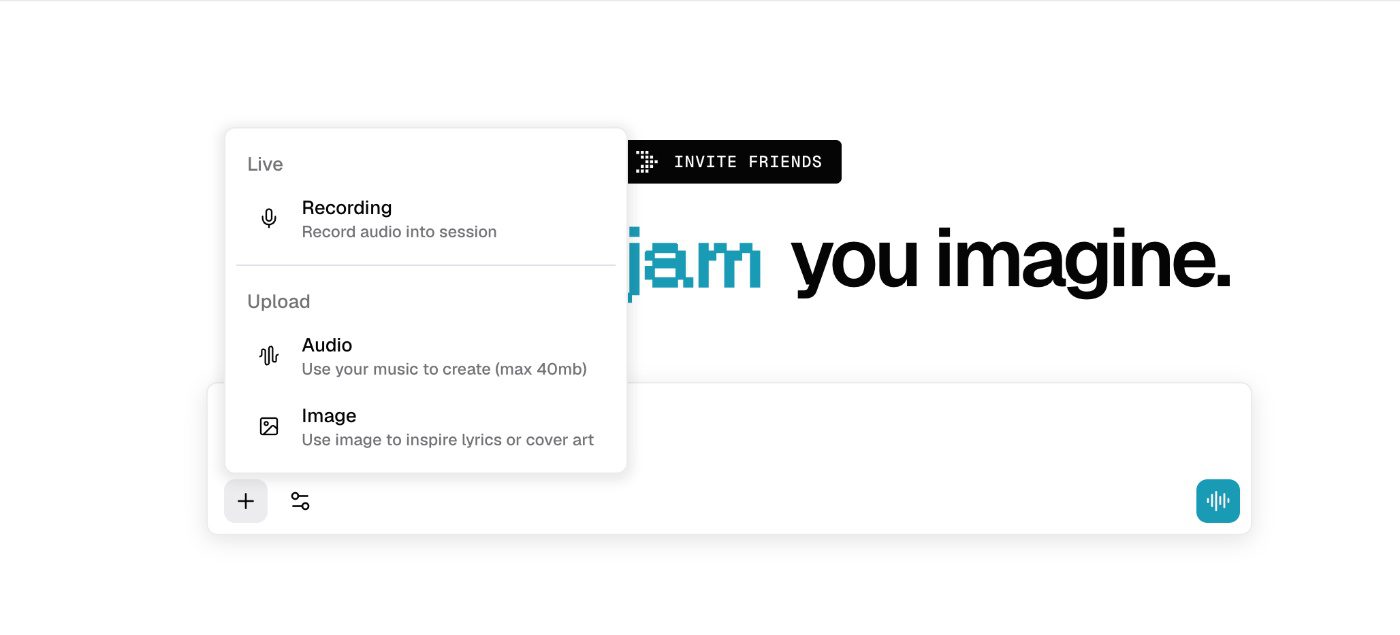
Producer.ai offers multiple ways to start:
- Live Recording: Record directly into the platform
- Audio Upload: Use your existing music files (up to 40mb)
- Image Upload: Let visuals inspire your lyrics
- Text Prompts: Describe what you want using the compose section
Common pitfall: Don’t upload copyrighted material as your starting point.
Next, choose your preferred model. Choose from FUZZ-2.0 (most advanced), FUZZ-2.0 Raw (more creative flexibility), and Classic.

Step 3 – Write Your Prompt and Choose Your Model:
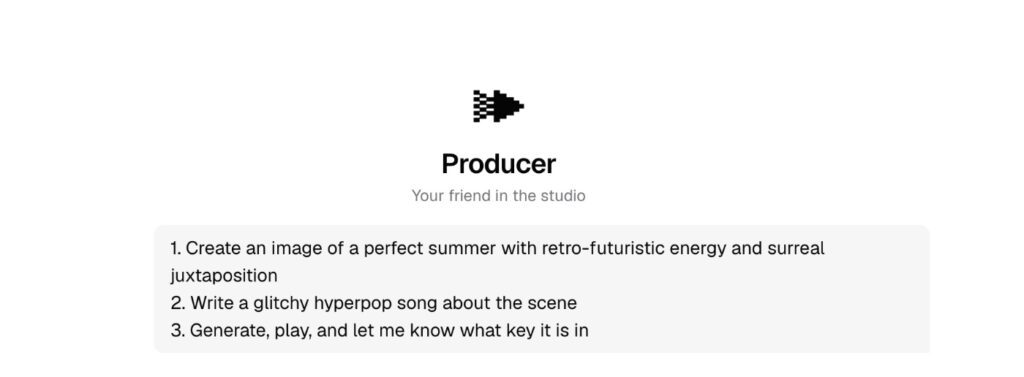
Write your prompt in the chat field.
Optionally: Click the “Compose” icon on the right side. Here you can enter lyrics or describe your desired sound. The platform includes starter flows (prompt templates) to help beginners.
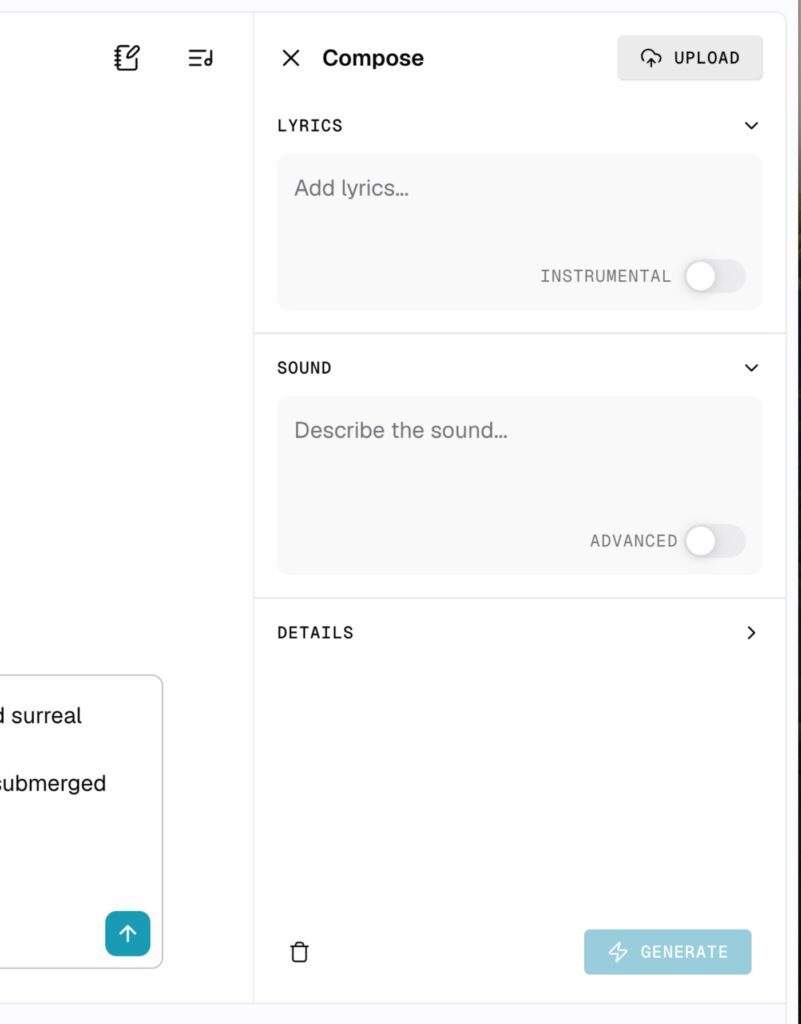
For best results, be specific about:
- Genre and style
- Mood and energy level
- Instruments you want featured
- Key signature (if you know it)
Pro tip: Include visual elements in your prompt. The AI responds well to descriptive imagery that sets the scene.
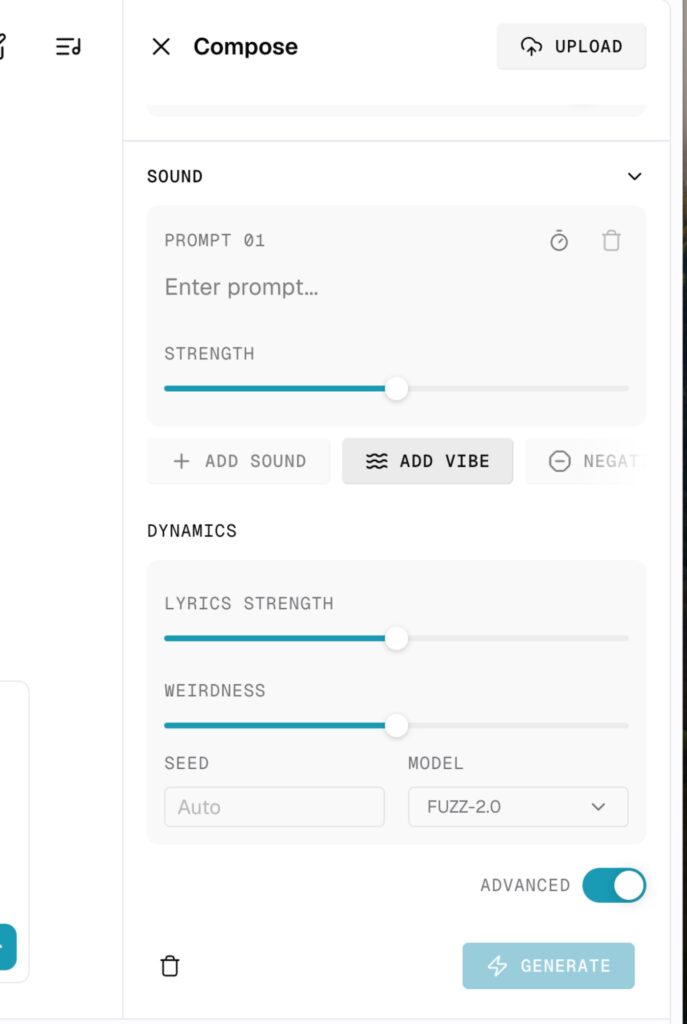
Toggle “Advanced” mode for more control:
- Prompt Strength: How closely the AI follows your instructions
- Weirdness Slider: Increases experimental elements
- Lyrics Strength: Balances vocal prominence
- Model Selection: Choose between FUZZ-2.0 variants
Here are 2 songs I created with producer.ai
A Death metal track:
Prompt: Create an image of an underwater city with retro-futuristic 80s vibes, neon lights, and surreal details like floating cassette tapes and arcade machines among coral.
Write a Gothenburg Death Metal song in the style of In Flames about survival in this submerged world, mixing heavy melodic riffs with synth pads and haunting choruses.
Set the song in E minor for a dramatic, moody atmosphere.
A Latin Country track:
Prompt: Create an image of a small, sunlit town with rustic wooden houses, colorful mosaic tiles, hanging lanterns, and Latin folk instruments like guitars and accordions decorating the porches and town square.
Write a country song with Latin influences about discovering love and belonging in this vibrant town, using acoustic and nylon-string guitars, gentle Latin rhythms, and heartfelt lyrics.
Set the song in G major for a warm, uplifting mood.
Step 4 – Generate and Refine:
Hit “Enter” and wait for your track and images. Once created, you have several options:

- Play the song immediately
- Create remixes with different styles
- Ask follow-up questions in the chat
You can also request guitar tabs (though this does not work), chord progressions or ask for rhythm patterns:
Troubleshooting Guide
- Low-quality output: Try being more specific in your prompts. Generic descriptions produce generic results.
- Instruments sound artificial: This appears to be a current limitation, especially with drums and orchestral instruments.
- Lyrics don’t match your vision: Provide more context and specific references in your initial prompt.
- Can’t access advanced features: Some features require paid subscriptions starting at $6/month.
Best Practices
Focus on detailed, specific prompts rather than vague descriptions. The AI song generator from lyrics works best when you provide clear direction about mood, style, and instrumentation.
Test different models for different genres. FUZZ-2.0 Raw often produces more interesting results for experimental music.
Use the chat feature after generation to refine your tracks. You can ask for specific changes, remixes, or technical details about your song.
Start simple and build complexity gradually. Create a basic track first, then use the remix feature to add layers.
Save successful prompts for future use. The platform learns from your preferences over time.
Current Limitations
Based on testing, Producer.ai shows promise but has room for improvement. Audio quality lags behind established competitors like Suno and Udio. Instruments often sound processed, and genre authenticity varies significantly.
The platform works best for experimental genres and ambient music. Traditional rock, metal, and acoustic styles tend to sound less convincing.
Producer.ai excels in its user interface and collaborative approach. The ability to chat with your AI producer and request specific changes sets it apart from other AI song generators.
The platform shows potential but needs development time to match the audio quality of market leaders. For beginners exploring AI music creation, the free tier offers good value for experimentation.