Creating quality music just got easier with Mureka’s V7 release. This AI song generator now thinks like human composers, planning entire song structures before filling in the details. Musicians and content creators get better vocals, smarter arrangements, and professional results in minutes.
Traditional AI music tools focus on local sounds without considering the big picture. Mureka V7 solves this problem with its upgraded MusiCoT framework that maps out emotional flow and instrumentation before generating audio.
Prerequisites
You need a computer or mobile device with internet access. No musical training is required. Mureka works on both web browsers and mobile apps. Plan for 2-3 minutes per song generation.
Why Mureka V7 Works Better
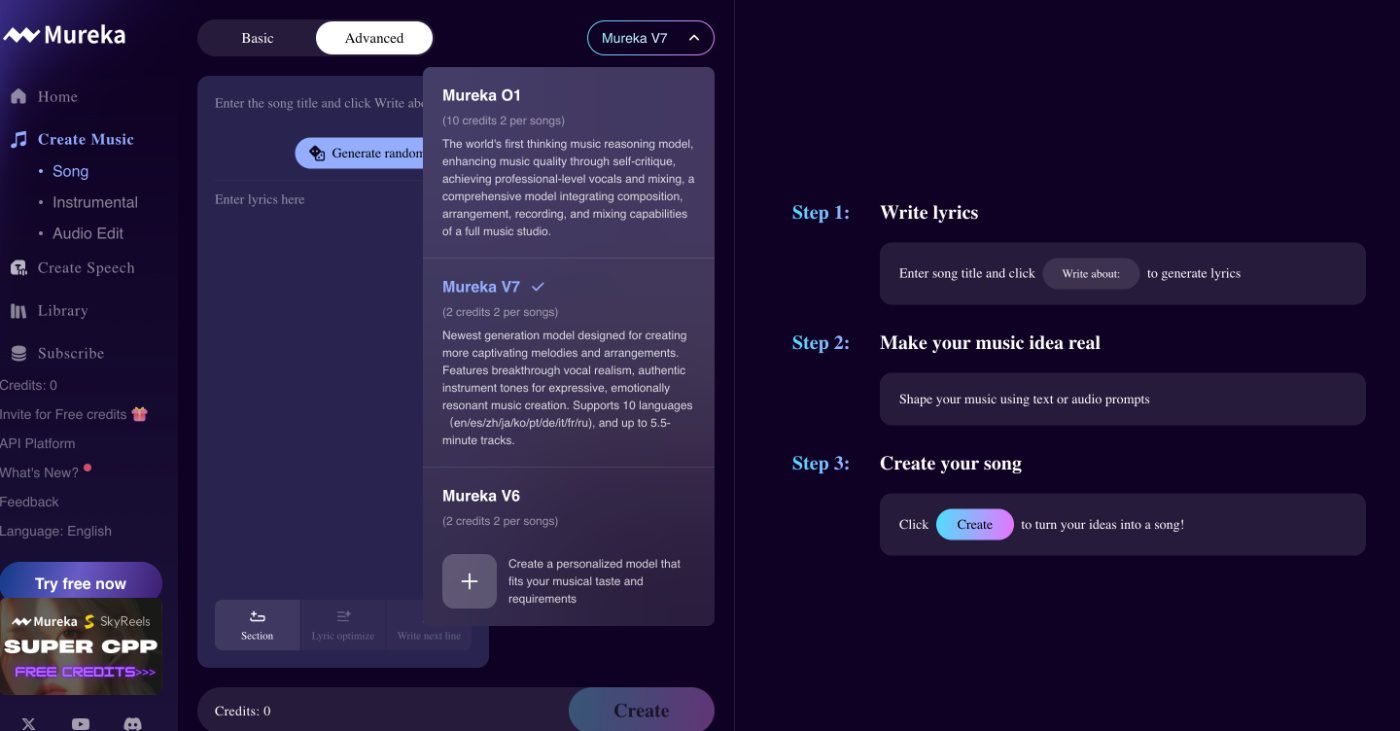
Mureka gained 3 million users since March 2025. The V7 update delivers 44% better vocal realism and nearly 100% improvement in audio quality compared to V6, according to Skyworks. The platform scores 4.6 for speech quality, beating ElevenLabs at 4.36.
The secret lies in MusiCoT technology. This framework plans song structure first, then generates audio. Traditional models create sounds sequentially, leading to choppy transitions. Mureka thinks ahead, creating songs that flow naturally.
Step-by-Step Instructions on how to use Mureka AI v7:
1. Create your account:

Visit mureka.ai and sign up with your email. You get 2 free credits to test the platform. Each 2 credits generates one complete song.
Pro tip: Start with the free trial before committing to paid plans.
2. Choose your creation mode:
Select between Simple Mode for quick results or Advanced Mode for detailed control.
- Simple Mode needs just a text description.
- Advanced Mode lets you add lyrics, select voices, and upload reference tracks.
Common pitfall: Don’t skip the genre selection. This guides the AI’s musical direction.
3. Input your music concept
Type your music description in clear, specific terms. Instead of “happy song,” write “upbeat pop song with acoustic guitar and female vocals about summer vacation”.
Pro tip: Include tempo, instruments, and mood for better results.
4. Select voice and style options:
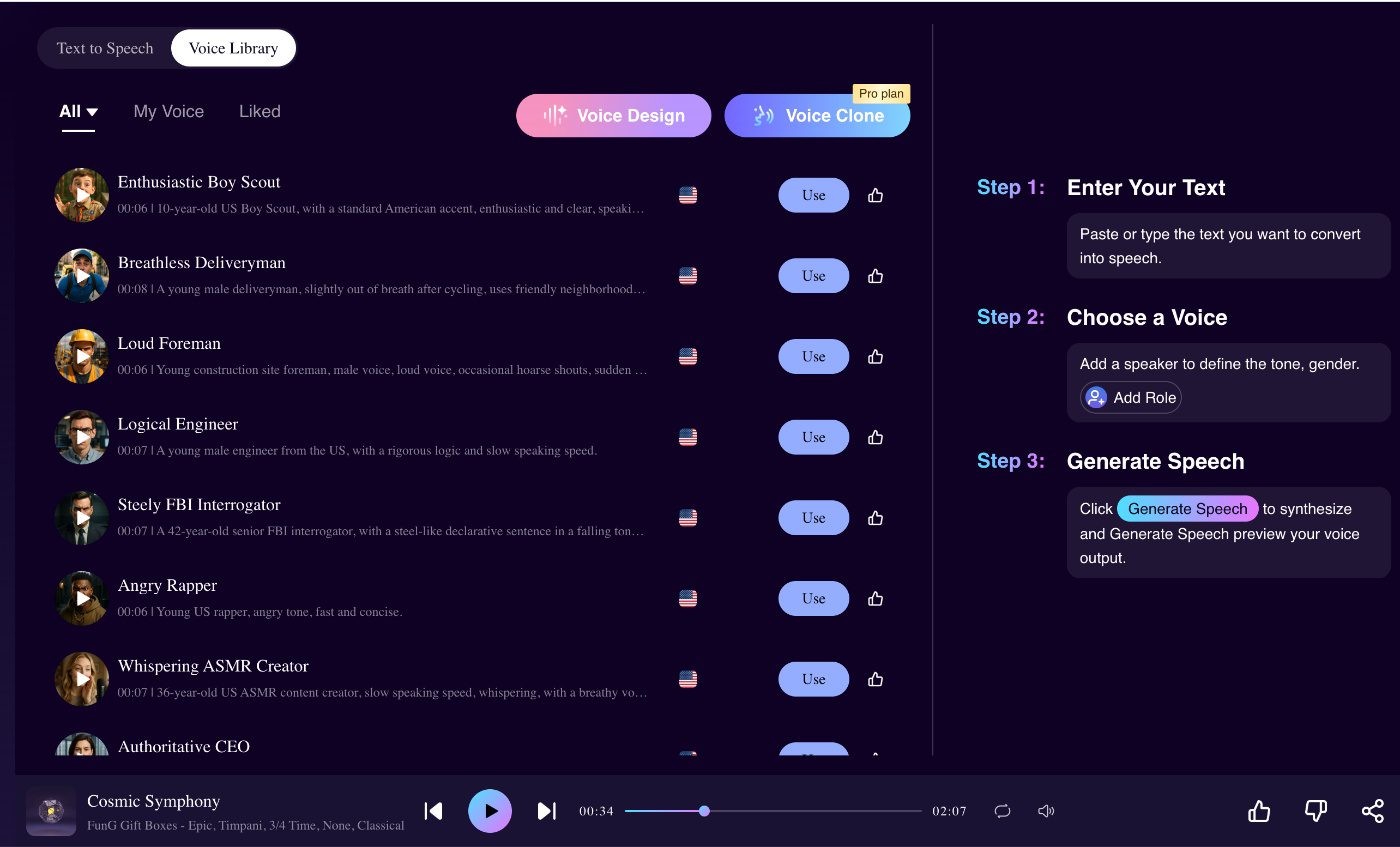
Choose from preset AI voices.
- Pro users can access voice cloning features.
OR: Upload reference tracks to match specific styles or moods.
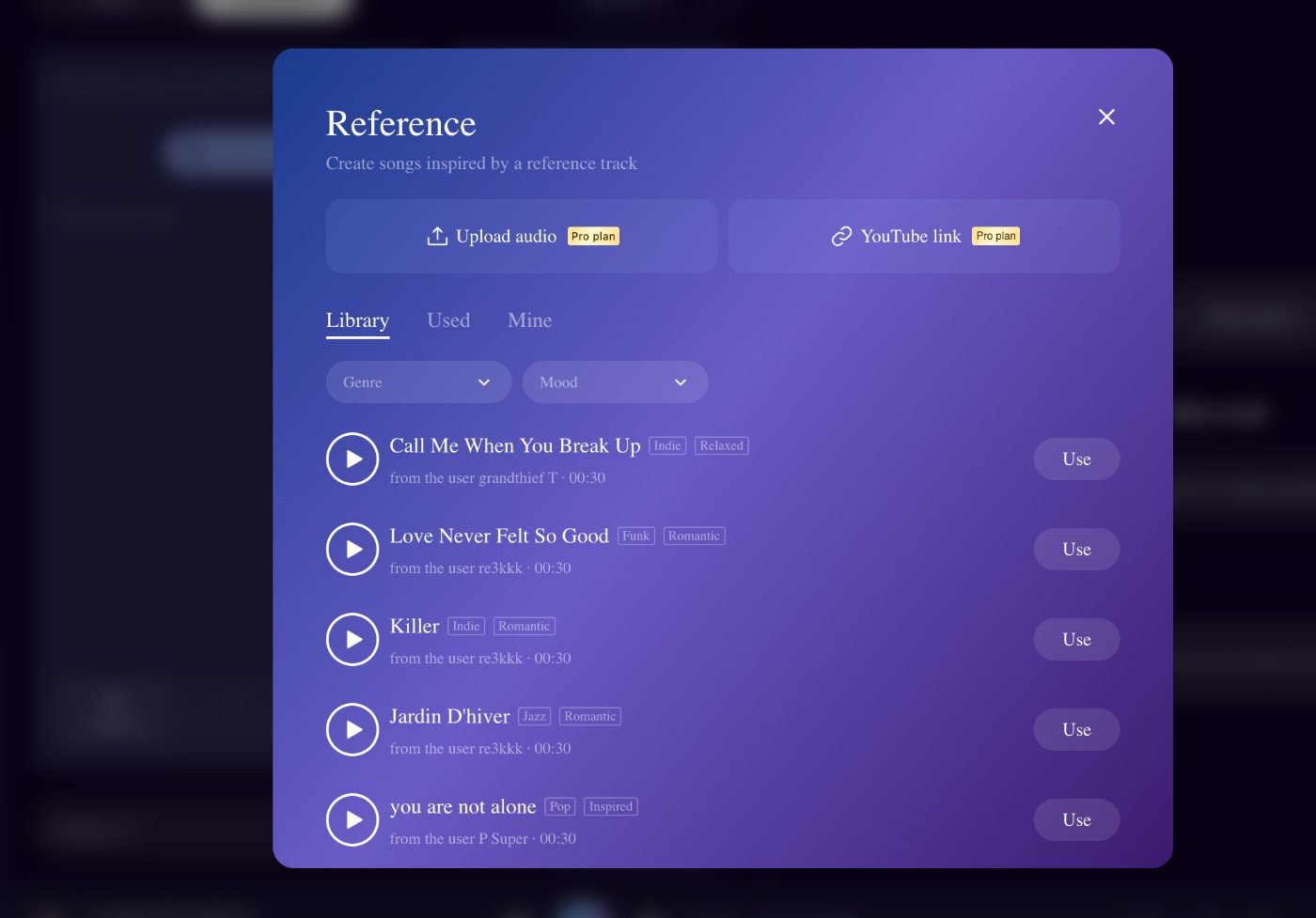
Common pitfall: Don’t upload copyrighted material as reference tracks.
5. Generate and Refine
Click generate and wait 45-60 seconds for two song variations.
- Listen to both versions.
- Use the editing tools to extend sections, adjust parts, or regenerate specific segments.
Pro tip: Save multiple versions before making edits. You might prefer the original.
Here are a few tracks I found that use v7:
A romantic pop song:
A classical piece:
Troubleshooting Guide
Songs sound robotic: Use more descriptive prompts with emotional context. Add specific instrument mentions and human-like vocal directions.
Poor lyric quality: Switch to Advanced Mode and write custom lyrics instead of relying on AI generation.
Generation fails: Check your internet connection. Peak usage times might slow processing. Try generating during off-hours.
Best Practices
- Focus on specific descriptions rather than vague concepts: “Melancholic folk ballad with fingerpicked guitar” works better than “sad song”.
- Experiment with reference tracks for style matching: This feature helps nail specific vibes for remixes or cinematic background music.
- Use the stem separation feature for advanced editing: Pro plan users get individual track downloads for professional mixing.
- Save your best prompts for future use: Successful descriptions become templates for similar projects.
- Balance creativity with technical limits: While Mureka handles complex arrangements, simple concepts often produce cleaner results.
Mureka vs Suno Comparison
Mureka excels at structure planning and instrumental quality through its MusiCoT technology. Suno offers simpler workflows and broader genre coverage. For voice cloning and reference-based generation, Mureka provides more advanced features. Both platforms cost similarly, with basic plans around $10 monthly.
Create music that flows naturally instead of sounding randomly generated. Mureka V7 transforms musical ideas into professional tracks through smart AI that understands composition structure.
Still have any questions? Is Mureka AI safe? How much does it cost? You can find these answers here.